Updated Jun 18, 2024
Version 15.0
Amber_Waisanen Microsoft
MicrosoftMicrosoftMicrosoft Microsoft
ParLinderoth In the context of town hall, the chat that is available is known as "backroom chat" and it is only for the organizers/co-organizers/presenters. The green room article is referencing using the green room and chat in a meeting/webinar (as green room is available in meetings, webinars and town halls) - but in that case, the chat is global, meaning even the attendees can access it.
SlunoCZ We're investigating improving the video layouts, including leveraging the upcoming 16:9 gallery view. We are also working on a more robust producer-type experience to help with layouts, lower thirds, etc.. Live captions for attendees are over the video feed. Yes, we're working to also enhance the green room experience (slides, video loops, etc...) in the latter half of 2024.
rbell14 You cannot currently control queuing of content in town hall; we're working on this.
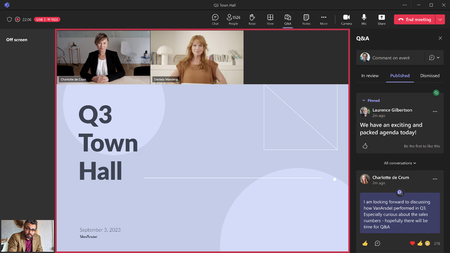
Brettdlg There is a limit to how many videos you will see in the "off screen" area on the left - I think it's around 8 or so, but then we will also show a number of remaining presenters - clicking on that will open the roster on the right, and you can right click anyone from the roster and bring on screen from there.
FabrizioDegni not sure your specific question - town hall is controlled by Event Policies, so it's possible your IT Admins have not enabled you for usage of town hall. Town hall is available as part of existing E3/E5 licensing as well as Premium. More details on the differences here -> Overview of meetings, webinars, and town halls - Microsoft Teams | Microsoft Learn
DaveTheTeamsGuy Similar infrastructure yes, but there are differences, specifically with Premium town halls.
Teresa_Cyrus as far as I am aware, this does not include Business Plans.
Michael__PE I'll need to defer to my marketing/licensing colleagues on that one, sorry.
Matthew_Eddy End Meeting will end the event for attendees as well, but there is a timer that kicks in once you as the organizer click the end meeting option. Once the timer expires, the event ends for the attendees as well. We're working on bringing similar functionality as we had in Live Events (where we can end the stream for the attendees, but not the meeting with the event crew).
DawnS1921 Town halls work in both classic and new Teams, it doesn't matter where it was created. Live Events are different though, because we do *not* support creating/editing Live Events in new Teams - you will be redirected to the web experience in classic Teams for this. We also do not yet support producing Live Events in new Teams, we're actively working on this (you will be prompted to switch back to classic Teams to produce) - presenting/attending Live Events is supported in new Teams.
dhthompson61 that is not correct to state there is no RTMP-IN with town hall, there absolutely is - it needs to be enabled in the meeting policy. (allow media streaming input needs to be set to RTMP). NDI is currently in our lower rings in testing, we're targeting end of CY23 for the release, though this will be determined by quality gates as well as the upcoming holiday change freezes.
Shohel-Rana we do not support live language interpretation today with town hall, this is in our backlog, no ETA to share at this time.