UPDATE: Teams Live Events will not retire in September 2024, as previously announced in this article. Customers will be able to schedule and host Live Event instances past the previously-stated date....
BryanNyce. Thanks for the quick reply. You are speedy for sure. I'll fill in around your replies.
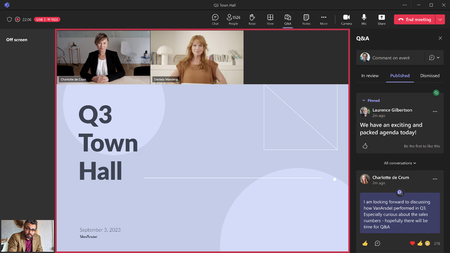
Moderated Q&A is absolutely available, it is not enabled by default. The organizer needs to configure this option. This option is absolutely not available to configure as an organizer on our tenant. I have asked multiple times if they can/have enabled it and, in fact, the answer from the TPM has been to the effect that MS has not pushed it yet (or something to that effect). Maybe different in EU than US rollout?
I have never experience presenters (>90%) being attendees. First, are the presenters invited in the details tab; second, is the event published?; third, are these presenters being defined before the event begins? Yes to all. Added on creation. Published event.
Presenters do not have the permissions of organizers. They do share many permissions (including the ability to bring videos on/off screen), but organizers can also end the event, change meeting options, moderate Q&A - which presenters cannot do. Take this to the dev team (I'm sure I'm not alone here) - presenters should absolutely not be able to bring videos on/off screen or control the meeting beyond sharing a presentation (window/desktop). If this is to replace Live Events then organizer needs to = producer role. Further, presenters should absolutely be able to manage Q&A. I certainly do not want someone logged in as an organizer in order to manage Q&A as a back office resource, and be able to click on the end event button!
p.s. what happens if someone inadvertently clicks the end button or the event crashes? Can you restart like Live Events. We have not tested that scenario yet.
We're working to improve the sharing experience - today the client doesn't share back the window to you, just like the meetings experience.
Content queuing is being worked on. Good stuff
Would love more specifics around documentation gaps. Additionally, Town hall has been incorporated into our Premium Playbooks -> https://aka.ms/TeamsPremiumDeployment
Again, would love more details about what "doesn't match", and what you need for event statistics that are not currently available. Premium organizers will also get the Insights Portal as well. Insights portal looks good but we need to connect this data with our HR data to see what parts of the org have joined in what numbers, for example or break down line managers vs non-managers. You see the exported excel below from new Townhall. Not very useful in this format. Maybe you have some good APIs to get event data into a data lake from your Insights?
Below: Attendance report I get when downloading vs attendance report visualized on this page. The downloaded excel is a single-tab summary, not in a usable table format (as previously) and not something that can easily be used in PowerBI and related to, for example, our HR data.
Is section 2. Participants only organizers + presenters? Or all attendees? And is a new row created each time they log in/out (assuming yes)?
Is section 3. In-Meeting Activities where we would see reactions, comments, questions, etc? And would this include the actual text from the Comments/Qs as well as announcements, etc? Or will there be a second Q&A report later (like we have today)? I forget if you mentioned in a thread earlier.
Highly recommend splitting Participants and Activities to two tabs in excel export. Especially if Participants includes all attendees as well.
That is not an error (mic and camera disabled) - that is totally expected. That is the attendee experience for Town hall, just like it was for Live Events. Wasn't the point. Disabled mic and camera was not the issue. The message said "due to the number of people who have already joined...". That indicates to me either a) the wrong message got served up to the end user or b) the platform thought we were in a standard Teams Meeting and had surpassed 2k(?) participants. Either way it is a confusing UX for both organizer and attendee.
Will address these points with KAM in our meetings. If I hear different details, if there are config issues on our end that get resolved, I will share here. 🙂

 Microsoft