I am with everyone else here except to add a few extra thoughts - this is BONKERS!
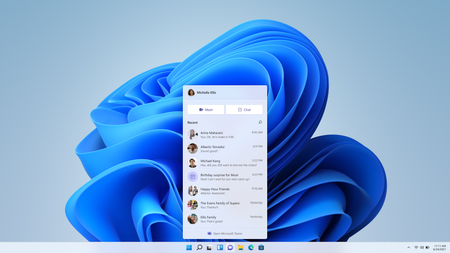
I am on my work PC and I have two teams apps, one that I can only use with my personal account (which I don't use on my work PC for a lot of very sensible reasons) but both apps look almost exactly the same and are called the same thing and the only difference between the work app and the personal app is a slight colour difference in the icon.
How to aim for maximum confusion.
Wait no...it CAN be more confusing. After trying to login to my teams account(work) on my (work) laptop for about an hour and failing I came in desperation to the help page and wait for it "Teams work or school account users will use the version of the Teams app that is labeled (work or school) and uses the icon with a blue tile with a white letter “T”." Nothing is labelled on my PC at least, both icons have blue, one has a blue T on a white background over a blue logo and the other has a white T on a blue background on a blue logo. Could you not just make home teams green and avoid this confusion altogether ... or better still call it something else , maybe skype for instance? (Alright only joking there, but really this is a big snafu and probably wasted many thousands of hours as people figured this out).
BONKERS! I have disabled "Home" teams and hope never to see it again!