We actually managed to get it working - I'm not sure by accident or happenstance though.
- I setup a meeting with "record automatically" setting on THROUGH TEAMS (that's the most important part, doing via Outlook doesn't work). Invited myself on a different email account on a different computer, and read a newspaper article on both users (mute one, talk, mute the other, talk)
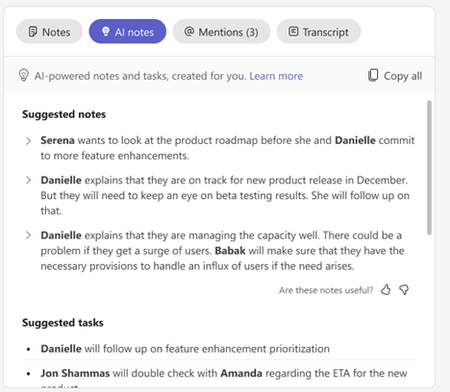
And recap worked - AI notes were generated.
From that point on, whether or not Auto-Recording is used didn't matter. If I start recording a meeting, AI notes are generated and recap works beautifully.
Today we found another bug though.
In a meeting, I stopped recording. Then started transcribing. So I have a recording for 1 minute, and a transcription for 30 minutes. And AI Recap won't see the second transcription. It only sees the first recording and a few minutes of transcription out of that and is stuck there. There's no way to get the second transcription into context, no uploads, nothing. Not so interestingly, of course, Teams knows that there is a shorter transcription from the initial video and a longer transcription from the latter part - so if I look at "Recordings & Transcription" tab, I see the entire transcription for the entire video. But the AI Recap is only focusing on the recording...
This is a huge bug - I am sure Microsoft knows about it and is actively working on it, right?

 Microsoft