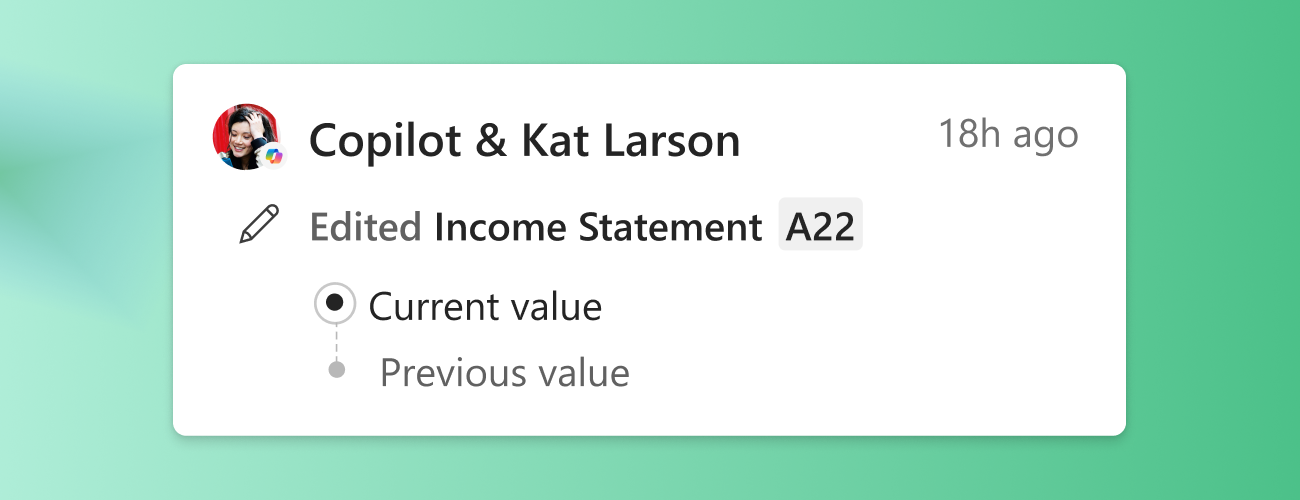
Hi all! My name is Gabi Augustin, a Product Manager on the Excel team. I'm excited to share that changes made with Copilot are now visible within the Show Changes pane, available now in Excel for the web.
As agentic tools become more integrated into modern workflows, the need for clear visual representation of work done with AI has only grown. This update helps make AI-assisted edits more visible in Excel, supporting more transparent, informed collaboration & gives collaborators clearer insight into how workbook edits have been created and refined.
Copilot Attribution in Show Changes
When a collaborator makes a change with Copilot, the Show Changes card now includes a Copilot attribution indicator with a small visual flag and Copilot icon.
Now, edits generated with the help of Copilot are immediately visible to the user and their collaborators. This means you can now:
- Easily identify where Copilot was used in a workbook
- Better understand how changes were made
- Review and verify AI-assisted changes as needed
Availability
This feature is currently available to all Excel for Web users. It will be available on other endpoints in the near future.
Tips & Tricks
If you wish to reset the Show Changes pane itself (which would remove and hide all changes, not just those made with Copilot), please follow these steps based on your platform.
On Excel for Web:
- File → Options
- Look for Reset Changes pane
On Excel for Windows & Mac:
- File → Info
- Look for Reset Changes pane
Additional resources
- Unclear how the Show Changes pane works in Excel? See here for a full breakdown of its capabilities: Get help with Show Changes in Excel - Microsoft Support
Feedback
Microsoft is committed to the continued growth and evolution of our features. Do you want AI-assisted edits attributed to you inside of workbooks? What about those of your coauthors? We would love to hear from you and get your feedback on this capability. If interested, please share your thoughts by:
- Selecting Help> Feedback in your favorite app or service.
- Signing in with your Tech Community profile and leave a comment on this blog post.
Thank you!

 Microsoft