Cloud migration is complex, spanning multiple tiers across infrastructure, applications, and data. Within that broader journey, data migration brings its own challenges: teams must discover and assess existing data estates, plan target mappings and readiness, and then execute transfers reliably—often across a long list of manual steps and disconnected tools. A simplified and connected approach to data migration can therefore play a critical role in making overall cloud migration more efficient and manageable.
Building on our earlier announcement of discovery and assessment support for SMB and NFS file shares in Azure Migrate, we are extending the experience to support end-to-end file share migrations within the same workflow. With Azure Copilot Migration Agent, customers can move from discovery and assessment to migration through a single guided experience in Azure Migrate. By bringing planning and execution together, the agent helps organizations streamline migration activity, reduce handoffs, and maintain continuity across stages.
Overview
Since the release of file share discovery and assessment in Azure Migrate earlier this year, customers have indicated that while visibility into their file share estate improved, the transition to execution remained fragmented. In many cases, teams still had to work across separate workflows for inventory, readiness planning, and migration, increasing operational friction and the risk of losing context between stages.
Azure Copilot Migration Agent helps address this gap by bringing discovery, assessment, planning, and execution into a single guided journey. Azure Migrate provides visibility and recommendations, while Azure Storage Mover supports execution in a connected, agentic experience. The result is a more consistent migration path that reduces complexity, preserves context, and helps teams move file shares to Azure with greater operational confidence.
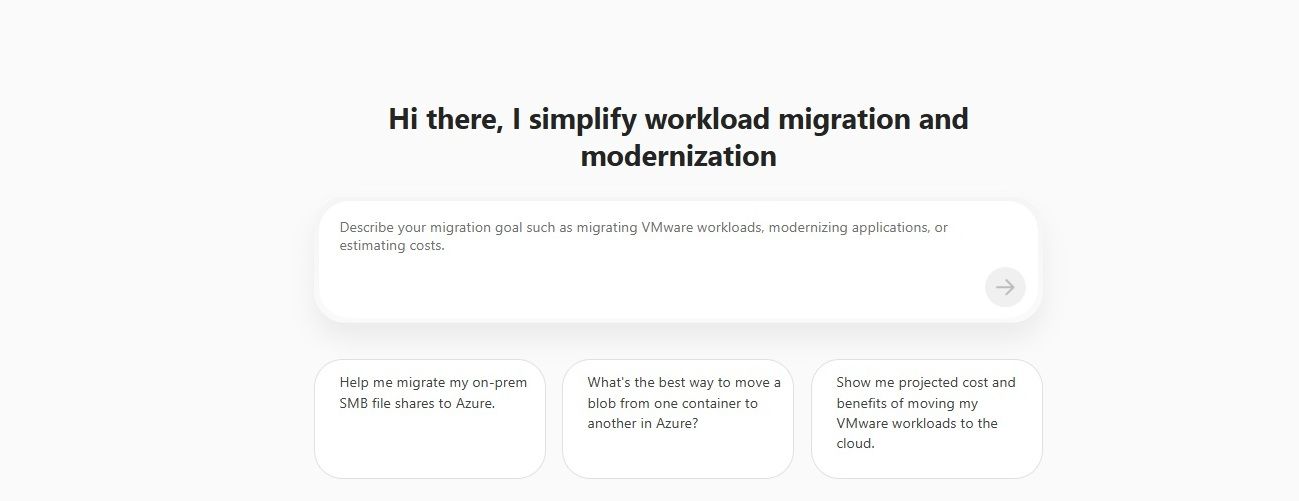
Invoking the Azure Migration Copilot Agent for on-premises data migration
Customer Value
This update streamlines the migration journey by connecting each stage of the process and reducing operational overhead. Natural language guidance helps teams start and manage migration activities much faster, often in hours or days instead of weeks.
The experience supports the following scenarios:
- End-to-end discovery, assessment, and migration for on-premises Windows and Linux file shares (SMB) to Azure Files.
- Discovery and assessment for on-premises Windows and Linux file shares (NFS).
- Data transfers from one Azure Blob container to another container.
Design principles
The experience preserves continuity across inventory, readiness insights, and execution planning, enables direct movement of validated shares when heavyweight orchestration is unnecessary, maintains approval and sequencing controls, and supports the file and object movement patterns commonly required in production environments.
Getting Started with Storage Migration in Azure Copilot Migration Agent (ACMA)
- Launch Azure Migrate: Sign-in to the Azure portal, open Azure Migrate.
- From the Getting Started page, open Azure Copilot Migration Agent, then select or create an Azure Migrate project.
- Describe the migration in natural language. The agent detects storage migration intent and assists with storage migration planning and routes execution requests seamlessly.
Examples scenarios and prompts
- Migration of on-premises Windows Server data over SMB to Azure Files
setting up key vault after source is confirmed
create target if not already present
review configuration before creation of migration jobrun migration job and check status
2. Prompt: Help me transfer data from one Azure blob container to another blob container
Call to action
Storage integrated capability is launching in Limited Preview at Microsoft Build. Sign up for the Preview here.
For questions, contact storagemigrationcopilotagent@microsoft.com.
Learn More

 Microsoft