Hi Srikanth - Good to hear from you!
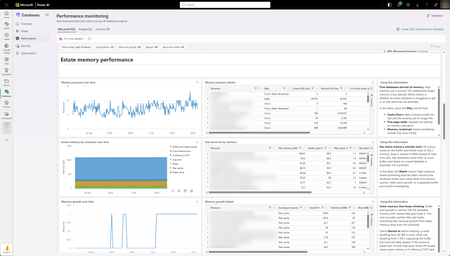
Thanks the great question. Database watcher showed us how much customers value at-scale dashboards and owning their performance data. Performance monitoring in Database Hub keeps those things and removes the infrastructure you had to run yourself. At a high-level, here are the main differences:
- Nothing to deploy or operate. You don't need to create watchers, provision an Azure Data Explorer cluster, set up private endpoints, or grant permissions to a managed identity. You simply turn it on, and your databases show up on the Performance page.
- No data store cost. Microsoft runs the pipeline and stores the telemetry. Database Hub is free, so you don't pay for an ADX cluster to hold your monitoring data.
- No scale limits. You aren't capped on the number of targets you can monitor, and you don't have to repeat setup for every new server, database, or region.
- Broader SQL coverage. Along with Azure SQL Database, you get SQL Server on Azure VMs and SQL Server enabled by Azure Arc (on by default once connected). Azure SQL Managed Instance support is coming soon. That's the same core telemetry and the same dashboards across Azure, on-premises, and other clouds.
- One estate view beyond SQL. Database Hub also brings in Azure Database for PostgreSQL and Azure Cosmos DB, so you can see your whole database estate in one place.
- You can still query your data. You can query the same telemetry with KQL through a Microsoft-managed, RBAC-governed endpoint. You can build Real-Time Dashboards or connect Grafana or Power BI without running your own cluster. See Query performance monitoring telemetry.
- Built for AI. Every database gets one consistent source of performance data, so an AI agent can investigate across your estate without stitching tools together.
I'll send you a message on Teams and we can setup a time to discuss in more detail, if you'd like.

 Microsoft

