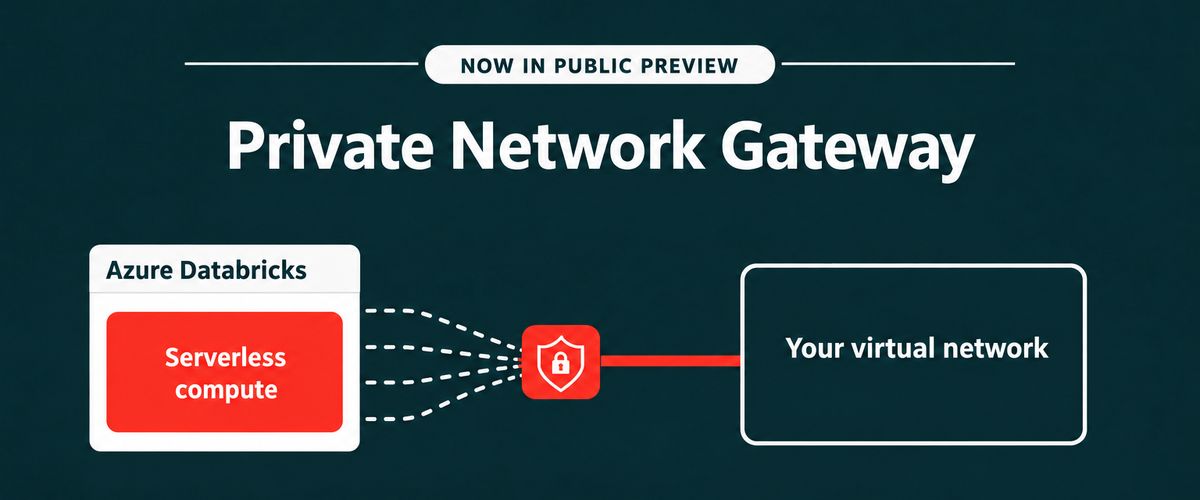
Recently, we announced the public preview of Private Network Gateway (PNG) for Azure Databricks - a simpler way to connect Azure Databricks serverless workloads to resources accessible from your Azure Virtual Network. With a single managed connection into your network, PNG helps reduce connectivity complexity while letting you control which resources serverless workloads can access. In this post, we explain what PNG means for private connectivity and how to get started.
PNG brings the serverless experience together with the Azure networking environment and controls organizations already use, helping make serverless practical for a broader set of enterprise workloads.
One connection to your network
Azure Databricks serverless compute runs in an Azure Databricks managed network. This removes infrastructure management overhead, but private resources still need an explicit network path from serverless compute. Today, connecting serverless compute to resources you manage such as databases, Kafka clusters, and internal APIs could require separate private endpoints, load balancers, and proxy VMs for individual resources. That complexity grows as workloads need to reach more services across virtual networks, peered networks, and on-premises environments.
Private Network Gateway introduces a simpler model: one gateway to your network instead of separately creating connectivity infrastructure for each resource.
With Private Network Gateway on Azure Databricks, you can:
- Simplify private data ingestion. Use Lakeflow Connect on serverless compute to ingest from supported databases across your virtual network and connected on-premises environments.
- Connect AI agents to private services. An agent built on Azure Databricks can call a private MCP server you host.
- Use private package repositories. Install Python libraries from a private PyPI, Artifactory, or Nexus repository inside your network.
- Route egress through your existing firewall. Send traffic through your firewall or content inspection service so egress can be filtered and logged using your own tools.
- Use your own source IP. SaaS applications such as Salesforce can see a source IP belonging to your organization.
Getting started is straightforward
Private Network Gateway is designed to simplify the setup needed to bring serverless compute into your network.
You delegate one subnet in your Azure Virtual Network to Azure Databricks. Private Network Gateway then establishes a managed, encrypted gateway from serverless compute into that subnet.
The gateway is configured within a Network Connectivity Configuration (NCC), the account-level object used for Azure Databricks serverless networking. You can attach the NCC to your workspaces, and supported serverless workloads can then reach the private destinations you allow.
And because the gateway is managed for you, there are no gateway VMs for you to deploy, patch, or scale in your network.
Keep control of your Azure network
Simplifying connectivity doesn’t mean giving up control of your network boundary.
Private Network Gateway provides a dedicated path into your network rather than a shared appliance carrying other customers’ traffic. The gateway applies workspace-level access controls before traffic leaves, and isolation is enforced through encapsulation and network security rules.
Once traffic reaches your subnet, your existing Azure networking controls continue to determine what serverless workloads can reach. This includes your route tables, network security groups, DNS resolvers, and security appliances.
You also control how much traffic travels through the gateway:
- Specific destinations: Send only the fully qualified domain names you specify through Private Network Gateway. Other traffic retains its normal path.
- All traffic: Route outbound traffic through your network, except traffic matching a more specific Private Link or service-endpoint path. This can be used when you want broader egress inspection through your firewall or want traffic to leave through your own IP addresses.
Private Network Gateway is also additive to your existing connectivity architecture. It sits alongside the private connectivity and egress controls you already use and can be enabled or removed without changing the existing setup.
Bringing serverless to more of your Azure Databricks workloads
Azure Databricks combines Databricks capabilities with native integration across the Azure ecosystem. Private Network Gateway extends that Azure Databricks experience to private networking for serverless workloads. Instead of building connectivity infrastructure for every resource, you can establish one managed gateway from serverless compute to your network and keep using your existing Azure network controls to decide where traffic goes.
The result is a simpler approach to connecting serverless workloads to private enterprise resources while keeping the network boundary in your control.
Get started today
Private network gateway - Azure Databricks | Microsoft Learn

 Microsoft