Teaching Prompt Engineering to Students with GitHub Copilot CLI
From Zero to 16 Games in 2 Hours: Teaching Prompt Engineering to Students with GitHub Copilot CLI
Introduction
What happens when you give a room full of 14-year-olds access to AI-powered development tools and challenge them to build games? You might expect chaos, confusion, or at best, a few half-working prototypes. Instead, we witnessed something remarkable: 16 fully functional HTML5 games created in under two hours, all from students with varying programming experience.
This wasn't magic, it was the power of GitHub Copilot CLI combined with effective prompt engineering. By teaching students to communicate clearly with AI, we transformed a traditional coding workshop into a rapid prototyping session that exceeded everyone's expectations. The secret weapon? A technique called "one-shot prompting" that enables anyone to generate complete, working applications from a single, well-crafted prompt.
In this article, we'll explore how we structured this workshop using CopilotCLI-OneShotPromptGameDev, a methodology designed to teach prompt engineering fundamentals while producing tangible, exciting results. Whether you're an educator planning STEM workshops, a developer exploring AI-assisted coding, or simply curious about how young people can leverage AI tools effectively, this guide provides a practical blueprint you can replicate.
What is GitHub Copilot CLI?
GitHub Copilot CLI extends the familiar Copilot experience beyond your code editor into the command line. While Copilot in VS Code suggests code completions as you type, Copilot CLI allows you to have conversational interactions with AI directly in your terminal. You describe what you want to accomplish in natural language, and the AI responds with shell commands, explanations, or in our case, complete code files.
This terminal-based approach offers several advantages for learning and rapid prototyping. Students don't need to configure complex IDE settings or navigate unfamiliar interfaces. They simply type their request, review the AI's output, and iterate. The command line provides a transparent view of exactly what's happening, no hidden abstractions or magical "autocomplete" that obscures the learning process.
For our workshop, Copilot CLI served as a bridge between students' creative ideas and working code. They could describe a game concept in plain English, watch the AI generate HTML, CSS, and JavaScript, then immediately test the result in a browser. This rapid feedback loop kept engagement high and made the connection between language and code tangible.
Installing GitHub Copilot CLI
Setting up Copilot CLI requires a few straightforward steps. Before the workshop, we ensured all machines were pre-configured, but students also learned the installation process as part of understanding how developer tools work.
First, you'll need Node.js installed on your system. Copilot CLI runs as a Node package, so this is a prerequisite:
# Check if Node.js is installed
node --version

# If not installed, download from https://nodejs.org/
# Or use a package manager:
# Windows (winget)
winget install OpenJS.NodeJS.LTS

# macOS (Homebrew)
brew install node

# Linux (apt)
sudo apt install nodejs npm
These commands verify your Node.js installation or guide you through installing it using your operating system's preferred package manager.
Next, install the GitHub CLI, which provides the foundation for Copilot CLI:
# Windows
winget install GitHub.cli

# macOS
brew install gh

# Linux
sudo apt install gh
This installs the GitHub command-line interface, which handles authentication and provides the framework for Copilot integration.
With GitHub CLI installed, authenticate with your GitHub account:
gh auth login
This command initiates an interactive authentication flow that connects your terminal to your GitHub account, enabling access to Copilot features.
Finally, install the Copilot CLI extension:
gh extension install github/gh-copilot
This adds Copilot capabilities to your GitHub CLI installation, enabling the conversational AI features we'll use for game development.
Verify the installation by running:
gh copilot --help
If you see the help output with available commands, you're ready to start prompting. The entire setup takes about 5-10 minutes on a fresh machine, making it practical for classroom environments.
Understanding One-Shot Prompting
Traditional programming education follows an incremental approach: learn syntax, understand concepts, build small programs, gradually tackle larger projects. This method is thorough but slow. One-shot prompting inverts this model—you start with the complete vision and let AI handle the implementation details.
A one-shot prompt provides the AI with all the context it needs to generate a complete, working solution in a single response. Instead of iteratively refining code through multiple exchanges, you craft one comprehensive prompt that specifies requirements, constraints, styling preferences, and technical specifications. The AI then produces complete, functional code.
This approach teaches a crucial skill: clear communication of technical requirements. Students must think through their entire game concept before typing. What does the game look like? How does the player interact with it? What happens when they win or lose? By forcing this upfront thinking, one-shot prompting develops the same analytical skills that professional developers use when writing specifications or planning architectures.
The technique also demonstrates a powerful principle: with sufficient context, AI can handle implementation complexity while humans focus on creativity and design. Students learned they could create sophisticated games without memorizing JavaScript syntax—they just needed to describe their vision clearly enough for the AI to understand.
Crafting Effective Prompts for Game Development
The difference between a vague prompt and an effective one-shot prompt is the difference between frustration and success. We taught students a structured approach to prompt construction that consistently produced working games.
Start with the game type and core mechanic. Don't just say "make a game"—specify what kind:
Create a complete HTML5 game where the player controls a spaceship
that must dodge falling asteroids.
This opening establishes the fundamental gameplay loop: control a spaceship, avoid obstacles. The AI now has a clear mental model to work from.
Add visual and interaction details. Games are visual experiences, so specify how things should look and respond:
Create a complete HTML5 game where the player controls a spaceship
that must dodge falling asteroids. The spaceship should be a blue
triangle at the bottom of the screen, controlled by left and right
arrow keys. Asteroids are brown circles that fall from the top at
random positions and increasing speeds.
These additions provide concrete visual targets and define the input mechanism. The AI can now generate specific CSS colors and event handlers.
Define win/lose conditions and scoring:
Create a complete HTML5 game where the player controls a spaceship
that must dodge falling asteroids. The spaceship should be a blue
triangle at the bottom of the screen, controlled by left and right
arrow keys. Asteroids are brown circles that fall from the top at
random positions and increasing speeds. Display a score that increases
every second the player survives. The game ends when an asteroid hits
the spaceship, showing a "Game Over" screen with the final score and
a "Play Again" button.
This complete prompt now specifies the entire game loop: gameplay, scoring, losing, and restarting. The AI has everything needed to generate a fully playable game.
The formula students learned: Game Type + Visual Description + Controls + Rules + Win/Lose + Score = Complete Game Prompt.
Running the Workshop: Structure and Approach
Our two-hour workshop followed a carefully designed structure that balanced instruction with hands-on creation. We partnered with University College London and students access to GitHub Education to access resources specifically designed for classroom settings, including student accounts with Copilot access and amazing tools like VSCode and Azure for Students and for Schools VSCode Education.
The first 20 minutes covered fundamentals: what is AI, how does Copilot work, and why does prompt quality matter? We demonstrated this with a live example, showing how "make a game" produces confused output while a detailed prompt generates playable code. This contrast immediately captured students' attention, they could see the direct relationship between their words and the AI's output.
The next 15 minutes focused on the prompt formula. We broke down several example prompts, highlighting each component: game type, visuals, controls, rules, scoring. Students practiced identifying these elements in prompts before writing their own. This analysis phase prepared them to construct effective prompts independently.
The remaining 85 minutes were dedicated to creation. Students worked individually or in pairs, brainstorming game concepts, writing prompts, generating code, testing in browsers, and iterating. Instructors circulated to help debug prompts (not code an important distinction) and encourage experimentation.
We deliberately avoided teaching JavaScript syntax. When students encountered bugs, we guided them to refine their prompts rather than manually fix code. This maintained focus on the core skill: communicating with AI effectively. Surprisingly, this approach resulted in fewer bugs overall because students learned to be more precise in their initial descriptions.
Student Projects: The Games They Created
The diversity of games produced in 85 minutes of building time amazed everyone present. Students didn't just follow a template, they invented entirely new concepts and successfully communicated them to Copilot CLI.
One student created a "Fruit Ninja" clone where players clicked falling fruit to slice it before it hit the ground. Another built a typing speed game that challenged players to correctly type increasingly difficult words against a countdown timer. A pair of collaborators produced a two-player tank battle where each player controlled their tank with different keyboard keys.
Several students explored educational games: a math challenge where players solve equations to destroy incoming meteors, a geography quiz with animated maps, and a vocabulary builder where correct definitions unlock new levels. These projects demonstrated that one-shot prompting isn't limited to entertainment, students naturally gravitated toward useful applications.
The most complex project was a procedurally generated maze game with fog-of-war mechanics. The student spent extra time on their prompt, specifying exactly how visibility should work around the player character. Their detailed approach paid off with a surprisingly sophisticated result that would typically require hours of manual coding.
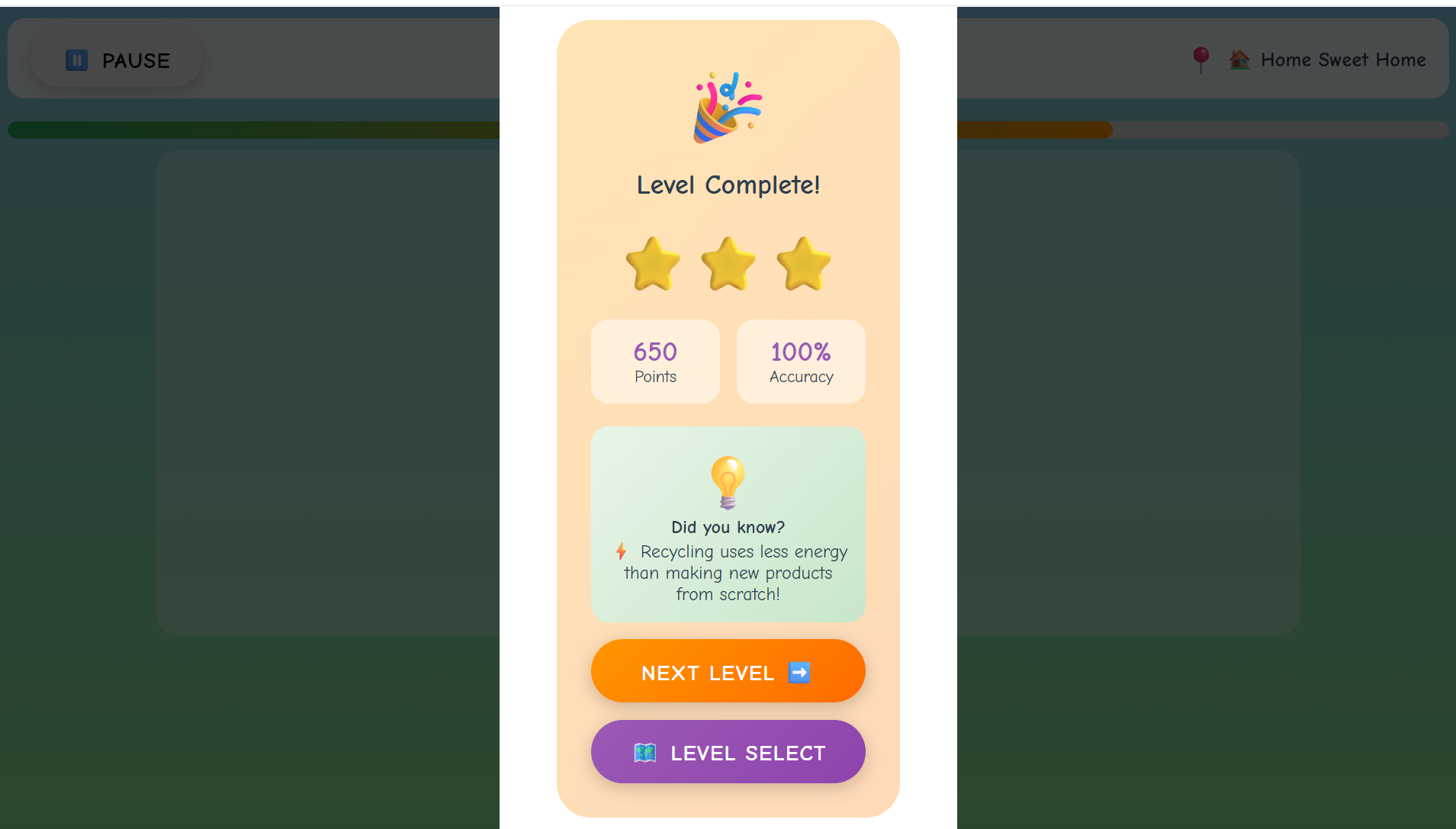
By the session's end, we had 16 complete, playable HTML5 games. Every student who participated produced something they could share with friends and family a tangible achievement that transformed an abstract "coding workshop" into a genuine creative accomplishment.
Key Benefits of Copilot CLI for Rapid Prototyping
Our workshop revealed several advantages that make Copilot CLI particularly valuable for rapid prototyping scenarios, whether in educational settings or professional development.
Speed of iteration fundamentally changes what's possible. Traditional game development requires hours to produce even simple prototypes. With Copilot CLI, students went from concept to playable game in minutes. This compressed timeline enables experimentation, if your first idea doesn't work, try another. This psychological freedom to fail fast and try again proved more valuable than any technical instruction.
Accessibility removes barriers to entry. Students with no prior coding experience produced results comparable to those who had taken programming classes. The playing field leveled because success depended on creativity and communication rather than memorized syntax. This democratization of development opens doors for students who might otherwise feel excluded from technical fields.
Focus on design over implementation teaches transferable skills. Whether students eventually become programmers, designers, product managers, or pursue entirely different careers, the ability to clearly specify requirements and think through complete systems applies universally. They learned to think like system designers, not just coders.
The feedback loop keeps engagement high. Seeing your words transform into working software within seconds creates an addictive cycle of creation and testing. Students who typically struggle with attention during lectures remained focused throughout the building session. The immediate gratification of seeing their games work motivated continuous refinement.
Debugging through prompts teaches root cause analysis. When games didn't work as expected, students had to analyze what they'd asked for versus what they received. This comparison exercise developed critical thinking about specifications a skill that serves developers throughout their careers.
Tips for Educators: Running Your Own Workshop
If you're planning to replicate this workshop, several lessons from our experience will help ensure success.
Pre-configure machines whenever possible. While installation is straightforward, classroom time is precious. Having Copilot CLI ready on all devices lets you dive into content immediately. If pre-configuration isn't possible, allocate the first 15-20 minutes specifically for setup and troubleshoot as a group.
Prepare example prompts across difficulty levels. Some students will grasp one-shot prompting immediately; others will need more scaffolding. Having templates ranging from simple ("Create Pong") to complex (the spaceship example above) lets you meet students where they are.
Emphasize that "prompt debugging" is the goal. When students ask for help fixing broken code, redirect them to examine their prompt. What did they ask for? What did they get? Where's the gap? This redirection reinforces the workshop's core learning objective and builds self-sufficiency.
Celebrate and share widely. Build in time at the end for students to demonstrate their games. This showcase moment validates their work and often inspires classmates to try new approaches in future sessions. Consider creating a shared folder or simple website where all games can be accessed after the workshop.
Access GitHub Education resources at education.github.com before your workshop. The GitHub Education program provides free access to developer tools for students and educators, including Copilot. The resources there include curriculum materials, teaching guides, and community support that can enhance your workshop.
Beyond Games: Where This Leads
The techniques students learned extend far beyond game development. One-shot prompting with Copilot CLI works for any development task: creating web pages, building utilities, generating data processing scripts, or prototyping application interfaces. The fundamental skill, communicating requirements clearly to AI applies wherever AI-assisted development tools are used.
Several students have continued exploring after the workshop. Some discovered they enjoy the creative aspects of game design and are learning traditional programming to gain more control. Others found that prompt engineering itself interests them, they're exploring how different phrasings affect AI outputs across various domains.
For professional developers, the workshop's lessons apply directly to working with Copilot, ChatGPT, and other AI coding assistants. The ability to craft precise, complete prompts determines whether these tools save time or create confusion. Investing in prompt engineering skills yields returns across every AI-assisted workflow.
Key Takeaways
- Clear prompts produce working code: The one-shot prompting formula (Game Type + Visuals + Controls + Rules + Win/Lose + Score) reliably generates playable games from single prompts
- Copilot CLI democratizes development: Students with no coding experience created functional applications by focusing on communication rather than syntax
- Rapid iteration enables experimentation: Minutes-per-prototype timelines encourage creative risk-taking and learning from failures
- Prompt debugging builds analytical skills: Comparing intended versus actual results teaches specification writing and root cause analysis
- Sixteen games in two hours is achievable: With proper structure and preparation, young students can produce impressive results using AI-assisted development
Conclusion and Next Steps
Our workshop demonstrated that AI-assisted development tools like GitHub Copilot CLI aren't just productivity boosters for experienced programmers, they're powerful educational instruments that make software creation accessible to beginners. By focusing on prompt engineering rather than traditional syntax instruction, we enabled 14-year-old students to produce complete, functional games in a fraction of the time traditional methods would require.
The sixteen games created during those two hours represent more than just workshop outputs. They represent a shift in how we might teach technical creativity: start with vision, communicate clearly, iterate quickly. Whether students pursue programming careers or not, they've gained experience in thinking systematically about requirements and translating ideas into specifications that produce real results.
To explore this approach yourself, visit the CopilotCLI-OneShotPromptGameDev repository for prompt templates, workshop materials, and example games. For educational resources and student access to GitHub tools including Copilot, explore GitHub Education. And most importantly, start experimenting. Write a prompt, generate some code, and see what you can create in the next few minutes.
Resources
- CopilotCLI-OneShotPromptGameDev Repository - Workshop materials, prompt templates, and example games
- GitHub Education - Free developer tools and resources for students and educators
- GitHub Copilot CLI Documentation - Official installation and usage guide
- GitHub CLI - Foundation tool required for Copilot CLI
- GitHub Copilot - Overview of Copilot features and pricing

 Microsoft

