xdr
24 TopicsClosing the loop on container security: From code to runtime in the AI era
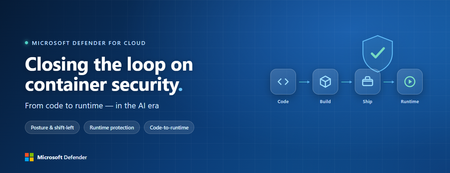
Containers are the backbone of modern cloud-native apps — and increasingly, the infrastructure powering AI, from AI assistants to a new wave of intelligent agents. They also blur the line between build, deploy, and runtime: a single code change can become a running workload in minutes. A misconfiguration committed in the morning can be deployed in minutes and exploited before noon. At that speed, container security can no longer be a point-in-time check, it has to work as one continuous loop. The numbers back this up. For the first time, 31% of breaches now begin with an attacker exploiting a software vulnerability — overtaking stolen credentials as the most common way in — and 15% of attack techniques are now accelerated by generative AI, with adversaries using it to find gaps and write malware faster at every stage. Source: Verizon 2026 Data Breach Investigations Report (incidents Nov 2024–Oct 2025). Over the last few quarters, Microsoft Defender for Cloud has been evolving to offer you this continuous security, end to end. Explore container security’s new capabilities across posture, shift-left, runtime, multicloud coverage, and operations. Collectively they form a more comprehensive approach to container security — one that offers security right during developing a code to a running pod across Azure, AWS, and GCP. There is a second reason why container security matters more in 2026: containers are increasingly where AI runs. Many AI workloads — from model-serving APIs to retrieval systems and intelligent agents — now live as pods on AKS, EKS, and GKE (the managed Kubernetes services from Azure, AWS, and Google), often connected to some of an organization’s most sensitive models and data. As those crown jewels move into the cluster, the same posture, code‑to‑runtime, and runtime protections described in this post extend to AI workloads. The contest is increasingly AI against AI: attackers use it to find and reach the cluster faster, while defenders use it to push back — surfacing the risks that matter most and turning runtime findings into AI‑assisted code fixes. One platform, code to runtime A container finding is not treated as an isolated issue; it is connected to the identity it runs under, the registry and code repository it came from, and the cluster where it is running - all unified under one Microsoft Defender platform. Container posture and shift-left security are now redesigned for least vulnerabilities in production Conventional container security posture offered challenges to scale: a single grouped recommendation could stack thousands of findings under one bucket, making ownership, exemptions, and risk scoring too coarse to act on. That experience is now evolved. We have rebuilt the experience so that each finding is its own recommendation — per software, per image, per container. If two CVEs in the same image belong to two different teams, they can now be triaged, exempted, and reported separately. The grouped recommendations are deprecated and will be removed on July 30, 2026, We suggest updating any automation, export rules, and ServiceNow integrations to target the new per-finding recommendations before that date. That per-finding precision becomes even more powerful once you connect each finding to its source code and to the runtime resources it impacts. Defender for Cloud — part of Microsoft Defender suite — connects this code-to-runtime chain end-to-end. For example, an image built through Azure DevOps or GitHub, pushed to ACR, ECR, Google Artifact Registry, Docker Hub, or JFrog, and pulled by AKS, EKS, or GKE is one continuous evidence chain — traceable from a running container back to the pull request (PR) and line of code that introduced the risk. With GitHub Advanced Security integrated (GA), secrets, code, and dependency findings join the same attack story. The developer-first Defender for Cloud CLI runs the same scanner locally or in any CI/CD pipeline, with consistent exit codes for gating. In this diagram, you can see how we have embedded container security at every stage of the software development lifecycle (SDLC), not just the endpoints. At Code, GitHub Advanced Security and the Defender for Cloud CLI catch secrets, vulnerable dependencies, and insecure code before commit. At Build, the same scanner runs as a CI/CD gate — in GitHub Actions, Azure DevOps, Jenkins, or Bitbucket — failing the pipeline on critical findings. At Ship, registry scanning and Gated Deployment block risky or misconfigured images at the cluster door. And at Runtime, the sensor enforces anti-malware and binary-drift policy on the live workload. No stage is left as a blind spot, and a finding can be traced forward to the running pod or backward to the developer who introduced it. Visibility without enforcement only creates backlog. Gated Deployment — a Kubernetes admission controller — uses the same vulnerability signal, you trust, to block risky images at the cluster level. It supports phased rollout (audit, then deny), targets rules by cluster, namespace, pod, image, or label, and runs across AKS (including AKS Automatic), EKS, and GKE. A newer extension gates on Kubernetes misconfigurations too. Posture practitioners also get KSPM at container granularity — Kubernetes security posture management, available through both Defender for Containers and Defender CSPM — and, on Azure, a new actionable recommendation, Upgrade Azure Kubernetes Service Version (preview), that helps you remediate vulnerabilities in AKS-managed system pods. Coverage that matches containers’ evolution Historically, many container security programs concentrated on managed Kubernetes clusters in AKS, EKS, and GKE. The 2026 reality is broader: a growing share of production runs on serverless container platforms that abstract the cluster away, many sensitive workloads sit behind private, network-isolated clusters, and platform teams increasingly standardize on hardened or distroless base images. The surfaces that were blind spots are now part of the same posture graph as everything else. Serverless compute posture is now generally available across AWS Lambda, Azure Functions, and Web Apps, while Serverless containers posture (preview) takes the same idea to Azure Container Apps, ACI, and AWS Fargate. Together, they bring more of today’s cloud-native production footprint into the same posture graph. Coverage also improves where platform teams are standardizing on locked-down environments. The long-standing gap around private EKS and GKE clusters is closed, bringing some of the hardest-to-reach environments into the same security model. Scanning now works on hardened images from Docker Hardened or Minimus, and runtime protection supports BottleRocket on EKS — with the full feature set also available in Azure Government, which matters for teams running regulated workloads. Runtime threat protection that prevents, not just detects Posture closes the door on attackers; runtime threat protection guards the room if they still succeed. The key shift is that the Defender for Containers sensor now adds prevention on top of detection. The goal is simple: stop malicious code before it runs. Anti-malware detection and prevention (GA) scans container workloads and Kubernetes nodes and, based on the policies you define, blocks malicious execution instead of only alerting. Those alerts then flow into Microsoft Defender XDR’s unified incident model. The second is binary drift detection and prevention (preview). Containers are meant to be immutable. When a process starts from a binary that was not part of the original image, that is drift — and one of the highest-signal indicators of compromise in cloud-native workloads. Defender detects drifts and, with policy enabled, can now also block the drifted process before it executes. Anti-malware and Drift policies can be scoped by cloud, cluster, namespace, image, or label, with allow-lists for legitimate cases. Anti-malware policies can alert, block, or ignore — scoped to clusters, namespaces, pods, labels, or images. Rounding out runtime protection, DNS-based threat detection (GA) catches command-and-control beaconing, DGA traffic, and exfiltration over DNS. A unified approach to container security Step back, and the bigger picture is simple. The same platform that secured your VMs and identities now extends across AKS, EKS, GKE, private clusters, serverless containers, and serverless compute. The same Code-to-Runtime chain that once tied Infrastructure as Code (IaC) findings to running infrastructure now connects Dockerfile commits — through CI/CD and any major registry — to the running pod. Admission control turns posture findings into prevention at deploy time, and runtime protection actively blocks. That is a continuous container security loop living inside Microsoft Defender — not a checklist bolted onto Kubernetes. And it rebalances the fight: as attackers use AI to find and exploit gaps faster, the durable answer is security teams using AI of their own — protecting and triaging at machine speed. If you’ve already enabled container security with Microsoft, the clearest next step is to strengthen the core lifecycle stages first: Code + build: connect GitHub Advanced Security and integrate the Defender for Cloud CLI into your pipelines so findings are caught early and CI/CD gates can fail builds before an image is pushed. Ship: stand up Gated Deployment in audit mode on a non-production cluster, tune it, then flip to deny; extend it to Kubernetes misconfigurations. Run: enable the Defender for Containers sensor, extend it to private EKS and GKE clusters, then tune anti-malware and binary-drift rules in Block mode — starting with your crown-jewel namespaces. Extend protection: turn on serverless compute posture for Lambda, Functions, and Web Apps, and enable serverless container posture for Container Apps, ACI, or Fargate.1.3KViews3likes2CommentsBetter together with Azure WAF + Microsoft Defender for Storage + Defender for Azure SQL Databases
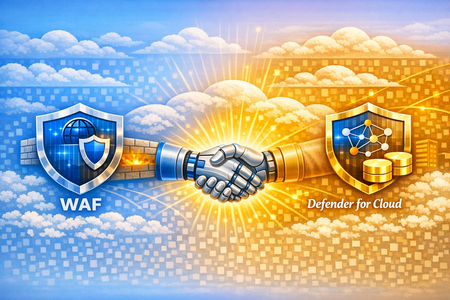
Authored by: Fernanda_Vela , saikishor, Yura_Lee Reviewed by: YuriDiogenes, Mohit_Kumar, Amir_Dahan, eitanbremler , Kitt_Weatherman Introduction Often, customers ask why additional workload protection is needed when a web application firewall is already in place. Azure Web Application Firewall (WAF) serves as a critical control at the application edge, inspecting inbound HTTP/S traffic and blocking common web-based exploits before they reach backend services. However, modern attack paths are no longer limited to the web entry point. Attackers increasingly target components that bypass HTTP/S inspection altogether such as direct access to storage and SQL through SDKs, native integration tools, private endpoints, or compromised identities and third-party integrations. This is where Microsoft Defender for Cloud complements WAF. While WAF focuses on securing the application boundary, Defender for Cloud extends protection into the resource layer by providing Cloud-Native Application Protection Platform (CNAPP) capabilities, including security posture management and workload protection. Using resource-native signals, it helps identify misconfigurations and detect suspicious control-plane and data-plane activity that would otherwise remain invisible to perimeter controls. The Azure Networking Security blog post “Zero Trust with Azure Firewall, Azure DDoS Protection, and Azure WAF: A practical approach” highlights WAF’s role in inspecting inbound HTTP/S traffic, detecting malicious request patterns (such as OWASP Top 10 vulnerabilities), and reducing direct exposure of backend endpoints by enforcing a controlled application entry point. Building on that foundation, this blog focuses on a “better together” approach that combines WAF with Microsoft Defender for Cloud protecting storage and database. Through practical scenarios and posture insights, we will underline how these controls together: Reduces attack surface at the application entry point Continuously improves security posture through configuration and exposure analysis Detects and responds to threats targeting storage accounts and SQL databases beyond the web perimeter By the end of this post, you will understand how Defender for Cloud’s Storage and SQL protections extend the visibility provided by WAF, enabling protection not only at the edge, but also across the underlying data services. Together, these controls form a cohesive model that addresses both external attack vectors and internal or indirect access paths. Note: This is not a deep configuration guide for rule tuning, nor a replacement for official product documentation. It is intended to help architects and security teams align responsibilities and understand how these services reinforce each other. Architecture: The architecture below shows the traffic flow and where each service fits in the lab used in this blog to simulate the attacks. Azure Application Gateway with WAF is the internet-facing entry point, inspecting inbound HTTP/S traffic before it reaches the backend. Behind it, Azure Firewall provides both network- and application-layer inspection for inbound and outbound flows. In the backend subnet, multiple VMs host the workload. For our demonstration, we focus on a single host running: OWASP Juice Shop (port 3000), An upload API that writes to Azure Storage (port 8080) An API that connects to Azure SQL Database (port 5000). This setup allows us to simulate realistic attack paths originating both from the internet and from within the network. Figure 1: Architecture that shows resources with Application Gateway with WAF, Azure Firewall Premium and inbound traffic Note: The patterns in this blog apply to both Azure WAF platforms: Application Gateway WAF and Azure Front Door WAF. The lab uses Application Gateway WAF for the demonstration. Now, let’s head to the next section where we dive deep into these services to understand their capabilities with some attacks, alerts and insights. Azure Web Application Firewall at the Edge As we may have understood by now, Azure WAF is the first layer of protection, inspecting external web traffic for malicious patterns. Each incoming request is evaluated against its rulesets to either allow, block or log this traffic by using its managed and custom rulesets. Now, what are these rulesets? Azure WAF uses managed rule sets like the Default Rule Set (DRS) (version 2.2 as of this writing), which incorporate OWASP Top 10 protections and Microsoft threat intelligence to block common attacks (SQL injection, XSS, remote file inclusion, etc.) in real time. Additional managed sets include a Bot Protection rule set (to guard against malicious bots scraping content) and HTTP DDoS rule set (to detect Layer 7 DDoS patterns). Beyond the built-ins, you can define custom WAF rules for application-specific needs—blocking or allowing traffic based on attributes like geolocation, IP ranges, or specific URL paths. Now let’s talk about an example scenario. In our lab, Azure WAF is protecting multiple backend services on different paths and ports. When an external attacker tries to exploit the Juice Shop app with a crafted XSSattack, Azure WAF immediately detects the malicious pattern and blocks the request at the gateway as seen below. Figure 2: An XSS attack on the juiceshop website, immediately results in a 403 Forbidden as WAF catches this attack in the application layer. However, WAF’s inspection is inherently limited to traffic it can see, primarily, the HTTP/S flows it fronts. Let’s say our attacker changes tactics: instead of trying to force malicious code through the web interface, they obtain a stolen storage key or credentials through phishing and attempt to access the Azure Storage account directly via APIs. This request never goes through WAF, so WAF cannot assess or block it. In such a case, Microsoft Defender for Storage’s threat detection monitors for such suspicious activity, for example by raising an alert about the unusual direct access or flagging a malware file uploaded to a blob container. Likewise, if our attacker exploited a weakness in application code to run malicious SQL commands on the database (whether through potentially harmful application or a suspicious service account), Defender for SQL monitors for and alerts anomalous query patterns or suspicious logins. This illustrates why WAF and Defender for Cloud are complementary: WAF stops web attacks at the door, while Defender for Cloud watches for threats that get inside or come through alternate doors. Figure 3: Single-host lab architecture with Azure Application Gateway (WAF) and resource‑level protection Figure 3 illustrates the key distinction: WAF inspects and protects the application entry point, while Defender for Cloud provides visibility into the resources themselves. Together, they cover both the path into the application and the behavior within the environment—forming a complete protection model across layers. Because not all access to storage and databases may flow through the application gateway, you also need resource-level posture and threat detection to see and stop activity that never appears in WAF logs. Cloud Security Posture Management with Defender for Cloud With the edge covered, the next challenge is reducing risk that originates from misconfiguration and resource exposure. Most successful attacks originate from exposed services and misconfigurations rather than direct application-layer exploits. Microsoft Defender for Cloud’s storage and database protection provide security posture insights that help identify and prioritize these security gaps at the resource level. Defender for Cloud has visibility insights that capture the resources’ misconfigurations on the control and data plane via the Recommendations view in the Azure portal, as shown in the example below: Figure 4: Juice Shop’s storage account and SQL server recommendations Figure 4 is a list of recommendations organized by risk level for this particular environment. The security team should harden the “defendertestsai” storage asset by preventing shared access keys, and the “juiceshop” SQL database by provisioning an Entra administrator. Each recommendation will also provide guidance to remediate these findings. The “Data & AI Dashboard” in Defender for Cloud, with Defender CSPM, will also provide security posture insight into storage, database and AI resources by surfacing their risks, alerts and sensitive data discovery all in one dashboard. Figure 5: Juice Shop’s Sensitive data discovery and Data threat detection dashboard in Defender for Cloud’s “Data&AI section”. Under Data closer look, in Figure 5, you can see in this example, starting from the left, sensitive information found in scanned resources, level alerts for databases and storage resources based on severity, templatized queries from the Cloud Security Explorer, and a graph displaying all internet exposed data resources below. These powerful insights on data resources all come from Defender for Cloud, designed to help customers harden their environment by priority through visibility across their entire data ecosystem based on risk level. Figure 6: Juice Shop’s attack path “Internet exposed Azure VM with high severity vulnerabilities allows lateral movement to Critical Storage used by Azure AI Foundry”. Attack paths are potential avenues in which an attacker can infiltrate and compromise data. In Figure 6 above, we see insight into not only the storage account itself, but the context around it: an internet exposed storage account is connected to other assets like a virtual machine and a managed identity that has permissions to manipulate data. These Defender for Cloud security posture insights complement WAF and complete the defense-in-depth security approach: harden the data services so that even if an attacker reaches them the blast radius is smaller, and the likelihood of compromise is reduced. Defender for Cloud’s advanced threat protection Even in well-secured environments, attackers often interact directly with storage accounts or databases through identities, APIs, or trusted internal paths. Reducing exposure is critical but not sufficient. Detection is required once an attacker begins interacting with data Defender for Cloud’s advanced threat protection for Storage and SQL surfaces resource-level security alerts such as suspicious access patterns, anomalous queries, and malware detections—often with richer context than perimeter telemetry alone. Let’s use a malware alert for a storage account in the Defender portal as an example: Figure 7: Juice Shop’s storage account security alert “Malicious blob uploaded to storage account”. Malware scanning is a common requirement for teams that process user uploads or must meet security benchmarks. In this lab, Juice Shop allows users to upload files (for example, feedback attachments), and the upload API writes those files to Azure Blob Storage. Azure WAF inspects the HTTP request that delivers the upload headers, parameters, payload patterns and blocks web-layer attacks like XSS or SQLi. Scanning blob contents after they land is a different job, performed at the resource layer by Defender for Storage. With Defender for Storage malware scanning enabled, each uploaded blob is scanned; if the verdict is malware, Defender for Cloud raises an alert such as “Malicious blob uploaded to storage account” as shown in figure 7. Then, with Defender for Storage’s automated malware remediation, the malicious blog is set to soft-delete for quarantine and further analysis. SQL databases are high-value targets for data access, privilege escalation, and exploitation of vulnerable applications. Database protection in Defender for Cloud has the visibility to provide customers with control plane and data plane level insight to alert on suspicious activity such as anomalous logons, unusual client applications, and injection-like query patterns. For example, here’s a potential SQL injection alert for a database in the Defender portal: Figure 8: Juice Shop’s database security alert on a potential SQL injection. These alerts typically include investigation context such as the client application, client principal name, and the statement or pattern in question, along with severity to help you prioritize, as shown in Figure 8. From there, analysts can use recommended response actions (for example, to contain risky access paths or harden the database) to reduce the chance of repeat activity. In practice, Defender for Cloud threat detection gives SOC teams prioritized, resource-specific alerts with the context needed to investigate quickly and take action at the storage and database layers. Conclusion Azure Application Gateway with WAF is a necessary control to reduce application-layer risk at the edge. But defense in depth requires the assumption that some threats will reach or target data services directly. By layering Microsoft Defender for Storage and Microsoft Defender for SQL on top of Azure WAF, you add continuous posture insights to reduce preventable exposure, plus threat protection that detects suspicious activity at the resource layer. Operated together, these services provide stronger prevention, better detection coverage, and clearer response paths than single control alone.
Defending Container Runtime from Malware with Microsoft Defender for Containers
In cloud-native environments, malware protection is no longer traditional antivirus — it is runtime workload security, ensuring containerized applications remain safe throughout their lifecycle. Many organizations focus on scanning container images before deployment. While image scanning is important, this does not stop runtime attacks. Image scanning protects before deployment, but malware detection protects during execution. Malware can enter cloud environments through container images, compromised CI/CD pipelines, exposed services, or misuse of legitimate administrative tools, making runtime malware detection an essential security control rather than an optional enhancement. Runtime Malware detection and Prevention acts as the last line of defence when preventive controls fail. If malware executes successfully inside a container, it may attempt Privilege escalation, Container escape and Host compromise. Antimalware in Defender for Containers Defender for Containers antimalware, powered by Microsoft Defender Antivirus cloud protection, near-real-time malware detection directly into container environments. The antimalware feature is available via Helm with sensor version 0.10.2 for AKS, GKE, and EKS. Defender for Containers Sensor Defender for Containers Antimalware provides: Runtime monitoring of container activity Malware detection on Container Workloads Malware detection for Kubernetes nodes Alerts integrated into Defender XDR Anti-malware detection and blocking - Microsoft Defender for Cloud | Microsoft Learn Container antimalware protection in Defender for Containers is powered by three main components: 1) Defender Sensor - version 0.10.2 installed via Helm or arc-extension The Defender sensor runs inside the Kubernetes cluster and monitors workload activity in real time. It provides: Runtime visibility into container processes Binary execution monitoring Behavioral inspection Alert and Block Malware execution Multicloud Support (Azure Kubernetes Service, AWS EKS, GCP GKE) Prerequisites: Ensure the following components of the Defender for containers plan are enabled: Defender sensor Security findings Registry access Kubernetes API access To Install Defender Sensor for Antimalware, ensure there are sufficient resources on your Kubernetes Cluster and outbound connectivity. In addition to the core sensor memory and CPU requirements, you need: Component Request Limit CPU 50m 300m Memory 128Mi 500Mi All sensor components use outbound-only connectivity (no inbound access required). To install Defender for Containers sensor follow the guidance here To Verify the sensor deployed successfully on all nodes, use the commands as screenshot below: You should see the collectors pods in Running state with 3/3 containers. 2) Antimalware Policy Engine Policies define what happens when malware is detected: Alert only Block execution Ignore (allowlisted cases) Policies can be scoped to Azure subscriptions, AWS Accounts and GCP Projects and also to Specific clusters, Namespaces, Pods, Images, Labels or workloads. This allows organizations to reduce false positives while enforcing strict security where needed. Host vs Workload Protection — How Sensor Covers Both Antimalware Rules can be applied to Resource scopes: Scope What Is Protected Workload (Container) Processes inside containers Host (Node) Kubernetes node OS and runtime Default rules include: Default antimalware workload rule Default antimalware host rule This matters because attackers often escape containers and target kubelet, container runtime, and node filesystem. Blocking malware at both workload and host layers prevents cluster takeover. To configure the Antimalware policy follow the guidance here To verify the antimalware policy is deployed to the cluster, login to your K8s cluster and use the commands as screenshot below: 3) Cloud Protection (Microsoft Defender Antivirus Cloud) Defender for Containers Sensor integrates with Microsoft Defender Antivirus cloud protection, which provides Global threat intelligence, Machine learning classification, Reputation scoring, Zero-day detection. When suspicious binaries appear, cloud analysis determines whether they should be allowed or blocked. To test Malware detection and blocking, upload an EICAR file to a running Container on your cluster. If policy action = Block Malware, the sensor performs enforcement. Blocking actions include, Killing malicious process and Generates Defender for Cloud alert as below: The malware is detected and execution is blocked. Defender for Cloud Alerts are also available in Defender XDR portal. Security Operations teams can further investigate the infected file by navigating to the Incidents and Alerts section in the Defender portal. When a container or pod is determined to be compromised, Defender XDR enables Security Operations Team to take response actions. For more details : Investigate and respond to container threats in the Microsoft Defender portal Binary Drift Detection and Prevention : Containers are expected to be immutable. Running containers should only execute binaries that came from the original container image. This is extremely important because most container attacks involve Curl/wget downloading malware, Crypto miners dropped post-compromise, Attack tools installed dynamically. For more details refer Binary drift detection and blocking Defender detects runtime drift, such as New binaries downloaded after deployment Files written into container filesystem Tools installed via reverse shell Payloads dropped by attackers To Configure drift detection and prevention policy follow the guidance here . When a drift is detected on a container workload, Defender for Container sensor detects drift and prevents it from being drifted. To test drift prevention, deploy a container and introduce a drift in the running container. The drift will be detected by the sensor and prevents drift, and alert is generated as shown in the screenshot below: References: Anti-malware detection and blocking Install Defender for Containers sensor using Helm Binary drift detection and blocking Investigate and respond to container threats in the Microsoft Defender portal Reviewed by: Eyal Gur, Principal Product Manager, Microsoft Defender for CloudMicrosoft Defender for Cloud Customer Newsletter
What's new in Defender for Cloud? Now in public preview, Microsoft Security Private Link allows for private connectivity between Defender for Cloud and your workloads. For more information, see our public documentation. Blogs of the month In January, our team published the following blog posts we would like to share: Guarding Kubernetes Deployments: Runtime gating for vulnerable images now GA Architecting Trust: A NIST-Based Security Governance Framework for AI Agents Defender for Cloud in the field Revisit the announcement on the CloudStorageAggregatedEvents table in XDR’s Advanced Hunting experience. Storage aggregated logs in XDR’s advanced hunting Visit our YouTube page GitHub Community Update your Defender for SQL on machines extension at scale Update Defender for SQL extension at scale Visit our GitHub page Customer journey Discover how other organizations successfully use Microsoft Defender for Cloud to protect their cloud workloads. This month we are featuring Toyota Leasing Thailand. Toyota Leasing Thailand, a financial services subsidiary of Toyota, provides financing, insurance and mobility services and is entrusted with sensitive personal data. Integrating with Defender, Entra and Purview, Security Copilot provided the SOC and the IT team a unified view, streamlined operations and reporting to reduce response times on phishing attacks from hours to minutes. Join our community! We offer several customer connection programs within our private communities. By signing up, you can help us shape our products through activities such as reviewing product roadmaps, participating in co-design, previewing features, and staying up-to-date with announcements. Sign up at aka.ms/JoinCCP. We greatly value your input on the types of content that enhance your understanding of our security products. Your insights are crucial in guiding the development of our future public content. We aim to deliver material that not only educates but also resonates with your daily security challenges. Whether it’s through in-depth live webinars, real-world case studies, comprehensive best practice guides through blogs, or the latest product updates, we want to ensure our content meets your needs. Please submit your feedback on which of these formats do you find most beneficial and are there any specific topics you’re interested in https://aka.ms/PublicContentFeedback. Note: If you want to stay current with Defender for Cloud and receive updates in your inbox, please consider subscribing to our monthly newsletter: https://aka.ms/MDCNewsSubscribeMicrosoft Defender for Cloud Customer Newsletter
What's new in Defender for Cloud? Now in public preview, DCSPM (Defender for Cloud Security Posture Management) extends its capabilities to cover serverless workloads in both Azure and AWS, like Azure Web Apps and AWS Lambda. For more information, see our public documentation. Defender for Cloud’s integration with Endor Labs is now GA Focus on exploitable open-source vulnerabilities across the application lifecycle with Defender for Cloud and Endor Lab integration. This feature is now generally available! For more details, please refer to this documentation. Blogs of the month In December, our team published the following blog posts: Defender for AI Alerts Demystifying AI Security Posture Management Breaking down security silos: Defender for Cloud expands into the Defender portal Part 3: Unified Security Intelligence – Orchestrating Gen AI Threat Detection with Microsoft Sentinel Defender for Cloud in the field Watch the latest Defender for Cloud in the Field YouTube episode here: Malware Automated Remediation New Secure score in Defender for Cloud GitHub Community Check out Module 27 in the Defender for Cloud lab on GitHub. This module covers gating mechanisms to enforce security policies and prevent deployment of insecure container images. Click here for MDC Github lab module 27 Customer journeys Discover how other organizations successfully use Microsoft Defender for Cloud to protect their cloud workloads. This month we are featuring Ford Motor Company. Ford Motor Company, an American multinational automobile manufacturer, and its innovative and evolving technology footprint and infrastructure needed equally sophisticated security. With Defender and other Microsoft products like Purview, Sentinel and Entra, Ford was able to modernize and deploy end-to-end protection, with Zero-trust architecture, and reduce vulnerabilities across the enterprise. Additionally, Ford’s SOC continues to respond with speed and precision with the help of Defender XDR. Join our community! JANUARY 20 (8:00 AM- 9:00 AM PT) What's new in Microsoft Defender CSPM We offer several customer connection programs within our private communities. By signing up, you can help us shape our products through activities such as reviewing product roadmaps, participating in co-design, previewing features, and staying up-to-date with announcements. Sign up at aka.ms/JoinCCP. We greatly value your input on the types of content that enhance your understanding of our security products. Your insights are crucial in guiding the development of our future public content. We aim to deliver material that not only educates but also resonates with your daily security challenges. Whether it’s through in-depth live webinars, real-world case studies, comprehensive best practice guides through blogs, or the latest product updates, we want to ensure our content meets your needs. Please submit your feedback on which of these formats do you find most beneficial and are there any specific topics you’re interested in https://aka.ms/PublicContentFeedback. Note: If you want to stay current with Defender for Cloud and receive updates in your inbox, please consider subscribing to our monthly newsletter: https://aka.ms/MDCNewsSubscribeBreaking down security silos: Microsoft Defender for Cloud Expands into the Defender Portal
Picture this: You’re managing security across Azure, AWS, and GCP. Alerts are coming from every direction, dashboards are scattered and your team spends more time switching portals than mitigating threats. Sound familiar? That’s the reality for many organizations today. Now imagine a different world—where visibility, control and response converge into one unified experience, where posture management, vulnerability insights and incident response live side by side. That world is no longer a dream: Microsoft Defender for Cloud (MDC) is now integrated into Defender XDR in public preview. The expansion of MDC into the Defender portal isn’t just a facelift. It’s a strategic leap forward toward a Cloud-Native Application Protection Platform (CNAPP) that scales with your business. With Microsoft Defender for Cloud’s deep integration into the unified portal, we eliminate security silos and bring a modern, streamlined experience that is more intuitive and purpose-built for today’s security teams, while delivering a single pane of glass for hybrid and multi-cloud security. Here’s what makes this release a game-changer: Unified dashboard See everything with a single pane of glass—security posture, coverage, trends—across Azure, AWS and GCP. No more blind spots. Risk-based recommendations Prioritize by exploitability and business impact. Focus on what matters most, not just noise. Attack path analysis across all Defenders Visualize potential breach paths and cut them off before attackers can exploit them. Unified cloud assets inventory A consolidated view of assets, health data and onboarding state—so you know exactly where you stand. Cloud scopes & unified RBAC Create boundaries between teams, ensure each persona has access to the right level of data in the Defender portal. The enhanced in-portal experience includes all familiar Defender for Cloud capabilities and adds powerful new cloud-native workflows — now accessible directly within the Defender portal. Over time, additional features will be rolled out so that security teams can rely on a single pane of glass for all their pre- and post-breach operations. Unified cloud security dashboard A brand-new “Cloud Security→ Overview” page in Defender portal gives you a central place to assess your cloud posture across all connected clouds and environments (Azure, AWS, GCP, on-prem and onboarded environments such as Azure DevOps, Github, Gitlab, DockerHub, Jfrog). The unified dashboard displays the new Cloud Security Score, Threat Detection alerts and Defender coverage statistics. Amongst the high-level metrics, you can find the number of assessed resources, count of active recommendations, security alerts and more, giving you at-a-glance insight into your environment’s health. From here, you can drill into individual areas: Security posture, Exposure Management bringing visibility over Recommendations and Vulnerability Management, a unified asset inventory, workload specific insights and historical security posture data going back up to 6 months. Cloud Assets Inventory The cloud asset inventory view provides a unified, contextual inventory of all resources you have connected to Defender for Cloud — across cloud environments or on-premises. Assets are categorized by workload type, criticality, Defender coverage status, with integrated health data, risk signals, associated exposure management data, recommendations and related attack paths. Resources with unresolved security recommendations or alerts are clearly flagged — helping you quickly prioritize on risky or non-compliant assets. While you will get a complete list of cloud assets under "All assets", the rest of the tabs show you the complete view into each workload, with detailed and specific insights on each workload (VMs, Data, Containers, AI, API, DevOps, Identity and Serverless). Posture & Risk Management: From Secure Score to risk-based recommendations The traditional posture-management and CSPM capabilities of Defender for Cloud expand into the Defender portal under “Exposure Management.” A key upgrade is the new Cloud Secure Score — a risk-based model that factors in asset criticality and risk factors (e.g. internet exposure, data sensitivity) to give a more accurate, prioritized view of cloud security posture. The score ranges from 0 to 100, where 100 means perfect posture. It aggregates across all assets, weighting each asset by its criticality and the risk of its open recommendations. You can view the Cloud Secure Score overall, by subscription, cloud environment or workload type. This allows security teams to quickly understand which parts of their estate require urgent attention, and track posture improvements over time. Defender for Cloud continues to generate security recommendations based on assessments against built-in (or custom) security standards. When you have the Defender CSPM plan enabled in the Defender portal, these recommendations are surfaced with risk-based prioritization, where recommendations are tied to high-risk or critical assets show up first — helping you remediate what matters most. Each recommendation shows risk level, number of attack paths, MITRE ATT&CK tactics and techniques. For each recommendation you will see the remediation steps, attack map and the initiatives it contributes to - such as the Cloud Secure score. Continued remediation — across all subscriptions and environments — is the path toward a hardened cloud estate. Proactive Attack Surface Management: Attack path analysis A powerful addition is the "Attack paths" overview, which helps you visualize potential paths attackers could use — from external exposure zones to your most critical business assets to infiltrate your environment and access sensitive data. Defender’s algorithm models your network, resource interactions, vulnerabilities and external exposures to surface realistic, exploitable attack paths, rather than generic threat scenarios, while putting focus on the top targets, entry points and choke points involved in attack paths. The Attack Paths page organizes findings by risk level and correlates data across all Defender solutions, allowing users to rapidly detect high-impact attack paths and focus remediation on the most vulnerable assets. For some workloads, for example container-based or runtime workloads, additional prerequisites may apply (e.g. enabling agentless scanning or relevant Defender plans) to get full visualization. Governance, Visibility and Access: Cloud Scopes and Unified RBAC The expansion into the Defender portal doesn’t just bring new dashboards — it also brings unified access and governance using a single identity and RBAC model for the Defender solutions. Now you can manage cloud security permissions alongside identity, device and app permissions. Cloud Scopes ensure that teams with appropriate roles within the defined permission groups (e.g. Security operations, Security posture) can access the assets and features they need, scoped to specific subscriptions and environments. This unified scope system simplifies operations, reduces privilege sprawl and enforces consistent governance across cloud environments and across security domains. The expansion of Defender for Cloud into the Defender portal is more than a consolidation—it’s a strategic shift toward a truly integrated security ecosystem. Cloud security is no longer an isolated discipline. It is intertwined with exposure management, threat detection, identity protection and organizational governance. To conclude, this new experience empowers security teams to: Understand cloud risk in full context Prioritize remediation that reduces real-world threats Investigate attacks holistically across cloud and non-cloud systems Govern access and configurations with greater consistency Predict and prevent attack paths before they happen In this new era, cloud security becomes a continuous, intelligent and unified journey. The Defender portal is now the command center for that journey—one where insights, context and action converge to help organizations secure the present while anticipating the future. Ready to Explore? Defender for Cloud in the Defender portal Integration FAQ Enable Preview Features Azure portal vs Defender portal feature comparison What’s New in Defender for Cloud2.5KViews2likes0CommentsMicrosoft Defender for Cloud Customer Newsletter
What's new in Defender for Cloud? Defender for Cloud integrates into the Defender portal as part of the broader Microsoft Security ecosystem, now in public preview. This integration, while adding posture management insight, eliminates silos natively to allow security teams to see and act on threats across all cloud, hybrid, and code environments from one place. For more information, see our public documentation. Discover Azure AI Foundry agents in your environment The Defender Cloud Security Posture Management (CSPM) plan secures generative AI applications and now, in public preview, AI agents throughout its entire lifecycle. Discover AI agent workloads and identify details of your organization’s AI Bill of Materials (BOM). Details like vulnerabilities, misconfigurations and potential attack paths help protect your environment. Plus, Defender for Cloud monitors for any suspicious or harmful actions initiated by the agent. Blogs of the month Unlocking Business Value: Microsoft’s Dual Approach to AI for Security and Security for AI Fast-Start Checklist for Microsoft Defender CSPM: From Enablement to Best Practices Announcing Microsoft cloud security benchmark v2 (public preview) Microsoft Defender for Cloud Innovations at Ignite 2025 Defender for AI services: Threat protection and AI red team workshop Defender for Cloud in the field Revisit the Cloud Detection Response experience here.. Visit our YouTube page: here GitHub Community Check out the Microsoft Defender for Cloud Enterprise Onboarding Guide. It has been updated to include the latest network requirements. This guide describes the actions an organization must take to successfully onboard to MDC at scale. Customer journeys Discover how other organizations successfully use Microsoft Defender for Cloud to protect their cloud workloads. This month we are featuring Icertis. Icertis, a global leader in contract intelligence, launched AI applications using Azure OpenAI in Foundry Models that help customers extract clauses, assess risk, and automate contract workflows. Because contracts contain highly sensitive business rules and arrangements, their deployment of Vera, their own generative AI technology that includes Copilot agents and analytics for tailored contract intelligence, introduced challenges like enforcing and maintaining compliance and security challenges like prompt injections, jailbreak attacks and hallucinations. Microsoft Defender for Cloud’s comprehensive AI posture visibility with risk reduction recommendations and threat protection for AI applications with contextual evidence helped preserve their generative AI applications. Icertis can monitor OpenAI deployments, detect malicious prompts and enforce security policies as their first line of defense against AI-related threats. Join our community! Join our experts in the upcoming webinars to learn what we are doing to secure your workloads running in Azure and other clouds. Check out our upcoming webinars this month! DECEMBER 4 (8:00 AM- 9:00 AM PT) Microsoft Defender for Cloud | Unlocking New Capabilities in Defender for Storage DECEMBER 10 (9:00 AM - 10:00 AM PT) Microsoft Defender for Cloud | Expose Less, Protect More with Microsoft Security Exposure Management DECEMBER 11 (8:00 AM - 9:00 AM PT) Microsoft Defender for Cloud | Modernizing Cloud Security with Next‑Generation Microsoft Defender for Cloud We offer several customer connection programs within our private communities. By signing up, you can help us shape our products through activities such as reviewing product roadmaps, participating in co-design, previewing features, and staying up-to-date with announcements. Sign up at aka.ms/JoinCCP. We greatly value your input on the types of content that enhance your understanding of our security products. Your insights are crucial in guiding the development of our future public content. We aim to deliver material that not only educates but also resonates with your daily security challenges. Whether it’s through in-depth live webinars, real-world case studies, comprehensive best practice guides through blogs, or the latest product updates, we want to ensure our content meets your needs. Please submit your feedback on which of these formats do you find most beneficial and are there any specific topics you’re interested in https://aka.ms/PublicContentFeedback. Note: If you want to stay current with Defender for Cloud and receive updates in your inbox, please consider subscribing to our monthly newsletter: https://aka.ms/MDCNewsSubscribe
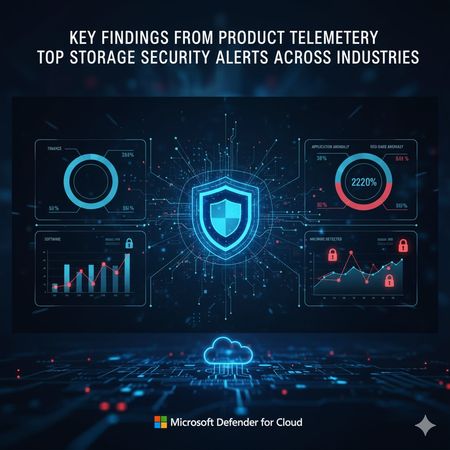
Key findings from product telemetry: top storage security alerts across industries
1.0 Introduction Cloud storage stands at the core of AI-driven applications, making its security more vital than ever. As generative AI continues to drive innovation, protecting the storage infrastructure becomes central to ensuring both the reliability and safety of AI solutions. Every industry encounters its own set of storage security challenges. For example, financial services must navigate complex compliance requirements and guard against insider risks. Healthcare organizations deal with the protection of confidential patient information (e.g. electronic medical records), while manufacturing and retail face the complexities of distributed environments and vulnerable supply chains. At Microsoft, we leverage product telemetry to gain insight into the most frequent storage security alerts and understand how risks manifest differently across various customer sectors. This article delves into how storage threats are shaped by industry dynamics, drawn on data collected from our customer base to illustrate emerging patterns and risks. Acknowledgement: This blog represents the collaborative work of the following Stroage security in MDC v-team members: Fernanda Vela and Alex Steele, for initiating the project and preparing the initial draft and directing the way we tell the story Eitan Bremler and Lior Tsalovich, for product and customer insights, synthesizing product telemetry and providing review Yuri Diogenes, for his supervision, review and cheerleading We extend our sincere appreciation to each contributor for their dedication and expertise. 1.1 Key findings from product telemetry: Top storage security alerts across industries Based on telemetry gathered from Microsoft Defender for Cloud, certain alerts consistently emerge as the most prevalent across different sectors. These patterns highlight the types of threats and suspicious activities organizations encounter most frequently, reflecting both industry-specific risks and broader attack trends. In the section that follows, this information is presented in detail, offering a breakdown of the most common alerts observed within each industry and providing valuable insight into how storage environments are being targeted and defended. 1.1.1 How does storage security alert in Defender for Cloud work To protect storage accounts from threats, Microsoft Defender for Cloud storage security provides a wide range of security alerts designed to detect suspicious, risky, or anomalous activity across Azure Storage services such as Blob Storage, Data Lake Gen2, and Azure Files. These alerts cover scenarios like unauthorized access attempts, abnormal usage patterns, potential data exfiltration, malware uploads or downloads, sensitive data exposure and changes that may expose storage containers to the public. They leverage threat intelligence and behavioral analytics to identify activity from malicious IPs, unusual geographies, or suspicious applications, ensuring organizations are alerted when their storage environment is potentially at risk. Each alert is categorized by severity, helping organizations prioritize responses to the most critical threats, such as confirmed malware or credential compromise, while also surfacing medium and low-risk anomalies that may indicate early stages of an attack. Overall, Defender for Storage enables proactive monitoring and rapid detection of threats to cloud storage, reducing the risk of exposure, misuse, or compromise of valuable data assets. 1.1.2 Top alert types for major industries Financial, healthcare, technology, energy and manufacturing are often cited as the most targeted industries because of the value of their data, regulatory exposure and their role in critical infrastructure. Our telemetry from Microsoft Defender for Cloud (MDC) shows the top security alerts in storage resources across these five industries: Finance industry Health care industry Manufacturing industry Software industry Energy industry 1.1.3 Top 9 alerts across industries Across industries, the most common alert—averaging 1,300 occurrences per month—is “Unusual application accessed a storage account,” indicating unexpected access to a storage account. Below are the top cross-industry alerts based on this analysis. 1.2 Analysis Application Anomaly Alerts Ranking: #1 across all industries (Finance, Manufacturing, Software, Energy, Healthcare) Alert: Access from a suspicious application (Storage.Blob_ApplicationAnomaly) Why it happens: Organizations increasingly use automation, third-party integrations, and custom scripts to interact with cloud storage. Shadow IT and lack of centralized app governance lead to unexpected access patterns. In sectors like healthcare and finance, sensitive data attracts attackers who may use compromised or malicious apps to probe for weaknesses. Interpretation: High prevalence indicates a need for stricter application registration, monitoring, and access controls. Industries should prioritize visibility into which apps are accessing storage and enforce policies to block unapproved applications. Geo-Anomaly Alerts Ranking: #2 or #3 in most industries Alert: Access from an unusual location (Storage.Blob_GeoAnomaly, Storage.Files_GeoAnomaly) Why it happens: Global operations, remote work, and distributed teams are common in energy, manufacturing, and healthcare. Attackers may use VPNs or compromised credentials to access storage from unusual regions. Interpretation: Frequent geo-anomalies suggest gaps in geo-fencing and conditional access policies. Organizations should review access logs, enforce region-based restrictions, and monitor cross-border data flows. Malware-Related Alerts Ranking: Prominent in healthcare, finance, and software sectors Alert: Malware found in blob (Storage.Blob_AM.MalwareFound) Malware download detected (Storage.Blob_MalwareDownload) Access from IP with suspicious file hash reputation (Storage.Blob_MalwareHashReputation) Why it happens: High-value data and frequent file exchanges make these industries attractive targets for ransomware and malware campaigns. Insufficient scanning capacity or delayed remediation can allow malware to persist. Interpretation: Rising malware alerts point to active threat campaigns and the need for real-time scanning and automated remediation. Industries should scale up Defender capacity, integrate threat intelligence, and enable automatic malware removal. Open Container Scanning Alerts Ranking: More frequent in energy and manufacturing Alerts: Successful discovery of open storage containers (Storage.Blob_OpenContainersScanning.SuccessfulDiscovery) Failed attempt to scan open containers (Storage.Blob_OpenContainersScanning.FailedAttempt) Why it happens: Rapid cloud adoption and operational urgency can lead to misconfigured storage containers. Legacy systems and lack of automated policy enforcement increase exposure risk. Interpretation: High rates of open container alerts signal the need for regular configuration audits and automated security policies. Organizations should prioritize closing public access and monitoring for changes in container exposure. Anonymous Access & Data Exfiltration Alerts Ranking: Present across industries, especially where sensitive data is stored Alerts: Anonymous access anomaly detected (Storage.Blob_AnonymousAccessAnomaly) Data exfiltration detected: unusual amount/number of blobs (Storage.Blob_DataExfiltration.AmountOfDataAnomaly, Storage.Blob_DataExfiltration.NumberOfBlobsAnomaly) Why it happens: Attackers may attempt to access data anonymously or exfiltrate large volumes of data. Weak access controls or lack of monitoring can enable these behaviors. Interpretation: These alerts should trigger immediate investigation and remediation. Organizations must enforce strict access controls and monitor for abnormal data movement. Key Takeaways Across Industries Application anomaly and geo-anomaly alerts are universal, reflecting the challenges of managing automation and global access in modern cloud environments. Malware-related alerts are especially critical in sectors handling sensitive or regulated data, indicating active targeting by threat actors. Open container and capacity alerts reveal operational and configuration risks, often tied to rapid scaling and cloud adoption. Interpreting these trends: High alert shares for specific patterns should drive targeted investments in security controls, monitoring, and automation. Industries must adapt their security strategies to their unique risk profiles, balancing innovation with robust protection. 1.3 Protect storage accounts from threats To address these challenges, Microsoft Defender for Cloud Storage Security offers: Real-time monitoring of storage-related threats: Identifies unusual access patterns with direct integration with Azure. Detect and mitigate with threat intelligence: understand threat context and reduce false positives. Integration with Defender XDR: Provides unified threat correlation, investigation and triaging with industry leading SIEM integration. 2.0 Malware in Storage: A Growing Threat Based on the findings from section 1, let’s analyze which industry receives the most amount of malware related threats: 2.1 Top Findings Healthcare: Malware found in blob (8.6%) Malware download detected (5.5%) Malware hash reputation (4.6%) Total malware-related share: ~18.7% Finance: Malware found in blob (4.5%) Malware download detected (3.9%) Malware hash reputation (4.6%) Total malware-related share: ~13% Manufacturing: Malware found in blob (8.5%) Malware download detected (2.7%) Malware hash reputation (3.3%) Total malware-related share: ~14.5% Software: Malware found in blob (7.8%) Malware download detected (5.9%) Malware hash reputation (15.6%) Total malware-related share: ~29.3% (notably high due to hash reputation alert) Energy: Malware hash reputation (4.2%) Malware found in blob (not top 7) Malware download detected (not top 7) Total malware-related share: ~4.2% (lower than other sectors) 2.2 Analysis Software industry has the highest ranked malware alerts, especially due to a very high share for “Malware hash reputation” (15.6%) and significant shares for “Malware found in blob” and “Malware download detected.” Healthcare also has a high combined share of malware alerts, but not as high as software. Finance, Manufacturing, and Energy have lower shares for malware alerts compared to software and healthcare. How to Read This Trend Software companies are likely targeted more for malware due to their high volume of code, frequent file exchanges, and integration with many external sources. Healthcare is also a prime target because of sensitive patient data (e.g. electronic medical records) and regulatory requirements. If your organization is in software or healthcare, pay extra attention to malware scanning, automated remediation, and threat intelligence integration. Regularly review and update malware protection policies. 2.3 How Microsoft Helps Prevent Malware Spread Defender for Cloud mitigates these risks by: Scanning for malicious content on upload or on demand, in storage accounts Automatic remediation after suspicious uploads Integrating with threat intelligence for threat context correlation, advance investigation and threat response. To learn more about Malware Scanning in Defender for Cloud, visit: Introduction to Defender for Storage malware scanning - Microsoft Defender for Cloud | Microsoft Learn 3.0 Conclusion As cloud and AI adoption accelerate, storage security is now essential for every industry. Microsoft Defender for Cloud storage security telemetry shows that the most frequent alerts—like suspicious application access, geo-anomalies, and malware detection—reflect both evolving threats and the realities of modern operations. These trends highlight the need for proactive monitoring, and strong threat detection and mitigation. Defender for Cloud helps organizations stay ahead of risks, protect critical data, and enable safe innovation in the cloud. Learn more about Defender for Cloud storage security: Microsoft Defender for Cloud | Microsoft Security Start a free Azure trial. Read more about Microsoft Defender for Cloud Storage Security here. 4.0 Appendix: Detailed Data for Top Industry-Specific Alerts 4.1 Finance Industry Alert Type Tag Description Share (%) Access from a suspicious application Storage.Blob_ApplicationAnomaly Blob accessed using a suspicious/uncommon application 34.40 Access from an unusual location Storage.Blob_GeoAnomaly Blob accessed from a geographic location that deviates from typical patterns 23.10 Access from an unusual location (Azure Files) Storage.Files_GeoAnomaly Azure Files share accessed from an unexpected geographic region 7.90 Access from a suspicious application (Files) Storage.Files_ApplicationAnomaly Azure Files share accessed using a suspicious application 7.80 Failed attempt to scan open containers Storage.Blob_OpenContainersScanning.FailedAttempt Failed attempt to scan publicly accessible containers for security risks 6.40 Access from IP with suspicious file hash Storage.Blob_MalwareHashReputation Blob accessed from an IP with known malicious file hashes 4.60 Malware found in blob Storage.Blob_AM.MalwareFound Malware detected within a blob during scanning 4.50 Malware download detected Storage.Blob_MalwareDownload Blob download activity suggests malware distribution 3.90 Anonymous access anomaly detected Storage.Blob_AnonymousAccessAnomaly Blob accessed anonymously in an abnormal way 3.30 Data exfiltration: unusual amount of data Storage.Blob_DataExfiltration.AmountOfDataAnomaly Large volume of data accessed/downloaded, possible exfiltration 2.20 4.2 Healthcare Industry Alert Type Tag Description Share (%) Access from a suspicious application Storage.Blob_ApplicationAnomaly Blob accessed using a suspicious/uncommon application 42.40 Access from an unusual location Storage.Blob_GeoAnomaly Blob accessed from a geographic location that deviates from typical patterns 17.10 Access from a suspicious application (Files) Storage.Files_ApplicationAnomaly Azure Files share accessed using a suspicious application 9.70 Malware found in blob Storage.Blob_AM.MalwareFound Malware detected within a blob during scanning 8.60 Access from an unusual location (Files) Storage.Files_GeoAnomaly Azure Files share accessed from an unexpected geographic region 8.20 Malware download detected Storage.Blob_MalwareDownload Blob download activity suggests malware distribution 5.50 Access from IP with suspicious file hash Storage.Blob_MalwareHashReputation Blob accessed from an IP with known malicious file hashes 4.60 Failed attempt to scan open containers Storage.Blob_OpenContainersScanning.FailedAttempt Failed attempt to scan publicly accessible containers for security risks 4.10 4.3 Manufacturing Industry Alert Type Tag Description Share (%) Access from a suspicious application Storage.Blob_ApplicationAnomaly Blob accessed using a suspicious/uncommon application 28.70 Access from an unusual location Storage.Blob_GeoAnomaly Blob accessed from a geographic location that deviates from typical patterns 24.10 Access from a suspicious application (Files) Storage.Files_ApplicationAnomaly Azure Files share accessed using a suspicious application 9.40 Failed attempt to scan open containers Storage.Blob_OpenContainersScanning.FailedAttempt Failed attempt to scan publicly accessible containers for security risks 8.90 Malware found in blob Storage.Blob_AM.MalwareFound Malware detected within a blob during scanning 8.50 Access from an unusual location (Files) Storage.Files_GeoAnomaly Azure Files share accessed from an unexpected geographic region 7.00 Anonymous access anomaly detected Storage.Blob_AnonymousAccessAnomaly Blob accessed anonymously in an abnormal way 5.20 Access from IP with suspicious file hash Storage.Blob_MalwareHashReputation Blob accessed from an IP with known malicious file hashes 3.30 Malware download detected Storage.Blob_MalwareDownload Blob download activity suggests malware distribution 2.70 Data exfiltration: unusual number of blobs Storage.Blob_DataExfiltration.NumberOfBlobsAnomaly Unusual number of blobs accessed, possible exfiltration 2.30 4.4 Software Industry Alert Type Tag Description Share (%) Access from a suspicious application Storage.Blob_ApplicationAnomaly Blob accessed using a suspicious/uncommon application 22.20 Access from an unusual location Storage.Blob_GeoAnomaly Blob accessed from a geographic location that deviates from typical patterns 16.40 Access from IP with suspicious file hash Storage.Blob_MalwareHashReputation Blob accessed from an IP with known malicious file hashes 15.60 Access from a suspicious application (Files) Storage.Files_ApplicationAnomaly Azure Files share accessed using a suspicious application 8.10 Malware found in blob Storage.Blob_AM.MalwareFound Malware detected within a blob during scanning 7.80 Failed attempt to scan open containers Storage.Blob_OpenContainersScanning.FailedAttempt Failed attempt to scan publicly accessible containers for security risks 7.10 Malware download detected Storage.Blob_MalwareDownload Blob download activity suggests malware distribution 5.90 Anonymous access anomaly detected Storage.Blob_AnonymousAccessAnomaly Blob accessed anonymously in an abnormal way 5.50 Access from an unusual location (Files) Storage.Files_GeoAnomaly Azure Files share accessed from an unexpected geographic region 5.50 Data exfiltration: unusual amount of data Storage.Blob_DataExfiltration.AmountOfDataAnomaly Large volume of data accessed/downloaded, possible exfiltration 3.30 Data exfiltration: unusual number of blobs Storage.Blob_DataExfiltration.NumberOfBlobsAnomaly Unusual number of blobs accessed, possible exfiltration 2.50 4.5 Energy Industry Alert Type Tag Description Share (%) Access from a suspicious application Storage.Blob_ApplicationAnomaly Blob accessed using a suspicious/uncommon application 38.60 Access from an unusual location Storage.Blob_GeoAnomaly Blob accessed from a geographic location that deviates from typical patterns 22.60 Successful discovery of open containers Storage.Blob_OpenContainersScanning.SuccessfulDiscovery Publicly accessible containers discovered during scanning, exposure risk 13.50 Access from a suspicious application (Files) Storage.Files_ApplicationAnomaly Azure Files share accessed using a suspicious application 10.20 Access from an unusual location (Files) Storage.Files_GeoAnomaly Azure Files share accessed from an unexpected geographic region 5.90 Failed attempt to scan open containers Storage.Blob_OpenContainersScanning.FailedAttempt Failed attempt to scan publicly accessible containers for security risks 3.0Unlocking Business Value: Microsoft's Dual Approach to AI for Security and Security for AI
Overview In an era where cyber threats evolve at an unprecedented pace and artificial intelligence (AI) transforms business operations, Microsoft stands at the forefront with a comprehensive strategy that addresses both leveraging AI to bolster security and safeguarding AI systems themselves. This white paper, presented in blog post format, explores Microsoft's business value model for "AI for Security" – using AI to enhance threat detection, response, and prevention – and "Security for AI" – protecting AI deployments from emerging risks. Drawing from independent studies, real-world case studies, and economic analyses, we demonstrate how these approaches deliver tangible returns on investment (ROI) and total economic impact (TEI). Whether you're a CISO evaluating security investments or a business leader integrating AI, this post provides insights, visuals, and calculations to guide your strategy. Executive Summary The enterprise adoption of AI has transcended from a technological novelty to a strategic imperative, fundamentally altering competitive landscapes and business models. Organizations that fail to integrate AI risk operational inefficiency, diminished competitiveness, and missed revenue opportunities. However, the path from initial awareness to full-scale transformation is fraught with a new and complex class of security risks that traditional cybersecurity postures are ill-equipped to address. This report provides a comprehensive analysis of the enterprise AI adoption journey, the evolving threat landscape, and a data-driven financial case for securing AI initiatives exclusively through Microsoft's unified security ecosystem. The AI journey is a multi-stage process, beginning with Awareness and Experimentation before progressing to Operational deployment, Systemic integration, and ultimately, Transformational impact. Advancement through these stages is contingent not on technology alone, but on a clear executive vision, a structured roadmap that aligns AI potential with business reality, and a foundational commitment to responsible AI governance. This journey is paralleled by the emergence of a sophisticated AI threat landscape. Malicious actors are no longer targeting just infrastructure but the very logic and integrity of AI models. Threats such as data poisoning, model theft, prompt injection, risks to intellectual property, data privacy, regulatory compliance, and brand reputation. Furthermore, the proliferation of generative AI tools creates a novel "accidental insider" risk, where well-intentioned employees can inadvertently leak sensitive corporate data to third-party models. To counter these multifaceted threats, a fragmented, multi-vendor security approach is proving insufficient. Microsoft offers a cohesive, AI-native security platform that provides end-to-end protection across the entire AI lifecycle. This unified framework integrates Microsoft Purview for proactive data security and governance, Microsoft Sentinel for AI-powered threat detection and response, and Microsoft Defender alongside Azure AI Services for comprehensive endpoint, application, infrastructure protection and Microsoft Entra for securing and protecting the identity and access management control. The platform's strength lies in its deep, native integration, which creates a virtuous cycle of shared intelligence and automated response that siloed solutions cannot replicate. A rigorous market analysis, based on independent studies from Forrester and IDC, demonstrates that investing in this unified security framework is not a cost center but a significant value driver. The financial returns are compelling: Microsoft Purview delivers a 355% Return on Investment (ROI) over three years, driven by a 30% reduction in data breach likelihood and a 75% improvement in security investigation time. For more details: mccs-ms-purview-final-9-3.pdf Microsoft Sentinel generates a 234% ROI, reducing the Total Cost of Ownership (TCO) from legacy Security Information and Event Management (SIEM) solutions by 44% and cutting false positives by up to 79%. For more details: The Total Economic Impact™ Of Microsoft Sentinel Microsoft Defender provides a 242% ROI with a payback period of less than six months, fueled by significant savings from vendor consolidation and a 30% faster threat remediation time. For more details: TEI-of-M365Defender-FINAL.pdf Microsoft Entra Suite: 131% ROI over three years, with $14.4 million in benefits, $8.2 million net present value, payback in less than six months, 30% reduction in identity-related risk exposure, 60% reduction in VPN license usage, 80% reduction in user management time, and 90% fewer password reset tickets. For more details: The Total Economic Impact™ Of Microsoft Entra Suite Collectively, these solutions do more than mitigate risk; they enable innovation. By establishing a secure and trusted data environment, organizations can confidently accelerate their adoption of transformative AI technologies, unlocking the broader business value and competitive advantage that AI promises. This report concludes with a clear strategic recommendation: to successfully navigate the AI frontier, executive leadership must prioritize investment in a unified, AI-native security and governance framework as a foundational enabler of their digital transformation strategy. AI Risks/Challenges AI is transforming cybersecurity, but it also might introduce new vulnerabilities and attack surfaces. Organizations adopting AI must address risks such as data leakage, prompt injection attacks, model poisoning, identity and access management, and compliance gaps. These threats are not hypothetical—they are already impacting enterprises globally. Key Risks and Their Impact Data Security & Privacy 80%+ of security leaders cite leakage of sensitive data as their top concern when adopting AI. BYOAI (Bring Your Own AI) is rampant: 78% of employees use unapproved AI tools at work, increasing exposure to unmanaged risks. Source: Microsoft Work Trend Index & ISMG Study Emerging Threats Indirect Prompt Injection Attacks: 77% of organizations are concerned; 11% are extremely concerned. Hijacking & Automated Scams: 85% of respondents fear AI-driven scams and hijacking scenarios. Source: KPMG Global AI Study Compliance & Governance: 55% of leaders admit they lack clarity on AI regulations and compliance requirements. Agentic AI Risks: 88% of organizations are piloting AI agents, creating agent sprawl and new attack vectors. by 2029, 50%+ of successful attacks against AI agents will exploit access control weaknesses. The Numbers Tell the Story 97% of organizations reported security incidents related to Generative AI in the past year. Known AI security breaches jumped from 29% in 2023 to 74% in 2024, yet 45% of incidents go unreported. Source: Capgemini & HiddenLayer AI Threat Landscape Report Global AI cybersecurity market is projected to grow from $30B in 2024 to $134B by 2030, reflecting the urgency of securing AI systems. Source: Statista AI in Cybersecurity Where do we see customers in adoption Journey Understanding where an organization stands in its AI adoption journey is the critical first step in formulating a successful strategy. The transition from recognizing AI's potential to harnessing it for transformative business value is not a single leap but a structured progression through distinct stages of maturity. Many organizations falter by pursuing technologically interesting projects that fail to solve core business problems, leading to wasted resources and disillusionment. A coherent maturity model provides a diagnostic tool to assess current capabilities and a roadmap to guide future investments, ensuring that each step of the journey is aligned with measurable business goals. From Awareness to Transformation: A Unified AI Maturity Model By synthesizing frameworks from leading industry analysts and practitioners, a comprehensive five-stage maturity model emerges. This model provides a clear pathway for organizations, detailing the characteristics, challenges, and objectives at each level of AI integration. Stage 1: Aware / Exploration This initial stage is characterized by an early interest in AI, where organizations recognize its potential but have limited to no practical experience. Activities are focused on research and education, with internal teams exploring different tools to understand their capabilities and potential business use cases. A common and effective starting point is conducting brainstorming workshops with key stakeholders to identify pressing business pain points and map them to potential AI solutions. The primary goal is to build initial familiarity and garner buy-in from leadership to move beyond theoretical discussions. The most significant challenge at this stage is the "zero-to-one gap"—overcoming organizational inertia and a lack of executive sponsorship to secure the approval and resources needed for initial experimentation. Stage 2: Active / Experimentation In the experimentation phase, organizations have initiated small-scale pilot projects, often isolated within a data science team or a specific business unit. AI literacy remains limited, with only a few individuals or teams actively using AI tools in their daily work. A formal, enterprise-wide AI strategy is typically absent, leading to a fragmented approach where different teams may be experimenting with disparate tools. This is the stage where many organizations encounter the "Production Chasm." While they may successfully develop prototypes, they struggle to move these models into a live production environment. This difficulty arises from a critical skills gap; the expertise required for production-level AI—a multidisciplinary blend of data science, IT operations, and DevOps, often termed MLOps—is fundamentally different and far rarer than the skills needed for experimental modeling. This chasm is widened by a misleading perception of what constitutes professional-grade AI, often formed through exposure to public tools, which lack the security, scalability, and deep integration required for enterprise use. Stage 3: Operational / Optimizing Organizations reaching this stage have successfully deployed one or more AI solutions into production. The focus now shifts from experimentation to optimization and scalability. The primary challenge is to move from isolated successes to consistent, repeatable processes that can be applied across the enterprise. This requires a deliberate strategic shift from scattered efforts to a structured portfolio of AI initiatives, each with a clear business case and measurable goals. Key activities include defining a formal AI strategy, investing in enterprise-grade tools, and launching broader initiatives to improve the AI literacy of the entire workforce, not just specialized teams. The objective is to achieve tangible improvements in productivity, efficiency, and business performance through the integration of AI into key processes. Stage 4: Systemic / Standardizing At the systemic stage, AI is no longer a collection of discrete projects but is deeply integrated into core business operations and workflows. The organization makes significant investments in enterprise-wide technology, including modern data platforms and robust governance frameworks, to ensure standardized and responsible usage of AI. A culture of innovation is fostered, encouraging employees to leverage AI tools to drive the business forward. The focus is on maximizing efficiency at scale, automating complex processes, and creating a sustainable competitive advantage through widespread gains in productivity and creativity. Stage 5: Transformational / Monetization This is the apex of AI maturity, a level achieved by only a few organizations. Here, AI is a central pillar of the corporate strategy and a key priority in executive-level budget allocation.3 The organization is recognized as an industry leader, leveraging AI not just to optimize existing operations but to completely transform them, creating entirely new revenue streams, innovative business models, and disruptive market offerings.4 The focus is on maximizing the bottom-line impact of AI across every facet of the business, from employee productivity to customer satisfaction and financial performance. Why using AI in defense is imperative Cybersecurity has entered an era where the speed, scale, and sophistication of attacks outpace traditional defenses. AI is no longer optional—it’s a strategic necessity for organizations aiming to protect critical assets and maintain resilience: 1. The Threat Landscape Has Changed AI-powered attacks are real and growing fast: Breakout times for breaches have dropped to under an hour, making manual detection and response obsolete. Attackers use AI to craft polymorphic malware, deepfakes, and automated phishing campaigns that bypass legacy security controls. Source: [mckinsey.com] 93% of security leaders fear AI-driven attacks, yet 69% see AI as the answer, and 62% of enterprises already use AI in defense. 2. AI Delivers Asymmetric Advantage Predictive Threat Intelligence: AI analyzes billions of signals to anticipate attacks before they occur, reducing downtime and mitigating risk. Automated Response: AI-driven SOCs cut response times from hours to seconds, isolating compromised endpoints and revoking malicious access instantly. Source: [analyticsinsight.net] Behavioral Analytics: Detects insider threats and anomalous activities that traditional tools miss, safeguarding identities and sensitive data 3. Operational Efficiency & Talent Gap Cybersecurity teams face a global shortage of skilled professionals. AI acts as a force multiplier, automating repetitive tasks and enabling analysts to focus on strategic threats. Organizations report 76% improvement in early threat detection and $2M+ savings per breach when leveraging AI-powered security solutions. Source: AI-Powered Security: The Future of Threat Detection and Response Microsoft approach to AI security As AI adoption accelerates, Microsoft has developed a multi-layered security strategy to protect AI systems, data, and identities while enabling innovation. This approach combines platform-level security, responsible AI principles, and advanced threat protection to ensure AI is deployed securely and ethically across enterprises. 1. Foundational Principles Microsoft’s AI security strategy is grounded in: Responsible AI Principles: Fairness, privacy & security, inclusiveness, transparency, accountability, and reliability. These principles guide every stage of AI development and deployment. Secure Future Initiative (SFI): Embedding security by design, default, and deployment across AI workloads. 2. The Secure AI Framework Microsoft’s Secure AI Framework (SAIF) provides a structured approach to securing AI environments: Prepare: Implement Zero Trust principles, secure identities, and configure environments for AI readiness. Discover: Gain visibility into AI usage, sensitive data flows, and potential vulnerabilities. Protect: Apply end-to-end security controls for data, models, and infrastructure. Govern: Enforce compliance with regulations like GDPR and the EU AI Act, and monitor AI interactions for risk. 3. Key Security Controls Data Security & Governance: o Microsoft Purview for Data Security Posture Management (DSPM) in AI prompts and completions. o Auto-classification, encryption, and risk-adaptive controls to prevent data leakage. Identity & Access Management: o Microsoft Entra for securing AI agents and enforcing least privileges with adaptive access policies. Threat Protection: o Microsoft Defender for AI integrates with Defender for Cloud to detect prompt injection, model poisoning, and jailbreak attempts in real time. Compliance & Monitoring: o Continuous posture assessments aligned with ISO 42001 and NIST AI RMF. 4. Security by Design Microsoft embeds security throughout the AI lifecycle: Secure Development Lifecycle (SDL) for AI models. AI Red Teaming using tools like PyRIT to simulate adversarial attacks and validate resilience. Content Safety Systems in Azure AI Foundry to block harmful or inappropriate outputs. 5. Integrated Security Ecosystem Microsoft’s AI security capabilities are deeply integrated across its portfolio: Microsoft Defender XDR: Correlates AI workload alerts with broader threat intelligence. Microsoft Sentinel: Provides graph-based context for AI-driven threat investigations. Security Copilot: AI-powered assistant for SOC teams, accelerating detection and response. Market research on ROI and Cost Savings from securing AI Investing in a robust security framework for AI is not merely a defensive measure or a cost center; it is a strategic investment that yields a quantifiable and compelling return. Independent market analysis conducted by leading firms like Forrester and IDC, along with real-world customer case studies, provides extensive evidence that deploying Microsoft's unified security platform delivers significant financial benefits. These benefits manifest in two primary ways: a "defensive" ROI derived from mitigating risks and reducing costs, and an "offensive" ROI achieved by enabling the secure and rapid adoption of high-value AI initiatives that drive business growth. A recurring and powerful theme across these studies is that platform consolidation is a major, often underestimated, value driver. A significant portion of the quantified ROI comes from retiring a fragmented stack of legacy point solutions and eliminating the associated licensing, infrastructure, and specialized labor costs, allowing the investment in the Microsoft platform to be funded, in part or in whole, by reallocating existing budget. The Total Economic Impact™ of a Unified Security Posture Microsoft has commissioned Forrester Consulting to conduct a series of Total Economic Impact™ (TEI) studies on its core security products. These studies, based on interviews with real-world customers, construct a "composite organization" to model the financial costs and benefits over a three-year period. The results consistently show a strong positive ROI across the platform. Microsoft Purview: The TEI study on Microsoft Purview found that the composite organization experienced benefits of $3.0 million over three years versus costs of $633,000, resulting in a net present value (NPV) of $2.3 million and an impressive 355% ROI. The primary value drivers included reduced data breach impact, significant efficiency gains for security and compliance teams, and the avoidance of costs associated with legacy data governance tools. Microsoft Sentinel: For Microsoft Sentinel, the Forrester study calculated an NPV of $7.9 million and a 234% ROI over three years. Key financial benefits were derived from a 44% reduction in TCO by replacing expensive, on-premises legacy SIEM solutions, a dramatic 79% reduction in false-positive alerts that freed up analyst time, and a 35% reduction in the likelihood of a data breach. Microsoft Defender: The unified Microsoft Defender XDR platform delivered an NPV of $12.6 million and a 242% ROI over three years, with an exceptionally short payback period of less than six months. The benefits were substantial, including up to $12 million in savings from vendor consolidation, $2.4 million from SecOps optimization, and $2.8 million from the reduced cost of material breaches. Microsoft Security Copilot: As a newer technology, the TEI for Security Copilot is a projection. Forrester projects a three-year ROI ranging from a low of 99% to a high of 348%, with a medium impact scenario yielding a 224% ROI and an NPV of $1.13 million. This return is driven almost entirely by amplified SecOps team efficiency, with projected productivity gains on security tasks ranging from 23% to 46.7%, and cost efficiencies from a reduced reliance on third-party managed security services. The following table aggregates the headline financial metrics from these independent Forrester TEI studies, providing a clear, at-a-glance summary of the platform's investment value. Table: Aggregated Financial Impact of Microsoft AI Security Solutions (Forrester TEI Data) Microsoft Solution 3-Year ROI (%) 3-Year NPV ($M) Payback Period (Months) Key Value Drivers Microsoft Purview 355% $2.3 < 6 Reduced breach likelihood by 30%, 75% faster investigations, 60% less manual compliance effort, legacy tool consolidation. Microsoft Sentinel 234% $7.9 < 6 44% TCO reduction vs. legacy SIEM, 79% reduction in false positives, 85% less effort for advanced investigations. Microsoft Defender 242% $12.6 < 6 Up to $12M in vendor consolidation savings, 30% faster threat remediation, 80% less effort to respond to incidents. Security Copilot 99% - 348% (Projected) $0.5 - $1.76 (Projected) Not Specified 23%-47% productivity gains for SecOps tasks, reduced reliance on third-party services, upskilling of security personnel. Microsoft Entra Suite 131% $8.2 Not Specified 30% reduction in identity risk, 80% reduction in user management time, 90% fewer password reset tickets, 60% VPN license reduction. Quantifying Risk Reduction and Its Financial Impact A core component of the ROI calculation is the direct financial savings from preventing and mitigating security incidents. Reduced Likelihood of Data Breaches: The Forrester study on Microsoft Purview quantified a 30% reduction in the likelihood of a data breach for the composite organization. This translated into over $225,000 in annual savings from avoided costs of security incidents and regulatory fines. The study on Microsoft Sentinel found a similar 35% reduction in breach likelihood, which was valued at $2.8 million over the three-year analysis period. These figures provide a tangible financial value for improved security posture. The Cost of Inaction: The financial case is further strengthened when contrasted with the high cost of failure. The Forrester study on Microsoft Defender highlights that organizations with insufficient incident response capabilities spend an average of $204,000 more per breach and experience nearly one additional breach per year compared to their more prepared peers. This underscores that the investment in a modern, unified platform is an effective insurance policy against significantly higher future costs. Driving SOC Efficiency and Cost Optimization Beyond risk reduction, the Microsoft security platform drives substantial cost savings through automation, AI-powered efficiency, and platform consolidation. These savings free up both budget and highly skilled personnel to focus on more strategic, value-added activities. Faster Mean Time to Respond (MTTR): Time is money during a security incident. The platform's AI and automation capabilities dramatically accelerate the entire response lifecycle. The Sentinel TEI found that its AI-driven correlation engine reduced the manual labor effort for advanced, multi-touch investigations by 85%. The Defender TEI noted that security teams could remediate threats 30% faster, reducing the mean time to acknowledge (MTTA) from 30 minutes to just 15, and cutting the mean time to resolve (MTTR) from up to three hours to less than one hour in many cases. Similarly, Purview was found to reduce the time security teams spent on investigations by 75%. Legacy Tool and Cost Avoidance: Consolidating on the Microsoft platform allows organizations to retire a host of redundant security and compliance tools. The Purview study identified nearly $500,000 in savings over three years from sunsetting legacy records management and data security solutions. The Defender study attributed up to a massive $12 million in benefits over three years to vendor consolidation, eliminating licensing, maintenance, and management costs from other tools. The Microsoft Entra Suite was found to reduce VPN license usage by 60%, saving an estimated $680,000 over three years. Reduced IT Overhead and Labor Costs: Automation extends beyond the SOC to general IT operations. The Microsoft Entra study found that automated governance and lifecycle workflows reduced the time IT spent on ongoing user management by 80%, yielding $4.6 million in time savings over three years. The same study noted a 90% reduction in password reset help desk tickets, from 80,000 to just 8,000 per year, avoiding $2.6 million in support costs. For more details: https://www.microsoft.com/en-us/security/blog/2025/09/23/microsoft-purview-delivered-30-reduction-in-data-breach-likelihood/ https://www.microsoft.com/en-us/security/blog/2025/08/04/microsoft-entra-suite-delivers-131-roi-by-unifying-identity-and-network-access/ https://azure.microsoft.com/en-us/blog/explore-the-business-case-for-responsible-ai-in-new-idc-whitepaper/ https://www.microsoft.com/en-us/security/blog/2025/09/18/microsoft-defender-delivered-242-return-on-investment-over-three-years/ https://tei.forrester.com/go/microsoft/microsoft_sentinel/ https://www.gartner.com/reviews/market/email-security-platforms/compare/abnormal-ai-vs-microsoft Fast-track generative AI security with Microsoft Purview | Microsoft Security Blog Conclusion Summary Consolidating security and compliance operations on the Microsoft platform delivers substantial cost savings and operational efficiencies. Studies have shown that moving away from legacy tools and embracing automation through Microsoft solutions not only reduces licensing and maintenance expenses, but also significantly lowers IT labor and support costs. By leveraging integrated tools like Microsoft Purview, Defender, and Entra Suite, organizations can realize millions of dollars in savings and free up valuable IT resources for higher-value work. Key Highlights Significant Cost Savings: Up to $12 million in benefits over three years from vendor consolidation, and $500,000 saved by retiring legacy records management and data security solutions. License Optimization: The Microsoft Entra Suite reduced VPN license usage by 60%, saving an estimated $680,000 over three years. IT Efficiency Gains: Automated governance and lifecycle workflows decreased IT time spent on user management by 80%, resulting in $4.6 million in time savings. Support Cost Reduction: Password reset help desk tickets dropped by 90%, from 80,000 to 8,000 per year, avoiding $2.6 million in support costs.1.9KViews0likes0CommentsMicrosoft Defender for Cloud Customer Newsletter
What’s new in Defender for Cloud? We're enhancing the severity levels of recommendations to improve risk assessment and prioritization. As part of this update, we reevaluated all severity classifications and introduced a new level — Critical. See this page for more info. General Availability of File Integrity Monitoring (FIM) based on Microsoft Defender for Endpoint in Azure Government File Integrity Monitoring based on Microsoft Defender for Endpoint is now GA in Azure Government (GCCH) as part of Defender for Servers Plan 2. For more details, please refer to our documentation Blog(s) of the month In March, our team published the following blog posts we would like to share: Integrating Security into DevOps Workflows with Microsoft Defender CSPM New innovations to protect custom AI applications with Defender for Cloud All Key Vaults Are Critical, But Some Are More Critical Than Others: Finding the Crown Jewels GitHub Community Learn more about code reachability in Defender for Cloud: Module 26 - Defender for Cloud Code Reachability Vulnerabilities with Endor Labs Visit our GitHub page Defender for Cloud in the field Watch the latest Defender for Cloud in the Field YouTube episode here: Unveiling Kubernetes lateral movement in Defender for Cloud Manage cloud security posture with Microsoft Defender for Cloud Visit our new YouTube page Customer journey Discover how other organizations successfully use Microsoft Defender for Cloud to protect their cloud workloads. This month we are featuring Danfuss. Danfoss’s growth contrasted with inefficient manual, on-premises security solutions. It wanted a scalable security solution to defend its global data and SAP landscape while lifting security team effectiveness. Danfoss adopted Microsoft Sentinel and the Microsoft Sentinel solution for SAP applications. It ingests logs from 20 applications and thousands of devices with the connectors including Defender for Cloud. Show me more stories Security community webinars Join our experts in the upcoming webinars to learn what we are doing to secure your workloads running in Azure and other clouds. Check out our upcoming webinars this month! April 15 Microsoft Defender for Cloud | Securing Custom Built AI Applications with Microsoft Defender for Cloud April 30 Microsoft Defender for Cloud | Securing Custom Built AI Applications with Microsoft Defender for Cloud We offer several customer connection programs within our private communities. By signing up, you can help us shape our products through activities such as reviewing product roadmaps, participating in co-design, previewing features, and staying up-to-date with announcements. Sign up at aka.ms/JoinCCP. We greatly value your input on the types of content that enhance your understanding of our security products. Your insights are crucial in guiding the development of our future public content. We aim to deliver material that not only educates but also resonates with your daily security challenges. Whether it’s through in-depth live webinars, real-world case studies, comprehensive best practice guides through blogs, or the latest product updates, we want to ensure our content meets your needs. Please submit your feedback on which of these formats do you find most beneficial and are there any specific topics you’re interested in https://aka.ms/PublicContentFeedback. Note: If you want to stay current with Defender for Cloud and receive updates in your inbox, please consider subscribing to our monthly newsletter: https://aka.ms/MDCNewsSubscribe3.7KViews0likes0Comments