windows update
18 Topics
26H2 → 26220 → 25H2 upgrade failures and Insider enrollment reverting
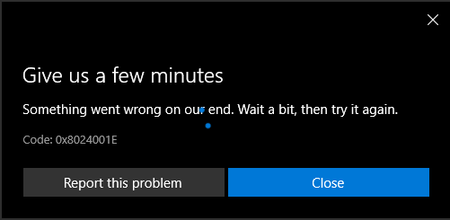
Ok, so I moved from the Beta Channel to the Experimental Channel to pick up 26H2 early, following the guidance in the Insider email and the support article. After receiving 26H2, I switched back to Beta, which the same guidance said was fine. After that, Windows tried to install build 26220, and that upgrade failed twice. I tried leaving the Insider Program to return to the base build, planning to re‑enter Beta afterward. The staging phase completed normally, but on reboot the system skipped the usual update screens and went straight to the desktop without applying anything. When I tried re‑entering Insider Beta, the system reverted the change on reboot and left me unenrolled again. I’ve paused the attempt to install 25H2 because it keeps trying to stage and uses a large amount of disk space. The upgrade failures all behave the same way. The “Preparing updates” part at restart completes, the offline portion completes, but the online configuration phase never runs. The system just rolls back to the desktop with no visible error. The error code I’ve seen is 0x8007000D, and the failure happens during the SECOND_BOOT / MIGRATE_DATA phase. I also tried getting help through support. One rep said she would remote in to troubleshoot, but that session never happened. The next rep did remote in, but only cleared temporary files and ran a basic step. During that conversation I was told the case was waiting for escalation, then that there was no escalation team, and then that it had been forwarded to the correct team. The case was closed before I had time to reply or ask anything. There seems to be a servicing stack mismatch as well. DISM reports version 10.0.26100.8772, while the image version shows 10.0.26300.8772. The same mismatch appears across other command‑line tools I used while trying to clear space and repair the servicing environment. I’ve been working on this for days now and I’m really hoping someone can help. Thank you in advance.381Views1like4CommentsI dont get any updates for Windows 10 anymore.
I joined the Windows Insider program on 2021.01.10. Everything was OK until last summer, when the Windows 11 Insider Preview came out. My laptop does not meet the system requirements for Windows 11, so I declined the update every time. Then, after a few months, the update to Windows 11 option disappeared. Since then, I haven't gotten any regular updates for Windows 10, even though I left the insider program on the website. The only option is to do a clean installation of Windows?Solved1.1KViews1like2Comments
Windows 11 insider Preview Update Stuck with 10%
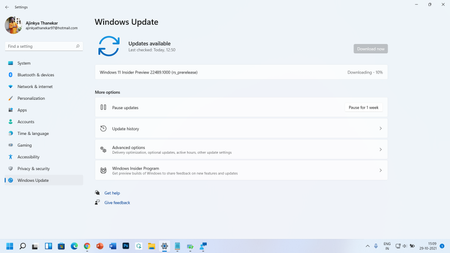
Windows 11 insider Preview Update Stuck at 10% - Windows 11 Insider Preview 22489.1000 (rs_prerelease) Every time when I start my laptop then showing 1 pop message - This build of Windows will expire soon... and date showing as 31-10-2021. You should move to a new build as soon as possible. My laptop showing pop up window, OS will be expire on 31st Oct 2021. Problem is a I couldn't update new Windows 11 insider preview versions since last 45 days, My Dell Inspiron 7501 Laptop have Windows 11 OS (Windows 11 Insider Preview 22489.1000 rs prerelease) but when I updating my OS from last 1.5 months stuck only on 10-13%, My laptop couldn't update more than 13%. I'm facing this problem from last 45 days when I try to update Windows 11 Insider Preview build 22454. also tried with Windows Update troubleshoot option, but problem is not resolved. Please resolve this problem as soon as possible. Oct 20216.2KViews1like3Comments