windows 10
18 Topics
KB5124010 File History still has problems.
To the Microsoft engineering team I can confirm that File History worked perfectly prior to KB5101684, but following that update and the subsequent KB5124010 / KB5120249 updates, File History has suffered severe synchronization failures—the backup timestamp remains frozen, new and updated files fail to generate Previous Versions, and attempting to Clear Versions triggers an Element not found error; this issue has been reported by users and tech outlets globally, and Microsoft Support agent Vensky has confirmed the engineering team is actively investigating it, so I strongly urge Microsoft to release a resolution in the October 13 Security Patch—if you are experiencing this same issue, please submit a report on Feedback Hub and post your link below to help raise awareness for a speedy fix! This case has been continuously tracked through the Microsoft Technical Support Project (09/23–10/10, specialists Vensky et al.) and Feedback Hub. We hope that the Microsoft Windows Feature Engineering team will pay attention to the core bug in this backup mechanism and release a hotfix as soon as possible. This is my opinion feedback center report: https://aka.ms/AA13n2f3 https://aka.ms/AA13n22w36Views0likes0Comments
Microsoft E3 and Windows 10/11 E3 CSP Licenses and VDA Rights
Does a user licensed with a Microsoft E3 or Windows 10/11 E3 licensed through CSP, have VDA Rights for an onprem VDI server? My understanding is that this was recently changed to allow these rights through a CSP Agreement, whereas before it was only allowed through an EA or MPSA agreement. Here is the documentation I have found on this that I am hoping you can verify. I’ve attached the presentation from Microsoft that announced this change. Please go to slide 21 where you can see that you can run Windows hosted desktops on a server through the CSP model. I have attached the Licensing Brief for licensing for Virtual Desktops. If you look at Page 8, you will find the Summary Table, that shows that with a Microsoft E3, you have the ability to run the Microsoft E3 (or Windows E3) on an on-prem server. Thank you!Windows Autopatch, How it Works | Automate updates to Windows PCs and devices
Go inside our new cloud service with ring-based deployment built-in for the automation of software update management for Windows, Microsoft Edge and your Office and Microsoft 365 apps, including Teams. 16KViews1like0Comments
I2cDevice class / Method WriteReadPartial issuing "unknown error"
Hello community, I'm currently working on an Intel Atom E39340 platform with Windows 10 IOT 2021 LTSC installed on it. The Read and Write methods of the I2cDevice class everything are working just fine. Nevertheless, one of my sensors needs a Write+Read access (Start / Write / Restart / Read /Stop) to access some registers. When I use the WriteRead(byte[] writebuffer, byte[] readbuffer) I get a System.Argument.Exception:'The parameter is incorrect'. (which is really weird because its compiling). When I use the WriteReadPartial(byte[] writebuffer, byte[] readbuffer) method to get the error code the result is 4 (i.e Unknown error). Overall, nothing happens on the I2C bus. I have explored the online documentation but can't find a lead... https://docs.microsoft.com/en-us/uwp/api/windows.devices.i2c.i2cdevice.writereadpartial?view=winrt-22621 Does anyone has ever experienced this ? Thanks a lot for your feedback. Best regards.Solved1.6KViews0likes1CommentHyper-V for Developers on Windows 10
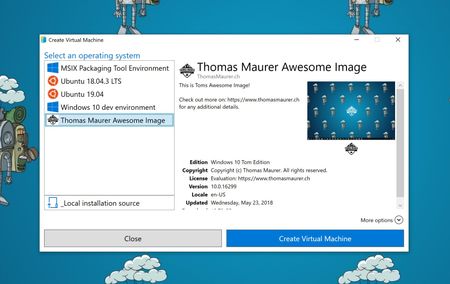
Hyper-V is more known as a server virtualization technology; however, since Windows 8, it is also available in the client operating system. In Windows 10, Microsoft improved the experience drastically to make Hyper-V a great solution for developers and IT Pros.35KViews6likes7CommentsHow to configure Windows Sandbox
With the latest release of Windows 10 (1903), Microsoft introduced a new feature called Windows Sandbox. Windows Sandbox is based on Hyper-V technology and allows you to spin up an isolated, temporary, desktop environment where you can run untrusted software. In this blog post, I will show you how you can set up and configure Windows Sandbox in Windows 10. I will also cover who you can do an advanced configuration of your Windows Sandbox using Windows Sandbox config files. The sandbox is great for demos, troubleshooting or if you are dealing with malware. If you close the sandbox, all the software with all its files and state are permanently deleted. It is a Windows 10 virtual machines, with the advantage that it is built into Windows 10, so it leverages the existing OS, which gives you faster startup, less footprint, better efficiency, and easier handling, without losing security. Blog Link: https://www.thomasmaurer.ch/2019/05/how-to-configure-windows-sandbox/ 17KViews5likes0Comments