web series
77 TopicsCtrl + Manage: February 2027
Tune as we break down what's just been released, show you what's ready to try in preview, and look ahead at where Windows management is going next. Expect a practical rundown of features, capabilities, and policies, plus demos that show what they mean for you and your organization. How do I join? Sign in to the Tech Community then Add to calendar. Click Attend to receive reminders and let us know you're coming. Then tune in right here and post your questions and feedback in the comments section below. Ctrl + Manage is a monthly podcast that turns Windows management updates into practical guidance for IT professionals. Save the date for future episodes and catch up on demand.99Views1like0CommentsCtrl + Manage: January 2027
Tune as we break down what's just been released, show you what's ready to try in preview, and look ahead at where Windows management is going next. Expect a practical rundown of features, capabilities, and policies, plus demos that show what they mean for you and your organization. How do I join? Sign in to the Tech Community then Add to calendar. Click Attend to receive reminders and let us know you're coming. Then tune in right here and post your questions and feedback in the comments section below. Ctrl + Manage is a monthly podcast that turns Windows management updates into practical guidance for IT professionals. Save the date for future episodes and catch up on demand.118Views1like0CommentsCtrl + Manage: November 2026
Tune as we break down what's just been released, show you what's ready to try in preview, and look ahead at where Windows management is going next. Expect a practical rundown of features, capabilities, and policies, plus demos that show what they mean for you and your organization. How do I join? Sign in to the Tech Community then Add to calendar. Click Attend to receive reminders and let us know you're coming. Then tune in right here and post your questions and feedback in the comments section below. Ctrl + Manage is a monthly podcast that turns Windows management updates into practical guidance for IT professionals. Save the date for future episodes and catch up on demand.118Views1like0CommentsCtrl + Manage: What is a trusted foundation?
Security starts with trust, but keeping that trust intact requires adaptation and ongoing management. In this episode of Ctrl + Manage, Aria Hanson sits down with Katharine Holdsworth to explore how you can better establish, preserve, and extend trust across your Windows environment as threats evolve. Looking for insights on building a trusted device foundation? Need to strengthen your identity and access approach? Tune in so you can connect the latest Windows security capabilities to practical changes you can implement today. How do I join? Sign in to the Tech Community then Add to calendar. Click Attend to receive reminders and let us know you're coming. Then tune in right here and post your questions and feedback in the comments section below. Ctrl + Manage is a monthly podcast that turns Windows management updates into practical guidance for IT professionals. Save the date for future episodes and catch up on demand.561Views2likes0CommentsCtrl + Manage: Episode 1
Welcome to Ctrl + Manage, your monthly shortcut to what's happening in Windows management. Each month, we'll break down what's just been released, show you what's ready to try in preview, and look ahead at where Windows management is going next. Expect a practical rundown of features, capabilities, and policies, plus demos that show what they mean for you and your organization. And Ctrl + Manage isn't just about what we want to talk about. Your questions and comments help shape where we go deeper in future episodes. So tune in, send us your feedback, and let's make managing your Windows estate a little easier, one episode at a time. Ctrl + Manage is a monthly podcast that turns Windows management updates into practical guidance for IT professionals. Save the date for future episodes and catch up on demand.3.3KViews6likes24CommentsWindows Office Hours: September 17, 2026
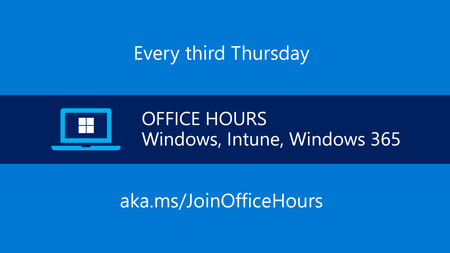
Have a question about Windows 11, device management, security, updates, or modern endpoint operations? This hour is dedicated entirely to your questions. Bring what's top of mind—from Windows 11 adoption and application compatibility to update management, cloud-native administration, Zero Trust, Intune, Windows 365, and hybrid environments. Drop your questions in the comments and hear directly from Microsoft experts. Whether you're planning your next rollout, troubleshooting a management challenge, evaluating new capabilities, or looking for best practices, this is your opportunity to get answers and learn from the questions other IT admins are asking right now. This is part of our continuing series of live Q&A for IT professionals here on Tech Community. Follow the Windows Office Hours to add future dates to your calendar. How does it work? We will have a broad group of product experts, servicing experts, and engineers representing Windows, Microsoft Intune, Configuration Manager, Windows 365, Windows Autopilot, security, and more. They will be standing by here -- in chat -- to provide guidance, discuss strategies and tactics, and, of course, answer any specific questions you may have. Post your questions in the Comments early and throughout the one-hour event. Note: This is a chat-based event. There is no video or live meeting component. Questions and answers will appear in the Comments section below.2.3KViews0likes40CommentsApp management at scale with Intune
You’ve got app deployment down, but what happens next? That’s where things can get messy. In this episode of Unpacking Endpoint Management, we dig into what it really takes to run a smart, scalable app strategy in Intune. From lifecycle planning to tool selection and real-world tradeoffs, we move past “how-to” and into “what works.” Bring your questions, your opinions, and your challenges. Post them ahead of time or join the discussion live. We’ll tackle the tradeoffs, engage in honest debates, share what’s working (and what’s not), and help you build a smarter approach to app management at scale. How do I participate? Registration is not required. Simply add this event to your calendar and select Attend to receive reminders. Post your questions in advance, or any time during the live broadcast. Don't see the options to Add to Calendar or Attend? Sign in to the Tech Community.1.3KViews1like13CommentsPolicy: From hybrid to cloud-native
Policy management has evolved fast: from on‑prem Group Policy/ADMX and domain‑joined assumptions to hybrid realities and truly cloud‑native configuration at scale. Tune in as we unpack what changes (and what should change) as you modernize policy in Microsoft Intune—including how to take inventory of what you have today, map it to modern equivalents, and decide what to migrate, redesign, or retire. We’ll share practical tips for creating cloud policies, talk about when to use templates vs. the settings catalog, and discuss how to avoid overlapping policy assignments during hybrid transition. Bring your edge cases! This is designed to be interactive, with plenty of time for your questions. How do I participate? Registration is not required. Simply add this event to your calendar and select Attend to receive reminders. Post your questions in advance, or any time during the live broadcast. Let's talk about what actually works. Each month, Unpacking Endpoint Management brings you practical tips, proven strategies, and honest discussions. Our goal? To help you optimize and simplify the way you manage and secure endpoints today, and prepare for what’s next). Topics change monthly and are informed by your feedback so visit https://aka.ms/UEM and leave a comment to let us know you want to hear about.2.6KViews0likes15CommentsDevice security with Microsoft Intune
For tips and best practices to help you stay ahead of evolving threats and modern device management challenges with Microsoft Intune, tune in to this month's episode of Unpacking Endpoint Management. We'll break down what it really takes to secure endpoints in today’s Zero Trust world—from implementing compliance policies and Conditional Access to enforcing least privilege with Endpoint Privilege Management. Bring your questions and leave with actionable insights you can apply today. How do I participate? Registration is not required. Simply add this event to your calendar and select Attend to receive reminders. Post your questions and thoughts in advance, or any time during the live broadcast. If you're looking for practical tips, proven strategies, and honest discussions to help you optimize and simplify the way you manage and secure endpoints today (and prepare for what’s next), save the date for future episodes of Unpacking Endpoint Management!1.3KViews0likes4CommentsmacOS device management end to end with Intune - #IntuneForMSPs Meetup
macOS management with Intune continues to evolve, with new capabilities helping organizations deliver more streamlined onboarding, stronger security, and a more complete management experience across Apple devices. Tune in as Microsoft MVP Ugur Koc guides you through the full journey of managing macOS devices with Intune—showing how the platform continues to expand across enrollment, policy management, security, and day-to-day administration. You’ll see how to: Connect Apple Business Manager with Intune for streamlined onboarding Configure enrollment profiles and user experiences for macOS devices Apply policies, including security controls like FileVault and firewall Use modern capabilities such as native local admin account management Understand how identity, compliance, and device configuration come together in practice Explore emerging capabilities and what’s next for macOS management This session is designed for IT admins who want a practical, end-to-end view of macOS management using Intune—with real demos, actionable takeaways, and a clear look at how the experience continues to improve. How do I participate? Registration is not required. Add this event to your calendar and select Attend to receive reminders. Post your questions in advance, or any time during the live broadcast. Stay informed, stay connected Bookmark the Microsoft Intune for MSPs resource guide, your home for all things #IntuneForMSPs, for future session dates and resources to help you on your journey.1.8KViews0likes21Comments