virtual machines
186 Topics
Azure Delivers Strong MLPerf Inference v6.1 Results with NVIDIA GB300 & GB200
By Mark Gitau and Azin Heidarshenas In the MLPerf Inference v6.1 round, Azure demonstrated strong Deepseek-R1 performance on GB300 NVL72 and GB200 NVL72 platforms. Azure submitted GB200 results at 18-node (1-rack) and 72-node (4-rack) scale, and GB300 results at 18 nodes (1 rack), marking our first rack-scale and cross-rack MLPerf Inference submissions. According to results published by MLCommons, Azure achieved the highest reported Interactive score on GB300 NVL72 and the highest reported Server and Offline scores on GB200 NVL72 at both 1- and 4-rack scale, demonstrating the ability to sustain high throughput across latency-constrained and throughput-optimized deployment scenarios. DeepSeek-R1 is a large Mixture-of-Experts (MoE) model, making it an ideal benchmark for modern AI infrastructure. It stresses compute, networking (both NVLink and scale-out network), memory, and serving infrastructure under realistic large-scale deployment conditions. As a result, performance is determined by the effectiveness of the entire system stack rather than GPU capability alone. MLPerf Inference evaluates system performance across several deployment scenarios. Offline measures maximum throughput for batch-oriented workloads with no latency constraints. Server simulates production online serving, where requests arrive continuously and systems must maximize throughput while meeting latency targets, evaluating how efficiently a system balances responsiveness and utilization. Interactive focuses on user-facing AI experiences by measuring token generation performance under stringent latency requirements on metrics such as time-to-first token and token-to-token latency. Together, these scenarios provide a comprehensive view of both throughput and real-time serving performance. Results Summary Scenario Throughput (Tokens/second) Platform Interactive Offline Server ND GB300 NVL72 (18 nodes) 260,098 661,143 589,391 ND GB200 NVL72 (18 nodes) - 542,075 426,796 ND GB200 NVL72 (72 nodes) - 2,091,190 1,598,510 Beyond the top results on GB200, Azure's GB300 submission achieved 97.7% of the best reported Server performance and 95.8% of the best reported Offline performance while maintaining the highest Interactive performance among all reported submissions. Together, these results demonstrate competitive performance across diverse deployment scenarios and highlight the strength of Azure's full-stack AI infrastructure. Acknowledgments This submission was led by Mark Gitau and Azin Heidarshenas, who drove the benchmarking, performance characterization, and submission efforts across GB200 and GB300 platforms. MLPerf from MLCommons® MLCommons® is an open engineering consortium of AI leaders from academia, research, and industry where the mission is to “build fair and useful benchmarks” that provide unbiased evaluations of training and inference performance for hardware, software, and services—all conducted under predetermined conditions.Public Preview: Migrate your regional virtual machines to availability zones
This new capability enables you to move your existing regional (nonzonal) VMs and VMSS Flex deployments into specific availability zones while preserving the VM names, data disks, and other stateful properties. We're excited to announce the public preview of regional to zonal migration for Azure Virtual Machines and for VMs in Virtual Machine Scale Sets with Flexible orchestration. With a small number of API calls, you can take a VM that was originally deployed without a zone and assign it to availability zone 1, 2, or 3—keeping the same VM resource ID, name, OS and data disks, NICs, IP addresses, and scale set membership. For detailed instructions, see: Migrate a regional virtual machine to an availability zone Migrate from regional to a zonal Virtual Machine Scale Sets Why migrate from regional to zonal? Availability zones are physically separate datacenters within an Azure region, each with independent power, cooling, and networking. Placing your VMs into zones gives you a meaningfully higher availability profile and protects you from datacenter-level failures. Capability Regional VM / VMSS Zonal VM / VMSS Datacenter-level fault isolation No Yes Single-VM SLA 99.9% (Premium SSD) 99.9% (Premium SSD) Multi-VM SLA 99.95% (availability set or fault-domain spread) 99.99% (across two or more zones) Protection from a zone outage No Yes Required for many compliance and DR architectures — Yes Until now, moving an existing regional VM into a zone meant rebuilding the VM: snapshot the disks, recreate the resource in the target zone, reattach NICs, update DNS, and so on. With this preview you can do it while preserving the resource IDs and all its dependencies. How it works The migration is a deliberate, in-place flow that you control end-to-end: Register the preview feature Microsoft.Compute/RegionalToZonalVMMigrationForDeallocatedVM on your subscription. Deallocate the VM. The VM must be in Stopped (deallocated) state—plan for downtime. Assign the zone. Update the VM's zones property to ["1"], ["2"], or ["3"]. Start the VM. It boots in the new zone immediately, even while background data migration of the disks is still completing. (Optional) Attach to a Flexible scale set for autoscaling, rolling upgrades, and instance protection. A few important properties of the flow: In place. The VM keeps its resource ID, name, NICs, private/public IPs, OS and data disks, tags, and extensions. Background data movement. Disk data is migrated transparently after the zone is assigned. You don't have to wait for it before starting the VM. One-way. A zonal VM can't be migrated back to a regional deployment. Per-VM granularity. For scale sets, you migrate one VM at a time so you can stagger the change across instances and validate between batches. Two migration paths Path 1: Single regional VM → zonal VM For standalone VMs (or VMs you want to leave standalone). Once the VM is zonal, you can optionally attach it to a Flexible scale set in the same region. # 1. Deallocate az vm deallocate -g <rg> -n <vm> # 2. Assign zone az vm update -g <rg> -n <vm> --set zones='["1"]' # 3. Start az vm start -g <rg> -n <vm> If the VM is in a Proximity Placement Group, remove the PPG association in the same update by adding --ppg "". Path 2: Regional VMSS Flex → zonal VMSS Flex For VMs running in a Flexible scale set, you first update the scale set model to include the target zones, then migrate each VM in place. VMs keep their names, disks, network configuration, and scale set membership. # 1. Add zones to the scale set model (no impact on running VMs) az vmss update -g <rg> -n <vmss> --set zones='["1","2","3"]' # 2. For each VM in the scale set: az vm deallocate -g <rg> -n <vm-instance> az vm update -g <rg> -n <vm-instance> --set zones='["1"]' az vm start -g <rg> -n <vm-instance> We recommend migrating in batches—for example, a third of the instances at a time—so the application stays healthy throughout the migration window. Spreading the instances across all three zones. Supported configurations Source Target Regional VM Zonal VM Regional VM Zonal VM in a Flexible scale set Regional VM in a Proximity Placement Group Zonal VM (PPG removed) Regional VM in a Flexible scale set Zonal VM in the same Flexible scale set Not supported in this preview You'll need to address these before migrating: Basic SKU public IP addresses — upgrade to Standard SKU. Basic SKU Load Balancer — upgrade to Standard Load Balancer. Unmanaged disks — convert to managed disks. The target zone must also support the VM's current size. You can check with: az vm list-skus --location <region> --zone --resource-type virtualMachines -o table How to get started Register the preview feature on your subscription: az feature register --namespace Microsoft.Compute \ --name RegionalToZonalVMMigrationForDeallocatedVM. Pick a non-production VM or scale set first. Walk through deallocate → assign zone → start, and confirm the VM comes up healthy in the new zone. Plan your zone strategy. For multi-VM workloads, distribute instances across zones 1, 2, and 3 so a single zone failure minimally impacts your workload. Roll out in batches for production scale sets, validating application health between batches.1.3KViews2likes1CommentAnnouncing General Availability of Disable Multithreading and Configurable Constrained Cores
Today, we are announcing General Availability of two new capabilities: Disable Simultaneous Multithreading/Hyper-Threading (SMT/HT) and Configurable Constrained Cores. These features give customers control over virtual CPU configurations, enabling performance optimization and potential software licensing savings across a wide range of workloads. What's New: Disable Simultaneous Multi-Threading/Hyper-Threading (SMT/HT Off): Configure supported VMs to run with one thread per physical core, giving workloads improved performance and latency consistency. Custom vCPU Counts through Configurable Constrained Cores: Choose from a guided list of valid vCPU counts per VM size to match licensing rights or workload needs without changing memory, storage, or I/O capabilities. Why It Matters: The CPU options allow customers to tailor VM compute resources to their workload needs, improving both performance and cost efficiency. Performance-sensitive applications can leverage full-core isolation by disabling SMT/HT, while workloads such as SQL Server, Oracle, and SAP can reduce licensing costs by selecting the required vCPUs while maintaining the memory and bandwidth of larger VM sizes. The result is greater flexibility, simplified compliance, and lower total cost of ownership. "I'm really excited about the new Configurable Constrained Cores feature in Azure! Being able to run SQL Server on a larger memory and I/O footprint while only licensing the exact number of cores you need is a game-changer for right-sizing workloads and controlling costs without sacrificing performance." – Tim Radney, Data Platform MVP Getting Started: Disable SMT/HT and Configurable Constrained Cores are available in all Azure regions. Disable SMT/HT is supported on any VM series that has SMT/HT enabled by default. It is not applicable to VM families that have SMT/HT disabled by default. Refer to VM vCore Customization documentation to learn more and steps on getting started. Pricing: There are no VM pricing changes for these two features. Customers will be billed for the number of vCPUs defined in the original VM specification, not the number of threads of constrained vCPUs.590Views0likes0CommentsAzure NCv6 Virtual Machines: Enhancements and GA Transition
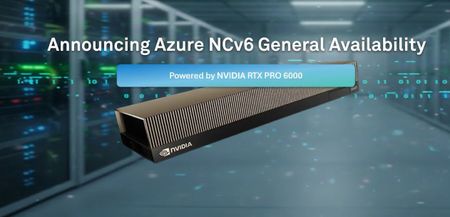
NCv6 Virtual Machines are Azure's flexible, next generation platform enabling both leading-edge graphics and generative AI compute workloads. Featuring NVIDIA RTX PRO 6000 Blackwell Server Edition (BSE) GPUs, Intel Xeon™ 6 "Granite Rapids" 6900P series CPUs, and a suite of Microsoft Azure technologies, NCv6 VMs are available now in Preview. Today, we are pleased to share a series of exciting updates coming soon to Azure NCv6 that will: Enhance VM performance and capabilities Provide more VM sizes for customers to "right size" their usage Bring NCv6 to production readiness with a transition to General Availability, and Expand accessibility across the global Azure cloud New VM Sizes, Features, and Performance Enhancements In the coming weeks, Azure will debut seven new NCv6-series VM sizes and two different sub-families for customers to choose from. The standout features introduced with the new VM sizes include: 🧩 Fractional GPU support, enabling graphics workload customers to deploy VMs with as little as 1/2 or 1/4 of a RTX PRO™ 6000. VMs with fractional GPU support also feature reduced vCPU, memory, SSD, and networking to help customers optimize costs and right size their VMs to their workloads. ⚡ Increased vCPU per VM size (e.g. 288 vCPU instead of 256) to provide more performance for high-end VDI workstations and better align with the Intel Xeon 6900P's triple compute tile architecture. 🛠️ General Purpose and Compute Optimized VM sizes. The former provides larger amounts of CPU memory for demanding generative AI inference and ISV CAD/CAE simulations, while the latter offers reduced memory to enable customers with less memory intensive workloads to cost optimize their deployments. The new VM sizes will replace the existing three VM sizes offered in Preview, and be available as follows: NCv6 - General Purpose VM sizes: Size Name vCPUs Memory (GB) Networking (Mb/s) GPUs GPU Mem (GB) Temp Disk NVMe Disk Standard_NC36ds_xl_RTXPro6000_v6 36 132 22500 1/4 24 256 1600 Standard_NC72ds_xl_RTXPro6000_v6 72 264 45000 1/2 48 512 3200 Standard_NC144ds_xl_RTXPro6000_v6 144 516 90000 1 96 1024 6400 Standard_NC288ds_xl_RTXPro6000_v6 288 1032 180000 2 192 2048 12800 Standard_NC324ds_xl_RTXPro6000_v6 324 1284 180000 2 192 2048 12800 NCv6-Compute Optimized VM sizes: Size Name vCPUs Memory (GB) Networking (Mbps) GPUs GPU Mem (GB) Temp Disk NVMe Disk Standard_NC24lds_xl_RTXPro6000_v6 24 72 22500 1/4 24 256 1600 Standard_NC36lds_xl_RTXPro6000_v6 36 72 22500 1/4 24 256 1600 Standard_NC72lds_xl_RTXPro6000_v6 72 132 45000 1/2 48 512 3200 Standard_NC144lds_xl_RTXPro6000_v6 144 264 90000 1 96 1024 6400 Standard_NC288lds_xl_RTXPro6000_v6 288 516 180000 2 192 2048 12800 Standard_NC324lds_xl_RTXPro6000_v6 324 648 180000 2 192 2048 12800 Note that, until the new VM sizes are available, Microsoft Learn resources will continue to reflect the currently offered VM sizes and technical specifications. Transition to General Availability In the coming weeks, Azure will transition NCv6-series from Preview to General Availability (GA) status. With this transition, NCv6 VMs will become covered by the Azure Service Level Agreement (SLA) and thus ready to support production-grade deployments by customers, partners, and service providers. When the transition to NCv6 VMs occurs, they will be available in the Azure West US2 and Southeast Asia regions. Information on availability timing of additional regions is provided below. Regional Expansion Across the Azure Cloud At the beginning of Preview, NCv6 VMs debuted in the West US2 region. Since then, we have also added NCv6 VMs to the Southeast Asia region. Both regions will be part of the transition to GA status. We are pleased to share that in the proceeding months covering Q3 of 2026, NCv6 VMs will also become available in the following Azure regions: • East US • West Europe • East US 2 • North Europe • South Central US • Germany West Central • West US • Korea Central Ready to build for the future with Azure NCv6? NCv6 Virtual Machines are available now in Preview. Start your production-grade AI journey today and explore the next frontier of Azure AI infrastructure. Join the PreviewIncoming Changes for Window Server 2022 Marketplace Image Users
New Azure Marketplace Windows Server 2022 media images offer is available in March 2026 excluding .NET 6 packages. Migrate to the new images before June 2026. After June 2026, there will be no patch to .NET 6 on the legacy images, and the legacy image will start deprecation at the same time.47KViews2likes4CommentsBoost performance with NFS nconnect on Azure NetApp Files datastores for Azure VMware Solution
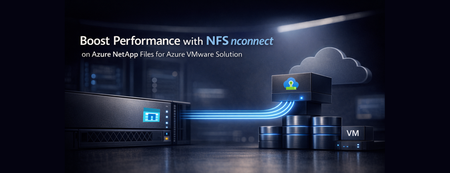
Azure VMware Solution now supports nconnect=4 with Azure NetApp Files datastores each ESXi host opens up to four parallel TCP connections to a single NFS datastore, raising throughput and lowering latency under load. Supported on both Gen 1 and Gen 2 private clouds, it makes Azure VMware Solution with Azure NetApp Files an even stronger home for databases and other storage‑intensive workloads.411Views0likes0CommentsFrom Scale to Breakthrough: Azure NetApp Files Sets a New Cloud Benchmark for EDA Performance
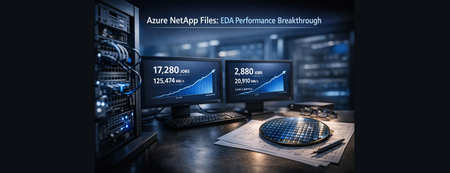
This article spotlights the newest leap in Azure NetApp Files: large volume breakthrough mode performance – independently validated by SPECstorage® Solution 2020 benchmarks. Azure NetApp Files is setting a new record for enterprise-scale Electronic Design Automation (EDA) workloads in the cloud. Backed by benchmark results at enterprise scale, it further reduces the traditional tradeoff between massive scale and uncompromising storage performance. For EDA teams, this means storage can keep pace with design cycles – enabling faster iteration, supporting cloud-first workflows, and reducing time spent waiting on infrastructure.481Views0likes0CommentsAnnouncing the General Availability of the Next Generation of Azure Boost
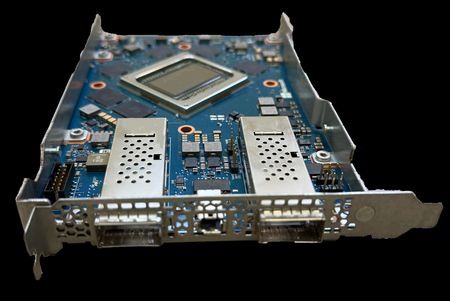
Starting May 7th, 2026, the new Esv7, Dsv7, and Dlsv7 virtual machines are generally available — and underneath them is a fundamentally new generation of Azure Boost. Not an incremental refresh. A platform that took over five years to build, with custom ASIC-hardened logic, a new network adapter, redesigned storage offload, and a security architecture that makes Azure Boost a Trusted Execution Environment in its own right. You’ll notice the performance: up to 400 Gbps networking, up to 1M remote storage IOPS, up to 21 million local NVMe IOPS. What you won’t see yet is everything this platform can do. These VMs tap into the first wave of capabilities from the new Boost generation — and over the coming months, new VM families and features will unlock additional capabilities and performance. What Makes This Generation Different Azure Boost offloads virtualization, networking, and storage onto purpose-built hardware, so your workloads get more of the server you paid for. That fundamental model hasn’t changed. What has changed — substantially — is the platform underneath. This generation of Azure Boost is built around a purpose-designed PCIe card that integrates three tightly coupled subsystems onto a single ASIC: A custom ASIC/FPGA hybrid accelerator — handles storage acceleration, virtual network encryption, remote storage encryption, and high-throughput data-path processing. This generation hardens significantly more critical data path logic into dedicated logic — moving functions that previously ran in software or in FPGA into application-specific silicon. Most data for high-speed networking and storage is now transferred through the ASIC without going through the FPGA or software, which we use only where we need programmable packet processing. The result is higher throughput at lower latency, with better power efficiency per I/O operation – a 2x improvement in power per throughput over our prior 200Gbps Boost generation. The ASIC also contains the trusted subsystems that form the foundation of Azure Boost’s confidential computing capabilities. The Microsoft Azure Network Adapter (MANA) — Microsoft’s custom-designed network interface, purpose-built for Azure. MANA delivers up to 400 Gbps of networking bandwidth with hardware-accelerated packet processing, high speed RDMA transport, dual top-of-rack active/active resiliency, and sub-second networking maintenance. It provides a consistent driver interface across hardware generations, so future platform upgrades won’t disrupt your networking stack. A dedicated System-on-Chip (SoC) — running the Azure Boost control plane, agent management, servicing, and diagnostics on Arm cores — physically isolated from both the customer VM and the ASIC/FPGA data path. The SoC manages the operational lifecycle of the card while the ASIC and FPGA handle customer I/O at wire speed. These three subsystems work as a single integrated platform. The ASIC and FPGA process your storage and networking data with hardware-enforced tenant isolation. MANA moves your packets. The SoC manages the device without ever touching your data. And all of it sits behind a hardware root of trust that attests the integrity of every component before the card is allowed to serve a single VM. This architecture is also what makes confidential I/O possible. The ASIC contains dedicated confidential data-flow logic in hard-IP, designed to handle encrypted VM memory directly over IDE-encrypted PCIe links — without bounce buffers, without software intermediaries. This hardware foundation ships with every card today; the confidential computing features that build on it will be exposed in upcoming VM SKUs. For customers, the practical impact is straightforward: faster I/O, more predictable performance, fewer host CPU cores consumed by platform overhead, and a security boundary that’s enforced in silicon — not just in software policy. Millions of additional sellable CPU cores have been released back to customer workloads as a result of the host core reductions this platform enables. The physical Boost card itself — a PCIe card with the central ASIC/FPGA hybrid accelerator, surrounding memory, MANA network ports, and Microsoft branding — is visible in the image above. Every new generation of Azure Boost-enabled server in the fleet will carry this card, and every new Intel v7-series VM runs on it. What the New VMs Deliver Today The Esv7 (memory-optimized), Dsv7 (general-purpose), and Dlsv7(general purpose) families are the first SKUs to ship on this Azure Boost generation in general availability. Powered by custom Intel® Xeon® 6 processors with frequencies up to 4.2 GHz and up to 2x higher memory bandwidth than v6, they deliver substantial generational gains across the board: Compute Up to 20% better general compute performance compared to v6 VMs Up to 25% better performance for compute-bound workloads like video transcoding, compression, and cryptography Up to 30% better database workload performance on the largest sizes Sizes up to 372 vCPUs and 2.8 TiB of memory — enabling larger in-memory databases, agentic AI workloads with larger context windows, and latency-sensitive applications that benefit from minimizing cross-node hops Networking Up to 400 Gbps of VM networking bandwidth on the largest Esv7/Edsv7 sizes Dual top-of-rack (TOR) active/active fabric — continuing the proven architecture from prior generations for higher throughput and faster failover under network events Storage Up to 800K remote storage IOPS and 20 GBps remote storage throughput per VM on Premium v2 SSD and Ultra Disk with the largest Esv7/Edsv7 sizes Up to 9.6 million local NVMe IOPS and 53 GBps local storage throughput with the largest Ddsv7/Edsv7 sizes — storage processing offloaded entirely to dedicated Azure Boost SSD hardware Customers are strongly encouraged to use the latest Microsoft Azure Network Adapter (MANA) drivers to ensure optimal performance and reliability on Azure Boost-enabled hardware. The latest drivers are available at https://aka.ms/mana. These are the capabilities the current VMs expose. The Azure Boost platform underneath has more in reserve — capabilities that will show up as new VM families ship throughout the year. For the full SKU lineup, sizing, and benchmarks, see the companion announcement: Announcing General Availability of Azure Dl/D/Esv7-series VMs based on Intel® Xeon® 6 processors. Azure Boost Confidential Device (ABCD): the Boost device joins the Confidential VM’s Trusted Compute Base through attested hardware and IDE-encrypted PCIe links. Built on a Hardware Root of Trust Performance is the visible part. Below the waterline, the bigger shift is what this generation enables for security: Azure Boost is now a full Trusted Execution Environment in its own right. That’s not a future promise — it’s the foundation shipping today, and it’s what powers the confidential computing capabilities already in production and the ones coming next. Security isn’t layered on top of Azure Boost — it’s the foundation the platform boots from. Every Azure Boost device is anchored by Cerberus, Microsoft’s open-sourced hardware root of trust, certified to NIST SP 800-193 for platform firmware resiliency. Cerberus measures and attests every critical firmware component before Boost is allowed to initialize. If anything is off, Boost doesn’t come up. You get a chain of trust that starts in hardware and extends all the way up to your workload: Hardware root of trust identity — every Azure Boost device has a unique, cryptographically-bound identity established at manufacturing. Measured and Secure Boot — every layer of Azure Boost firmware and software is measured and verified before execution. Continuous attestation — the Azure Attestation Service periodically validates that each Boost device in the fleet is running known-good, trusted firmware and software. Devices that fail attestation are taken out of service automatically. In practice, this means every Azure Boost device proves what it is before it’s allowed to touch your data — and keeps proving it continuously while your workloads run. Strong Isolation Between Azure Boost and Your Workloads By offloading virtualization, networking, and storage onto dedicated hardware, Azure Boost establishes a hard, physical isolation boundary between the platform infrastructure and your workloads: Control plane and data plane separation — hypervisor management, networking, and storage policy execution all run on the Azure Boost hardware, completely off your CPU and memory. Your VM has no path to reach Boost’s control surfaces. Reduced host attack surface — because Azure Boost owns the I/O path end-to-end, the host runs a minimal, hardened software stack with far fewer privileged components than a traditional hypervisor host. Memory-safe implementation — critical Azure Boost components are written in memory-safe languages, eliminating entire classes of vulnerabilities by construction. Per-tenant cryptographic isolation — networking and storage I/O are cryptographically segregated per tenant on the Azure Boost data path. The net effect: the attack surface between your VM and the platform infrastructure is smaller than any mainstream cloud hypervisor — by design, not by patch. Confidential Computing: What’s Shipped and What’s Coming This Boost generation doesn’t just promise confidential computing — parts of it are already in production, and the hardware foundation for what comes next is shipping on every card today. Shipped: Confidential VMs on Azure Boost Confidential VMs running on Azure Boost infrastructure are generally available today on Intel platforms, deployed on dedicated clusters. This makes them the first CVM SKU running on Azure Boost. Learn more here: https://learn.microsoft.com/en-us/azure/virtual-machines/sizes/general-purpose/dcesv6-series Coming: Azure Boost Confidential Device and Confidential I/O In traditional confidential computing, every I/O operation requires data to be copied from the VM’s private encrypted memory into a shared “bounce buffer” before it can be sent to devices like a NIC or storage controller. This exists because the VM’s memory is encrypted with a key that’s not accessible outside the CVM boundary — so devices can’t read it directly. The bounce buffer serves as an intermediary for DMA operations. The cost: every I/O operation requires an extra copy and an encrypt/decrypt cycle, increasing CPU usage and latency, and reducing networking and storage throughput. Azure Boost Confidential Device (ABCD) eliminates this tax. ABCD extends the Confidential VM’s Trusted Compute Base (TCB) into the Azure Boost TDISP enabled ASIC through attested hardware integration. Rather than transferring data to a shared buffer, the Boost device can access encrypted VM memory directly through an IDE-encrypted PCIe connection, using TDISP — a PCI-SIG standard supported by all major CPU vendors that allows CVMs to attest the hardware and firmware of devices granted DMA access to their memory. By avoiding intermediate buffers, this attested secure link maintains both the confidentiality and integrity of data, allowing information to move safely and efficiently between the CVM and the attested Boost hardware. The ASIC on the Boost card contains dedicated confidential data-flow logic in hard-IP, specifically designed to handle this encrypted traffic at wire speed. The Arm SoC and its agents remain outside the trust boundary — only the attested ASIC, FPGA and real-time firmware subsystems are included in the TCB. We are implementing TDISP across both Intel (via TDX Connect) and AMD (via SEV-SNP) platforms — because confidential I/O should not be limited to a single CPU vendor. The result: ABCD reduces CPU usage by eliminating bounce-buffer copies and redundant encryption cycles, freeing more vCPU resources for application workloads and enabling higher throughput through direct hardware offload of networking and storage. Benchmarks show attested confidential offloads performing at near parity with general-purpose VMs, with maintained security guarantees. The hardware foundation is shipping on every Azure Boost card today. The customer-facing SKUs that bring ABCD to virtual machines will enter preview on Intel later this year, with AMD following. Stay tuned. Why this matters for regulated customers For regulated industries and sovereign deployments, this answers a question that no amount of contractual language can resolve: how do you prove the infrastructure itself is trustworthy? Hardware root of trust and continuous attestation let you and your regulators verify — cryptographically, not contractually — that workloads run on known-good, policy-compliant hardware and firmware. That’s not a checkbox. It’s a fundamentally different assurance model. More Platform Capabilities Coming This Year The new Azure Boost generation powers more than today’s Esv7/Dsv7/Dlsv7 launch. Over the coming months, expect: Network-optimized VM families — new SKUs designed to expose the full networking capabilities of the Boost platform for customers who need maximum connections-per-second and packet processing performance. Guest RDMA — low-latency, lossless networking between VMs, extending RDMA beyond traditional HPC scenarios. This Boost generation is architected for region-wide RDMA, enabling distributed workloads to communicate across Availability Zones with minimal overhead. Broader SKU coverage — additional VM families across AMD, Arm-based processors, and GPUs will ship on this Boost generation, including remote storage encryption enablement by default, extending the platform’s performance and security benefits across the Azure Compute portfolio. We’ll share more details as each capability reaches preview and GA milestones. Available Today Deploy Esv7, Dsv7, or Dlsv7 today from the Azure portal, Azure CLI, or your preferred Infrastructure as a Code (IaC) tool. They’re the first to run on this generation of Azure Boost, and they won’t be the last. The platform underneath has more to give, and we’ll be showing what’s next throughout the year. To learn more: Azure Boost overview — https://learn.microsoft.com/azure/azure-boost/overview Esv7, Dsv7, and Dlsv7 VM announcement — Announcing General Availability of Azure Dl/D/Esv7-series VMs based on Intel® Xeon® 6 processors Azure Boost product page — https://azure.microsoft.com/products/virtual-machines/boost4.4KViews5likes0CommentsPublic Preview: Migrate Availability Sets to Virtual Machine Scale Sets
We're excited to announce the public preview of availability set to Virtual Machine Scale Set migration for Azure Virtual Machines. This new capability enables you to move your existing VMs from availability sets to Virtual Machine Scale Sets with Flexible orchestration—unlocking higher availability, autoscaling, and zone-level resiliency without recreating your workloads from scratch. For detailed instructions, see Migrate virtual machines from availability sets to Virtual Machine Scale Sets. Why migrate from availability sets to Virtual Machine Scale Sets? Virtual Machine Scale Sets with Flexible orchestration provide several advantages over availability sets: Capability Virtual Machine Scale Sets (Flexible) Availability Sets Maximum instances Up to 1,000 VMs Up to 200 VMs Availability zone support Yes No Autoscaling Yes No Rolling upgrades Yes No Instance protection Yes No Availability SLA 99.95% (fault domains) or 99.99% (zones) 99.95% How it works The migration follows a structured, step-by-step process that gives you full control: Create a target Virtual Machine Scale Set with Flexible orchestration mode (regional or zonal) Validate that your availability set is eligible for migration Start migration to put the availability set into migration mode Migrate VMs individually to the target scale set Start VMs after each migration completes Clean up by deleting the empty availability set VMs are migrated one at a time, giving you control over the pace and allowing you to verify each VM before proceeding. If something doesn't go as planned, you can cancel the migration at any point—VMs that haven't been migrated yet remain in the availability set. Migrate directly from the Azure portal You can also migrate entirely from the Azure portal with a guided experience that handles validation, scale set selection, zone assignment, and migration in a streamlined flow. Navigate to your availability set and select Migrate to VMSS Flex from the toolbar to get started. The Azure portal walks you through each step: Select or create a target scale set — Choose an existing compatible scale set from a dropdown, or quick-create a new one directly from the migration experience. Assign availability zones — If you selected a zonal scale set, assign each VM to a specific availability zone for maximum resiliency. Review and migrate — Review the configuration, then select Migrate to move all VMs at once. Start VMs and clean up — After migration completes, start your VMs and delete the empty availability set. Note: The portal migrates all VMs in the availability set at the same time. If you need to migrate VMs one at a time to maintain application uptime during migration, use Azure CLI, PowerShell, or the REST API instead. Regional and zonal migration paths You can migrate to either a regional or zonal Virtual Machine Scale Set: Regional migration distributes VMs across fault domains within a region, similar to availability sets but with all the scale set benefits. Zonal migration places VMs into specific availability zones (1, 2, or 3), giving you the highest level of resiliency with a 99.99% SLA. You can also optionally change VM sizes during zonal migration. We recommend zonal migration for workloads that need maximum resiliency. Distribute your VMs across multiple zones so that a single zone failure only impacts a fraction of your workload. How to Get Started To get started with availability set to Virtual Machine Scale Set migration: Register for the preview: Enable the MigrateToVmssFlex feature flag in your subscription via Azure CLI or PowerShell. Create a target scale set: Create a Virtual Machine Scale Set with Flexible orchestration mode in the same region as your availability set. Validate and migrate: Run the validation API against your availability set, then migrate your VMs one at a time to the target scale set. For detailed instructions, see Migrate virtual machines from availability sets to Virtual Machine Scale Sets.426Views0likes0Comments