vemasterclass
5 TopicsMonday Masterclass Season 2 – Week 4 Designing Events Employees Remember
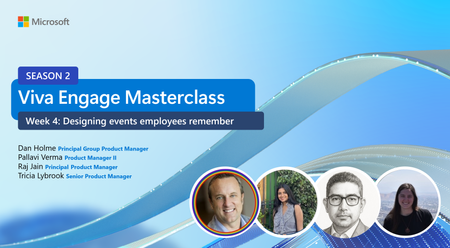
Great events don’t just deliver information — they create moments people remember, return to, and build on. In Week 4 of the Viva Engage Monday Masterclass Season 2, we wrapped up the series by focusing on how to design events that drive participation, trust, and momentum before, during, and after the moment. This session brought together product insights, customer examples, and practical guidance to help communicators and community leaders turn events into ongoing engagement engines. If you’ve ever hosted an event that felt successful in the moment — but fizzled right after —or if you had questions on how to drive engagement beyond the event... this session was for you. Why host events in Viva Engage? Instead of treating events as one-off calendar invites, hosting them in Viva Engage creates a single, continuous experience. When you host events within a community, you target the audience for the event and discovery happens across your network. Before the event: Build awareness and anticipation with announcements, pinned posts, and seeded questions. During the event: Centralize participation through questions, discussions, reactions, and upvotes — all in one place. After the event: Keep the conversation alive with recordings, recaps, followups, and searchable knowledge people can return to. This approach helps events support broader goals like leadership visibility, culture building, learning, and community connection — not just attendance. Event formats that fit your goals The session walked through how different event formats support different outcomes, including: Broadcasts Ideal for large, one-to-many moments like town halls or major announcements. Meetings Better suited for learning sessions, office hours, and interactive discussions. Inperson or textonly events Flexible options that still keep the conversation anchored in Engage. Choosing the right format isn’t about feature checklists — it’s about optimizing for the experience you want attendees to have. Before, during, after: designing the full event lifecycle The session emphasized thinking about events as a connected journey, not a single time slot. Before the event Promote early with clear value and calls to action Share teaser posts tied to key themes Seed conversation with openended questions During the event Guide participation clearly Use moderation and upvotes intentionally Keep conversation focused in the event feed After the event Share recordings and highlights Publish a recap that’s skimmable and actionable Continue answering questions and extending the discussion This is where events shift from “done” to durable. Customer spotlight: turning events into learning rhythms We also highlighted how customers are using Viva Engage events to create repeatable learning moments, not just onetime sessions — from biweekly Copilot learning hours to office hours that build steady adoption momentum. The common thread: Events work best when they’re part of a rhythm, not a reaction. Keep learning with the Viva Engage Masterclass This session capped off Season 2 of the Viva Engage Monday Masterclass, which covered: Week 1: Beyond the basics – roles, moderation, and community configuration https://adoption.microsoft.com/en-us/customer-hub/monday-masterclass-your-guide-to-the-viva-engage-essentials/session-7/ Week 2: AI-powered engagement in Viva Engage https://adoption.microsoft.com/en-us/customer-hub/monday-masterclass-your-guide-to-the-viva-engage-essentials/session-8/ Week 3: Campaigns and storytelling https://adoption.microsoft.com/en-us/customer-hub/monday-masterclass-your-guide-to-the-viva-engage-essentials/session-9/ Week 4: Designing events employees remember All session slides and recordings can be found here Broadcast and meetings require Microsoft Teams, available as part of the suite or as a standalone. Learn more: Licensing updates extend access to advanced capabilities in Microsoft Teams and Microsoft Places | Microsoft Community Hub"415Views2likes0CommentsMonday Masterclass Season 2 – Week 1: Beyond the Basics in Viva Engage
We hear repeatedly how valuable it is to have a space dedicated to practical guidance, real world examples, and direct access to product experts. Monday Masterclass Season 2 builds on the essentials while introducing capabilities that help organizations scale their employee communications and community strategy with confidence. This year’s program includes four live sessions that “go beyond the basics” with advanced guidance, smarter workflows, AI powered tools, and a strong focus on reach, relevance, and connection. Below, I'll recap highlights from our first session: Week 1 – Beyond the Basics Notifications: Relevance, Not Noise We kicked off with one of the most influential parts of the employee experience: notifications. We dive deep into how notifications function across Teams, mobile, email, and the inapp bell, and why smart delivery matters now more than ever. A few standout insights: Smart Notifications, now rolling out, intelligently determines for a community announcement the primary channel a user engages with most—and only move to a secondary one if the message hasn’t been consumed. Delivery respects all user preferences while reducing inbox and device clutter. Scenarios like community announcements, @mentions, new storyline posts, and replies all benefit from this “rightchannelfirst” intelligence. The theme is clear: precision beats volume, and great communicators design with this in mind. 📘 Learn more: Viva Engage Explained: Notifications — covers channel behavior, digests, and configuration Manage your Viva Engage notifications (support) — how users adjust their settings Digests: The Daily & Weekly Visibility Engines We clarified the value of Engage’s digests: Daily Digest: Prioritizes leadership content, helping key updates cut through everyday noise. Weekly Digest: Highlights content users may have missed—an intentional discovery channel driven by organizational signals, relevance, and trending topics. Featured Conversations: Remain one of the strongest tools for ensuring important posts persist across both digests. For communicators, this is a massive lever. Digests reach audiences who aren’t actively checking their feed—and do so with content tailored to individual interests. 📘 Learn more: Digests Explained (Tech Community) The Home Feed: Built In Personalization The Home Feed continues to be the front door of Viva Engage, and we unpacked the ranking signals and influence pathways that shape what employees see. Key factors include: Community membership Past interactions Organizational signals Relationships Featured conversations, announcements, and mute behavior AI-driven relevance scores We also outlined the tactics different roles can use to influence the feed, whether through featured posts, dynamic membership, leadership participation, or simply encouraging lightweight employee engagement (react, reply, follow, join). This section reinforced that the feed isn’t random, it’s an engine, and every role has influence. 📘 Learn more: Home feed Explained (Tech Community) Feature a conversation in Viva Engage (Microsoft Support) Create dynamic communities Content & Contributors: How Everyone Shapes Reach We dive into Content creation, the anatomy of a post and how to use Copilot to enhance your posting! We walked through different post types and we broke them down by persona, showing how each contributes to Engage. For example: Corporate Communicators Publish announcements Feature conversations Pin posts Review analytics Network & Community Admins Manage community configuration Set dynamic membership Mark official communities Shape governance Assign experts Add Community agent Employees Favorite communities Interact to improve their own feed relevance Post, reply, react, and contribute to knowledge flow Each role meaningfully impacts network health, visibility, and culture. 📘 Learn more: Microsoft-Viva-Engage-adoption-guide — includes guidance on community setup, managing conversations, and best practices User Guide Moderation & Governance: A Modernized Approach We walked through the playbook with guidance on scalable governance practices: Keyword monitoring and Report a Conversation help route safety signals to the right reviewers. AI-powered theme moderation understands context—not just keywords—and enables proactive detection. Move Conversation capabilities ensure discussions land in the right place. View only mode supports sensitive or read only scenarios. Together as well as the others we walked through allow admins to encourage respectful networks without slowing down participation. 📘 Support documentation: Keyword Monitoring in Viva Engage (Microsoft Support) Report a conversation (Microsoft Support) AI theme moderation overview Moderation playbook (Adoption) The Community Management Toolkit We introduced a rich set of tools for community managers, including: Copilot powered prompts for conversation starters, announcements, and event planning Engagement tactics to keep communities vibrant Post types (Questions, Praise, Polls, Articles) and their ideal uses Anatomy of a high performing post “Good → Better → Best” content comparisons These resources help community managers evolve beyond day to day posting and into strategic facilitation. AI in Viva Engage: A New Era of Engagement This year’s masterclass marks a fundamental shift: AI is now woven into nearly every part of the Viva Engage experience. We walk through how Copilot assists: Before you post Predicting questions your audience will ask Locating vague or unclear language Adding calls to action Making messages more engaging After you post Summarizing comment threads Identifying themes and patterns Pulling sentiment cues Drafting recaps for stakeholders For moderators Brainstorming keyword lists Creating response plans Tracking usage trends Drafting workflows Across all these scenarios, AI reduces busy work so communicators and admins can focus on clarity, connection, and culture. A Day in the Life: Copilot + Viva Engage We also included a behind the scenes look at how our team uses Copilot and Viva Engage throughout the day to manage customer communities, identify top themes, draft content, and stay ahead of fastmoving conversations. It’s a practical illustration of how AI and human insight work together to scale impact. What’s Next Week 2 of the Masterclass, AI-Powered Engagement! We will dive deeper into Copilot in Engage, Community Agent, Copilot Community and activation strategies. If Week 1 was about how the system works, Week 2 is about how to amplify what you do with it. You can register for upcoming sessions and explore the full schedule here: https://aka.ms/VivaEngage/Masterclass747Views0likes1CommentIntroducing Viva Engage Masterclass: Your Guide to the Viva Engage Essentials
Are you ready to transform the way your team collaborates and communicates with Viva Engage? Monday Masterclass: Your Guide to Viva Engage Essentials, is a comprehensive series designed to introduce new customers to the powerful features of Viva Engage. This masterclass is your gateway to unlocking the full potential of your organization's communication and collaboration tools. Why Attend the Viva Engage Masterclass? The Masterclass is specifically tailored for customers who are eager to explore the capabilities of Viva Engage or to go beyond what they are experiencing today. During these 6 sessions, you'll gain valuable insights into how Viva Engage can enhance your organization's employee engagement. Here are some key benefits of attending: Comprehensive Overview: Get an in-depth look at the core capabilities for all roles who will be using Viva Engage, including admin and governance, moderations to how to create and manage communities, start and participate in conversations, and organize virtual events. Expert Guidance: Learn from Microsoft experts who will share best practices and tips for maximizing the use of Viva Engage in your organization. Interactive Q&A: Have your questions answered in real-time by our product group experts, ensuring you leave the session with a clear understanding of how to leverage Viva Engage in your organization. Hands-On Experience: Participate in live demonstrations and interactive activities that will help you get comfortable with the platform's functionalities. What to Expect These Masterclass sessions are designed to be an engaging and informative experience. With expert guidance, interactive sessions, and hands-on experiences, you'll leave the masterclass equipped with the knowledge and resources needed to launch Viva Engage. Each session has a blog post with dedicated resources and information including the recording. You can choose to view all 6 separate sessions or just watch the sessions that interest you! Mastering Admin and Governance in Viva Engage Enhance your administrative and governance skills with our comprehensive Monday Masterclass. This session will cover the essential aspects of administration and governance, providing you with the knowledge and tools to effectively manage and oversee your organization's Viva Engage network. Learn best practices, strategies, and practical tips to ensure smooth and efficient governance. Whether you're a new admin or looking to refine your skills, this masterclass will equip you with the expertise you need to excel. Monday Masterclass: Week 1 | Viva Engage Admin and Governance Watch session: Mastering admin and governance in Viva Engage (Customer Hub) – Microsoft Adoption Community Management Overview in Viva Engage Join us for an in-depth workshop on community management within Viva Engage. This session is designed to equip you with comprehensive strategies and tools to build, manage, and sustain vibrant communities that foster collaboration, enhance employee engagement, and support diversity and inclusion. Monday Masterclass: Week 2 | Community Management Watch session: Community management overview in Viva Engage (Customer Hub) – Microsoft Adoption Corporate Communications, Campaigns, and Leadership Engagement Elevate your communication strategies with our comprehensive Monday Masterclass. This session will delve into the essentials of effective corporate communications, impactful campaigns, and leadership engagement with Microsoft. Gain insights into best practices and innovative approaches to enhance your communication efforts. Whether you're looking to refine your skills or explore new strategies and new technology, this masterclass will provide you with the tools and knowledge to succeed. Monday Masterclass: Week 3 | Corporate Communications Watch session: Corporate communications, campaigns, and leadership engagement (Customer Hub) – Microsoft Adoption Effective Training and Adoption Strategies to launch Viva Engage Kickstart your Viva Engage journey with our focused session on training and adoption strategies. Learn how to effectively implement and promote Viva Engage within your organization, ensuring a smooth transition and high user engagement. This masterclass will provide you with practical tips and proven methods to drive successful adoption. Monday Masterclass: Week 4 Training and Adoption | Microsoft Community Hub Watch session: Effective training and adoption strategies to launch Viva Engage (Customer Hub) – Microsoft Adoption Create Captivating Events with Viva Engage Discover the secrets to hosting engaging events with our Monday Masterclass. This session will guide you through the essentials of planning, executing, and enhancing events to captivate your audience. Learn best practices, innovative techniques, and practical tips to make your events stand out. Whether you're new to event planning or looking to re-ignite your community with events, this masterclass will provide you with the tools and knowledge to create impactful and engaging events. Monday Masterclass Week 5: Mastering Live Events and AMAs in Viva Engage Watch session: Create captivating events with Viva Engage (Customer Hub) – Microsoft Adoption Data and Analytics Deep Dive Unlock the power of data and analytics in Viva Engage! This session will provide you with an in-depth overview of how to leverage data to drive engagement and make informed decisions. Whether you're new to data & analytics or looking to enhance your skills, this masterclass will equip you with practical examples and working sessions to help you master the essentials. Monday Masterclass: Week 6 Analytics in Viva Engage Watch session: Data and analytics deep dive (Customer Hub) – Microsoft Adoption Recordings and resources! Watch the Masterclass: Your Guide to Viva Engage Essentials and take the first step towards a more connected and engaged workforce. With expert guidance, interactive sessions, and hands-on experience, you'll leave the masterclass equipped with the knowledge and skills needed to transform your organization's communication and collaboration landscape. Thank you for your participation at the masterclass! Stay tuned for what's next!6.7KViews7likes3CommentsMonday Masterclass: Week 2 Community Management in Viva Engage
As we gear up for our upcoming masterclass session on community management in Viva Engage, I wanted to take a moment to set the stage for the exciting journey we will embark upon together! This session is designed specifically for community managers who are eager to enhance their skills and leverage the powerful tools within Viva Engage to build vibrant and effective communities. If you missed us live, review the recording below! Week 2 Community Management Download the presentation slides at aka.ms/Masterclass/Week2Slides Community Management Fundamentals in Viva Engage As community managers, our role is pivotal in shaping these interactions to support business objectives and enhance the overall employee experience. In our session, we will cover several key objectives that are essential for building and managing successful communities: Build Effective Communities: We'll highlight the importance of creating communities that align with business goals and enhance employee experiences. Engage Employees: Strategies to drive engagement and encourage employees to actively contribute their expertise and ideas will be discussed. Share Knowledge: Emphasizing the role of communities in knowledge sharing, connecting with experts, and promoting continuous learning and growth. Support Diversity and Inclusion: We'll explore how to foster diversity and inclusion through various community initiatives. Utilize AI & Technology: Showcasing how Viva Engage and Copilot can be utilized to enhance community management and employee engagement. Overview of the Session Here's a brief overview of what you can expect during our masterclass: Types of Communities: Understanding the different types of communities, from organizational and support communities to communities of practice, diversity, and employee interest groups. Create a community in Viva Engage Managing and configuring communities Getting Started: Steps to set up your community, including a checklist and building the team to manage it. Manage a community in Viva Engage Schedule posts, articles and announcements Delete a post Set up a community campaign Bulk upload members to a community Pin a conversation Driving Engagement: Developing an engagement plan, learning community manager secrets, and fostering conversations that support employees. Build Communities in Viva Engage View analytics Townhalls & Live Events Building Knowledge: Using Engage to support M365 Copilot adoption, accessing knowledge in the flow of work, and leveraging AI to simplify community management. Microsoft 365 Copilot adoption community Copilot in Viva Engage Community experts Questions & Answers Answers in Viva Engage communities Learn More: Additional resources and insights from Customer Zero to further your understanding and expertise. Best practice guide from Microsoft See you in the Masterclass! In the masterclass, we will delve deeper into each of these topics, providing practical examples and actionable tips to help you build and nurture thriving communities. We aim to equip you with the knowledge and tools needed to make a significant impact within your organization. Thank you for your dedication to fostering a collaborative and inclusive workplace. We look forward to seeing you at the masterclass and embarking on this journey of community management excellence together. Want to join more of the upcoming Masterclass series? Register here! Introducing Viva Engage Masterclass: Your Guide to the Viva Engage Essentials | Microsoft Community Hub1.7KViews3likes0CommentsMonday Masterclass: Week 1 Viva Engage Admin and Governance
Welcome to the first week of our Monday Masterclass series! This week, we dive into the essentials of Admin and Governance for Viva Engage. Our goal is to equip you with the knowledge and tools needed to effectively manage and govern your Viva Engage environment. Here are the key topics that we'll cover. Download the presentation slides at aka.ms/Masterclass/Week1Slides Viva Engage Admin Roles and Responsibilities In this section, we will cover the roles and responsibilities of Engage admins, network administrators and community administrators. Network administrators are responsible for configuring controls, managing usage policies, creating communities, monitoring keywords, and managing users. They can also mute users for the network and set community settings such as restricting posting and limiting moves. Community administrators, on the other hand, manage community settings, edit conversations, and control posting permissions. Manage admin roles in Viva Engage | Microsoft Learn Viva Engage Communities and Microsoft 365 Groups Communities in Engage rely heavily on Microsoft 365 Groups as a backbone for managing groups and associated data. In this section, we’ll talk about how you can use the power of M365 Groups to automate the management of these communities and how M365 Groups supports file storage for Engage. Create a dynamic group in Viva Engage | Microsoft Learn Microsoft 365 group expiration policy | Microsoft Learn Where are my Viva Engage files stored? - Microsoft Support Branding and Multi-Tenant Setup This section will cover how to customize branding and set up a multi-tenant environment to support diverse organizational needs. We will explore the steps to create a cohesive and branded experience for your users across different tenants. Configure your Viva Engage network | Microsoft Learn Set up Viva Engage for a multitenant organization | Microsoft Learn Integration with Microsoft 365 Apps We will discuss the seamless integration of Viva Engage with Microsoft 365 apps such as Teams, Outlook, and SharePoint. This integration enhances collaboration and productivity by allowing users to access Engage features directly within these apps. Set up Viva Engage | Microsoft Learn Work with Viva Engage from Outlook - Microsoft Support Include a Viva Engage feed in a SharePoint page | Microsoft Learn Analytics and Reporting In this section, we will explore the various analytics and reporting capabilities within Viva Engage. Community analytics help measure growth, engagement, and trends, while advanced analytics with a Viva Suite License provide deeper insights. We will also discuss how to utilize these analytics to inform actions and improve community management. View and manage analytics in Viva Engage | Microsoft Learn Moderation We will cover the robust moderation capabilities across Engage, including keyword monitoring, user muting and view-only mode, and community settings management. Monitor Keywords | Microsoft Learn Reduce visibility of a user's posts in Viva Engage | Microsoft Learn Manage user privileges with view-only mode in Viva Engage | Microsoft Learn Mute a community for your organization in Viva Engage - Microsoft Support Report a Viva Engage conversation | Microsoft Learn Leadership and Audience Management This section will focus on identifying and managing leaders within Viva Engage. We will discuss how to set up leader audiences, enable leaders to share updates, and host events. The new Answers Admin role will also be covered, highlighting its importance in managing knowledge bases and featuring topics. Identify leaders and manage audiences in Viva Engage | Microsoft Learn Conclusion Week one of our series will create the foundation and serves as a comprehensive overview of the admin and governance capabilities within Viva Engage. By understanding these key areas, you can ensure your organization is well-equipped to manage and govern Engage successfully. Be sure to visit aka.ms/vivaengage/masterclass to see the full listing of upcoming sessions. Let us know in the comments if there are any topics you are hoping to see covered in this session. We will do our best to accommodate.4.8KViews6likes2Comments