upgrade
68 Topics
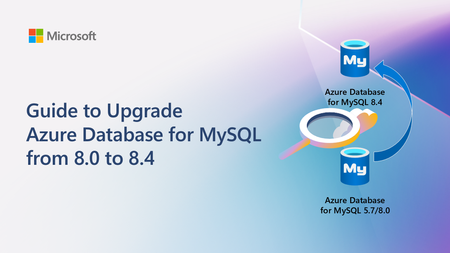
Guide to Upgrade Azure Database for MySQL from 8.0 to 8.4
A practical, end‑to‑end guide for safely upgrading Azure Database for MySQL to 8.4 LTS, covering prerequisites, breaking changes, upgrade paths, downtime considerations, and rollback strategies based on real‑world experience.4.7KViews2likes0Comments
Announcing the retirement for Office Online Server
What’s changing? Microsoft is announcing the end of support and retirement for Office Online Server effective December 31, 2026. After this date, Office Online Server will no longer receive security updates, bug fixes, or technical support from Microsoft. This change is part of our ongoing commitment to modernizing productivity experiences and focusing on cloud-first solutions. To help stay secure and compliant, begin planning now to move to supported options, such as Microsoft 365. What does end of support mean? No more security updates. Systems running Office Online Server may be vulnerable to the evolving threat landscape. No bug fixes or technical support. Potential compliance risks. Unsupported software may put regulated organizations at risk of non-compliance. Why is this happening? Office Online Server was designed to provide browser-based versions of Word, Excel, PowerPoint, and OneNote for on-premises environments. As organizations have adopted Microsoft 365, Microsoft is focusing its browser-based Office app investments on Office for the Web to deliver secure, collaborative, and feature-rich experiences through Microsoft 365. What is the alternative for Office Online Server? If your organization relies on Office Online Server for browser-based document editing and collaboration, our recommended path is to transition to Microsoft 365, which includes cloud-powered versions of Word, Excel, PowerPoint, and OneNote. Microsoft 365 offers: Real-time collaboration and sharing. Automatic updates and ongoing support. Enhanced security and compliance features. Integration with Microsoft Teams, Outlook, SharePoint Online, and OneDrive for Business. Access to Microsoft 365 Copilot for AI-powered productivity. Learn more about https://www.microsoft.com/microsoft-365/microsoft-365-enterprise. And for organizations with 150+ licenses, consider engaging https://www.microsoft.com/fasttrack/microsoft-365 to support your planning and migration to Microsoft 365. SharePoint Embedded enables real-time collaboration on Word, Excel, and PowerPoint documents directly within line-of-business or custom applications using Microsoft 365’s native co-authoring services. This allows users to securely create, edit, comment, and manage Office files without leaving the app—while still benefiting from enterprise-grade compliance, versioning, and lifecycle management through Microsoft Purview. https://aka.ms/spe-start. For organizations using SharePoint Server Subscription Edition or Exchange Server Subscription Edition, Microsoft 365 Apps for Enterprise and Office LTSC 2024 remain supported desktop clients for viewing and editing documents hosted on those servers. If your organization uses Office Online Server to host Excel workbooks in Power BI Report Server, that functionality will no longer be supported. Alternatives include viewing workbooks in the Excel desktop application or migrating to the https://learn.microsoft.com/office365/servicedescriptions/power-bi-service-description. Prepare to make your move Support for Office Online Server ends December 31, 2026. Continuing to use it after this date may expose your organization to security, compliance, and productivity risks. We therefore strongly encourage all customers to begin planning their transition to supported solutions today. Microsoft is committed to helping you prepare. Use the resources below to help you get started: Explore https://www.microsoft.com/microsoft-365/microsoft-365-enterprise for modern, cloud-powered collaboration. Engage your Microsoft account team and https://www.microsoft.com/fasttrack/microsoft-365 (150+ seats) for migration planning. See the https://learn.microsoft.com/officeonlineserver/configure-office-online-server-for-sharepoint-server-2016/configure-office-online-server-for-sharepoint-server-2016#disconnect-sharepoint-server-2016-from-office-online-server. Thank you for being a Microsoft customer!40KViews1like48CommentsPostgreSQL 17 General Availability with In-Place Upgrade Support
We’re excited to share that PostgreSQL 17 is now Generally Available on Azure Database for PostgreSQL – Flexible Server! This release brings community-driven enhancements including improved vacuum performance, smarter query planning, enhanced JSON functions, and dynamic logical replication. It also includes support for in-place major version upgrades, allowing customers to upgrade directly from PostgreSQL 11–16 to 17 without needing to migrate data or change connection strings. PostgreSQL 17 is now the default version for new server creations and major version upgrades. 📖 Read the full blog post: http://aka.ms/PG17 Let us know if you have feedback or questions!Ignite 2024: Are you ready for Office 2016/2019 end of support?
At this year’s Ignite conference, I had the pleasure of teaming up with Microsoft 365 deployment expert Eric Wayne to dig into the details of how to prepare your organization for the end of support for Office 2016, Office 2019, and their related servers and standalone apps, coming up on October 14, 2025. Missed Ignite? Watch the full session recording to help kickstart your upgrade today. You will learn: The best upgrade paths for Office suites, servers, and standalones facing end of support, How to identify and remove older versions of Office and make a smooth transition to Microsoft 365, and Where to turn if you need more help. October 2025 is just around the corner, and now is the time to act. If your organization is still using 2016 or 2019 versions of Office, Exchange Server, Skype for Business Server, Project, or Visio, now is the time to start your migration to a supported solution. Starting your move to Microsoft 365 as soon as possible will help keep your organization secure, compliant, and productive through 2025 and beyond. Over the coming months, we’ll continue to provide additional resources and guidance to help you and your organization smoothly navigate next year’s end of support milestones. After you’ve watched the Ignite session, here are a few great places to go next: Prepare your organization for October 2025 end of support events (Microsoft Ignite Learning Collection) Products reaching end of support on October 14, 2025 (Microsoft Lifecycle site) Plan an upgrade from older versions of Office to Microsoft 365 Apps (Microsoft Learn) Need more personalized guidance? Consider requesting migration assistance from FastTrack, reach out to your Microsoft account team, or fill out this form to get in touch with sales and have a specialist demonstrate how Microsoft 365 can benefit your organization.20KViews0likes0Comments
SQL Server 2019 SKU Upgrade for Entra
I am looking to upgrade our 2019 instance to 2022 with in place upgrade. The database and server was created using a Template in Azure for "SQL Server Standard 2019 on Windows Server 2022". We would like to enable Entra Authentication. Currently the SQL Server Virtual Machine, Security Blade in Azure says: "Microsoft Entra authentication is not available for SQL virtual machine offer SQL2019 and sku Standard. Microsoft Entra authentication is available starting SQL Server 2022." Does anyone know if I upgrade in place will the option be available or will I have to build a new machine?233Views0likes2Comments