updates
5 Topics
No updates showing under Windows Insider Experimental / Future Updates channel
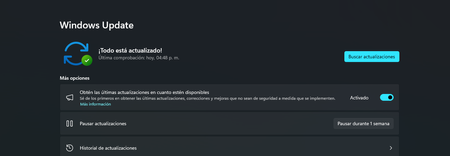
No Preview Builds Offered Under Experimental / Future Updates Channel 🟢 Active Enrollment: Experimental Channel Issue Summary: Device recently registered in the Experimental / Future Updates channel. Upon accessing Settings > Windows Update, no new builds are offered, and scanning manually completes successfully without throwing any specific error messages or block codes. 🖥️ System Information Operating System: Windows 11 Enterprise Insider Preview Version & Build: 10.0.26300 (Build 26300) Device Hardware: Lenovo V15 G4 AMN System SKU: LENOVO_MT_82YU_BU_idea_FM_V15 G4 AMN Processor (CPU): AMD Ryzen 3 7320U (4 Cores / 8 Logical Processors) RAM & Boot Type: 8 GB | UEFI Boot Mode 📋 Troubleshooting Checklist (Completed) ✓ Verified Channel Enrollment: Checked registry and confirmed active status. ✓ Validated Linked Account: MSA linked properly under Windows Insider Settings. ✓ Confirmed Update Services Active: Verified wuauserv and dependent services are running. ✓ Verified Updates are NOT Paused: Confirmed no pause delay schedules exist. ✓ Triggered Manual Scans: Initiated multiple manual check cycles. ✓ Performed Diagnostics Cold Reboot: Power-cycled system to clear cached state. 🔄 Current State: "Up to date" shown. No future packages available or populating in flighting catalog. ❓ Requested Clarifications Device Compatibility Is the Lenovo V15 G4 AMN platform (AMD Ryzen 3 7320U) eligible for current Experimental/Future Updates? Rollout/Delivery Restraints Are there known blocks, feature flag restrictions, or throttled rollouts affecting build distribution for this ring? Additional Prerequisites Are there local configuration adjustments, registry switches, or diagnostic data levels required to trigger flighting? Thank you for analyzing this inquiry. Your guidance and support are highly appreciated!197Views0likes1Comment
Windows update fails on Windows Store?
Now, all Microsoft apps are checking for updates, at times they would download or be stuck checking for install or in a loop for downloading some info then becoming stuck. In order to resolve it I would have to go into services and restart Microsoft Store Install Service, then it would update the apps no issue. I ran the troubleshooter for that tonight as well in hopes of resolving this issue, but given how many users are having issues with Windows S mode recently on the store, anyone else have similar issues like me?9.9KViews0likes2CommentsThere are many similar items in Optional Updates section and I don't know which one to install
in Device manager there are a 4 hardware that need drivers and in Windows update => Optional updates section, there are 7 drivers listed but I don't know which one I am supposed to install. there needs to be more information there to tell us exactly which one to install. there are even drivers listed there with the date 1970! Feedback link: https://aka.ms/AAarmx91.2KViews0likes2Comments
Insider upgrade to 16257 green screens
I have been on Insider builds since the get go. The last few upgrades all fail with green screens. I am on 16232 as a clean install from the ISO. Trying to upgrade to 16257 still fails. I converted the ESD file in C:\windows\softwareupdates\downloads to an ISO using Uuptol0setup.exe OK and ran it from C: (maybe a mistake that!) but it only offered to do the upgrade retaining just my settings and apps. That is all my own software would be zapped. Not a happy bunny at that and MS seem to have given up on allowing software to be retained during upgrades rather than updates. Anyway I bit the bullet and went ahead and it failed with error at first boot phase on reboot ( C1900101 - 0x30017) I'll try again running it from a USB bootable but wonder why MS still haven't sorted this upgrade problem which, judging from forums everywhere is now a major problem?1.1KViews0likes0Comments