universal windows platform
53 Topics
Problem with Windows PowerShell
Hi, if I start Windows PowerShell from app. Terminal, the window appears telling me to install the latest version, but I have already installed version 7.4.0 Furthermore, the Windows PowerShell warning appears randomly in the event log with Id: 300, is it possible to eliminate it?Solved1.5KViews0likes5Comments
Node type error with Start-Job
Hi all, I have a lot of PS-scripts, which have to be startet and monitored. I do this with an extra 'Start-Script' via Start-Job/ Get-Job/ Receive-Job. It works fine for 15 of my scripts. But I have other scripts that communicate with web servers and need to register to do so. I saved the credentials encrypted in files and the single script runs fine when I start it directly. But when I start it with 'Start-Job', it shows the following error: An element with the node type 'text' cannot be processed. Only the node types 'element' and 'end element' are processed. Is there a problem with the registrations or where does the error come from? What am I doing wrong? Thanks for every help.528Views0likes0Comments
run Add-AppPackage using user system
I have a service that performs some processes and can even be run installation commands. This service is performed by the local system user (SID S-1-5-18). So I sent the command below for the service to run, which it runs using powerShell as the local system Add-AppxPackage -Path "C:\Dir1\Dir2\Dir3\Windows\App.UWP_2.0.27.0_x64.msixbundle" -DependencyPath "C:\Dir1\Dir2\Dir3\Windows\Dependencies\x64\Microsoft.NET.Native.Framework.2.2.appx", "C:\Dir1\Dir2\Dir3\Windows\Dependencies\x64\Microsoft.NET.Native.Runtime.2.2.appx", "C:\Dir1\Dir2\Dir3\Windows\Dependencies\x64\Microsoft.UI.Xaml.2.4.appx", "C:\Dir1\Dir2\Dir3\Windows\Dependencies\x64\Microsoft.VCLibs.x64.14.00.appx" However when trying to run, I get the error: The AppX Deployment operation for CodeWith7-CodeWith4-CodeWith4-CodeWith4-CodeWith12_2.0.27.0_neutral_ ~ 3kncj78a7wnxj failed with error 0x80073CF9. The specific error text for this failure is: Add deployment operation rejected in the CodeWith7-CodeWith4-CodeWith4-CodeWith4-CodeWith12_2.0.27.0_neutral ~ _3kncj78a7wnxj package: App.UWP_2.0.27.0_x64.msixbundle installation request because the account of the Local System is not allowed to perform this operation. When I change the service manually so that it runs using a local administrator user, the command runs without any error. I have a business need to run this command as a local system. Does anyone know how I can do this? Or, does anyone know how to explain to me WHAT is done in the process that requires an ADM user? I have already verified that the machine has developer mode enabled. Before executing the Add-AppPackage command I perform the import of the certificate, so the certificate is installed: "Import-Certificate -FilePath "{0}"-CertStoreLocation Cert:\LocalMachine\Root", Path.Combine ( directoryInstallation, item) I tried to change the command from Add-AppPackage to Add-AppxPackage, but it also didn't work I tried to change the command to run Add-AppDevPackage.ps1, but it also didn't work14KViews0likes1CommentIntegrate the Microsoft Graph in your HoloLens and Mixed Reality apps
Microsoft Graph is all about you! About the data of the user: Azure Active Directory, Office 365 data, Enterprise Mobility and Security services, Education tenant data and Windows Services. As a developer, the beauty resides in the unified way to authenticate, access and query the data. It can simply be by using a HTTPS Rest service or the SDK for your platform.4.3KViews1like1Comment
Add Push Notifications the easy way with Partner Center + Microsoft Store Services SDK
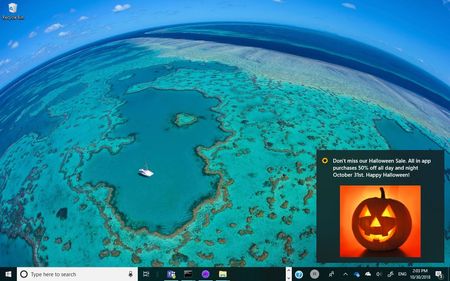
First published on MSDN on Oct 31, 2018 With the combination of the Engagement feature of Partner Center and the Microsoft Store Services SDK you can easily add Push Notifications to your Windows Progressive Web App (PWA), UWP, or Desktop Bridge - Win32 app.2KViews0likes0Comments