threat hunting & ti
39 Topics
Running a registry based query
Hello, we have some computers which we need to find out the specific registry value in order to be able to update their OS. The path: HKEY_LOCAL_MACHINE\software\policies\Microsoft\Windows\WindowsUpdate\AU The value (Dword): NoAutoUpdate I want to find out which computers that are onboarded to defender for endpoint has this registry set to "1"/On. Thanks for help8.4KViews0likes4CommentsWebinar: Sentinel IT/OT Threat Monitoring
Join us on Thursday 28.7 for a webinar on Sentinel IT/OT Threat Monitoring with Defender for IoT solution. Learn how Defender for IoT's built-in integration with Sentinel helps bridge the gap between IT and OT security. Registration is now open , for July 28 There has been a long-standing split between ICS/SCADA (OT) and Corporate (IT) cybersecurity. This split was often driven by significant differences in technology/tooling. Microsoft Defender for IoT's integration with Microsoft Sentinel drives convergency by providing a single pane for coverage of both D4IOT (OT) and Microsoft Sentinel (IT) alerting. This solution includes Workbooks and Analytics rules providing a guide OT detection and Analysis.3.7KViews0likes8CommentsWhich schema belong to which service?
Hello there, So I'm pretty familiar with KQL and MDATPs default schemas found under Advanced Hunting. There are of course some more schemas/tables found under MTP compared to MDATP (https://security.microsoft.com/advanced-hunting Is there any general cheat-sheet on which schema originates from which service? For example if I would hunt under the "MiscEvents" schema, what do I need to do to add it? What I mean is, I would like to try this query: https://techcommunity.microsoft.com/t5/microsoft-defender-atp/hunting-for-reconnaissance-activities-using-ldap-search-filters/ba-p/824726 But I can't seem to find "MiscEvents" in either Log Analytics, Defender ATP or M365 Threat Protection. Do I miss something? Is Azure ATP needed for the "MiscEvents" table to be populated? Regards SimonSolved2.4KViews0likes2CommentsThreats > August 2019 RDP update advisory > Hunting Query
Hi! In the "August 2019 RDP update advisory" threat page, there is a hunting query: // Find unusual processes with outbound connections to TCP port 3389 NetworkCommunicationEvents | where RemotePort == 3389 | where ActionType == "ConnectionSuccess" and Protocol == "Tcp" | where InitiatingProcessFileName !in~ //Remove common RDP programs ("mstsc.exe","RTSApp.exe", "RTS2App.exe","RDCMan.exe","ws_TunnelService.exe", "RSSensor.exe","RemoteDesktopManagerFree.exe","RemoteDesktopManager.exe", "RemoteDesktopManager64.exe","mRemoteNG.exe","mRemote.exe","Terminals.exe", "spiceworks-finder.exe","FSDiscovery.exe","FSAssessment.exe", "chrome.exe", "microsodeedgecp.exe", "LTSVC.exe", "Hyper-RemoteDesktop.exe", "", "RetinaEngine.exe", "Microsoft.Tri.Sensor.exe" ) and InitiatingProcessFolderPath !has "program files" and InitiatingProcessFolderPath !has "winsxs" and InitiatingProcessFolderPath !contains "windows\\sys" | where RemoteIP !in("127.0.0.1", "::1") | summarize ComputerNames = make_set(ComputerName), ListofMachines = make_set(MachineId), make_set(EventTime), ConnectionCount = dcount(RemoteIP) by InitiatingProcessFileName, InitiatingProcessSHA1, bin(EventTime, 1d) I am unable to create a detection rule based off this query alone: "Unable to save detection rule The query does not return the following columns that are required to create a detection rule: MachineId ReportId " Can someone hit me up with a modified query that you can create a detection rule on?SolvedLatest Threat Intelligence (April 2022)
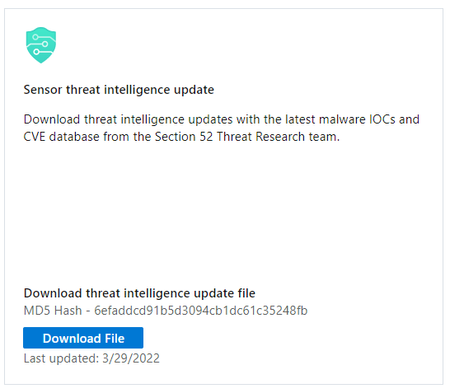
Microsoft has released the April 2022 Threat Intelligence update package. The package is available for download from the Microsoft Defender for IoT portal (click Updates, then Download file). Threat Intelligence updates reflect the combined impact of proprietary research and threat intelligence carried out by Microsoft security teams. MD5 Hash - 6efaddcd91b5d3094cb1dc61c35248fb This package contains the latest CVEs (Common Vulnerabilities and Exposures), IOCs (Indicators of Compromise) and indicators applicable to IoT/ICS/OT networks (published during the past month) including indicators for the the Trickbot IoT botnet. CVEs provide a reference method for publicly known information security vulnerabilities and exposures, and are available for reference on the MITRE site, in the National Vulnerability Database site (NVD) as well as IoT/OT specific ICS-CERT. Update your system with the latest TI package: Microsoft Defender for IoT now pushes new threat intelligence packages to cloud-connected sensors upon release, click here for more information. Starting with sensor version 10.3, users can automatically receive up-to-date threat intelligence packages through Microsoft Defender for IoT. Working with automatic updates reduces operational effort and ensures greater security. Enable automatic updating on the Defender for IoT portal by onboarding your cloud-connected sensor with the toggle for Automatic Threat Intelligence Updates turned on. Additionally, the package can be downloaded from the Microsoft Defender for IoT portal, under Updates: To update a package on a single sensor: Go to the Microsoft Defender for IoT Updates page. Download and save the Threat Intelligence package. Sign into the sensor console. On the side menu, select System Settings. Select Threat Intelligence Data, and then select Update. Upload the new package. To update a package on multiple sensors simultaneously: Go to the Microsoft Defender for IoT Updates page. Download and save the Threat Intelligence package. Sign into the management console. On the side menu, select System Settings. In the Sensor Engine Configuration section, select the sensors that should receive the updated packages. In the Select Threat Intelligence Data section, select the plus sign (+). Upload the package. For more information, please review Update threat intelligence data | Microsoft Docs2.3KViews0likes2CommentsLatest Threat Intelligence (May 2022)
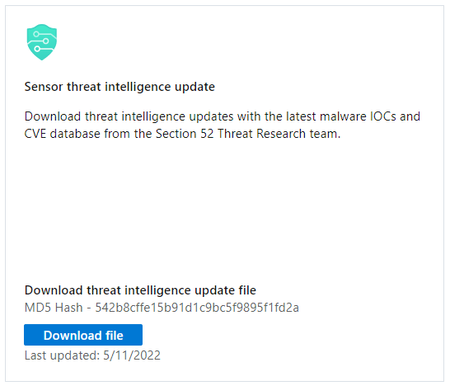
Microsoft has released the May 2022 Threat Intelligence update package. The package is available for download from the Microsoft Defender for IoT portal (click Updates, then Download file). Threat Intelligence updates reflect the combined impact of proprietary research and threat intelligence carried out by Microsoft security teams. MD5 Hash - 542b8cffe15b91d1c9bc5f9895f1fd2a This package contains the latest CVEs (Common Vulnerabilities and Exposures), IOCs (Indicators of Compromise), and other indicators applicable to IoT/ICS/OT networks (published during the past month). The current release includes detection rules and IOCs implemented by Section 52 security researchers for: Pipedream/Incontroller modular attack framework and toolkit. The custom tools enable threat actors to conduct automated attacks, search for devices on networks, and disrupt operations and access. For more information, please read the following the recent alert on APT Cyber Tools Targeting ICS/SCADA Devices. BlackCat/ALPHV ransomware. BlackCat operators use previously compromised credentials to gain access to systems, deploy malicious scripts and disable security features. The ransomware has affected over 60 entities worldwide. For detailed IOCs and mitigation guidelines, please see the FBI Flash report for more information. Industroyer2 malware. The Industroyer variant is self-contained and highly customizable, allowing threat actors to adapt the malware to specific devices on OT networks. Updated CVEs (CVEs provide a reference method for publicly known information security vulnerabilities and exposures) published over the last month and are available for reference on the MITRE site, in the National Vulnerability Database site (NVD) as well as IoT/OT specific ICS-CERT. Update your system with the latest TI package: Microsoft Defender for IoT now pushes new threat intelligence packages to cloud-connected sensors upon release, click here for more information. Starting with sensor version 10.3, users can automatically receive up-to-date threat intelligence packages through Microsoft Defender for IoT. Working with automatic updates reduces operational effort and ensures greater security. Enable automatic updating on the Defender for IoT portal by onboarding your cloud-connected sensor with the toggle for Automatic Threat Intelligence Updates turned on. Additionally, the package can be downloaded from the Microsoft Defender for IoT portal, under Updates: To update a package on a single sensor: Go to the Microsoft Defender for IoT Updates page. Download and save the Threat Intelligence package. Sign into the sensor console. On the side menu, select System Settings. Select Threat Intelligence Data, and then select Update. Upload the new package. To update a package on multiple sensors simultaneously: Go to the Microsoft Defender for IoT Updates page. Download and save the Threat Intelligence package. Sign into the management console. On the side menu, select System Settings. In the Sensor Engine Configuration section, select the sensors that should receive the updated packages. In the Select Threat Intelligence Data section, select the plus sign (+). Upload the package. For more information, please review Update threat intelligence data | Microsoft Docs2.3KViews2likes0CommentsLatest Threat Intelligence (November 2022)
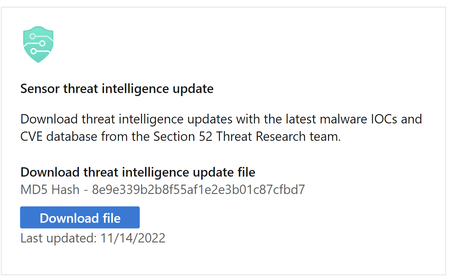
Microsoft Defender for IoT has released the November 2022 Threat Intelligence package. The package is available for download from the Microsoft Defender for IoT portal (click Updates, then Download file). Threat Intelligence updates reflect the combined impact of proprietary research and threat intelligence carried out by Microsoft security teams. Each package contains the latest CVEs (Common Vulnerabilities and Exposures), IOCs (Indicators of Compromise), and other indicators applicable to IoT/ICS/OT networks (published during the past month) researched and implemented by Microsoft Defender for IoT’s security research team, Section 52. November Updates With this release, Microsoft Defender for IoT has expanded vulnerability detection capabilities for known OT vulnerabilities across supervisory control and data acquisition (SCADA) devices issued since 2008 and included new detections for Text4Shell (CVE-2022-42889) and the recently released path traversal vulnerability in the implementation of the Totalflow TCP protocol in ABB (CVE-2022-0902). Detections for the Text4Shell vulnerability (CVE-2022-42889) in the “Apache Commons Text” Java library were added with this month’s threat intelligence update. This vulnerability allows an attacker to send malicious inputs that can execute arbitrary code, call a remote URL or send an unauthorized DNS request. Customers using Apache Commons Text versions between 1.5 and 1.9 are recommended to update to version 1.10. The November Threat Intelligence package contains high-severity CVEs, including CVE-2022-38465. An attacker exploiting this vulnerability in Siemens SIMATIC S7-1200 and S7-1500 CPU families could decrypt information such as passwords and gain full control of the programmable logic controller (PLC) allowing them to perform the following actions: Connect to the PLC Change the PLC’s configuration Upload ladder logic to the PLC Change PLC mode Attacks abusing this vulnerability will display normal behaviors and connections to devices, similar to authorized network and device administrators. Guidance Customers are recommended to update their systems with the latest TI package in order to detect potential exposure risks and vulnerabilities in their networks and on their devices. Threat Intelligence packages are updated every month with the most up-to-date security information available, ensuring that Microsoft Defender for IoT can identify malicious actors and behaviors on devices. Microsoft Defender for IoT researchers encourage you to review the implementation of devices and software included in the November Threat Intelligence package and to patch devices when relevant to reduce your attack surface. For customers affected by CVE-2022-38465, Microsoft strongly recommends following the mitigation guidelines published by Siemens. To download the firmware updates for S7-1200 directly, please click here, and for S7-1500, click here. Simatic S7-1200 models with firmware versions below v4.5 and S7-1500 models with firmware version below v2.9.2 need to be updated according to the mitigation guidelines. Microsoft Defender for IoT detects suspicious activity on devices by detecting unauthorized PLC activity and connections to unfamiliar and unauthorized IP addresses. Customers interested in identifying which devices may currently be vulnerable to exploitation by threat actors, should access their inventory in Microsoft Defender for IoT. The inventory contains the list of devices according to model and firmware version. For more information about these CVEs or your security posture, please contact us. Update your system with the latest TI package The package is available for download from the Microsoft Defender for IoT portal (click Updates, then Download file), for more information, please review Update threat intelligence data | Microsoft Docs. MD5 Hash - 8e9e339b2b8f55af1e2e3b01c87cfbd7 For cloud connected sensors, Microsoft Defender for IoT can automatically update new threat intelligence packages following their release, click here for more information.2KViews0likes0CommentsLatest Threat Intelligence (December 2021)
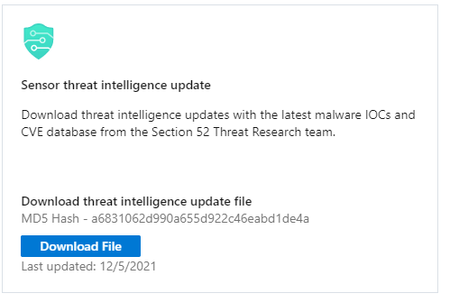
Microsoft has released the December 2021 Threat Intelligence update package. The package is available for download from the Microsoft Defender for IoT portal (click Updates, then Download file). Threat Intelligence updates reflect the combined impact of proprietary research and threat intelligence carried out by Microsoft security teams. MD5 Hash - a6831062d990a655d922c46eabd1de4a This package contains the latest CVEs (Common Vulnerabilities and Exposures), IOCs (Indicators of Compromise) and other indicators applicable to IoT/ICS/OT networks (published during the past month). CVEs provide a reference method for publicly known information security vulnerabilities and exposures, and are available for reference on the MITRE site, in the National Vulnerability Database site (NVD) as well as IoT/OT specific ICS-CERT. Update your system with the latest TI package: Microsoft Defender for IoT now pushes new threat intelligence packages to cloud-connected sensors upon release, click here for more information. Starting with sensor version 10.3, users can automatically receive up-to-date threat intelligence packages through Microsoft Defender for IoT. Working with automatic updates reduces operational effort and ensures greater security. Enable automatic updating on the Defender for IoT portal by onboarding your cloud-connected sensor with the toggle for Automatic Threat Intelligence Updates turned on. Additionally, the package can be downloaded from the Microsoft Defender for IoT portal, under Updates: To update a package on a single sensor: Go to the Microsoft Defender for IoT Updates page. Download and save the Threat Intelligence package. Sign into the sensor console. On the side menu, select System Settings. Select Threat Intelligence Data, and then select Update. Upload the new package. To update a package on multiple sensors simultaneously: Go to the Microsoft Defender for IoT Updates page. Download and save the Threat Intelligence package. Sign into the management console. On the side menu, select System Settings. In the Sensor Engine Configuration section, select the sensors that should receive the updated packages. In the Select Threat Intelligence Data section, select the plus sign (+). Upload the package. For more information, please review Update threat intelligence data | Microsoft Docs1.9KViews0likes1CommentLatest Threat Intelligence (June 2022)
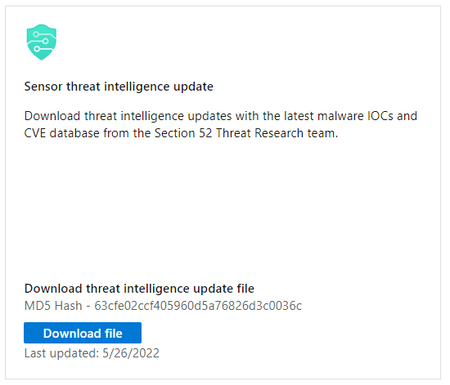
Microsoft has released the June 2022 Threat Intelligence update package. The package is available for download from the Microsoft Defender for IoT portal (click Updates, then Download file). Threat Intelligence updates reflect the combined impact of proprietary research and threat intelligence carried out by Microsoft security teams. MD5 Hash - 63cfe02ccf405960d5a76826d3c0036c This package contains the latest CVEs (Common Vulnerabilities and Exposures), IOCs (Indicators of Compromise), and other indicators applicable to IoT/ICS/OT networks (published during the past month). Updated CVEs (CVEs provide a reference method for publicly known information security vulnerabilities and exposures) published over the last month and are available for reference on the MITRE site, in the National Vulnerability Database site (NVD) as well as IoT/OT specific ICS-CERT. Update your system with the latest TI package: Microsoft Defender for IoT now pushes new threat intelligence packages to cloud-connected sensors upon release, click here for more information. Starting with sensor version 10.3, users can automatically receive up-to-date threat intelligence packages through Microsoft Defender for IoT. Working with automatic updates reduces operational effort and ensures greater security. Enable automatic updating on the Defender for IoT portal by onboarding your cloud-connected sensor with the toggle for Automatic Threat Intelligence Updates turned on. Additionally, the package can be downloaded from the Microsoft Defender for IoT portal, under Updates: To update a package on a single sensor: Go to the Microsoft Defender for IoT Updates page. Download and save the Threat Intelligence package. Sign into the sensor console. On the side menu, select System Settings. Select Threat Intelligence Data, and then select Update. Upload the new package. To update a package on multiple sensors simultaneously: Go to the Microsoft Defender for IoT Updates page. Download and save the Threat Intelligence package. Sign into the management console. On the side menu, select System Settings. In the Sensor Engine Configuration section, select the sensors that should receive the updated packages. In the Select Threat Intelligence Data section, select the plus sign (+). Upload the package. For more information, please review Update threat intelligence data | Microsoft Docs1.8KViews0likes0CommentsLatest Threat Intelligence (July 2023)
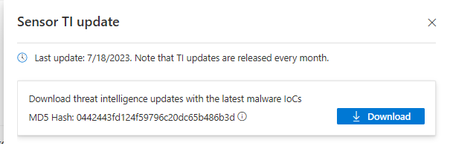
Microsoft Defender for IoT has released the July 2023 Threat Intelligence package. The package is available for download from the Microsoft Defender for IoT portal (click Updates, then Download file). Threat Intelligence updates reflect the combined impact of proprietary research and threat intelligence carried out by Microsoft security teams. Each package contains the latest CVEs (Common Vulnerabilities and Exposures), IOCs (Indicators of Compromise), and other indicators applicable to IoT/ICS/OT networks (published during the past month) researched and implemented by Microsoft Defender for IoT’s security research team, Section 52. The Threat Intelligence package for this month provides indicators to identify devices affected by the Rockwell Automation ControlLogix Firmware vulnerabilities CVE-2023-3595 and CVE-2023-3596, as well as detections designed to warn users of attempts to exploit these vulnerabilities. This package also includes indications for Honeywell Experion PKS, LX, and PlantCruise devices affected by the CVEs in ICSA-23-194-06 vulnerabilities (CVE-2023-23585, CVE-2023-25078, CVE-2023-2023-25948, CVE-2023-2023-26597, CVE-2023-24480, CVE-2023-25770, CVE-2023-25178, CVE-2023-22435, CVE-2023-2023-24474). Consequently, these devices may be vulnerable to remote code execution (RCE), denial of service (DoS), spoofing attacks, or they may even be disabled. Users must update their systems to the latest version to be safe from these vulnerabilities. Rockwell Automation and Honeywell have released patches to address these issues. It is recommended to install the patches as soon as possible. These CVEs can only be exploited by the attacker who has direct access to the systems that are affected. In order to mitigate the risks, we recommend the following measures: The affected devices should be updated with the latest firmware Keep a close eye on any unauthorized access attempts to the systems and minimize exposure and access to them. Ensure that network monitoring is monitoring systems with these devices to be able to detect and track any behavior deviations from baseline. Guidance Customers are recommended to update their systems with the latest TI package in order to detect potential exposure risks and vulnerabilities in their networks and on their devices. Threat Intelligence packages are updated every month with the most up-to-date security information available, ensuring that Microsoft Defender for IoT can identify malicious actors and behaviors on devices. Update your system with the latest TI package The package is available for download from the Microsoft Defender for IoT portal (click Updates, then Download file), for more information, please review Update threat intelligence data | Microsoft Docs. MD5 Hash: 0442443fd124f59796c20dc65b486b3d For cloud connected sensors, Microsoft Defender for IoT can automatically update new threat intelligence packages following their release, click here for more information.1.6KViews2likes0Comments