technical takeoff
159 TopicsWindows Office Hours: September 17, 2026
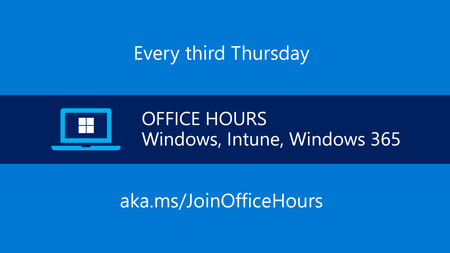
Have a question about Windows 11, device management, security, updates, or modern endpoint operations? This hour is dedicated entirely to your questions. Bring what's top of mind—from Windows 11 adoption and application compatibility to update management, cloud-native administration, Zero Trust, Intune, Windows 365, and hybrid environments. Drop your questions in the comments and hear directly from Microsoft experts. Whether you're planning your next rollout, troubleshooting a management challenge, evaluating new capabilities, or looking for best practices, this is your opportunity to get answers and learn from the questions other IT admins are asking right now. This is part of our continuing series of live Q&A for IT professionals here on Tech Community. Follow the Windows Office Hours to add future dates to your calendar. How does it work? We will have a broad group of product experts, servicing experts, and engineers representing Windows, Microsoft Intune, Configuration Manager, Windows 365, Windows Autopilot, security, and more. They will be standing by here -- in chat -- to provide guidance, discuss strategies and tactics, and, of course, answer any specific questions you may have. Post your questions in the Comments early and throughout the one-hour event. Note: This is a chat-based event. There is no video or live meeting component. Questions and answers will appear in the Comments section below.1.2KViews0likes39CommentsAsk Microsoft Anything: Secure Boot - May 2026
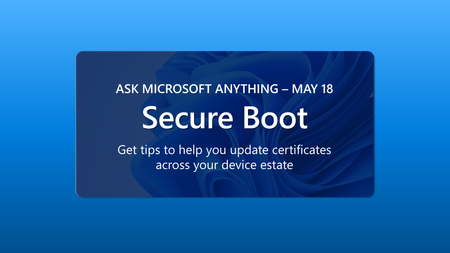
Join us in May for our fourth Ask Microsoft Anything (AMA) about updating Secure Boot certificates on your Windows devices before they start expiring in June of 2026. If you've already bookmarked Secure Boot playbook, but need more details or have a specific question, join us to get the answers you need to prepare for this milestone. No question is too big or too small. Update scenarios, inventorying your estate, formulating the right deployment plan for your organization -- we're here to help! How do I participate? Registration is not required. Simply select Add to calendar then sign in to the Tech Community and select Attend to receive reminders. Post your questions in advance, or any time during the live broadcast Get started with these helpful resources Secure Boot resources and guidance Secure Boot playbook14KViews0likes118CommentsLeast privilege on Windows with Endpoint Privilege Management
Shift users off local admin without breaking productivity. Learn how Endpoint Privilege Management (EPM) in Microsoft Intune works end to end: agent onboarding, elevation policies and rules, and an audit-to-enforce rollout. See what’s new, including elevate as current user, the EPM readiness and trend dashboard, scope-tag enforcement for requests, centralized Admin tasks, and Copilot prompts to explore EPM data. Speaker: Per Larsen This session is part of the Microsoft Technical Takeoff: Windows + Intune. Add it to your calendar, click Attend for event reminders, and post your questions and comments below! This session will also be recorded and available on demand shortly after conclusion of the live event.1.8KViews1like5CommentsAMA: Getting the most from Security Copilot in Intune
Have questions about how to get real value from Security Copilot in Intune? Bring them to this live Ask Microsoft Anything session. Engineering and product experts can help you learn about practical ways to use AI‑powered insights to strengthen your security posture and streamline endpoint operations. Whether you're just getting started or already experimenting with Copilot, this is your chance to get direct answers from the team building the experience. This session is part of the Microsoft Technical Takeoff: Windows + Intune. Add it to your calendar, click Attend for event reminders, and post your questions and comments below! This session will also be recorded and available on demand shortly after conclusion of the live event.953Views0likes8CommentsWhy smarter Windows management starts with Intune
Discover why Windows management gets simpler, smarter, and more secure when you move to Microsoft Intune. We start by breaking down the advantages of cloud‑native management, from streamlined quality updates to integrated Windows Autopilot and new Windows 365 provisioning capabilities. We’ll cover tips on moving from Configuration Manager to Intune and highlight where each tool shines—plus what gaps have been closed. Come learn how to optimize device management at your pace while unlocking the full power of the cloud. This session is part of the Microsoft Technical Takeoff: Windows + Intune. Add it to your calendar, click Attend for event reminders, and post your questions and comments below! This session will also be recorded and available on demand shortly after conclusion of the live event.2.1KViews0likes14CommentsFeedback wanted: App management in the enterprise
Join the Intune engineering team for an interactive session on streamlining app management with Microsoft Intune. We’ll talk about current investments and what we're exploring next—then open the floor to your feedback. Tell us what’s working, what’s missing, and what would make app deployment and management even easier for your organization. Your real‑world scenarios and needs directly shape how we prioritize and design upcoming capabilities. Come help us build the next chapter of Enterprise App Management. Speakers: Nicole Zhao, David Guyer, & Heena Macwan Moderator: Joe Lurie This session is part of the Microsoft Technical Takeoff: Windows + Intune. Add it to your calendar, click Attend for event reminders, and post your questions and comments below! This session will also be recorded and available on demand shortly after conclusion of the live event.3KViews2likes91CommentsUnpacking Endpoint Management: Live from Tech Takeoff 2026
The series that brings you real discussions and proven tips and tricks is back—and live at Microsoft Technical Takeoff! Let's face it. Some configurations, policies, and approaches work better than others. That's why Danny and Rachelle, and their fellow colleagues in the Microsoft Intune, Security, and Customer Experience engineering and product teams are reigniting the series with conversations the things that make a successful endpoint management strategy. Tune in for tips to help you optimize and simplify the way you do things today, and in the future. This session is part of the Microsoft Technical Takeoff: Windows + Intune. Add it to your calendar, click Attend for event reminders, and post your questions and comments below! This session will also be recorded and available on demand shortly after conclusion of the live event.2.1KViews1like33CommentsAMA: Windows Autopilot
Join the Windows Autopilot engineering team for a live Ask Microsoft Anything session. We’ll cover the latest updates, but the focus here is on your questions! Bring your concerns, deployment scenarios, and real‑world blockers—this is your chance to speak directly with the engineers building the next generation of provisioning. Speakers: Maggie Dakeva & Deepika Wadhwa Moderator: Joe Lurie This session is part of the Microsoft Technical Takeoff: Windows + Intune. Add it to your calendar, click Attend for event reminders, and post your questions and comments below! This session will also be recorded and available on demand shortly after conclusion of the live event.4.3KViews0likes31CommentsIntune timing demystified: what really happens behind the scenes
Join us as we break down how Intune device sync actually works today—covering check in intervals, service side processing of changes, policy and compliance evaluation, across gateways including the Intune Management Extensions (IME). We’ll talk about recent improvements to increase consistency and shorten deployment and update times, along with practical examples that dispel common myths like the lingering “8-hour refresh interval.” Walk away with a clear picture of how long actions really take, why certain scenarios behave differently, and how to monitor and optimize timing for your environment. This session is part of the Microsoft Technical Takeoff: Windows + Intune. Add it to your calendar, click Attend for event reminders, and post your questions and comments below! This session will also be recorded and available on demand shortly after conclusion of the live event.2.8KViews2likes2CommentsAI roundup: Intune agents for outcome-oriented innovation
AI is only as powerful as the signals and actions behind it. Dig into how Intune’s agent‑based capabilities collect richer insights, enable more precise automated actions, and provide a foundation for future and more advanced AI experiences. Take a closer look at agents that can power scenarios like predictive issue detection, automated configuration remediation, proactive security recommendations, and intelligent fleet optimization. If you're exploring what AI can practically do for your org today, this roundup will give you clarity and direction. This session is part of the Microsoft Technical Takeoff: Windows + Intune. Add it to your calendar, click Attend for event reminders, and post your questions and comments below! This session will also be recorded and available on demand shortly after conclusion of the live event.923Views0likes2Comments