storage
18 TopicsCut Your Azure Blob Storage Bill in Half: A Practical Walkthrough of Object Storage TCO
Hello Folks! If you have ever opened your monthly Azure invoice, stared at the object storage line, and quietly wondered how it grew so much, this one is for you. At the Microsoft Azure Infra Summit 2026, Benedict Berger and George Trossell from the Azure Storage Engineering team walked through a real customer scenario and showed how to bring that bill down without touching a single application. 📺 Watch the session: Why IT Pros Should Care Storage is one of those services we configure once at account creation, then never revisit. Redundancy, default tier, lifecycle rules. All decided on day one, then forgotten. Meanwhile, applications get built on top, dashboards get wired up, and the bill keeps climbing in a department nobody really audits. Here is what you get when you make storage TCO a first-class part of your operating model: A defensible understanding of capacity, transactions, and data retrieval charges (the three real cost drivers). Fewer surprise spikes when a cool tier read pattern runs hotter than expected. Cost optimization that runs on its own, instead of a quarterly cleanup project nobody volunteers for. Storage standards baked into your Infrastructure as Code, so cost-efficient defaults travel with every new account. In short, this is one of the highest-leverage cost levers you have in Azure. And unlike compute right-sizing, you can act on most of it from the portal in an afternoon. What Storage TCO Actually Means on Object Storage, a Technical Overview When Benedict and George talk about Total Cost of Ownership on Azure Blob Storage, they mean four moving parts: Capacity. The per-gigabyte cost of the data you store, which varies by access tier and by redundancy. Transactions. Every read, write, list, and metadata call against the storage account. Priced in packages of 10,000 operations. Data retrieval. A per-gigabyte fee that applies when you read from cool or cold tiers. It is free on hot. Network egress. The charge for moving data out of an Azure region. The trap most teams fall into is looking only at the per-gigabyte capacity column and picking the cheapest tier they see. That ignores the fact that as data gets cooler, transaction and retrieval costs climb sharply, and cold has a 90-day early deletion penalty that can erase your savings outright. Microsoft Learn documents this trade-off clearly in the access tiers overview, where you can see the minimum retention windows and the relationship between storage cost and access cost across hot, cool, cold, and archive. Redundancy is the other dial. LRS keeps three copies in a single zone. ZRS spreads three copies across three zones in the region. GRS adds an asynchronous secondary in a paired region. The honest tradeoff George highlighted: redundancy protects your data, not your application. If your app is not zone-aware, ZRS alone will not keep you running through a zone outage. And GRS failover is a manual operation in most cases, with the secondary in read-only mode until you stand up new accounts to write into. How It Works, Under the Hood The session walked through a worked transaction example that finally made the math click for me. Picture a Spark job uploading 1,000 parquet files of 5 GB each into the hot tier, using an 8 MB block size. Each 5 GB file is roughly 5,120 MB, divided by 8 MB blocks, which gives 640 put block operations. One additional put block list call commits the upload, so each object costs 641 write operations. Times 1,000 files, that is 641,000 operations, which works out to about 3.52 US dollars in that hour just for writes. Now flip it. Read those same 1,000 files from the cool tier. The transaction count is similar, but you also pay a data retrieval fee on every gigabyte you pull back. That retrieval fee is where most teams get blindsided, because it does not show up on the hot tier at all. Block size matters too. Larger blocks mean fewer transactions per upload. And for small objects (under 128 KB), there is a new wrinkle to plan for: starting July 2026 for existing accounts and already in effect for new accounts created from July 2025, cooler tiers bill a 128 KB minimum object size. That means a 4 KB log file moved to cool gets charged as if it were 128 KB. The fix is either to leave small objects in hot, or bin-pack them into larger objects (a TAR or ZIP, for example) before tiering them down. The Microsoft Learn page on access tier best practices covers packing strategies in detail. Real-World Value, Use Cases, and ROI The customer in the session went from roughly 65,000 US dollars a month to around 25,000. That is not a marketing number, it is what happens when you apply the levers in order: Right-size redundancy. Move non-production and easily reproducible data off LRS in production. Reserve GRS for the workloads where a compliance regulation actually requires a second region. Match tiers to access patterns. Use premium for bursty, latency-sensitive workloads. Hot for active reads and writes. Cool and cold only when you genuinely access the data infrequently and have budgeted for the retrieval fees. Buy reserved capacity for the steady-state portion of your footprint. A one or three year commitment unlocks a discount on block blob capacity. See reserved capacity for Blob storage for terms and tier coverage. Kill wasteful transactions. Replace polling-for-changes with change feed. Replace recurring list-blob loops with a daily or weekly blob inventory report. Use conditional request headers (If-Modified-Since and friends) so reads skip unchanged objects. Pack small objects, or leave them in hot. Either is fine; tiering them down without packing is not. In short, the same scenario, with the same applications, runs at less than half the cost once you actually look at it. Getting Started Here is the order of operations I would follow tomorrow morning: Pull a blob inventory report on your largest storage accounts to see what is actually there: tier mix, object sizes, last modified dates, snapshots, versions. Open the Azure pricing calculator and model your scenario with realistic transaction counts and retrieval volumes. Do not just compare per-GB prices. Audit your redundancy choices against the workload. If an account is LRS in production with no easy way to rebuild the data, change it. Enable Smart Tier on your zone-redundant accounts. New objects start in hot, get demoted to cool after 30 days of inactivity, and to cold after 90, with no charges for tier transitions, early deletions, or data retrieval. Anything accessed gets instantly promoted back to hot. For accounts that cannot use Smart Tier, write a lifecycle management policy. Keep the rules simple at first: tier down after 30 days, archive after 180, expire snapshots and versions on a schedule. Convert one of your existing lifecycle policies to ARM or Bicep, then commit it to source control. Add an Azure Policy that flags any new storage account that does not match your standard. That last step is the one that sticks. As Benedict put it, cost optimization must become part of your system, not an afterthought. Resources Access tiers for blob data, Microsoft Learn Best practices for using blob access tiers, Microsoft Learn Azure Blob Storage lifecycle management overview, Microsoft Learn Optimize costs for Blob storage with reserved capacity, Microsoft Learn Enable Azure Storage blob inventory reports, Microsoft Learn Azure pricing calculator Keep Learning at the Summit Catch the full Microsoft Azure Infra Summit 2026 session playlist here Cheers! Pierre Roman440Views0likes0CommentsFeeding the GPUs: File Storage for AI and Cloud-Native Workloads on Azure
Hello Folks! If you are running AI workloads on Azure, you have probably learned the hard way that the wrong storage choice can leave a rack of very expensive GPUs sitting idle, waiting for data. In this session during the Microsoft Azure Infra Summit 2026, Wolfgang de Salvador and Reena Shah from the Azure Storage team walked through how Azure Managed Lustre and Azure Files map to the distinct stages of the AI pipeline, and why picking the right file system per stage is one of the highest leverage decisions you will make. 📺 Watch the session: Why IT Pros Should Care You probably did not get into IT to babysit checkpoint writes or debug Hugging Face egress bills at 2 a.m. But that is exactly the kind of work that lands on your plate when storage is not matched to the workload. Here is why MAIS28 matters for the IT pros, platform engineers, and Azure architects in the room: GPU time is the most expensive compute you will ever buy. Slow data loading and slow checkpoints turn that into burned cash. AI workloads are not one workload. Data prep, training, fine-tuning, and inferencing each have a different storage profile. Cloud-native AI on AKS and Azure Container Apps lives or dies on the ReadWriteMany experience. If model loading is slow or shared model caches do not exist, every cold start re-downloads hundreds of gigabytes. Storage choices ripple into security and compliance. Encryption in transit, redundancy, and snapshots are not optional in 2026. In short, this session is for anyone who has to answer the question, “What persistent volume should we use for this AI workload?” and wants a defensible answer. What Azure Brings to the Table, Technical Overview Wolfgang opened with the storage profile of every stage of an AI workflow. Data preparation needs hundreds of petabytes at the best TCO (think Azure Blob Storage as the durable core). Training and fine-tuning need extreme throughput so GPUs stay fed during data loading and so checkpoint writes complete fast. Inferencing needs fast model loads, low-latency KV cache, and grounded data for RAG. One filesystem does not fit all of those at once, and trying to make it fit is where teams overspend. Azure’s answer is a tiered, file-based portfolio that lines up with those stages: Azure Managed Lustre (AMLFS) is a fully managed, accelerator-tier filesystem. It scales to 25 PB of capacity and up to 512 GB/s of throughput, integrates with Azure Blob Storage as the durable core, and exposes a standard Lustre client plus a CSI driver for AKS. Azure Files is the natural ReadWriteMany choice for cloud-native AI on AKS and Azure Container Apps. It tops out at 256 TB of capacity and 10.4 GB/s of throughput, offers LRS and ZRS redundancy with snapshots and soft delete, and ships with a 99.99% SLA. Azure Blob Storage sits underneath both of these as the cheap, durable core for data prep and long-term retention. The mental model the speakers used is “accelerator and core”. Blob is the core, durable and economical. AMLFS is the accelerator for training. Azure Files is the accelerator for inferencing and shared state. Pick the right pair for the stage you are running. How It Works, Under the Hood For training, Wolfgang showed the demo most folks came to see: a 32 x H100 ND H100 v5 AKS cluster deployed from the Azure AI Infrastructure repository, running a 30B-parameter GPT-3 training job backed by AMLFS. Two things matter here. First, AMLFS absorbs checkpoint write bursts. When 32 H100s flush state at the same time, you need a filesystem that can take the punch without stalling. AMLFS does, which keeps GPU utilization drops short and contained. Second, the AMLFS Lustre CSI driver for AKS supports both static and dynamic provisioning with availability-zone placement, and there are five SKU tiers from MLFS20 (cheapest by capacity) to MLFS500 (cheapest by bandwidth). That means you can pick a cost-performance point that matches your training budget instead of buying the top SKU and hoping for the best. For inferencing, Reena’s half of the session was just as practical. Five reasons Azure Files fits AKS ReadWriteMany workloads: Standard Kubernetes RWM volume over NFS or SMB. 256 TB capacity ceiling and up to 10.4 GB/s of throughput per share. LRS or ZRS redundancy with snapshots and soft delete for protection. 99.99% SLA so it shows up in your availability math. Native support across AKS and Azure Container Apps, including serverless GPU. The headline feature is Azure Files Provisioned v2. In the old model, IOPS and throughput were a function of how much capacity you provisioned, which is wrong for AI shapes that need small capacity but very high IOPS and bandwidth. Provisioned v2 splits capacity, IOPS, and throughput into three independent knobs you can dial without downtime or remount. That alone changes the economics for a lot of inferencing patterns. The other big inferencing feature is NFS v4.1 encryption in transit, delivered with the az-nfs utility and stunnel. You get AES-GCM TLS protection on the wire, with no Kerberos and no Active Directory needed, and the application has no idea it is happening. Reena’s live demo showed an AKS pod with an encrypted NFS mount, transparent to the workload. And then the pattern that ties it together: the shared model cache. Download the model once into Azure Files, mount it across every replica via ReadWriteMany. No per-pod cold start, no re-download from Hugging Face, no egress bill. The demo used GPT-OSS 120B with VLLM on 32 x H100, and the pattern scales down to small fine-tuned models running on serverless GPU in Azure Container Apps. Real-World Value The session closed with the Viton case study. Viton is a Paris-based fashion AI startup. Their image-generation platform runs on Azure Container Apps serverless GPU, with Azure Service Bus for job routing and Azure Files NFS as the shared model store. Workers pull jobs, mount the shared model cache, generate the image, and scale to zero when the queue drains. The economics only work because they are not paying to re-download the model on every cold start, and because they only pay for GPU when there is work to do. The same pattern shows up across customer scenarios: Training a foundation model on AKS with AMLFS as the scratch tier and Blob as the durable archive. Fine-tuning smaller models where AMLFS checkpoints absorb the write bursts and the final artifact lands back in Blob. Inferencing with VLLM on AKS where Azure Files holds the model weights once and every replica reads from the same RWM mount. Serverless inferencing on Azure Container Apps with the same shared model cache pattern, but with scale-to-zero economics. Honest tradeoff: Lustre is not the right filesystem for a 10-pod web app, and Azure Files is not the right filesystem for a 32-GPU training run. The whole point of the tiering is that you pick the right one per stage. Do not try to make one filesystem do all four jobs. Getting Started If you want to put this into practice this week: Go to the Azure AI Infrastructure repository on GitHub. Wolfgang’s demo cluster came straight out of it, and you can spin up an AI-ready AKS cluster with GPU and InfiniBand operators in your own dev/test subscription. Install the Azure Managed Lustre CSI driver on AKS if you are running training or fine-tuning. Start with a smaller MLFS SKU and size up. Turn on Azure Files Provisioned v2 on a new share, then dial capacity, IOPS, and throughput independently to match your inferencing shape. Enable NFS v4.1 encryption in transit with az-nfs and stunnel before you put any sensitive workload on the wire. Try the shared model cache pattern. Pick one VLLM deployment, point it at an Azure Files RWM mount, and measure cold start time before and after. Resources Azure Managed Lustre documentation Use the Azure Managed Lustre CSI driver with Azure Kubernetes Service Azure Files documentation Understand Azure Files billing (Provisioned v2) Encryption in transit for NFS Azure file shares Azure Container Apps serverless GPUs Azure AI Infrastructure repository on GitHub Keep Learning at the Summit Catch the full Microsoft Azure Infra Summit 2026 session playlist here Cheers! Pierre Roman360Views0likes0CommentsPremium SSD v2 and Instant Access Snapshots: A Better, Faster, Cheaper Disk for Your Azure VMs
Hello Folks! If you have been running Premium SSD v1 because that is just what you have always done, this session from the Microsoft Azure Infra Summit 2026 is going to be a wake up call. Raymond Lui and Adam Li from the Azure Disk Storage team walked us through Premium SSD v2 (PV2 for short) and the new Instant Access Snapshots, and the punchline is simple. PV2 is faster, it is cheaper, and the operational story around it just keeps getting better. 📺 Watch the session: Why IT Pros Should Care If you are an infrastructure person, a SQL DBA, an SAP Basis admin, or anyone who has ever had to right-size a VM around its storage tier, this matters to you. In short, Premium SSD v2 changes the rules around how you provision block storage in Azure. Here is what stood out from the session: 4x more IOPS and 2x more throughput compared to Premium SSD v1, on a matched configuration that costs 42% less. Sub-millisecond average latency, with a top configuration of 800,000 IOPS and 20 GB/s of throughput on a single VM. Capacity, IOPS, and throughput are decoupled. You dial each one independently, in 1 GB increments, instead of buying a tiered SKU. 3,000 baseline IOPS and 125 MB/s throughput included on every disk, with no extra cost. Live Resize. You can grow disk size, IOPS, or throughput on a running VM with no restart required. Instant Access Snapshots make restores feel actually instant, with up to 10x faster hydration and 90% lower read latency during hydration. That is a lot of wins on one slide. Let’s break it down. What Premium SSD v2 Is, Technical Overview Premium SSD v2 is Azure’s purpose-built block storage for I/O-intensive enterprise workloads. Microsoft Learn describes it as designed for workloads that need sub-millisecond disk latency, high IOPS, and high throughput at a low cost. The target list is broad: SQL Server, Oracle, MariaDB, SAP, Cassandra, MongoDB, big data and analytics, gaming, and stateful containers running on AKS. The architectural shift that Raymond highlighted is independent scaling. With Premium SSD v1, you bought a fixed SKU. If you wanted more IOPS, you had to buy more capacity, even if you did not need it. With PV2, capacity, IOPS, and throughput are three separate dials. You provision capacity in 1 GB increments, then you set IOPS and throughput to match what your workload actually needs. If you over-provisioned, you tune it down. If you under-provisioned, you tune it up, and the VM keeps running. Raymond highlighted three primary use cases in the session: SAP workloads, including SAP application VMs, SAP HANA databases, and non-HANA databases like Oracle, DB2, and SQL Server in SAP environments. SQL Server. According to a GigaOM benchmark cited in the session, SQL Server on PV2 delivered 51% more transactions per second and 39% lower cost per transaction compared to AWS EC2, with a 9% lower 3-year TCO. Big data and analytics replacing local SSD. This one is a bit of a surprise. On D-series VMs, PV2 delivered over 1,400 MB/s of throughput compared to 720 MB/s from local SSD. That means you can run Spark or Databricks workloads on cheaper VM SKUs (without local storage) and still get more performance than you had before. Premium SSD v2 supports a 4k physical sector size by default, with 512E available for legacy applications. There are a few honest tradeoffs to know about. PV2 disks cannot be used as an OS disk, and they cannot be used with Azure Compute Gallery. PV2 also does not support host caching. For regions with availability zones, PV2 disks can only be attached to zonal VMs, so plan your VM placement accordingly. How It Works, Under the Hood Raymond covered the architecture briefly, and it is worth understanding. PV2 uses direct VM-to-storage-node communication, with 3-replica durability behind the scenes. That direct path is part of how it gets sub-millisecond latency consistently. For Instant Access Snapshots, Adam walked through the architectural difference between the classic incremental snapshot path and the new Instant Access path. With classic incremental snapshots for PV2 and Ultra Disk, the snapshot is created, then the data has to copy in the background to Standard HDD before the snapshot is usable for restore. That copy could take a while on a large disk, and restored disks would then hydrate slowly, which dragged down read latency until hydration finished. With Instant Access, the snapshot is usable the moment it exists. The data stays in the same high-performance storage as the source disk for a configurable duration (60 to 300 minutes, controlled by the InstantAccessDurationMins parameter). At the same time, Azure copies the snapshot data to Standard ZRS in the background for long-term retention. When the Instant Access window expires, the snapshot transitions to a regular incremental snapshot, sitting on cheap durable storage. You get the speed and the long-term durability without running two separate workflows. In short, your VM can boot and run at near-full performance while the data hydrates in the background. There are some limits to keep in mind. Instant Access counts toward the existing limit of three in-progress snapshots per disk, and you can create up to 15 disks concurrently from all instant access snapshots of a single disk. Real-World Value (Use Cases, ROI, Scenarios) Adam closed his portion of the session with a BCDR demo. He cloned 12 disks of an M-series production database into a recovery VM, attached them, and was immediately running roughly 500,000 IOPS at single-digit-millisecond latency. No waiting for hydration. No degraded performance window. That is a meaningful improvement to your Recovery Time Objective (RTO). A few scenarios where this combination really pays off: Pre-deployment safety nets. Take an instant access snapshot before a big upgrade. If something goes sideways, roll back in seconds instead of hours. Rapid scale-out for stateful apps. Spin up multiple disk copies of a primary instance in seconds. You can even place them across availability zones in the same region. Dev/test environment refresh. Clone production into dev or test on demand, with full performance from the first I/O. No more “we’ll refresh dev next quarter” because the restore takes too long. SAP HANA always-on operations. Live Resize means you can scale IOPS or throughput up on a running database during a load spike, without a maintenance window. Right-sizing to cut spend. If you have been paying for VM SKUs purely to get local SSD throughput, PV2 may let you drop to a smaller, cheaper VM and still hit higher numbers. One nuance came up in the live Q&A. Jens asked a great question about profiling: how do you know when PV2 is the right choice versus Standard SSD? Raymond’s guidance was direct. If the workload needs high IOPS or high throughput, PV2 is generally the right call. The VM SKU also needs to support “Premium Disk” capability for PV2 to attach, so check that compatibility first. Getting Started Concrete first steps so you can start kicking the tires: Confirm region and zone support. Use az vm list-skus --resource-type disks --query "[?name=='PremiumV2_LRS']" to see which regions and availability zones are supported in your subscription. Pick a Premium-capable VM in a supported zone. Remember, PV2 is zonal in AZ regions. Decide on the zone before you create the VM. Provision a disk. Start with default performance (3,000 IOPS, 125 MB/s) and a small capacity. You are paying for the dials you turn up; defaults are reasonable for most starting points. Plan your v1 to v2 migration. Raymond demoed two paths. Option A: detach the disk from a running VM and convert it (the VM keeps running on its other disks). Option B: stop and deallocate the VM, then convert in place. Both preserve data, and you can raise IOPS and throughput as part of the conversion. Try Instant Access Snapshots. Add --instant-access-duration-in-minutes (or the equivalent ARM/PowerShell parameter) to your existing snapshot command. That is all the change you need to enable it. For AKS users, define a storage class with skuName: PremiumV2_LRS and let dynamic provisioning take it from there. Resources Select a disk type for Azure IaaS VMs (managed disks) Deploy a Premium SSD v2 managed disk Convert managed disks storage between different disk types Instant access snapshots for Azure managed disks Use Premium SSD v2 with VMs in an availability set Use Azure Premium SSD v2 disks on Azure Kubernetes Service Azure managed disks overview SAP HANA Azure virtual machine Premium SSD v2 storage configurations Keep Learning at the Summit Catch the full Microsoft Azure Infra Summit 2026 session playlist here Cheers! Pierre Roman556Views0likes0CommentsAzure Elastic SAN: Pooled, Cloud-Native Block Storage That Actually Acts Like a SAN
Hello Folks! If you have ever lived through a Friday night SAN expansion, racking new shelves and praying the zoning held together, the idea of getting that same shared block storage model in Azure (without owning a single fibre channel cable) sounds almost too good to be true. In his session at the Microsoft Azure Infra Summit 2026, Kiran Cherukuwada, Principal PM in Azure Storage, walked us through exactly how Azure Elastic SAN does that, and where it fits next to the other block storage options on Azure. 📺 Watch the session: Why IT Pros Should Care Most of us were taught a simple rule. One workload, one disk, size it for peak, move on. That rule has been kind to managed disks, but it gets expensive fast when you have dozens or hundreds of workloads that all peak at different times. Elastic SAN flips the model. You provision a pool of capacity and performance once, then carve volumes out of it for many workloads. Here is why that matters for IT pros: You stop over-provisioning each workload to its own peak; the SAN absorbs the bursts. You get a SAN-style resource hierarchy (SAN, volume groups, volumes) that looks and behaves like the on-prem model you already know. iSCSI connectivity means a wide compute footprint, including Azure Virtual Machines, Azure Kubernetes Service, Azure Container Instances, Azure VMware Solution, and Nutanix Cloud Clusters. You can drive storage throughput over VM network bandwidth, which often lets you keep a smaller (and cheaper) VM SKU. In short, if you have many IO-intensive workloads sharing one region, Elastic SAN is the lever that turns “buy peak for every workload” into “buy combined peak for the group.” What Azure Elastic SAN Is, Technical Overview Azure Elastic SAN is the industry’s first fully managed SAN storage service in the cloud. It brings the on-prem SAN consumption model to Azure as a single managed pool of block storage, shared across many workloads, accessed over the industry-standard iSCSI protocol. Inside the service you get three resources, matching the on-prem mental model: The Elastic SAN itself. Top-level resource. This is where you provision overall capacity and performance, and where billing happens. Volume groups. Where you set network rules (service or private endpoints) and security policies. Any policy you apply here is inherited by every volume in the group, so a volume group is effectively your workload boundary. Volumes. The LUNs that you mount on compute. They show up as raw block devices on a VM, as iSCSI targets to a Kubernetes node, or as VMware data stores on AVS. A single SAN can scale to a petabyte of capacity, 2 million IOPS, and 80 GB/s of throughput. It is locally redundant by default, with a zone-redundant option, and shared volume support is there for clustered solutions like SQL Server Failover Cluster Instances and Azure VMware Solution. Network isolation is delivered via service endpoints and private endpoints, and data is encrypted at rest. Incremental snapshots are supported for fast point-in-time restore, and snapshots can be exported to managed disk snapshots when you need a hardened copy for backup or DR purposes. Where does it land in the block storage portfolio? Kiran framed it simply. Premium SSD v2 is the best price/performance for dedicated per-workload performance. Ultra Disk is for the mission-critical, every-microsecond-matters workloads. Elastic SAN is the best price/performance option at scale, when you have many workloads that can share a storage pool. How It Works, Under the Hood The economics live in the provisioning model. You buy two types of units: Base unit. Each base unit gives you 1 TiB of capacity plus 5,000 IOPS and 200 MB/s. Roughly 8 cents per GiB per month in East US. Capacity-only unit. Each capacity-only unit gives you 1 TiB of capacity but no extra performance. About 25 percent cheaper, around 6 cents per GiB per month in East US. The pattern Kiran showed is “size for performance first, then top up capacity.” A 250 TiB SAN delivering 1 million IOPS and 40 GB/s came out to roughly 200 base units plus 50 capacity-only units, landing around 20 grand per month for the whole pool. The magic ingredient is dynamic performance sharing. With traditional disks you provision each workload to its own peak. With Elastic SAN, you provision the combined peak. So a SQL Server needing 60,000 IOPS, an AVS cluster needing 40,000, and an Oracle workload needing 100,000 IOPS look like 200,000 IOPS of dedicated disk. But if they never peak simultaneously, you can land a 150,000 IOPS SAN and let each workload hit its peak on demand. That is real money back. The second lever is throughput over network bandwidth. Because Elastic SAN connects over iSCSI, storage I/O flows through the VM’s network pipe, not the VM’s disk throughput cap. Most VMs have far more network bandwidth than disk bandwidth, so you can drive higher storage throughput from a smaller VM SKU. That smaller SKU is cheaper to run, and (this is the quiet win) it can also cut per-core database licensing costs. As one attendee asked in the live Q&A, “Why is it possible to go beyond the VM disk throughput limit with SAN?” The answer: iSCSI traffic uses VM network bandwidth like any other VM-to-VM traffic, so the disk throttle does not apply. One honest tradeoff: that same network bandwidth is also used by your app-tier-to-database traffic. So if you are planning to push storage hard, size the VM with both flows in mind. Real-World Value Where does this actually pay off? Mixed enterprise workloads on Azure VMs. SQL Server, Oracle, custom OLTP, sharing one SAN. Kiran’s demo ran SQL TPCC, an AVS cluster benchmark, and an Oracle OLTP load simultaneously off a single 30-base-unit SAN, and the metrics blade showed exactly how each volume group consumed performance. Extending Azure VMware Solution storage. Instead of buying expensive vSAN nodes just to grow storage, you connect AVS to an Elastic SAN datastore. Gen2 AVS private clouds skip the ExpressRoute gateway requirement and let you use a single private endpoint on the volume group. Container Storage. Azure Container Storage v2 with Elastic SAN backing is generally available. The fast attach and detach behavior means that even if a node or cluster goes down, the data sits on the SAN and persists. Lift and shift from on-prem SAN. Kiran shared one migration example: a workload with 100-plus vCPUs running off a mid-tier all-flash SAN array landed on Elastic SAN with roughly 64 percent TCO savings and performance that exceeded the original array. In short, this is a “many workloads, one pool” story. If you have one heavy workload, premium SSD v2 may be a better fit. Getting Started Here is a practical order of operations: Size the SAN. Add up the combined peak IOPS and throughput for the workloads you plan to consolidate, then pick base units to cover performance and capacity-only units to top up storage. Lock down the network. Access is closed by default. Choose service endpoints or private endpoints per volume group, and open them only to the right subnets. Place compute in the same zone. For best latency, deploy your VMs (or AVS cluster) in the same region and availability zone as the SAN. Tune the client. Use Gen 5 (D, E, or M series) VMs with Accelerated Networking on, configure the iSCSI initiator, set up native MPIO on Windows or Linux, and use the Connect scripts from the portal which default to 32 sessions per volume. Watch the metrics. The SAN’s Metrics tab shows transactions, ingress, and egress at the SAN, volume group, and individual volume level. Drop the granularity to one minute when you are troubleshooting. Plan snapshots. Use Elastic SAN volume snapshots for fast dev/test restores. Export to managed disk snapshots when you need hardened backup or cross-region DR. If you are coming from on-prem, the partnership with Cirrus Data (free in the Azure Marketplace) is the recommended path to migrate storage at the block level. Resources Azure Elastic SAN documentation hub What is Azure Elastic SAN (introduction) Plan for an Azure Elastic SAN deployment Azure Elastic SAN configuration best practices Snapshot Azure Elastic SAN volumes Keep Learning at the Summit Catch the full Microsoft Azure Infra Summit 2026 session playlist here Cheers! Pierre Roman333Views0likes0CommentsMoving Petabytes Without the Panic: At-Scale Storage Assessments and Migrations to Azure
Hello Folks! If you have ever been asked to move all our file shares to the cloud ASAP. You already know that storage migration is one of those projects that looks easy on a slide and gets ugly in reality. In this session at the Microsoft Azure Infra Summit 2026, Anusha Subramanian and Madhuri Narayana Rao (both Product Managers on the Azure Storage team) walked through a guided roadmap for discovering, assessing, and moving large-scale storage to Azure without the homegrown scripts and the late-night reruns. 📺 Watch the session: Why IT Pros Should Care In short, this session matters because data migration is consistently underestimated. Anusha put it well: customers focus on migrating applications and workloads, and the big chunk of storage those apps depend on tends to be an afterthought. That afterthought is where projects go sideways. Wrong target tier, wrong tool, wrong sizing, and suddenly you are unwinding an architecture six months in. Here is what you get out of the new tooling Anusha and Madhuri covered: A first-party, end-to-end path from discovery to assessment to cutover, all inside services you already pay for. File share discovery and assessment now generally available in Azure Migrate, so you stop guessing about your on-premises estate. A fully managed online migration service (Azure Storage Mover) that handles retries, logging, bandwidth, and scheduling for you. An offline option (Azure Data Box) for when your network is the bottleneck and you are staring down hundreds of terabytes. A partner program (the Storage Migration Program) that covers the edge cases first-party tools do not yet cover, with the ISV software cost picked up by Azure. If you manage file servers, NAS, or large object stores and you have a migration on your roadmap, this is your toolkit. What This Toolkit Does: Technical Overview The session framed large-scale storage migration as a guided roadmap with clear phases. You discover what you have on premises, assess how it is used, pick the right cloud target, decide on a migration strategy, execute in phases, and then run post-migration checks before you cut over. The point of the new tooling is to make each of those steps repeatable instead of bespoke. Three services do most of the heavy lifting: Azure Migrate file share assessment (generally available). Azure Migrate has been Microsoft’s first-party migration platform for a while, but until recently it was very compute-focused (think VMware, Hyper-V, and physical server lift-and-shift). The new capability extends that same discovery appliance to the file shares hosted on those servers. You get share inventory, OS type, protocol, capacity, and basic performance metrics like IOPS and throughput, all flowing back into your Azure Migrate project automatically. Azure Storage Mover. This is the fully managed online migration service. It moves files and folders to Azure without custom scripts or migration infrastructure that you have to babysit. It supports on-premises SMB and NFS sources, cloud-to-cloud moves within Azure (for example, Blob container to Blob container), and AWS S3 to Azure Blob today (with more clouds on the roadmap). Azure Data Box. The offline path. Ruggedized, encrypted, shipped to your datacenter, copied locally, shipped back, and ingested into Azure Storage. The current SKUs include 7 TB disks, 120 TB devices, and 525 TB devices, with 256-bit AES encryption end to end. How It Works Under the Hood For Azure Migrate file share assessment, you download (or update) the Migrate appliance and deploy it on your VMware, Hyper-V, or physical server estate. Grant the required permissions, and the appliance starts collecting share metadata and performance telemetry. That data flows back into your Azure Migrate project, and you see file shares appear as first-class entities in the Infrastructure tab right alongside servers. From there you can tag shares, scope them into groups, and generate assessments that map each share to a recommended Azure Files SKU, give you a TCO estimate, surface readiness blockers, and recommend a migration tool. You can export the whole thing to Excel or PowerPoint, which is exactly what you need when finance asks for the business case. For Storage Mover, the key architectural detail is that the data path is separate from the management path. You deploy a Storage Mover agent close to your source (on premises, in another cloud, or wherever the data lives). The Storage Mover resource in Azure can sit in any region. The agent pulls data from SMB or NFS, then pushes it via REST API directly to the target storage account. Only logs and metadata flow through the service itself. That means migration velocity is governed by the proximity between the agent and the target storage account, not by the region of the management resource. SMB credentials are stored in Azure Key Vault, the agent fetches them at runtime, and one central Storage Mover resource can manage agents deployed globally. Data Box is conceptually simpler. Order the device through the Azure portal, receive it, copy locally over your LAN at LAN speeds, ship it back, and Azure ingests the data into the storage account you specified. The Data Box family is documented at the Microsoft Learn link in the Resources section below. Real-World Value Where does this actually pay off? A few scenarios came up in the session. Lift-and-shift of file servers. Discover with Azure Migrate, assess, get target SKU recommendations and TCO, then move with Storage Mover. Permissions, metadata, and folder structure are preserved during the copy. Cloud-to-cloud (AWS S3 to Azure Blob). The session demoed the multi-cloud connector workflow: deploy a Storage Mover resource, add an AWS connector with an Inventory and Storage Data Management solution, run the AWS CloudFormation template, then create a project, a job definition, and start the job. It is portal-driven from beginning to end. Petabyte-scale offline lift. When you cannot saturate your production WAN for weeks, Data Box gets your seed data to Azure. Then Storage Mover handles the automated delta sync so the cutover window stays small. Recurring incremental sync. Storage Mover now supports recurring schedules (one-time, daily, weekly, or monthly) combined with bandwidth management for peak and off-peak windows. That is useful when data is being collected continuously on premises and you want predictable, throttled transfers. Sovereign cloud. Storage Mover is now available in Azure US Government, so federal and public sector customers can run the same workflow inside their sovereign environment. Specialized scenarios. For source-target pairs the first-party services do not cover yet (say, on-premises NetApp to Azure NetApp Files, which Anusha confirmed in the live Q&A is not yet in Azure Migrate’s scope), the Storage Migration Program brings in partners like Atempo, Data Dynamics, Cirrus Data, and Cirrata. The ISV software cost is covered by Azure. The honest tradeoff: Storage Mover assumes a reasonable network connection between the agent and the target. If the pipe is tiny and the dataset is huge, the math does not work and you should be ordering Data Box hardware. The session was clear about this, and that kind of “use the right tool” guidance is exactly what saves projects. Getting Started If you are kicking off a storage migration, here is the practical sequence. Stand up (or update) an Azure Migrate project and deploy the Migrate appliance on premises. If you already have one, just update to the latest version so file share discovery lights up automatically. Let discovery run, then create an Azure Files assessment scoped to the shares you care about. Pick your region, redundancy, performance look-back window, and percentile utilization. Export the results to Excel or PowerPoint and use it to build your business case. Decide online vs offline based on your dataset size and available bandwidth. Most projects can use Storage Mover. The biggest ones, or the ones with constrained WAN, start with Data Box seed data and then incremental sync with Storage Mover. For Storage Mover, create the resource, deploy the agent close to your data, register it, define endpoints, create a project and job definition, and start the job. Configure bandwidth schedules so your production traffic does not suffer. For specialized source-target pairs, reach out via the Storage Migration Program contact (azstoragemigration at microsoft.com) and engage a listed partner. Resources Azure Migrate file share assessment overview Azure Storage Mover documentation Azure Data Box documentation Azure Data Box overview (SKUs and capacities) Keep Learning at the Summit Catch the full Microsoft Azure Infra Summit 2026 session playlist here Cheers! Pierre Roman491Views1like1CommentJoin us at Microsoft Azure Infra Summit 2026 for deep technical Azure infrastructure content
Microsoft Azure Infra Summit 2026 is a free, engineering-led virtual event created for IT professionals, platform engineers, SREs, and infrastructure teams who want to go deeper on how Azure really works in production. It will take place May 19-21, 2026. This event is built for the people responsible for keeping systems running, making sound architecture decisions, and dealing with the operational realities that show up long after deployment day. Over the past year, one message has come through clearly from the community: infrastructure and operations audiences want more in-depth technical content. They want fewer surface-level overviews and more practical guidance from the engineers and experts who build, run, and support these systems every day. That is exactly what Azure Infra Summit aims to deliver. All content is created AND delivered by engineering, targeting folks working with Azure infrastructure and operating production environments. Who is this for: IT professionals, platform engineers, SREs, and infrastructure teams When: May 19-21, 2026 - 8:00 AM–1:00 PM Pacific Time, all 3 days Where: Online Virtual Cost: Free Level: Most sessions are advanced (L300-400). Register here: https://aka.ms/MAIS-Reg Built for the people who run workloads on Azure Azure Infra Summit is for the people who do more than deploy to Azure. It is for the people who run it. If your day involves uptime, patching, governance, monitoring, reliability, networking, identity, storage, or hybrid infrastructure, this event is for you. Whether you are an IT professional managing enterprise environments, a platform engineer designing landing zones, an Azure administrator, an architect, or an SRE responsible for resilience and operational excellence, you will find content built with your needs in mind. We are intentionally shaping this event around peer-to-peer technical learning. That means engineering-led sessions, practical examples, and candid discussion about architecture, failure modes, operational tradeoffs, and what breaks in production. The promise here is straightforward: less fluff, more infrastructure. What to expect Azure Infra Summit will feature deep technical content in the 300 to 400 level range, with sessions designed by engineering to help you build, operate, and optimize Azure infrastructure more effectively. The event will include a mix of live and pre-recorded sessions and live Q&A. Throughout the three days, we will dig into topics such as: Hybrid operations and management Networking at scale Storage, backup, and disaster recovery Observability, SLOs, and day-2 operations Confidential compute Architecture, automation, governance, and optimization in Azure Core environments And more… The goal is simple: to give you practical guidance you can take back to your environment and apply right away. We want attendees to leave with stronger mental models, a better understanding of how Azure behaves in the real world, and clearer patterns for designing and operating infrastructure with confidence. Why this event matters Infrastructure decisions have a long tail. The choices we make around architecture, operations, governance, and resilience show up later in the form of performance issues, outages, cost, complexity, and recovery challenges. That is why deep technical learning matters, and why events like this matter. Join us I hope you will join us for Microsoft Azure Infra Summit 2026, happening May 19-21, 2026. If you care about how Azure infrastructure behaves in the real world, and you want practical, engineering-led guidance on how to build, operate, and optimize it, this event was built for you. Register here: https://aka.ms/MAIS-Reg Cheers! Pierre Roman6.1KViews2likes2CommentsAutomating Large‑Scale Data Management with Azure Storage Actions
Azure Storage customers increasingly operate at massive scale, with millions or even billions of items distributed across multiple storage accounts. As the scale of the data increases, managing the data introduces a different set of challenges. In a recent episode of Azure Storage Talk, I sat down with Shashank, a Product Manager on the Azure Storage Actions team, to discuss how Azure Storage Actions helps customers automate common data management tasks without writing custom code or managing infrastructure. This post summarizes the key concepts, scenarios, and learnings from that conversation. Listen to the full conversation below. The Problem: Data Management at Scale Is Hard As storage estates grow, customers often need to: Apply retention or immutability policies for compliance Protect sensitive or important data from modification Optimize storage costs by tiering infrequently accessed data Add or clean up metadata (blob index tags) for discovery and downstream processing Today, many customers handle these needs by writing custom scripts or maintaining internal tooling. This approach requires significant engineering effort, ongoing maintenance, careful credential handling, and extensive testing, especially when operating across millions of item across multiple storage accounts. These challenges become more pronounced as data estates sprawl across regions and subscriptions. What Is Azure Storage Actions? Azure Storage Actions is a fully managed, serverless automation platform designed to perform routine data management operations at scale for: Azure Blob Storage Azure Data Lake Storage It allows customers to define condition-based logic and apply native storage operations such as tagging, tiering, deletion, or immutability, across large datasets without deploying or managing servers. Azure Storage Actions is built around two main concepts: Storage Tasks A storage task is an Azure Resource Manager (ARM) resource that defines: The conditions used to evaluate blobs (for example, file name, size, timestamps, or index tags) The actions to take when conditions are met (such as changing tiers, adding immutability, or modifying tags) The task definition is created once and centrally managed. Task Assignments A task assignment applies a storage task to one or more storage accounts. This allows the same logic to be reused without redefining it for each account. Each assignment can: Run once (for cleanup or one-off processing) Run on a recurring schedule Be scoped using container filters or excluded prefixes Walkthrough Scenario: Compliance and Cost Optimization During the episode, Shashank demonstrated a real-world scenario involving a storage account used by a legal team. The Goal Identify PDF files tagged as important Apply a time-based immutability policy to prevent tampering Move those files from the Hot tier to the Archive tier to reduce storage costs Add a new tag indicating the data is protected Move all other blobs to the Cool tier for cost efficiency The Traditional Approach Without Storage Actions, this would typically require: Writing scripts to iterate through blobs Handling credentials and permissions Testing logic on sample data Scaling execution safely across large datasets Maintaining and rerunning the scripts over time Using Azure Storage Actions With Storage Actions, the administrator: Defines conditions based on file extension and index tags Chains multiple actions (immutability, tiering, tagging) Uses a built-in preview capability to validate which blobs match the conditions Executes the task without provisioning infrastructure The entire workflow is authored declaratively in the Azure portal and executed by the platform. Visibility, Monitoring, and Auditability Azure Storage Actions provides built-in observability: Preview conditions allow customers to validate logic against a subset of blobs before execution Azure Monitor metrics track task runs, targeted objects, and successful operations Execution reports are generated as CSV files for each run, detailing: Blobs processed Actions performed Execution status for audit purposes This makes Storage Actions suitable for scenarios where traceability and review are important. Common Customer Use Cases Shashank shared several examples of how customers are using Azure Storage Actions today: Financial services: Applying immutability and retention policies to call recordings for compliance Airlines: Cost optimization by tiering or cleaning up blobs based on creation time or size Manufacturing: One-time processing to reset or remove blob index tags on IoT-generated data These scenarios range from recurring automation to one-off operational tasks. Getting Started and Sharing Feedback Azure Storage Actions is available in over 40 public Azure regions. To learn more, check out: Azure Storage Actions product page: https://azure.microsoft.com/en-us/products/storage-actions Azure Storage Actions public documentation: https://learn.microsoft.com/en-us/azure/storage-actions/storage-tasks/storage-task-quickstart-portal Azure Storage Actions pricing page: https://azure.microsoft.com/en-us/pricing/details/storage-actions/ For questions or feedback, the team can be reached at: storageactions@microsoft.com370Views1like0Comments
MSLE Office Hours — French
Bienvenue à l'heure de permanence de MSLE animée par Cecilia, notre responsable de la communauté francophone de MSLE. Cette réunion vous offre l’opportunité de poser des questions, clarifier des concepts et recevoir des conseils personnalisés sur des sujets tels que le programme MSLE, l’intégration des cours de MSLE dans vos cours, l’exploration des parcours de certification et bien plus encore. Rejoignez l’heure de permanence iciAZ-500: Microsoft Azure Security Technologies Study Guide
The AZ-500 certification provides professionals with the skills and knowledge needed to secure Azure infrastructure, services, and data. The exam covers identity and access management, data protection, platform security, and governance in Azure. Learners can prepare for the exam with Microsoft's self-paced curriculum, instructor-led course, and documentation. The certification measures the learner’s knowledge of managing, monitoring, and implementing security for resources in Azure, multi-cloud, and hybrid environments. Azure Firewall, Key Vault, and Azure Active Directory are some of the topics covered in the exam.23KViews4likes3CommentsLightbits for Azure VMware Solution
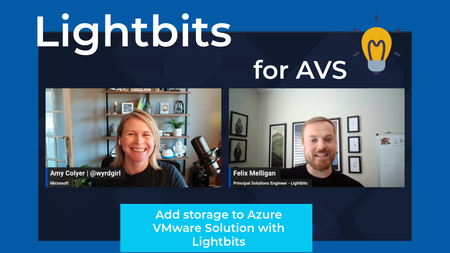
As users of Azure VMware Solution, we most likely will come across a time where we need to add storage and not necessarily need more compute from an additional host. Lightbits is another option in the Azure Marketplace to add storage that will scale and run storage intensive apps.4.3KViews4likes1Comment