sql data sync
2 TopicsAzure SQL Data Sync Retirement: Migration Insights and Modern Alternatives
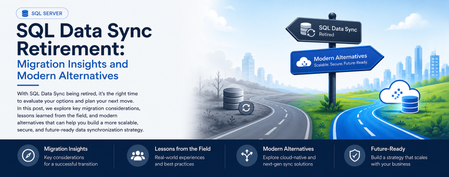
What started as a routine customer discussion quickly evolved into a strategic modernization conversation. A service that had quietly synchronized business-critical data for years was approaching retirement, prompting an important question: What should organizations do next? Every service retirement is an opportunity to reassess architecture, reduce technical debt, and build for the future. When a Retirement Notification Becomes a Business Conversation Recently, while working with a customer, we reviewed their Azure SQL Database architecture and discovered a critical dependency on SQL Data Sync For years, the service had reliably synchronized data across multiple databases, enabling applications, reporting workloads, and distributed business processes. Like many organizations, the customer viewed Data Sync as infrastructure that simply worked in the background. However, the discussion took a different turn when we reviewed Microsoft's retirement announcement: Azure SQL Data Sync will be retired on September 30, 2027. What initially appeared to be a migration challenge quickly became an opportunity to modernize the customer's data movement architecture and align with Microsoft's future investments in data integration, analytics, and cloud-native services. Understanding SQL Data Sync Azure SQL Data Sync was designed to synchronize selected data between Azure SQL Databases and, in some cases, between Azure and on-premises databases. Organizations have commonly used Data Sync for: Hybrid data synchronization Distributed application architectures Globally distributed applications Bi-directional data synchronization While the service has served customers well, organizations should begin evaluating alternative solutions now to ensure sufficient planning, testing, and adoption time before retirement. Because both databases were already in Azure, the discussion quickly moved toward identifying strategic alternatives. Customer's Setup This particular customer had a simple, familiar layout: one Azure SQL Database feeding another, both fully in Azure, connected by SQL Data Sync. No on-premises leg, no complicated topology — just two cloud databases that needed to stay aligned. Their requirements were equally straightforward, and honestly, the kind every team asks for: Reliable, dependable synchronization Low operational overhead — nobody wanted a new system to babysit Something with a real future, not another service on a retirement countdown Room to scale as data volumes grow An Azure-native fit, not a bolt-on third-party tool Because both databases already lived in Azure, the conversation moved quickly toward the platform's own native tooling — starting with the option that ended up being the strongest fit. Option 1: Azure Data Factory (Recommended Strategy) For customers running Azure SQL Database to Azure SQL Database synchronization, Azure Data Factory (ADF) emerged as the strongest strategic recommendation. Why ADF? Azure Data Factory provides: Fully managed Azure-native data movement Enterprise-grade monitoring Flexible orchestration Scalability from development through production environments Long-term Microsoft investment and support The migration pattern we typically recommend looks like: Phase1 :Initial Full Load Before anything can stay in sync, both sides need to start from the same place. Phase 1 is a one-time bulk copy: Azure Data Factory reads everything from the source database and writes it into the target, establishing a clean baseline. Phase2 :Incremental Synchronization Once both databases match, you don't need to keep copying everything — just what's changed. This is where Change Tracking (CT) or Change Data Capture (CDC) comes in: SQL Server-native features that flag which rows were inserted, updated, or deleted since the last run. ADF's incremental pipeline reads only those deltas and applies them downstream, on whatever schedule the business needs — minutes, hours, or daily. Phase 3: Scheduling and Monitoring Once both phases are live, ADF takes over the operational side: scheduling pipeline runs, monitoring their health, retrying failures automatically, and alerting your team when something needs attention. That's a level of visibility SQL Data Sync's built-in sync groups never really offered ADF handles: Scheduling Pipeline execution Monitoring Retry mechanisms Alerting This model often delivers greater visibility and operational control than traditional SQL Data Sync implementations. When You Don't Need Synchronization — You Need a Copy Partway through the engagement, one question reframed the whole discussion: do we actually need two-way synchronization, or do we just need a readable copy of the database somewhere else? That distinction matters more than it sounds, and it points to three other options worth knowing. Option 1: Active Geo-Replication If the goal is disaster recovery, serving read traffic closer to users, or keeping the business running through a regional outage, Active Geo-Replication is usually a better fit than rebuilding sync logic from scratch. It gives you a continuously updated, readable secondary — not a bi-directional sync target. Best fit Disaster recovery scenarios Read-intensive applications Global user distribution Secondary readable databases Less ideal for Complex data transformations Bi-directional updates Option 2: Database Copies and Read Replicas Some organizations do not require continuous synchronization at all. In those cases: Read Replicas Database Copy Good Use Cases Reporting databases Analytics environments Refreshable staging systems Read-only workloads This approach significantly reduces architectural complexity while still meeting many business requirements. Option 3: Microsoft Fabric Mirrored Databases As Microsoft Fabric adoption grows, another interesting alternative is Fabric Mirrored Databases. This option is particularly attractive for organizations already investing in: Microsoft Fabric OneLake Real-time analytics AI and data platform modernization Benefits include: Near real-time data availability Simplified analytics architecture Integration with Fabric workloads Reduced data silos For customers modernizing both operational and analytical platforms, this can be an excellent opportunity to rethink data architecture beyond simple synchronization. Option 4: Azure Functions for Event-Driven Synchronization Not every customer requires a large orchestration platform. For lightweight or application-specific synchronization logic, Azure Functions may offer a more agile approach. Example Use Cases Event-driven updates Custom business rules Microservices architectures Low-volume synchronization requirements The tradeoff is that customers assume additional development and operational responsibilities Lessons Learned from the Customer Engagement This engagement reinforced several important lessons: Don't Wait Until 2027 Although retirement is over a year away, large organizations often require significant planning, testing, governance approvals, and deployment cycles. Starting early reduces risk. There Is No Universal Replacement The right solution depends on: Latency requirements Read versus write workloads Synchronization direction Operational complexity DR requirements Budget limitation Different use cases require different migration paths. 3. Migration Is an Opportunity Rather than simply replacing SQL Data Sync, organizations should evaluate: Data architecture modernization Observability improvements Operational simplification Fabric adoption opportunities Long-term cloud strategy Final Recommendations For most customers currently using Azure SQL Database → Azure SQL Database synchronization: Requirement Recommended Solution Ongoing synchronization Azure Data Factory + CDC/Change Tracking Read-only replica Active Geo-Replication Simple duplication Database Copy or Read Replica Analytics modernization Fabric Mirrored Databases Event-driven custom logic Azure Functions In my customer's use case, Azure Data Factory with incremental changes (CDC) emerged as the preferred strategic path because it was Azure-native, scalable, supported long-term, and aligned with Microsoft's future direction for data movement and integration. Closing Thoughts Technology retirements often create urgency, but they also create opportunity. retirement of SQL Data Sync is not merely a migration project. It is an opportunity to reassess data movement architecture, improve resiliency, reduce technical debt, and embrace modern Azure-native services. If your organization is currently using SQL Data Sync, now is the right time to inventory your sync groups, identify dependencies, and begin evaluating alternative architectures before September 30, 2027. References SQL Data Sync Retirement Migration Guide What is SQL Data Sync for Azure SQL Database? SQL Data Sync retirement: Migrate to alternative solutionsRecovering Missing Rows (“Gaps”) in Azure SQL Data Sync — Supported Approaches (and What to Avoid)
Azure SQL Data Sync is commonly used to keep selected tables synchronized between a hub database and one or more member databases. In some cases, you may discover a data “gap”: a subset of rows that exist in the source but are missing on the destination for a specific time window, even though synchronization continues afterward for new changes. This post explains supported recovery patterns and what not to do, based on a real support scenario where a customer reported missing rows for a single table within a sync group and requested a way to synchronize only the missing records. The scenario: Data Sync continues, but some rows are missing In the referenced case, the customer observed that: A specific table had a gap on the member side (missing rows for a period), while newer data continued to sync normally afterward. They asked for a Microsoft-supported method to sync only the missing rows, without rebuilding or fully reinitializing the table. This is a reasonable goal—but the recovery method matters, because Data Sync relies on service-managed tracking artifacts. Temptation: “Can we push missing data by editing tracking tables or calling internal triggers?” A frequent idea is to “force” Data Sync to pick up missing rows by manipulating internal artifacts: Writing directly into Data Sync tracking tables (for example, tables under the DataSync schema such as *_dss_tracking), or altering provisioning markers. Manually invoking Data Sync–generated triggers or relying on their internal logic. The case discussion specifically referenced internal triggers such as _dss_insert_trigger, _dss_update_trigger, and _dss_delete_trigger. Why this is not recommended / not supported as a customer-facing solution In the case, the guidance from Microsoft engineering was clear: Manually invoking internal Data Sync triggers is not supported and can increase the risk of data corruption because these triggers are service-generated at runtime and are not intended for manual use. Directly manipulating Data Sync tracking/metadata tables is not recommended. The customer thread also highlights that these tracking tables are part of Data Sync internals, and using them for manual “push” scenarios is not a supported approach. Also, the customer conversation highlights an important conceptual point: tracking tables are part of how the service tracks changes; they are not meant to be treated as a user-managed replication queue. Supported recovery option #1 (recommended): Re-drive change detection via the base table The most supportable approach is to make Data Sync detect the missing rows through its normal change tracking path—by operating on the base/source table, not the service-managed internals. A practical pattern: “No-op update” to re-fire tracking In the internal discussion with the product team, the recommended pattern was to update the source/base table (even with a “no-op” assignment) so that Data Sync’s normal tracking logic is triggered, without manually invoking internal triggers. Example pattern (conceptual): UPDATE t SET some_column = some_column -- no-op: value unchanged FROM dbo.YourTable AS t WHERE <filter identifying the rows that are missing on the destination>; This approach is called out explicitly in the thread as a way to “re-drive” change detection safely through supported mechanisms. Operational guidance (practical): Apply the update in small batches, especially for large tables, to reduce transaction/log impact and avoid long-running operations. Validate the impacted row set first (for example, by comparing keys between hub and member). Supported recovery option #2: Deprovision and re-provision the affected table (safe “reset” path) If the gap is large, the row-set is hard to isolate, or you want a clean realignment of tracking artifacts, the operational approach discussed in the case was: Stop sync Remove the table from the sync group (so the service deprovisions tracking objects) Fix/clean the destination state as needed Add the table back and let Data Sync re-provision and sync again This option is often the safest when the goal is to avoid touching system-managed artifacts directly. Note: In production environments, customers may not be able to truncate/empty tables due to operational constraints. In that situation, the sync may take longer because the service might need to do more row-by-row evaluation. This “tradeoff” was discussed in the case context. Diagnostics: Use the Azure SQL Data Sync Health Checker When you suspect metadata drift, missing objects, or provisioning inconsistencies, the case recommended using the AzureSQLDataSyncHealthChecker script. This tool: Validates hub/member metadata and scopes against the sync metadata database Produces logs that can highlight missing artifacts and other inconsistencies Is intended to help troubleshoot Data Sync issues faster A likely contributor to “gaps”: schema changes during Data Sync (snapshot isolation conflict) In the case discussion, telemetry referenced an error consistent with concurrent DDL/schema changes while the sync process is enumerating changes (snapshot isolation + metadata changes). A well-known related error is SQL Server error 3961, which occurs when a snapshot isolation transaction fails because metadata was modified by a concurrent DDL statement, since metadata is not versioned. Microsoft documents this behavior and explains why metadata changes conflict with snapshot isolation semantics. Prevention guidance (practical) Avoid running schema deployments (DDL) during active sync windows. Use a controlled workflow for schema changes with Data Sync—pause/coordinate changes to prevent mid-sync metadata shifts. (General best practices exist for ongoing Data Sync operations and maintenance.) Key takeaways Do not treat Data Sync tracking tables/triggers as user-managed “replication internals.” Manually invoking internal triggers or editing tracking tables is not a supported customer-facing recovery mechanism. Do recover gaps via base table operations (insert/update) so the service captures changes through its normal path—“no-op update” is one practical pattern when you already know the missing row set. For large/complex gaps, consider the safe reset approach: remove the table from the sync group and re-add it to re-provision artifacts. Use the AzureSQLDataSyncHealthChecker to validate metadata consistency and reduce guesswork. If you see intermittent failures around deployments, consider the schema-change + snapshot isolation pattern (e.g., error 3961) as a possible contributor and schedule DDL changes accordingly. From our experience, when there are row gaps it is usually because of change in the PK or source table.421Views0likes0Comments