spfx
106 TopicsCopilot, Microsoft 365 & Power Platform product updates call
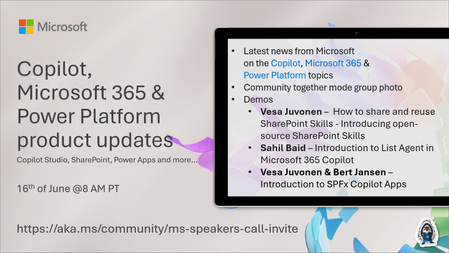
💡Copilot, Microsoft 365 & Power Platform product updates call concentrates on the different use cases and features within the Microsoft 365 and in Power Platform. Call includes topics like Microsoft 365 Copilot, Copilot Studio, Microsoft Teams, Power Platform, Microsoft Graph, Microsoft Viva, Microsoft Search, Microsoft Lists, SharePoint, Power Automate, Power Apps and more. 👏 Weekly Tuesday call is for all community members to see Microsoft PMs, engineering and Cloud Advocates showcasing the art of possible with Microsoft 365 and Power Platform. 📅 On the 16th of June we'll have following agenda: News and updates from Microsoft Together mode group photo Vesa Juvonen – How to share and reuse SharePoint Skills - Introducing open-source SharePoint Skills Sahil Baid – Introduction to List Agent in Microsoft 365 Copilot Vesa Juvonen & Bert Jansen – Introduction to SPFx Copilot Apps 📞 & 📺 Join the Microsoft Teams meeting live at https://aka.ms/community/ms-speakers-call-join 🗓️ Download recurrent invite for this weekly call from https://aka.ms/community/ms-speakers-call-invite 👋 See you in the call! 💡 Building something cool for Microsoft 365 or Power Platform (Copilot, SharePoint, Power Apps, etc)? We are always looking for presenters - Volunteer for a community call demo at https://aka.ms/community/request/demo 📖 Resources: Previous community call recordings and demos from the Microsoft Community Learning YouTube channel at https://aka.ms/community/youtube Microsoft 365 & Power Platform samples from Microsoft and community - https://aka.ms/community/samples Microsoft 365 & Power Platform community details - https://aka.ms/community/home 🧡 Sharing is caring!108Views0likes0CommentsMicrosoft 365 & Power Platform Community call
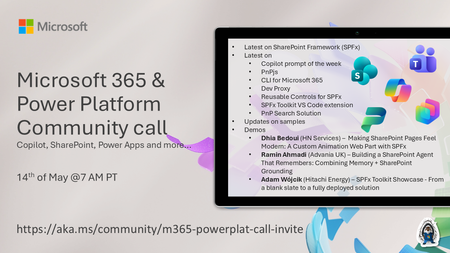
💡 Microsoft 365 & Power Platform Development bi-weekly community call focuses on different use cases and features within the Microsoft 365 and Power Platform - across Microsoft 365 Copilot, Copilot Studio, SharePoint, Power Apps and more. Demos in this call are presented by the community members. 👏 Looking to catch up on the latest news and updates, including cool community demos, this call is for you! 📅 On 14th of May we'll have following agenda: Latest on SharePoint Framework (SPFx) Latest on Copilot prompt of the week PnPjs CLI for Microsoft 365 Dev Proxy Reusable Controls for SPFx SPFx Toolkit VS Code extension PnP Search Solution Demos this time Dhia Bedoui (HN Services) – Making SharePoint Pages Feel Modern: A Custom Animation Web Part with SPFx Ramin Ahmadi (Advania UK) – Building a SharePoint Agent That Remembers: Combining Memory + SharePoint Grounding Adam Wójcik (Hitachi Energy) – SPFx Toolkit Showcase - From a blank slate to a fully deployed solution 📅 Download recurrent invite from https://aka.ms/community/m365-powerplat-dev-call-invite 📞 & 📺 Join the Microsoft Teams meeting live at https://aka.ms/community/m365-powerplat-dev-call-join 💡 Building something cool for Microsoft 365 or Power Platform (Copilot, SharePoint, Power Apps, etc)? We are always looking for presenters - Volunteer for a community call demo at https://aka.ms/community/request/demo 👋 See you in the call! 📖 Resources: Previous community call recordings and demos from the Microsoft Community Learning YouTube channel at https://aka.ms/community/youtube Microsoft 365 & Power Platform samples from Microsoft and community - https://aka.ms/community/samples Microsoft 365 & Power Platform community details - https://aka.ms/community/home 🧡 Sharing is caring!235Views0likes0CommentsMicrosoft 365 & Power Platform Community call
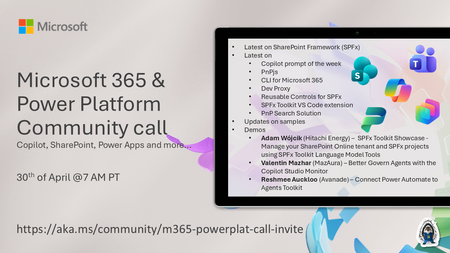
💡 Microsoft 365 & Power Platform Development bi-weekly community call focuses on different use cases and features within the Microsoft 365 and Power Platform - across Microsoft 365 Copilot, Copilot Studio, SharePoint, Power Apps and more. Demos in this call are presented by the community members. 👏 Looking to catch up on the latest news and updates, including cool community demos, this call is for you! 📅 On 30th of April we'll have following agenda: Latest on SharePoint Framework (SPFx) Latest on Copilot prompt of the week PnPjs CLI for Microsoft 365 Dev Proxy Reusable Controls for SPFx SPFx Toolkit VS Code extension PnP Search Solution Demos this time Adam Wójcik (Hitachi Energy) – SPFx Toolkit Showcase - Manage your SharePoint Online tenant and SPFx projects using SPFx Toolkit Language Model Tools Valentin Mazhar (MazAura) – Better Govern Agents with the Copilot Studio Monitor Reshmee Auckloo (Avanade) – Connect Power Automate to Agents Toolkit 📅 Download recurrent invite from https://aka.ms/community/m365-powerplat-dev-call-invite 📞 & 📺 Join the Microsoft Teams meeting live at https://aka.ms/community/m365-powerplat-dev-call-join 💡 Building something cool for Microsoft 365 or Power Platform (Copilot, SharePoint, Power Apps, etc)? We are always looking for presenters - Volunteer for a community call demo at https://aka.ms/community/request/demo 👋 See you in the call! 📖 Resources: Previous community call recordings and demos from the Microsoft Community Learning YouTube channel at https://aka.ms/community/youtube Microsoft 365 & Power Platform samples from Microsoft and community - https://aka.ms/community/samples Microsoft 365 & Power Platform community details - https://aka.ms/community/home 🧡 Sharing is caring!209Views0likes0CommentsMicrosoft 365 & Power Platform Community call
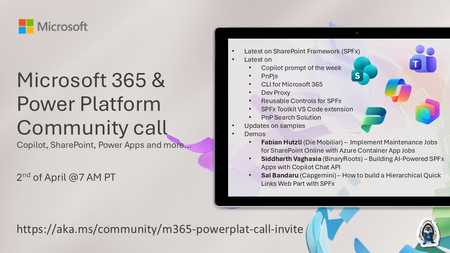
💡 Microsoft 365 & Power Platform Development bi-weekly community call focuses on different use cases and features within the Microsoft 365 and Power Platform - across Microsoft 365 Copilot, Copilot Studio, SharePoint, Power Apps and more. Demos in this call are presented by the community members. 👏 Looking to catch up on the latest news and updates, including cool community demos, this call is for you! 📅 On 19th of March we'll have following agenda: Latest on SharePoint Framework (SPFx) Latest on Copilot prompt of the week PnPjs CLI for Microsoft 365 Dev Proxy Reusable Controls for SPFx SPFx Toolkit VS Code extension PnP Search Solution Demos this time Fabian Hutzli (Die Mobiliar) – Implement Maintenance Jobs for SharePoint Online with Azure Container App Jobs Siddharth Vaghasia (BinaryRoots) – Building AI-Powered SPFx Apps with Copilot Chat API Sai Bandaru (Capgemini) – How to build a Hierarchical Quick Links Web Part with SPFx 📅 Download recurrent invite from https://aka.ms/community/m365-powerplat-dev-call-invite 📞 & 📺 Join the Microsoft Teams meeting live at https://aka.ms/community/m365-powerplat-dev-call-join 💡 Building something cool for Microsoft 365 or Power Platform (Copilot, SharePoint, Power Apps, etc)? We are always looking for presenters - Volunteer for a community call demo at https://aka.ms/community/request/demo 👋 See you in the call! 📖 Resources: Previous community call recordings and demos from the Microsoft Community Learning YouTube channel at https://aka.ms/community/youtube Microsoft 365 & Power Platform samples from Microsoft and community - https://aka.ms/community/samples Microsoft 365 & Power Platform community details - https://aka.ms/community/home 🧡 Sharing is caring!143Views1like0CommentsMicrosoft 365 & Power Platform Community call
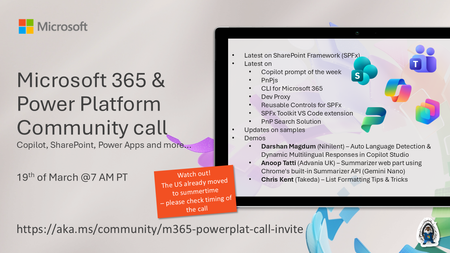
💡 Microsoft 365 & Power Platform Development bi-weekly community call focuses on different use cases and features within the Microsoft 365 and Power Platform - across Microsoft 365 Copilot, Copilot Studio, SharePoint, Power Apps and more. Demos in this call are presented by the community members. 👏 Looking to catch up on the latest news and updates, including cool community demos, this call is for you! 📅 On 19th of March we'll have following agenda: Latest on SharePoint Framework (SPFx) Latest on Copilot prompt of the week PnPjs CLI for Microsoft 365 Dev Proxy Reusable Controls for SPFx SPFx Toolkit VS Code extension PnP Search Solution Demos this time Darshan Magdum (Nihilent) – Auto Language Detection & Dynamic Multilingual Responses in Copilot Studio Anoop Tatti (Advania UK) – Summarizer web part using Chrome's built-in Summarizer API (Gemini Nano) Chris Kent (Takeda) – List Formatting Tips & Tricks 📅 Download recurrent invite from https://aka.ms/community/m365-powerplat-dev-call-invite 📞 & 📺 Join the Microsoft Teams meeting live at https://aka.ms/community/m365-powerplat-dev-call-join 💡 Building something cool for Microsoft 365 or Power Platform (Copilot, SharePoint, Power Apps, etc)? We are always looking for presenters - Volunteer for a community call demo at https://aka.ms/community/request/demo 👋 See you in the call! 📖 Resources: Previous community call recordings and demos from the Microsoft Community Learning YouTube channel at https://aka.ms/community/youtube Microsoft 365 & Power Platform samples from Microsoft and community - https://aka.ms/community/samples Microsoft 365 & Power Platform community details - https://aka.ms/community/home 🧡 Sharing is caring!133Views0likes0CommentsMicrosoft 365 & Power Platform Community call
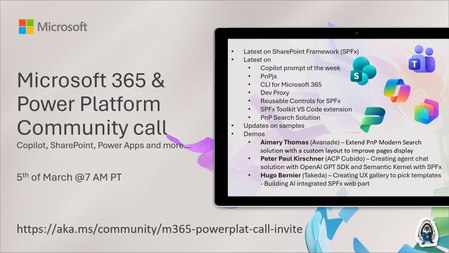
💡 Microsoft 365 & Power Platform Development bi-weekly community call focuses on different use cases and features within the Microsoft 365 and Power Platform - across Microsoft 365 Copilot, Copilot Studio, SharePoint, Power Apps and more. Demos in this call are presented by the community members. 👏 Looking to catch up on the latest news and updates, including cool community demos, this call is for you! 📅 On 5th of March we'll have following agenda: Latest on SharePoint Framework (SPFx) Latest on Copilot prompt of the week PnPjs CLI for Microsoft 365 Dev Proxy Reusable Controls for SPFx SPFx Toolkit VS Code extension PnP Search Solution Demos this time Aimery Thomas (Avanade) – Extend PnP Modern Search solution with a custom layout to improve pages display Peter Paul Kirschner (ACP Cubido) – Creating agent chat solution with OpenAI GPT SDK and Semantic Kernel with SPFx Hugo Bernier (Takeda) – Creating UX gallery to pick templates - Building AI integrated SPFx web part 📅 Download recurrent invite from https://aka.ms/community/m365-powerplat-dev-call-invite 📞 & 📺 Join the Microsoft Teams meeting live at https://aka.ms/community/m365-powerplat-dev-call-join 💡 Building something cool for Microsoft 365 or Power Platform (Copilot, SharePoint, Power Apps, etc)? We are always looking for presenters - Volunteer for a community call demo at https://aka.ms/community/request/demo 👋 See you in the call! 📖 Resources: Previous community call recordings and demos from the Microsoft Community Learning YouTube channel at https://aka.ms/community/youtube Microsoft 365 & Power Platform samples from Microsoft and community - https://aka.ms/community/samples Microsoft 365 & Power Platform community details - https://aka.ms/community/home 🧡 Sharing is caring!268Views0likes0Comments
SharePoint Admin Center redirecting to SPFx Single Sign On Redirect Page
Hello, I've got an issue currently open with Microsoft Support however they're so far have been unable to resolve why I am being redirected to the SPFx Single Sign On Redirect Page when trying to access https://tenantname-admin.sharepoint.com/_layouts/15/online/AdminHome.aspx#/home or https://admin.microsoft.com/sharepoint I am automatically taken to this page: https://mytenant-admin.sharepoint.com/_forms/spfxsinglesignon.aspx#code=0.AS8AW0bSmouaik6V_eHePuABYHaI4Qh3YX5IuLXPlQweWYwvABo.AgABAAIAAAAmoFfGtYxvRrNriQdPKIZ-AgDs_wUA9P_WluBbcSJB8cYbx71lqqyGHXDLsQVhhZcLagG1nJVuzJmvdXqmMvfZLcR57oq4kV22VhbPOWpKyp9ABUF4tm7Pxs5I5_B3BPsDOD4QiS0VqO6gwAwQYNUc9pOjEloq0Bz1B1ZHnQMm-hG4V_82qj9O8Hx6rJ8JSpA9fBzhz51tsPClPQOBVpBU1fns_9bkraWscTBJnOlDTJv5hBrN1q6Fg7wqj5B2C9xdYCFBvb-VtaDifKLGrfvMUcnQ65q4QdOUogXsMT-jRVEQiLtMlqRb577n2BH0AQNrgAAOx2O4mlaICP0zryw6Gq3gZwnn8nCieusQ_zUqDUENaF9EDovxLvq-VDkNy7FUKU3lOlXqOE-j89oez7Wxpe-811wJUKVwv4nyeymNTqs4K7e1BHR-15iECb40bI65TvjzKSS-Zz9qBLu2c8vDxq18snuqpyhO_JxUIC7ya4qysOl1kexTqBjINizSrb7s94PXXJAzVBT_XuCZDPK2YaOewowrpPPzcV5d7M_HgezHDGI6_8YPZOI4SfKDWAQ4hN02LiexG71z3OtzUt1pPMErBVjzDMC1NGdNspu4f9JPAIjdBlYRbHRB0mt1HsbmJiVmbUpSDgoqz0VIBPeh_zVfhFp8Yv8qGBut6mbOCgG9IYppfX3K5j9hsEUYhKDpdSPSxcGuW2JfoOI6kD222eZ9WRyVip9WyAndCzO0yKp48op3z_5_NnqfVEWZEW4vNOkB3TZF3n8SI2OEu6eYODGjyZBKikhnMQ6o72PpO9V8lFQKejK_3-ll-Znh4nDpjkjoix8FCzAsLRydrV0I-4Zb2U4aTRDc7Z4ZkAUKyHHFjO_cIeMrw_mYmRmzF6SOsTX5cbwLcyukQiT-a9WLBg0UVQNkuQB0gruCANYYlP4d-aElOvODltEP&client_info=eyJ1aWQiOiI0MTljN2FhNS1hMzlmLTQwZGEtODQxZi02MDQ4OTA1YzliYzYiLCJ1dGlkIjoiOWFkMjQ2NWItOWE4Yi00ZThhLTk1ZmQtZTFkZTNlZTAwMTYwIn0&state=eyJpZCI6IjhhNjM0ZGQwLWYxYTgtNGE4NC1iNGQwLTcwNzAwYWQ1ODE4YyIsIm1ldGEiOnsiaW50ZXJhY3Rpb25UeXBlIjoicmVkaXJlY3QifX0%3d%7chttps%3a%2f%2fmytenant-admin.sharepoint.com%2f_layouts%2f15%2fonline%2fAdminHome.aspx%23%2fhome&session_state=3eeb8686-6f12-44cd-8159-1bb6ccf45bdb&correlation_id=5318a330-f909-411b-b997-a203bf473edb Any clue on what could be causing this as it only appears to be happening with my admin account. All other admins who have the SharePoint Admin role are able to traverse to the SharePoint Admin Center correctly. and Yes, I've tried this on 4 different browsers and several different computers - all resulting in the same issue.11KViews1like9Comments
SharePoint 2019 - Embed.aspx page
Hello, I've implemented an SPFX solution that displays document files retrieved from document library , once clicked, it should open the document in sharepoint's embed.aspx page from the field "ServerRedirectedEmbedUrl". But this field is always empty for the documents. Also, when i try to access the embed page through the browser like "http://servername/_layouts/15/embed.aspx" i see the error bellow: how can i fix this? knowing that this functionality is working normally for SharePoint Online, but iam struggling trying to implement the same for sharepoint 2019 server.681Views0likes0Comments
How to know if I can trust an SPFX webpart?
I am in the process of implementing an spfx webpart but before I need to make sure it is not a security threat. From researching I was not able to find if there is any way to run a check or provide a validation that the webpart is safe for the organization as it does ask for Graph API permissions, I do not think there is any issues with it, but I need to be able to have cleareance. This is the webpart: https://github.com/pnp/sp-dev-fx-webparts/tree/main/samples/react-accordion-dynamic-section1.6KViews0likes3Comments