siem
464 TopicsThe leaver who never left: tuning a Sentinel detection from 103 rows to one alert
Most account compromise detections look for something odd: a new country, an impossible journey, or a sign-in at 3 AM. I wanted to catch a case where nothing looks odd at all. Someone leaves the organisation. HR knows, their manager knows, but the request to disable their account sits in a queue or never gets raised. A week later, they sign in from the same laptop, on the same Wi-Fi, into the same apps they used every day. To Entra ID, that is a normal sign-in. Location rules have nothing to catch because nothing has changed. I started from a threat model for a hospital running Microsoft 365. Of the threats I scored, this one stood out because it requires no advanced skill. The person already has a password that works. The only signal is that they are not supposed to be there anymore, and that fact lives with HR, not in the logs. So, the detection has to bring that context into Microsoft Sentinel. Writing it in plain words first Before writing any KQL, I defined exactly what the rule should do: • When an account signs in successfully • AND it is on HR's leavers list • AND the sign-in is after their leave date • THEN raise one High-severity alert per person • EXCEPT when IT is already closing the account, or the person has been rehired The sign-ins are in SigninLogs. For the leavers list, I used a Sentinel watchlist: a CSV with two columns, UserPrincipalName and LeaveDate. To test it, I put my own account on the list with a leave date in the past, so every sign-in after that date should trigger. Version 1 let Leavers = _GetWatchlist('Leavers') | project UPN = tolower(tostring(SearchKey)); SigninLogs | where TimeGenerated > ago(7d) | where ResultType == "0" | where tolower(UserPrincipalName) in (Leavers) | project TimeGenerated, UserPrincipalName, AppDisplayName, IPAddress, Location It worked, and that was the problem. It returned 103 rows for one person: every token refresh, every app. An analyst opening that incident would scroll through a hundred near-identical lines to learn one thing: this person is still getting in. It also ignored the leave date, so it would fire on sign-ins from before someone left as well. Version 2 I made two changes: only count sign-ins after the leave date, and summarise per person instead of listing every event. The result was one row: 103 sign-ins, the first and last time seen, the 4 apps used, and the 2 IP addresses. That is exactly what an analyst needs to decide what to do next. The bug that took the longest Version 2 failed with this error: Failed to resolve scalar expression named 'LeaveDate' The column was clearly there. I could see it in the watchlist. I rewrote the query more than once before I looked at the raw Watchlist table and saw the column was actually called " LeaveDate", with a leading space. The CSV had been saved with a space after each comma. The header looked fine to me, and Sentinel took it literally. The fix was to read the Watchlist table directly, use coalesce() to accept either spelling of the column, and trim() to strip spaces from the values. The bigger lesson: lists from other teams will not always be clean, and a detection should cope with that rather than break. The final query let Leavers = Watchlist | where TimeGenerated > ago(90d) | where WatchlistAlias == "Leavers" | summarize arg_max(TimeGenerated, *) by _DTItemId | where _DTItemStatus != "Delete" | extend RawDate = coalesce(tostring(WatchlistItem["LeaveDate"]), tostring(WatchlistItem[" LeaveDate"])) | project UPN = tolower(trim(@"\s", tostring(SearchKey))), LeaveDate = todatetime(trim(@"\s", RawDate)); SigninLogs | where TimeGenerated > ago(7d) | where ResultType == "0" | extend UPN = tolower(UserPrincipalName) | join kind=inner Leavers on UPN | where TimeGenerated > LeaveDate | summarize SignIns = count(), FirstSeen = min(TimeGenerated), LastSeen = max(TimeGenerated), Apps = make_set(AppDisplayName), IPs = make_set(IPAddress) by UPN, LeaveDate arg_max keeps only the latest version of each watchlist row, and the _DTItemStatus filter drops rows that have been deleted, so someone taken off the list stops alerting. What I would add before using it for real • Feed the list from the HR system instead of uploading a CSV by hand. A list that is two weeks out of date has the same gap as no list. • Build in the exceptions: accounts IT is already closing, and rehires. • Make it a scheduled rule: hourly, 7-day lookback, High severity, with the user mapped as an account entity so the incident links to anything else that account has done. • Check the data is arriving. In the same lab, I found three log sources that had been silent for a month with no error anywhere. A detection is only as good as the data under it. The queries and notes are available on my GitHub: github.com/RabiatuMohammed/sentinel-detections Update: catching the re-enable, not just the sign-in After publishing this, I tested a worse version of the problem. I disabled a test account, watched it get refused at sign-in, then switched it back on. Two minutes later, it was signed in again. 13:11 - Account disabled (AuditLogs: Disable account) 13:15 - Sign-in refused (SigninLogs: 50057, account disabled) 13:29 - Account re-enabled (AuditLogs: Enable account) 13:31 - Signed in again (SigninLogs: 0, success) The rule above only fires at 13:31, after they are back in. The moment that actually matters is 13:29. Disabling the account was the right ending, so switching it back on needs a reason. So, I wrote a second rule that watches for "Enable account" on anyone on the leavers list, and shows who did it: AuditLogs | where OperationName == "Enable account" | extend UPN = tolower(tostring(TargetResources[0].userPrincipalName)), EnabledBy = coalesce(tostring(InitiatedBy.user.userPrincipalName), tostring(InitiatedBy.app.displayName)) | join kind=inner Leavers on UPN | where TimeGenerated > LeaveDate | project TimeGenerated, UPN, LeaveDate, EnabledBy Against the test, it returned one row at 13:29, two minutes before the sign-in. One thing surprised me: the sign-in screen told the user the account was locked, but the log said disabled (50057). Locked would have been 50053. I now go by the error code, not by what the user says they saw. The full query is available on GitHub as DET-LEAVER-02.252Views0likes3Comments
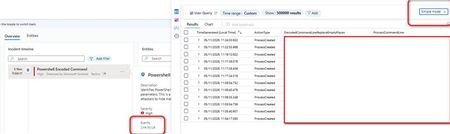
Microsoft Sentinel - switching simple mode to kql mode in sentinel logs
In sentinel, when i go to the alert page and from there i opened the corresponding the events using Link to LA clickable link, it opens the events in simple mode. However i have configured the Logs to open it in KQL mode and every time i have to changed it to KQL mode to do the task182Views0likes1Comment
Microsoft Sentinel Armis Connector
Hi all, In our environment, we use Armis and collect Armis activity, alert, and device logs in Microsoft Sentinel. For this, we use the Microsoft-released Armis connector from Content Hub. The connector uses an Azure Function app to collect logs from Armis via the REST API. However, the connector uses the legacy HTTP Data Collector API, which Microsoft has deprecated, and support ended in September 2026. My questions: Has Microsoft released a DCR-based or CCF connector for collecting Armis logs? I couldn't find any newly released connector in Content Hub. If an issue occurs on the connector side, is Microsoft support still available, given that Microsoft hasn't released a new connector to migrate to?329Views0likes1CommentHow to maintain and update Azure Function Connector deployed via WEBSITE_RUN_FROM_PACKAGE?
Background We recently completed a migration from the legacy Microsoft Sentinel Box connector to the newer Box Events (CCP) connector. During the migration we discovered that the legacy Box connector was implemented using: Azure Functions JWT authentication WEBSITE_RUN_FROM_PACKAGE The Function App is configured as: WEBSITE_RUN_FROM_PACKAGE=https://aka.ms/sentinel-BoxDataConnector-functionapp and the Azure Function therefore operates in read-only mode because it is running directly from the package referenced by that URL. The migration to the new Box Events (CCP) connector has been successful and is now ingesting data into BoxEventsV2_CL using Client Credentials Grant (CCG) authentication. What prompted the question While reviewing the legacy Azure Function deployment, we noticed that: The Box Solution GitHub repository has received updates over time. The Box Solution itself has been updated (currently v3.16 in our environment). Analytics, parsers, and connector components have evolved. The legacy Azure Function deployment still appears to be tied to the original package referenced by WEBSITE_RUN_FROM_PACKAGE. This raised a broader lifecycle and maintenance question: Questions 1. Is the package referenced by: https://aka.ms/sentinel-BoxDataConnector-functionapp still actively maintained and republished by Microsoft? 2. If updates are made to the Box Solution source code or supporting files in the GitHub repository, are those updates expected to flow automatically to existing Azure Function deployments that use WEBSITE_RUN_FROM_PACKAGE? 3. If updates do not automatically flow to existing deployments, what was the intended maintenance model for customers using the legacy Azure Function connector? For example, were customers expected to: Continue using the Microsoft-hosted package URL indefinitely? Periodically redeploy using updated templates? Download and self-maintain the Function App package? Modify the Function App to stop using WEBSITE_RUN_FROM_PACKAGE? 4. Prior to the introduction of the Box Events (CCP) connector, how were customers expected to apply updates, dependency changes, security fixes, and other improvements to existing Box Azure Function deployments? 5. Is migration to the Box Events (CCP) connector now considered the only supported path for customers wishing to remain current with Microsoft Sentinel Box integrations? Reason for asking The goal is not to troubleshoot the new CCP connector. Rather, we are trying to better understand the support and maintenance lifecycle of the legacy Azure Function-based Box connector and how Microsoft intended customers to remain current when deployments were originally made using a Microsoft-hosted WEBSITE_RUN_FROM_PACKAGE endpoint. Any clarification from the Box Solution maintainers or Microsoft Sentinel team would be appreciated. NB I came across this notice after following some links from the Box Solution listed in Azure. https://github.com/Azure/Azure-Sentinel/blob/master/Solutions/known_issues.md#known-issue-2--solution-re-deployment-or-update That seems to indicate that somehow we are meant to Redeploy the entire package when there is an update and then somehow copy / update all the Custom Analytics Rules and Automations. Is there no way to merge the new modules and updates without basically having to start over with a side-by-side deployment?265Views0likes1Comment
The Hidden Reason Your Sentinel Playbook Won't Show Up in Automation Rules (It's Not RBAC)
If a Logic App using the native Microsoft Sentinel incident trigger doesn't show up in the "Run playbook" picker of an Automation Rule — even though permissions, region, and connection are all correct — check the internal action name of the trigger in the JSON code view. If the Logic App was created while the Azure portal was set to a non-English language, the designer may generate a localized action name instead of the expected Microsoft_Sentinel_incident, and the playbook won't be picked up. Environment Microsoft Sentinel (Log Analytics workspace) Logic Apps (Consumption plan) Trigger: native Microsoft Sentinel connector, "Incident" trigger (/incident-creation path) Authentication: system-assigned Managed Identity Same subscription, resource group, and region as the Sentinel workspace Problem Two Logic Apps, both triggered by the native Microsoft Sentinel incident trigger, both using a system-assigned managed identity with the Microsoft Sentinel Responder role granted on the workspace. Same subscription, same resource group, same region. Only one of the two appeared in the "Run playbook" dropdown when configuring an Automation Rule in Sentinel. The other was simply absent — no error message, no warning, nothing in the run history to explain it. Investigation The usual suspects were checked and ruled out one by one: API connection health — one azuresentinel connection was indeed in an "Error" state, but it turned out not to be the one referenced by the affected trigger. Managed identity RBAC — the Microsoft Sentinel Responder role was correctly assigned to the Logic App's managed identity on the Sentinel workspace. User's own RBAC/PIM role — the Logic App Contributor role (required for the account configuring the Automation Rule to even see the resource) was active via PIM at the time of testing. Region/subscription/resource group — identical for both Logic Apps. Trigger type — both used the native "Incident in Microsoft Sentinel" trigger added through the visual designer, not a generic HTTP trigger or a deprecated connector. Every documented requirement was met. The playbook was still invisible. Root Cause Comparing the raw JSON (Logic app > Development tools > Code view) revealed the actual difference. Working Logic App (visible in the picker): "triggers": { "Microsoft_Sentinel_incident": { "type": "ApiConnectionWebhook", "inputs": { "body": { "callback_url": "@{listCallbackUrl()}" }, "path": "/incident-creation" } } } Broken Logic App (invisible in the picker): "triggers": { "Incident_dans_Microsoft_Sentinel": { "type": "ApiConnectionWebhook", "inputs": { "body": { "callback_url": "@listCallbackUrl()" }, "path": "/incident-creation" } } } The connector type and the path (/incident-creation) are identical. The one meaningful structural difference is the trigger's action name: Microsoft_Sentinel_incident versus Incident_dans_Microsoft_Sentinel. The second Logic App's trigger had been added while the Azure portal was set to French. The designer generated a localized action name instead of the canonical English one. Everything points to Sentinel's playbook discovery mechanism scanning Logic App definitions for that exact canonical action name (Microsoft_Sentinel_incident) to identify a resource as a valid Sentinel playbook — rather than relying solely on the connector type or the webhook path, as one would reasonably expect. Fix Renaming the trigger's action key in the JSON to the canonical name was enough: "triggers": { "Microsoft_Sentinel_incident": { ... } } No permission, connection, or region change was required — only this rename. Takeaways The Sentinel Automation Rule playbook picker appears to depend on the exact trigger action name, not just its type or functional behavior — a dependency that isn't documented anywhere in the official Microsoft docs as of this writing. The Azure portal's display language at the time a trigger is added has a direct impact on that Logic App's compatibility with Sentinel Automation Rules. A playbook can be fully functional (running without errors when triggered manually or through an older automation mechanism) while still being invisible in the newer Automation Rule selector — which makes this particular issue easy to miss, since nothing explicitly flags it. Recommendations Temporarily switch the Azure portal to English (Portal settings > Language and region) before adding a Sentinel trigger to a Logic App, if your team usually works in another language. If an existing Logic App won't show up despite an otherwise correct configuration, check the trigger's action name in the JSON code view first — it's a 30-second check that can save hours of RBAC/connection troubleshooting. Document this in your internal runbooks if your team works in a localized portal — this kind of detail is easy to lose and can cost significant troubleshooting time down the line. Has anyone else run into similar localization-related quirks in Sentinel or Logic Apps? Would be curious to hear about other cases in the comments.374Views0likes0CommentsThe Hidden Reason Your Sentinel Playbook Won't Show Up in Automation Rules (It's Not RBAC)
If a Logic App using the native Microsoft Sentinel incident trigger doesn't show up in the "Run playbook" picker of an Automation Rule — even though permissions, region, and connection are all correct — check the internal action name of the trigger in the JSON code view. If the Logic App was created while the Azure portal was set to a non-English language, the designer may generate a localized action name instead of the expected Microsoft_Sentinel_incident, and the playbook won't be picked up. Environment Microsoft Sentinel (Log Analytics workspace) Logic Apps (Consumption plan) Trigger: native Microsoft Sentinel connector, "Incident" trigger (/incident-creation path) Authentication: system-assigned Managed Identity Same subscription, resource group, and region as the Sentinel workspace Problem Two Logic Apps, both triggered by the native Microsoft Sentinel incident trigger, both using a system-assigned managed identity with the Microsoft Sentinel Responder role granted on the workspace. Same subscription, same resource group, same region. Only one of the two appeared in the "Run playbook" dropdown when configuring an Automation Rule in Sentinel. The other was simply absent — no error message, no warning, nothing in the run history to explain it. Investigation The usual suspects were checked and ruled out one by one: API connection health — one azuresentinel connection was indeed in an "Error" state, but it turned out not to be the one referenced by the affected trigger. Managed identity RBAC — the Microsoft Sentinel Responder role was correctly assigned to the Logic App's managed identity on the Sentinel workspace. User's own RBAC/PIM role — the Logic App Contributor role (required for the account configuring the Automation Rule to even see the resource) was active via PIM at the time of testing. Region/subscription/resource group — identical for both Logic Apps. Trigger type — both used the native "Incident in Microsoft Sentinel" trigger added through the visual designer, not a generic HTTP trigger or a deprecated connector. Every documented requirement was met. The playbook was still invisible. Root Cause Comparing the raw JSON (Logic app > Development tools > Code view) revealed the actual difference. Working Logic App (visible in the picker): "triggers": { "Microsoft_Sentinel_incident": { "type": "ApiConnectionWebhook", "inputs": { "body": { "callback_url": "@{listCallbackUrl()}" }, "path": "/incident-creation" } } } Broken Logic App (invisible in the picker): "triggers": { "Incident_dans_Microsoft_Sentinel": { "type": "ApiConnectionWebhook", "inputs": { "body": { "callback_url": "@listCallbackUrl()" }, "path": "/incident-creation" } } } The connector type and the path (/incident-creation) are351Views0likes0Comments
Cloudflare Log ingestion in Sentinel with CCF
Hi all, I built a connector to ingest cloudflare firewall logs using CCF. The reason why I had to build this custom one while the official one was available was because official one uses Logpush which is a service that is available only on Enterprise plan, so if you are on pro or business plan you can not use it. Putting it out here in case anyone wants to try. https://amankhan.net/posts/Cloudflare-CCF-Connector/542Views0likes1CommentHunting AI Agent Configuration Drift with Microsoft Sentinel
Four KQL patterns for detecting instruction changes, new MCP servers, ownership changes, and organization-wide sharing I recently authored and contributed four new Microsoft Sentinel hunting queries for detecting security-relevant configuration drift in AI agents. They have been reviewed, approved, and merged into Microsoft's public Azure-Sentinel repository. I built the queries around four changes that can materially affect an agent's behavior, access, or exposure: instructions being modified, MCP servers being connected, owners being added, and sharing being expanded to the entire organization. Each modification may be legitimate, but each deserves enough context for a security team to verify that it was expected and authorized. For a security operations team, the difficult question is often not what does this agent look like now? It is what changed since the last known state? Microsoft Sentinel's AgentsInfo table provides inventory-style snapshots of AI agents and their associated configuration. That makes it useful for more than posture reporting. By comparing a recent snapshot with an earlier baseline, we can hunt for configuration drift that deserves investigation. This post walks through four practical hunting scenarios: Instructions changed on a previously published agent A newly observed MCP server on an existing agent An owner added to an MCP-enabled agent Sharing expanded from a restricted scope to the entire organization The complete hunting queries are available in Microsoft's public https://github.com/Azure/Azure-Sentinel/tree/master/Hunting%20Queries/AI%20Agents. The focus here is the detection design behind them, the KQL patterns they share, and the investigation questions they help answer. What I contributed I wrote the four standalone hunting queries discussed in this article and submitted them to Azure/Azure-Sentinel in https://github.com/Azure/Azure-Sentinel/pull/14702: AI Agents - Instructions changed on previously published agent AI Agents - Newly observed MCP server on existing agent AI Agents - Owner added to MCP-enabled agent AI Agents - Sharing expanded to organization-wide The contribution went through several rounds of technical review. Across six commits, I aligned the queries with the unified AgentsInfo schema, added schema-tolerant IdentityInfo enrichment, improved entity mappings, bounded the identity lookback, expanded all owner values, and kept the ATT&CK mappings limited to scenarios where a precise technique could be defended. Repository collaborator v-atulyadav approved the final revision, and the four queries were merged into master on July 20, 2026. This article explains the detection logic and engineering decisions behind that contribution rather than simply reproducing the final YAML files. Why current-state queries are not enough A current-state query can answer questions such as: Which agents are published? Which agents have MCP servers configured? Which agents are shared with the organization? Who owns a particular agent? Those are important posture questions, but they do not tell us whether the state is new. An agent with an MCP server might have been reviewed and approved months ago. The same MCP server appearing for the first time today is a different security signal. Configuration-drift hunting adds the missing time dimension. Instead of treating a risky-looking property as an event, it compares two states of the same agent and reports only meaningful transitions. The common detection pattern I used the same basic time model across all four hunts: let lookback = 14d; let recent = 2d; The latest snapshot observed during the last two days becomes the current state. The latest snapshot from the preceding portion of the 14-day lookback becomes the baseline. Conceptually, the comparison looks like this: let CurrentState = AgentsInfo | where Timestamp > ago(recent) | summarize arg_max(Timestamp, *) by AgentId | where LifecycleStatus != "Deleted"; let BaselineState = AgentsInfo | where Timestamp between (ago(lookback) .. ago(recent)) | where LifecycleStatus != "Deleted" | summarize arg_max(Timestamp, *) by AgentId; CurrentState | join kind=inner BaselineState on AgentId Several details matter here: arg_max(Timestamp, *) by AgentId selects the latest available state for each agent in the relevant time range. The inner join restricts results to agents that exist in both periods. A newly created agent is therefore not automatically treated as configuration drift on an existing agent. Deleted lifecycle snapshots are excluded so that a deletion record does not become the effective baseline or current configuration. The two-day current window is operationally significant. To retain coverage, these hunts should run within two days of a change. The 14-day and two-day values are practical defaults, not universal constants. Environments with different ingestion cadence or retention requirements can adjust them, but the current and baseline windows must remain non-overlapping. Scenario 1: Instructions changed on a published agent An agent's instructions define its default behavior, persona, and operating boundaries. Changing them can be part of normal development, but it can also weaken restrictions, redirect the agent's behavior, or modify how it uses connected capabilities. The first hunt compares the current and previous instruction values only when the agent was published in both snapshots: CurrentState | join kind=inner BaselineState on AgentId | where CurrentInstructions != PreviousInstructions | extend PreviousInstructionsHash = hash_sha256(PreviousInstructions), CurrentInstructionsHash = hash_sha256(CurrentInstructions), InstructionsLengthDelta = strlen(CurrentInstructions) - strlen(PreviousInstructions) I deliberately chose to expose hashes and a length delta rather than returning both instruction bodies in plaintext. This confirms that a change occurred without unnecessarily spreading potentially sensitive prompts through query results, exports, or screenshots. Useful investigation questions include: Was the change associated with an approved development or release process? Did the agent remain published while the instructions changed? Were guardrails, declared tools, permissions, or sharing settings modified around the same time? Do audit records identify an expected actor and change path? The query maps well to an integrity-focused investigation. Its MITRE ATT&CK mapping is T1565.001 (Stored Data Manipulation), but the result is still a hunting lead rather than proof of malicious manipulation. https://github.com/Azure/Azure-Sentinel/blob/master/Hunting%20Queries/AI%20Agents/AgentsInfoInstructionsChangedOnPublishedAgent.yaml Scenario 2: A newly observed MCP server Model Context Protocol servers can extend an agent with external tools, data sources, or actions. From a defender's perspective, the important transition is not simply that an MCP server exists. It is that a server name appears in the current configuration but was absent from the baseline. The query expands the dynamic McpServers array and builds a set of server names for each agent: let CurrentMcp = CurrentRaw | mv-expand Mcp = McpServers | extend McpName = tostring(Mcp.name) | where isnotempty(McpName) | summarize CurrentMcpServers = make_set(McpName) by AgentI It performs the same normalization for the baseline, then calculates the difference: | extend AddedMcpServers = set_difference(CurrentMcpServers, BaselineMcpServers) | where array_length(AddedMcpServers) > 0 Using set_difference() avoids raising a result merely because the order of array elements changed. The hunt reports only MCP server names present in the current set and absent from the previous set. An analyst should validate more than the displayed name: Is the MCP integration part of the approved inventory? What endpoint, authentication method, and permissions are associated with it? Which tools or data can the server expose to the agent? Was the integration introduced through an expected deployment path? Did ownership, instructions, or sharing change in the same period? I did not assign an ATT&CK technique to this query. Adding an MCP server does not, by itself, prove command execution, persistence, or a specific attacker behavior. Avoiding an overly broad mapping keeps the signal honest. https://github.com/Azure/Azure-Sentinel/blob/master/Hunting%20Queries/AI%20Agents/AgentsInfoNewlyObservedMcpServer.yaml Scenario 3: An owner added to an MCP-enabled agent Ownership is a control-plane relationship. A newly added owner may be able to modify an agent's configuration, instructions, integrations, or publication state. The risk becomes more interesting when the agent already has MCP servers configured. The hunt first limits the current state to MCP-enabled agents: | where array_length(coalesce(McpServers, dynamic([]))) > 0 | project AgentId, Timestamp, Name, Platform, CreatedDateTime, CurrentOwners = coalesce(Owners, dynamic([])), McpServers It then compares the owner arrays as sets: | extend AddedOwners = set_difference(CurrentOwners, PreviousOwners) | where array_length(AddedOwners) > 0 | mv-expand AddedOwnerId = AddedOwners to typeof(string) Expanding AddedOwners produces one row per newly observed owner. This is more useful than returning one opaque dynamic array because every added identity can be enriched, mapped, and investigated independently. I kept the raw object identifier in the result even when identity enrichment fails: | extend AddedOwnerUpn = AccountUpn, UnresolvedAddedOwnerId = iff(isempty(AccountUpn), AddedOwnerId, "") That fallback matters. A missing UPN should not hide the underlying ownership change. Investigation should establish: Is the added owner an expected person, service identity, or administrative group? Does the identity's role and business function justify control of this agent? Was the owner added before other configuration changes? Does the identity appear in related sign-in, audit, or privileged-access activity? Should ownership be removed while the change is reviewed? This query maps to T1098 (Account Manipulation) under Persistence and Privilege Escalation. As with the instruction-change hunt, the mapping frames an investigation hypothesis; it does not label every ownership change as malicious. https://github.com/Azure/Azure-Sentinel/blob/master/Hunting%20Queries/AI%20Agents/AgentsInfoOwnerAddedToMcpAgent.yaml Scenario 4: Sharing expanded to the entire organization An agent can move from a limited audience to organization-wide availability without changing its underlying tools or instructions. That transition can materially increase exposure, especially when the agent has MCP integrations or declared tools. The hunt treats "*" in SharedWith as the organization-wide state. The current snapshot must contain it, while the baseline must not: // Current state | where set_has_element(coalesce(SharedWith, dynamic([])), "*") // Baseline state | where not(set_has_element(coalesce(SharedWith, dynamic([])), "*")) The result also counts MCP servers and declared tools: | extend McpServerCount = array_length(coalesce(McpServers, dynamic([]))), DeclaredToolCount = array_length(coalesce(DeclaredTools, dynamic([]))) | extend HasElevatedCapabilities = McpServerCount > 0 or DeclaredToolCount > 0 | sort by HasElevatedCapabilities desc, Timestamp desc I use HasElevatedCapabilities as a prioritization field, not a verdict. It brings agents with connected capabilities to the top of the result set so analysts can review the potentially larger blast radius first. Questions for triage include: Was organization-wide publication explicitly approved? Is the agent intended for every user, or was a group-based scope expected? What data sources, tools, and MCP servers can organization-wide users reach through it? Do the instructions contain assumptions that were safe only for a restricted audience? Were access reviews or user-acceptance tests completed before the expansion? No ATT&CK mapping is assigned because a broader sharing scope is a security-relevant exposure change, but not a sufficiently precise adversary technique on its own. https://github.com/Azure/Azure-Sentinel/blob/master/Hunting%20Queries/AI%20Agents/AgentsInfoSharingExpandedToOrgWide.yaml Resolving owners without making the hunt schema-fragile The Owners field contains identifiers. Human-readable identity context makes results easier to triage, and entity mappings make those identities more useful in Sentinel investigations. I built a small, materialized IdentityInfo lookup that is shared by the four hunts: let IdentityIdtoUPN = materialize( IdentityInfo | extend ResolvedAccountUpn = tostring( column_ifexists("AccountUpn", column_ifexists("AccountUPN", ""))), IdentityTimestamp = todatetime( column_ifexists("Timestamp", column_ifexists("TimeGenerated", datetime(null)))) | where IdentityTimestamp >= ago(lookback) | where isnotempty(AccountObjectId) and isnotempty(ResolvedAccountUpn) | summarize arg_max(IdentityTimestamp, ResolvedAccountUpn) by AccountObjectId | project AccountObjectId = tostring(AccountObjectId), AccountUpn = ResolvedAccountUpn); There are three design choices worth noting: column_ifexists() accommodates observed IdentityInfo naming variants without maintaining separate query versions. The lookup is bounded by the same lookback period instead of scanning unbounded identity history. arg_max() keeps the latest usable identity record for each object ID. After enrichment, the queries map the account using the UPN components and the Entra object ID: entityMappings: - entityType: Account fieldMappings: - identifier: Name columnName: OwnerAccountName - identifier: UPNSuffix columnName: OwnerAccountUPNSuffix - identifier: AadUserId columnName: OwnerId The strong AadUserId identifier remains valuable even when display information changes. Microsoft Sentinel can use mapped entities in bookmarks and investigation experiences, so mapping the changed owner is more than cosmetic enrichment. Turning a result into an investigation These queries intentionally stop at the configuration transition. AgentsInfo tells us that two snapshots differ; it does not necessarily tell us who performed the change, through which interface, or whether the action was authorized. A practical investigation workflow is: Confirm that the two snapshots represent the expected agent and time period. Review the exact changed property and the agent's current capabilities. Identify the owner or newly added owner through IdentityInfo and Entra ID context. Correlate the transition with the relevant audit source for actor attribution. Check for related changes to permissions, tools, data sources, publication state, and sharing. Validate the change against an approved request, release, or ownership process. Restrict, unpublish, or revert the agent if the exposure cannot be justified. Expected changes can still be useful findings. Repeated legitimate results may reveal that a deployment process lacks a stable change window, that ownership is managed through noisy automation, or that the hunt's timing needs to be aligned with release activity. Tuning the hunts for your environment Before operational use, consider the following adjustments: Run cadence: Execute within the two-day current window. A daily cadence provides overlap without blending current and baseline periods. Lookback: Increase the 14-day lookback only if snapshot history and query cost support it. A longer lookback does not compensate for missing the current window. Known change windows: Add watchlists or environment-specific suppression logic for well-controlled automated deployments, while retaining enough context to audit the change. Agent scope: Filter by platform, business unit, agent naming convention, or owner if different teams require separate triage queues. Risk prioritization: Raise agents with sensitive declared data sources, powerful tools, privileged owners, or broad availability to the top of the result set. Audit correlation: Keep attribution logic separate unless the audit source and join keys are stable in your environment. This makes the configuration-drift hunt reusable while allowing each organization to attach its own control-plane evidence. Test with representative snapshots before treating any hunt as an operational control. In particular, validate array shapes for Owners, McpServers, and SharedWith, confirm the identity fields present in your workspace, and exercise both changed and unchanged states. Using the queries The four YAML definitions have been merged into the Hunting Queries/AI Agents folder of Microsoft's Azure-Sentinel repository. Each file contains the complete KQL, description, entity mappings, and ATT&CK mappings where a precise technique applies. https://github.com/Azure/Azure-Sentinel/blob/master/Hunting%20Queries/AI%20Agents/AgentsInfoInstructionsChangedOnPublishedAgent.yaml https://github.com/Azure/Azure-Sentinel/blob/master/Hunting%20Queries/AI%20Agents/AgentsInfoNewlyObservedMcpServer.yaml https://github.com/Azure/Azure-Sentinel/blob/master/Hunting%20Queries/AI%20Agents/AgentsInfoOwnerAddedToMcpAgent.yaml https://github.com/Azure/Azure-Sentinel/blob/master/Hunting%20Queries/AI%20Agents/AgentsInfoSharingExpandedToOrgWide.yaml The broader pattern is reusable beyond these four scenarios: select a stable current snapshot, select a non-overlapping baseline, normalize dynamic properties into comparable sets, calculate the transition, and enrich only after the drift has been identified. That keeps the core detection explainable and gives the analyst the before-and-after context needed for a defensible investigation. References https://learn.microsoft.com/en-us/azure/azure-monitor/reference/tables/agentsinfo https://learn.microsoft.com/en-us/azure/azure-monitor/reference/queries/agentsinfo https://learn.microsoft.com/en-us/azure/azure-monitor/reference/tables/identityinfo https://learn.microsoft.com/en-us/azure/sentinel/entities-reference https://github.com/Azure/Azure-Sentinel/pull/14702 I authored the four hunting queries discussed in this article and contributed them to Microsoft's Azure-Sentinel repository as https://github.com/Azure/Azure-Sentinel/pull/14702. The complete implementations and review history are publicly available through the links above.1.1KViews1like2CommentsSentinel - Defender XDR KQL Queries Library
Hello all, I’ve been building something over the past few weeks that I think the security community might find useful. https://goxdr.fyi is a searchable KQL query library for Microsoft Sentinel and Defender XDR. The name comes from a nickname my colleagues gave me (GoX) combined with XDR. I also picked up https://goxdr.fyi as a short and easy to remember domain for it. You can check it out here: https://goxdr.fyi The idea came from my own day to day work as someone working in IAM and SOC operations. I constantly find myself writing and refining KQL queries for threat hunting, detection engineering and incident investigation. Over time I realized I had a growing collection of queries that I kept going back to and I thought why not make these available to others? It currently has 117 queries covering identity security, BEC/AiTM detection, NTLM and LDAP attack hunting, OAuth governance, AI/Copilot security, Sentinel alert trending, SOC performance metrics and more. Some of these queries are ones I wrote from scratch based on real scenarios I encountered in production environments. Others are community queries I tested and validated in my own setup. Only the ones I found genuinely useful and that actually worked against real data made it in. Each query comes with a description explaining what it detects and why it matters, along with severity levels, platform tags (Sentinel, XDR or both) and a copy button so you can paste it directly into Advanced Hunting or use it as the basis for an Analytics Rule. The site is open source, hosted on GitHub Pages and licensed under CC BY 4.0. No sign-up, no paywall, no tracking. The source is available. I’ll keep adding queries as new scenarios come up. If there’s enough interest I’m also considering adding Cortex XQL queries for Palo Alto environments. Suggestions, feedback or ideas for new detections are always welcome. Feel free to reach out. Thanks433Views1like0CommentsReminder: Next Tuesday 6/23 at 9AM PST we will be hosting an 'Ask Microsoft Anything' session on Tech Community for the Sentinel SIEM Migration Experience!
Join us for a live demo and AMA on the Microsoft Sentinel SIEM migration experience. We’ll show how the experience helps teams move from legacy SIEMs like Splunk and QRadar into Microsoft Sentinel with a more guided, lower-friction path. We’ll cover what it does today, how it works, and the questions customers ask most, then open it up for live Q&A. Link here: Ask Microsoft Anything: The Microsoft Sentinel SIEM Migration Experience Hope to see you there!179Views0likes0Comments