semantic kernel
16 TopicsStaying in the flow: SleekFlow and Azure turn customer conversations into conversions
A customer adds three items to their cart but never checks out. Another asks about shipping, gets stuck waiting eight minutes, only to drop the call. A lead responds to an offer but is never followed up with in time. Each of these moments represents lost revenue, and they happen to businesses every day. SleekFlow was founded in 2019 to help companies turn those almost-lost-customer moments into connection, retention, and growth. Today we serve more than 2,000 mid-market and enterprise organizations across industries including retail and e-commerce, financial services, healthcare, travel and hospitality, telecommunications, real estate, and professional services. In total, those customers rely on SleekFlow to orchestrate more than 600,000 daily customer interactions across WhatsApp, Instagram, web chat, email, and more. Our name reflects what makes us different. Sleek is about unified, polished experiences—consolidating conversations into one intelligent, enterprise-ready platform. Flow is about orchestration—AI and human agents working together to move each conversation forward, from first inquiry to purchase to renewal. The drive for enterprise-ready agentic AI Enterprises today expect always-on, intelligent conversations—but delivering that at scale proved daunting. When we set out to build AgentFlow, our agentic AI platform, we quickly ran into familiar roadblocks: downtime that disrupted peak-hour interactions, vector search delays that hurt accuracy, and costs that ballooned under multi-tenant workloads. Development slowed from limited compatibility with other technologies, while customer onboarding stalled without clear compliance assurances. To move past these barriers, we needed a foundation that could deliver the performance, trust, and global scale enterprises demand. The platform behind the flow: How Azure powers AgentFlow We chose Azure because building AgentFlow required more than raw compute power. Chatbots built on a single-agent model often stall out. They struggle to retrieve the right context, they miss critical handoffs, and they return answers too slowly to keep a customer engaged. To fix that, we needed an ecosystem capable of supporting a team of specialized AI agents working together at enterprise scale. Azure Cosmos DB provides the backbone for memory and context, managing short-term interactions, long-term histories, and vector embeddings in containers that respond in 15–20 milliseconds. Powered by Azure AI Foundry, our agents use Azure OpenAI models within Azure AI Foundry to understand and generate responses natively in multiple languages. Whether in English, Chinese, or Portuguese, the responses feel natural and aligned with the brand. Semantic Kernel acts as the conductor, orchestrating multiple agents, each of which retrieves the necessary knowledge and context, including chat histories, transactional data, and vector embeddings, directly from Azure Cosmos DB. For example, one agent could be retrieving pricing data, another summarizing it, and a third preparing it for a human handoff. The result is not just responsiveness but accuracy. A telecom provider can resolve a billing question while surfacing an upsell opportunity in the same dialogue. A financial advisor can walk into a call with a complete dossier prepared in seconds rather than hours. A retailer can save a purchase by offering an in-stock substitute before the shopper abandons the cart. Each of these conversations is different, yet the foundation is consistent on AgentFlow. Fast, fluent, and focused: Azure keeps conversations moving Speed is the heartbeat of a good conversation. A delayed answer feels like a dropped call, and an irrelevant one breaks trust. For AgentFlow to keep customers engaged, every operation behind the scenes has to happen in milliseconds. A single interaction can involve dozens of steps. One agent pulls product information from embeddings, another checks it against structured policy data, and a third generates a concise, brand-aligned response. If any of these steps lag, the dialogue falters. On Azure, they don’t. Azure Cosmos DB manages conversational memory and agent state across dedicated containers for short-term exchanges, long-term history, and vector search. Sharded DiskANN indexing powers semantic lookups that resolve in the 15–20 millisecond range—fast enough that the customer never feels a pause. Microsoft Phi’s model Phi-4 as well as Azure OpenAI in Foundry Models like o3-mini and o4-mini, provide the reasoning, and Azure Container Apps scale elastically, so performance holds steady during event-driven bursts, such as campaign broadcasts that can push the platform from a few to thousands of conversations per minute, and during daily peak-hour surges. To support that level of responsiveness, we run Azure Container Apps on the Pay-As-You-Go consumption plan, using KEDA-based autoscaling to expand from five idle containers to more than 160 within seconds. Meanwhile, Microsoft Orleans coordinates lightweight in-memory clustering to keep conversations sleek and flowing. The results are tangible. Retrieval-augmented generation recall improved from 50 to 70 percent. Execution speed is about 50 percent faster. For SleekFlow’s customers, that means carts are recovered before they’re abandoned, leads are qualified in real time, and support inquiries move forward instead of stalling out. With Azure handling the complexity under the hood, conversations flow naturally on the surface—and that’s what keeps customers engaged. Secure enough for enterprises, human enough for customers AgentFlow was built with security-by-design as a first principle, giving businesses confidence that every interaction is private, compliant, and reliable. On Azure, every AI agent operates inside guardrails enterprises can depend on. Azure Cosmos DB enforces strict per-tenant isolation through logical partitioning, encryption, and role-based access control, ensuring chat histories, knowledge bases, and embeddings remain auditable and contained. Models deployed through Azure AI Foundry, including Azure OpenAI and Microsoft Phi, process data entirely within SleekFlow’s Azure environment and guarantees it is never used to train public models, with activity logged for transparency. And Azure’s certifications—including ISO 27001, SOC 2, and GDPR—are backed by continuous monitoring and regional data residency options, proving compliance at a global scale. But trust is more than a checklist of certifications. AgentFlow brings human-like fluency and empathy to every interaction, powered by Azure OpenAI running with high token-per-second throughput so responses feel natural in real time. Quality control isn’t left to chance. Human override workflows are orchestrated through Azure Container Apps and Azure App Service, ensuring AI agents can carry conversations confidently until they’re ready for human agents. Enterprises gain the confidence to let AI handle revenue-critical moments, knowing Azure provides the foundation and SleekFlow provides the human-centered design. Shaping the next era of conversational AI on Azure The benefits of Azure show up not only in customer conversations but also in the way our own teams work. Faster processing speeds and high token-per-second throughput reduce latency, so we spend less time debugging and more time building. Stable infrastructure minimizes downtime and troubleshooting, lowering operational costs. That same reliability and scalability have transformed the way we engineer AgentFlow. AgentFlow started as part of our monolithic system. Shipping new features used to take about a month of development and another week of heavy testing to make sure everything held together. After moving AgentFlow to a microservices architecture on Azure Container Apps, we can now deploy updates almost daily with no down time or customer impact. And this is all thanks to native support for rolling updates and blue-green deployments. This agility is what excites us most about what's ahead. With Azure as our foundation, SleekFlow is not simply keeping pace with the evolution of conversational AI—we are shaping what comes next. Every interaction we refine, every second we save, and every workflow we streamline brings us closer to our mission: keeping conversations sleek, flowing, and valuable for enterprises everywhere.871Views3likes0Comments
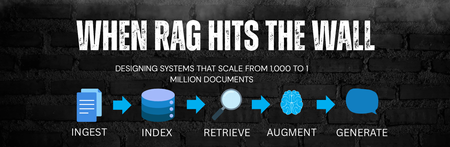
When RAG Hits the Wall: Designing Systems That Scale from 1,000 to 1 million Documents
Introduction Retrieval-Augmented Generation (RAG) has quickly become the default architecture for grounding Large Language Models (LLMs) in enterprise data. And at small scale, it works exceptionally well. 100 documents → Excellent accuracy 1,000 documents → Still predictable With around 100 documents, RAG systems tend to produce highly accurate responses. Even at 1,000 documents, behavior remains predictable and reliable. However, as systems grow beyond tens of thousands - and especially into the range of hundreds of thousands or millions of documents - many implementations begin to degrade in surprising ways. Latency begins to rise nonlinearly. Retrieval precision declines, costs increase, and responses grow inconsistent. What looks like a model issue is usually an architectural one. The Hidden Theory Behind Early RAG Success Early RAG systems work well not because they are perfectly designed, but because small datasets are forgiving. In smaller corpora, irrelevant retrieval is naturally rare. Semantic similarity remains tightly clustered, and noise does not overwhelm signal. This creates an illusion of robustness - systems seem accurate even when the underlying retrieval strategy is weak. As scale increases, this illusion disappears. Breaking Point #1: Chunk Explosion (Entropy Growth) What Happens Most ingestion pipelines rely on token-based chunking: Document -> Fixed-size chunks -> Embed everything As document count increases, the system experiences entropy growth: The number of chunks grows faster than the number of documents, leading to a dense and noisy vector space. Similar information becomes fragmented, and retrieval precision drops. This is a manifestation of the curse of dimensionality - as the number of vectors increases, distance metrics lose meaning, and “nearest neighbors” stop being truly relevant. The Shift: Structural Information Retrieval To solve this production-grade RAG systems reintroduce structure. Instead of blindly splitting text, semantic chunking aligns content with logical boundaries like headings and sections. This preserves meaning and improves retrieval quality. Deduplication removes repeated templates and boilerplate, reducing unnecessary noise in the system. Hierarchical indexing allows retrieval to operate at multiple levels - document, section, and chunk - making search both more efficient and more accurate. These changes restore order in the vector space and significantly improve retrieval performance. Breaking Point #2: Vector Search Saturation What Happens As data grows, latency becomes one of the biggest bottlenecks. Many systems rely on runtime-heavy operations such as generating embeddings on demand or querying large, unpartitioned indexes. This leads to unbounded computation and poor scalability. Over time, retrieval cost trends toward linear complexity. Cache inefficiencies increase, and tail latency begins to dominate the user experience. The Shift: Systems Thinking Scaling RAG requires applying distributed systems principles. Partitioned indexes reduce the search space, allowing queries to operate on smaller, more relevant subsets of data. Precomputed embeddings shift expensive computation to ingestion time, eliminating runtime overhead. Caching strategies, informed by real-world usage patterns, significantly improve performance by reusing frequent query results. Together, these changes make latency predictable and systems more cost-efficient. The Final Trap: Context does not equal to Intelligence What Happens A common mistake in RAG systems is assuming that more context leads to better answers. In reality, LLMs are attention limited. As more tokens are added, attention becomes diluted, and the model struggles to focus on what matters. Excessive context introduces noise, reducing the overall quality of responses. The Shift: Information Compression Effective systems focus on quality over quantity. By limiting retrieval to the most relevant chunks, summarizing context, and grounding responses with citations, RAG systems achieve higher information density and better reasoning performance. What a Scalable RAG System Actually Represent At scale, RAG is no longer an LLM feature. It becomes a retrieval system with an LLM as a reasoning layer. Prototype RAG Production RAG Token chunking Structured IR Vector-only search Hybrid retrieval No ranking theory Reranking models Runtime-heavy Precomputed pipelines More context Information compression Final Insight Scaling RAG is not primarily a machine learning problem. It is a combination of information retrieval and distributed systems engineering, with the LLM acting as the final layer. Closing Thought If your RAG system works with 1,000 documents, you’ve validated an idea. If it works with 1 million documents, you’ve respected theory - and built an architecture. References RAG and Generative AI - Azure AI Search | Microsoft Learn Chunk and Vectorize by Document Layout - Azure AI Search | Microsoft Learn Chunk Documents - Azure AI Search | Microsoft Learn Hybrid Search Overview - Azure AI Search | Microsoft Learn
The Future of Agentic AI: Inside Microsoft Agent Framework 1.0
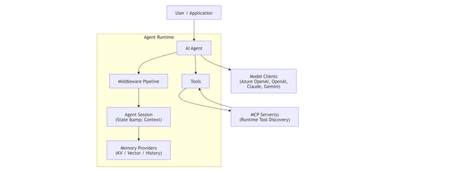
Agentic AI is rapidly moving beyond demos and chatbots toward long‑running, autonomous systems that reason, call tools, collaborate with other agents, and operate reliably in production. On April 3, 2026, Microsoft marked a major milestone with the General Availability (GA) release of Microsoft Agent Framework 1.0, a production‑ready, open‑source framework for building agents and multi‑agent workflows in.NET and Python. [techcommun...rosoft.com] In this post, we’ll deep‑dive into: What Microsoft Agent Framework actually is Its core architecture and design principles What’s new in version 1.0 How it differs from other agent frameworks When and how to use it—with real code examples What Is Microsoft Agent Framework? According to the official announcement, Microsoft Agent Framework is an open‑source SDK and runtime for building AI agents and multi‑agent workflows with strong enterprise foundations. Agent Framework provides two primary capability categories: 1. Agents Agents are long‑lived runtime components that: Use LLMs to interpret inputs Call tools and MCP servers Maintain session state Generate responses They are not just prompt wrappers, but stateful execution units. 2. Workflows Workflows are graph‑based orchestration engines that: Connect agents and functions Enforce execution order Support checkpointing and human‑in‑the‑loop scenarios This leads to a clean separation of responsibilities: Concern Handled By Reasoning & interpretation Agent Execution policy & control flow Workflow This separation is a foundational design decision. High‑Level Architecture From the official overview, Agent Framework is composed of several core building blocks: Model clients (chat completions & responses) Agent sessions (state & conversation management) Context providers (memory and retrieval) Middleware pipeline (interception, filtering, telemetry) MCP clients (tool discovery and invocation) Workflow engine (graph‑based orchestration) Conceptual Flow 🌟 What’s New in Version 1.0 Version 1.0 marks the transition from "Release Candidate" to "General Availability" (GA). Production-Ready Stability: Unlike the earlier experimental packages, 1.0 offers stable APIs, versioned releases, and a commitment to long-term support (LTS). A2A Protocol (Agent-to-Agent): A new structured messaging protocol that allows agents to communicate across different runtimes. For example, an agent built in Python can seamlessly coordinate with an agent running in a .NET environment. MCP (Model Context Protocol) Support: Full integration with the Model Context Protocol, enabling agents to dynamically discover and invoke external tools and data sources without manual integration code. Multi-Agent Orchestration Patterns: Stable implementations of complex patterns, including: Sequential: Linear handoffs between specialized agents. Group Chat: Collaborative reasoning where agents discuss and solve problems. Magentic-One: A sophisticated pattern for task-oriented reasoning and planning. Middleware Pipeline: The new middleware architecture lets you inject logic into the agent's execution loop without modifying the core prompts. This is essential for Responsible AI (RAI), allowing you to add content safety filters, logging, and compliance checks globally. DevUI Debugger: A browser-based local debugger that provides a real-time visual representation of agent message flows, tool calls, and state changes. Code Examples Creating a Simple Agent (C#) From Microsoft Learn : using Azure.AI.Projects; using Azure.Identity; using Microsoft.Agents.AI; AIAgent agent = new AIProjectClient( new Uri("https://your-foundry-service.services.ai.azure.com/api/projects/your-project"), new AzureCliCredential()) .AsAIAgent( model: "gpt-5.4-mini", instructions: "You are a friendly assistant. Keep your answers brief."); Console.WriteLine(await agent.RunAsync("What is the largest city in France?")); This shows: Provider‑agnostic model access Session‑aware agent execution Minimal setup for production agents Creating a Simple Agent (Python) from agent_framework.foundry import FoundryChatClient from azure.identity import AzureCliCredential client = FoundryChatClient( project_endpoint="https://your-foundry-service.services.ai.azure.com/api/projects/your-project", model="gpt-5.4-mini", credential=AzureCliCredential(), ) agent = client.as_agent( name="HelloAgent", instructions="You are a friendly assistant. Keep your answers brief.", ) result = await agent.run("What is the largest city in France?") print(result) The same agent abstraction applies across languages. When to Use Agents vs Workflows Microsoft provides clear guidance: Use an Agent when… Use a Workflow when… Task is open‑ended Steps are well‑defined Autonomous tool use is needed Execution order matters Single decision point Multiple agents/functions collaborate Key principle: If you can solve the task with deterministic code, do that instead of using an AI agent. 🔄 How It Differs from Other Frameworks Microsoft Agent Framework 1.0 distinguishes itself by focusing on "Enterprise Readiness" and "Interoperability." Feature Microsoft Agent Framework 1.0 Semantic Kernel / AutoGen LangChain / CrewAI Philosophy Unified, production-ready SDK. Research-focused or tool-specific. High-level, developer-friendly abstractions. Integration Deeply integrated with Microsoft Foundry and Azure. Varied; often requires more glue code. Generally cloud-agnostic. Interoperability Native A2A and MCP for cross-framework tasks. Limited to internal ecosystem. Uses proprietary connectors. Runtime Identical API parity for .NET and Python. Primarily Python-first (SK has C#). Primarily Python. Control Graph-based deterministic workflows. More non-deterministic/experimental. Mixture of role-based and agentic. 🛠️ Key Technical Components Agent Harness: The execution layer that provides agents with controlled access to the shell, file system, and messaging loops. Agent Skills: A portable, file-based or code-defined format for packaging domain expertise. Implementation Tip: If you are coming from Semantic Kernel, Microsoft provides migration assistants that analyze your existing code and generate step-by-step plans to upgrade to the new Agent Framework 1.0 standards. Microsoft Agent Framework Version 1.0 | Microsoft Agent Framework Agent Framework documentation 🎯 Summary Microsoft Agent Framework 1.0 is the "grown-up" version of AI orchestration. By standardizing the way agents talk to each other (A2A), discover tools (MCP), and process information (Middleware), Microsoft has provided a clear path for taking AI experiments into production. For more detailed guides, check out the official Microsoft Agent Framework DocumentationMicrosoft Agent Framework - .NET AI Community Standup
Building an Enterprise HR Chatbot with Multi-Strategy RAG and Live Agent Handoff on Azure
HR teams deal with thousands of employee questions every day — policy lookups, leave balances, case escalations, and sensitive topics like harassment or misconduct. AI chatbots can handle the routine stuff and free up HR advisors for the hard cases. But most chatbot projects get stuck at basic Q&A. They can't handle multi-country policies, employee slang, or smooth handoffs to a real person. This post covers how we built Eva, a production HR chatbot using Microsoft Bot Framework and Semantic Kernel on Azure. I'll focus on three problems and how we solved them: Getting accurate answers when employees and policy documents use different words Handing off to a live human advisor in real time Catching answer quality regressions automatically Why basic RAG isn't enough for HR Retrieval-Augmented Generation (RAG) — fetching relevant documents and feeding them to an LLM — is the standard approach. But plain RAG breaks down in HR for a few reasons: Vocabulary mismatch. An employee asks "How does misconduct affect my ACB?" but the policy document says "Annual Cash Bonus eligibility criteria." The search doesn't connect the two. Multi-country ambiguity. The same question can have different answers depending on the employee's country, grade, or role. Sensitive topics. Questions about harassment, disability, or whistleblowing should go to a human, not get an AI-generated answer. Ranking noise. Search results often include globally relevant but locally irrelevant documents. Eva handles these with a layered pipeline: query augmentation → multi-index search → LLM reranking → answer generation → citation handling. Architecture at a glance Layer Technology Bot framework Microsoft Agents SDK (aiohttp) LLM orchestration Semantic Kernel Primary LLM Azure OpenAI Service (GPT-4.1 / GPT-4o) Knowledge search Azure AI Search (hybrid + vector) Live agent chat Salesforce MIAW via server-sent events Evaluation Azure AI Evaluation SDK + custom LLM judge Config Pydantic-settings + Azure App Configuration + Key Vault Four retrieval strategies, controlled by feature flags Instead of one search approach, Eva supports four — toggled by feature flags so we can A/B test per country without code changes. They run in a priority cascade: HyDE (Hypothetical Document Embeddings) Instead of searching with the employee's question, the LLM first generates a hypothetical policy document thatwouldanswer it. We embed that synthetic document and use it as the search query. Since a hypothetical answer is closer in embedding space to the real answer than the original question is, this bridges vocabulary gaps effectively. Step-back prompting The LLM broadens the question. "How does misconduct affect my ACB?" becomes "What is the Annual Cash Bonus policy and what factors affect eligibility?" This works well when answers live in broader policy sections. Query rewrite The LLM expands abbreviations and adds HR domain context, then runs a hybrid (text + vector) search. Standard search (fallback) Basic intent classification with hybrid search. No augmentation. All four strategies return the same Pydantic model, so the rest of the pipeline doesn't care which one ran. The team can enable HyDE globally, roll out step-back to specific countries, or revert instantly if something underperforms. LLM reranking After pulling results from both a country-specific index and a global index, Eva optionally reranks them using a RankGPT-style approach — the LLM scores document relevance with a bias toward local content. If reranking fails for any reason, it falls back to the original ordering so the pipeline keeps moving. Answer generation with local vs. global context The answer stage separates retrieved documents into local context (country-specific) and global context (company-wide), injected as distinct prompt sections. The LLM returns a structured response with reasoning, the actual answer, citations, and a coverage classification (full, partial, or denial). Prompts are stored as version-controlled .txt files with per-model variants (e.g., gpt-4o.txt, gpt-4.1.txt), resolved at runtime. This makes prompts reviewable in PRs and deployable without code changes. Live agent handoff with Salesforce When Eva determines a question needs a human — sensitive topic, complex case, or the employee simply asks — it hands off to a Salesforce advisor in real time. SSE streaming. Eva keeps a persistent HTTP connection to Salesforce for real-time messages, typing indicators, and session end signals. Session resilience. Session state persists across three layers — in-memory cache, Azure Cosmos DB, and Bot Framework turn state — to survive restarts and failovers. Message delivery workers. Each session has a dedicated async worker with exponential backoff retry. Overflow messages go to a failed messages list rather than being silently dropped. Queue position updates. While employees wait, Eva queries Salesforce for queue position and sends rate-limited updates. Context handoff. On session start, Eva sends the full conversation transcript so advisors don't ask employees to repeat themselves. Automated evaluation Eva includes an evaluation framework that runs as a separate process, testing against ground-truth Q&A pairs from CSV files. Factual questions are scored using Azure AI's SimilarityEvaluator on a 1–5 scale, with optional relevance and groundedness checks. Sensitive questions (harassment, disability, whistleblowing) use a custom LLM judge that checks whether the response acknowledges sensitivity and directs the employee to create a case or speak with an advisor. A deviation detector flags score drops between runs. SQLite stores results for trending, and Application Insights powers dashboards. Long evaluation runs support resume — the framework skips already-completed test cases on restart. Key takeaways Make retrieval strategies swappable. Feature flags let you A/B test without redeploying. Separate local and global knowledge explicitly. Don't rely on the LLM to figure out which country's policy applies. Invest in evaluation early. Ground-truth datasets with factual and behavioral scoring catch regressions that manual testing misses. Build resilience into live agent handoff. Multi-tier session recovery and retry logic prevent dropped conversations. Treat prompts as code. File-based, model-variant-aware prompts are easier to maintain than inline strings. Use Pydantic for structured LLM outputs. Typed models catch bad output at the validation boundary instead of letting it propagate. Get started Semantic Kernel documentation — LLM orchestration with plugins and structured outputs Azure OpenAI Service quickstart — Deploy GPT-4o or GPT-4.1 Azure AI Search vector search tutorial — Hybrid and vector search indices Microsoft Bot Framework SDK — Build bots for Teams and web Azure AI Evaluation SDK — Score for similarity, relevance, and groundedness
Building High-Performance Agentic Systems
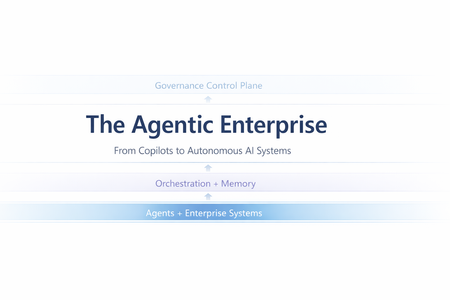
Most enterprise chatbots fail in the same quiet way. They answer questions. They impress in demos. And then they stall in production. Knowledge goes stale. Answers cannot be audited. The system cannot act beyond generating text. When workflows require coordination, execution, or accountability, the chatbot stops being useful. Agentic systems exist because that model is insufficient. Instead of treating the LLM as the product, agentic architecture embeds it inside a bounded control loop: plan → act (tools) → observe → refine The model becomes one component in a runtime system with explicit state management, safety policies, identity enforcement, and operational telemetry. This shift is not speculative. A late-2025 MIT Sloan Management Review / BCG study reports that 35% of organizations have already adopted AI agents, with another 44% planning deployment. Microsoft is advancing open protocols for what it calls the “agentic web,” including Agent-to-Agent (A2A) interoperability and Model Context Protocol (MCP), with integration paths emerging across Copilot Studio and Azure AI Foundry. The real question is no longer whether agents are coming. It is whether enterprise architecture is ready for them. This article translates “agentic” into engineering reality: the runtime layers, latency and cost levers, orchestration patterns, and governance controls required for production deployment. The Core Capabilities of Agentic AI What makes an AI “agentic” is not a single feature—it’s the interaction of different capabilities. Together, they form the minimum set needed to move from “answering” to “operating”. Autonomy – Goal-Driven Task Completion Traditional bots are reactive: they wait for a prompt and produce output. Autonomy introduces a goal state and a control loop. The agent is given an objective (or a trigger) and it can decide the next step without being micromanaged. The critical engineering distinction is that autonomy must be bounded: in production, you implement it with explicit budgets and stop conditions—maximum tool calls, maximum retries, timeouts, and confidence thresholds. The typical execution shape is a loop: plan → act → observe → refine. A project-management agent, for example, doesn’t just answer “what’s the status?” It monitors signals (work items, commits, build health), detects a risk pattern (slippage, dependency blockage), and then either surfaces an alert or prepares a remediation action (re-plan milestones, notify owners). In high-stakes environments, autonomy is usually human-in-the-loop by design: the agent can draft changes, propose next actions, and only execute after approval. Over time, teams expand the autonomy envelope for low-risk actions while keeping approvals for irreversible or financially sensitive operations. Tool Integration – Taking Action and Staying Current A standalone LLM cannot fetch live enterprise state and cannot change it. Tool integration is how an agent becomes operational: it can query systems of record, call APIs, trigger workflows, and produce outputs that reflect the current world rather than the model’s pretraining snapshot. There are two classes of tools that matter in enterprise agents: Retrieval tools (grounding / RAG)When the agent needs facts, it retrieves them. This is the backbone of reducing hallucination: instead of guessing, the agent pulls authoritative content (SharePoint, Confluence, policy repositories, CRM records, Fabric datasets) and uses it as evidence. In practice, retrieval works best when it is engineered as a pipeline: query rewrite (optional) → hybrid search (keyword + vector) → filtering (metadata/ACL) → reranking → compact context injection. The point is not “stuff the prompt with documents,” but “inject only the minimum evidence required to answer accurately.” Action tools (function calling / connectors) These are the hands of the agent: update a CRM record, create a ticket, send an email, schedule a meeting, generate a report, run a pipeline. Tool integration shifts value from “advice” to “execution,” but also introduces risk—so action tools need guardrails: least-privilege permissions, input validation, idempotency keys, and post-condition checks (confirm the update actually happened). In Microsoft ecosystems, this tool plane often maps to Graph actions + business connectors (via Logic Apps/Power Automate) + custom APIs, with Copilot Studio (low code) or Foundry-style runtimes (pro code) orchestrating the calls. Memory (Context & Learning) – Context Awareness and Adaptation “Memory” is not just a long prompt. In agentic systems, memory is an explicit state strategy: Working memory: what the agent has learned during the current run (intermediate tool results, constraints, partial plans). Session memory: what should persist across turns (user preferences, ongoing tasks, summarized history). Long-term memory: enterprise knowledge the agent can retrieve (indexed documents, structured facts, embeddings + metadata). Short-term memory enables multi-step workflows without repeating questions. An HR onboarding agent can carry a new hire’s details from intake through provisioning without re-asking, because the workflow state is persisted and referenced. Long-term “learning” is typically implemented through feedback loops rather than real-time model weight updates: capturing corrections, storing validated outcomes, and periodically improving prompts, routing logic, retrieval configuration, or (where appropriate) fine-tuning. The key design rule is that memory must be policy-aware: retention rules, PII handling, and permission trimming apply to stored state as much as they apply to retrieved documents. Orchestration – Coordinating Multi-Agent Teams Complex enterprise work is rarely single-skill. Orchestration is how agentic systems scale capability without turning one agent into an unmaintainable monolith. The pattern is “manager + specialists”: an orchestrator decomposes the goal into subtasks, routes each to the best tool or sub-agent, and then composes a final response. This can be done sequentially or in parallel. Employee onboarding is a classic: HR intake, IT account creation, equipment provisioning, and training scheduling can run in parallel where dependencies allow. The engineering challenge is making orchestration reliable: defining strict input/output contracts between agents (often structured JSON), handling failures (timeouts, partial completion), and ensuring only one component has authority to send the final user-facing message to avoid conflicting outputs. In Microsoft terms, orchestration can be implemented as agentic flows in Copilot Studio, connected-agent patterns in Foundry, or explicit orchestrators in code using structured tool schemas and shared state. Strategic Impact – How Agentic AI Changes Knowledge Work Agentic AI is no longer an experimental overlay to enterprise systems. It is becoming an embedded operational layer inside core workflows. Unlike earlier chatbot deployments that answered isolated questions, modern enterprise agents execute end-to-end processes, interact with structured systems, maintain context, and operate within governed boundaries. The shift is not about conversational intelligence alone; it is about workflow execution at scale. The transformation becomes clearer when examining real implementations across industries. In legal services, agentic systems have moved beyond document summarization into operational case automation. Assembly Software’s NeosAI, built on Azure AI infrastructure, integrates directly into legal case management systems and automates document analysis, structured data extraction, and first-draft generation of legal correspondence. What makes this deployment impactful is not merely the generative drafting capability, but the integration architecture. NeosAI is not an isolated chatbot; it operates within the same document management systems, billing systems, and communication platforms lawyers already use. Firms report time savings of up to 25 hours per case, with document drafting cycles reduced from days to minutes for first-pass outputs. Importantly, the system runs within secure Azure environments with zero data retention policies, addressing one of the most sensitive concerns in legal AI adoption: client confidentiality. JPMorgan’s COiN platform represents another dimension of legal and financial automation. Instead of conversational assistance, COiN performs structured contract intelligence at production scale. It analyzes more than 12,000 commercial loan agreements annually, extracting over 150 clause attributes per document. Work that previously required approximately 360,000 human hours now executes in seconds. The architecture emphasizes structured NLP pipelines, taxonomy-based clause classification, and private cloud deployment for regulatory compliance. Rather than replacing legal professionals, the system flags unusual clauses for human review, maintaining oversight while dramatically accelerating analysis. Over time, COiN has also served as a knowledge retention mechanism, preserving institutional contract intelligence that would otherwise be lost with employee turnover. In financial services, the impact is similarly structural. Morgan Stanley’s internal AI Assistant allows wealth advisors to query over 100,000 proprietary research documents using natural language. Adoption has reached nearly universal usage across advisor teams, not because it replaces expertise, but because it compresses research time and surfaces insights instantly. Building on this foundation, the firm introduced an AI meeting debrief agent that transcribes client conversations using speech-to-text models and generates CRM notes and follow-up drafts through GPT-based reasoning. Advisors review outputs before finalization, preserving human judgment. The result is faster client engagement and measurable productivity improvements. What differentiates Morgan Stanley’s approach is not only deployment scale, but disciplined evaluation before release. The firm established rigorous benchmarking frameworks to test model outputs against expert standards for accuracy, compliance, and clarity. Only after meeting defined thresholds were systems expanded firmwide. This pattern—evaluation before scale—is becoming a defining trait of successful enterprise agent deployment. Human Resources provides a different perspective on agentic AI. Johnson Controls deployed an AI HR assistant inside Slack to manage policy questions, payroll inquiries, and onboarding support across a global workforce exceeding 100,000 employees. By embedding the agent in a channel employees already use, adoption barriers were reduced significantly. The result was a 30–40% reduction in live HR call volume, allowing HR teams to redirect focus toward strategic workforce initiatives. Similarly, Ciena integrated an AI assistant directly into Microsoft Teams, unifying HR and IT support through a single conversational interface. Employees no longer navigate separate portals; the agent orchestrates requests across backend systems such as Workday and ServiceNow. The technical lesson here is clear: integration breadth drives usability, and usability drives adoption. Engineering and IT operations reveal perhaps the most technically sophisticated application of agentic AI: multi-agent orchestration. In a proof-of-concept developed through collaboration between Microsoft and ServiceNow, an AI-driven incident response system coordinates multiple agents during high-priority outages. Microsoft 365 Copilot transcribes live war-room discussions and extracts action items, while ServiceNow’s Now Assist executes operational updates within IT service management systems. A Semantic Kernel–based manager agent maintains shared context and synchronizes activity across platforms. This eliminates the longstanding gap between real-time discussion and structured documentation, automatically generating incident reports while freeing engineers to focus on remediation rather than clerical tasks. The system demonstrates that orchestration is not conceptual—it is operational. Across these examples, the pattern is consistent. Agentic AI changes knowledge work by absorbing structured cognitive labor: document parsing, compliance classification, research synthesis, workflow routing, transcription, and task coordination. Humans remain essential for judgment, ethics, and accountability, but the operational layer increasingly runs through AI-mediated execution. The result is not incremental productivity improvement; it is structural acceleration of knowledge processes. Design and Governance Challenges – Managing the Risks As agentic AI shifts from answering questions to executing workflows, governance must mature accordingly. These systems retrieve enterprise data, invoke APIs, update records, and coordinate across platforms. That makes them operational actors inside your architecture—not just assistants. The primary shift is this: autonomy increases responsibility. Agents must be observable. Every retrieval, reasoning step, and tool invocation should be traceable. Without structured telemetry and audit trails, enterprises lose visibility into why an agent acted the way it did. Agents must also operate within scoped authority. Least-privilege access, role-based identity, and bounded credentials are essential. An HR agent should not access finance systems. A finance agent should not modify compliance data without policy constraints. Autonomy only works when it is deliberately constrained. Execution boundaries are equally critical. High-risk actions—financial approvals, legal submissions, production changes—should include embedded thresholds or human approval gates. Autonomy should be progressive, not absolute. Cost and performance must be governed just like cloud infrastructure. Agentic systems can trigger recursive calls and model loops. Without usage monitoring, rate limits, and model-tier routing, compute consumption can escalate unpredictably. Finally, agentic systems require continuous evaluation. Real-world testing, live monitoring, and drift detection ensure the system remains aligned with business rules and compliance requirements. These are not “set and forget” deployments. In short, agentic AI becomes sustainable only when autonomy is paired with observability, scoped authority, embedded guardrails, cost control, and structured oversight. Conclusion – Towards the Agentic Enterprise The organizations achieving meaningful returns from agentic AI share a common pattern. They do not treat AI agents as experimental tools. They design them as production systems with defined roles, scoped authority, measurable KPIs, embedded observability, and formal governance layers. When autonomy is paired with integration, memory, orchestration, and governance discipline, agentic AI becomes more than automation—it becomes an operational architecture. Enterprises that master this architecture are not merely reducing costs; they are redefining how knowledge work is executed. In this emerging model, human professionals focus on strategic judgment and innovation, while AI agents manage structured cognitive execution at scale. The competitive advantage will not belong to those who deploy the most AI, but to those who deploy it with architectural rigor and governance maturity. Before we rush to deploy more agents, a few questions are worth asking: If an AI agent executes a workflow in your enterprise today, can you trace every reasoning step and tool invocation behind that decision? Does your architecture treat AI as a conversational layer - or as an operational actor with scoped identity, cost controls, and policy enforcement? Where should autonomy stop in your organization - and who defines that boundary? Agentic AI is not just a capability shift. It is an architectural decision. Curious to hear how others are designing their control planes and orchestration layers. References MIT Sloan – “Agentic AI, Explained” by Beth Stackpole: A foundational overview of agentic AI, its distinction from traditional generative AI, and its implications for enterprise workflows, governance, and strategy. Microsoft TechCommunity – “Introducing Multi-Agent Orchestration in Foundry Agent Service”: Details Microsoft’s multi-agent orchestration capabilities, including Connected Agents, Multi-Agent Workflows, and integration with A2A and MCP protocols. Microsoft Learn – “Extend the Capabilities of Your Agent – Copilot Studio”: Explains how to build and extend custom agents in Microsoft Copilot Studio using tools, connectors, and enterprise data sources. Assembly Software’s NeosAI case – Microsoft Customer Stories JPMorgan COiN platform – GreenData Case Study HR support AI (Johnson Controls, Ciena, Databricks) – Moveworks case studies ServiceNow & Semantic Kernel multi-agent P1 Incident – Microsoft Semantic Kernel BlogAzure Skilling at Microsoft Ignite 2025
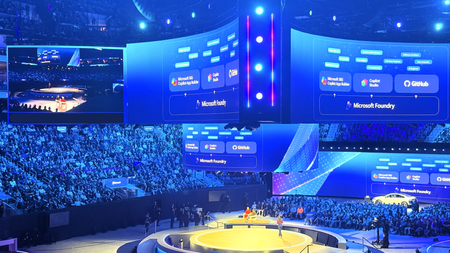
The energy at Microsoft Ignite was unmistakable. Developers, architects, and technical decision-makers converged in San Francisco to explore the latest innovations in cloud technology, AI applications, and data platforms. Beyond the keynotes and product announcements was something even more valuable: an integrated skilling ecosystem designed to transform how you build with Azure. This year Azure Skilling at Microsoft Ignite 2025 brought together distinct learning experiences, over 150+ hands-on labs, and multiple pathways to industry-recognized credentials—all designed to help you master skills that matter most in today's AI-driven cloud landscape. Just Launched at Ignite Microsoft Ignite 2025 offered an exceptional array of learning opportunities, each designed to meet developers anywhere on the skilling journey. Whether you joined us in-person or on-demand in the virtual experience, multiple touchpoints are available to deepen your Azure expertise. Ignite 2025 is in the books, but you can still engage with the latest Microsoft skilling opportunities, including: The Azure Skills Challenge provides a gamified learning experience that lets you compete while completing task-based achievements across Azure's most critical technologies. These challenges aren't just about badges and bragging rights—they're carefully designed to help you advance technical skills and prepare for Microsoft role-based certifications. The competitive element adds urgency and motivation, turning learning into an engaging race against the clock and your peers. For those seeking structured guidance, Plans on Learn offer curated sets of content designed to help you achieve specific learning outcomes. These carefully assembled learning journeys include built-in milestones, progress tracking, and optional email reminders to keep you on track. Each plan represents 12-15 hours of focused learning, taking you from concept to capability in areas like AI application development, data platform modernization, or infrastructure optimization. The Microsoft Reactor Azure Skilling Series, running December 3-11, brings skilling to life through engaging video content, mixing regular programming with special Ignite-specific episodes. This series will deliver technical readiness and programming guidance in a livestream presentation that's more digestible than traditional documentation. Whether you're catching episodes live with interactive Q&A or watching on-demand later, you’ll get world-class instruction that makes complex topics approachable. Beyond Ignite: Your Continuous Learning Journey Here's the critical insight that separates Ignite attendees who transform their careers from those who simply collect swag: the real learning begins after the event ends. Microsoft Ignite is your launchpad, not your destination. Every module you start, every lab you complete, and every challenge you tackle connects to a comprehensive learning ecosystem on Microsoft Learn that's available 24/7, 365 days a year. Think of Ignite as your intensive immersion experience—the moment when you gain context, build momentum, and identify the skills that will have the biggest impact on your work. What you do in the weeks and months following determines whether that momentum compounds into career-defining expertise or dissipates into business as usual. For those targeting career advancement through formal credentials, Microsoft Certifications, Applied Skills and AI Skills Navigator, provide globally recognized validation of your expertise. Applied Skills focus on scenario-based competencies, demonstrating that you can build and deploy solutions, not simply answer theoretical questions. Certifications cover role-based scenarios for developers, data engineers, AI engineers, and solution architects. The assessment experiences include performance-based testing in dedicated Azure tenants where you complete real configuration and development tasks. And finally, the NEW AI Skills Navigator is an agentic learning space, bringing together AI-powered skilling experiences and credentials in a single, unified experience with Microsoft, LinkedIn Learning and GitHub – all in one spot Why This Matters: The Competitive Context The cloud skills race is intensifying. While our competitors offer robust training and content, Microsoft's differentiation comes not from having more content—though our 1.4 million module completions last fiscal year and 35,000+ certifications awarded speak to scale—but from integration of services to orchestrate workflows. Only Microsoft offers a truly unified ecosystem where GitHub Copilot accelerates your development, Azure AI services power your applications, and Azure platform services deploy and scale your solutions—all backed by integrated skilling content that teaches you to maximize this connected experience. When you continue your learning journey after Ignite, you're not just accumulating technical knowledge. You're developing fluency in an integrated development environment that no competitor can replicate. You're learning to leverage AI-powered development tools, cloud-native architectures, and enterprise-grade security in ways that compound each other's value. This unified expertise is what transforms individual developers into force-multipliers for their organizations. Start Now, Build Momentum, Never Stop Microsoft Ignite 2025 offered the chance to compress months of learning into days of intensive, hands-on experience, but you can still take part through the on-demand videos, the Global Ignite Skills Challenge, visiting the GitHub repos for the /Ignite25 labs, the Reactor Azure Skilling Series, and the curated Plans on Learn provide multiple entry points regardless of your current skill level or preferred learning style. But remember: the developers who extract the most value from Ignite are those who treat the event as the beginning, not the culmination, of their learning journey. They join hackathons, contribute to GitHub repositories, and engage with the Azure community on Discord and technical forums. The question isn't whether you'll learn something valuable from Microsoft Ignite 2025-that's guaranteed. The question is whether you'll convert that learning into sustained momentum that compounds over months and years into career-defining expertise. The ecosystem is here. The content is ready. Your skilling journey doesn't end when Ignite does—it accelerates.Essential Microsoft Resources for MVPs & the Tech Community from the AI Tour
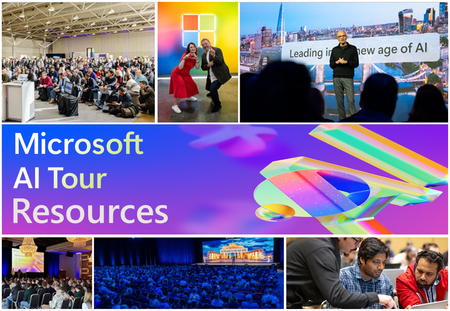
Unlock the power of Microsoft AI with redeliverable technical presentations, hands-on workshops, and open-source curriculum from the Microsoft AI Tour! Whether you’re a Microsoft MVP, Developer, or IT Professional, these expertly crafted resources empower you to teach, train, and lead AI adoption in your community. Explore top breakout sessions covering GitHub Copilot, Azure AI, Generative AI, and security best practices—designed to simplify AI integration and accelerate digital transformation. Dive into interactive workshops that provide real-world applications of AI technologies. Take it a step further with Microsoft’s Open-Source AI Curriculum, offering beginner-friendly courses on AI, Machine Learning, Data Science, Cybersecurity, and GitHub Copilot—perfect for upskilling teams and fostering innovation. Don’t just learn—lead. Access these resources, host impactful training sessions, and drive AI adoption in your organization. Start sharing today! Explore now: Microsoft AI Tour Resources.Build AI Agents with MCP Tool Use in Minutes with AI Toolkit for VSCode
We’re excited to announce Agent Builder, the newest evolution of what was formerly known as Prompt Builder, now reimagined and supercharged for intelligent app development. This powerful tool in AI Toolkit enables you to create, iterate, and optimize agents—from prompt engineering to tool integration—all in one seamless workflow. Whether you're designing simple chat interactions or complex task-performing agents with tool access, Agent Builder simplifies the journey from idea to integration. Why Agent Builder? Agent Builder is designed to empower developers and prompt engineers to: 🚀 Generate starter prompts with natural language 🔁 Iterate and refine prompts based on model responses 🧩 Break down tasks with prompt chaining and structured outputs 🧪 Test integrations with real-time runs and tool use such as MCP servers 💻 Generate production-ready code for rapid app development And a lot of features are coming soon, stay tuned for: 📝 Use variables in prompts �� Run agent with test cases to test your agent easily 📊 Evaluate the accuracy and performance of your agent with built-in or your custom metrics ☁️ Deploy your agent to cloud Build Smart Agents with Tool Use (MCP Servers) Agents can now connect to external tools through MCP (Model Control Protocol) servers, enabling them to perform real-world actions like querying a database, accessing APIs, or executing custom logic. Connect to an Existing MCP Server To use an existing MCP server in Agent Builder: In the Tools section, select + MCP Server. Choose a connection type: Command (stdio) – run a local command that implements the MCP protocol HTTP (server-sent events) – connect to a remote server implementing the MCP protocol If the MCP server supports multiple tools, select the specific tool you want to use. Enter your prompts and click Run to test the agent's interaction with the tool. This integration allows your agents to fetch live data or trigger custom backend services as part of the conversation flow. Build and Scaffold a New MCP Server Want to create your own tool? Agent Builder helps you scaffold a new MCP server project: In the Tools section, select + MCP Server. Choose MCP server project. Select your preferred programming language: Python or TypeScript. Pick a folder to create your server project. Name your project and click Create. Agent Builder generates a scaffolded implementation of the MCP protocol that you can extend. Use the built-in VS Code debugger: Press F5 or click Debug in Agent Builder Test with prompts like: System: You are a weather forecast professional that can tell weather information based on given location. User: What is the weather in Shanghai? Agent Builder will automatically connect to your running server and show the response, making it easy to test and refine the tool-agent interaction. AI Sparks from Prototype to Production with AI Toolkit Building AI-powered applications from scratch or infusing intelligence into existing systems? AI Sparks is your go-to webinar series for mastering the AI Toolkit (AITK) from foundational concepts to cutting-edge techniques. In this bi-weekly, hands-on series, we’ll cover: 🚀SLMs & Local Models – Test and deploy AI models and applications efficiently on your own terms locally, to edge devices or to the cloud 🔍 Embedding Models & RAG – Supercharge retrieval for smarter applications using existing data. 🎨 Multi-Modal AI – Work with images, text, and beyond. 🤖 Agentic Frameworks – Build autonomous, decision-making AI systems. Watch on Demand Share your feedback Get started with the latest version, share your feedback, and let us know how these new features help you in your AI development journey. As always, we’re here to listen, collaborate, and grow alongside our amazing user community. Thank you for being a part of this journey—let’s build the future of AI together! Join our Microsoft Azure AI Foundry Discord channel to continue the discussion 🚀Week 2 . Microsoft Agents Hack Online Events and Readiness Resources
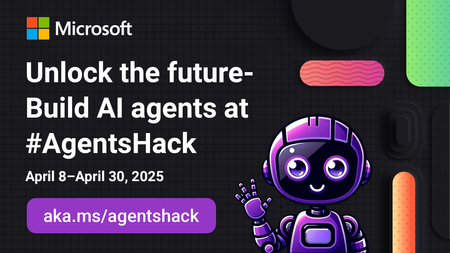
https://aka.ms/agentshack 2025 is the year of AI agents! But what exactly is an agent, and how can you build one? Whether you're a seasoned developer or just starting out, this FREE three-week virtual hackathon is your chance to dive deep into AI agent development. Register Now: https://aka.ms/agentshack 🔥 Learn from expert-led sessions streamed live on YouTube, covering top frameworks like Semantic Kernel, Autogen, the new Azure AI Agents SDK and the Microsoft 365 Agents SDK. Week 2 Events: April 14th-18th Day/Time Topic Track 4/14 08:00 AM PT Building custom engine agents with Azure AI Foundry and Visual Studio Code Copilots 4/15 07:00 AM PT Your first AI Agent in JS with Azure AI Agent Service JS 4/15 09:00 AM PT Building Agentic Applications with AutoGen v0.4 Python 4/15 12:00 PM PT AI Agents + .NET Aspire C# 4/15 03:00 PM PT Prototyping AI Agents with GitHub Models Python 4/16 04:00 AM PT Multi-agent AI apps with Semantic Kernel and Azure Cosmos DB C# 4/16 06:00 AM PT Building declarative agents with Microsoft Copilot Studio & Teams Toolkit Copilots 4/16 07:00 AM PT Prompting is the New Scripting: Meet GenAIScript JS 4/16 09:00 AM PT Building agents with an army of models from the Azure AI model catalog Python 4/16 12:00 PM PT Multi-Agent API with LangGraph and Azure Cosmos DB Python 4/16 03:00 PM PT Mastering Agentic RAG Python 4/17 06:00 AM PT Build your own agent with OpenAI, .NET, and Copilot Studio C# 4/17 09:00 AM PT Building smarter Python AI agents with code interpreters Python 4/17 12:00 PM PT Building Java AI Agents using LangChain4j and Dynamic Sessions Java 4/17 03:00 PM PT Agentic Voice Mode Unplugged Python1.7KViews0likes0CommentsElevate Your AI Expertise with Microsoft Azure: Learn Live Series for Developers
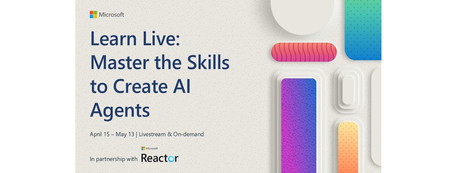
Unlock the power of Azure AI and master the art of creating advanced AI agents. Starting from April 15th, embark on a comprehensive learning journey designed specifically for professional developers like you. This series will guide you through the official Microsoft Learn Plan, focused on the latest agentic AI technologies and innovations. Generative AI has evolved to become an essential tool for crafting intelligent applications, and AI agents are leading the charge. Here's your opportunity to deepen your expertise in building powerful, scalable agent-based solutions using the Azure AI Foundry, Azure AI Agent Service, and the Semantic Kernel Framework. Why Attend? This Learn Live series will provide you with: In-depth Knowledge: Understand when to use AI agents, how they function, and the best practices for building them on Azure. Hands-On Experience: Gain practical skills to develop, deploy, and extend AI agents with Azure AI Agent Service and Semantic Kernel SDK. Expert Insights: Learn directly from Microsoft’s AI professionals, ensuring you're at the cutting edge of agentic AI technologies. Session Highlights Plan and Prepare AI Solutions | April 15th Explore foundational principles for creating secure and responsible AI solutions. Prepare your development environment for seamless integration with Azure AI services. Fundamentals of AI Agents | April 22nd Discover the transformative role of language models and generative AI in enabling intelligent applications. Understand Microsoft Copilot and effective prompting techniques for agent development. Azure AI Agent Service: Build and Integrate | April 29th Dive into the key features of Azure AI Agent Service. Build agents and learn how to integrate them into your applications for enhanced functionality. Extend with Custom Tools | May 6th Enhance your agents’ capabilities with custom tools, tailored to meet unique application requirements. Develop an AI agent with Semantic Kernel | May 8th Use Semantic Kernel to connect to an Azure AI Foundry project Create Azure AI Agent Service agents using the Semantic Kernel SDK Integrate plugin functions with your AI agent Orchestrate Multi-Agent Solutions with Semantic Kernel | May 13th Utilize the Semantic Kernel SDK to create collaborative multi-agent systems. Develop and integrate custom plugin functions for versatile AI solutions. What You’ll Achieve By the end of this series, you'll: Build AI agents using cutting-edge Azure technologies. Integrate custom tools to extend agent capabilities. Develop multi-agent solutions with advanced orchestration. How to Join Don't miss out on this opportunity to level up your development skills and lead the next wave of AI-driven applications. Register now and set yourself apart as a developer equipped to harness the full potential of Azure AI. 🔗 Register for the Learn Live Series 🗓️ Format: Livestream | Language: English | Topic: Core AI Development Take the leap and transform how you develop intelligent applications with Microsoft Azure AI. Does this revision align with your vision for the blog? Let me know if there's anything else you'd like to refine or add!