security
78 Topics
AVD Federation with external identities
Spent months figuring out why federated SSO breaks for external users accessing Azure Virtual Desktop. Turns out Azure AD ignores custom federation when the user's domain is verified elsewhere—forces B2B routing, kills Windows SSO. Built a workaround using proxy domains and a federation hub. Curious—how are others solving this? Or just telling customers SSO isn't possible? I can't find any roadmap agenda.39Views0likes0CommentsAdd the Networking Tab in the Host Pool Creation Wizard in the Azure Portal
Just like we have a Networking tab in the Storage Account where public access can be disabled and private endpoints enabled, there should be a similar option available during Host Pool creation in the Azure Portal. In my customer environment, which is a banking organization, a policy is enforced that does not allow any resource to be created with public access—it blocks the creation outright. az policy assignment create \ --name "DenyPublicAccess" \ --scope "/subscriptions/<subscription-id>" \ --policy "/providers/Microsoft.Authorization/policyDefinitions/<policy-definition-id>" The policy they use is named "Public network access should be disabled for PaaS services", which prevents the creation of a Host Pool unless public access is disabled. Currently, this setting cannot be configured during Host Pool creation in the Azure Portal, as the networking tab is only available after the Host Pool is created, allowing you to disable public access and enable private endpoints. For BFSI customers, requesting a policy relaxation is difficult. While this may be achieved through automation, the option should also be available in the Azure Portal. Otherwise, it creates a contradiction—there is a policy to disable public access, but no way to comply with it during the initial creation.
Azure AD / Entra ID and Microsoft 365 Basic
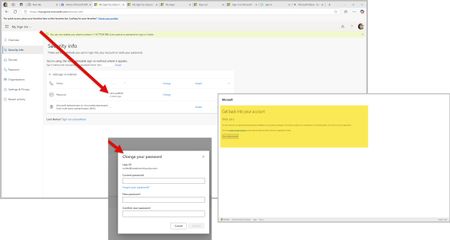
In the last few weeks, I have struggled with new technologies. This encompasses the latest on the market in Android based mobile phones and a new Ryzen 9 mini desktop computer. To eliminate both old phone apps and old laptop applications in the MS Store (Apps) update, I wiped old phone access to accounts via Edge and Google. However, old laptop, which is an HP Ryzen 3 held on to apps and preferences somewhere across systems. So, on both my new mini desktop and the old laptop, I used PowerShell to eliminate remnants of DevHome Pre and CoPilot Pre which kept popping up. Low and behold, I saw new things in my Microsoft and Google Play stores on my devices. Not sure why this would not have happened on installation... Then thinking I was ready to remove XBOX. I did this as well via PowerShell commands. So, now both my machines are work machines with the AMD graphics qualities and XBOX gaming services. Then I removed any old credentials on the old laptop that would use my email address attached to the Work and School account. However, Azure AD and Entra ID will not let me run anything as related to my own accounts. For example, a) I can't change my own password on the Azure AD / Entra ID page. When I attempt to change my password, I get a writeback error: SSPR_0010. However, you need to buy Entra ID Connect to correct this. Entra ID is a trial version to my Azure AD sign-ins so even if I exist in Entra ID and Microsoft is moving to Entra ID, why am I being forced into purchasing things to correct this issue? b) I can't enroll into Microsoft 365 Business Basic using my Work and School Account email address. The enrollment sends me to a blank screen and never enrolls. If I try a second time using my Work and School email address, I get an error that states I have to use a different email address. It seems someone besides me is using my email address here for account access because the Work and School account holds a Visio (web only version) and my Personal account holds a real one that I can't use on my new mini which uses my own email address and not gmail.com or outlook.com. c) Edge creates a blank profile on its own that does not have my profile information in it if I do not use my Work and School account email address to sign-in. I keep losing my profile on first tab load in Edge. d) The Windows 11 Pro license on my new mini request my Work and School account login. The two have nothing to do with each other except that the email address is the same for account purposes. At one point, this CoPilot screen that says "Coming Soon" did not appear and now it is back again. Can you please assist in resolving this issue? I should technically be able to remove my Windows Live account that uses my Work and School email address and recreate it on a new machine without this much of a hassle.
Can’t connect to my remote Linux machine
I can’t use the Windows app on iPhone to connect to my Linux machine. It hangs showing securing connection to remote PC. Other information that may help: - I can connect to my Windows machine from my iPhone with the Windows app. - I can connect to the Linux machine from my laptop. - I can connect to my laptop from my iPhone with Windows app.103Views0likes0Comments
Security issue with Mac client - client is making inappropriate connections
Hello, I use Little Snitch on MacOS to monitor for inappropriate outbound connections. The new Windows app that replaces the RDP app is doing some very shady connection attempts. As soon as I launched it, Little Snitch notified me of continuous connection attempts by the new Windows client to *ALL MY SAFARI BOOKMARKS* - I kept denying connection after connection, but based on the hostnames being accessed, I could tell it was sequentially iterating through my bookmarks toolbar, trying to ping every endpoint i have saved. I have now blocked your client from any outbound connection attempts. I do not understand why a client I am using for accessing local machines is now talking to all sorts of remote domains I did not give it permission to access. Seems like a fundamental design flaw of this new version - why is it trying to connect to my safari bookmarks automatically?231Views0likes1Comment
iOS client does not verify server certificate (idea: re-introduce certificate validation)
By default (in the absence of a CA-signed server certificate), RDP connections between Windows PCs rely on a trust-on-first-use (TOFU) model, where the client software displays a warning [1] before sending credentials to an untrusted server whose certificate hash is not pinned to the registry [2]. The Remote Desktop client for iOS used to work like the Windows client in this respect [3], but at some point in the last few years, it stopped checking server certificates altogether. This is a security risk, because Windows credentials could be intercepted by a man-in-the-middle. Is this behaviour actually intended? If it is, I would strongly suggest adding a setting to manually re-enable certificate validation for environments with higher security requirements. (In my testing, neither reinstalling the app nor using a FQDN to connect had any effect.) [1] https://i.sstatic.net/pu5YX.png [2] HKCU\SOFTWARE\Microsoft\Terminal Server Client\Servers\...\CertHash [3] https://nextpointhost.com/images/knowledgebase/how_to_access_forex_vps_via_rdc_using_iphone_or_ipad_6.PNG131Views0likes0Comments