root ca
2 Topics
Removal of old CA server stale data
Hi, I'm rebuilding some DC's and figured I'd tidy everything up before doing so as I've come into this with a messy environment. from this, I found an old Trusted Root CA, the certificate authority server was decommissioned in 2021 and all certificates have had an expiry date from 2021. its still being pushed out to domain devices such as servers and desktops. I tried running the 'certutil -dsdelca' command however this comes back with invalid command. I guess the best option is just to remove the class objects from the ADSI edit? as there is a class in AIA, CDP, Certification Authorities, KRA with the certificate nameSolved414Views0likes1Comment
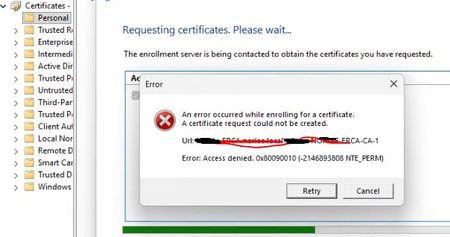
Access denied. 0x80090010 Enroll cert of Windows hello for Business with on-prem PKI CA Server
We have created Certficate Template from on-prem CA Server ( Windows server 2019 ) using this link : https://learn.microsoft.com/en-us/windows/security/identity-protection/hello-for-business/rdp-sign-in?tabs=intune However We can not Enroll Certificate Windows Hello for Business Certificate from User's Desktop ( Windows 11 ) and every time error occurred or Access Denied ( Certificate enrollment for Domain\UserName failed to enroll for a WHfBCertificateAuthentication certificate with request ID N/A from -ERCA.Domain.local\Domain-ERCA-CA-1 (Access denied. 0x80090010 (-2146893808 NTE_PERM)) We have also given Read and Enroll permission to EveryOne and Autheticated Users from CA Certficiate template , but still same erro Please advise if anything more can be done to resolve this issue.1.1KViews0likes5Comments