responsible ai
22 TopicsCI/CD for AI Agents on Microsoft Foundry
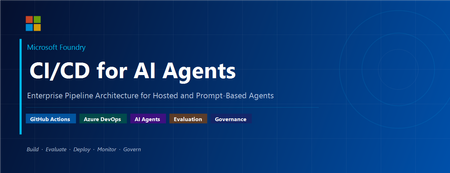
Introduction Building an AI agent is the straightforward part. Shipping it reliably to production with version control, evaluation-driven quality gates, multi-environment promotion, and enterprise governance is where most teams run into friction. Microsoft Foundry changes this. It is Microsoft's AI app and agent factory: a fully managed platform for building, deploying, and governing AI agents at scale. It provides a first-class agent runtime with built-in lifecycle management, making it possible to apply the same CI/CD rigour you already use for application software to AI agents — regardless of whether you are building containerised hosted agents or declarative prompt-based agents. This post walks through a complete, production-ready reference architecture for doing exactly that. You will find the GitHub Actions workflow, the Azure DevOps pipeline YAML, and the architecture diagram linked throughout. Reference implementation repository: foundry-agents-lifecycle and CI/CD for AI Agents on Microsoft Foundry Why Agent CI/CD Is Different Traditional software pipelines gate releases on test pass/fail. Agent pipelines require an additional, critical layer: evaluation-driven quality gates. Before any agent version can be promoted to the next environment, it must pass three categories of evaluation: Quality — answer correctness, task completion rate, hallucination rate Safety — grounded responses, policy compliance, tool usage validation Performance — token usage per query, p95 response latency A second key difference is the deployment unit. You are not deploying a binary or a container tag in isolation. You are deploying an agent version — an immutable artefact that bundles the model selection, system instructions, tool definitions, and configuration together. This is what enables deterministic promotion and full auditability across environments. "Agents follow a standard CI/CD pattern, but with a critical shift: promotion happens at the agent version level, and release gates are driven by evaluation outcomes, not just test results." Reference Architecture Figure 1: End-to-end CI/CD reference architecture for hosted and prompt-based agents on Microsoft Foundry. The architecture has five logical layers, flowing from developer commit to production monitoring: Layer 1 — Developer Layer The developer layer is a standard source-controlled repository in GitHub or Azure DevOps. It contains: Agent code written in Python or .NET agent.yaml or prompt definition files for prompt-based agents Tool configurations: MCP servers, REST API connectors, or other integrations Infrastructure as Code: Bicep or ARM templates for provisioning the Foundry project and dependencies Layer 2 — CI Pipeline (Build · Validate · Evaluate) Every push or pull request triggers the CI pipeline. It performs five steps: Docker build — for hosted agents, build and tag the container image Static checks — lint with ruff , security scan with bandit , agent YAML schema validation Unit and tool tests — pytest suites covering agent logic and tool integrations Evaluation gate — run evaluation datasets; fail the pipeline if thresholds are breached Image push — push the validated container to Azure Container Registry (ACR) Prompt-based agents skip the Docker build step. Instead, the YAML definition and prompt bundle are validated against schema and evaluated against golden datasets. Layer 3 — CD Pipeline (Multi-stage Promotion) A single agent version is promoted through three Foundry project environments: Stage Environment Activities Gate Stage 1 Dev Foundry Project Deploy vNext version, smoke tests, developer evals Eval quality thresholds Stage 2 Test / QA Foundry Project Scenario tests, HITL validation, safety evaluation Eval gates + human approval Stage 3 Production Foundry Project Promote version, enable endpoint, post-deploy smoke test Required reviewer approval Rollback is straightforward: switch the active version pointer back to the previous agent version. No re-deployment is needed. Layer 4 — Microsoft Foundry Agent Service The Foundry Agent Service runtime provides: Hosted agent runtime — managed container execution supporting Agent Framework, LangGraph, Semantic Kernel, or custom code Prompt-based agent runtime — declarative agent definitions, no container required Built-in lifecycle operations — version, start, stop, rollback Entra Agent Identity — each deployed version receives a dedicated Microsoft Entra managed identity RBAC and policy enforcement — Azure role-based access controls per project Observability — distributed traces, structured logs, and evaluation signals Layer 5 — Monitoring, Governance, and Control Plane Foundry control plane: agent registry, environment configuration, version history OpenTelemetry forwarded to Azure Monitor and Application Insights Continuous evaluation pipelines for ongoing quality, grounding, and safety monitoring Azure Policy and RBAC enforcement at the platform level Environment Topology There are two topology options. We recommend Option A for all production workloads: Option Structure Best for Trade-off A — Recommended Dev Project → Test Project → Prod Project (separate Foundry projects) Enterprise workloads Full isolation, clean RBAC boundaries, easier governance B — Lightweight Single Foundry project with agent version tags (dev/test/prod) Small teams, prototyping Simpler setup, but weaker environment separation Separate projects mean separate RBAC policies, separate connection strings, and separate evaluation signals. A developer service principal has access only to the Dev project; the CI/CD identity has restricted access to promote to Test and Production. Evaluation Gates — The Core Difference Evaluation gates transform a standard software pipeline into an AI-safe deployment pipeline. They run at two points: pre-merge (CI) and pre-promotion (CD). Defining the Gates Category Metric CI threshold Prod threshold Quality Hallucination rate < 5% < 3% Quality Task completion rate > 90% > 95% Safety Grounded response rate > 95% > 98% Safety Policy violations 0 0 Performance p95 latency < 4 000 ms < 3 000 ms Cost Token usage per query Track only Alert on > 20% regression Gate Enforcement (Python) import json import sys def check_gates(results_path: str) -> None: with open(results_path) as f: results = json.load(f) failures = [] if results["hallucination_rate"] > 0.05: failures.append(f"Hallucination rate {results['hallucination_rate']:.1%} exceeds 5% threshold") if results["task_completion_rate"] < 0.90: failures.append(f"Task completion {results['task_completion_rate']:.1%} below 90% threshold") if results["latency_p95_ms"] > 4000: failures.append(f"p95 latency {results['latency_p95_ms']}ms exceeds 4000ms threshold") if results.get("policy_violations", 0) > 0: failures.append(f"Policy violations detected: {results['policy_violations']}") if failures: for f in failures: print(f"GATE FAILED: {f}", file=sys.stderr) sys.exit(1) print("All evaluation gates passed — proceeding to deployment") if __name__ == "__main__": check_gates(sys.argv[1]) Hosted vs Prompt-Based Agents — Pipeline Differences Capability Hosted Agents Prompt-Based Agents Deployment unit Container image + agent definition YAML / prompt configuration bundle Build step required Yes — Docker build + ACR push No — YAML validation only Supported frameworks Agent Framework, LangGraph, Semantic Kernel, custom Foundry declarative runtime Promotion artefact Versioned agent with container image reference Versioned prompt/config bundle CI focus Code quality, tool tests, evaluation Prompt schema validation, evaluation Rollback mechanism Switch active agent version Switch active agent version Runtime management Foundry manages container lifecycle Foundry manages declarative runtime CI Pipeline Walkthrough The following steps are representative of the full GitHub Actions workflow available in github-actions-pipeline.yml alongside this post. Hosted Agent CI # 1. Static checks ruff check . bandit -r src/ -ll python scripts/validate_agent_config.py --config agent.yaml # 2. Tests pytest tests/unit/ -v --tb=short pytest tests/tools/ -v --tb=short # 3. Evaluation gate python scripts/run_evaluations.py \ --dataset eval/datasets/golden_set.jsonl \ --output eval/results/results.json python scripts/check_eval_gates.py \ --results eval/results/results.json \ --max-hallucination 0.05 \ --min-task-completion 0.90 \ --max-latency-p95 4000 # 4. Push container image az acr build \ --registry myregistry.azurecr.io \ --image "myagent:$SHA" \ --file Dockerfile . Prompt-Based Agent CI # Validate YAML / prompt definitions python scripts/validate_agent_config.py --config agent.yaml # Evaluation against golden dataset python scripts/run_evaluations.py \ --dataset eval/datasets/golden_set.jsonl \ --output eval/results/results.json python scripts/check_eval_gates.py \ --results eval/results/results.json CD Pipeline Walkthrough Stage 1 — Dev Deployment python scripts/deploy_agent.py \ --env dev \ --image "myregistry.azurecr.io/myagent:$SHA" \ --foundry-endpoint $FOUNDRY_ENDPOINT_DEV \ --agent-config agent.yaml # Returns the new agent version ID, stored for promotion AGENT_VERSION=$(python scripts/get_active_version.py --env dev) Stage 2 — Promote to Test (after approval gate) python scripts/promote_agent.py \ --from-env dev \ --to-env test \ --agent-version $AGENT_VERSION \ --foundry-endpoint $FOUNDRY_ENDPOINT_TEST # Run scenario tests and safety evaluation python scripts/run_evaluations.py \ --dataset eval/datasets/scenario_set.jsonl \ --output eval/results/test-results.json python scripts/check_eval_gates.py \ --results eval/results/test-results.json \ --max-hallucination 0.03 \ --min-task-completion 0.95 Stage 3 — Promote to Production (after required reviewer approval) python scripts/promote_agent.py \ --from-env test \ --to-env prod \ --agent-version $AGENT_VERSION \ --foundry-endpoint $FOUNDRY_ENDPOINT_PROD # Enable the production endpoint python scripts/enable_agent_endpoint.py \ --agent-version $AGENT_VERSION \ --foundry-endpoint $FOUNDRY_ENDPOINT_PROD Rollback # Switch the active version to the previous known-good version python scripts/promote_agent.py \ --from-env prod \ --to-env prod \ --agent-version $PREVIOUS_AGENT_VERSION \ --foundry-endpoint $FOUNDRY_ENDPOINT_PROD # OR delete the failing version python scripts/delete_agent_version.py \ --agent-version $AGENT_VERSION \ --foundry-endpoint $FOUNDRY_ENDPOINT_PROD Deployment Using the Azure AI Projects SDK The azure-ai-projects SDK provides programmatic control over the full agent lifecycle. This is the recommended approach for CI/CD scripts where you need deterministic, scriptable deployment. from azure.identity import DefaultAzureCredential from azure.ai.projects import AIProjectClient # Connect to the Foundry project client = AIProjectClient( endpoint=FOUNDRY_PROJECT_ENDPOINT, credential=DefaultAzureCredential() ) # List existing agents (useful for idempotent deploy scripts) for agent in client.agents.list(): print(f"Agent: {agent.name} version: {agent.id}") # Create a new agent version (hosted agent) agent = client.agents.create_agent( model="gpt-4o", name="my-enterprise-agent", instructions="You are a helpful assistant ...", tools=[...], # tool definitions metadata={"version": GIT_SHA, "environment": "dev"} ) print(f"Created agent version: {agent.id}") For hosted agents, the SDK call also references the container image pushed to ACR. Refer to the Deploy a hosted agent — Microsoft Foundry documentation for the full SDK flow including container image registration and version polling. Reference Implementation Stack Concern Technology Source control and pipelines GitHub Actions or Azure DevOps Pipelines Infrastructure and agent deployment Azure Developer CLI ( azd up ) Programmatic agent lifecycle azure-ai-projects Python SDK Agent evaluation azure-ai-evaluation Python SDK Agent runtime Microsoft Foundry Agent Service Container registry Azure Container Registry (hosted agents only) Observability OpenTelemetry, Azure Monitor, Application Insights Identity and access Microsoft Entra (Agent ID, OIDC workload identity federation) Governance Azure Policy, RBAC, Foundry control plane Governance and Responsible AI Shipping AI agents at enterprise scale requires governance beyond what a traditional CI/CD pipeline provides. Microsoft Foundry addresses this at the platform level: RBAC per environment — each Foundry project has independent access controls. Developers deploy to Dev; only CI/CD service principals (with audited OIDC tokens) can promote to Test and Production. Agent registry and audit trail — the Foundry control plane records which agent version is active in each environment, who deployed it, and when. This satisfies enterprise audit requirements without additional tooling. Content safety and policy enforcement — Azure Policy governs model access, data handling, and content safety rules at the infrastructure level, not just at the application code level. Policy violations block deployment automatically. Entra Agent Identity — each deployed agent version receives a dedicated, short-lived managed identity. Agents authenticate to downstream services using least-privilege credentials scoped to that specific deployment. Continuous evaluation in production — evaluation pipelines run on sampled production traffic, alerting when quality, safety, or cost metrics drift from their baseline. A key trade-off to be transparent about: evaluation datasets must be maintained and updated as the agent's tasks evolve. Stale datasets produce misleading pass/fail signals. Treat your golden evaluation set as a first-class engineering artefact alongside the agent code itself. Pipeline Files Two pipeline files accompany this reference architecture. Both implement the same four-stage pipeline (CI Build, CI Evaluate, CD Dev, CD Test, CD Production) with environment-appropriate approval gates. github-actions-pipeline.yml — GitHub Actions workflow. Uses GitHub Environments for approval gates and OIDC Workload Identity Federation for passwordless Azure authentication. No stored Azure credentials required. azure-devops-pipeline.yml — Azure DevOps multi-stage YAML pipeline. Uses ADO Environments with required approvers and variable groups per environment. Both pipelines share these security practices: OIDC / Workload Identity Federation — no long-lived Azure credentials stored in pipeline secrets Per-environment variable groups, each with scoped connection strings and endpoints Evaluation quality gates enforced before every promotion step Mandatory human approval before production deployment Summary The full pipeline in one view: Developer commit | CI Pipeline ├── Docker build (hosted agents) / YAML validation (prompt agents) ├── Static checks + unit tests + tool tests └── Evaluation gate ← quality · safety · performance | Agent Version created ← immutable, versioned artefact | CD Pipeline ├── Deploy to Dev → smoke tests + eval gate ├── Promote to Test → scenario tests + HITL + approval gate └── Promote to Prod → enable endpoint + monitoring | Microsoft Foundry Agent Service └── Versioned runtime · Entra identity · RBAC · Observability | Control Plane └── Agent registry · Governance · Continuous evaluation Microsoft Foundry provides the platform primitives — versioned agent deployments, multi-environment Foundry projects, built-in lifecycle management, and an enterprise observability stack — needed to operate AI agents with the same confidence as any production software system. The key takeaway: treat the agent version as your deployment artefact, and evaluation outcomes as your release gate. The rest follows familiar CI/CD patterns you already know and trust. Next Steps Clone the CI/CD Repo at leestott/foundry-cicd Clone the reference demo: foundry-agents-lifecycle on GitHub Set up your environment: Set up your environment for Foundry Agent Service Deploy your first hosted agent: Quickstart: Deploy your first hosted agent Understand hosted agent concepts: Foundry Hosted Agents concepts Automate deployments in CI/CD: Automate deployment of Microsoft Foundry agents Manage agent versions: Manage hosted agents — Microsoft Foundry Deploy via SDK: Deploy a hosted agent — Microsoft Foundry SDK and endpoint reference: Microsoft Foundry SDK and Endpoints reference Azure AI Projects SDK: azure-ai-projects Python SDK Azure Developer CLI: Azure Developer CLI (azd) overview Microsoft Foundry documentation hub: Microsoft Foundry on Microsoft Learn15KViews8likes0CommentsFoundry Agent Service at Ignite 2025: Simple to Build. Powerful to Deploy. Trusted to Operate.
The upgraded Foundry Agent Service delivers a unified, simplified platform with managed hosting, built-in memory, tool catalogs, and seamless integration with Microsoft Agent Framework. Developers can now deploy agents faster and more securely, leveraging one-click publishing to Microsoft 365 and advanced governance features for streamlined enterprise AI operations.11KViews3likes1CommentGenerally Available: Evaluations, Monitoring, and Tracing in Microsoft Foundry
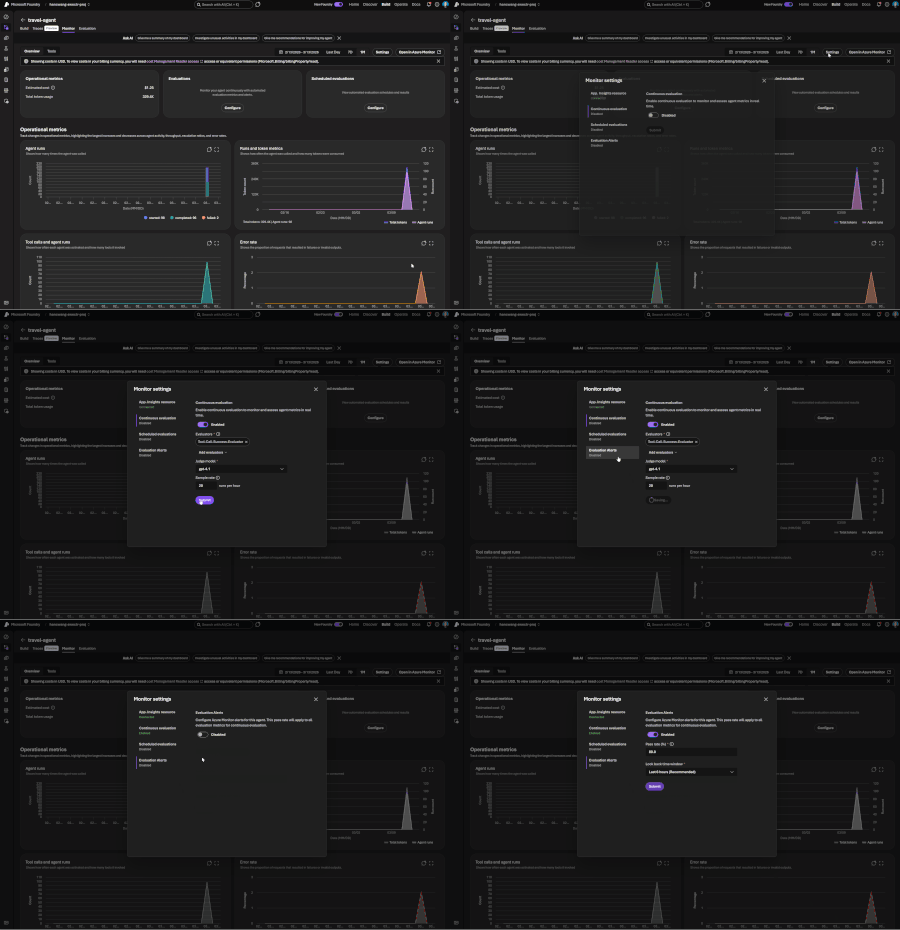
If you've shipped an AI agent to production, you've likely run into the same uncomfortable realization: the hard part isn't getting the agent to work - it's keeping it working. Models get updated, prompts get tweaked, retrieval pipelines drift, and user traffic surfaces edge cases that never appeared in your eval suite. Quality isn't something you establish once. It's something you have to continuously measure. Today, we're making that continuous measurement a first-class operational capability. Evaluations, Monitoring, and Tracing in Microsoft Foundry are now generally available through Foundry Control Plane. These aren't standalone tools bolted onto the side of the platform - they're deeply integrated with Azure Monitor, which means AI agent observability now lives in the same operational plane as the rest of your infrastructure. The Problem With Point-in-Time Evaluation Most evaluation workflows are designed around a pre-deployment gate. You build a test dataset, run your evals, review the scores, and ship. That approach has real value - but it has a hard ceiling. In production, agent behavior is a function of many things that change independently of your code: Foundation model updates ship continuously and can shift output style, reasoning patterns, and edge case handling in ways that don't always surface on your benchmark set. Prompt changes can have nonlinear effects downstream, especially in multi-step agentic flows. Retrieval pipeline drift changes what context your agent actually sees at inference time. A document index fresh last month may have stale or subtly different content today. Real-world traffic distribution is never exactly what you sampled for your test set. Production surfaces long-tail inputs that feel obvious in hindsight but were invisible during development. The implication is straightforward: evaluation has to be continuous, not episodic. You need quality signals at development time, at every CI/CD commit, and continuously against live production traffic - all using the same evaluator definitions so results are comparable across environments. That's the core design principle behind Foundry Observability. Continuous Evaluation Across the Full AI Lifecycle Built-In Evaluators Foundry's built-in evaluators cover the most critical quality and safety dimensions for production agent systems: Coherence and Relevance measure whether responses are internally consistent and on-topic relative to the input. These are table-stakes signals for any conversational or task-completion agent. Groundedness is particularly important for RAG-based architectures. It measures whether the model's output is actually supported by the retrieved context - as opposed to plausible-sounding content the model generated from its parametric memory. Groundedness failures are a leading indicator of hallucination risk in production, and they're often invisible to human reviewers at scale. Retrieval Quality evaluates the retrieval step independently from generation. Groundedness failures can originate in two places: the model may be ignoring good context, or the retrieval pipeline may not be surfacing relevant context in the first place. Splitting these signals makes it much easier to pinpoint root cause. Safety and Policy Alignment evaluates whether outputs meet your deployment's policy requirements - content safety, topic restrictions, response format compliance, and similar constraints. These evaluators are designed to run at every stage of the AI lifecycle: Local development - run evals inline as you iterate on prompts, retrieval config, or orchestration logic CI/CD pipelines - gate every commit against your quality baselines; catch regressions before they reach production Production traffic monitoring - continuously evaluate sampled live traffic and surface trends over time Because the evaluators are identical across all three contexts, a score in CI means the same thing as a score in production monitoring. See the Practical Guide to Evaluations and the Built-in Evaluators Reference for a deeper walkthrough. Custom Evaluators - Encoding Your Own Definition of Quality Built-in evaluators cover common signals well, but production agents often need to satisfy criteria specific to a domain, regulatory environment, or internal standard. Foundry supports two types of custom evaluators (currently in public preview): LLM-as-a-Judge evaluators let you configure a prompt and grading rubric, then use a language model to apply that rubric to your agent's outputs. This is the right approach for quality dimensions that require reasoning or contextual judgment - whether a response appropriately acknowledges uncertainty, whether a customer-facing message matches your brand tone, or whether a clinical summary meets documentation standards. You write a judge prompt with a scoring scale (e.g., 1–5 with criteria for each level) that evaluates a given {input} / {response} pair. Foundry runs this at scale and aggregates scores into your dashboards alongside built-in results. Code-based evaluators are Python functions that implement any evaluation logic you can express programmatically - regex matching, schema validation, business rule checks, compliance assertions, or calls to external systems. If your organization has documented policies about what a valid agent response looks like, you can encode those policies directly into your evaluation pipeline. Custom and built-in evaluators compose naturally - running against the same traffic, producing results in the same schema, feeding into the same dashboards and alert rules. Monitoring and Alerting - AI Quality as an Operational Signal All observability data produced by Foundry - evaluation results, traces, latency, token usage, and quality metrics - is published directly to Azure Monitor. This is where the integration pays off for teams already on Azure. What this enables that siloed AI monitoring tools can't: Cross-stack correlation. When your groundedness score drops, is it a model update, a retrieval pipeline issue, or an infrastructure problem affecting latency? With AI quality signals and infrastructure telemetry in the same Azure Monitor Application Insights workspace, you can answer that in minutes rather than hours of manual correlation across disconnected systems. Unified alerting. Configure Azure Monitor alert rules on any evaluation metric - trigger a PagerDuty incident when groundedness drops below threshold, send a Teams notification when safety violations spike, or create automated runbook responses when retrieval quality degrades. These are the same alert mechanisms your SRE team already uses. Enterprise governance by default. Azure Monitor's RBAC, retention policies, diagnostic settings, and audit logging apply automatically to all AI observability data. You inherit the governance framework your organization has already built and approved. Grafana and existing dashboards. If your team uses Azure Managed Grafana, evaluation metrics can flow into existing dashboards alongside your other operational metrics - a single pane of glass for application health, infrastructure performance, and AI agent quality. The Agent Monitoring Dashboard in the Foundry portal provides an AI-native view out of the box - evaluation metric trends, safety threshold status, quality score distributions, and latency breakdowns. Everything in that dashboard is backed by Azure Monitor data, so SRE teams can always drill deeper. End-to-End Tracing: From Quality Signal to Root Cause A groundedness score tells you something is wrong. A trace tells you exactly where the failure occurred and what the agent actually did. Foundry provides OpenTelemetry-based distributed tracing that follows each request through your entire agent system: model calls, tool invocations, retrieval steps, orchestration logic, and cross-agent handoffs. Traces capture the full execution path - inputs, outputs, latency at each step, tool call parameters and responses, and token usage. The key design decision: evaluation results are linked directly to traces. When you see a low groundedness score in your monitoring dashboard, you navigate directly to the specific trace that produced it - no manual timestamp correlation, no separate trace ID lookup. The connection is made automatically. Foundry auto-collects traces across the frameworks your agents are likely already built on: Microsoft Agent Framework Semantic Kernel LangChain and LangGraph OpenAI Agents SDK For custom or less common orchestration frameworks, the Azure Monitor OpenTelemetry Distro provides an instrumentation path. Microsoft is also contributing upstream to the OpenTelemetry project - working with Cisco Outshift, we've contributed semantic conventions for multi-agent trace correlation, standardizing how agent identity, task context, and cross-agent handoffs are represented in OTel spans. Note: Tracing is currently in public preview, with GA shipping by end of March. Prompt Optimizer (Public Preview) One persistent friction point in agent development is the iteration loop between writing prompts and measuring their effect. You make a change, run your evals, look at the delta, try to infer what about the change mattered, and repeat. Prompt Optimizer tightens this loop. It analyzes your existing prompt and applies structured prompt engineering techniques - clarifying ambiguous instructions, improving formatting for model comprehension, restructuring few-shot examples, making implicit constraints explicit - with paragraph-level explanations for every change it makes. The transparency is deliberate. Rather than producing a black-box "optimized" prompt, it shows you exactly what it changed and why. You can add constraints, trigger another optimization pass, and iterate until satisfied. When you're done, apply it with one click. The value compounds alongside continuous evaluation: run your eval suite against the current prompt, optimize, run evals again, see the measured improvement. That feedback loop - optimize, measure, optimize - is the closest thing to a systematic approach to prompt engineering that currently exists. What Makes our Approach to Observability Different There are other evaluation and observability tools in the AI ecosystem. The differentiation in Foundry's approach comes down to specific architectural choices: Unified lifecycle coverage, not just pre-deployment testing. Most existing evaluation tools are designed for offline, pre-deployment use. Foundry's evaluators run in the same form at development time, in CI/CD, and against live production traffic. Your quality metrics are actually comparable across the lifecycle - you can tell whether production quality matches what you saw in testing, rather than operating two separate measurement systems that can't be compared. No separate observability silo. Publishing all observability data to Azure Monitor means you don't operate a separate system for AI quality alongside your existing infrastructure monitoring. AI incidents route through your existing on-call rotations. AI quality data is subject to the same retention and compliance controls as the rest of your telemetry. Framework-agnostic tracing. Auto-instrumentation across Semantic Kernel, LangChain, LangGraph, and the OpenAI Agents SDK means you're not locked into a specific orchestration framework. The OpenTelemetry foundation means trace data is portable to any compatible backend, protecting your investment as the tooling landscape evolves. Composable evaluators. Built-in and custom evaluators run in the same pipeline, against the same traffic, producing results in the same schema, feeding into the same dashboards and alert rules. You don't choose between generic coverage and domain-specific precision - you get both. Evaluation linked to traces. Most systems treat evaluation and tracing as separate concerns. Foundry treats them as two views of the same event - closing the loop between detecting a quality problem and diagnosing it. Getting Started If you're building agents on Microsoft Foundry, or using Semantic Kernel, LangChain, LangGraph, or the OpenAI Agents SDK and want to add production observability, the entry point is Foundry Control Plane. Try it You'll need a Foundry project with an agent and an Azure OpenAI deployment. Enable observability by navigating to Foundry Control Plane and connecting your Azure Monitor workspace. Then walk through the Practical Guide to Evaluations, explore the Built-in Evaluators Reference, and set up end-to-end tracing for your agents.5.1KViews1like0CommentsThe Future of AI: Structured Vibe Coding - An Improved Approach to AI Software Development
In this post from The Future of AI series, the author introduces structured vibe coding, a method for managing AI agents like a software team using specs, GitHub issues, and pull requests. By applying this approach with GitHub Copilot, they automated a repetitive task—answering Microsoft Excel-based questionnaires—while demonstrating how AI can enhance developer workflows without replacing human oversight. The result is a scalable, collaborative model for AI-assisted software development.5KViews0likes0CommentsBetter detecting cross prompt injection attacks: Introducing Spotlighting in Azure AI Foundry
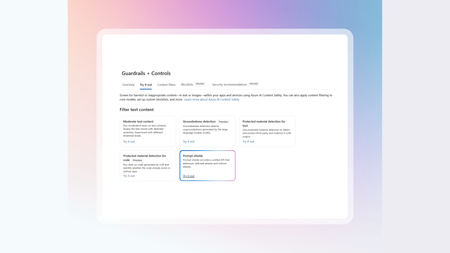
Spotlighting now in public preview in Azure AI Foundry as part of Prompt Shields. It helps developers detect malicious instructions hidden inside inputs, documents, or websites before they reach an agent.3.1KViews0likes0CommentsThe Future of AI: How Lovable.dev and Azure OpenAI Accelerate Apps that Change Lives
Discover how Charles Elwood, a Microsoft AI MVP and TEDx Speaker, leverages Lovable.dev and Azure OpenAI to create impactful AI solutions. From automating expense reports to restoring voices, translating gestures to speech, and visualizing public health data, Charles's innovations are transforming lives and democratizing technology. Follow his journey to learn more about AI for good.3KViews2likes0CommentsAnnouncing a new Azure AI Translator API (Public Preview)
Microsoft has launched the Azure AI Translator API (Public Preview), offering flexible translation options using either neural machine translation (NMT) or generative AI models like GPT-4o. The API supports tone, gender, and adaptive custom translation, allowing enterprises to tailor output for real-time or human-reviewed workflows. Customers can mix models in a single request and authenticate via resource key or Entra ID. LLM features require deployment in Azure AI Foundry. Pricing is based on characters (NMT) or tokens (LLMs).2.1KViews0likes0Comments
Introducing Phi-4-Reasoning-Vision to Microsoft Foundry
Vision reasoning models unlock a critical capability for developers: the ability to move beyond passive perception toward systems that can understand, reason over, and act on visual information. Instead of treating images, diagrams, documents, or UI screens as unstructured inputs, vision reasoning models enable developers to build applications that can interpret visual structure, connect it with textual context, and perform multi-step reasoning to reach actionable conclusions. Today, we are excited to announce Phi-4-Reasoning-Vision-15B is available in Microsoft Foundry and Hugging Face. This model brings high‑fidelity vision to the reasoning‑focused Phi‑4 family, extending small language models (SLMs) beyond perception into structured, multi‑step visual reasoning for agents, analytical tools, and scientific workflows. What’s new? The Phi model family has advanced toward combining efficient visual understanding with strong reasoning in small language models. Earlier Phi‑4 models demonstrated reliable perception and grounding across images and text, while later iterations introduced structured reasoning to improve performance on complex tasks. Phi‑4‑reasoning-vision-15B brings these threads together, pairing high‑resolution visual perception with selective, task‑aware reasoning. As a result, the model can reason deeply when needed while remaining fast and efficient for perception‑focused scenarios—making it well suited for interactive, real‑world applications. Key capabilities Reasoning behavior is explicitly enabled via prompting: Developers can explicitly enable or disable reasoning to balance latency and accuracy at runtime. Optimized for vision reasoning and can be used for: diagram-based math, document, chart, and table understanding, GUI interpretations and grounding for agent scenarios to interpret screens and actions, Computer-use agent scenarios, and General image chat and answering questions Benchmarks The following results summarize Phi-4-reasoning-vision-15B performance across a set of established multimodal reasoning, mathematics, and computer use benchmarks. The following benchmarks are the result of internal evaluations. Benchmark Phi-4-reasoning-vision-15B Phi-4-reasoning-vision-15B – force no think Phi-4-mm-instruct Kimi-VL-A3B-Instruct gemma-3-12b-it Qwen3-VL-8B-Instruct-4K Qwen3-VL-8B-Instruct-32K Qwen3-VL-32B-Instruct-4K Qwen3-VL-32B-Instruct-32K AI2D _TEST 84.8 84.7 68.6 84.6 80.4 82.7 83 84.8 85 ChartQA _TEST 83.3 76.5 23.5 87 39 83.1 83.2 84.3 84 HallusionBench 64.4 63.1 56 65.2 65.3 73.5 74.1 74.4 74.9 MathVerse _MINI 44.9 43.8 32.4 41.7 29.8 54.5 57.4 64.2 64.2 MathVision _MINI 36.2 34.2 20 28.3 31.9 45.7 50 54.3 60.5 MathVista _MINI 75.2 68.7 50.5 67.1 57.4 77.1 76.4 82.5 81.8 MMMU _VAL 54.3 52 42.3 52 50 60.7 64.6 68.6 70.6 MMStar 64.5 63.3 45.9 60 59.4 68.9 69.9 73.7 74.3 OCRBench 76 75.6 62.6 86.5 75.3 89.2 90 88.5 88.5 ScreenSpot _v2 88.2 88.3 28.5 89.8 3.5 91.5 91.5 93.7 93.9 Table 1: Accuracy comparisons relative to popular open-weight, non-thinking models Benchmark Phi-4-reasoning-vision-15B Phi-4-reasoning-vision-15B - force thinking Kimi-VL-A3B-Thinking gemma-3-12b-it Qwen3-VL-8B-Thinking-4K Qwen3-VL-8B-Thinking-40K Qwen3-VL-32B-Thiking-4K Qwen3-VL-32B-Thinking-40K AI2D_TEST 84.8 79.7 81.2 80.4 83.5 83.9 86.9 87.2 ChartQA _TEST 83.3 82.9 73.3 39 78 78.6 78.5 79.1 HallusionBench 64.4 63.9 70.6 65.3 71.6 73 76.4 76.6 MathVerse _MINI 44.9 53.1 61 29.8 67.3 73.3 78.3 78.2 MathVision _MINI 36.2 36.2 50.3 31.9 43.1 50.7 60.9 58.6 MathVista _MINI 75.2 74.1 78.6 57.4 77.7 79.5 83.9 83.8 MMMU _VAL 54.3 55 60.2 50 59.3 65.3 72 72.2 MMStar 64.5 63.9 69.6 59.4 69.3 72.3 75.5 75.7 OCRBench 76 73.7 79.9 75.3 81.2 82 83.7 85 ScreenSpot _v2 88.2 88.1 81.8 3.5 93.3 92.7 83.1 83.1 Table 2: Accuracy comparisons relative to popular open-weight, thinking models All results were obtained using a consistent evaluation setup and prompts across models; numbers are provided for comparison and analysis rather than as leaderboard claims. For more information regarding benchmarks and evaluations, please read the technical paper on the Microsoft Research hub. Suggested use cases and applications Phi‑4‑Reasoning-Vision-15B supports applications that require both high‑fidelity visual perception and structured inference. Two representative scenarios include scientific and mathematical reasoning over visual inputs, and computer‑using agents (CUAs) that operate directly on graphical user interfaces. In both cases, the model provides grounded visual understanding paired with controllable, low‑latency reasoning suitable for interactive systems. Computer use agents in retail scenarios For computer use agents, Phi‑4‑Reasoning-Vision-15B provides the perception and grounding layer required to understand and act within live ecommerce interfaces. For example, in an online shopping experience, the model interprets screen content—products, prices, filters, promotions, buttons, and cart state—and produces grounded observations that agentic models like Fara-7B can use to select actions. Its compact size and low latency inference make it well suited for CUA workflows and agentic applications. Visual reasoning for education Another practical use of visual reasoning models is education. A developer could build a K‑12 tutoring app with Phi‑4‑Reasoning‑Vision‑15B where students upload photos of worksheets, charts, or diagrams to get guided help—not answers. The model can understand the visual content, identify where the student went wrong, and explain the correct steps clearly. Over time, the app can adapt by serving new examples matched to the student’s learning level, turning visual problem‑solving into a personalized learning experience. Microsoft Responsible AI principles At Microsoft, our mission to empower people and organizations remains constant—especially in the age of AI, where the potential for human achievement is greater than ever. We recognize that trust is foundational to AI adoption, and earning that trust requires a commitment to transparency, safety, and accountability. As with other Phi models, Phi-4-Reasoning-Vision-15B was developed with safety as a core consideration throughout training and evaluation. The model was trained on a mixture of public safety datasets and internally generated examples designed to elicit behaviors the model should appropriately refuse, in alignment with Microsoft’s Responsible AI Principles. These safety focused training signals help the model recognize and decline requests that fall outside intended or acceptable use. Additional details on the model’s safety considerations, evaluation approach, and known limitations are provided in the accompanying technical blog and model card. Getting started Start using Phi‑4‑Reasoning-Vision-15B in Microsoft Foundry today. Microsoft Foundry provides a unified environment for model discovery, evaluation, and deployment, making it straightforward to move from initial experimentation to production use while applying appropriate safety and governance practices. Deploy the new model on Microsoft Foundry. Learn more about the Phi family on Foundry Labs and in the Phi Cookbook Connect to the Microsoft Developer Community on Discord Read the technical paper on Microsoft Research Read more use cases on the Educators Developer blog2KViews0likes0Comments
Microsoft 365 E7 & Agent365: From Where You Are to Enterprise AI at Scale
Introduction As organizations move beyond AI experimentation and begin operationalizing agent-based AI workloads, a new set of challenges is emerging governance, visibility, and control. Microsoft’s response to this shift is Microsoft 365 E7, introduced on May 1, 2026. It bundles: Microsoft 365 E5 Microsoft 365 Copilot Microsoft Entra Suite Microsoft Agent 365 This represents Microsoft’s strategic direction toward a human-led, agent-operated enterprise. However, a key pattern is emerging: Many organizations deploy Agent 365 and assume governance is complete. It isn’t. Understanding Agent 365: Control Plane, Not Control Source Agent 365 is not a standalone security solution, it is a control plane for AI agents. It provides: Agent registry and discovery Blueprint governance and lifecycle control Observability across agents Aggregation of signals from Entra, Defender and Purview Simple analogy Agent 365 is like a dashboard in a car It shows status It aggregates signals But it does not generate signals Without identity, data and threat signals → governance visibility is incomplete. The Key Gap: “Enabled” vs “Governed” Agent 365 can be enabled standalone but governance requires: Identity signals (Entra) Threat signals (Defender) Data risk signals (Purview) This gap between “enablement” and “full governance” is where most deployments fall short. Agent 365 Governance Maturity Heatmap The following heatmap summarizes how governance capabilities evolve as you layer the Microsoft stack: Capability Agent 365 on E3 + Defender Suite + Purview Suite + Entra Suite E7 (Full) Agent registry / inventory ✅ Full ✅ ✅ ✅ ✅ Shadow agent discovery ✅ Full ✅ ✅ ✅ ✅ Blueprint governance / kill-switch ✅ Full ✅ ✅ ✅ ✅ First-party agent observability ✅ Full ✅ ✅ ✅ ✅ Conditional Access for agents (P1) ✅ Already in BP/E3 ✅ ✅ ✅ ✅ ID Governance for agents (P1) ✅ Already in BP/E3 ✅ ✅ ✅ ✅ Risk-based CA / ID Protection (P2) ❌ ✅ ❌ ✅ ✅ MDA behavioral risk detection ❌ ✅ ❌ ❌ ✅ Risks column fully populated ⚠️ Entra only ⚠️ Entra + Defender ⚠️ Entra + Purview ⚠️ Entra + Network ✅ All signals Purview DLP for agent interactions ⚠️ Basic only ⚠️ Basic only ✅ Full ⚠️ Basic only ✅ Full DSPM for AI ❌ ❌ ✅ ❌ ✅ Shadow AI discovery (external tools) ❌ ❌ ❌ ✅ ✅ Security Copilot SCUs ❌ ❌ ❌ ❌ ✅ (via E5) 🔍 Interpretation of the Heatmap Key insight: Agent 365 on its own provides visibility and governance scaffolding, but true governance maturity emerges only when identity (Entra) threat (Defender), and data (Purview) signals are combined. Microsoft 365 E7 is the only SKU that delivers all signals, identity, security, compliance and AI governance in a single integrated model. What Works with Agent 365 Alone On Business Premium or E3 + Agent 365, you still get meaningful capabilities: Agent registry (full visibility) Shadow agent discovery Blueprint governance and kill-switch Entra Agent ID (identity registration) Conditional Access for agents (via Entra P1) ID Governance (via Entra P1) First-party agent observability This provides a strong governance foundation, especially for early-stage adoption. What’s Missing Without the Full Stack Without Defender, Purview, and Entra Suite key capabilities are limited: Risk-based Conditional Access (requires Entra P2) Behavioral threat detection (Defender) Data interaction governance (Purview DLP) AI data security posture (DSPM for AI) External shadow AI discovery (Entra Internet Access) Result: You can see agents exist but you cannot fully assess risk, behavior or data exposure. What changes across layers: Layer Added What Improves Defender Threat detection, behavioral risk Purview Data protection, AI data governance Entra Suite Network + identity-level AI control E7 Full integration across all layers Licensing Model: Clarifying Agent 365 Agent 365 licensing is simple but often misunderstood: Licensed per user (not per agent) Covers all agents owned or managed by that user Agents do not need individual licenses This eliminates agent sprawl licensing concerns and anchors governance to the user identity. Upgrade Math by Starting Point This is where architecture meets commercial reality. 📍 Business Premium Starting point: $22/user Step Add-on Total Step 1 Agent 365 ($15) $37 Step 2 Defender + Purview Combo ($15) $52 Step 3 Entra Suite ($12) $64 Step 4 Copilot + Intune Suite ~$95 👉 Full E7 Parity: ~$95/user 👉 E7: $99/user At this stage: Minimal price difference E7 adds Security Copilot + removes 300-user limit ✅ This is where consolidation becomes compelling. 📍 E3 Starting point: $39/user Component Cost E3 Base $39 Agent 365 $15 Defender Suite $12 Purview Suite $12 Entra Suite $12 Intune Suite $10 Copilot $30 Total $130/user 👉 E7: $99/user 💥 Delta: $31/user 💥 ~$74K/year extra for 200 users ✅Use Agent 365 for visibility if needed ✅Avoid building full add-on stack ✅Move to E5 or E7 early 📍 E5 Starting point: $60/user Remaining gaps: Copilot ($30) Entra Suite ($12) Agent 365 ($15) 👉 Total: $117/user 👉 E7: $99/user 💥 Savings: $18/user 💥 ~$108K/year for 500 users ✅ ~15% savings ✅ Simplified licensing ✅ This becomes a strong renewal conversation driver. Architectural Perspective AI governance requires layered architecture: Layer Function Agent 365 Control plane Entra Identity + access Defender Threat detection Purview Data protection Governance is not a feature, it is a system built on continuous signals across identity, security and data. How to Position This in Customer Conversations For Business Premium Start with Agent 365 Add Defender + Purview for maximum value For E3 Avoid incremental add-ons Move to E5/E7 For E5 Position E7 as cost optimization + simplification Final Thought Agent 365 is a foundational capability but it is not a complete solution. On its own, it gives you visibility and a governance layer. But enterprise AI governance is not just about seeing and managing agents it’s about understanding what they’re doing, what they’re accessing and whether they should be doing it at all. A simple way to think about it: Deploying Agent 365 alone is like setting up a badge system in your building you can track who is inside and control access. But without the broader security stack, you still can’t: Detect risky or unusual behavior Protect sensitive data from overexposure Enforce governance consistently across the environment Bottom Line Agent 365 provides the control plane Security and compliance services provide the signals Microsoft 365 E7 brings these together into a unified governance model The Strategic Shift Organizations are moving from: AI as tools → isolated productivity gains AI as systems → integrated workflows and automation AI as governed ecosystems → secure, compliant, and scalable operations Sustainable AI adoption is not defined by capability alone it is defined by how effectively that capability is governed at scale. E7 is not just a licensing evolution it represents a shift to an integrated AI operating model, where governance is embedded by design, not added as an afterthought.2KViews2likes1CommentThe Future of AI: Vibe Code with Adaptive Custom Translation
This blog explores how vibe coding—a conversational, flow-based development approach—was used to build the AdaptCT playground in Azure AI Foundry. It walks through setting up a productive coding environment with GitHub Copilot in Visual Studio Code, configuring the Copilot agent, and building a translation playground using Adaptive Custom Translation (AdaptCT). The post includes real-world code examples, architectural insights, and advanced UI patterns. It also highlights how AdaptCT fine-tunes LLM outputs using domain-specific reference sentence pairs, enabling more accurate and context-aware translations. The blog concludes with best practices for vibe coding teams and a forward-looking view of AI-augmented development paradigms.2KViews0likes0Comments