power platform
30 Topics
Guest Access for Canvas and Model-Driven Apps with Microsoft Entra ID
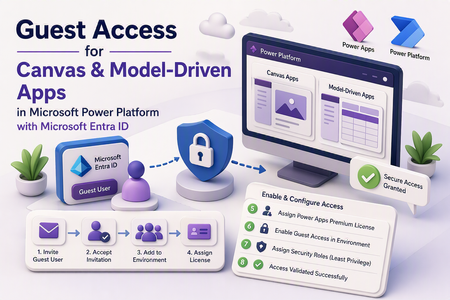
Introduction External collaboration is a common requirement for business applications built on Microsoft Power Platform. Organizations may need to provide controlled access to vendors, partners, contractors, or external business users without creating full internal user accounts. Microsoft Entra ID B2B guest access enables this scenario by allowing external users to be invited into the resource tenant and then granted access to specific Power Platform resources. For apps that use Microsoft Dataverse, access is still governed by licensing, environment-level guest access settings, and Dataverse security roles. This blog walks through the configuration flow to enable a guest user to access Canvas apps and Model-driven apps in Microsoft Power Platform using Microsoft Entra ID. Scenario In this scenario, an external user needs access to a Power Platform environment and must be able to access a Dataverse-backed app, such as a Model-driven app or a Canvas app that connects to Dataverse. The configuration involves the following areas: Microsoft Entra ID external collaboration Guest user invitation and acceptance Power Platform environment user access Power Apps licensing Environment-level guest access setting Dataverse security roles App access validation Step 1: Enable external sharing in Microsoft Entra ID Start by validating that external collaboration is enabled in Microsoft Entra ID. In the Microsoft Entra admin center, go to: External Identities → External collaboration settings Review the guest collaboration settings and ensure that the required guest access method is allowed for your organization. Depending on your organization’s preference and security model, guest access can be enabled through: B2B collaboration invitation B2B direct connect, where applicable for the scenario For this walkthrough, the guest user is added through the B2B invitation flow. Step 2: Add the external user as a guest user Add the external user as a guest user in the Microsoft Entra tenant. In Microsoft Entra ID, invite the external user by sending a guest invitation. The guest user must exist in the resource tenant before Power Platform and Dataverse access can be assigned. Sharing an app with guest users must be done in the resource tenant - the tenant where the app actually resides. The user's original tenant, by contrast, is referred to as the home tenant. Step 3: Ask the guest user to accept the invitation The guest user must accept the invitation before they can access resources in the tenant. Once the invite is accepted, the user becomes available as a guest account in the resource tenant and can be assigned access to Power Platform resources. Step 4: Add the guest user to the environment and assign security roles Once the guest user has accepted the invitation, the next step is to add them to the required environment and assign the appropriate security roles. Both of these actions are performed in the Microsoft Power Platform admin center (PPAC), so they can be completed back-to-back. Add the user to the environment: Navigate to Environments → Settings → Users → Add user, then select the guest user and add them to the target environment. This makes the user available in the environment so that security roles and app-level access can be configured. Assign Dataverse security roles: With the user added, assign the appropriate Microsoft Dataverse security roles. Security roles determine what a user can and cannot access within Dataverse - for example, an external vendor can be scoped to only the tables, records, and actions required for their specific task, without any administrative privileges. Follow the principle of least-privilege access: grant only the permissions the guest user needs to complete their intended business process. Step 5: Assign a Power Apps license Next, assign the required Microsoft Power Apps license to the guest user. In this walkthrough, a Power Apps Premium license was assigned from the Microsoft 365 admin center. Per Microsoft's official documentation, accessing an app that connects to Microsoft Dataverse requires the guest user to hold a license with Power Apps use rights matching the app's capability level. Step 6: Enable guest user access in the Power Platform environment Next, enable guest access for the environment. Go to: Power Platform admin center → Security → Identity and access → Guest access Then: Select the required environment. Select Manage guest access. Turn off the Block guest user access toggle. This allows Microsoft Entra B2B guest users to access Dataverse data in that environment Step 8: Validate access with the guest user After completing the configuration, validate the access using the guest user account. In this validation, the guest user was able to sign in to the CRM environment and perform actions aligned with the assigned security role. Summary Guest user access for Canvas apps and Model-driven apps in Microsoft Power Platform can be configured using Microsoft Entra ID B2B collaboration and Power Platform security controls. For Dataverse-backed apps, the important point is that guest access is governed by multiple layers. The user must be invited and accepted as a guest, added to the environment, licensed appropriately, allowed through the environment guest access setting, and assigned the right Dataverse security roles. Once these controls are configured correctly, external users can access the required app and perform only the actions permitted by their assigned role. References Share a canvas app with guest users - Power Apps Control guest access to Microsoft Power Platform environments Identity and access management - Power Platform Sharing a model-driven app - assigning security roles and privileges Share a canvas app with your organization Security in Microsoft DataversePower Pages & SPA: Deploying a Custom React SPA to Microsoft Power Pages
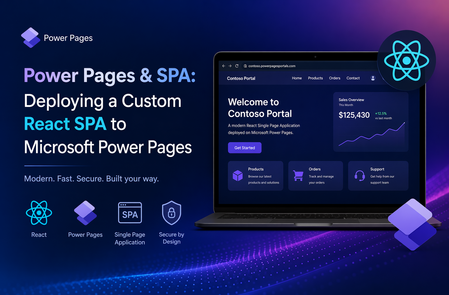
Build modern client-side experiences with React and deploy them securely on Power Pages using Power Platform CLI. Learn how to build a React Single Page Application using Vite and deploy it to Microsoft Power Pages with Power Platform CLI while using Power Pages authentication, Web API, and Dataverse security.
Power Apps Vibe Experience: Build Business Apps at the Speed of Ideas
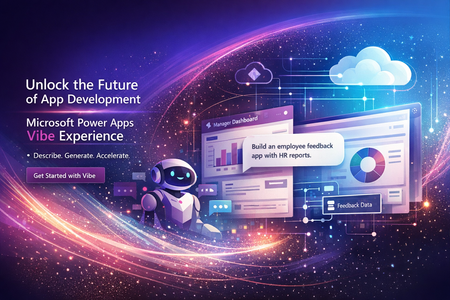
Power Apps Vibe Experience: Building Business Applications with AI in Minutes Organizations today operate in a fast-paced digital environment where new business challenges emerge constantly. Whether it’s managing internal workflows, tracking projects, or collecting customer feedback, businesses often require custom applications to support their processes. However, traditional application development—even with modern low-code tools—still requires time, technical expertise, and coordination between multiple teams. Designing the user interface, building the data model, writing logic, and integrating services can take weeks or even months. To address this challenge, Microsoft Power Apps has introduced the Power Apps Vibe experience, a new AI-driven way to build enterprise applications by simply describing the outcome you want. This innovative approach represents a significant evolution in the Microsoft Power Platform ecosystem, enabling organizations to move from idea to working application faster than ever before. What Is the Power Apps Vibe Experience? The Power Apps Vibe experience is an AI-first development environment designed to simplify and accelerate the creation of business applications. Instead of manually designing each component of an application, users can start by describing their business requirement in natural language. For example, a user might type: “Create an internal app where employees can submit support requests, track approvals, and receive notifications.” Based on this prompt, the platform automatically generates the foundational elements required to build the application. These include: Business requirements and solution plan A structured data model built on Microsoft Dataverse User interface layouts and navigation Forms and pages Application logic and workflows All these elements are created within a single integrated development workspace. This dramatically reduces the time and complexity associated with traditional application development. Why Power Apps Vibe Is Important for Modern Organizations Many organizations face a common challenge: they have plenty of ideas for improving processes but lack the resources to implement them quickly. Building custom software often requires developers, project managers, designers, and testers. Even with low-code platforms, organizations still need time to design data models and configure application logic. The Vibe experience addresses these challenges by introducing AI-assisted application generation. Key Benefits Faster Time to Value Organizations can create functional applications in minutes instead of weeks. This allows teams to rapidly prototype ideas and deliver solutions faster. Empowering Citizen Developers Business users who understand the problem best can now participate directly in building solutions. They do not need advanced coding skills to create useful applications. Enterprise-Grade Security Applications built using Power Apps Vibe run on Microsoft Dataverse, which provides: Role-based access control Secure data storage Compliance and governance capabilities This ensures that even AI-generated applications meet enterprise security requirements. Consistent Governance IT administrators maintain full control through: Tenant policies Data governance rules Environment management This balance allows organizations to encourage innovation while maintaining control over their technology environment. How the Power Apps Vibe Experience Works The development process in the Vibe experience follows a simple three-step model. Step 1: Describe the Business Problem The process begins with a natural language description of the application requirement. For example: “Create an inventory management app where warehouse staff can track stock levels, update inventory, and generate reports.” The AI analyses this prompt to understand the core business objectives. Step 2: AI Generates the Application Plan Next, the system produces a structured plan for the application. This plan typically includes: User roles and permissions Data entities and relationships Functional requirements Suggested workflows This planning stage helps ensure the application is aligned with the intended business scenario. Step 3: Automated Application Creation Once the plan is confirmed, the platform automatically generates the application. This includes: Data tables and schema Forms and screens Navigation structure Business logic Basic workflows Because the platform creates these components together, the data model and application structure remain synchronized. Core Capabilities of Power Apps Vibe Rapid Prototyping One of the most powerful features of the Vibe experience is rapid prototyping. Teams can quickly convert ideas into working applications that can be tested and refined. Benefits include: Faster proof-of-concept development Reduced design effort Early feedback from stakeholders Unified Development Environment Traditional application development often involves multiple tools and stages. Developers may use different platforms for: Planning Data modelling UI design Workflow creation The Vibe experience combines these activities into a single integrated workspace. This unified environment ensures that changes to the data model automatically update the application. AI-Assisted Development Artificial intelligence plays a continuous role throughout the development lifecycle. AI can assist with: Prompt suggestions Code generation App design improvements Architecture recommendations Because the system understands the context of the business problem, it can suggest optimizations and enhancements. Instant Application Generation With a single prompt, the platform can generate an entire application structure. Automatically generated components include: Data tables Forms and pages Navigation menus Business rules Application logic This dramatically reduces the effort required to build enterprise-ready applications. Power Apps Vibe vs Canvas Apps vs Model-Driven Apps Within the Microsoft Power Apps ecosystem, developers can choose from multiple development approaches. Each approach serves different use cases. Feature Power Apps Vibe Canvas Apps Model-Driven Apps Development Style AI-generated Visual UI design Data-driven Creation Method Natural language Drag-and-drop designer Data schema UI Customization Moderate High Limited Data Model Automatically generated Flexible sources Dataverse required Speed Very fast Medium Medium Ideal Use Case Rapid prototypes Custom UI apps Enterprise solutions Conclusion The Power Apps Vibe experience represents a major step forward in the evolution of low-code platforms. By combining artificial intelligence with the capabilities of Microsoft Power Platform, Microsoft is enabling organizations to transform ideas into working applications faster than ever before. For businesses seeking to improve productivity, streamline workflows, and innovate rapidly, the Vibe experience offers a powerful new way to build enterprise solutions. Reference Links: https://learn.microsoft.com/en-us/power-apps/vibe/overview https://learn.microsoft.com/en-us/power-apps/vibe/create-app-data-plan https://learn.microsoft.com/en-us/power-platform/released-versions/new-powerappsBuilding High-Performance Agentic Systems
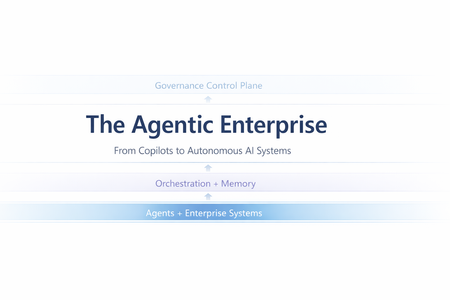
Most enterprise chatbots fail in the same quiet way. They answer questions. They impress in demos. And then they stall in production. Knowledge goes stale. Answers cannot be audited. The system cannot act beyond generating text. When workflows require coordination, execution, or accountability, the chatbot stops being useful. Agentic systems exist because that model is insufficient. Instead of treating the LLM as the product, agentic architecture embeds it inside a bounded control loop: plan → act (tools) → observe → refine The model becomes one component in a runtime system with explicit state management, safety policies, identity enforcement, and operational telemetry. This shift is not speculative. A late-2025 MIT Sloan Management Review / BCG study reports that 35% of organizations have already adopted AI agents, with another 44% planning deployment. Microsoft is advancing open protocols for what it calls the “agentic web,” including Agent-to-Agent (A2A) interoperability and Model Context Protocol (MCP), with integration paths emerging across Copilot Studio and Azure AI Foundry. The real question is no longer whether agents are coming. It is whether enterprise architecture is ready for them. This article translates “agentic” into engineering reality: the runtime layers, latency and cost levers, orchestration patterns, and governance controls required for production deployment. The Core Capabilities of Agentic AI What makes an AI “agentic” is not a single feature—it’s the interaction of different capabilities. Together, they form the minimum set needed to move from “answering” to “operating”. Autonomy – Goal-Driven Task Completion Traditional bots are reactive: they wait for a prompt and produce output. Autonomy introduces a goal state and a control loop. The agent is given an objective (or a trigger) and it can decide the next step without being micromanaged. The critical engineering distinction is that autonomy must be bounded: in production, you implement it with explicit budgets and stop conditions—maximum tool calls, maximum retries, timeouts, and confidence thresholds. The typical execution shape is a loop: plan → act → observe → refine. A project-management agent, for example, doesn’t just answer “what’s the status?” It monitors signals (work items, commits, build health), detects a risk pattern (slippage, dependency blockage), and then either surfaces an alert or prepares a remediation action (re-plan milestones, notify owners). In high-stakes environments, autonomy is usually human-in-the-loop by design: the agent can draft changes, propose next actions, and only execute after approval. Over time, teams expand the autonomy envelope for low-risk actions while keeping approvals for irreversible or financially sensitive operations. Tool Integration – Taking Action and Staying Current A standalone LLM cannot fetch live enterprise state and cannot change it. Tool integration is how an agent becomes operational: it can query systems of record, call APIs, trigger workflows, and produce outputs that reflect the current world rather than the model’s pretraining snapshot. There are two classes of tools that matter in enterprise agents: Retrieval tools (grounding / RAG)When the agent needs facts, it retrieves them. This is the backbone of reducing hallucination: instead of guessing, the agent pulls authoritative content (SharePoint, Confluence, policy repositories, CRM records, Fabric datasets) and uses it as evidence. In practice, retrieval works best when it is engineered as a pipeline: query rewrite (optional) → hybrid search (keyword + vector) → filtering (metadata/ACL) → reranking → compact context injection. The point is not “stuff the prompt with documents,” but “inject only the minimum evidence required to answer accurately.” Action tools (function calling / connectors) These are the hands of the agent: update a CRM record, create a ticket, send an email, schedule a meeting, generate a report, run a pipeline. Tool integration shifts value from “advice” to “execution,” but also introduces risk—so action tools need guardrails: least-privilege permissions, input validation, idempotency keys, and post-condition checks (confirm the update actually happened). In Microsoft ecosystems, this tool plane often maps to Graph actions + business connectors (via Logic Apps/Power Automate) + custom APIs, with Copilot Studio (low code) or Foundry-style runtimes (pro code) orchestrating the calls. Memory (Context & Learning) – Context Awareness and Adaptation “Memory” is not just a long prompt. In agentic systems, memory is an explicit state strategy: Working memory: what the agent has learned during the current run (intermediate tool results, constraints, partial plans). Session memory: what should persist across turns (user preferences, ongoing tasks, summarized history). Long-term memory: enterprise knowledge the agent can retrieve (indexed documents, structured facts, embeddings + metadata). Short-term memory enables multi-step workflows without repeating questions. An HR onboarding agent can carry a new hire’s details from intake through provisioning without re-asking, because the workflow state is persisted and referenced. Long-term “learning” is typically implemented through feedback loops rather than real-time model weight updates: capturing corrections, storing validated outcomes, and periodically improving prompts, routing logic, retrieval configuration, or (where appropriate) fine-tuning. The key design rule is that memory must be policy-aware: retention rules, PII handling, and permission trimming apply to stored state as much as they apply to retrieved documents. Orchestration – Coordinating Multi-Agent Teams Complex enterprise work is rarely single-skill. Orchestration is how agentic systems scale capability without turning one agent into an unmaintainable monolith. The pattern is “manager + specialists”: an orchestrator decomposes the goal into subtasks, routes each to the best tool or sub-agent, and then composes a final response. This can be done sequentially or in parallel. Employee onboarding is a classic: HR intake, IT account creation, equipment provisioning, and training scheduling can run in parallel where dependencies allow. The engineering challenge is making orchestration reliable: defining strict input/output contracts between agents (often structured JSON), handling failures (timeouts, partial completion), and ensuring only one component has authority to send the final user-facing message to avoid conflicting outputs. In Microsoft terms, orchestration can be implemented as agentic flows in Copilot Studio, connected-agent patterns in Foundry, or explicit orchestrators in code using structured tool schemas and shared state. Strategic Impact – How Agentic AI Changes Knowledge Work Agentic AI is no longer an experimental overlay to enterprise systems. It is becoming an embedded operational layer inside core workflows. Unlike earlier chatbot deployments that answered isolated questions, modern enterprise agents execute end-to-end processes, interact with structured systems, maintain context, and operate within governed boundaries. The shift is not about conversational intelligence alone; it is about workflow execution at scale. The transformation becomes clearer when examining real implementations across industries. In legal services, agentic systems have moved beyond document summarization into operational case automation. Assembly Software’s NeosAI, built on Azure AI infrastructure, integrates directly into legal case management systems and automates document analysis, structured data extraction, and first-draft generation of legal correspondence. What makes this deployment impactful is not merely the generative drafting capability, but the integration architecture. NeosAI is not an isolated chatbot; it operates within the same document management systems, billing systems, and communication platforms lawyers already use. Firms report time savings of up to 25 hours per case, with document drafting cycles reduced from days to minutes for first-pass outputs. Importantly, the system runs within secure Azure environments with zero data retention policies, addressing one of the most sensitive concerns in legal AI adoption: client confidentiality. JPMorgan’s COiN platform represents another dimension of legal and financial automation. Instead of conversational assistance, COiN performs structured contract intelligence at production scale. It analyzes more than 12,000 commercial loan agreements annually, extracting over 150 clause attributes per document. Work that previously required approximately 360,000 human hours now executes in seconds. The architecture emphasizes structured NLP pipelines, taxonomy-based clause classification, and private cloud deployment for regulatory compliance. Rather than replacing legal professionals, the system flags unusual clauses for human review, maintaining oversight while dramatically accelerating analysis. Over time, COiN has also served as a knowledge retention mechanism, preserving institutional contract intelligence that would otherwise be lost with employee turnover. In financial services, the impact is similarly structural. Morgan Stanley’s internal AI Assistant allows wealth advisors to query over 100,000 proprietary research documents using natural language. Adoption has reached nearly universal usage across advisor teams, not because it replaces expertise, but because it compresses research time and surfaces insights instantly. Building on this foundation, the firm introduced an AI meeting debrief agent that transcribes client conversations using speech-to-text models and generates CRM notes and follow-up drafts through GPT-based reasoning. Advisors review outputs before finalization, preserving human judgment. The result is faster client engagement and measurable productivity improvements. What differentiates Morgan Stanley’s approach is not only deployment scale, but disciplined evaluation before release. The firm established rigorous benchmarking frameworks to test model outputs against expert standards for accuracy, compliance, and clarity. Only after meeting defined thresholds were systems expanded firmwide. This pattern—evaluation before scale—is becoming a defining trait of successful enterprise agent deployment. Human Resources provides a different perspective on agentic AI. Johnson Controls deployed an AI HR assistant inside Slack to manage policy questions, payroll inquiries, and onboarding support across a global workforce exceeding 100,000 employees. By embedding the agent in a channel employees already use, adoption barriers were reduced significantly. The result was a 30–40% reduction in live HR call volume, allowing HR teams to redirect focus toward strategic workforce initiatives. Similarly, Ciena integrated an AI assistant directly into Microsoft Teams, unifying HR and IT support through a single conversational interface. Employees no longer navigate separate portals; the agent orchestrates requests across backend systems such as Workday and ServiceNow. The technical lesson here is clear: integration breadth drives usability, and usability drives adoption. Engineering and IT operations reveal perhaps the most technically sophisticated application of agentic AI: multi-agent orchestration. In a proof-of-concept developed through collaboration between Microsoft and ServiceNow, an AI-driven incident response system coordinates multiple agents during high-priority outages. Microsoft 365 Copilot transcribes live war-room discussions and extracts action items, while ServiceNow’s Now Assist executes operational updates within IT service management systems. A Semantic Kernel–based manager agent maintains shared context and synchronizes activity across platforms. This eliminates the longstanding gap between real-time discussion and structured documentation, automatically generating incident reports while freeing engineers to focus on remediation rather than clerical tasks. The system demonstrates that orchestration is not conceptual—it is operational. Across these examples, the pattern is consistent. Agentic AI changes knowledge work by absorbing structured cognitive labor: document parsing, compliance classification, research synthesis, workflow routing, transcription, and task coordination. Humans remain essential for judgment, ethics, and accountability, but the operational layer increasingly runs through AI-mediated execution. The result is not incremental productivity improvement; it is structural acceleration of knowledge processes. Design and Governance Challenges – Managing the Risks As agentic AI shifts from answering questions to executing workflows, governance must mature accordingly. These systems retrieve enterprise data, invoke APIs, update records, and coordinate across platforms. That makes them operational actors inside your architecture—not just assistants. The primary shift is this: autonomy increases responsibility. Agents must be observable. Every retrieval, reasoning step, and tool invocation should be traceable. Without structured telemetry and audit trails, enterprises lose visibility into why an agent acted the way it did. Agents must also operate within scoped authority. Least-privilege access, role-based identity, and bounded credentials are essential. An HR agent should not access finance systems. A finance agent should not modify compliance data without policy constraints. Autonomy only works when it is deliberately constrained. Execution boundaries are equally critical. High-risk actions—financial approvals, legal submissions, production changes—should include embedded thresholds or human approval gates. Autonomy should be progressive, not absolute. Cost and performance must be governed just like cloud infrastructure. Agentic systems can trigger recursive calls and model loops. Without usage monitoring, rate limits, and model-tier routing, compute consumption can escalate unpredictably. Finally, agentic systems require continuous evaluation. Real-world testing, live monitoring, and drift detection ensure the system remains aligned with business rules and compliance requirements. These are not “set and forget” deployments. In short, agentic AI becomes sustainable only when autonomy is paired with observability, scoped authority, embedded guardrails, cost control, and structured oversight. Conclusion – Towards the Agentic Enterprise The organizations achieving meaningful returns from agentic AI share a common pattern. They do not treat AI agents as experimental tools. They design them as production systems with defined roles, scoped authority, measurable KPIs, embedded observability, and formal governance layers. When autonomy is paired with integration, memory, orchestration, and governance discipline, agentic AI becomes more than automation—it becomes an operational architecture. Enterprises that master this architecture are not merely reducing costs; they are redefining how knowledge work is executed. In this emerging model, human professionals focus on strategic judgment and innovation, while AI agents manage structured cognitive execution at scale. The competitive advantage will not belong to those who deploy the most AI, but to those who deploy it with architectural rigor and governance maturity. Before we rush to deploy more agents, a few questions are worth asking: If an AI agent executes a workflow in your enterprise today, can you trace every reasoning step and tool invocation behind that decision? Does your architecture treat AI as a conversational layer - or as an operational actor with scoped identity, cost controls, and policy enforcement? Where should autonomy stop in your organization - and who defines that boundary? Agentic AI is not just a capability shift. It is an architectural decision. Curious to hear how others are designing their control planes and orchestration layers. References MIT Sloan – “Agentic AI, Explained” by Beth Stackpole: A foundational overview of agentic AI, its distinction from traditional generative AI, and its implications for enterprise workflows, governance, and strategy. Microsoft TechCommunity – “Introducing Multi-Agent Orchestration in Foundry Agent Service”: Details Microsoft’s multi-agent orchestration capabilities, including Connected Agents, Multi-Agent Workflows, and integration with A2A and MCP protocols. Microsoft Learn – “Extend the Capabilities of Your Agent – Copilot Studio”: Explains how to build and extend custom agents in Microsoft Copilot Studio using tools, connectors, and enterprise data sources. Assembly Software’s NeosAI case – Microsoft Customer Stories JPMorgan COiN platform – GreenData Case Study HR support AI (Johnson Controls, Ciena, Databricks) – Moveworks case studies ServiceNow & Semantic Kernel multi-agent P1 Incident – Microsoft Semantic Kernel BlogEssential Microsoft Resources for MVPs & the Tech Community from the AI Tour
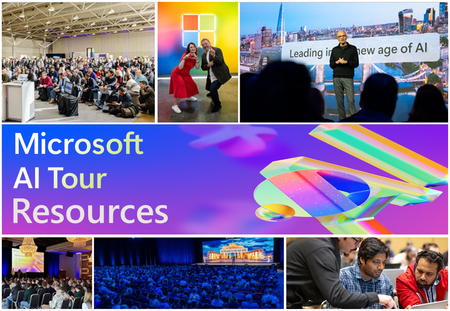
Unlock the power of Microsoft AI with redeliverable technical presentations, hands-on workshops, and open-source curriculum from the Microsoft AI Tour! Whether you’re a Microsoft MVP, Developer, or IT Professional, these expertly crafted resources empower you to teach, train, and lead AI adoption in your community. Explore top breakout sessions covering GitHub Copilot, Azure AI, Generative AI, and security best practices—designed to simplify AI integration and accelerate digital transformation. Dive into interactive workshops that provide real-world applications of AI technologies. Take it a step further with Microsoft’s Open-Source AI Curriculum, offering beginner-friendly courses on AI, Machine Learning, Data Science, Cybersecurity, and GitHub Copilot—perfect for upskilling teams and fostering innovation. Don’t just learn—lead. Access these resources, host impactful training sessions, and drive AI adoption in your organization. Start sharing today! Explore now: Microsoft AI Tour Resources.Swagger Auto-Generation on MCP Server
Would you like to generate a swagger.json directly on an MCP server on-the-fly? In many use cases, using remote MCP servers is not uncommon. In particular, if you're using Azure API Management (APIM), Azure API Center (APIC) or Copilot Studio in Power Platform, integrating with remote MCP servers is inevitable.Announcing the Powerful Devs Conference + Hack Together 2025
Discover the potential of Microsoft Power Platform at this global event starting Feb 12, 2025! Learn from experts, explore tools like Power Apps, AI Builder, and Copilot Studio, and create innovative solutions during the two-week hackathon. Prizes await the best projects across 8 categories. 🌟 Build. Innovate. Hack Together. 👉 Register now: aka.ms/powerfuldevs Your future in enterprise app development starts here!
Learn New Skills in the New Year
New year’s resolution: Start writing better code faster in 2025. Kick off the new year by learning new developer skills and elevate your career to the next level. In this post, we explore learning resources and live events that will help you build critical skills and get started with cutting-edge technologies. Learn how to build custom agents, code intelligent apps with familiar tools, discover new possibilities in .NET 9, use Copilot for testing and debugging, and more. Plus, get details about using GitHub Copilot in Visual Studio Code—for free! New AI for Developers page Check out the new AI for Developers page. It's packed with free GitHub courses on building apps, machine learning, and mastering GitHub Copilot for paired programming. Learn your way and skill up for what's next in AI. Use GitHub Copilot in Visual Studio Code for free Did you hear the news? You can now use GitHub Copilot in Visual Studio Code for free. Get details about the new Copilot Free plan and add Copilot to your developer toolbox. What is Copilot Studio? Have questions about Copilot Studio? This article from Microsoft Learn covers all the basics you need to know about Copilot Studio—the low-code tool for easily building agents and extending Microsoft 365 Copilot. From C# to ChatGPT: Build Generative AI Solutions with Azure Combine your C# skills with the cutting-edge power of ChatGPT and Azure OpenAI Service. This free learning path introduces you to building GenAI solutions, using REST APIs, SDKs, and Azure tools to create more intelligent applications. Register for the Powerful Devs Conference + Hackathon Register for the Powerful Devs Conference + Hackathon (February 12-28, 2025) and get more out of Power Platform. This one-day online conference is followed by a 2-week hackathon focused on building intelligent applications with less effort. Code the future with Java and AI: RSVP for Microsoft JDConf 2025 today Get ready for the JDConf 2025—Microsoft's annual event for Java developers. Taking place April 9-10, this year’s event will have three separate live streams to cover different regions. Join to explore tools and skills for building modern apps in the cloud and integrating AI. Build custom agents for Microsoft Teams Learn how to build custom agents for Microsoft Teams. This free learning path will teach you about different copilot stacks, working with Azure OpenAI, building a custom engine agent. Start building intelligent Microsoft Teams apps using the LLMs and AI components. Microsoft Learn: Debug your app with GitHub Copilot in Visual Studio Debug more efficiently using GitHub Copilot. This Microsoft Learn article shows you how. Discover how Copilot will answer detailed questions about your code and provide bug fixes. Make Azure AI Real: Watch Season 2 Elevate your AI game with Make Azure AI Real on demand. Season 2 digs into the latest Azure AI advancements, with practical demos, code samples, and real-world use cases. GitHub Copilot Bootcamp Streamline your workflow with GitHub Copilot—craft more effective prompts and automate repetitive tasks like testing. This GitHub Copilot Bootcamp is a 4-part live streaming series that will help you master GitHub Copilot. 10 Days of GenAI – Gift Guide Edition Start building your own Gen AI application. These short videos outline 10 steps for creating your app—choose a model, add functions, fine tune responses, and more. Extend Microsoft 365 Copilot with declarative agents using Visual Studio Code Check out this new learning path from Microsoft Learn to discover how you can extend Microsoft 365 Copilot with declarative agents using VS Code. Learn about declarative agents and how they work. Developer's guide to building your own agents Want to build your own agents? Watch this Ignite session on demand for a look at the new agent development tools. Find out how to create agents built on Microsoft 365 Copilot or your custom AI engine. Master distributed application development with .NET Aspire Get started with .NET Aspire—an opinionated, cloud-ready stack for building distributed applications with .NET. This series covers everything from setup to deployment. Start your journey toward mastering distributed app development. Learn: What's new in .NET 9 Discover what's new in .NET 9. Learn about new features for AI, improvements for building cloud-native apps, performance enhancements, updates to C#, and more. Read the overview and get started with .NET 9. Become a .NET AI engineer using the OpenAI library for .NET Use your .NET skills to become an AI engineer. With the OpenAI library, .NET developers can quickly master critical AI skills and apply them to real world apps. Read the blog to learn more about the OpenAI library for .NET. Test like a pro with Playwright and GitHub Copilot Supercharge your testing using Playwright and GitHub Copilot. Watch this in-depth demo and discover how you can easily create end-to-end tests using Playwright's powerful built-in code generator. Other news and resources from around Microsoft · Microsoft Learn: Why and how to adopt AI in your organization · Microsoft Learn: Learn to use Copilot in Microsoft Fabric · AI Toolkit for Visual Studio Code: Update highlights · Teams Toolkit for Visual Studio Code update · RAG Deep Dive: Live streams · Learn Together: SQL database in Fabric · Become an AI security expert using OpenAI with Azure Managed Identity · Deploy, monitor, and manage development resources with Microsoft Dev Box · Microsoft Playwright testing · Introduction to artificial intelligence and Azure AI services · Azure AI-900 Fundamentals Training event series · Leveraging cloud-native infra for your intelligent apps · Platform engineering with GitHub · Extend declarative agents for Microsoft 365 Copilot with API plugins using Visual Studio Code · Introducing the Microsoft 365 Agents SDK · Azure Live Q&A events · Get started with multimodal parsing for RAG using GPT-4o, Azure AI Search, and LlamaParse4.2KViews2likes0Comments