power apps
14 Topics
Power Apps - development vs production
“It works fine in development.” Probably one of the most dangerous sentences in application development. 😄 I've seen Power Apps behave perfectly when we test with a small amount of data. Then the application goes to UAT or production and suddenly users start reporting: “It's taking too long to load.” “The gallery is empty.” “The search isn't returning everything.” “Why is this screen so slow?” Many times, the formula itself isn't the only issue. The data is. For example, an app might work perfectly with a few hundred SharePoint records. But as the list grows, the same approach can become a problem because of delegation and the amount of data being processed. That's why I've started asking these questions before finalizing an app: Is this query delegable? How much data will this list have after one year? Are we loading records into collections unnecessarily? Are we doing multiple LookUps inside a gallery? Can the filtering happen closer to the data source? Would Dataverse be a better option for this requirement? These questions don't always come up when we're building the first version of the application. But they become very important later. One thing I'm learning with Power Platform is that a solution that works today is not necessarily a solution that will scale tomorrow. Sometimes spending a little more time on the data and architecture in the beginning saves a lot of time later. Curious to know what others have experienced: What was the biggest Power Apps performance issue you faced after moving an application to production?156Views0likes0CommentsPlanner tasks "template" for same tasks monthly
The finance department would like to have month end tasks to accomplish, pay xyz, update finance, etc. A lot of the tasks are the same and they'd like to have a Planner task / plan that has a few hundred tasks and assigned to people and have them assigned "March 2021" and then "April 2021" etc. Same tasks, just a Template of the past tasks. They will fill out the tasks and know "Matt updated" "Jane is in progress" etc. Just need to have it recreated over and over again. They plan to try to use this in Teams and have a new channel for each month so 03-2021 and 04-2021 (for example) and then have a brand new Planner plan each month to know the status of the work people are performing. We are looking for a solution. If this is NOT the BEST solution. Please let me / us know. We have M365 E3 license so we can be flexible. I am thinking as I type. I don't know if we could create a Planner plan and have it as the "template" and then maybe have Power Automate "grab" and copy the Planner plan and put it into the new group? Maybe use Power Apps to say "what is the team and the name of the 'new channel' and then Power Automate would create the new Planner from one....maybe a "Planner Teams template team" and then have a General tab, obviously, and a "template channel" with the "generic Planner plan" in it as a tab, that they can update as needed. Can add Jane or remove Rick, or add Jannell, etc.? We are not new to the products, yet not major developers and so it will be tough to just "make it happen." .... which is why we are asking here! Thank you! Matt17KViews1like6CommentsReminder: PowerApps community call kick off for 2019 - tomorrow at 8:00am PST
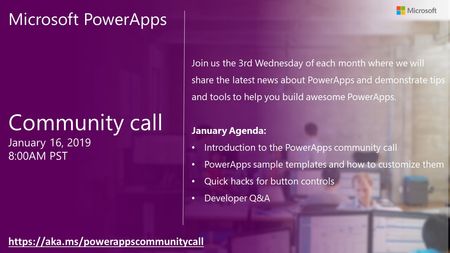
Join us for the kick off of the 2019 monthly community call series for PowerApps. Each month, we will share the latest news about PowerApps and demonstrate tips and tools to help you build awesome PowerApps. January Agenda: •Introduction to the PowerApps community call •PowerApps sample templates and how to customize them •Quick hacks for button controls •Developer Q&A https://aka.ms/powerappscommunitycall591Views0likes0CommentsPowerApps community call blog and recording now available
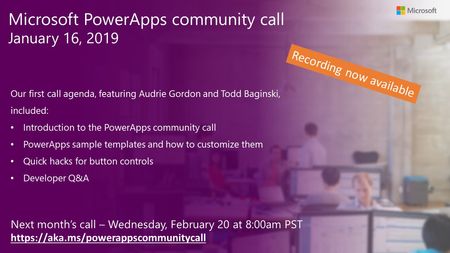
Agenda for this month’s call included: PowerApps sample templates and how to customize them Quick hacks for using buttons Recent news and community activities Q&A https://t.co/WiUtR8Waez Next month's call is on Wednesday, February 20th at 8:00am - https://aka.ms/powerappscommunitycall724Views0likes0CommentsPowerApps community call blog and recording now available
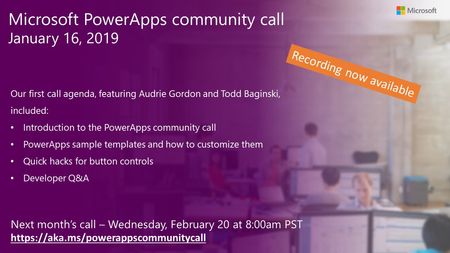
Agenda for this month’s call included: PowerApps sample templates and how to customize them Quick hacks for using buttons Recent news and community activities Q&A https://t.co/WiUtR8Waez Next month's call is on Wednesday, February 20th at 8:00am -https://aka.ms/powerappscommunitycall648Views0likes0Comments
Sharedmailbox with Power Apps scenario
Hello all, Scenario I have a Power App Canvas with a shirt prices that once its finished it's sending an email to the final user. For it I use a Sharedmailbox but I'm the only one with Permissions so nobody has any kind of permission on that sharedmailbox. One requisit is that any user can have any kind of permission in that shared mailbox. Question It will work if I create the outlook connection with my account? I should grant any permission to the whole users? Thanks in advance 🙂1.9KViews0likes0CommentsSave SharePoint list attachments to a Document library
Hi all, I've been grappling with this one for a while so wondering if anyone can explain at a conceptual level how to do this or whether it is beyond the reach of Office365. We have users that fill out a Microsoft form. This submitted information plus any attachments are saved to a SharePoint list. Another set of users then manage this data via a Power App where the SharePoint list is the data source. By creating screens that use the Power App form functionality they are able to view and update the selected list item values and add/delete any attachments. Once the data is reviewed this set of users then click a button to create a report. This report creation process grabs all of the SharePoint list data and pass it across to Power Automate. The flow then uses this data to create a new PDF file and save it to a specific folder on a SharePoint document library so other staff can review and collaborate on it. This all works great except where we have any stored attachments saved in the SharePoint list item. We want to save a copy of each attachment into the same Document Library location as the PDF report. We have tried to build a flow that will do this and all of my research says this may not be possible (yet I still have faith in O365 so hence my post!!) Any thoughts would be greatly appreciated. regards, Andrew3.4KViews0likes0Comments
Hidden Roomlist
Hello, I am totally new to this and this is my first post. We are working on building a power app for booking rooms. We would like to ensure that all the users book rooms only through the power app but not directly from Outlook ( Roomlists ). However, when we hide the roomlists from being visible in Outlook, they get hidden from Power app too ( we use o365 connector , Office365.GetRooms() ) Any way we could achieve this functionality ? Any help is highly appreciated. PS : Booking via power app is due to additional rules we incorportated for meeting rooms which cannot be handled using any existing rules in exchange.3.4KViews0likes4Comments