poll
127 TopicsExport to Excel - wrong and shortened titles
Hi all, we want to get rid of other polling tools and recommend Forms for broader usage. We now had a "Likert" poll that caused the Excel export to be unusable. The questions were not in the same order as they were in the Form (deleted the Excel from Onedrive and let it recreate did not solve this) Also some titles were shortened like: Likert topic: Share your event feedback (e.g. how was the food, the beverages and so on) Food: Great, Ok, i was hungry But in the excel export the title of this row was: Share your event feedback (e.g. how was the food, the beverages and soFormsID4 So it was impossible to see what statement was answered to. What are the limitations here? BR Stephan261Views0likes1Comment
Problems sharing results
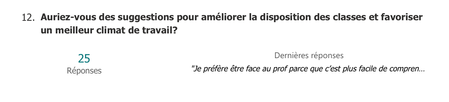
Hi! I need to share the results of a Microsoft Forms survey, and the Summary link doesn't include the written answers to one of my questions. As you can see, I have 25 written responses that I’d like to share along with the graphs, but those answers are missing: Additionally, is there a way to customize the appearance of the shared responses? Thank you! Chris.227Views0likes1Comment
Branching based on a date of birth
Is it possible to do some branching based on a date of birth? i.e. I ask them how old there are, if they are over 18 then they are good to carry on with the rest of the survey, if not then I need to ask them some additional questions. Is this doable?2.1KViews0likes1CommentRecurring employee survey that goes out multiple times in a single day.
As the subject line suggests, is there a way to have a survey go out several times throughout a single employee shift? Our people work 12-hr shifts in order to maintain a 24/7/365 operation. We are looking to conduct workload & stress-level assessments at specific times throughout the employees' shift. For example: the survey would go out to the employee at 6am, 11am, and 4pm for a dayshift worker and then 6pm, 11pm, 4am for our nightshift folks. It would be the same questions each time in order to trend the differences.573Views0likes4Comments
Forms not loading while presenting PPT in Teams
I created a PowerPoint presentation and added a couple of polls by selecting the Forms tab in PPT. The polls appear correctly in the slides and the polling function works when not presenting live in Teams, but once I select Present in Teams, the polling slides only show blue boxes with no other content.1.3KViews2likes2Comments
MS Forms polls/quizzes: live presentation
HI there Is it possible to create a poll/quiz with multiple questions but where the presenter has control as to when to progress through the quiz? I.e. all respondents answer q1, presenter presents results, then everyone moves onto q2 etc. Thanks Joe946Views2likes3Comments
Ranking system in forms
Hi, i have to make a quick ranking system for a competition at my university, using microsoft forms. (never used it) people are going to vote for 5 RC-cars, in a range of 1-5 points, where if you give a car 5 points you have 4,3,2,1 points left to distribute among the other 4 RC-cars, can anyone help/tell me how i do this?2.8KViews0likes2Comments