performance testing
9 TopicsHow to import Perfmon logs into a SQL Database to create Excel Pivot Charts
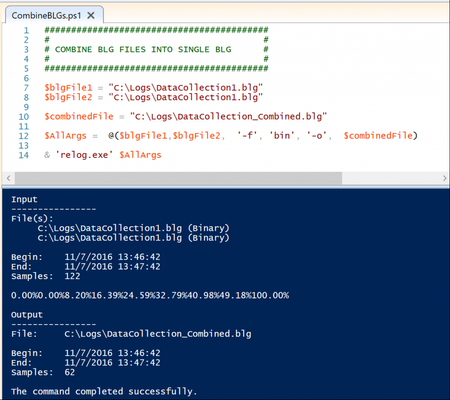
First published on MSDN on Nov 28, 2017 Authored by Edwin HernandezWe came across a scenario where a customer needs to run a Performance Test of an Application but due to security policies, customer is not able to provide Server-Level access to the Servers where the Application is hosted.6.1KViews0likes1CommentDevOps and Toolsets – Teaching Performance Engineering
First published on MSDN on Feb 28, 2017 I have been working with a University over the past few weeks helping them implement a new course on Performance Engineering which encompass a lot of DevOps practices, think the teaching and awareness of DevOps is a excellent, within Industry there are real consequences if an organisation is unable to deliver apps or services quickly or builds a completely wrong implementation from the start.1.5KViews0likes1CommentAdjustable Think Time For Dynamic Polling Requests
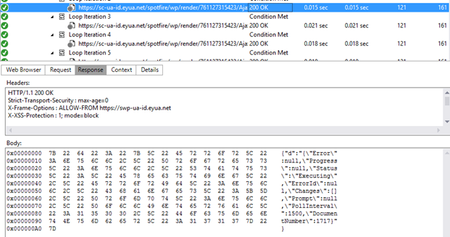
First published on MSDN on Feb 22, 2018 Authored by Christopher WitteSo, you just recorded your script and see a polling request from the browser and if that isn’t painful enough you also notice that the time between requests changes.1.4KViews0likes0Comments
AI‑Powered Performance Test Analysis using GHCP
Problem Statement Performance testing teams often face significant challenges in comparing JMeter test results across environments or test runs. Manual comparison and analysis of multiple result files is time-consuming, error-prone, and lacks actionable insights. Solution An AI-powered solution leveraging GHCP has been developed to address the identified challenge. This solution is designed to deliver Seamlessly compare JMeter performance results across environments (e.g., On-Prem vs. Azure) or test runs. Provide AI-driven insights to highlight endpoints with significant performance changes. Deliver clear, prioritized recommendations for faster issue resolution. Reduce analysis time by up to 80%, minimizing resource utilization and enabling cost savings. Business Outcomes Automated Performance Comparison: Seamlessly compare JMeter performance test results across two environments (e.g., On-Prem vs. Azure) or between different test runs, reducing manual effort and accelerating analysis. AI-Driven Insights for Decision Making: Leverage AI to identify endpoints with the most significant performance improvements or degradations. Actionable Observations and Recommendations: Generate clear, prioritized recommendations based on key performance trends, ensuring faster resolution of bottlenecks and improved application reliability. Enhanced Efficiency and Cost Savings: Minimize analysis time and resource utilization through automation, contributing to measurable effort savings and improved operational efficiency. manual comparison of multiple JMeter result files is time-consuming and automation can reduce analysis time by up to 80% Pre-Requisites Visual Studio code with GHCP Enabled. Usage Guidelines Start GitHub Copilot Chat from within Visual Studio Code. Attach follow files in GHCP Chat Azure_PerfTestResults.json OnPrem_PerfTestResults.json PerfResultsAnalysis_Instructions.md Note: *.json files are statistics.json files generated as part of JMeter Html Reports. Execute below UserPrompt UserPrompt: “Follow the steps in #file:PerfResultsAnalysis_Instructions.md and compare the two JMeter result files uploaded.” File Structure Validation is performed to ensure both files conform to the expected test results format. Upon successful validation, select the performance metric for comparison. Ex: AverageResponseTime Test results are analyzed, and Response Time Comparison between Baseline (On-Prem) and Azure is presented, including deviation and performance status. Results are also exported to a CSV file for easy reference. AI-Driven Performance Insights are generated to provide actionable recommendations. Use the prompts below to perform a more detailed analysis of your test results. UserPrompt: “Get me the Average Response time of GetProducts API between Azure and On-Prem” User Prompt: “Expected SLA on Azure is 150 ms, Get me the APIs whos Average Response Time is > 150 ms on Azure” GitHub Repository for project is available at https://github.com/AnilKumarGolla/PerfAnalysisUsingGHCP800Views4likes2Comments