onedrive end user
105 TopicsOneDrive and SharePoint at Microsoft Ignite 2026: What to Expect
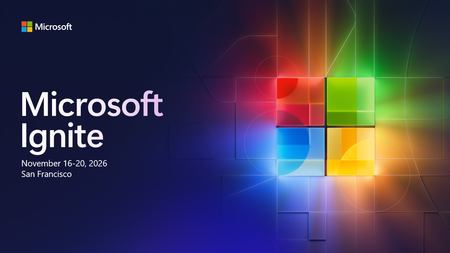
Microsoft Ignite returns November 17–20, 2026, at Moscone Center in San Francisco and online. OneDrive and SharePoint are the knowledge platform for Copilot and agents. This year at Ignite we're excited to show you how this foundational platform helps people securely create, share, and collaborate on content, and turn it into knowledge that people, Copilot, and agents can use in the flow of work. What: Learn more about Microsoft Ignite | Full session scheduler Where: San Francisco, CA and digital pass (free) - https://register.ignite.microsoft.com/ When: November 17-20, 2026 Engage: Stay up to date with all the latest news for OneDrive and SharePoint Microsoft Community LinkedIn @OneDrive on X @SharePoint on X Whether you are modernizing information architecture, preparing content for AI, helping people find what matters faster, or bringing OneDrive and SharePoint into the flow of work, the session lineup offers practical guidance and product insight. Start with these featured breakouts, check out the lightning talks and hands-on labs. Take a moment to explore what excites you most and add them to your Ignite schedule builder to get ready! Start with the featured breakouts Breakout Sessions Date/Time/ Location Session ID Title Summary Tuesday, 11/17 2:00 PM – 2:45 PM Moscone West Level 2 Room 2002 BRK218 SharePoint: Modernize your knowledge foundation for the AI era Most organizations already have the content they need—but it is often scattered across files, sites, and business processes. This session explores how Copilot in SharePoint can help transform that content into organizational knowledge by modernizing information architecture, enriching content with AI, scaling expertise through reusable skills, and strengthening Copilot and agent experiences across Microsoft 365. Thursday, 11/19 2:45–3:30 PM Marriott Marquis Lower B2 Yerba Buena Salon 7 BRK219 AI in the Flow of Work: OneDrive for the AI Era See how OneDrive is becoming an intelligent content layer for AI-powered productivity across Microsoft 365. Through demos and real-world scenarios, this session shows how Copilot in OneDrive can help people find knowledge faster, uncover insights, automate tasks, and collaborate more effectively—while keeping individuals and teams in the flow of work. Thursday, 11/19 4:00 – 4:45PM AMC Metreon Level 3 Theater 12 BRK217 Real-World AI Transformation with Copilot in SharePoint Organizations are moving beyond AI experiments and into production. Through real-world examples and customer stories, this session explores how Copilot in SharePoint can help modernize knowledge management, organize content at scale, automate business processes, preserve expertise, and strengthen Copilot experiences. Attendees will gain practical approaches for turning scattered content into organizational knowledge—and transforming that knowledge into action across the enterprise. Explore theater sessions, lightning talks and a hands-on lab Round out your schedule with three focused, 15-minute lightning talks, plus a hands-on Copilot in SharePoint lab. Theater, Lightning and Lab Sessions Date/Time/ Location Session ID Title Summary Tuesday, 11/17 4:40-5:05 PM Moscone South The Hub Theater D THR852 Why AI Fails Without a Knowledge Strategy Employees spend hours searching for information spread across emails, chats, meetings, documents, and business systems. AI can only be as effective as the knowledge it can access and understand. Discover how organizations can move beyond AI assistants that answer questions and toward AI systems that understand people, projects, content, relationships, and business context. Leave with actionable next steps to help your organization unlock more value from its knowledge and AI investments. Wednesday, 11/ 18 9:50–10:05 AM Moscone South The Hub Lightning Talk 8 LTG1167 Deploy OneDrive Sync with Confidence: The Desktop Playbook Learn how to successfully deploy and manage OneDrive Sync across your organization. Explore deployment best practices, configuration tips, user adoption strategies, and troubleshooting guidance to deliver a reliable and scalable file sync experience for your users. Thursday 11/19 9:00–9:15 AM Moscone South The Hub Lightning Talk 2 LTG1168 The foundation of Trusted AI: SharePoint security and resiliency Trusted AI starts with trusted content. As agents and Copilot experiences become integral to business workflows in Microsoft 365, SharePoint security and resiliency are more critical than ever. Join us to see how SharePoint, the #1 citation source of Copilot, protects organizational knowledge, ensures resilience against threats and disruptions, and provides the trusted foundation for AI at enterprise scale. Thursday, 11/19 4:15 PM - 4:30 PM Moscone South The Hub Lightning Talk 4 LTG1166 Your Work, Anywhere: The New OneDrive Experience Across Web and Mobile Work happens everywhere, and OneDrive is evolving to help you stay productive wherever you are. Explore the latest OneDrive experiences across web and mobile, designed to help you quickly find, organize, and act on content from any device. See new innovations, real-world productivity scenarios, and how OneDrive helps you stay connected, streamline tasks, and work smarter across Microsoft 365. Tuesday 11/17 2:00 PM - 3:15 PM Moscone West Level 2, Room 2007 Wednesday 11/18 4:00 PM - 5:15 PM Moscone West Level 2, Room 200 Thursday 11/19 4:30 PM - 5:45 PM Moscone West Level 2, Room 200 Friday 11/20 10:45 AM - 12:00 PM Moscone West Level 2, Room 200 LAB650 Build a Knowledge-Powered Workspace with Copilot in SharePoint Learn how to transform content into organizational knowledge and put AI to work across your team. You'll use Copilot in SharePoint to organize information, enrich content with metadata, create pages and reports, build reusable skills, and automate common processes. Along the way, you'll see how better-organized knowledge helps strengthen Copilot experiences across Microsoft 365. Leave with practical techniques you can apply immediately to build a modern, AI-powered knowledge workspace. Visit us at the OneDrive and SharePoint Expert Meet up Connect with OneDrive and SharePoint product experts, ask questions, and continue the conversation beyond the sessions. We’re excited to connect with you! Where to find us: Copilot Neighborhood | Expert Meet Up Station Look for: SharePoint and OneDrive Booth #13 Located in: The Hub, Moscone South Build your Ignite schedule Curious about what else Microsoft has in store for Ignite? There are many more sessions across the full spectrum of the Microsoft stack. So, make sure to explore the full session catalog and start selecting your list of favorites to create a personalized Ignite experience today. Learn more Microsoft Ignite 2026 session catalog SharePoint Showcase blog Copilot in SharePoint blog OneDrive blog Microsoft OneDrive: Customer Office Hours Sync Up by Microsoft 365324Views0likes0CommentsSave the Date: Join us October 20 for the OneDrive + Copilot Digital Event
Files and photos are at the center of how we work, create, and collaborate. As AI and Copilot transform the way we use content, OneDrive is evolving for this era - helping people get more from their files with Copilot, delivering a faster and more dependable core file experience, making collaboration effortless, and creating new ways to discover, enjoy, and share photos and videos. So, join us on October 20 for the 4th Annual OneDrive + Copilot Digital Event, a free online experience showcasing the latest innovations across OneDrive and Copilot. ✨ Hear directly from Jeff Teper, Executive Vice President of Microsoft Apps and Agents, Adam Harmetz, Corporate Vice President of Product, OneDrive and SharePoint, and Arwa Tyebkhan, Head of Product, OneDrive, alongside product leaders, engineers, and experts from across the OneDrive team as they share the latest innovations, demonstrating how AI is transforming the way people work with files and content. 💡 You'll see real product demos, hearing from the people building the product, and get a closer look at the experiences that will help you get the most out of OneDrive and Microsoft 365. 🗣️ Following the broadcast, you are invited to join our live Q&A with members of the OneDrive team and get answers directly from the experts behind the product. Event Details Event: OneDrive + Copilot - Your file system and photo solution for the AI Era Date: October 20, 2026, 9:00 AM PST Cost: Free Format: Digital event followed by a live Q&A Register here: https://aka.ms/OneDriveEvent Join the AMA Live: https://aka.ms/OneDriveEventonMTC This event is open to everyone – whether you’re an IT professional, a knowledge worker, or a fan who uses OneDrive to relive your favorite memories! Register today and join us to see what's next for OneDrive in the Copilot and AI era. See you there!3.4KViews4likes1CommentNOW ON DEMAND | OneDrive Office Hours | July 2026
Get ready for the July 2026 OneDrive Customer Office Hours! This session creates space for open conversation around the latest updates and how they support the way you use your files every day. In this month’s session, we’ll walk through what’s new and open the floor for questions, feedback, and shared experiences. Join us for our next call Date: July 15, 2026 Time: 8:00 AM-9:00 AM Pacific Time (US & Canada) Special Topic: Hero Link Sharing with Stephen Rice Register Today: aka.ms/OneDriveOfficeHours Join the OneDrive team to learn about Hero Link sharing, a single link that controls access to your files, so you can quickly share content and clearly understand who has permission to view, edit, or reshare. This updated sharing experience makes collaboration easier and gives you control with a single, unified experience to both share and manage permissions. Anyone can join this one-hour webinar to ask us questions, share feedback, and learn more about the features we’re releasing soon and our roadmap. We can't wait to share, listen, and engage every month! Note: Our monthly public calls are not an official support tool. To open support tickets, go to see Get support for Microsoft 365; distinct support for educators and education customers is available, too. New way to register and watch on demand! Go to: Microsoft OneDrive: Customer Office Hours – Microsoft Adoption to see upcoming sessions, to register and rewatch previous sessions! Save the Calendar invite so you never miss a call: https://aka.ms/OfficeHoursCalendar Each call is recorded and made available on demand shortly after. Stay up to date on Microsoft OneDrive adoption on adoption.microsoft.com. Join our community to catch all news and insights from the OneDrive community blog. And follow us on X: @OneDrive. Thank you for your interest in making your voice heard and taking your knowledge and depth of OneDrive to the next level. You can ask questions and provide feedback in the chat during the meeting, and we will do our best to answer them. Register and join live: aka.ms/OneDriveOfficeHours. 1.2KViews0likes3Comments
OneDrive on Mac gets Liquid Glass with an All-New Activity Center
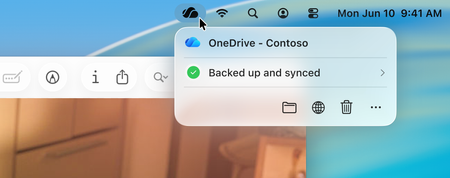
OneDrive on macOS is getting a fully redesigned Activity Center, built from scratch in SwiftUI with Liquid Glass support on macOS 26. This is part of a broader investment in making OneDrive feel native on Mac.5.7KViews3likes6CommentsNOW ON DEMAND | OneDrive Office Hours | November 2024 |
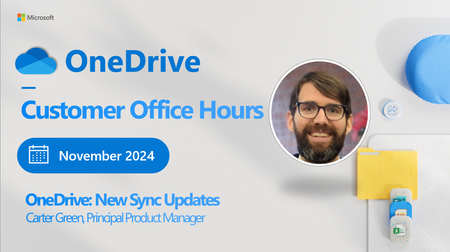
Are you ready to connect with OneDrive product makers this month? We’re gearing up for the next call. Join the OneDrive product team live each month on our monthly OneDrive Customer Office Hours to hear what's top of mind, get insights into roadmap updates, and dig into a special topic. Each call includes live Q&A where you'll have a chance to ask the OneDrive product team any question about OneDrive - The home of your files. 😎 Use this Teams link to register and join live: aka.ms/OneDriveOfficeHours. Each call is recorded and made available on demand shortly after. Our next call is Wednesday, November 20th, 2024, 8:00am - 9:00am PDT. This month's special topic: “New OneDrive Sync Updates" with Carter Green, Principal Product Manager on the Microsoft team. Our goal is to simplify the way you create and access the files you need, get the information you are looking for, and manage your tasks efficiently. We can't wait to share, listen, and engage - monthly! Anyone can join this one-hour webinar to ask us questions, share feedback, and learn more about the features we’re releasing soon and our roadmap. Note: Our monthly public calls are not an official support tool. To open support tickets, go to see Get support for Microsoft 365; distinct support for educators and education customers is available, too. Stay up to date on Microsoft OneDrive adoption on adoption.microsoft.com. Join our community to catch all news and insights from the OneDrive community blog. And follow us on Twitter: @OneDrive. Thank you for your interest in making your voice heard and taking your knowledge and depth of OneDrive to the next level. You can ask questions and provide feedback in the event Comments below and we will do our best to address what we can during the call. 😎 Register and join live: aka.ms/OneDriveOfficeHours. See you there, Rob Nunez (Product Marketing Manager – Microsoft)1.8KViews0likes0CommentsNOW ON DEMAND| OneDrive Office Hours | January 2025
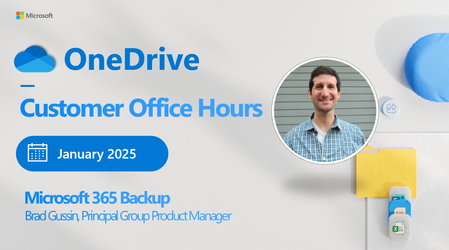
Are you ready to connect with OneDrive product makers this month? We’re gearing up for the next call. Are you ready to connect with OneDrive product makers this month? We’re gearing up for the next call. Join the OneDrive product team live each month on our monthly OneDrive Customer Office Hours to hear what's top of mind, get insights into roadmap updates, and dig into a special topic. Each call includes live Q&A where you'll have a chance to ask the OneDrive product team any question about OneDrive - The home of your files. 😎 Use these links to Register and join live: aka.ms/OneDriveOfficeHours. Save the calendar invite so you never miss a call-https://aka.ms/OfficeHoursCalendar Each call is recorded and made available on demand shortly after. Our next call is Wednesday, January 15th, 2025, 8:00am - 9:00am PDT. This month's special topic: “Microsoft 365 Backup" with Brad Gussin, Principal Product Manager on the Microsoft team. Watch now OnDemand! Our goal is to simplify the way you create and access the files you need, get the information you are looking for, and manage your tasks efficiently. We can't wait to share, listen, and engage - monthly! Anyone can join this one-hour webinar to ask us questions, share feedback, and learn more about the features we’re releasing soon and our roadmap. Note: Our monthly public calls are not an official support tool. To open support tickets, go to see Get support for Microsoft 365; distinct support for educators and education customers is available, too. Stay up to date on Microsoft OneDrive adoption on adoption.microsoft.com. Join our community to catch all news and insights from the OneDrive community blog. And follow us on Twitter: @OneDrive. Thank you for your interest in making your voice heard and taking your knowledge and depth of OneDrive to the next level. You can ask questions and provide feedback in the event Comments below and we will do our best to address what we can during the call. 😎 Register and join live: aka.ms/OneDriveOfficeHours. See you there, Rob Nunez (Product Marketing Manager – Microsoft)1.6KViews0likes2CommentsNOW ON DEMAND| OneDrive Office Hours | February 2025
Join the OneDrive product team live each month on our monthly OneDrive Customer Office Hours to hear what's top of mind, get insights into roadmap updates, and dig into a special topic. Each call includes live Q&A where you'll have a chance to ask the OneDrive product team any question about OneDrive - The home of your files. 😎 Use these links to: Register and join live: aka.ms/OneDriveOfficeHours. Save the calendar invite so you never miss a call-https://aka.ms/OfficeHoursCalendar Each call is recorded and made available on demand shortly after. Our next call is Wednesday, February 19th, 2025, 8:00am - 9:00am PDT. This month's special topic: "Ask Us Anything" with the OneDrive team. We are giving the full time open for your questions-and our product teams are eager to have some great conversations with you all! Our goal is to simplify the way you create and access the files you need, get the information you are looking for, and manage your tasks efficiently. We can't wait to share, listen, and engage - monthly! Anyone can join this one-hour webinar to ask us questions, share feedback, and learn more about the features we’re releasing soon and our roadmap. Note: Our monthly public calls are not an official support tool. To open support tickets, go to see Get support for Microsoft 365; distinct support for educators and education customers is available, too. Stay up to date on Microsoft OneDrive adoption on adoption.microsoft.com. Join our community to catch all news and insights from the OneDrive community blog. And follow us on Twitter: @OneDrive. Thank you for your interest in making your voice heard and taking your knowledge and depth of OneDrive to the next level. You can ask questions and provide feedback in the event Comments below and we will do our best to address what we can during the call. 😎 Register and join live: aka.ms/OneDriveOfficeHours.1.2KViews0likes0CommentsNOW ON DEMAND| OneDrive Office Hours | March 2025
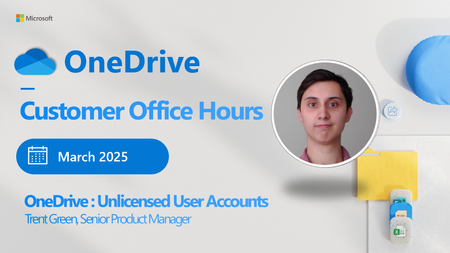
Join the OneDrive product team live each month on our monthly OneDrive Customer Office Hours to hear what's top of mind, get insights into roadmap updates, and dig into a special topic. Each call includes live Q&A where you'll have a chance to ask the OneDrive product team any question about OneDrive - The home of your files. 😎 Use these links to: Register and join live: aka.ms/OneDriveOfficeHours. Save the calendar invite so you never miss a call-https://aka.ms/OfficeHoursCalendar Each call is recorded and made available on demand shortly after. Our next call is Wednesday, March 12th, 2025, 8:00am - 9:00am PDT. This month's special topic: "Unlicensed User Accounts" with the Trent Green. We have heard your feedback and are doing a follow up session tied to this topic. We will have our product teams on call ready to answer your questions. Our goal is to simplify the way you create and access the files you need, get the information you are looking for, and manage your tasks efficiently. We can't wait to share, listen, and engage - monthly! Anyone can join this one-hour webinar to ask us questions, share feedback, and learn more about the features we’re releasing soon and our roadmap. Note: Our monthly public calls are not an official support tool. To open support tickets, go to see Get support for Microsoft 365; distinct support for educators and education customers is available, too. Stay up to date on Microsoft OneDrive adoption on adoption.microsoft.com. Join our community to catch all news and insights from the OneDrive community blog. And follow us on Twitter: @OneDrive. Thank you for your interest in making your voice heard and taking your knowledge and depth of OneDrive to the next level. You can ask questions and provide feedback in the event Comments below and we will do our best to address what we can during the call. 😎 Register and join live: aka.ms/OneDriveOfficeHours.1KViews0likes1CommentOneDrive Office Hours | April 2025
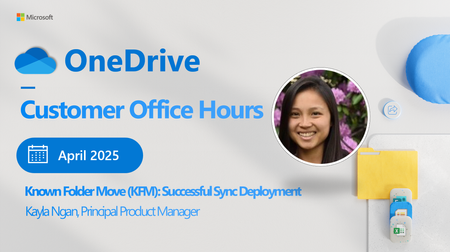
Join the OneDrive product team live each month on our monthly OneDrive Customer Office Hours to hear what's top of mind, get insights into roadmap updates, and dig into a special topic. Each call includes live Q&A where you'll have a chance to ask the OneDrive product team any question about OneDrive - The home of your files. New way to register and watch on-demand! We heard your feedback, and we now have a single destination for all of your Office Hours content. From registration, to watching our previous sessions, you can find it all on our new homepage: Go to : aka.ms/OneDriveOfficeHours to see upcoming session to register, and rewatch previous topics! Save the calendar invite so you never miss a call-https://aka.ms/OfficeHoursCalendar Each call is recorded and made available on demand shortly after. Get ready for our next call Our next call is Wednesday, April 16th, 2025, 8:00am - 9:00am PDT. This month's special topic: "Known Folder Move (KFM): Successful Sync Deployment" with the Kayla Ngan. We will have our product teams on call ready to answer your questions. Our goal is to simplify the way you create and access the files you need, get the information you are looking for, and manage your tasks efficiently. We can't wait to share, listen, and engage - monthly! Anyone can join this one-hour webinar to ask us questions, share feedback, and learn more about the features we’re releasing soon and our roadmap. Note: Our monthly public calls are not an official support tool. To open support tickets, go to see Get support for Microsoft 365; distinct support for educators and education customers is available, too. Stay up to date on Microsoft OneDrive adoption on adoption.microsoft.com. Join our community to catch all news and insights from the OneDrive community blog. And follow us on Twitter: @OneDrive. Thank you for your interest in making your voice heard and taking your knowledge and depth of OneDrive to the next level. You can ask questions and provide feedback in the event Comments below and we will do our best to address what we can during the call. 😎 Register and join live: aka.ms/OneDriveOfficeHours.873Views0likes0Comments