office 2019 professional plus
13 TopicsMicrosoft Publisher: Access and Alternative Options
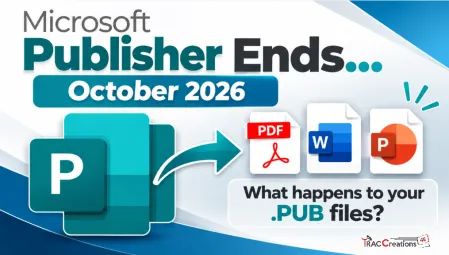
Microsoft Publisher is retiring in October 2026, but your .pub files do not disappear. The bigger question is how you will open, preserve, or continue editing them after Publisher is no longer supported. I summarized the retirement dates, Microsoft’s recommendations, and several alternative options here: https://traccreations4e.com/microsoft-publisher-retirement/ traccreations4e-p26 9/27/2026
Office Home & Business 2019 license no longer recognized after reinstall ("No license found")
Hello everyone, I'm looking for some help because Microsoft Support has not been able to solve this issue. I own a genuine perpetual license of Office Home & Business 2019 for Mac, linked to my Microsoft account since August 2019. The license is still listed under Services & Subscriptions, but Office no longer activates. My hardware MacBook Pro (Retina, 13-inch, Late 2012) Model: MacBookPro10,2 Intel Core i5 8 GB RAM macOS Ventura 13.7.8 Installed using OpenCore Legacy Patcher Office version originally working: 16.78 Later tested with 16.101 and 16.93 Same result on every version What happened Office had already been successfully activated and worked normally. I was able to: create documents edit documents save documents After restarting the Mac, Office suddenly requested activation again. Since then it has never activated successfully. Initially Office failed to activate with an unknown error. After completely uninstalling and reinstalling Office using Microsoft's installer, the activation process changed. I can now successfully sign in with my Microsoft account, but after authentication Office displays: "No license found for this account." My Office Home & Business 2019 license is still present in my Microsoft account under Services & Subscriptions. Even though my Microsoft account clearly owns Office Home & Business 2019 for Mac. Microsoft account The license appears correctly under: Services & Subscriptions Office Home & Business 2019 for Mac Added to my account on August 7, 2019. The website instructs me to open an Office application and sign in to activate. Everything I've already tried Uninstalled Office completely Installed Office again using Microsoft's installer Installed Office 16.78 Installed Office 16.93 Updated to Office 16.101 Removed Office containers Removed Group Containers Deleted OneAuth cache Deleted Entrabroker cache Removed activation tokens Cleared Office preferences Signed out and signed back into Microsoft account Deleted Office credentials from Keychain Reinstalled Microsoft AutoUpdate Verified no MDM profile exists Verified Internet Accounts Verified Microsoft account Microsoft Support remotely accessed my Mac and repeated all troubleshooting steps Nothing solved the issue. Additional information Running: defaults read com.microsoft.office returns: OfficeActivationLicense = NoLicense although: OfficeActivationEmailAddress = email address removed for privacy reasons is correctly detected. The activation window successfully reaches Microsoft's login page. Office now asks for my Microsoft account credentials. Authentication completes successfully. After a few seconds Office reports: "No license found for this account." It then offers only two options: Buy Microsoft 365 Use another account Microsoft Support remotely connected to my Mac, completely removed Office, installed a newer official installer, and the problem remained exactly the same. My question Has anyone experienced this after reinstalling Office 2019? Could this be: a licensing server issue? an incompatibility introduced after Office 2019 reached end of support? an activation problem related to OpenCore Legacy Patcher? something else? I would really appreciate any suggestions. Thank you very much. Additional notes: The Office license has been associated with the same Microsoft account since 2019. The same installation was successfully activated and worked normally before the problem started. The issue only appeared after restarting the Mac. Microsoft Support has already remotely accessed my computer and could not resolve the problem.1.6KViews2likes9Comments
Microsoft 365 Apps SHOULD NOT overwrite Office 2019/2021 one-time retail installs
I want to raise a serious concern about Microsoft 365 Apps being imposed over existing Office 2019/2021 installations that were activated with legitimate one-time installation retail keys. In our case, these are not Microsoft 365 subscriptions and they are not licenses we can simply deactivate and reactivate freely. They are one-time installation retail keys. Once the product has been installed and activated, removing Office and reinstalling it later can make the original key unusable or trigger “already used” activation problems. That is precisely why the current behavior is so damaging. We have PCs with legitimate Office 2019/2021 installations. These machines did not request a migration to Microsoft 365 Apps. However, after internet connection, Office update activity, or Microsoft account interaction, Office appears to silently update, convert, or replace the existing retail installation with the Microsoft 365 Apps version. This is not a minor inconvenience. It creates a serious licensing and operational problem: -A valid one-time Office 2019/2021 installation is replaced by Microsoft 365 Apps without clear, explicit consent. -The original retail installation is no longer cleanly usable. -Fixing the issue requires uninstalling Office, removing Click-to-Run/licensing/account leftovers, and reinstalling the previous Office 2019/2021 version. -But because these keys are one-time installation keys, that reinstall process can render the original key unusable or create activation failures. -In practice, a forced Microsoft 365 conversion can destroy the value of a legitimate one-time Office license. From a user’s perspective, this looks less like a normal software update and more like an exploitative commercial strategy: using Microsoft’s control over Office updates, account sign-ins, Click-to-Run, and activation systems to push already-paid retail users toward Microsoft 365 subscriptions. Even if Microsoft does not intend that result, the practical effect is that users who already paid for Office 2019/2021 can lose practical access to their licensed product and are then nudged toward paying again through a subscription. This should not happen. A perpetual or one-time installation Office license and Microsoft 365 Apps are different products with different licensing models. Microsoft should not silently replace or convert one into the other because a Microsoft 365 account exists on the PC, because the user signs into Office, because OneDrive is present, or because Office updates are enabled. At minimum, Microsoft should provide: -A clear opt-in confirmation before replacing, converting, upgrading, or rebranding Office 2019/2021 retail installations as Microsoft 365 Apps. -A supported way to block Microsoft 365 Apps from taking over one-time installation Office versions. -A clean removal tool that fully removes Microsoft 365 Apps, Click-to-Run leftovers, licensing remnants, and account-based activation conflicts. -A reliable way to restore the original Office 2019/2021 retail installation without invalidating or losing the original one-time key. -Clear separation between Windows account sign-in, OneDrive sign-in, Microsoft 365 entitlement, and local Office retail activation. Users who purchased legitimate one-time installation Office licenses should not be forced into Microsoft 365 Apps by unclear update behavior. If Microsoft wants users to move to Microsoft 365, that should be a deliberate, informed choice — not a silent process that leaves the user cleaning up the installation and losing access to a paid retail license. I am not asking how to install Microsoft 365. I am asking Microsoft to stop Microsoft 365 Apps from taking over valid one-time Office 2019/2021 installations without explicit consent.551Views2likes2Comments
Microsoft ActionPack - still missing Office 2021!
For £420 per year it's pretty disgraceful that with Office 2024 due for release soon we still don't have access to Office 2021 in the Microsoft Action Pack Subscription (stuck on Office 2019). Back in the day MS would send out CDs/DVDs in the post as soon as new software was launched but now they can't even be bothered uploading it to the website for us to download it ourselves! I've spoken to two people at Microsoft about this, and even had a teams call. While they were very friendly and understanding they were not senior enough to actually do anything about it. Come on Microsoft - we're your 'partners' and you expect us to pay a LOT of money every year for the privilege. At least get the latest versions on the Software Benefits site!949Views2likes1Comment