mvp
70 TopicsFrom Science to Storytelling: Chantal Bossé’s MVP Journey
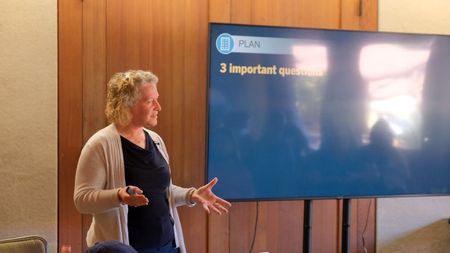
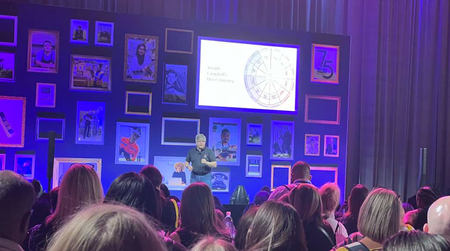
The Early Challenge That Shaped Chantal’s Career Long before Chantal Bossé became a Microsoft Most Valuable Professional (MVP), she was a biochemistry student trying not to forget her words during a 20-minute seminar. She redrew scientific illustrations onto transparencies, using visuals as a path through the material. That early response to presentation anxiety would eventually shape a career spanning telecommunications, instructional design, presentation coaching, and visual communication. Today, Chantal is an author, trainer, consultant, and long-time MVP whose story shows how curiosity - and the challenges we learn to solve for ourselves - can grow into expertise that helps an entire community. Bossé (MVP) recording a training course on PowerPoint for LinkedIn Learning From Biochemistry to Visual Storytelling After earning her degree in biochemistry, Chantal entered a difficult job market and returned to telecommunications, where an unexpected opportunity led her from customer service into training and instructional design. Later, when a pharmaceutical workplace environment affected her health, she stepped away and reconsidered what should come next. The answer was still taking shape, but one constant kept pulling her forward: her fascination with PowerPoint and the possibilities of visual communication. Those early instincts became a professional philosophy: a presentation should help an audience follow an idea - not force them to read a wall of text. As Chantal’s career evolved, visual communication became the thread connecting her scientific training, instructional design work, and growing expertise with PowerPoint. That philosophy shaped a practical “plan, create, deliver” approach to Chantal’s work as a coach and learning designer. The method begins before PowerPoint opens: define the audience, clarify the central message, understand what is at stake, and identify the three ideas people should remember. Those decisions then guide how the presentation is created and delivered. Community amplified the reach of Chantal’s work. Through coaching, speaking, writing, and volunteering - including service with the Presentation Guild - she turned her own lessons into practical guidance that helped others communicate with greater clarity and confidence. That habit of sharing what she learned became central to her path toward the MVP Award. “If people are not clear, they cannot produce something that will be clear.” - Chantal Bossé Bossé (MVP) on stage at TEDxQuébec. Clarity, Trust, and the Ripple Effect Chantal’s coaching starts with listening. New speakers may believe they need more text on their slides, when what they often need is confidence and a clearer structure. Experienced speakers may need something different: the openness to reconsider a familiar approach. In both cases, Chantal helps people align their message with what the audience should understand, remember, and do next. One of her most meaningful coaching experiences involved two TEDx speakers at opposite ends of the experience spectrum - one stepping onto a stage for the first time and one already highly accomplished. Both trusted the process, adapted their stories, and received standing ovations. For Chantal, the lesson was not that one formula fits everyone. It was that thoughtful questions, audience awareness, and trust can help every speaker grow. That same commitment to listening, trust, and shared learning shapes Chantal’s experience as an MVP. The relationships she has built through the program extend the ripple effect of her work - connecting her with people who exchange ideas generously and are equally invested in helping others succeed. “Being an MVP means having a smart group of people I can rely on.” - Chantal Bossé The MVP Award: A Community Chantal Can Rely On For Chantal, being an MVP is rooted in relationships. The award has connected her with what she calls “a smart group of people I can rely on” - peers who share ideas openly, challenge one another, and bring different experiences to the same goal of helping others. That sense of belonging matters as much as the recognition itself. It has also given Chantal opportunities to build trusted relationships with Microsoft product teams. She values the candid exchange: hearing what teams are working on, asking questions, sharing practical feedback, and bringing an end-user perspective into the conversation. In turn, she can help customers and community members understand what is coming, why it matters, and how they can put new capabilities to use. The PowerPoint MVP community holds a special place in that experience. Chantal describes the group as close-knit, spirited, and sometimes a little rowdy - but always committed to making things better. Their collective knowledge, honest feedback, and willingness to support one another extend the impact of any single MVP. For Chantal, the award is meaningful because it places her inside that trusted circle: a community that learns together, contributes together, and keeps the people using the technology at the center. AI as a Smart Start, Not the Final Destination Chantal brings the same principles of clarity, trust, and thoughtful preparation to her work with AI. She sees Copilot as a powerful collaborator for organizing information and developing first drafts. Across Word, PowerPoint, Excel, and chat, it can summarize source material, assemble content, suggest visuals, and flag typos or inconsistencies in long decks. Delegating those time-consuming first passes allows Chantal to move several parts of a project forward while reserving her attention for the human judgment, refinement, and validation that only she can provide. But efficiency does not remove responsibility. Chantal stresses that presenters must first understand their audience, purpose, and message. Prompt quality matters: Copilot needs a role, context, precise instructions, source material, and guardrails. Its output must then be challenged, refined, and validated - especially for factual accuracy, visual quality, readability, and fit for the moment. A useful draft for a training backup may not meet the standard for a conference keynote. “Copilot is not a magic wand. It won’t give you a stellar, stage-ready presentation just because you prompted it.” - Chantal Bossé Her practical advice is to treat Copilot like a junior intern: provide strong direction, let it work, and review the result with experienced human judgment. AI can accelerate content generation, summarization, slide building, and quality checks. The presenter remains accountable for the story, the evidence, and the audience experience. Bossé (MVP) recording a presentation From Personal Challenge to Community Impact Chantal’s journey is a reminder that expertise is not always a straight line. It grows when people stay curious, turn challenges into useful lessons, and share those lessons generously. Her path - from a nervous biochemistry student using visuals as memory cues to a trusted coach, author, and MVP - shows how one person’s solution can become knowledge that strengthens an entire community. In her words, “Being an MVP means having a smart group of people I can rely on.” Learn more through Chantal’s MVP profile, explore the Presentation Guild, and discover the Microsoft MVP Program. You can also connect with Chantal on LinkedIn. Want to Learn More About the MVP Program? To find an MVP and learn more about the Microsoft MVP Program, visit the MVP Communities website and follow program updates on LinkedIn or through #MVPBuzz. Join us for a future live session through the Microsoft Reactor where we walk through what the MVP program is about, what we look for, and how nominations work. These sessions are designed to help you connect the dots between the work you’re already doing and the impact the MVP Program recognizes - with time for questions, examples, and real conversations.70Views1like0CommentsWhere the Road Leads, Community Grows: The Caravana Cloud Story
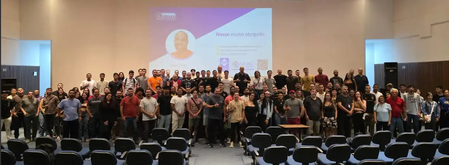
Sometimes, creating change starts simply: by bringing people together and giving them a place to learn, connect, and imagine new possibilities. This is the spirit behind Caravana Cloud, an event series organised by Maycon Alves in collaboration with Microsoft MVPs and community friends. Across Brazil, the initiative brings cloud knowledge closer to local communities while creating connections, encouraging new opportunities, and helping technology ecosystems grow from within. MVP Francisco Ferreira and community expert Ivanildo Gonçalves are part of the organization team led by the former MVP and community leader Maycon Alves and embody the community spirit that makes a positive change in society. The newest Caravana Cloud cycle is the sixth edition of the initiative and is planned from December 2025 through October 2026. The route includes: December 2025: Fortaleza, Ceara March 2026: Campina Grande, Paraiba July 2026: Natal, Rio Grande do Norte Upcoming stops: Jundiai, Sao Paulo; Rio de Janeiro, Rio de Janeiro; and Porto Alegre, Rio Grande do Sul For Maycon and the other community leaders involved, the goal is bigger than a single event. Caravana Cloud is about taking knowledge to different regions, opening doors for people who may not otherwise have access to in-person technical events, and planting the seed of community wherever the road takes them. More than a technical event Caravana Cloud has already reached more than 19 cities over the course of its journey. Each stop creates an opportunity for attendees to meet speakers, ask questions, learn from real-world experience, and connect with others who are building careers around Microsoft technologies. The format is community-led by design. MVPs and experienced professionals share what they know, but the value also comes from the conversations around the sessions: students meeting mentors, professionals discovering new possibilities, and local organizers seeing that they can continue the momentum after the caravan leaves. That is one of the strongest outcomes of community events. A session may introduce a product, a platform, or a new technical approach, but the lasting impact often comes from the confidence people gain when they realize they are not learning alone. A social project behind the scenes Caravana Cloud also includes a social impact effort. At event stops, the organizers collect non-perishable food and donate it to local institutions. Maycon has intentionally kept that part of the project low profile. The point is not promotion, photos, or marketing. It is a quiet commitment to make each event useful beyond the technical agenda. That choice says a lot about the values behind the initiative. Sharing knowledge already creates opportunity; combining that with local giving turns a technology event into something broader: a contribution to the community hosting it. The personal commitment behind community work Community leadership often looks simple from the outside: a venue, an agenda, a few speakers, and a group photo at the end. In reality, much of the work happens before anyone enters the room. Maycon describes organizing Caravana Cloud as difficult but deeply rewarding. Like many community organizers, he has invested time, energy, travel, and personal resources to make events happen because he believes in the value of sharing knowledge. He continues writing, speaking, organizing, and helping others because community contribution is something he loves. That commitment reflects what many Microsoft MVP communities around the world know well: the most meaningful impact often comes from people who keep showing up, even when it requires personal sacrifice. Why regional events matter Brazil's technology community is large, diverse, and geographically distributed. Bringing cloud learning to different cities helps expand access beyond the largest technology centers and gives local communities a chance to build their own networks. Events like Caravana Cloud help Microsoft technologies become more tangible for people who want practical guidance, local language conversations, and examples from professionals working in similar contexts. They also create a path for new speakers and organizers to emerge. Each city adds something different to the story. Fortaleza, Campina Grande, Natal, Jundiai, Rio de Janeiro, and Porto Alegre are not only stops on a schedule; they are communities with their own audiences, challenges, and opportunities. Continuing the journey As Caravana Cloud moves through its 2025-2026 edition, the series continues to show how community can connect technical learning with local impact. The project is a reminder that MVP-led and community-led initiatives do more than share product knowledge. They build confidence, create relationships, support local ecosystems, and sometimes quietly help families and institutions through social action. More information and evidence from the Caravana Cloud journey are available on Maycon's blog. Want to Learn More About the MVP Program? To find an MVP and learn more about the Microsoft MVP Program, visit the MVP Communities website and follow program updates on LinkedIn or through #MVPBuzz. Join us for a future live session through the Microsoft Reactor where we walk through what the MVP program is about, what we look for, and how nominations work. These sessions are designed to help you connect the dots between the work you’re already doing and the impact the MVP Program recognizes - with time for questions, examples, and real conversations.Where Community and Code Connect: MVPs at Nebraska.Code 2026
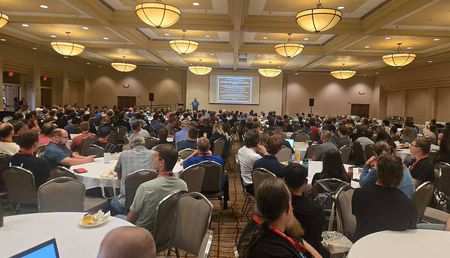
A tech community worth traveling for Nebraska may not be the first place that comes to mind when people picture a major technology conference. Yet Nebraska.Code 2026 has created something remarkable in Lincoln, Nebraska: a gathering where developers, engineers, and technology professionals come together to learn, connect, and share what is working in the real world. Microsoft MVPs traveled from across Canada and the United States to participate - not only by presenting technical sessions, but also by exchanging ideas, answering questions, and strengthening a community built on curiosity and generosity. “What I love most about Nebraska.Code is the community feel. I feel like I’m learning among friends.” - Rob Richardson, Microsoft MVP Jonathan "J" Tower (MVP), Brian Gorman (MVP), Debra Benkovich (community member), Mike Benkovich (MVP) More than sessions: a shared experience The MVPs and Regional Directors who joined Nebraska.Code brought expertise across AI, software development, cloud architecture, and the human side of a career in technology. Richard Campbell, a Microsoft Regional Director and MVP, opened the event with the keynote “Beyond the AI Hype: What’s Real, What’s Next,” helping attendees distinguish today’s practical AI capabilities from the ideas still taking shape. The sessions that followed addressed questions many technologists are navigating now: How should developers adapt to AI and agentic coding? How do teams choose among infrastructure-as-code tools such as Terraform, Bicep, and Pulumi? How can people sustain fulfilling careers while balancing work, life, and stress? Together, the keynote and sessions made space for both immediate technical decisions and a clearer view of what may be coming next. Spencer Schneidenbach helped developers consider how to adapt to a fast-changing development landscape shaped by AI and agentic coding. Mike Benkovich compared infrastructure-as-code options, exploring where Terraform, Bicep, and Pulumi fit and the tradeoffs involved so attendees could make informed choices rather than simply follow the latest trend. Mitchel Sellers brought a candid perspective on balancing work, life, and stress over the course of a technology career. Rather than presenting abstract predictions, the speakers grounded their ideas in practical experience. Attendees could compare options, challenge assumptions, and leave with approaches they could test in their own teams. The learning continued after the sessions as participants asked follow-up questions and connected the speakers’ insights to their own work. “Nebraska might not be the first place people think of when they think about major tech conferences, but Nebraska.Code has built something special.” - Mike Benkovich, Microsoft MVP But the experience extended far beyond presentation rooms. Rob Richardson described the conference as learning among friends - reconnecting with familiar faces while sitting alongside one another to discover something new. That combination of deep technical content and genuine connection is why speakers return and why attendees make the trip to Lincoln. “Being an MVP gives me opportunities to share what I’ve learned, and at Nebraska.Code that meant talking about teaching developers how to adjust to the new world of AI and agentic coding.” - Spencer Schneidenbach, Microsoft MVP Kenneth Versaw (Nebraska.Code co-founder) and Mike Benkovich (MVP) The ripple effect of showing up Community conferences create impact at several levels. Attendees leave with practical ideas they can apply to their work. Speakers sharpen their thinking through questions and conversations. New professional relationships begin over hallway discussions, shared meals, and the simple act of learning together. That exchange can be especially meaningful at a regional event. Attendees gain direct access to speakers and peers they might otherwise encounter only online or at much larger conferences. Presenters, in turn, hear from developers across different organizations, industries, and career stages. Those conversations ground the learning in real experience and often send speakers home with new perspectives. This ripple effect is central to the Microsoft MVP community: MVPs are recognized not only for their technical expertise, but also for sharing it in ways that help others move forward. At Nebraska.Code, that spirit was visible in sessions focused on emerging tools and enduring career challenges alike. As Sellers put it, sharing knowledge matters because “you never know who you will meet, or how far your impact may go.” “People who overlook conferences in places like Nebraska are missing out on some of the nicest people in tech!” - Mitchel Sellers, Microsoft MVP The conference also shows why strong technology communities can thrive anywhere. Nebraska.Code brings hands-on workshops, breakout sessions, lightning talks, and connections to Lincoln, creating a regional hub with reach far beyond the state. Its setting is part of what makes it memorable: approachable speakers, thoughtful conversations, and a community that welcomes people into the learning process. Keep learning. Keep sharing. If Nebraska.Code sparks your curiosity, explore the conference, follow the speakers whose ideas resonated with you, and look for a community event near you. Learn more about the RDs and MVPs that spoke at Nebraska.Code Alec Harrison, Barry Stahl, Ben Dachrai, Brian Gorman, Cory House, Duane Newman, Jonathan "J" Tower, Joseph Guadagno, Mike Benkovich, Mitchel Sellers, Richard Campbell, Rob Richardson, Spencer Schneidenbach, Samuel Gomez, Scott Sauber, and Vaibhav Gujral through their MVP profiles. If you are already sharing knowledge, mentoring others, creating resources, or bringing technologists together, explore the Microsoft MVP Program. Community impact often begins with one useful idea shared generously - and you never know how far it may travel. Want to Learn More About the MVP Program? To find an MVP and learn more about the Microsoft MVP Program, visit the MVP Communities website and follow program updates on LinkedIn or through #MVPBuzz. Join us for a future live session through the Microsoft Reactor where we walk through what the MVP program is about, what we look for, and how nominations work. These sessions are designed to help you connect the dots between the work you’re already doing and the impact the MVP Program recognizes - with time for questions, examples, and real conversations.190Views2likes1CommentMy MVP Story: From Software Engineer to Microsoft MVP
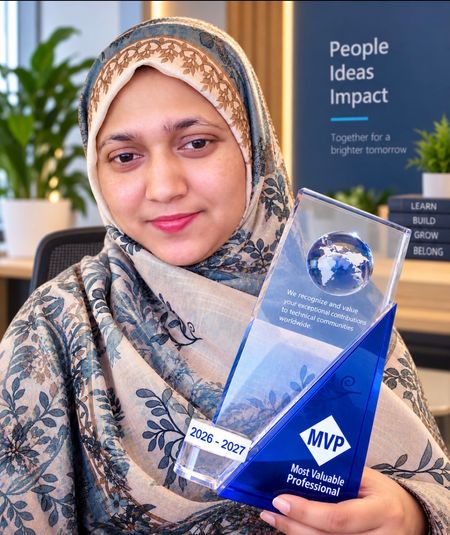
When I started my career in 2018 as a Software Engineer in Bangladesh, I never imagined that one day I would become a Microsoft Most Valuable Professional. My journey didn't begin with that goal. It began with something much simpler: I loved technology, I loved learning, and I loved helping other people learn. Where My Journey Started I began my professional career in 2018. Early on, I started working with Microsoft technologies, particularly Power Platform, Dynamics 365, Power Apps, Power Automate, and Dataverse. Like many developers, my focus at first was mostly technical. I wanted to understand how things worked, solve real business problems, and become a better developer. But there was another part of me that had been there long before I entered the tech industry: I loved teaching. Teaching Was Always Part of Me Growing up in Bangladesh, I spent a lot of time tutoring students. There was something rewarding about watching someone struggle with a topic, explaining it a different way, and then seeing the moment they finally understood it. That feeling never left me. Even after becoming a software professional, I didn't want to keep what I learned to myself. Whenever I picked up something useful, I wanted to explain it to someone else. That instinct eventually pointed me toward one of my career goals: becoming a Microsoft Certified Trainer (MCT). Teaching Was Always Part of Me Growing up in Bangladesh, I spent a lot of time tutoring students. There was something rewarding about watching someone struggle with a topic, explaining it a different way, and then seeing the moment they finally understood it. That feeling never left me. Even after becoming a software professional, I didn't want to keep what I learned to myself. Whenever I picked up something useful, I wanted to explain it to someone else. That instinct eventually pointed me toward one of my career goals: becoming a Microsoft Certified Trainer (MCT). Starting a New Chapter in Canada In April 2024, I moved from Bangladesh to Canada, a major transition, both personally and professionally. As I adjusted to a new environment, the organization I worked with also gave me room to explore new technologies and ideas. My work gradually expanded from Power Platform and Dynamics 365 into AI, Microsoft Copilot Studio, intelligent automation, and AI agents. And eventually, I achieved something I'd wanted for a long time: I became a Microsoft Certified Trainer. It was meaningful because it connected two parts of my life: my technical career and my love of teaching. From Learning to Sharing Becoming an MCT wasn't the finish line, it was a launchpad. I started writing technical blogs and articles, sharing tutorials, organizing free community sessions, and building hands-on demos to explain complex Microsoft technologies in ways beginners could actually follow. The more I shared, the more I learned. That became one of the most important lessons of this journey: teaching is one of the best ways to learn. When you prepare to teach someone else, you can't stop at knowing which button to click. You need to understand why something works, when to use it, what can go wrong, and how to explain it clearly. My community work increasingly centered on Copilot Studio, Power Platform, Dynamics 365, Power Automate, Dataverse, AI agents, and practical AI automation. My articles and tutorials became another way to give back to the wider Microsoft community. The Person Who Helped Me Understand the MVP Journey An important turning point came when I met Frank Falvey. Frank helped me understand something I hadn't fully grasped before: becoming an MVP isn't simply about being technically strong. It's about community contribution. He guided me on how to contribute meaningfully and encouraged me to keep sharing what I knew. I followed that guidance. I kept writing. I kept teaching. I kept running community sessions and creating content. And most importantly, I kept trying to help people learn. Eventually, Frank nominated me for the Microsoft MVP award. I'm deeply grateful for his mentorship, encouragement, and belief in me, and equally grateful to Mushi Bhuiyan, whose support has meant so much throughout this journey. The Email I Will Always Remember Then came a moment I'll never forget: I received the acceptance email. I had been awarded the Microsoft Most Valuable Professional award in Copilot Studio. For a few moments, it was hard to believe. I thought about the journey from Bangladesh to Canada. I thought about starting as a Software Engineer in 2018, the evenings spent learning new technologies, becoming an MCT, and every blog post, tutorial, free session, demo, and conversation along the way. Suddenly, all those small steps connected. The MVP recognition wasn't the result of one big achievement. It was the result of learning, sharing, teaching, and contributing, consistently, over time. MVP Is Not the Destination Receiving the Microsoft MVP award is one of the proudest moments of my professional journey. But I don't see it as a finish line. I see it as a starting point. It gives me even more motivation and responsibility to keep learning and contributing. Technology is changing incredibly fast, especially with AI and AI agents. There will always be another technology to learn, another problem to solve, another article to write, another session to deliver, and another person who needs help getting started. That's what excites me about what comes next. My goal is to keep building practical solutions with Microsoft Copilot Studio, Power Platform, Dynamics 365, AI, and automation, while sharing what I learn along the way. I want to help more people move from "I don't know how to do this" to "I built it." What This Journey Taught Me If there's one lesson I'd share with someone who wants to become an MVP someday, it's this: Don't start by chasing the award. Start by helping people. Learn something. Build something. Share what you learned. Write an article. Create a tutorial. Answer someone's question. Deliver a community session. Help a beginner build their first solution. Then do it again. You don't have to know everything before you start contributing, I certainly didn't. You just need to be willing to share what you know today, while continuing to learn what you don't know yet. For me, becoming a Microsoft MVP is an achievement. But more importantly, it's a new beginning. My journey continues: Learn. Build. Teach. Share. Empower. And I'm excited to see where it takes me next.300+ Dev Days — The Global Calendar Is Live
In July we published The Event Ended. The Community Didn’t. a look back at the spring round of GitHub Copilot Dev Days and what happened after the rooms emptied out. The takeaway was simple: the event was never the point. The community was. That turned out to be more than a nice closing line. Organizers kept meeting. Workshop repos kept getting forked. Local user groups kept experimenting with the new workflows — and when the call went out for another round, communities were ready. Dev Days is back, and the September–October calendar is now live. What’s different this round Dev Days runs September 1 – October 31, 2026 as a global, in-person user group initiative. The series brings together developers, enthusiasts, and local tech communities to explore GitHub Copilot through practical, hands-on experiences. The focus has narrowed — and gotten sharper. This season centers on the GitHub Copilot app and Copilot CLI: agent-driven development in the app, and practical terminal-first workflows in the CLI. Less “here’s what AI-assisted coding could be,” more “here’s the workflow you can use next.” The format got tighter. Sessions run approximately 2–3 hours. That is short enough for a weeknight and still long enough for participants to install, try, troubleshoot, and leave with something they actually built. Everything that made the spring events work stays the same: open to all developers, led by local communities, and designed around real workflows rather than slideware. GitHub Copilot DevDays swags for attendees Two formats, your call Dev Days are deliberately flexible. Organizers can tailor the format to fit their audience, venue, and infrastructure: Format What it is Best for 1️⃣ Sessions only Technical talks and demos around GitHub Copilot Larger rooms, mixed experience levels, or venues where hands-on infrastructure is limited 2️⃣ Sessions + Workshop Technical sessions plus a guided hands-on workshop Deeper practical learning, smaller groups, and rooms set up for laptops, power, and reliable Wi-Fi Across both formats, the principle is the same: people learn by doing. Day one already delivered The fall sessions started on September 1 st with MVPs in Seoul leading the way. The community workshop at Microsoft Korea framed the challenge in the most practical way possible: build your own homepage in two hours with GitHub Copilot. The room mixed demos, coaching, and hands-on building — exactly the kind of local adaptation Dev Days is designed to enable. Seoul’s opening-night Dev Days blended peer coaching, live guidance, and hands-on experimentation. The feedback started arriving before the room had fully cleared. Here’s what attendees wrote, unedited: “One click — and there it is. My own homepage.” – Sungmi Kim, Microsoft Korea employee “What an amazing experience! Coaxing and cajoling GitHub along — it was so much fun!” – Mihee Lee, the event attendee “I can’t believe I built my own homepage myself! Doing it hands-on was genuinely surprising — it gave me confidence, and now I’ve got the urge to go buy a domain name, ha.” –Inhwa Ju, the UG group, Korea AI Playground member “I’m going to take what I learned today and keep refining my site, piece by piece. Thank you for such an enjoyable and worthwhile session!” – Miyoung Yoon, the event attendee The feedback was clear: this wasn’t, it’s not really about a feature. it’s about building confidence—. the “aha” moment is when a participant stops watching someone else build and realizes, “I can do this too.” That is the metric that matters. And “I want to go buy a domain now” may be one of the best outcomes a two-hour workshop can produce. Find an event near you The fall calendar is live, with 300+ MVP events scheduled September–October. The fastest way to see what’s coming up near you is the interactive Dev Days map: zoom to your region, find your city, and jump straight to the local event page. 300+ events. One live map. Selected upcoming locations are shown in the preview. Explore all 301 events on the live map: luma.com/dev-days/map The map is the quickest way to scan the global series, while each event page carries the local details. Topics, agendas, prerequisites, and registration status can vary by organizer, so check the event page before you go. Why MVPs keep showing up for this The content is ready. Organizers are adapting proven material instead of building a workshop from scratch The scope is honest. Two to three hours and one clear learning arc is a format a working professional can realistically commit to hosting, and attending. The room stays after the event. This is what the spring events already proved. A Dev Day is not a one-off; it is an on-ramp into a user group and a local network that were already there,and will still be there in November. The technology gives people a reason to gather. The community gives them a reason to come back. Microsoft MVPs, GitHub Stars, Microsoft Student Ambassadors, GitHub Campus Experts, local user groups, and Microsoft and GitHub employees all have a role to play in this round — sometimes in the same city, sometimes in the same room. The format scales because the content can travel; it matters because local people make it theirs. Have a Dev Days story from your city? Drop it in the comments, or tag your recap with #DevDays and #MVPBuzz so we can find it. Want to Learn More About the MVP Program? To find an MVP and learn more about the Program visit the MVP website and follow our updates on LinkedIn. Join us for a future live session through the Microsoft Reactor where we walk through what the MVP program is about, what we look for, and how nominations work. These sessions are designed to help you connect the dots between the work you’re already doing and the impact the MVP Program recognizes — with time for questions, examples, and real conversations. Featured MVP Organizers Dae Ho Jeon, M365 MVP in Korea Mina Jin, Business Application, M365 MVP in Korea Resources Microsoft MVP Program GitHub Copilot Dev Days workshop hub Dev Days Luma calendar MVP Communities website458Views1like0CommentsAcross the U.S. to Beer City Code: MVPs Build Community in Grand Rapids, Michigan
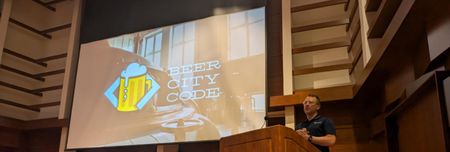
Where practical learning meets genuine connection Each year, technologists travel to Grand Rapids, Michigan, U.S. for Beer City Code - a two-day, polyglot software conference built around workshops, practical sessions, and the conversations that continue after the slides are put away. In 2026, Microsoft MVPs came from across the United States to share what they are learning in AI, cloud, .NET, architecture, and modern software delivery. Organized by Microsoft MVP Jonathan “J.” Tower, the event shows what becomes possible when experts invest their time, experience, and curiosity in a community eager to learn together. Why MVPs make the trip For these speakers, the journey to West Michigan is about more than taking a stage. It is a chance to translate fast-moving technology into useful guidance - and to create the human connections that help people put that guidance into practice. MVP Samuel “Sam” Gomez uses his sessions to show how Microsoft Foundry and the Microsoft Agent Framework can help organizations design agentic workflows that automate meaningful business processes. By sharing what he has learned in practice, Sam embodies a hallmark of the MVP community: helping others turn possibilities into real-world solutions. As an MVP, speaking at Beer City Code gives me the opportunity to share different ways in which services like Microsoft Foundry and libraries like the Microsoft Agent Framework help organizations implement agentic workflows to automate key business processes. - Sam Gomez That same commitment to practical learning motivates MVP Chad Green, who sees speaking at Beer City Code as an investment in a community that values connection and genuine craftsmanship in software. In his architecture workshop, Chad moves beyond buzzwords to help attendees choose structures suited to the problems in front of them, examine tradeoffs, and make decisions with clarity and confidence. He brings the same grounded approach to AI, encouraging architects to treat it as a thinking partner while retaining control: define clear constraints, validate assumptions, and shape the output into deliberate, human-driven decisions. For Chad, the learning extends beyond the scheduled session. Hallway conversations, late-night discussions, and next-day breakfasts create space for attendees to test ideas, ask candid questions, and think more intentionally about their systems and careers. As an MVP, speaking at Beer City Code gives me the opportunity to invest in a community that values learning, connection, and genuine craftsmanship in software. - Chad Green & RD) MVP Chris Woodruff returns for the same reason: to give back to people he sees at events and meetups throughout the year. He describes a conference that succeeds by focusing on attendees, curating a strong lineup, and giving speakers room to share what excites them. The result is an experience where learning is not confined to a session slot. One memorable discussion sparked by his talk continued through lunch - a simple example of how an attendee’s question can become a deeper exchange of ideas. That attendee-first spirit turns a scheduled presentation into an invitation to ask one more question, consider a niche technology, test a different approach, or connect with someone facing a similar challenge. Beer City Code succeeds because it focuses on attendees rather than speakers. - Chris Woodruff For MVP Brian McKeiver, Beer City Code is both local and far-reaching. Born and raised in West Michigan, he values bringing lessons from the broader Microsoft and .NET communities' home while showing visitors that Grand Rapids, Michigan is a growing technology hub. He has watched the event develop into the largest technology conference in West Michigan without losing the close-knit character that makes it welcoming. Brian also points to the breadth and quality of the program: multiple concurrent tracks and speakers from across the country create value well beyond a developer-only audience. Product owners, project managers, designers, creatives, and other technologists can all find sessions relevant to their work. In three words, he describes the conference as local, welcoming, and high-quality. As an MVP, speaking at Beer City Code gives me the opportunity to bring what I am learning from the broader Microsoft and .NET communities back home to West Michigan. - Brian McKeiver Distance is also part of the story. MVP Sam Basu traveled roughly 400 miles from Erie, Pennsylvania, drawn by old friendships and the vibrant developer community created by the conference organizers. He submitted a session because he wanted to help developers move beyond AI hype and focus on workflows that matter. For Sam, Beer City Code succeeds by centering grassroots learning from real practitioners while creating space for student curiosity, grounded local perspectives, and candid conversations among attendees and speakers. His message is practical: AI is reshaping how software is built, but adoption is a spectrum. Teams should use what makes sense for their needs, bring meaningful context to AI tools, and stay focused on solving real problems. That same sense of welcome is what brings MVP & RD Eric Boyd back. He describes Beer City Code as a “gem of a conference”: accessible, intimate, and strengthened by a thoughtful mix of Grand Rapids voices and speakers traveling from beyond the region. For Eric, collaboration among attendees, speakers, and fellow MVPs is not an extra benefit - it is central to the experience. Beer City Code is a gem of a conference. It has a great community feel, and its inexpensive ticket price makes it accessible for virtually everyone. - Eric Boyd The ripple effect: clearer thinking, stronger networks The value of Beer City Code is not limited to what appears on the agenda. Chad Green highlights the conversations outside sessions - hallway chats, late-night discussions, and next-day breakfasts - where a new idea can become a clearer career choice or a better-designed system. In his architecture workshop, the takeaway is not a buzzword but a habit: choose the structure that fits the problem, understand the tradeoffs, and make decisions with clarity and confidence. That mindset matters even more with AI, where architects must define constraints, validate assumptions, and keep people accountable for the outcome. The same pattern appears across the conference. Sam Gomez sees in-person events as increasingly important when AI is creating challenges across the industry. Chris Woodruff remembers an attendee conversation that continued through lunch. Sam Basu recalls a nontechnical attendee recognizing that AI agents and models could be approachable tools for solving real problems. Each moment demonstrates how community learning works: expertise is shared, questions make it concrete, and a connection helps the insight travel farther. AI is reshaping how we build software, but AI adoption is a spectrum - do what makes sense and bring context to AI tools. - Sam Basu Your next community connection could start here If you are building software, guiding technical teams, exploring AI, or simply looking for people who share what they know generously, add Beer City Code to your conference radar. Explore the MVP profiles of Samuel Gomez, Chris Woodruff, Eric Boyd, Sam Basu, Brian McKeiver, and organizer Jonathan “J.” Tower, then follow the ideas and communities they support. Consider how you can contribute to the community - by answering a question, mentoring someone, speaking at a local event, or sharing a lesson from your own work. Community impact begins with showing up. Want to Learn More About the MVP Program? To find an MVP and learn more about the MVP Program visit the MVP Communities website and follow our updates on LinkedIn or #mvpbuzz. Join us for a future live session through the Microsoft Reactor where we walk through what the MVP program is about, what we look for, and how nominations work. These sessions are designed to help you connect the dots between the work you’re already doing and the impact the MVP Program recognizes - with time for questions, examples, and real conversations.240Views1like0CommentsYou Belong Here: Three MVPs on Imposter Syndrome
Imposter syndrome is the persistent feeling that your success is undeserved - or that others may discover you are not as capable as they think. It can surface before a presentation, while learning a fast-moving technology, or after receiving recognition such as the Microsoft MVP award. In candid conversations, MVPs Rachel Irabor, Dan Barber, and Cat Schneider described self-doubt not as proof that they do not belong, but as a familiar signal to pause, seek perspective, and reconnect with what they contribute. Their stories remind technologists at every stage: confidence can fluctuate, while your value remains real. Three paths through self-doubt Rachel’s response begins with a question: Why do I believe I am not enough? Early in her Microsoft Power Platform journey, she nearly discounted a Power Automate presentation because it seemed “too basic” for a call filled with experienced community members. She delivered it anyway - and MVPs told her they had learned an action they had never tried. That moment became evidence that usefulness is not measured by seniority. A beginner can notice, explain, or connect something an expert has missed. Her story is also one of motion. Soon after university, Rachel relocated from Nigeria to Malta for her first corporate role - her first time travelling and a move she initially treated as simply the next task. Only later did she pause long enough to recognize its scale. Today, she tries to compare herself with “the 2022 Rachel,” who was still a student and unsure of her next step, rather than with a room full of people decades into their careers. Before speaking, Rachel changes the conditions around the fear. She arrives early, gets familiar with the room, plays upbeat music, and dances until her body relaxes. She may begin with anxiety, but once she starts, she finds her flow. The goal is not to wait until doubt disappears; it is to create a routine that helps her move with it. That same approach shaped her public learning. She shared modules, small projects, problems, and fixes even while wondering whether people would judge the posts as too simple. Over time, those small acts helped build a career and a community. Her reminder is direct: one article, video, or explanation does not need to reach hundreds of people to matter. If it helps one person solve a problem or see a possible path, it has made an impact. “Get out of your head… I’m just doing my own part. I’m just being me.” - Rachel Irabor Dan’s perspective is shaped by more than two decades in technology leadership. Experience has not silenced his inner critic; he describes it as a daily voice that can turn recognition into suspicion and opportunity into self-rejection. When he received the MVP award, his first response was disbelief. His community work often centers on the human side of technology - mentoring, coaching, leadership, consulting habits, and high-performing teams - and he wondered whether that belonged beside more visibly technical contributions. The volume of new opportunities after the award created another pressure: the feeling that he should add more to everything he was already doing. Dan learned to replace, not simply add. When a new “shiny thing” appears, he asks what he will stop doing so that work, family, community contribution, and wellbeing can remain sustainable. The award recognizes what someone has already contributed; it is not an instruction to raise the bar until burnout. When doubt starts “nibbling away” at his confidence, Dan conducts an evidence check. He writes down contributions, mentoring, invitations, feedback, and people who sought his help. Then he asks whether the internal story - that he is a fraud or does not do enough - actually fits those facts. This is not forced positivity. It is a deliberate decision to give empirical evidence at least as much authority as the loudest thought in the room. Dan also refuses the idea that an MVP must acquire every other MVP’s strength. He compares the community to a network of people with different superpowers: each member brings something distinct and gains access to expertise they do not need to reproduce themselves. “Do not lose track of your superpower,” he advises. Belonging comes from contributing your own value, not becoming everything to everyone. “Your uniqueness is your superpower… Take pride in what you do and how you do it.” - Dan Barber Cat’s imposter syndrome often sounds like a question: Who made the decision to bring me in? She can look around a technical community and feel unlike the people producing content every day - then remember that her contribution is different, not lesser. She builds community, helps people find one another, and can offer “15 different ways” to approach a problem. The award did not erase doubt, but it gave her another piece of evidence: Microsoft continued to recognize a voice and a form of impact worth hearing. She has also seen what can happen when self-doubt gets to make the decision. In 2022, Cat received an offer for a Microsoft role while considering another opportunity. The scale of the role made her worry that Microsoft would eventually regret hiring her, and she said no. She does not treat the choice as a failure - the path she took gave her new skills and room to grow - but she can name the part imposter syndrome played. That honesty matters: the inner critic does not only make us uncomfortable; sometimes it quietly removes us from opportunities before anyone else can decide. Today, rapid changes in AI can recreate that feeling. Cat has attended sessions, asked product experts questions, and kept experimenting, yet she can still feel behind when a tool does not click. Her response is patient rather than performative: everyone learns at a different pace, sometimes persistence works, and sometimes the next right step is asking for help. Cat turns that compassion outward. At conferences, she notices people on the edges and “adopts” them - making introductions, showing them where to go, and helping them approach others. She offers new speakers smaller, lower-pressure formats such as short presentations, co-presenting, or interviews. As the self-described leader of the “Heckle and Hype crew,” she also shows up to cheer others on. Her story makes belonging tangible: sometimes we believe we have a place because someone actively makes room for us. “If I wasn’t meant to be here, then I wouldn’t be here. I’m meant to be here.” - Cat Schneider What helps when the inner critic gets loud Rachel, Dan, and Cat do not offer a single cure. Instead, they show how to interrupt the spiral from several directions: Name the thought, then ask why. Is the evidence really that you do not belong—or are you responding to a new room, a new responsibility, or people with different experience? Compare backward, not sideways. Measure your growth against an earlier version of yourself instead of someone else’s visible highlight reel. Collect evidence of impact. Save feedback, invitations, solved problems, mentoring moments, and messages from people you helped. Review the record when memory becomes selective. Change the conditions around the fear. Arrive early, rehearse, play music, bring a co-presenter, choose a shorter format, or ask a trusted person to sit in the room. Turn expertise into curiosity. If you are not the smartest person in the room, you are in a room where you can learn. Ask a follow-up question instead of treating a gap as a verdict. Protect your capacity. Recognition does not require endless expansion. For each new commitment, decide what you will pause, delegate, or decline. Do not tackle it alone. Ask for perspective from someone who knows your work, collaborate with a peer, or tell the truth about where you are stuck. Most importantly, take one small action before certainty arrives: submit the session, share the lesson, ask the question, or introduce yourself to one person. Action creates new evidence, and new evidence gives the inner critic less room to invent the whole story. When someone else’s inner critic gets loud The most useful response is rarely “You’re brilliant - stop worrying.” Start by listening. Ask what happened, what the person is afraid of will happen, and what evidence they are using. Then offer specific observations: name the question they asked, the person they helped, the clarity they brought, or the preparation you witnessed. Specific evidence is easier to trust than broad reassurance. Community leaders can also design for belonging before anyone has to request it. Rachel emphasizes foundations where beginner and expert questions are welcomed with empathy. Cat shows the power of personal invitations, introductions, and low-pressure ways to contribute. Dan models visible honesty from a senior position, making it safer for others to seek support instead of becoming “lone wolves.” Together, their practices create a healthier message: you do not have to hide uncertainty to be credible, and you do not have to carry it alone. Your contribution counts If imposter syndrome has made you hesitate - to publish an article, submit a session, ask a question, or pursue the MVP path - choose one small next step. Share what you learned, ask someone you trust for perspective, and keep a record of the people your work helps. Learn more from Rachel Irabor, Dan Barber, and Cat Schneider. Want to learn more about Imposter Syndrome? In a recent podcast, Dan explores how imposter syndrome can show up in a technology career, why experience does not always quiet the inner critic, and how awareness, evidence, and support can help us move forward without facing self-doubt alone. You do not need to know everything to contribute something meaningful. You only need to begin. Want to Learn More About the MVP Program? To find an MVP and learn more about the MVP Program visit the MVP Communities website and follow our updates on LinkedIn or #mvpbuzz. Join us for a future live session through the Microsoft Reactor where we walk through what the MVP program is about, what we look for, and how nominations work. These sessions are designed to help you connect the dots between the work you’re already doing and the impact the MVP Program recognizes - with time for questions, examples, and real conversations.483Views2likes0CommentsMy MVP Story: Jess Stratton on Sharing, Storytelling, and Lifelong Learning
How One Question Sparked a Lifetime of Sharing Jess Stratton’s MVP journey is rooted in a simple idea: share what you know. Long before she was recognized as a Microsoft MVP in July 2026, Jess was asking questions, solving problems, and helping others learn in technology communities. Over time, those contributions grew into articles, conference demonstrations, training videos, courses, a book, and a TEDx talk. Becoming an MVP brought that story full circle - and opened the door to a global network of people who share her curiosity, generosity, and belief that technology becomes more approachable when we learn together. In her LinkedIn Learning course, "Learning Microsoft 365 Copilot for Work", MVP Jess Stratton shares practical guidance for using Microsoft 365 Copilot in everyday work. The Moment the Questions Turned into Answers Jess’s community story began in the Lotus Notes world in the 1990s, where she worked as an administrator and developer. Like many people entering a new technical space, she relied on forums to ask questions and learn from others. Then, almost without noticing, the balance shifted: she was answering more questions than she was asking. A turning point came when Jess created a solution to a problem no one else had addressed and made it available online. That contribution led to a how-to article, then a conference demonstration, and eventually a much larger network of peers. Connections from that community helped launch the training-video work she continues today. The path was not a carefully plotted career ladder; it was a series of opportunities created by generosity, curiosity, and a willingness to share. It all started with that very root principle of just sharing what you know. - Jess Stratton That same spirit lives in “Nerd Girl Jess,” the identity she carried forward from a group of women in the Lotus Notes community who hosted conference panels and proudly wore Nerd Girls pins and shirts. When Jess later started working independently, keeping the name became a way to honor those relationships and the community that helped shape her. Her first MVP nomination brought another unexpected milestone. After the long wait, the award email arrived as a joyful surprise. Excitement quickly mixed with nerves: there was much to learn and a desire not to miss anything. More than recognition, however, the award meant belonging. Now there’s this whole network of brilliant people that’s just opened up to me. - Jess Stratton After years of creating and teaching from a home office, Jess is especially energized by the chance to connect with other MVPs, exchange ideas, and spend time together in person. That network, she says, makes the work feel less solitary - and makes the next chapter feel full of possibility. A TEDx Detour: Humanizing History Through Story When TEDxURI invited speakers to propose unusual viewpoints for its “Now That’s Funny” program, Jess submitted an audition that took her beyond the familiar rhythm of technical instruction. Her idea began during a walk in the pandemic, when a podcast about the mysterious Voynich manuscript prompted an unexpected, funny question: what if its childlike drawings and undeciphered writing came from a child helping a deadline-driven medieval parent? That playful theory became the starting point for her TEDxURI talk, “Humanizing history, one mysterious book at a time.” While Jess is an experienced speaker, preparing for TEDxURI pushed her outside her comfort zone in new ways. TEDx events often pair speakers with speaker coaches because developing a TEDx talk is different from preparing a typical lecture or conference session. Working alongside a TEDx speaker coach, she spent weeks refining her story, rehearsing her delivery, and focusing on the single idea she wanted the audience to remember. The experience helped her approach speaking from a more personal and story-driven perspective than a traditional conference presentation. Learn more in TED’s rehearsal guidance. Within that collaborative process, Jess’s coach helped her see that the talk’s most personal details could also make its central idea more vivid and relatable. The coach encouraged Jess to include photographs from her own life - images of bringing her daughter to Lotus Notes conferences - and place them alongside the imagined medieval parent in her story. Those photographs connected past and present, turning an unusual theory about an old manuscript into a deeply human reflection on working parenthood, technology, and the families whose lives unfold around our work. They also helped the talk come full circle: history was no longer an abstract mystery, but a story about real people balancing deadlines, creativity, and care. I feel like we should always be learning new things. I’m going to try this new skill and see if I can take people on a journey with me. - Jess Stratton The experience changed how Jess thinks about technical communication. Storytelling invited her to bring more of her personality into the room, connect ideas to real human experiences, and make learning feel less dry. In her reflection on the talk, she emphasized that history involved real people with their own challenges and experiences - a perspective that also makes technical teaching more relatable. Watch Microsoft MVP Jess Stratton's TEDxURI talk, where she shares insights from her personal and professional experiences. What Happens When Learning Feels Possible Jess has taught through more than 50 published courses, and learners have shown her what happens when knowledge is made practical and welcoming. People have approached her at conferences to share projects they created using lessons from her courses. Some of those courses even became in-flight learning, giving passengers the chance to build skills while traveling. For Jess, the most meaningful measure of impact is not how much content she produces, but what learners feel empowered to do next. Technology becomes less intimidating when you have somebody show you what it can really do. - Jess Stratton That practical mindset also shapes her approach to Microsoft Copilot. Jess prefers to start with the work she enjoys and does well, then use AI for areas where she needs support - such as design, organizing tasks, or follow-up - instead of “fixing things that aren’t broken.” As she works on the second edition of her Copilot for Microsoft 365 book and uses Copilot to grow her business, she continues to bring learners along for the journey. Community remains central. Jess values virtual connection, but she is especially looking forward to the face-to-face conversations that can solve a problem in minutes and spark new ideas. For a new MVP who has learned from other MVPs for years, the award feels both exciting and humbling. Being an MVP is very humbling. I’ve got very big shoes to fill - and I have to keep that helping going. - Jess Stratton Keep Sharing What You Know Every MVP journey begins with a question, a solution, or a moment when someone chooses to share what they have learned. Jess’s story shows how those moments can grow into articles, talks, courses, friendships, and new communities. Whether you are answering a forum question, demonstrating a useful technique, telling a more human technical story, or learning a skill outside your comfort zone, your contribution can help someone else move forward. What person, community, or unexpected opportunity helped shape your journey? Share your story - and keep the ripple of learning going. Connect with Jess Learn more about Jess Stratton on her Microsoft MVP profile, explore her extensive library of more than 35 LinkedIn Learning courses covering AI, Microsoft technologies, cybersecurity, and professional development, watch her TEDxURI talk on YouTube, and read her LinkedIn reflection on the experience. Want to Learn More About the MVP Program? To find an MVP and learn more about the MVP Program visit the MVP Communities website and follow our updates on LinkedIn or #mvpbuzz. Join us for a future live session through the Microsoft Reactor where we walk through what the MVP program is about, what we look for, and how nominations work. These sessions are designed to help you connect the dots between the work you’re already doing and the impact the MVP Program recognizes - with time for questions, examples, and real conversations.243Views1like0CommentsBurnout, AI, and the Gap Between Expectation and Reality
When AI Raises the Bar Faster Than Reality Can Follow The promise of AI is everywhere: greater productivity, faster results, and the ability to accomplish more than ever before. But what happens when reality does not match those expectations? In a conversation with Microsoft MVP Robert Bogue, we explored why burnout remains a persistent challenge for technology professionals and how AI is reshaping the discussion. Drawing on years of research, teaching, and lived experience, Robert explains that burnout is often less about workload alone and more about the widening gap between what people expect from themselves and what they are actually able to achieve. That tension was at the heart of Robert’s recent VSLive! sessions, Burnout in Software Development and From Business Problems to AI Success: Closing the Gap Between Promise and Reality. In both conversations, he challenged an increasingly common assumption: access to AI should automatically make every person dramatically more productive. “I’m supposed to be hyper-productive. This is supposed to do everything for me - and it doesn’t.” – Robert Bogue Robert’s Story: Making the Complicated Simple Robert’s work sits at the intersection of technology and the human systems around it. A Microsoft MVP in the M365 award category, he is the president of Thor Projects and an author, consultant, educator, coach, and community leader. His long-running approach is to learn deeply, synthesize what he finds, and make complicated ideas easier for others to use. Burnout became part of that work long before it became a regular workplace headline. Robert first wrote about the topic in 2001 while researching articles for TechRepublic. The deeper he looked, the more he recognized a recurring pattern in his own life and in the lives of others: people were judging themselves against expectations that did not fit their real capacity, circumstances, or results. “What I eventually learned from it was I have to either expect less or do more,” he said. “Doing more - there’s a limit to that.” That insight grew into years of study, workshops, and practical resources developed with his wife, Terri Bogue. In one exercise, participants identify the expectations tied to their roles and responsibilities, estimate the time each requires, and fit them into the 168 hours available in a week. Across six years and tens of thousands of participants, Robert said only one person - a recent college graduate with relatively few established commitments - mapped fewer than 168 hours. For nearly everyone else, their expected commitments exceeded the time available. The exercise makes an invisible problem visible: many people are not failing to manage a reasonable workload; they are trying to meet a set of expectations that cannot realistically fit into one week. “If you expect your normal results and you’re under high stress, there’s a gap. That gap is burnout.” – Robert Bogue Impact and Insights: Efficacy, Stress, and the AI Expectation Gap Robert describes burnout through the relationship among actual efficacy, perceived efficacy, and expectations. When those elements fall out of alignment, people can feel ineffective even when their work is objectively improving. AI can widen that gap. A tool may make someone faster in one task and feel, in Robert’s memorable phrase, like “coaching a toddler how to fly an airplane” in another. The problem is not that AI has no value; it is that its uneven reality collides with a story of effortless, exponential productivity. Stress contributes indirectly by making people less effective. Robert compares the body’s stress response to a payday loan: it reallocates resources for the immediate threat, but restarting the systems it paused costs energy. If expectations remain unchanged while capacity drops, the gap grows. The Bathtub Model: A Practical Way to Restore Agency When someone asks what they can do today, Robert turns to what he calls the "Bathtub Model". Imagine personal agency - your ability to act and get things done - as the water in a bathtub. Three inputs help fill it. The first is results, which includes accepting recognition rather than dismissing it. When someone says, “That was a great job,” Robert advises resisting responses such as “It was nothing” or “Anyone could have done it.” Instead, simply say, “Thank you.” The second input is support, including asking for the help you need. The third is self-care, including making time to replenish yourself. Demands drain the tub, often faster than people realize because their own standards may exceed what others expect of them. Each input and drain has a valve. Adjusting those valves - acknowledging progress, lowering the barrier to support, protecting recovery time, or renegotiating demands - can restore personal agency in the moment. Robert distinguishes that immediate agency from efficacy, which is the later judgment people make about whether their efforts worked. For leaders, the model offers an equally practical guide: recognize effort and explain why it matters, build systems that make help easy to request, visibly model self-care, and ask what should move whenever a new priority is added. For leaders, his advice is concrete. Each new request should trigger a second question: What else needs to move? Adding reasonable tasks without renegotiating earlier commitments creates unreasonable total demand. Robert pointed to a familiar software pattern: a project runs late, but the testing window does not move. Burnout prevention requires honest trade-offs, not simply asking people to absorb the delay. Learn more about the Bathtub Model and more with Robert's free Burnout Prevention Toolkit. “When we talk about community, we’re fundamentally talking about relationships.”- Robert Bogue & author) and Robert Bogue (MVP) Community as a Protective Factor Robert’s MVP journey also informs how he thinks about resilience. Technical communities do more than exchange knowledge: they create relationships, perspective, and places where people can say that something is not working. Connection cannot remove every demand or uncertainty, but it can interrupt the isolation that makes difficult periods harder to navigate. “If you believe that loneliness is an epidemic, then community is the cure.”- Robert Bogue That perspective is especially relevant for MVPs and other community contributors who balance volunteering with work, family, learning, and life. Sustainable contribution does not mean saying yes to everything. It means choosing what matters, making trade-offs visible, and staying connected to people who can help recalibrate expectations. Start by Closing One Gap Burnout can feel enormous, but the first step does not have to be. Look at one expectation that no longer matches your capacity or current tools. Renegotiate a deadline, remove a task, ask for support, or make space for recovery. Leaders can help by treating every new priority as a trade-off, not an addition. Robert’s free Burnout Prevention Toolkit offers practical guides and short videos to help people recognize burnout and begin responding. What expectation could you reset this week - and who in your community could help you do it? Explore Robert’s Work Learn more about Robert through his Microsoft MVP profile, connect with him on LinkedIn, or explore his work at Thor Projects. You can also download the free Burnout Prevention Toolkit for practical guides and short videos designed to help people recognize and respond to burnout. Want to learn more about the MVP Program? To find an MVP and learn more about the MVP Program visit the MVP Communities website and follow our updates on LinkedIn. Join us for a future live session through the Microsoft Reactor where we walk through what the MVP program is about, what we look for, and how nominations work. These sessions are designed to help you connect the dots between the work you’re already doing and the impact the MVP Program recognizes - with time for questions, examples, and real conversations.387Views1like1CommentFrom Visibility to Impact: Building Your Personal Brand with Smart, Cost-Effective Tools
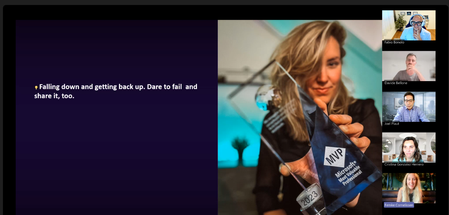
Beyond mastering technology, MVPs are passionate about helping others grow, supporting both technical and soft-skills development, and creating opportunities for learning and collaboration. They actively share their discoveries, experiences, and lessons learned while engaging in valuable exchanges with fellow community leaders and influencers. In this spirit of continuous learning and knowledge sharing, building a personal brand becomes a powerful way to amplify your voice, expand your reach, and increase the impact you can have on the communities you serve. Recently, the global MVP community came together for a discussion on creating a personal brand, best practices, tips and effective tools that can be leveraged to raise your social media reach. The session titled “From Visibility to Impact: Building Your Personal Brand with Smart, Cost-Effective Tools,” featured insights from Femke Cornelissen, Microsoft 365 and Copilot MVP from the Netherlands, and Fabio Bonolo, Microsoft 365 Copilot MVP from Switzerland. Together, they explored one of the most valuable skills for today's community leaders and technology advocates: building a personal brand that creates meaningful impact while staying authentic and accessible. Through personal experiences, practical examples, and demonstrations of cost-effective tools, they showed MVPs how visibility can become a catalyst for community growth, professional opportunities, and wider knowledge sharing. Personal Branding Starts with Authenticity Opening the session, Femke Cornelissen shared her personal journey to becoming an MVP and the lessons learned along the way. One of her strongest messages was clear: authenticity matters more than following a formula. Rather than trying to replicate someone else's success, Femke encouraged attendees to identify their own passions and areas of expertise. Whether sharing insights on Microsoft technologies, community initiatives, innovation, or personal experiences, the most effective personal brands are built around genuine interests and perspectives. She highlighted how consistent visibility on platforms such as LinkedIn can create unexpected opportunities—from speaking engagements and community leadership roles to customer conversations and valuable professional connections. Yet success does not happen overnight. Building recognition requires showing up consistently, sharing valuable insights, and developing trust over time. LinkedIn as a Community Platform While many professionals still view LinkedIn primarily as a digital résumé, Femke explained how the platform has evolved into a powerful space for thought leadership, networking, and community engagement. She encouraged MVPs to think beyond job titles and focus on creating content that demonstrates their expertise and unique perspective. Personal stories, lessons learned, event experiences, and practical guidance often resonate more strongly than purely promotional content. According to Femke, people connect with people—not corporate messaging. Several practical recommendations emerged from her presentation: Develop a consistent presence rather than posting sporadically. Share insights in your own voice. Engage actively with other community members through comments and conversations. Support and elevate the work of others. Focus on meaningful engagement rather than follower counts. She also emphasized the importance of balancing personal, community, and professional content to maintain authenticity while still supporting employers, projects, and initiatives that align with personal goals. AI as a Productivity Multiplier The session also explored how AI can help content creators work more efficiently without losing their human voice. Femke demonstrated how she uses AI-powered workflows to monitor industry trends, draft content ideas, analyse performance per post, and manage large volumes of community interactions. Rather than replacing authentic communication, she views AI as a tool that enables her to spend more time building relationships and less time managing repetitive tasks. One particularly important takeaway was her approach to maintaining authenticity. While AI helps create first drafts and analyse data, final content should always reflect an individual's own perspective, experiences, and tone of voice. Community members follow people for their unique insights, not automatically generated content. Designing a Recognisable Personal Brand Building on Femke's focus on authenticity, Fabio Bonolo explored the visual and strategic side of personal branding. His presentation introduced a structured framework built around four key pillars: Identity, Content, Reach and Consistency. Fabio explained how visual identity contributes to recognition and memorability. Colours, logos, typography, imagery, and design choices all communicate aspects of a person's personality and expertise. By maintaining consistent visual elements across websites, presentations, blogs, videos, and social media channels, community leaders can create a stronger and more recognisable presence. He demonstrated how even simple visual standards can make content instantly recognisable while reinforcing credibility and professionalism. Powerful Tools Without Enterprise Budgets One of the most popular parts of the session was Fabio's walkthrough of affordable tools that MVPs can use to professionalise their online presence. Among the tools showcased were MojoMox for logo creation, colour palettes, and brand design systems, PowerPoint as a surprisingly powerful design tool for creating thumbnails, graphics, and consistent visual assets, AuthoredUp for enhancing LinkedIn content creation and analytics, Wix for website management, blogging, and email marketing, Clipchamp for video creation and editing as well as Riverside and StreamYard for podcasting, live streaming, and content recording. A recurring theme throughout Fabio's presentation was that impactful personal branding does not require expensive software or large marketing budgets. By combining a clear strategy with carefully selected tools, MVPs can create professional-quality content for a relatively small investment. Community Remains the Force Multiplier Despite the extensive discussion about tools, automation, AI, and branding strategies, both presenters arrived at the same conclusion: community is the most important element. Femke described personal branding, AI, and community as three interconnected forces that create impact when combined effectively. Visibility alone is not the goal; meaningful relationships, knowledge sharing, and helping others succeed are what ultimately build a lasting reputation. Fabio reinforced this message by encouraging attendees to stay true to their identity, create content that delivers value, and remain consistent across the channels where they engage their audiences. Key Takeaways for MVPs The session concluded with several practical lessons for anyone looking to expand their impact: Be authentic and share your unique perspective. Focus on helping others rather than chasing metrics. Develop a consistent personal brand across your channels. Use AI to enhance productivity, not replace authenticity. Invest in relationships and community engagement. Start with simple, affordable tools and scale over time. Stay consistent, visibility is built through sustained effort. As the MVP community continues to grow and evolve, sessions like this demonstrate that the most powerful brands are not built through marketing alone—they are built through expertise, generosity, authenticity, and community. Thank you to Femke Cornelissen and Fabio Bonolo for sharing their experiences and practical guidance, and to all MVPs who participated in the discussion and contributed their own insights throughout the session. Want to Learn More About the MVP Program? To find an MVP and learn more about the MVP Program visit the MVP Communities website and follow our updates on LinkedIn or #mvpbuzz. Join us for a future live session through the Microsoft Reactor where we walk through what the MVP program is about, what we look for, and how nominations work. These sessions are designed to help you connect the dots between the work you’re already doing and the impact the MVP Program recognizes - with time for questions, examples, and real conversations.