msedge
5 Topics
Add Secure DNS (DNS-over-HTTPS) Support to Edge Mobile
Hello Edge Team, I’ve noticed that while Edge desktop already supports Secure DNS (DNS-over-HTTPS), the mobile version currently lacks this option. Competing browsers like Chrome and Brave allow users to configure Secure DNS directly on mobile, which provides: Improved privacy by preventing ISP-level DNS snooping Consistency across platforms so Edge users enjoy the same protections on desktop and mobile User choice to select trusted DNS providers (Cloudflare, Google, Quad9, etc) Adding Secure DNS support in Edge mobile would strengthen Edge’s privacy posture and align it with modern browser standards. Could the team consider prioritizing this feature in upcoming Insider builds? I believe many users would welcome the option to configure Secure DNS directly within Edge mobile settings. Thank you for your continued work on making Edge a competitive and privacy‑friendly browser.167Views1like0Comments
Stranded at Account Verification while attempting to register as MS Edge seller
Greetings! Yesterday, I started the process of registering my company and the dev team to list our upcoming MS Edge extension in Microsoft's marketplace. I proceeded to where we wait for Employment Verification. Today, I received an email message saying We need more information to verify your Partner Center profile SellerId 86437560 So that you can have full access to Partner Center, we need more information from you to finish verifying your Partner Center profile. To complete verification: Select Complete verification. On the Partner Center Account Settings page, upload the required document in the Account Verification pane. Oh. Wonder what happened? Hmm Viewing our portal page, in Organization profile -> Legal info, sure enough there is a helpful progress bar showing a big red X on Employment verification. Just underneath that, Vetting status is Rejected. Immediately below that, Things to take care of, which is empty when toggled. The legal info is entered exactly as I have it in our company records. Well, the UI gives me no clue as to what I need to do to remediate the situation and proceed. Some googling reveals that this is a problem for others too, but those threads provide no obvious way forward either. Any pointers? Thanks KT1.3KViews1like2CommentsUnder what circumstances does the browser generate the FireIdleCallback events
When I visit http://www.baidu.com (like bing) , the browser(MSEdge for chromium) will generate FireIdleCallback event, see log: [System] Chrome Event: FireIdleCallback (Complete) FireIdleCallback, Complete, data, , , [System] Chrome Event: FireIdleCallback (Complete End) FireIdleCallback, Complete End, , , , but, If I use local http server, FireIdleCallback events do not occur. So, Under what circumstances can the FireIdleCallback event be generated ? remind:visit baidu.com or local server, MSEdge can normal showing content page. thanks.Solved3KViews0likes5Comments
Source code of msedge beta
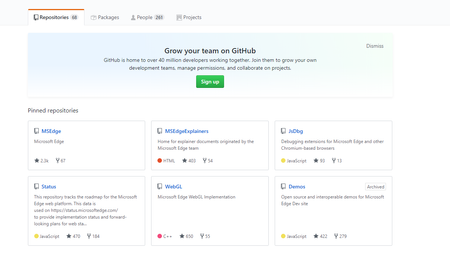
Hi Dears Anyone know which place can get the source code of msedge beta, including microsoft modified. From the github: https://github.com/MicrosoftEdge?utf8=%E2%9C%93&q=MSEdge&type=&language= I can not find any code about msedge beta. Looking forward to your reply Thank you very much Best wishes EricSolved3.5KViews0likes5Comments