monitors
1 TopicAccess begins rollout of Big Forms for Modern Monitors feature
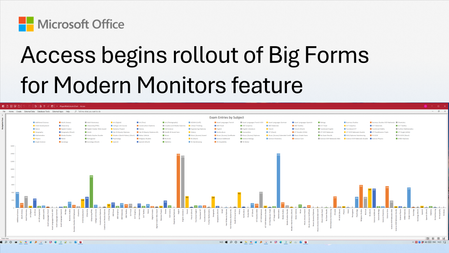
We're excited to announce that support for large-sized forms is now available in Beta for Microsoft Access. This long-requested feature removes the longstanding 22-inch form size limitation and lays the foundation for a more modern, scalable, and accessible form experience. It's one of the most highly requested enhancements from the Access community and a top-voted request on the Access feedback forum. This feature is in Beta now and expected to be in the Current Channel preview by July 21st, 2026. Why we're making this change When Access was originally designed, form dimensions were constrained by underlying technology that effectively limited forms to approximately 22 inches in width or height. As monitor resolutions increased and ultrawide displays became common, that limitation became increasingly restrictive. Developers were forced to design for the lowest common denominator screen size, even when their users had significantly more screen real estate available. The result? Complex business applications often required excessive scrolling, crowded interfaces, or compromises in design. With this Beta release, Access developers can now create forms that take full advantage of today's larger monitors and higher resolutions. What's changing The 22-inch limit is gone. The primary enhancement is simple but powerful: Forms can now exceed the previous 22-inch size limitation. Controls can be placed beyond the historical boundary. Form sections can be designed at much larger dimensions. Developers can create richer and more detailed business applications. For customers building dashboards, operational workspaces, inventory systems, CRM solutions, or other complex applications, this means more content can be displayed simultaneously without forcing users to navigate between multiple forms. Designed for modern workspaces Large monitors have transformed the way people work. Many customers now use: Dual-monitor setups Ultrawide displays High-resolution 4K monitors Vertical monitors for specialized workflows This feature allows Access applications to better leverage those environments. Developers are no longer forced to design around constraints that originated more than 20 years ago. As a result, users can: View more information at once Reduce unnecessary scrolling Create more sophisticated layouts Improve efficiency during data entry and review tasks Accessibility benefits Although the primary audience for this feature is Access developers and users working with larger displays, removing the size limitation also delivers important accessibility benefits. Larger form designs allow more flexibility in presenting information, increasing spacing between controls, displaying larger text, and reducing visual clutter. These improvements can make applications easier to use for customers with low vision and others who benefit from magnified content. We hope you enjoy this improvement and as always, look forward to your comments. (Thank you to MVP Colin Riddington for the thumbnail image.)1.2KViews6likes2Comments