ml.net
26 TopicsHow GitHub Copilot Helps with Test-Driven Development (TDD)
Test-Driven Development (TDD) has been a cornerstone of modern software engineering for decades. By writing tests before implementing functionality, developers ensure better design, maintainability, and fewer bugs. But while TDD is powerful, it can sometimes feel slow or cumbersome, especially when setting up repetitive test structures or boilerplate code. This is where GitHub Copilot, the AI-powered coding assistant, becomes a valuable partner. It doesn’t replace the discipline of TDD, but it can accelerate the process and help developers stay in the flow. https://dellenny.com/how-github-copilot-helps-with-test-driven-development-tdd/119Views1like0CommentsBoosting Productivity with GitHub Copilot Real-World .NET Coding Examples
Software development in the .NET ecosystem is powerful, but projects can quickly get bogged down with boilerplate code, repetitive tasks, and lengthy setup. This is where GitHub Copilot comes in. Acting as your AI pair programmer inside Visual Studio or VS Code, Copilot suggests context-aware code snippets, tests, and even full method implementations. Let’s dive into real-world .NET coding examples that highlight how Copilot can make you more productive. https://dellenny.com/boosting-productivity-with-github-copilot-real-world-net-coding-examples/71Views0likes0Comments
ML.NET Sentence Similarity scenario questions
How do you make the ML.NET Sentence Similarity scenario context-aware? I'm using the Model Builder to train, evaluate, and consume the model. I would like to create a context prior to comparing sentences. Is this possible? Is there a way to introduce this in the pipeline? Does a model in ML.NET rely entirely on the training dataset? Is there a pre-trained dataset behind the scenarios? Training a Sentence Similarity model only works when you use validation dataset. Using Cross validation or the Split option always returns this error. "Training time finished without completing a successful trial. Either no trial completed or the metric for all completed trials are NaN or Infinity" Is this a bug?138Views0likes0Comments
Let's Learn .NET - AI
Learn about AI, how to get started, and using ChatGPT to improve text completions. Come to learn something new and leave with something that we all built, together, live with experts! Community Links: https://aka.ms/letslearn/dotnet/ai Featuring: Luis Quintanilla (luquinta@microsoft.com) #AI #dotNET #ChatGPT4.1KViews0likes3CommentsAzure Developers - .NET Day 2023
Experience Cloud Computing in Full Force with .NET on Azure. See the full agenda: https://learn.microsoft.com/events/learn-events/azuredeveloper-dotnetday/ As a .NET developer building for the cloud, do you want to stay ahead of the curve and maximize your potential? Join us to discover the latest services and features in Azure designed specifically for .NET developers. You'll learn cutting-edge cloud development techniques that can save you time and money, while providing your customers with the best experience possible. During the event, you'll hear directly from the experts behind the most sought-after cloud services for developers, spanning app development/compute, data services, serverless computing, cloud-native computing, and developer productivity. Don't miss this chance to participate and engage with the team throughout the day. Join us and take your cloud development skills to the next level! #azure #azuredevelopers #azurefunctions #azurecontainerapps #azuredevcli1.5KViews0likes0CommentsTrain Machine Learning Models with ML.NET Model Builder on ARM64
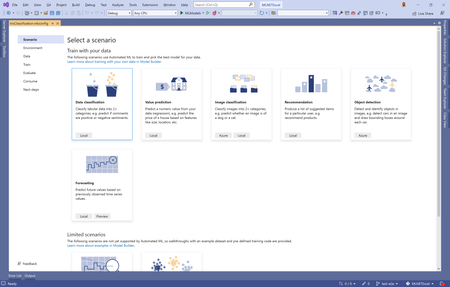
Visual Studio 2022 17.3 Preview 2 is now available as a native ARM64 application on Windows 11. This is the first version of Visual Studio that natively supports building and debugging ARM64 apps on ARM-based processors. .NET workloads are one of the prioritized workloads. What is Model Builder? Model Builder is a Visual Studio extension that uses ML.NET, an open-source, cross-platform machine learning framework for .NET developers to train and deploy custom machine learning models into .NET apps. Get started To get started with Model Builder on ARM64 devices: Install ARM64 Visual Studio Enable Model Builder Note: For image classification scenarios, we recommend using Azure since it's not supported for local environments on ARM devices. For more information, see the tutorial on how to train an image classification model in Azure using Model Builder. We want to hear from you Let us know about your experiences. If you have any feedback or issues running Model Builder on ARM, file an issue in the dotnet/machinelearning-modelbuilder GitHub repository.2.8KViews0likes1Comment
Gpt3 model for spelling correction is not working for every sentances
I have used GPT-3 model for correcting the spelling mistakes in questions we are providing to the bot. Used the below code for connecting to model, var requestData = new { prompt = $"Correct the spelling in the following text: '{question}'", max_tokens = 50, temperature = 0.7, stop = "\n" }; string apiKey = "open ai key"; string endpoint = "https://api.openai.com/v1/engines/davinci/completions"; using (HttpClient client = new HttpClient()) { client.DefaultRequestHeaders.Add("Authorization", $"Bearer {apiKey}"); var requestData1 = new { prompt = prompt, max_tokens = 50, }; var content = new StringContent(Newtonsoft.Json.JsonConvert.SerializeObject(requestData1), Encoding.UTF8, "application/json"); var response = await client.PostAsync(endpoint, content); GPT-3 provides the corrected text for few words. But it does not provide the corrected text for long sentences.394Views0likes0Comments
ML.Net CLI Example Fails
On following the instructions here: https://learn.microsoft.com/en-us/dotnet/machine-learning/tutorials/sentiment-analysis-cli at this step mlnet classification --dataset "yelp_labelled.txt" --label-col 1 --has-header false --train-time 10 I get this error: System.InvalidOperationException: Unable to resolve service for type 'Microsoft.ML.AutoML.IDatasetManager' while attempting to activate 'Microsoft.ML.AutoML.SweepablePipelineRunner'. at Microsoft.Extensions.DependencyInjection.ServiceLookup.CallSiteFactory.CreateArgumentCallSites(Type implementationType, CallSiteChain callSiteChain, ParameterInfo[] parameters, Boolean throwIfCallSiteNotFound) at Microsoft.Extensions.DependencyInjection.ServiceLookup.CallSiteFactory.CreateConstructorCallSite(ResultCache lifetime, Type serviceType, Type implementationType, CallSiteChain callSiteChain) ... ... mlnet --version says 16.15.0 Anyone know what's wrong?1.1KViews0likes1Comment