microsoft purview communication compliance
43 Topics
Building Secure, Enterprise Ready AI Agents with Purview SDK and Agent Framework
At Microsoft Ignite, we announced the public preview of Purview integration with the Agent Framework SDK—making it easier to build AI agents that are secure, compliant, and enterprise‑ready from day one. AI agents are quickly moving from demos to production. They reason over enterprise data, collaborate with other agents, and take real actions. As that happens, one thing becomes non‑negotiable: Governance has to be built in. That’s where Purview SDK comes in. Agentic AI Changes the Security Model Traditional apps expose risks at the UI or API layer. AI agents are different. Agents can: Process sensitive enterprise data in prompts and responses Collaborate with other agents across workflows Act autonomously on behalf of users Without built‑in controls, even a well‑designed agent can create compliance gaps. Purview SDK brings Microsoft’s enterprise data security and compliance directly into the agent runtime, so governance travels with the agent—not after it. What You Get with Purview SDK + Agent Framework This integration delivers a few key things developers and enterprises care about most: Inline Data Protection Evaluate prompts and responses against Data Loss Prevention (DLP) policies in real time. Content can be allowed or blocked automatically. Built‑In Governance Send AI interactions to Purview for audit, eDiscovery, communication compliance, and lifecycle management—without custom plumbing. Enterprise‑Ready by Design Ship agents that meet enterprise security expectations from the start, not as a follow‑up project. All of this is done natively through Agent Framework middleware, so governance feels like part of the platform—not an add‑on. How Enforcement Works (Quickly) When an agent runs: Prompts and responses flow through the Agent Framework pipeline Purview SDK evaluates content against configured policies A decision is returned: allow, redact, or block Governance signals are logged for audit and compliance This same model works for: User‑to‑agent interactions Agent‑to‑agent communication Multi‑agent workflows Try It: Add Purview SDK in Minutes Here’s a minimal Python example using Agent Framework: That’s it! From that point on: Prompts and responses are evaluated against Purview policies setup within the enterprise tenant Sensitive data can be automatically blocked Interactions are logged for governance and audit Designed for Real Agent Systems Most production AI apps aren’t single‑agent systems. Purview SDK supports: Agent‑level enforcement for fine‑grained control Workflow‑level enforcement across orchestration steps Agent‑to‑agent governance to protect data as agents collaborate This makes it a natural fit for enterprise‑scale, multi‑agent architectures. Get Started Today You can start experimenting right away: Try the Purview SDK with Agent Framework Follow the Microsoft Learn docs to configure Purview SDK with Agent Framework. Explore the GitHub samples See examples of policy‑enforced agents in Python and .NET. Secure AI, Without Slowing It Down AI agents are quickly becoming production systems—not experiments. By integrating Purview SDK directly into the Agent Framework, Microsoft is making governance a default capability, not a deployment blocker. Build intelligent agents. Protect sensitive data. Scale with confidence.Secure and govern AI apps and agents with Microsoft Purview
The Microsoft Purview family is here to help you secure and govern data across third party IaaS and Saas, multi-platform data environment, while helping you meet compliance requirements you may be subject to. Purview brings simplicity with a comprehensive set of solutions built on a platform of shared capabilities, that helps keep your most important asset, data, safe. With the introduction of AI technology, Purview also expanded its data coverage to include discovering, protecting, and governing the interactions of AI apps and agents, such as Microsoft Copilots like Microsoft 365 Copilot and Security Copilot, Enterprise built AI apps like Chat GPT enterprise, and other consumer AI apps like DeepSeek, accessed through the browser. To help you view, investigate interactions with all those AI apps, and to create and manage policies to secure and govern them in one centralized place, we have launched Purview Data Security Posture Management (DSPM) for AI. You can learn more about DSPM for AI here with short video walkthroughs: Learn how Microsoft Purview Data Security Posture Management (DSPM) for AI provides data security and compliance protections for Copilots and other generative AI apps | Microsoft Learn Purview capabilities for AI apps and agents To understand our current set of capabilities within Purview to discover, protect, and govern various AI apps and agents, please refer to our Learn doc here: Microsoft Purview data security and compliance protections for Microsoft 365 Copilot and other generative AI apps | Microsoft Learn Here is a quick reference guide for the capabilities available today: Note that currently, DLP for Copilot and adhering to sensitivity label are currently designed to protect content in Microsoft 365. Thus, Security Copilot and Copilot in Fabric, along with Copilot studio custom agents that do not use Microsoft 365 as a content source, do not have these features available. Please see list of AI sites supported by Microsoft Purview DSPM for AI here Conclusion Microsoft Purview can help you discover, protect, and govern the prompts and responses from AI applications in Microsoft Copilot experiences, Enterprise AI apps, and other AI apps through its data security and data compliance solutions, while allowing you to view, investigate, and manage interactions in one centralized place in DSPM for AI. Follow up reading Check out the deployment guides for DSPM for AI How to deploy DSPM for AI - https://aka.ms/DSPMforAI/deploy How to use DSPM for AI data risk assessment to address oversharing - https://aka.ms/dspmforai/oversharing Address oversharing concerns with Microsoft 365 blueprint - aka.ms/Copilot/Oversharing Explore the Purview SDK Microsoft Purview SDK Public Preview | Microsoft Community Hub (blog) Microsoft Purview documentation - purview-sdk | Microsoft Learn Build secure and compliant AI applications with Microsoft Purview (video) References for DSPM for AI Microsoft Purview data security and compliance protections for Microsoft 365 Copilot and other generative AI apps | Microsoft Learn Considerations for deploying Microsoft Purview AI Hub and data security and compliance protections for Microsoft 365 Copilot and Microsoft Copilot | Microsoft Learn Block Users From Sharing Sensitive Information to Unmanaged AI Apps Via Edge on Managed Devices (preview) | Microsoft Learn as part of Scenario 7 of Create and deploy a data loss prevention policy | Microsoft Learn Commonly used properties in Copilot audit logs - Audit logs for Copilot and AI activities | Microsoft Learn Supported AI sites by Microsoft Purview for data security and compliance protections | Microsoft Learn Where Copilot usage data is stored and how you can audit it - Microsoft 365 Copilot data protection and auditing architecture | Microsoft Learn Downloadable whitepaper: Data Security for AI Adoption | Microsoft Explore the roadmap for DSPM for AI Public roadmap for DSPM for AI - Microsoft 365 Roadmap | Microsoft 365PMPurHow to deploy Microsoft Purview DSPM for AI to secure your AI apps
Microsoft Purview Data Security Posture Management (DSPM for AI) is designed to enhance data security for the following AI applications: Microsoft Copilot experiences, including Microsoft 365 Copilot. Enterprise AI apps, including ChatGPT enterprise integration. Other AI apps, including all other AI applications like ChatGPT consumer, Microsoft Copilot, DeepSeek, and Google Gemini, accessed through the browser. In this blog, we will dive into the different policies and reporting we have to discover, protect and govern these three types of AI applications. Prerequisites Please refer to the prerequisites for DSPM for AI in the Microsoft Learn Docs. Login to the Purview portal To begin, start by logging into Microsoft 365 Purview portal with your admin credentials: In the Microsoft Purview portal, go to the Home page. Find DSPM for AI under solutions. 1. Securing Microsoft 365 Copilot Be sure to check out our blog on How to use the DSPM for AI data assessment report to help you address oversharing concerns when you deploy Microsoft 365 Copilot. Discover potential data security risks in Microsoft 365 Copilot interactions In the Overview tab of DSPM for AI, start with the tasks in “Get Started” and Activate Purview Audit if you have not yet activated it in your tenant to get insights into user interactions with Microsoft Copilot experiences In the Recommendations tab, review the recommendations that are under “Not Started”. Create the following data discovery policy to discover sensitive information in AI interactions by clicking into it. Detect risky interactions in AI apps - This public preview Purview Insider Risk Management policy helps calculate user risk by detecting risky prompts and responses in Microsoft 365 Copilot experiences. Click here to learn more about Risky AI usage policy. With the policies to discover sensitive information in Microsoft Copilot experiences in place, head back to the Reports tab of DSPM for AI to discover any AI interactions that may be risky, with the option to filter to Microsoft Copilot Experiences, and review the following for Microsoft Copilot experiences: Total interactions over time (Microsoft Copilot) Sensitive interactions per AI app Top unethical AI interactions Top sensitivity labels references in Microsoft 365 Copilot Insider Risk severity Insider risk severity per AI app Potential risky AI usage Protect sensitive data in Microsoft 365 Copilot interactions From the Reports tab, click on “View details” for each of the report graphs to view detailed activities in the Activity Explorer. Using available filters, filter the results to view activities from Microsoft Copilot experiences based on different Activity type, AI app category and App type, Scope, which support administrative units for DSPM for AI, and more. Then drill down to each activity to view details including the capability to view prompts and response with the right permissions. To protect the sensitive data in interactions for Microsoft 365 Copilot, review the Not Started policies in the Recommendations tab and create these policies: Information Protection Policy for Sensitivity Labels - This option creates default sensitivity labels and sensitivity label policies. If you've already configured sensitivity labels and their policies, this configuration is skipped. Protect sensitive data referenced in Microsoft 365 Copilot - This guides you through the process of creating a Purview Data Loss Prevention (DLP) policy to restrict the processing of content with specific sensitivity labels in Copilot interactions. Click here to learn more about Data Loss Prevention for Microsoft 365 Copilot. Protect sensitive data referenced in Copilot responses - Sensitivity labels help protect files by controlling user access to data. Microsoft 365 Copilot honors sensitivity labels on files and only shows users files they already have access to in prompts and responses. Use Data assessments to identify potential oversharing risks, including unlabeled files. Stay tuned for an upcoming blog post on using DSPM for AI data assessments! Use Copilot to improve your data security posture - Data Security Posture Management combines deep insights with Security Copilot capabilities to help you identify and address security risks in your org. Once you have created policies from the Recommendations tab, you can go to the Policies tab to review and manage all the policies you have created across your organization to discover and safeguard AI activity in one centralized place, as well as edit the policies or investigate alerts associated with those policies in solution. Note that additional policies not from the Recommendations tab will also appear in the Policies tab when DSPM for AI identifies them as policies to Secure and govern all AI apps. Govern the prompts and responses in Microsoft 365 Copilot interactions Understand and comply with AI regulations by selecting “Guided assistance to AI regulations” in the Recommendations tab and walking through the “Actions to take”. From the Recommendations tab, create a Control unethical behavior in AI Purview Communications Compliance policy to detect sensitive information in prompts and responses and address potentially unethical behavior in Microsoft Copilot experiences and ChatGPT for Enterprise. This policy covers all users and groups in your organization. To retain and/or delete Microsoft 365 Copilot prompts and responses, setup a Data Lifecycle policy by navigating to Microsoft Purview Data Lifecycle Management and find Retention Policies under the Policies header. You can also preserve, collect, analyze, review, and export Microsoft 365 Copilot interactions by creating an eDiscovery case. 2. Securing Enterprise AI apps Please refer to this amazing blog on Unlocking the Power of Microsoft Purview for ChatGPT Enterprise | Microsoft Community Hub for detailed information on how to integrate with ChatGPT for enterprise, the Purview solutions it currently supports through Purview Communication Compliance, Insider Risk Management, eDiscovery, and Data Lifecycle Management. Learn more about the feature also through our public documentation. 3. Securing other AI Microsoft Purview DSPM for AI currently supports the following list of AI sites. Be sure to also check out our blog on the new Microsoft Purview data security controls for the browser & network to secure other AI apps. Discover potential data security risks in prompts sent to other AI apps In the Overview tab of DSPM for AI, go through these three steps in “Get Started” to discover potential data security risk in other AI interactions: Install Microsoft Purview browser extension For Windows users: The Purview extension is not necessary for the enforcement of data loss prevention on the Edge browser but required for Chrome to detect sensitive info pasted or uploaded to AI sites. The extension is also required to detect browsing to other AI sites through an Insider Risk Management policy for both Edge and Chrome browser. Therefore, Purview browser extension is required for both Edge and Chrome in Windows. For MacOS users: The Purview extension is not necessary for the enforcement of data loss prevention on macOS devices, and currently, browsing to other AI sites through Purview Insider Risk Management is not supported on MacOS, therefore, no Purview browser extension is required for MacOS. Extend your insights for data discovery – this one-click collection policy will setup three separate Purview detection policies for other AI apps: Detect sensitive info shared in AI prompts in Edge – a Purview collection policy that detects prompts sent to ChatGPT consumer, Micrsoft Copilot, DeepSeek, and Google Gemini in Microsoft Edge and discovers sensitive information shared in prompt contents. This policy covers all users and groups in your organization in audit mode only. Detect when users visit AI sites – a Purview Insider Risk Management policy that detects when users use a browser to visit AI sites. Detect sensitive info pasted or uploaded to AI sites – a Purview Endpoint Data loss prevention (eDLP) policy that discovers sensitive content pasted or uploaded in Microsoft Edge, Chrome, and Firefox to AI sites. This policy covers all users and groups in your org in audit mode only. With the policies to discover sensitive information in other AI apps in place, head back to the Reports tab of DSPM for AI to discover any AI interactions that may be risky, with the option to filter by Other AI Apps, and review the following for other AI apps: Total interactions over time (other AI apps) Total visits (other AI apps) Sensitive interactions per AI app Insider Risk severity Insider risk severity per AI app Protect sensitive info shared with other AI apps From the Reports tab, click on “View details” for each of the report graphs to view detailed activities in the Activity Explorer. Using available filters, filter the results to view activities based on different Activity type, AI app category and App type, Scope, which support administrative units for DSPM for AI, and more. To protect the sensitive data in interactions for other AI apps, review the Not Started policies in the Recommendations tab and create these policies: Fortify your data security – This will create three policies to manage your data security risks with other AI apps: 1) Block elevated risk users from pasting or uploading sensitive info on AI sites – this will create a Microsoft Purview endpoint data loss prevention (eDLP) policy that uses adaptive protection to give a warn-with-override to elevated risk users attempting to paste or upload sensitive information to other AI apps in Edge, Chrome, and Firefox. This policy covers all users and groups in your org in test mode. Learn more about adaptive protection in Data loss prevention. 2) Block elevated risk users from submitting prompts to AI apps in Microsoft Edge – this will create a Microsoft Purview browser data loss prevention (DLP) policy, and using adaptive protection, this policy will block elevated, moderate, and minor risk users attempting to put information in other AI apps using Microsoft Edge. This integration is built-in to Microsoft Edge. Learn more about adaptive protection in Data loss prevention. 3) Block sensitive info from being sent to AI apps in Microsoft Edge - this will create a Microsoft Purview browser data loss prevention (DLP) policy to detect inline for a selection of common sensitive information types and blocks prompts being sent to AI apps while using Microsoft Edge. This integration is built-in to Microsoft Edge. Once you have created policies from the Recommendations tab, you can go to the Policies tab to review and manage all the policies you have created across your organization to discover and safeguard AI activity in one centralized place, as well as edit the policies or investigate alerts associated with those policies in solution. Note that additional policies not from the Recommendations tab will also appear in the Policies tab when DSPM for AI identifies them as policies to Secure and govern all AI apps. Conclusion Microsoft Purview DSPM for AI can help you discover, protect, and govern the interactions from AI applications in Microsoft Copilot experiences, Enterprise AI apps, and other AI apps. We recommend you review the Reports in DSPM for AI routinely to discover any new interactions that may be of concern, and to create policies to secure and govern those interactions as necessary. We also recommend you utilize the Activity Explorer in DSPM for AI to review different Activity explorer events while users interacting with AI, including the capability to view prompts and response with the right permissions. We will continue to update this blog with new features that become available in DSPM for AI, so be sure to bookmark this page! Follow-up Reading Check out this blog on the details of each recommended policies in DSPM for AI: Microsoft Purview – Data Security Posture Management (DSPM) for AI | Microsoft Community Hub Address oversharing concerns with Microsoft 365 blueprint - aka.ms/Copilot/Oversharing Microsoft Purview data security and compliance protections for Microsoft 365 Copilot and other generative AI apps | Microsoft Learn Considerations for deploying Microsoft Purview AI Hub and data security and compliance protections for Microsoft 365 Copilot and Microsoft Copilot | Microsoft Learn Commonly used properties in Copilot audit logs - Audit logs for Copilot and AI activities | Microsoft Learn Supported AI sites by Microsoft Purview for data security and compliance protections | Microsoft Learn Where Copilot usage data is stored and how you can audit it - Microsoft 365 Copilot data protection and auditing architecture | Microsoft Learn Downloadable whitepaper: Data Security for AI Adoption | Microsoft Public roadmap for DSPM for AI - Microsoft 365 Roadmap | Microsoft 365Registration Open: Community-Led Purview Lightning Talks
Get ready for an electrifying event! The Microsoft Security Community proudly presents Purview Lightning Talks; an action-packed series featuring your fellow Microsoft users, partners and passionate Microsoft Security community members of all sorts. Each 3-12 minute talk cuts straight to the chase, delivering expert insights, real-world use cases, and even a few game-changing tips and tricks. Don’t miss this opportunity to learn, connect, and be inspired! Secure your spot now for the big day: April 30th at 8am Redmond Time. See agenda details below and follow this blog post (sign in and click the "follow" heart in the upper right) to receive notifications. ❗UPDATE❗This event is expected to last around 2 hours and 15 minutes, due to the incredible number of community sessions that were submitted! 💖 Please see the timing table below broken out into sections of four talks each, and plan to arrive 10 minutes before the section that interests you, OR stay for the whole time! Speakers will be available in the chat to answer your questions; please ask your questions during their session. Spillover Q&A forum links will also be shared. The full session recording will be indexed and posted to Microsoft Security Community YouTube within 24 hours after the event. Bookmark this page or follow this blog post for updates! Agenda Legend ↩️ Data Lifecycle Management 🔐 Information Protection 🚫 Data Loss Prevention (DLP) 🦾 Data Security Posture Management (DSPM) for AI 🤖 Purview for AI 👁️ Insider Risk Management (IRM) 🔍 eDiscovery 📊 Governance 🗒️ Compliance Manager 🛡️ Data Security All times are listed in US Pacific/Redmond Time. Session lengths are rounded to the nearest minute. AGENDA Section 1 - approximately 8:00 am - 8:43 am ↩️ The Day Offboarding Exposed Infinite Retention — Nikki Chapple Length: 10 minutes | Topic: Data Lifecycle Management A routine Purview request led to an unexpected discovery: more than 9,000 orphaned OneDrives and thousands of inactive mailboxes still storing content long after employees had left. This talk explains how a retain-only policy created hidden retention debt and how Adaptive Scopes can help organisations separate active users from leavers to avoid similar pitfalls. 🔐 The Purview Label Engine: Automated Classification, Translation, and co-Documentation for Enterprise Tenants — Michael Kirst-Neshva Length: 12 minutes | Topic: Information Protection Global enterprises face the challenge of implementing uniform data protection standards across borders and languages. In this talk, I’ll present a framework that makes Microsoft Purview labels truly scalable. Discover how to roll out parent and child label logics automatically, manage priorities with a single click, and generate instant compliance documentation for every business unit. 🗒️ What's In My Compliance Manager Toolbox: A Cloud Security Architect's Perspective — Jerrad Dahlager Length: 8 minutes | Topic: Compliance Manager A practical walkthrough of how I use Compliance Manager across real client engagements to map controls, track improvement actions, and simplify multi-framework compliance. No theory, just what works in the field. 🛡️ Stop, Think, Protect: Data Security in Real Life with Purview — Oliver Sahlmann Length: 8 minutes | Topic: Data Security With simple labels and matching DLP policies, Purview offers a practical and accessible way to approach data security. This lightning talk uses a real-life traffic light concept to show how a low barrier to adoption can still drive meaningful protection and awareness. Section 2 - approximately 8:44 am - 9:15 am 🔐 Using Purview to prevent oversharing with AI services — Viktor Hedberg Length: 10 minutes | Topic: Information Protection In this day and age, AI is the big thing. However, Copilot has access to everything you can access, including potentially sensitive data. In this session we will look at how to prevent Copilot to access highly sensitive data, using Information Protection. 🦾 How I Helped My Customers Understand their AI Usage (and protect their sensitive data) — Bram de Jager Length: 5 minutes | Topic: Data Security Posture Management (DSPM) for AI As AI tools explode across the web, many organizations still have no idea what’s actually happening in the browser—where employees type prompts, paste sensitive data, or visit public AI sites outside corporate governance. In this lightning talk, I’ll share how I helped customers shine a light on this issue. We’ll explore how Purview Data Security Posture Management (DSPM) can reveal which AI tools employees use, what types of data they input, and where sensitive information may leak through prompts. I’ll walk through real customer scenario where we detected risky AI usage patterns—such as employees pasting confidential documents into public chatbots. 🔐 Four Labels Max for Daily Use: Which Ones & Why? — Romain Dalle Length: 8 minutes | Topic: Information Protection Sensitivity labels are one of the most critical parts of a Purview Risk and compliance deployment, if not the most critical, because it directly impacts how end-users and business units should allow or restrict themselves to share their business data, internally and externally, on a daily basis. Labels have not other options than being precise, meaningful, and balanced in terms of embedded data security. Setting the right taxonomy is core to success, and is everything but a one-time project. 🚫 Data-driven Endpoint DLP Solution with Advanced Hunting — Tatu Seppälä Length: 8 minutes | Topic: Data Loss Prevention (DLP) This lightning talk shows you how to use KQL queries in advanced hunting to easily build initial sensitive service domain groups for authorized and unauthorized domains based on your organization's usage patterns. The same approach can be used for numerous other similar solution refinement and design purposes. Section 3 - approximately 9:16 am - 9:46 am 🔐 The Purview Hack No One Talks About: Container Sensitivity Labels That Fix Oversharing Fast — Nikki Chapple Length: 10 minutes | Topic: Information Protection Most organizations tackle oversharing with manual fixes, but the fastest solution is often overlooked. In this lightning talk, I show how container sensitivity labels automatically apply the right sharing and collaboration controls, ensuring every new Group, Team or SharePoint site starts secure by default. 🔍 Does M365 Support eDiscovery? — Julian Kusenberg Length: 11 minutes | Topic: eDiscovery A myth-busting session that separates perception from reality when it comes to Microsoft 365 eDiscovery capabilities. 📊 Improving Discovery, Trust, and Reuse of Analytics with Purview Data Products — Craig Wyndowe Length: 5 minutes | Topic: Governance This talk shows how bringing Power BI and Fabric assets into Microsoft Purview Governance Domains and Data Products creates a single, trusted view of enterprise analytics. By connecting reports, semantic models, and underlying data with shared metadata, ownership, and business context, organizations can make existing assets easy to discover and safe to reuse. 🔐 Why You Should Create Your Own Sensitive Information Types (SITs) — Niels Jakobsen Length: 5 minutes | Topic: Information Protection An in depth analysis of why Microsoft SITs are not one-size-fits-all, and how to create your own using what Microsoft has already built for you. Section 4 - approximately 9:47 am-10:30 am 👁️ From Zero to First Signal: Insider Risk Management Prerequisites That Actually Matter — Sathish Veerapandian Length: 8 minutes | Topic: Insider Risk Management (IRM) A focused live demo showing the real world prerequisites required for Microsoft Purview Insider Risk Management to work effectively. This session highlights the critical Entra ID, Intune, Microsoft Defender for Endpoint, and Purview DLP configurations that must be in place before creating IRM policies. 🤖 Securing data in the age of AI — Júlio César Gonçalves Vasconcelos Length: 11 minutes | Topic: Purview for AI AI will transform business as we know it; but without proper governance, it can introduce serious risks. We’ll show you how Microsoft Purview enables organizations to accelerate AI adoption while maintaining security, compliance, and transparency. 🔍 Beyond eDiscovery - Purview DSI for Security Investigation — Susantha Silva Length: 11 minutes | Topic: eDiscovery Most people hear “Microsoft Purview” and immediately think compliance, eDiscovery, or legal holds. But this session highlights Data Security Investigations, showing how DSI lets you take a DLP alert or insider risk signal and turn it into a structured investigation. 🚫 Elevating Purview DLP with a real world use case — Victor Wingsing Length: 14 minutes | Topic: Data Loss Prevention (DLP) Learn how I hardened Microsoft Purview DLP beyond out of the box defaults—closing real world data loss gaps, tuning policies to actual user behavior, and turning noisy alerts into protection that really blocks exfiltration. - Quick Closing/ Resource Sharing2.4KViews7likes2Comments
Optimizing OneDrive Retention Policies with Administrative Units and Adaptive Scopes
A special thank you note to Ashwini_Anand for contributing to the content of this blog. In today's digital landscape, efficient data retention management is a critical priority for organizations of all sizes. Organizations can optimize their OneDrive retention policies, ensuring efficient and compliant data management tailored to their unique user base and licensing arrangements. Scenario: Contoso Org encountered a distinct challenge - managing data retention for their diverse user base of 200,000 employees, which includes 80,000 users with F3 licenses and 120,000 users with E3 and E5 licenses. As per Microsoft licensing, F3 users are allocated only 2 GB of OneDrive storage, whereas E3 and E5 users are provided with a much larger allocation of 5 TB. This difference required creating separate retention policies for these users' groups. The challenge was further complicated by the fact that retention policies utilize the same storage for preserving deleted data. If a unified retention policy were applied to all users such as retaining data for 6 years before deletion - F3 users’ OneDrive storage could potentially fill up within a year or less (depending on usage patterns). This would leave F3 users unable to delete or save new files, severely disrupting productivity and data management. To address this, it is essential to create a separate retention policy for E3 and E5 users, ensuring that the policy applies only to these users and excludes F3 users. This blog will discuss the process of designing and implementing such a policy for the large user base based on separate licenses, ensuring efficient data management and uninterrupted productivity. Challenges with Retention Policy Configuration for large organizations 1. Adaptive Scope Adaptive scopes in Microsoft Purview allow you to dynamically target policies based on specific attributes or properties such as department, location, email address, custom Exchange attributes etc. Refer the link to get the list of supported attributes: Adaptive scopes | Microsoft Learn. Limitation: Although Adaptive scopes can filter by user properties, Contoso, being a large organization, had already utilized all 15 custom attributes for various purposes. Additionally, user attributes also couldn’t be used to segregate users based on licenses. This made it challenging to repurpose any attribute for our filter criteria to apply the retention policy to a specific set of users. Furthermore, refinable strings used in SharePoint do not work for OneDrive sites. 2. Static Scope Static scope refers to manually selected locations (e.g., specific users, mailboxes, or sites) where the policy is applied. The scope remains fixed and does not automatically adjust. Limitation: Static scope allows the inclusion or exclusion of mailboxes and sites but is limited to 100 sites and 1000 mailboxes, making it challenging to utilize for large organizations. Proposed Solution: Administrative Units with Adaptive Scope To address the above challenges, it required utilizing Administrative Units (Admin Units - is a container within an organization that can hold users, groups, or devices. It helps us to manage and organize users within an organization more efficiently, especially in large or complex environments) with Adaptive Scopes for creation of a retention policy targeting E3 and E5 licensed users. This approach allows organizations to selectively apply retention policies based on user licenses, enhancing both efficiency and governance. Prerequisites For Administrative unit - Microsoft Entra ID P1 license For Retention policy - Refer to the link: Microsoft 365 guidance for security & compliance - Service Descriptions | Microsoft Learn Configuration Steps Step 1: Create Administrative Unit: Navigate to Microsoft Entra Admin Center https://entra.microsoft.com/#home Click on ‘Identity’ and then click on ‘Show more’ Expand ‘Roles & admins’ Proceed to ‘Admin units’ -> Add. Figure 1: Create an Administrative unit and enter the name and description Define a name for the Administrative unit. Click on ‘Next: Assign roles’ No role assignment required, click on 'Next: Review + create’) Click on ‘Create’. To get more information about creating administrative unit, refer this link: Create or delete administrative units - Microsoft Entra ID | Microsoft Learn Step 2: Update Dynamic Membership: Select the Administrative Unit which is created in Step1. Navigate to ‘Properties’ Choose ‘Dynamic User’ for Membership type. Click on ‘Add a dynamic query’ for Dynamic user members. Click on ‘Edit' for Rule syntax In order to include E3 and E5 licensed users who are using OneDrive, you need to include SharePoint Online Service Plan 2 enabled users. Use the query below in the code snippet to define the dynamic membership. user.assignedPlans -any (assignedPlan.servicePlanId -eq "5dbe027f-2339-4123-9542-606e4d348a72" -and assignedPlan.capabilityStatus -eq "Enabled") 7. Click on 'Save' to update the Dynamic membership rules 8. Click on 'Save' to update the Administrative unit changes. 9. Open the Administrative Unit and click on the 'Users' tab to check if users have started to populate. Note: It may take some time to replicate all users, depending on the size of your organization. Please wait for minutes and then check again. Step 3: Create Adaptive Scope under Purview Portal: Access https://purview.microsoft.com Navigate to ‘Settings’ Expand ‘Roles & scopes’ and click on ‘Adaptive scopes’ Create a new adaptive scope, providing ‘Name’ and ‘Description’. Proceed to select the Administrative unit which was created earlier. (It takes time for the Admin/Administrative Unit to become visible. Please wait for some time if it does not appear immediately.) Click on ‘Add’ and ‘Next’ Select ‘Users’ and 'Next' Once the Admin unit is selected, we need to specify the criteria which allows to select users within the Admin unit (this is the second level of filtering available). However, in this case since we needed to select all users of the admin unit, hence the below criteria was used. Click 'Add attribute' and form the below query. Email addresses is not equal to $null Note: You can apply any other filter if you need to select a subset of users within the Admin Unit based on your business use case. Click on ‘Next’ Review and ‘Submit’ the adaptive scope. Step 4: Create Retention Policy using Adaptive Scope: Access to the portal https://purview.microsoft.com/datalifecyclemanagement/overview Navigate to ‘Policies’ and then go to ‘Retention Policies’. Create a ‘New Retention policy’, providing a ‘Name’ and ‘Description’. Click on "Next", there is no need to add Admin units here as its already defined in Adaptive scope. Figure 9: Select the 'Admin Units' as Full directory 6. Choose ‘Adaptive’ and click on ‘Next’. Click on ‘Add scopes’ and Select the previously created Adaptive scope. Under Location, select OneDrive. Figure 11: Select the Adaptive scope and location at this point. 8. Click on ‘Next’ to proceed and select the desired retention settings. 9. Click Next and Finish Outcome By implementing Admin Units with adaptive scopes, organizations can effectively overcome challenges associated with applying OneDrive retention policies for distinguished and large set of users. This approach facilitates the dynamic addition of required users, eliminating the need for custom attributes and manual user management. Users are dynamically added or removed from the policy based on license status, ensuring seamless compliance management. FAQ: Why is it important to differentiate retention policies based on user licensing tiers? It is important to differentiate retention policies based on user licensing tiers to ensure that each user group has policies tailored to their specific needs and constraints, avoiding issues such as storage limitations for users with lower-tier licenses like F3. How many Exchange custom attributes are typically available? There are typically 15 Exchange custom attributes available, which can limit scalability when dealing with a large user base. What challenge does Adaptive Scoping face when including a large number of OneDrive sites? Adaptive Scoping faces the challenge of including a large number of OneDrive sites due to limitations in the number of custom attributes allowed. While these custom attributes help in categorizing and managing OneDrive sites, the finite number of attributes available can restrict scalability and flexibility. Why are refinable strings a limitation for Adaptive Scoping in OneDrive? Refinable strings are a limitation for Adaptive Scoping in OneDrive because their usage is restricted to SharePoint only. What are the limitations of Static Scoping for OneDrive sites? Static Scoping for OneDrive sites is limited by the strict limit of including or excluding only 100 sites, making it usage limited for larger environments. Do we need any licenses to create an administrative unit with dynamic membership? Yes, a Microsoft Entra ID P1 license is required for all members of the group.Select the 'Adaptive' retention policy typeFigure 10: Select the 'Adaptive' retention policy type3.8KViews4likes0CommentsUnleash the Future of Communication Compliance at Microsoft Ignite 2023
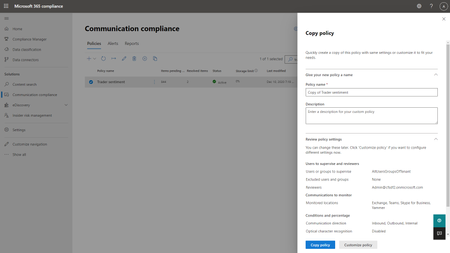
Embark on a transformative journey into the future of Communication Compliance at Microsoft Ignite 2023. In an era where data security and compliance are non-negotiable, Microsoft Purview Communication Compliance emerges as a strategic ally, armed with advanced AI capabilities. Join us as we unveil five groundbreaking features that revolutionize how organizations navigate communication risks, ensuring data security, compliance, and user privacy. From Microsoft Copilot for Microsoft 365 integration to Security Copilot intelligence and advanced AI for business conduct detection, these innovations will redefine your approach to communication compliance. Don't miss the opportunity to stay ahead of compliance challenges and secure your organization's future in the digital age.Empowering organizations with integrated data security: What’s new in Microsoft Purview
Today, data moves across clouds, apps, and devices at an unprecedented speed, often outside the visibility of siloed legacy tools. The rise of autonomous agents, generative AI, and distributed data ecosystems means that traditional perimeter-based security models are no longer sufficient. Even though companies are spending more than $213 billion globally, they still face several persistent security challenges: Fragmented tools don’t integrate together well and leave customers lacking full visibility of their data security risks The growing use of AI in the workplace is creating new data risks for companies to manage The shortage of skilled cybersecurity professionals is making it difficult to accomplish data security objectives Microsoft is a global leader in cloud, productivity, and security solutions. Microsoft Purview benefits from this breadth of offerings, integrating seamlessly across Microsoft 365, Azure, Microsoft Fabric, and other Microsoft platforms — while also working in harmony with complementary security tools. Unlike fragmented point solutions, Purview delivers an end-to-end data security platform built into the productivity and collaboration tools organizations already rely on. This deep understanding of data within Microsoft environments, combined with continually improving external data risk detections, allows customers to simplify their security stack, increase visibility, and act on data risks more quickly. At Ignite, we’re introducing the next generation of data security — delivering advanced protection and operational efficiency, so security teams can move at business speed while maintaining control of their data. Go beyond visibility into action, across your data estate Many customers today lack a comprehensive view of how to holistically address data security risks and properly manage their data security posture. To help customers strengthen data security across their data estate, we are excited to announce the new, enhanced Microsoft Purview Data Security Posture Management (DSPM). This new AI-powered DSPM experience unifies current Purview DSPM and DSPM for AI capabilities to create a central entry point for data security insights and controls, from which organizations can take action to continually improve their data security posture and prioritize risks. The new capabilities in the enhanced DSPM experience are: Outcome-Based workflows: Choose a data security objective and see related metrics, risk patterns, a recommended action plan and its impact - going from insight to action. Expanded coverage and remediation on Data Risk Assessments: Conduct item-level analysis with new remediation actions like bulk disabling of overshared SharePoint links. Out-of-box posture reports: Uncover data protection gaps and track security posture improvements with out-of-box reports that provide rich context on label usage, auto-labeling effectiveness, posture drift through label transitions, and DLP policy activities. AI Observability: Surface an organization’s agent inventory with assigned agent risk level and agent posture metrics based on agentic interactions with the organization’s data. New Security Copilot Agent: Accelerate the discovery and analysis of sensitive data to uncover hidden risks across files, emails, and messages. Gain visibility of non-Microsoft data within your data estate: Enable a unified view of data risks by gaining visibility into Salesforce, Snowflake, Google Cloud Platform, and Databricks – available through integrations with external partners via Microsoft Sentinel. These DSPM enhancements will be available in Public Preview within the upcoming weeks. Learn more in our blog dedicated to the announcement of the new Microsoft Purview DSPM. Together, these innovations reflect a larger shift: data security is no longer about silos—it’s about unified visibility and control everywhere data lives and having a comprehensive understanding of the data estate to detect and prevent data risks. Organizations trust Microsoft for their productivity and security platforms, but their footprint spans across third-party data environments too. That’s why Purview continues to expand protection beyond Microsoft environments. In addition to bringing in 3rd party data into DSPM, we are also expanding auto-labeling to three new Data Map sources, adding to the data sources we previously announced. Currently in public preview, the new sources include Snowflake, SQL Server, and Amazon S3. Once connected to Purview, admins gain an “at-a-glance” view of all data sources and can automatically apply sensitivity labels, enforcing consistent security policies without manual effort. This helps organizations discover sensitive information at scale, reduce the risk of data exposure, and ensure safer AI adoption all while simplifying governance through centralized policy management and visibility across their entire data estate. Enable AI adoption and prevent data oversharing As organizations adopt more autonomous agents, new risks emerge, such as unsupervised data access and creation, cascading agent interactions, and unclear data activity accountability. Besides AI Observability in DSPM providing details on the inventory and risk level of the agents, Purview is expanding its industry-leading data security and compliance capabilities to secure and govern agents that inherit users’ policies and controls, as well as agents that have their own unique IDs, policies, and controls. This includes agent types across Microsoft 365 Copilot, Copilot Studio, Microsoft Foundry, and third-party platforms. Key enhancements include: Extension of Purview Information Protection and Data Loss Prevention policies to autonomous agents: Scope autonomous agents with an Agent ID into Purview policies that work for users across Microsoft 365 apps, including Exchange, SharePoint, and Teams. Microsoft Purview Insider Risk Management for Agents: With dedicated indicators and behavioral analytics to flag specific risky agent activities, enable proactive investigation by assigning risk levels to each agent. Extension of Purview data compliance capabilities to agent interactions: Microsoft Purview Communication Compliance, Data Lifecycle Management, Audit, and eDiscovery extend to agent interactions, supporting responsible use, secure retention, and agentic accountability. Purview SDK embedded in Agent Framework SDK: Purview SDK embedded in Agent Framework SDK enables developers to integrate enterprise-grade security, compliance, and governance into AI agents. It delivers automatic data classification, prevents sensitive data leaks and oversharing, and provides visibility and control for regulatory compliance, empowering secure adoption of AI agents in complex environments. Purview integration with Foundry: Purview is now enabled within Foundry, allowing Foundry admins to activate Microsoft Purview on their subscription. Once enabled, interaction data from all apps and agents flows into Purview for centralized compliance, governance, and posture management of AI data. Azure AI Search honors Purview labels and policies: Azure AI Search now ingests Microsoft Purview sensitivity labels and enforces corresponding protection policies through built-in indexers (SharePoint, OneLake, Azure Blob, ADLS Gen2). This ensures secure, policy-aligned search over enterprise data, enabling agentic RAG scenarios where only authorized documents are returned or sent to LLMs, preventing oversharing and aligning with enterprise data protection standards. Extension of Purview Data Loss Prevention policies to Copilot Mode in Edge for Business: This week, Microsoft Edge for Business introduced Copilot Mode, transforming the browser into a proactive, agentic partner. This is AI-assisted browsing will honor the user’s existing DLP protections, such as endpoint DLP policies that prevent pasting to sensitive service domains, or summarizing sensitive page content. Learn more in our blog dedicated to the announcements of Microsoft Purview for Agents. New capabilities in Microsoft Purview, now in public preview, to help prevent data oversharing and leakage through AI include: Expansion of Microsoft Purview Data Loss Prevention (DLP) for Microsoft 365 Copilot: Previously, we introduced DLP for Microsoft 365 Copilot to prevent labeled files & emails from being used as grounding data for responses, therefore reducing the risk of oversharing. Today, we are expanding DLP for Microsoft 365 Copilot to safeguard prompts containing sensitive data. This real-time control helps organizations mitigate data leakage and oversharing risks by preventing Microsoft 365 Copilot, Copilot Chat, and Microsoft 365 Copilot agents from returning a response when prompts contain sensitive data or using that sensitive data for grounding in Microsoft 365 or the web. For example, if a user searches, “Can you tell me more about my customer based on their address: 1234 Main Street,” Copilot will both inform the user that organizational policies prevent it from responding to their prompt, as well as block any web queries to Bing for “1234 Main Street.” Enhancements to inline data protection in Edge for Business: Earlier this year, we introduced inline data protection in Edge for Business to prevent sensitive data from being leaked to unmanaged consumer AI apps, starting with ChatGPT, Google Gemini, and DeepSeek. We are not only making this capability generally available for the initial set of AI apps, but also expanding the capability to 30+ new apps in public preview and supporting file upload activity in addition to text. This addresses potential data leakage that can occur when employees send organizational files or data to consumer AI apps for help with work-related tasks, such as document creation or code reviews. Inline data protection for the network: For user activity outside of the browser, we are also enabling inline data protection at the network layer. Earlier this year, we introduced integrations with supported secure service edge (SSE) providers to detect when sensitive data is shared to unmanaged cloud locations, such as consumer AI apps or personal cloud storage, even if sharing occurs outside of the Edge browser. In addition to the discovery of sensitive data, these integrations now support protection controls that block sensitive data from leaving a user device and reaching an unmanaged cloud service or application. These capabilities are now generally available through the Netskope and iboss integrations, and inline data discovery is available in public preview through the Palo Alto Networks integration. Extension of Purview protection to on-device AI: Purview DLP policies now extend to the Recall experience in Copilot+ PC devices to prevent sensitive organizational data from being undesirably captured and retained. Admins can now block Recall snapshots based on sensitivity label or the presence of Purview sensitive information types (SITs) in a document open on the device, or simply honor and display the sensitivity labels of content captured in the Recall snapshot library. For example, a DLP policy can be configured to prevent recall from taking snapshots of any documents labeled “Highly Confidential,” or a product design file that contains intellectual property. Learn more in the Windows IT Pro blog. Best-in-class data security for Microsoft environments Microsoft Purview sets the standard for data security within its own ecosystem. Organizations benefit from unified security policies and seamless compliance controls that are purpose-built for Microsoft environments, ensuring sensitive data remains secure without compromising productivity. We also are constantly investing in expanding protections and controls to Microsoft collaboration tools including SharePoint, Teams, Fabric, Azure and across Microsoft 365. On-demand classification adds meeting transcript coverage and new enhancements: To help organizations protect sensitive data sitting in data-at-rest, on-demand classification now extends to meeting transcripts, enabling the discovery and classification of sensitive information shared in existing recorded meeting transcripts. Once classified, admins can set up DLP or Data Lifecycle Management (DLM) policies to properly protect and retain this data according to organizational policies. This is now generally available, empowering organizations to strengthen data security, streamline compliance, and ensure even sensitive information in data-at-rest is discovered, protected, and governed more effectively. In addition, on-demand classification for endpoints is also generally available, giving organizations even broader coverage across their data estate. New usage posture and consumption reports: We’re introducing new usage posture and consumption reports, now in public preview. Admins can quickly identify compliance gaps, optimize Purview seat assignments, and understand how consumptive features are driving spend. With granular insights by feature, policy, and user type, admins can analyze usage trends, forecast costs, and toggle consumptive features on and off directly, all from a unified dashboard. The result: stronger compliance, easier cost management, and better alignment of Purview investments to your organization’s needs. Enable DLP and Copilot protection with extended SharePoint permissions: Extended SharePoint permissions, now generally available, make it simple to protect and manage files in SharePoint by allowing library owners to apply a default sensitivity label to an entire document library. When this is enabled, the label is dynamically enforced across all unprotected files in the library, both new and existing, within the library. Downloaded files are automatically encrypted, and access is managed based on SharePoint site membership, giving organizations powerful, scalable access control. With extended SharePoint permissions, teams can consistently apply labels at scale, automate DLP policy enforcement, and confidently deploy Copilot, all without the need for manually labeling files. Whether for internal teams, external partners, or any group where permissions need to be tightly controlled, extended SharePoint permissions streamline protection and compliance in SharePoint. Network file filtering via Entra GSA integration: We are integrating Purview with Microsoft Entra to enable file filtering at the network layer. These filtering controls help prevent sensitive content from being shared to unauthorized services based on properties such as sensitivity labels or presence of Purview sensitive information types (SITs) within the file. For example, Entra admins can now create a file policy to block files containing credit card numbers from passing through the network. Learn more here. Expanded protection scenarios enabled by Purview endpoint DLP: We are introducing several noteworthy enhancements to Purview endpoint DLP to protect an even broader range of exfiltration or leakage scenarios from organizational devices, without hindering user productivity. These enhancements, initially available on Windows devices, include: Extending protection to unsaved files: Files no longer need to be saved to disk to be protected under a DLP policy. With this improvement, unsaved files will undergo a point-in-time evaluation to detect the presence of sensitive data and apply the appropriate protections. Expanded support for removable media: Admins can now prevent data exfiltration to broader list of removable media devices, including iPhones, Android devices, and CD-ROMs. Protection for Outlook attachments downloaded to removable media or network shares: Admins can now prevent exfiltration of email attachments when users attempt to drag and drop them into USB devices, network shares, and other removable media. Expanded capability support for macOS: In addition to the new endpoint DLP protections introduced above, we are also expanding the following capabilities, already available for Windows devices, to devices running on macOS: Expanded file type coverage to 110+ file types, blanket protections for non-Office or PDF file types, addition of “allow” and “off” policy actions, device-based policy scoping to scope policies to specific devices or device groups (or apply exclusions), and integration with Power Automate. Manageability and alert investigation improvements in Purview DLP: Lastly, we are also introducing device manageability and alert investigation improvements in Purview DLP to simplify the day-to-day experience for admins. These improvements include: Reporting and troubleshooting improvements for devices onboarded to endpoint DLP: We are introducing additional tools for admins to build confidence in their Purview DLP protections for endpoint devices. These enhancements, designed to maximize reliability and enable better troubleshooting of potential issues, include near real-time reporting of policy syncs initiated on devices and policy health insights into devices’ compliance status and readiness to receive policies. Enhancements to always-on diagnostics: Earlier this year, we introduced always-on diagnostics to automatically collect logs from Windows endpoint devices, eliminating the need to reproduce issues when submitting an investigation request or raising a support ticket. This capability is expanding so that admins now have on-demand access to diagnostic logs from users’ devices without intervening in their operations. This further streamlines the issue resolution process for DLP admins while minimizing end user disruption. Simplified DLP alert investigation, including easier navigation to crucial alert details in just 1 click, and the ability to aggregate alerts originating from a single user for more streamlined investigation and response. For organizations who manage Purview DLP alerts within their broader incident management process in Microsoft Defender, we are pleased to share that alert severities will now be synced between the Purview portal and the Defender portal. Expanding enterprise-grade data security to small and medium businesses (SMBs): Purview is extending its reach beyond large enterprises by introducing a new add-on for Microsoft 365 Business Premium, bringing advanced data security and compliance capabilities to SMBs. The Microsoft Purview suite for Business Premium brings the same enterprise-grade protection, such as sensitivity labeling, data loss prevention, and compliance management, to organizations with up to 300 users. This enables SMBs to operate with the same level of compliance and data security as large enterprises, all within a simplified, cost-effective experience built for smaller teams. Stepping into the new era of technology with AI-powered data security Globally, there is a shortage of skilled cybersecurity professionals. Simultaneously, the volume of alerts and incidents is ever growing. By infusing AI into data security solutions, admins can scale their impact. By reducing manual workloads, they enhance operational effectiveness and strengthen overall security posture – allowing defenders to stay ahead. In 2025, 82% of organizations have developed plans to use GenAI to fortify their data security programs. With its cutting-edge generative AI-powered investigative capabilities, Microsoft Purview Data Security Investigations (DSI) is transforming and scaling how data security admins analyze incident-related data. Since being released into public preview in April, the product has made a big impact with customers like Toyota Motors North America. "Data Security Investigations eliminates manual work, automating investigations in minutes. It’s designed to handle the scale and complexity of large data sets by correlating user activity with data movement, giving analysts a faster, more efficient path to meaningful insights,” said solution architect Dan Garawecki. This Ignite, we are introducing several new capabilities in DSI, including: DSI integration with DSPM: View proactive, summary insights and launch a Data Security Investigation directly from DSPM. This integration brings the full power of DSI analysis to your fingertips, enabling admins to drill into data risks surfaced in DSPM with speed and precision. Enhancements in DSI AI-powered deep content analysis capabilities: Admins can now add context before AI analysis for higher-quality, more efficient investigations. A new AI-powered natural language search function lets admins locate specific files using keywords, metadata, and embeddings. Vector search and content categorization enhancements allow admins to better identify risky assets. Together, these enhancements equip admins with sharper, faster tools for identifying buried data risks – both proactively and reactively. DSI cost transparency report and in-product estimator: To help customers manage pay-as-you-go billing, DSI is adding a new lightweight in-product cost estimator and transparency report. We are also expanding Security Copilot in Microsoft Purview with AI-powered capabilities that strengthen both the protection and investigation of sensitive data by introducing the Data Security Posture Agent and Data Security Triage Agent. Data Security Posture Agent: Available in preview, the new Data Security Posture Agent uses LLMs to help admins answer “Is this happening?” across thousands of files—delivering fast, intent-driven discovery and risk profiling, even when explicit keywords are absent. Integrated with Purview DSPM, it surfaces actionable insights and improves compliance, helping teams reduce risk and respond to threats before they escalate. Data Security Triage Agent: Alongside this, the Data Security Triage Agent, now generally available, enables analysts to efficiently triage and remediate the most critical alerts, automating incident response and surfacing the threats that matter most. Together, these agentic capabilities convert high-volume signals into consistent, closed-loop action, accelerate investigations and remediation, reduce policy-violation dwell time, and improve audit readiness, all natively integrated within Microsoft 365 and Purview so security teams can scale outcomes without scaling headcount. To make the agents easily accessible and help teams get started more quickly, we are excited to announce that Security Copilot will be available to all Microsoft 365 E5 customers. Rollout starts today for existing Security Copilot customers with Microsoft 365 E5 and will continue in the upcoming months for all Microsoft 365 E5 customers. Customers will receive advanced notice before activation. Learn more: https://aka.ms/SCP-Ignite25 Data security that keeps innovating alongside you As we look ahead, Microsoft Purview remains focused on empowering organizations with scalable solutions that address the evolving challenges of data security. While we deliver best-in-class security for Microsoft, we recognize that today’s organizations rarely operate in a single cloud, many businesses rely on a diverse mix of platforms to power their operations and innovation. That’s why we have been extending Purview’s capabilities beyond Microsoft environments, helping customers protect data across their entire digital estate. In a world where data is the lifeblood of innovation, securing it must be more than a checkbox—it must be a catalyst for progress. As organizations embrace AI, autonomous agents, and increasingly complex digital ecosystems, Microsoft Purview empowers them to move forward with confidence. By unifying visibility, governance, and protection across the entire data estate, Purview transforms security from a fragmented challenge into a strategic advantage. The future of data security isn’t just about defense—it’s about enabling bold, responsible innovation at scale. Let’s build that future together.Rethinking Data Security and Governance in the Era of AI
The era of AI is reshaping industries, enabling unprecedented innovations, and presenting new opportunities for organizations worldwide. But as organizations accelerate AI adoption, many are focused on a growing concern: their current data security and governance practices are not effectively built for the fast-paced AI innovation and ever-evolving regulatory landscape. At Microsoft, we recognize the critical need for an integrated approach to address these risks. In our latest findings, Top 3 Challenges in Securing and Governing Data for the Era of AI, we uncovered critical gaps in how organizations manage data risk. The findings exemplify the current challenges: 91% of leaders are not prepared to manage risks posed by AI 1 and 85% feel unprepared to comply with AI regulations 2 . These gaps not only increase non-compliance but also put innovation at risk. Microsoft Purview has the tools to tackle these challenges head on, helping organizations move to an approach that protects data, meets compliance regulations, and enables trusted AI transformation. We invite you to take this opportunity to evaluate your current practices, platforms, and responsibilities, and to understand how to best secure and govern your organization for growing data risks in the era of AI. Platform fragmentation continues to weaken security outcomes Organizations often rely on fragmented tools across security, compliance, and data teams, leading to a lack of unified visibility and insufficient data hygiene. Our findings reveal the effects of fragmented platforms, leading to duplicated data, inconsistent classification, redundant alerts, and siloed investigations, which ultimately is causing data exposure incidents related to AI to be on the rise 3 . Microsoft Purview offers centralized visibility across your organization’s data estate. This allows teams to break down silos, streamline workflows, and mitigate data leakage and oversharing. With Microsoft Purview, capabilities like data health management and data security posture management are designed to enhance collaboration and deliver enriched insights across your organization to help further protect your data and mitigate risks faster. Microsoft Purview offers the following: Unified insights across your data estate, breaking down silos between security, compliance, and data teams. Microsoft Purview Data Security Posture Management (DSPM) for AI helps organizations gain unified visibility into GenAI usage across users, data, and apps to address the heightened risk of sensitive data exposure from AI. Built-in capabilities like classification, labeling, data loss prevention, and insider risk insights in one platform. In addition, newly launched solutions like Microsoft Purview Data Security Investigations accelerate investigations with AI-powered deep content analysis, which helps data security teams quickly identify and mitigate sensitive data and security risks within impacted data. Organizations like Kern County historically relied on many fragmented systems but adopted Microsoft Purview to unify their organization’s approach to data protection in preparation for increasing risks associated with deploying GenAI. “We have reduced risk exposure, [Microsoft] Purview helped us go from reaction to readiness. We are catching issues proactively instead of retroactively scrambling to contain them.” – Aaron Nance, Deputy Chief Information Security Officer, Kern County Evolving regulations require continuous compliance AI-driven innovation is creating a surge in regulations, resulting in over 200 daily updates across more than 900 regulatory agencies 4 , as highlighted in our research. Compliance has become increasingly difficult, with organizations struggling to avoid fines and comply with varying requirements across regions. To navigate these challenges effectively, security leaders’ responsibilities are expanding to include oversight across governance and compliance, including oversight of traditional data catalog and governance solutions led by the central data office. Leaders also cite the need for regulation and audit readiness. Microsoft Purview enables compliance and governance by: Streamlining compliance with Microsoft Purview Compliance Manager templates, step-by-step guidance, and insights for region and industry-specific regulations, including GDPR, HIPAA, and AI-specific regulation like the EU AI Act. Supporting legal matters such as forensic and internal investigations with audit trail records in Microsoft Purview eDiscovery and Audit. Activating and governing data for trustworthy analytics and AI with Microsoft Purview Unified Catalog, which enables visibility across your data estate and data confidence via data quality, data lineage, and curation capabilities for federated governance. Microsoft Purview’s suite of capabilities provides visibility and accountability, enabling security leaders to meet stringent compliance demands while advancing AI initiatives with confidence. Organizations need a unified approach to secure and govern data Organizations are calling for an integrated platform to address data security, governance, and compliance collectively. Our research shows that 95% of leaders agree that unifying teams and tools is a top priority 5 and 90% plan to adopt a unified solution to mitigate data related risks and maximize impact 6 . Integration isn't just about convenience, it’s about enabling innovation with trusted data protection. Microsoft Purview enables a shared responsibility model, allowing individual business units to own their data while giving central teams oversight and policy control. As organizations adopt a unified platform approach, our findings reveal the upside potential not only being reduced risk but also cost savings. With AI-powered copilots such as Security Copilot in Microsoft Purview, data protection tasks are simplified with natural-language guidance, especially for under resourced teams. Accelerating AI transformation with Microsoft Purview Microsoft Purview helps security, compliance, and governance teams navigate the complexities of AI innovation while implementing effective data protection and governance strategies. Microsoft partner EY highlights the results they are seeing: “We are seeing 25%–30% time savings when we build secure features using [Microsoft] Purview SDK. What was once fragmented is now centralized. With [Microsoft] Purview, everything comes together on one platform, giving a unified foundation to innovate and move forward with confidence.” – Prashant Garg, Partner of Data and AI, EY We invite you to explore how you can propel your organization toward a more secure future by reading the full research paper at https://aka.ms/SecureAndGovernPaper. Visit our website to learn more about Microsoft Purview. 1 Forbes, Only 9% Of Surveyed Companies Are Ready To Manage Risks Posed By AI, 2023 2 SAP LeanIX, AI Survey Results, 2024 3 Microsoft, Data Security Index Report, 2024 4 Forbes, Cost of Compliance, Thomson Reuters, 2021 5 Microsoft, Audience Research, 2024 6 Microsoft, Customer Requirements Research, 2024