microsoft ignite
128 TopicsWhat’s New in Microsoft Teams | Microsoft Ignite 2023
Welcome to the November 2023 Special Edition of What’s New in Teams! We are publishing this month’s edition early to cover the announcements at the Microsoft Ignite conference, in addition to our typical What’s New in Teams features. Click here to see all the great sessions planned.162KViews6likes18Comments
Disable incessant nagware popups
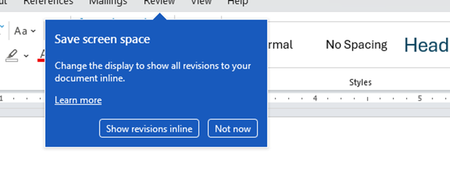
I don't know about everyone else, but I am sick and tired of the nagware pop ups in Word, Excel, PowerPoint, Outlook, etc. Every single product harasses me with pop ups trying to tell me "hey, did you know this feature was here?", "you can do this if you click that", "let me hold your hand through using products you've used for decades even though you don't want daddy Microslop to do that". This is a prime example. I keep getting the same ones again and again and again and everything I've read indicates they should only appear once. But they don't. They keep coming back like a psychotic stalker ex who wants alimony even though you were never married. How do I get this nagware to stop?!381Views1like1CommentThe next chapter for AI-powered work management in Microsoft Planner
Today at Microsoft Ignite, we’re excited to share the next major evolution in work management—one that builds on the journey we began in April 2024, when we unified Microsoft To Do, Planner, and Project for the web into a single, modern experience we called the new Planner. Now available in Microsoft Teams and as a web app, Planner has further been enhanced with the Project Manager Agent, an AI-powered assistant that helps streamline your planning process. Now, we’re taking the next step by bringing advanced AI skills through Project Manager Agent to our platform—delivering intelligent automation and a seamless planning environment that can help empower teams to move faster, stay aligned, and deliver results with less friction. A day in the life: From conversation to coordination It’s Monday morning. A product launch team gathers—some in person, some remote. Instead of action items getting lost in chat threads or emails, Facilitator and Project Manager Agent are now part of the meeting experience. During the meeting, Facilitator listens for spoken intent and captures decisions as actionable tasks. Team members can also prompt Facilitator through the meeting chat to add, update, or assign tasks in real time. This ensures that nothing is missed and that tasks are created directly from the flow of conversation. Project Manager Agent structures these tasks within Planner, assigning owners and due dates as directed by the team. The agent helps team members organize and track their work efficiently by making it easier to create, assign, and update tasks within Teams meetings. Furthermore, the Project Manager Agent works alongside Facilitator to generate a marketing plan, so the team can use the document as a reference for stakeholders. The agents are able to create the document, pulling context from the meeting transcript, meeting chat, and files shared during the meeting. The document is posted in the meeting chat and is also available as an attachment to the task in the meeting plan. As the meeting wraps up, the plan is live in Planner, with clear ownership and next steps. Everyone leaves the meeting aligned, knowing exactly what needs to be done and who is responsible. This is the story we’re showcasing at Ignite: how Planner and agents are helping teams drive work across Teams. What’s rolling out soon to general availability Below is a list of features that are currently available in public preview and rolling out to general availability in the next two weeks. Project Manager Agent skills in Teams meetings: Leveraging the skills of Project Manager Agent, Facilitator can create tasks during meetings and automatically extract tasks from meeting transcripts to ensure nothing is overlooked. These tasks are captured in meeting notes and seamlessly synced to Planner for enhanced post-meeting tracking. Additionally, the Facilitator can generate documents from meetings, helping resolve the "cold start" challenge. Simply @mention Facilitator to create, assign, or access tasks, or to generate required documents. Project Manager Agent skills in Teams channels: Leveraging the skills of Project Manager Agent in Teams channels, users can create tasks, set due dates, and assign tasks seamlessly within their collaborative workspace by @mentioning the respective Channel Agent. Learn more about Project Manager Agent skills in Teams meetings and channels in our announcement blog post. What’s new for Project Manager Agent and Planner Below is a list of features that are new to Project Manager Agent, Channel Agent in Teams, and Planner. Workback plans in Teams channels: Project Manager Agent and the Channel Agent together now support the creation of AI-powered workback plans, automatically generating a reverse timeline of tasks and milestones based on the target deadline and goal provided. A screenshot of a Teams channel shows a conversation with the Channel Agent. The Channel Agent has created a workback plan with tasks and due dates. Ask questions about your plans in Teams channels: You can now ask the Channel Agent questions related to your plans in Planner. Simply @mention the Channel Agent directly in your channel conversation with questions such as: What tasks are assigned to me? What tasks need to be completed this week? Create and update tasks with Channel Agent: You can also ask the Channel Agent to create new tasks and update existing ones. Simply @mention the Channel Agent with prompts such as: Create a task to complete the Quarterly Business Review deck. Assign the LT review prep task to Daniel. For more information, see how to create project tasks using Channel Agent. Status reports with Planner data: Channel Agent uses its knowledge to create status reports for channel members. These status reports are delivered as a Loop file within the channel, allowing team members to review, edit, collaborate, and share with others. Previously, the Channel Agent would generate status reports based on messages in its respective channel, as well as meeting summaries for any meetings the agent was added to. Now, status reports generated by the Channel Agent are enriched with Planner data to provide additional context, improve project visibility for all stakeholders, and enable better decision making by highlighting progress, risks, and blockers. Learn how to generate a status report using Channel Agent. Please note, these new capabilities in Teams channels are currently available in public preview. A Microsoft 365 Copilot license is required to create, interact with, and manage Channel Agent in Teams. Learn how to get started with Channel Agent for Teams channels. Support for Information Barriers: Microsoft Purview Information Barriers are policies in Microsoft 365 that a compliance admin can configure to prevent individuals or groups from communicating and collaborating with each other. Support for Information Barriers in Planner enables organizations to restrict access to plans and tasks based on user groups. This feature can help prevent data leaks, enforce internal policies, and support regulatory mandates by limiting plan visibility and collaboration to authorized segments. Support for Information Barriers is now generally available in basic plans only across: Planner for the web Planner in Teams (web, desktop, and mobile) Learn more about Information Barriers in Microsoft Planner. What’s coming soon to Planner Below is a list of additional compliance features that are currently rolling out or starting to roll out in Planner next month. Please note, these features are not being demoed at Ignite. Check the Microsoft 365 public roadmap for rollout status and additional details. Microsoft Information Protection (MIP) label support in Planner: Up until now, Planner has supported container labels for Microsoft 365 Group-backed and Roster plans, restricting access based on label permissions. This update will enable support for content labels, enforcing Data Loss Prevention controls, such as: Preventing users from copying task content, exporting plans to Excel or other formats, and forwarding tasks or plans to unauthorized users. Restricting users from printing plans or tasks when the content label includes a “block print” directive and restricting users from any form of hard copy generation of sensitive plans. Displaying watermarks on plans and tasks when required and ensuring watermark visibility across all supported clients (web, desktop, and mobile). Inheriting content labels from Loop Task List components or other linked containers, applying the same restriction to the Roster plan created from a Loop file, and respecting label changes. Informing users when label restrictions are in effect, preventing actions that violate label policies, and offering downgrade prompts if label changes would revoke access for certain users. With this rollout, users will be able to apply and modify content labels on Group-backed plans. Roster plans created from meetings will inherit the meeting label. eDiscovery support for Roster plans: Up until now, Planner has only provided eDiscovery support for modern Group-backed plans. This update will enable eDiscovery support for Roster plans as well. Once rolled out to your organization, admins will be able to pull the task data relevant to a user by selecting the individual’s mailbox. When the eDiscovery admin selects a user’s mailbox as the data source, they would see the task that the user was assigned to. Join our sessions at Ignite 2025! Whether you’re on site at the Moscone Center or joining us online, dive deeper with demos and Q&A. We’ll share additional details on the features above and announce some exciting updates coming soon to Planner. Theater session (THR761): Accelerating productivity with Planner and Project Manager agent in Microsoft Teams Time: Thursday, November 20 at 10:00 AM Pacific Speakers: George Bullock, Robyn Guarriello Duration: 25 minutes (in person, live Q&A) Breakout session (BRK287): Planner & agents: Driving work across Teams, Outlook, and Copilot Chat Time: Thursday, November 20 at 4:45 PM Pacific Speakers: Howard Crow, Robyn Guarriello Duration: 45 minutes (in person, streamed live, and on demand) Expert meetups: Visit the Copilot & Agents station for hands-on demos and unblocked Q&A with product experts. Learn more Watch the on-demand Breakout session from Ignite 2025. Sign up to receive future communication about Planner. Check out the Planner adoption page and Planner help & learning page to learn more about Planner. Visit the Microsoft 365 roadmap for feature descriptions and estimated release dates for Planner. Walk through the interactive demos for Project Manager Agent in Planner and Project Manager Agent skills in Teams meetings. Take these hands-on learning courses to enhance your AI business solutions with Copilot and agents at work.9.7KViews3likes13CommentsMicrosoft 365 Champion community call | November 2025 | PM
Join our next community call on November 25, 2025, for a recap of what was announced at Microsoft Ignite 2025. Host: Tiffany Lee Moderator: Jessie Hwang 📢 NOTE: our community call format is a Teams webinar so you must register to be able to join the call when it starts: https://aka.ms/M365ChampionCallPM ⏰ 🗨️ Each call includes an open Q&A discussion section, where you'll have a chance to ask your questions about Microsoft 365. 👋 Was this forwarded to you? Join the Microsoft 365 Champion program today! Champions combine technical acumen with people skills to drive meaningful change. Our community calls are open to everyone but only Champion program members have access to the presentation resources (access link in the initial welcome email and in the monthly newsletters). Join now: https://aka.ms/M365Champions.464Views1like1CommentApp Assure Powers Seamless Transitions for the new Outlook
Microsoft is continually evolving its products to deliver greater functionality, stronger security, and better experiences for users. That evolution is now underway for Outlook as we transition from classic Outlook to the new Outlook for Windows, a move that accelerates access to innovations like Copilot and other AI-native tools essential for success in today’s business landscape. Users are already asking for their most critical productivity apps to be ready for this change. And just as App Assure helped software companies transition from Exchange Tokens to Nested App Authentication earlier this year, we now stand ready to help you make the transition to new Outlook seamless and worry-free. Benefits of new Outlook Outlook is your organization’s hub for communication and collaboration. With the transition from COM add-ins to Web add-ins, new Outlook for Windows empowers both customers and partners alike. Customers receive a streamlined interface that provides a consistent user experience across devices and AI-native tools built directly into Outlook, all while benefiting from a lower total cost of ownership and quicker access to new features. Partners benefit from Microsoft’s deep investment in extensibility, allowing them to reach the entire Outlook audience whether those users are working via Windows, Mac, Mobile, or web. This is why App Assure has been working proactively with the most popular add-ins, collaborating with software companies to update, test, validate, and publish their solutions for the new Outlook. Our goal is simple: when customers make the switch, their essential tools are ready to go, with no disruption and no surprises. Most of the 14 most common scenarios for COM add-ins, those that make up 95% of how COM add-ins are actually used, can already be handled by web add-in APIs either fully or at a basic “minimum viable product” (MVP) level. Ecosystem Readiness for our Customers One such app beloved by customers is Applications for Administrative Solutions (AFAS), whose Outlook add-in helps streamline Enterprise Resource Planning (ERP) workflows by integrating email-driven tasks directly into daily operations. To ensure a smooth transition to the new Outlook, AFAS partnered with App Assure to modernize their add-in using Graph API to facilitate moving from COM add-ins to web add-ins, aligning with enterprise-grade security and Microsoft Entra policies. Through collaborative testing, technical validation, and direct support from App Assure engineers, AFAS was able to update and publish their add-in with confidence, ensuring that customers won’t miss a beat when they move to new Outlook. But AFAS is just one example. Many software companies have been preparing their mission critical apps for new Outlook with App Assure’s guidance. Here are a number of the most recent software companies we’ve worked with (with many more on the way): Many of our partners remark on how streamlined their updates are with App Assure’s collaboration and how easy it is to work with our team. Here are a couple of their recent comments: AFAS: GnuPG: New Outlook has great momentum with users, and organizations want to ensure that the add-ins that are an essential part of their daily workflows continue to work. App Assure stands ready to assist. Many software companies are already taking advantage of our no-cost service providing guidance on how to transition from COM add-ins to web add-ins. Reach out at achelp@microsoft.com and let’s make your add-in ready for the future!1.3KViews4likes0CommentsMicrosoft Ignite Switzerland 2024
On March 8th, 2024, Microsoft Ignite Switzerland took place at the Kongresshaus in Zürich. The event welcomed Swiss business leaders and developers, for a day of keynote speeches, breakout sessions, and ask-the-expert panels. Microsoft Ignite is one of the best event in Switzerland to inspire and empower attendees with the latest innovations in business and technology. Check out the video of the 2024 edition here. Feel free to join the conversation below, and do not hesitate to connect with me on LinkedIn. Please make sure to use the following hashtags on social networks #MSIgnite #MicrosoftSwitzerland and #MSIgniteCH.5.3KViews0likes2Comments