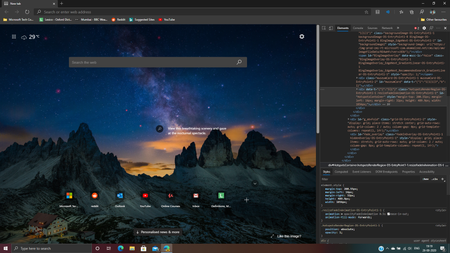
microsoft edge canary
17 TopicsSite Icons for pinned sites
Hey there, Have submitted feedback, but thought to post a discussion about this also. Before the Canary update, when we pinned tabs in the browser, they would display the icon for the site. This was ideal for me as it made space for other tabs on the vertical tabs sidebar. With the latest update, this feature has been changed. It would be nice if we had a setting toggle which allowed us to show site icons for pinned tabs and site icons, and page title for other non-pinned tabs Nathan,1.9KViews0likes1Comment
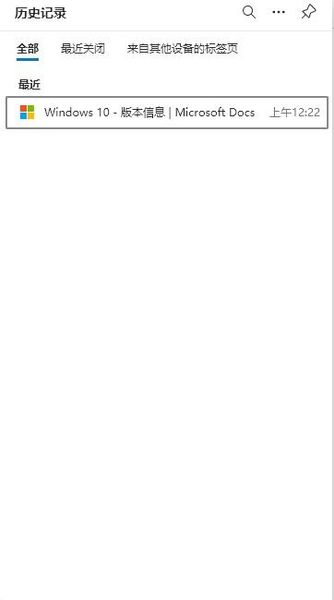
Microsoft Edge Canary (Version 89.0.739.0) Has Problem In History Record
There's something wrong with the history record in Microsoft Edge Canary since I installed it earlier this year. I live in China now which is about 16 hours ahead from America. But the edge has never switch the time into correct one which my computer has set. As a result, when I open a website at 16:22, the record shows the time of 00:22. That's really confusing and it becomes an useless function since I can't see when I have visited the website. Hope this BUG could get fixed when I update the Microsoft Edge Canary. Thank you!1.1KViews0likes2Comments
The new icons in Canary make Edge's design feel even more disconnected from Windows.
https://mspoweruser.com/wp-content/uploads/2020/11/full-page-screen-capture-edge.jpg in Canary don't match those of the rest of the Windows operating system. In any Windows app, the settings icon has 8 spokes on the gear--you can see this in the Start menu and in the settings icon in apps like Microsoft News, Photos, and Camera. The normal Home icon can be seen in the Windows Settings app and in Backstage View in the Microsoft Office apps. The new Canary channel icons don't match those anymore. It makes Edge's design even more inconsistent with Windows's design than it already is. It's bad enough that Edge retains Material Design from Chromium, but it's worse that Edge is going to replace the only parts of the design that feel consistent with Windows. To my knowledge, Fluent design has separate mobile and desktop icons to feel natural on every device. Mobile icons should not be used on Windows. EDIT: looking more closely at their wording on the iconography and https://medium.com/microsoft-design/developing-an-open-source-icon-system-at-microsoft-b1796315df9f, it looks like the new icons are going to be the same across all of Microsoft.3.6KViews0likes6CommentsDifference between close buttons of windowed mode and full screen shy UI
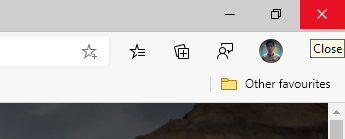
In the latest Canary Version 88.0.678.0, the colours of the close button in shy-UI are different from Windowed mode. The cross of the close button is black rather than white and also the red colour in shy UI is dark than Windowed mode. The close button of the Windowed mode is correct. The issue is shown in the screenshot.1.1KViews1like2CommentsWhy is there an information badge without any reason on the favourites icon in the toolbar
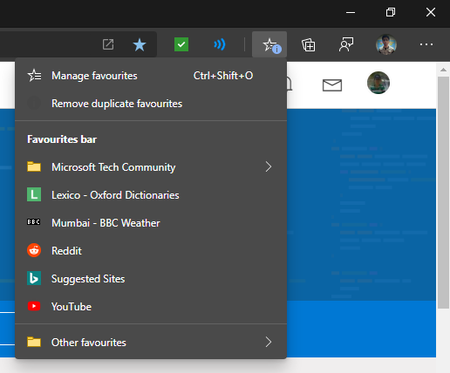
Deleted josh_bodner From many days I am seeing in the canary channel that sometimes without no reason, an information badge appears on the favourites icon in the toolbar but when I open the menu or go on the favourites page, I don't see any difference so I think it comes without any reason and if it comes with a reason, please make it more specific so that the user can understand easily what has happened.Solved1.2KViews0likes3CommentsThe Paste and go option in the context menu of the address bar is back
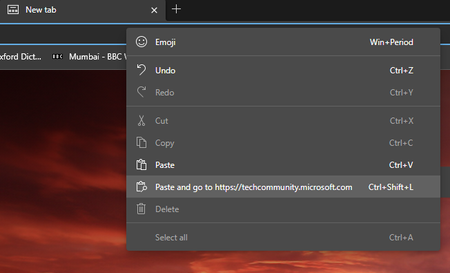
From Microsoft Edge Canary version 86.0.621.0, the Paste and Go feature is back from the Microsoft Edge Legacy. For users who don't know, Paste and Go is a feature where if you right-click on the address bar and click Paste and Go, then Microsoft Edge will paste the URL or text in the address bar and automatically take you to that website or search the text respectively. Thank you Microsoft Edge team for bringing this feature back2.2KViews1like1CommentWhat happened to back button and refresh button on YouTube PWA
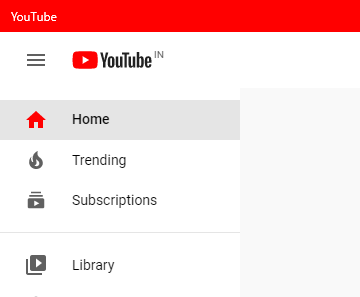
I today installed YouTube PWA from the Microsoft Edge Canary channel and what I saw is the back and refresh buttons on the left of titlebar are missing. I only saw it on the YouTube PWA. Has anyone else noticed this? Please resolve this issue as soon as possible as it makes unable to use the YouTube PWA johnjansen DeletedSolved9.6KViews0likes12CommentsThoughts about the new tab preview feature in Chromium Edge
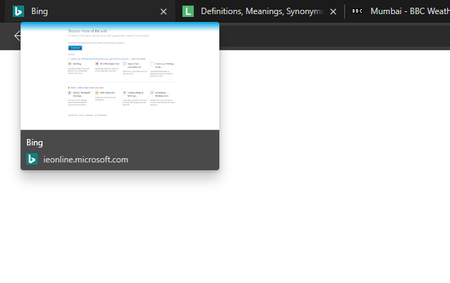
The new tab preview feature came in this week with the canary channel and you can enable it with this flag - edge://flags/#tab-hover-card-images. My thoughts about this feature are that the design of the preview cards is good but it is not good to see that the preview cards are not aligned with the tabs maybe because they are big. In Legacy Edge, the preview card used to be aligned with the tabs which used to have a good User Experience. It would be nice to see if the preview cards are aligned with the tabs. I sent feedback through the in-app feedback tool (Alt+Shift+I) in Microsoft Edge. Any thoughts that you would like to share about this feature?718Views1like1Comment