microsoft build 2024
64 TopicsBest Practice Guidance for PTU
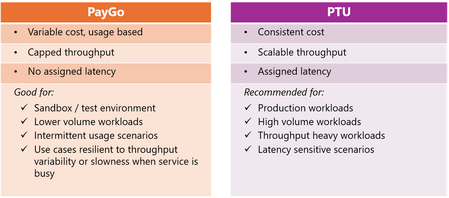
In the fast-evolving tech landscape, mastering Azure OpenAI is key to staying competitive. Enhanced by the latest Build 2024 announcements, this guide by our Global Black Belt team focuses on optimizing Provisioned Throughput Units (PTUs) for better performance and cost-efficiency in AI deployments. We cover strategic PTU management, compliance with the Azure Well-Architected Framework, and the newest Azure API management tools. This concise guide equips you with essential strategies to harness Azure OpenAI's full potential, ensuring your AI initiatives are both powerful and economical.16KViews3likes0CommentsGenAI Gateway Accelerator
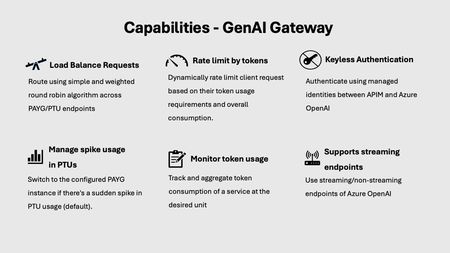
Every app will be reinvented with Generative AI and new apps will be built that weren’t possible before. Generative AI helps to build intelligent apps using the Large Language Model (LLM) capabilities. As the number of intelligent applications grows alongside the adoption of various large language models (LLMs), enterprises encounter significant challenges in efficiently federating and managing generative AI resources. Large enterprises look for a centralized solution “Gen AI Gateway” that must seamlessly integrate, optimize, and distribute the workloads across a federated network of GenAI resources. This blog post provides an overview of how Azure API Management can be used as a GenAI Gateway leveraging the new accelerator scenario named “GenAI Gateway Accelerator” published on the APIM Landing Zone Accelerator.4.8KViews2likes3CommentsCollaboratively build AI apps and share resources with hubs and projects
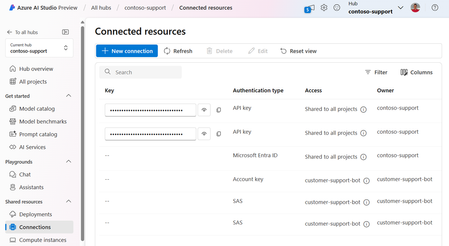
Hubs in Azure AI Studio and Azure Machine help developers to self-serve create project workspaces and access shared company resources without needing an IT administrator's repeated help. Learn how hubs can enable distributed project creation across your organization, while giving IT a centralized resource management experience with controls for security, compute governance and compliance.6.8KViews1like0CommentsSecure Model Deployments with Microsoft Entra and Managed Online Endpoints
With Microsoft Entra and Azure Machine Learning managed online endpoints, you can consume multiple endpoints using a single token with full RBAC support and streamline control plane and data plane operations.18KViews2likes0CommentsGetting Started with Reliability on Azure: Ensuring Cloud Applications Stay Up and Running
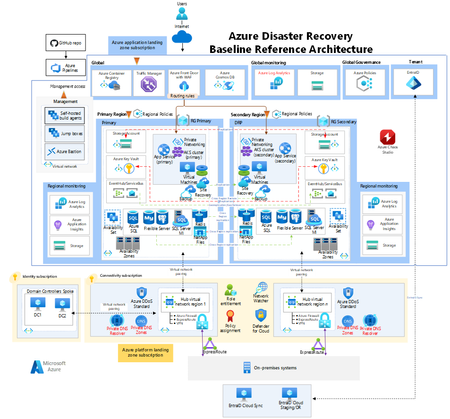
Looking for uncompromised uptime and steadfast cloud solutions? Azure's architecture promises exceptional reliability, designed to keep your operations smooth around the clock. Delve into the essence of Azure's robustness—where every click matters, every second counts, and resilience is the rule, not the exception.9.7KViews10likes1CommentAnalyze data using Log Analytics Simple mode
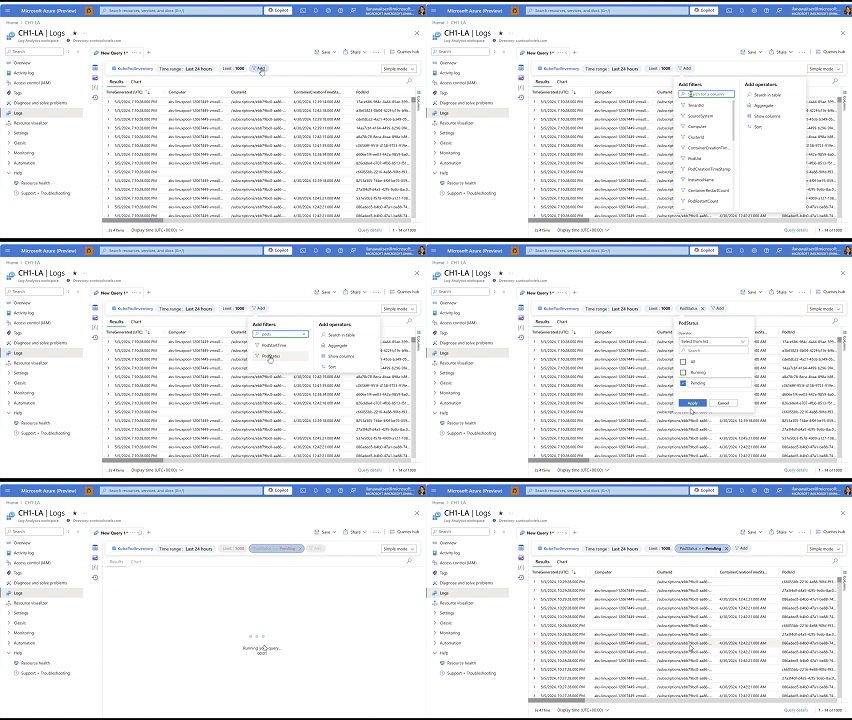
Azure Monitor Logs is excited to introduce the next leap in log experience: Simple mode. Simple Mode allows users to utilize Azure Monitor Logs in a simple, point-and-click experience, eliminating the need for KQL for most common use cases.5.2KViews2likes5CommentsExport backups on-demand in Azure Database for MySQL - Flexible Server
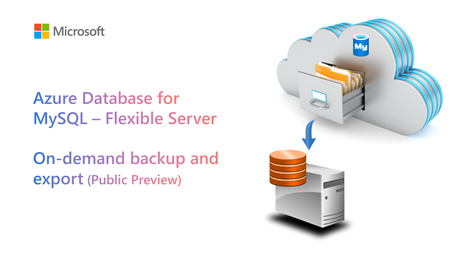
We’re pleased to announce public preview of the On-demand backup and export feature for Azure Database for MySQL - Flexible Server, which you can use to export a physical backup of your flexible server to an Azure storage account (Azure blob storage) whenever the need.4.5KViews0likes0Comments
Introducing Rich Reporting and Troubleshooting for Microsoft Playwright Testing
Today, we're excited to introduce rich reporting and easy troubleshooting for the Microsoft Playwright Testing service! Microsoft Playwright Testing is a managed service built for running Playwright tests easily at scale. Playwright is a fast-growing, open-source framework that enables reliable end-to-end testing and automation for modern web apps. You can read more about the service here. Now, with this new Reporting feature users can publish test results and related artifacts and view them in the service portal for faster and easier troubleshooting. Quickly Identify Failed and Flaky Tests In the fast-paced world of web development, applications evolve rapidly, constantly reshaping user experiences. To keep up, testing needs to be just as swift. Playwright automates end-to-end tests and delivers essential reports for troubleshooting. The Reporting feature provides a streamlined dashboard that highlights failed and flaky tests, enabling you to identify and address issues quickly. This focused view helps maintain application quality while supporting rapid iteration. Screenshot of test results filtered by failed and flaky tests Troubleshoot Tests Easily using rich artifacts As test suites grow and the frequency of test execution increases, managing generated artifacts becomes challenging. These artifacts are crucial for debugging failed tests and demonstrating quality signals for feature deployment, but they are often scattered across various sources. The Reporting feature consolidates results and artifacts, such as screenshots, videos, and traces, into a unified web dashboard, simplifying the troubleshooting process. The Trace Viewer, a tool offered by Playwright, that helps you explore traces and allows you to navigate through each action of your test and visually observe what occurred during each step. It is hosted in the service portal with the test for which it is collected, eliminating the need to store and locate it separately for troubleshooting. Screenshot of trace viewer hosted in the service portal Seamless Integration with CI Pipelines Continuous testing is essential for maintaining application quality, but collecting and maintaining execution reports and artifacts can be challenging. Microsoft Playwright Testing service can be easily configured to collect results and artifacts in CI pipelines. It also captures details about the CI agent running the tests and presents them in the service portal with the test run. This integration facilitates a smooth transition from the test results to the code repository where tests are written. Users can also access the history of test runs in the portal and gain valuable insights, leading to faster troubleshooting and reduced developer workload. Screenshot of test result with CI information Join the Private Preview For current Playwright users, adding the Reporting feature with your existing setup is easy. It integrates with the Playwright test suite, requiring no changes to the existing test code. All you need to do is install a package that extends the Playwright open-source package, add it to your configuration, and you're ready to go. This feature operates independently of the service's cloud-hosted browsers, so you can use it without utilizing service-managed browsers. We invite teams interested in enhancing their end-to-end testing to join the private preview of the Reporting feature. This feature is available at no additional charge during the private preview period. However, usage of the cloud-hosted browsers feature will be billed according to Azure pricing. Your feedback is invaluable for refining and enhancing this feature. By joining the private preview, you gain early access and direct communication with the product team, allowing you to share your experiences and help shape the future of the product. Interested in trying out the reporting feature and giving us feedback? Sign up here. Check out Microsoft Playwright Testing service here. If you are new to Microsoft Playwright Testing service, learn more about it.8.1KViews3likes0Comments