memory issues
6 Topics
Hyper-V Ubuntu VM: Memory Demand Different at Hyper-V and OS Level
Hello all, Looking for advice and insight for a strange problem we are experiencing. We have a cluster of Windows Server 2025 hosts, on which we are using Hyper-V manager to run mostly Windows VMs. To access these VMs, we are using Apache Guacamole which is hosted on a Ubuntu VM on our cluster. We originally assigned 32GB memory to this VM. Recently, we have noticed an increased memory demand for this VM at the Hyper-V level which prompted us to increase the assigned memory of the VM to 64GB. Despite this, the memory demand has continued rising despite no apparent change in the usage of Guacamole. When logging into the VM and observing the memory usage here, the VM is using no where near the amount that is assigned. As shown in the attached images which were taken at the same time: Memory Demand Hyper-V Level (And seems to be continuing to increase...): Memory Demand OS Level: This morning, the memory demand spiked to 95GB on Hyper-V but at OS level was only 12GB and we were forced to restart the VM. The biggest concern is where this discrepancy is coming from and the potential unnecessary disruptions that will be caused from having to restart/rebuild the VM. Has anyone experienced this sort of issue before and found a fix? Can anyone suggest how to debug this issue? TIA184Views0likes1Comment
Thumbnails in Explorer.exe Using Up Significant Memory
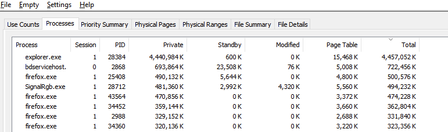
It seems that there is an issue with explorer with storing thumbnail cache for folders containing 6k to 8k resolution videos. For context, I keep virtual reality videos in one folder and every single time I open this folder and browse through all other files and sub folders, the memory usage for explorer spikes up. I need help on how to fix this issue. Any workarounds such as storing thumbnail cache on the drive instead of the RAM would help. I'm using Windows 10 22H241Views0likes0Comments
Windows server 2016 page file too small
Hi, We are sporadically seeing following issue while invoking jvm to execute Sonarqube scans. We have increased the virtual memory and manually configured it to be between 4g (inital) to 8g (max). I have attached the complete error log along with windows configuration in the attachments. Appreciate your feedback. OpenJDK 64-Bit Server VM warning: INFO: os::commit_memory(0x0000000200000000, 262144000, 0) failed; error='The paging file is too small for this operation to complete' (DOS error/errno=1455)4.2KViews1like1Comment
Min and Max memory setup on SQL server
We are running a BT 2010 environment which processes over 150,000 messages per day during the peak business hours. We have an SQL Server instance running on a separate Windows server 2008 R2 instance. For past few weeks, we are experiencing intermittent outages and the error logged on BizTalk APP server says "Login is from an untrusted domain.....". upon checking the logs on database server we have NETLOGON errors (unable to contact AD for credential validation) due to "Unavailable Memory". CPU Utilization and Memory utilization is 95-100% on SQL server most of the times. Following are the settings on SQL server - RAM: 16 GB, SQL Server Min and Max memory Allocation is 12 GB. ENTSSO is also running on the same SQL server. Please suggest any change in setting on SQL server which can reduce High Utilization and free up some memory for background windows processes and ENTSSO.1.6KViews0likes1Comment