managed google play
2 Topics
Managed Google Play apps not syncing completely to Intune
Nimm diesen Text für den Beitrag: Hi, we are using Microsoft Intune with Android Enterprise Fully Managed devices and Managed Google Play. The Managed Google Play connection itself is working. Apps can be approved successfully and are visible in our Managed Google Play enterprise store. The problem is the synchronization from Managed Google Play to Intune. Several apps were approved and saved, for example: Adobe Acrobat Reader Microsoft OneNote ScanSnap Home Brother Mobile Connect HP Canon PRINT Canon PRINT Business A manual Managed Google Play sync in Intune completes, but the apps are not imported reliably into the Intune Android app list. We have had this issue repeatedly for several days. Sometimes only one app appears after synchronization while the other approved apps remain missing. Example from today: All seven apps are visible and approved in Managed Google Play, but after synchronization only Brother Mobile Connect appeared in Intune. We also tried removing the affected apps from Managed Google Play and approving them again individually. After each approval we saved the app, started another synchronization and refreshed the Intune Admin Center. The result was still incomplete. The Android Enterprise connection is otherwise working and existing apps are already managed successfully. Has anyone seen the same behavior? Is there currently a known synchronization issue between Managed Google Play and Microsoft Intune, or is there another way to force a complete re-import of the approved apps? Thanks.59Views0likes1Comment
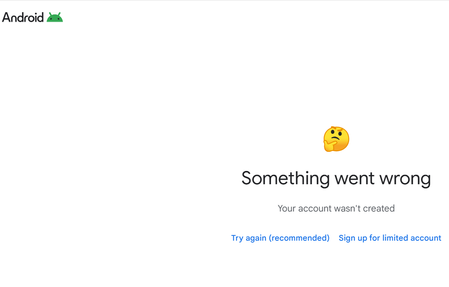
Managed google play connection fails at last step.
I am trying to complete Android enrollment. I start the Managed Google Play connection wizard.| It autopopulates with another email address from my company saying "your EMM suggests using email address removed for privacy reasons" I change the email and put a dedicated non-personal email. I login with the Microsoft credentials. I enter the company name and country. I accept Android enterprise as the only subscription. I agree to the Google Agreements. I accept Allow and create on the page for "Manage your Android Enterprise devices using Microsoft Intune". I get a screen which says You will be redirected to Microsoft Intune to complete the process for a while. Then I get a something went wrong screen.1.4KViews0likes2Comments