logical replication
5 TopicsPerformance Tuning for CDC: Managing Replication Lag in Azure Database for PostgreSQL with Debezium
Written By: Shashikant Shakya, Ashutosh Bapat, and Guangnan Shi The Problem Picture this: your CDC pipeline is running smoothly, streaming changes from PostgreSQL to Kafka. Then, a bulk update hits millions of rows. Suddenly, Kafka queues pile up, downstream systems lag; dashboards go stale. Why does replication lag spike during heavy operations? And what can you do about it? Why This Matters Change Data Capture (CDC) powers real-time integrations, pushing row-level changes from OLTP systems into event streams, data lakes, caches, and microservices. Debezium is a leading open-source CDC engine for PostgreSQL, and many teams successfully run Debezium against Azure Database for PostgreSQL to keep downstream systems synchronized. However, during large DML operations (bulk updates, deletes) or schema changes (DDL), replication lag can occur because: Debezium consumes WAL slower than the database produces it Kafka throughput dips Consumers fall behind This article explains why lag happens, grounded in logical decoding internals, and shows how to diagnose it quickly and what to tune across the database, Azure, and connector layers to keep pipelines healthy under heavy load. CDC Basics CDC streams incremental changes (INSERT/UPDATE/DELETE) from your source database to downstream systems in near real-time. In PostgreSQL, CDC is typically implemented using logical decoding and logical replication: PostgreSQL records every change in the Write-Ahead Log (WAL) WALSender reads WAL and decodes it into change events The pgoutput extension formats those changes, while Debezium subscribes and publishes them to Kafka topics Benefits of CDC: Low latency Lower source overhead than periodic full extracts Preserves transactional ordering for consumers The Internals: Why Lag Happens Replication lag during heavy operations isn’t random, it’s rooted in how PostgreSQL handles logical decoding. To understand why, let’s look at the components that process changes and what happens when they hit resource limits. Logical Decoding & ReorderBuffer Logical decoding reconstructs transaction-level changes so they can be delivered in commit order. The core component enabling this is the ReorderBuffer. What ReorderBuffer does: Reads WAL and groups changes per transaction, keeping them in memory until commit If memory exceeds logical_decoding_work_mem , PostgreSQL spills decoded changes to disk in per-slot spill files On commit, it reads back spilled data and emits changes to the client (via pgoutput → Debezium) Disk Spill Mechanics (Deep Dive) When a transaction is too large for memory: PostgreSQL writes decoded changes to spill files under pg_replslot/<slot_name>/ Wait events like ReorderBufferWrite and ReorderBufferRead dominate during heavy load Spills to disk increase latency because disk I/O is far slower than memory access Analogy: Think of ReorderBuffer as a warehouse staging floor: Small shipments move quickly in memory A huge shipment forces workers to move boxes offsite (spill-to-disk), then bring them back later, slowing everything down Why Multiple Slots Amplify the Impact The WAL is shared by all slots Each slot decodes the entire WAL stream because filtering happens after decoding Result: A single large transaction affects every slot, multiplying replication lag Recommendation: Minimize the number of slots/connectors Remember: logical_decoding_work_mem applies per slot, not globally Impact Snapshot: Scenario Spill Size I/O Impact 1 Slot 1 GB 1× I/O 5 Slots 1 GB × 5 5× I/O Lifecycle: WAL → ReorderBuffer → Memory → Spill to Disk → Read Back → Send to Client How to Detect Spills and Lag Detection should be quick and repeatable. Start by confirming slot activity and LSN distance (how far producers are ahead of consumers), then check walsender wait events to see if decoding is stalling, and finally inspect per-slot spill metrics to quantify memory overflow to disk. 1. Active slots and lag Use this to measure how far each logical slot is behind the current WAL. A large lsn_distance indicates backlog. If restart_lsn is far behind, the server must retain more WAL on disk, increasing storage pressure. SELECT slot_name, active_pid, confirmed_flush_lsn, restart_lsn, pg_current_wal_lsn(), pg_size_pretty((pg_current_wal_lsn() - confirmed_flush_lsn)) AS lsn_distance FROM pg_replication_slots; Interpretation: Focus on slots with the largest lsn_distance . If active_pid is NULL, the slot isn’t currently consuming; investigate connector health or connectivity. 2. Wait events for walsender Check whether the WAL sender backends are stalled on decoding or I/O. ReorderBuffer-related waits typically point to spill-to-disk conditions or slow downstream consumption. SELECT pid, backend_type, application_name, wait_event FROM pg_stat_activity WHERE backend_type = 'walsender' ORDER BY backend_start; Interpretation: Frequent ReorderBufferWrite / ReorderBufferRead suggests large transactions are spilling. 3. Spill stats Quantify how often and how much each slot spills from memory to disk. Rising spill_bytes and spill_count during heavy DML are strong signals to increase logical_decoding_work_mem , reduce transaction size, or tune connector throughput. SELECT slot_name, spill_txns, spill_count, pg_size_pretty(spill_bytes) AS spill_bytes, total_txns, pg_size_pretty(total_bytes) AS total_bytes, stats_reset FROM pg_stat_replication_slots; Interpretation: Compare spill_bytes across slots; if many slots spill simultaneously, aggregate I/O multiplies. Consider reducing the number of active slots or batching large DML. Fixing the Lag: Practical Strategies Once you’ve identified replication lag and its root causes, the next step is mitigation. Solutions span across the database configuration, Azure infrastructure, and the Debezium connector layer. These strategies aim to reduce I/O overhead, optimize memory usage, and ensure smooth data flow under heavy workloads. Database & Azure Layer At the database and infrastructure level, focus on reducing unnecessary overhead and ensuring resources are scaled for peak demand. Here’s what you can do: Avoid REPLICA IDENTITY FULL : prefer PRIMARY KEY; or add a unique index and set REPLICA IDENTITY USING INDEX Use appropriately scaled IO-capable storage / right SKU for higher IOPS Right-size logical_decoding_work_mem considering multiple slots Break up large DML: batch updates/deletes (10k–50k rows/commit) Schedule/throttle maintenance: stagger VACUUM/REINDEX/DDL Network placement: use Private Endpoint and co-locate Debezium/Kafka within the same region/VNet Debezium Connector Layer Connector-level tuning ensures that Debezium can keep pace with PostgreSQL WAL generation and Kafka throughput. Key adjustments include: Tune throughput & buffering: increase max.batch.size , max.queue.size , reduce poll.interval.ms Offset flush tuning: reduce offset.flush.interval.ms Heartbeats: introduce heartbeat events to detect staleness and prevent WAL buildup Conclusion Managing replication lag in Azure Database for PostgreSQL with Debezium isn’t just about tweaking parameters; it’s about understanding logical decoding internals, anticipating workload patterns, and applying proactive strategies across the entire solution. Key Takeaways: Monitor early, act fast: Use diagnostic queries to track lag, wait events, and spill activity Minimize complexity: Fewer replication slots and well-tuned connectors reduce redundant work Plan for scale: Batch large DML operations, right-size memory settings Leverage Azure capabilities: Optimize IOPS tiers, network placement for predictable performance By combining these best practices with continuous monitoring and operational discipline, you can keep your CDC pipelines healthy, even under heavy load, while ensuring downstream systems stay in sync with minimal latency. Further Reading Azure Database for PostgreSQL Flexible Server Overview PostgreSQL Logical Replication Debezium PostgreSQL Connector1.5KViews2likes0CommentsOctober 2025 Recap: Azure Database for PostgreSQL
Hello Azure Community, We are excited to bring October 2025 recap blog for Azure Database for PostgreSQL! This blog focuses on key announcements around the General Availability of the REST API for 2025, maintenance payload visibility and several new features aimed at improving performance and a guide on minimizing downtime for MVU operation with logical replication. Stay tuned as we dive deeper into each of these feature updates. Get Ready for Ignite 2025! Before we get into the feature breakdown, Ignite is just around the corner! It’s packed with major announcements for Azure Database for PostgreSQL. We’ve prepared a comprehensive guide to all the sessions we have lined up, don’t miss out! Follow this link to explore the Ignite session guide. Feature Highlights Stable REST API release for 2025 – Generally Available Maintenance payload visibility – Generally Available Achieving Zonal resiliency for High-Availability workloads - Preview Japan West now supports zone-redundant HA PgBouncer 1.23.1 version upgrade Perform Major Version upgrade (MVU) with logical replication PgConf EU 2025 – Key Takeaways and Sessions Stable REST API release for 2025 – Generally Available We’ve released the stable REST API version 2025-08-01! This update adds support for PostgreSQL 17 so you can adopt new versions without changing your automation patterns. We also introduced the ability to set the default database name for Elastic Clusters. To improve developer experience, we have renamed operation IDs for clearer navigation and corrected HTTP response codes so scripts and retries behave as expected. Security guidance gets a boost with a new CMK encryption example that demonstrates automatic key version updates. Finally, we have cleaned up the specification itself by renaming files for accuracy, reorganizing the structure for easier browsing and diffs, and enhancing local definition metadata, delivering a clearer, safer, and more capable API for your 2025 roadmaps. Learn how to call or use Azure Database for PostgreSQL REST APIs. Learn about the operations available in our latest GA REST API. Repository for all Released GA APIs. Maintenance payload visibility – Generally Available The Azure Database for PostgreSQL maintenance experience has been enhanced to increase transparency and control. With this update, customers will receive Azure Service Health notifications that include a direct link to the detailed maintenance payload for each patch. This means you’ll know exactly what’s changing – helping you plan ahead, reduce surprises, and maintain confidence in your operations. Additionally, all maintenance payloads are now published in the dedicated Maintenance Release Notes section of our documentation. This enhancement provides greater visibility into upcoming updates and empowers you with the information needed to align maintenance schedules with your business priorities. Achieving Zonal resiliency for High-Availability workloads - Preview High Availability is important to ensure that you have your primary and standby servers deployed with same-zone or zone-redundant HA option. Zonal resiliency helps you protect your workloads against zonal outage. With the latest update, Azure Portal introduces a Zonal Resiliency setting under the High Availability section. This setting can be toggled Enabled or Disabled: Enabled: The system attempts to create the standby server in a different availability zone, activating zone-redundant HA mode. If the selected region does not support zone-redundant HA, you can select the fallback checkbox (shown in the image) to use same-zone HA instead. If you don’t select the checkbox and zonal capacity is unavailable, HA enablement fails. This design enforces zone-redundant HA as the default while providing a controlled fallback to same-zone HA, ensuring workloads achieve resiliency even in regions without multi-zone capacity. The feature offers flexibility while maintaining strong high availability across supported regions. To know more about how to configure high availability follow our documentation link. Japan West now supports zone-redundant HA Azure Database for PostgreSQL now offers Availability Zone support in Japan West, enabling deployment of zone-redundant high availability (HA) configurations in this region. This enhancement empowers customers to achieve greater resiliency and business continuity through robust zone-redundant architecture. We’re committed to bringing Azure PostgreSQL closer to where you build and run your apps, while ensuring robust disaster recovery options. For the full list of regions visit: Azure Database for PostgreSQL Regions. PgBouncer 1.23.1 version upgrade PgBouncer 1.23.1 is now available in Azure Database for PostgreSQL. As a Built-In connection pooling feature, PgBouncer helps you scale thousands of connections with low overhead by efficiently managing idle and short-lived connections. With this update, you benefit from the latest community improvements, including enhanced protocol handling and important stability fixes, giving you a more reliable and resilient connection pooling experience. Because PgBouncer is integrated into Azure Postgres, you don’t need to install or maintain it separately - simply enable it on port 6432 and start reducing connection overhead in your applications. This release keeps your PostgreSQL servers aligned with the community while providing the reliability of a managed Azure service. Learn More - PgBouncer in Azure Database for PostgreSQL. Perform Major Version upgrade (MVU) with logical replication Our Major Version Upgrade feature ensures you always have access to the latest and most powerful capabilities included in each PostgreSQL release. We’ve published a new blog that explains how to minimize downtime during major version upgrades by leveraging logical replication and virtual endpoints. The blog highlights two approaches: Using logical replication and virtual endpoints on a Point-in-Time Restore (PITR) instance Using logical replication and virtual endpoints on a server running different PostgreSQL versions, restored via pg_dump and pg_restore Follow this guide to get started and make your upgrade process smoother: Upgrade Azure Database for PostgreSQL with Minimal Downtime Using Logical Replication PgConf EU 2025 – key takeaways and sessions The Azure Database for PostgreSQL team participated in PGConf EU 2025, delivering insightful sessions on key PostgreSQL advancements. If you missed the highlights, here are a few topics we covered: AIO in PG 18 and beyond, by Andres Freund of Microsoft [Link to slides] Improved Freezing in Postgres Vacuum: From Idea to Commit, by Melanie Plageman of Microsoft [Link to slides] Behind Postgres 18: The People, the Code, & the Invisible Work [Link to Slides] Read the PGConf EU summary blog here. Azure Postgres Learning Bytes 🎓 Handling “Cannot Execute in a Read-Only Transaction” after High Availability (HA) Failover After a High Availability (HA) failover, some applications may see this error: ERROR: cannot execute <command> in a read-only transaction This happens when the application continues connecting to the old primary instance, which becomes read-only after failover. The usual cause is connecting via a static-IP or a private DNS record that doesn’t refresh automatically. Resolution Steps Use FQDN - Always connect using FQDN i.e. “<servername>.postgres.database.azure.com” instead of a hardcoded IP. Validate DNS - Run “nslookup yourservername.postgres.database.azure.com” to confirm resolution to the current primary. Private DNS - Update or automate the A-record refresh after failover. Best Practices Always use FQDN for app database connectivity. Add retry logic for transient failovers. Periodically validate DNS resolution for HA-enabled servers. For more details, refer to this detailed blog post from CSS team. Conclusion We’ll be back soon with more exciting announcements and key feature enhancements for Azure Database for PostgreSQL, so stay tuned! Your feedback is important to us, have suggestions, ideas, or questions? We’d love to hear from you: https://aka.ms/pgfeedback. Follow us here for the latest announcements, feature releases, and best practices: Microsoft Blog for PostgreSQL.899Views2likes0CommentsUpgrade Azure Database for PostgreSQL with Minimal Downtime Using Logical Replication
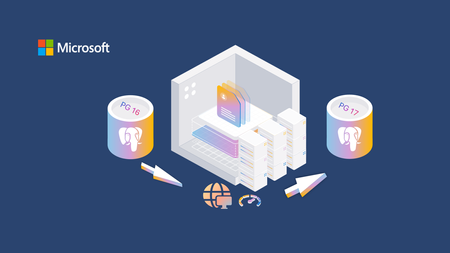
Azure Database for PostgreSQL provides a seamless Major Version Upgrade (MVU) experience for your servers, which is important for security, performance, and feature enhancements. For production workloads, minimizing downtime during this upgrade is essential to maintain business continuity. This blog explores a practical approach to performing a Major Version Upgrade (MVU) with minimal downtime and maximum reliability using logical replication and virtual endpoints. Upgrading without disrupting your applications is critical. With this method, you can: Approach 1: Configure two servers where the publisher runs on the lower version and the subscriber on the higher version, perform MVU and then switch over using virtual endpoints. The time taken to restore the server is specific to your workloads on the primary server. Approach 2: Maintain two servers on different versions, use pg_dump and pg_restore to restore with data for production server, and perform a seamless switchover using virtual endpoints. To enable logical replication on a table, it must have one of the following: A Primary Key, or A Unique Index Approach 1 Approach 2 Restores the instance using the same version. Creates and restores the instance on a higher version. Faster restore with PITR (Point-in-Time Recovery) but requires a few additional steps. Takes longer to restore because it uses pg_dump and pg_restore commands but enables version upgrade during restore. Best suited when speed is the priority to restore the server. Best suited when you want to restore directly to a higher version, and it does not downtime for the MVU operation. Approach 1 Setup: Two servers, one for testing, and one for production. Here are the steps to follow: Create a virtual endpoint on the production server. Perform a Point-in-time-restore (PITR) from the first server (Production) and create your test server. Add a virtual endpoint for the test server. Establish logical replication between the two servers. Perform the Major Version Upgrade (MVU) on the test server. Validate data on the test server. Update virtual endpoints: Remove the endpoints from both servers, then assign the original production endpoint to the test server. Step By Step Guide Environment Setup Two servers are involved: Server 1: Current production server (Publisher) Server 2: Restored server for MVU (Subscriber) Create a virtual endpoint for the production server. Configure Logical Replication & Grant Permissions Enable replication parameters on the publisher: wal_level = logical max_worker_processes = 16 max_replication_slots = 10 max_wal_senders = 10 track_commit_timestamp = on Grant replication role to the user ALTER ROLE <user> WITH REPLICATION; GRANT azure_pg_admin TO <user>; Create tables and insert data CREATE TABLE basic (id INTEGER NOT NULL PRIMARY KEY, a TEXT); INSERT INTO basic VALUES (1, 'apple'), (2, 'banana'); Set Up Logical Replication on the Production Server Create a publication slot on the Production Server: create publication <publisher-name>; alter publication <publisher-name> add table<table>; SELECT pg_create_logical_replication_slot(‘<publisher-name>’, ‘pgoutput’); Choose Restore Point: Determine the latest possible point in time (PIT) to restore the data from the source server. This Point in Time must be, necessarily, after you created the replication slot in Step 3. Provision Target Server via PITR: Use Azure Portal or Azure CLI to trigger a Point-in-Time Restore. This creates the test server based on the production backup. You are provisioning the test server based on the production server's backup capabilities. This test server will initially be a copy of the production server’s data state at a specific point in time. Configure Server Parameters on Test Server wal_level = logical max_worker_processes = 16 max_replication_slots = 10 max_wal_senders = 10 track_commit_timestamp = on Create the target server as subscriber & Advance Replication Origin: This is the crucial step that connects the test server (subscriber) to the production (publisher) server and manually tells the target where in the WAL log stream to begin reading changes, skipping the data already restored. Create Subscription: Creates a logical replication subscription on the test server, linking it to the source and specifying connection details, publication, and replication slot without copying existing data. CREATE SUBSCRIPTION <subscriber-name>;CONNECTION 'host=<host-name>.postgres.database.azure.com port=5432 dbname=postgres user=<username> password=<password>' PUBLICATION <publisher-name> WITH ( copy_data = false, create_slot = false, enabled = false, slot_name = <publisher-name> ); Retrieves the replication origin identifier and name on the test server, which is needed to advance the replication position. SELECT roident, roname FROM pg_replication_origin; Execute this query on the Production server: Fetches the replication slot name and the restart LSN from the source server, indicating where replication should resume. SELECT slot_name, restart_lsn FROM pg_replication_slots WHERE slot_name = <publisher-name>; On the test server execute this command: Manually advances the replication origin on the target server to skip already restored data and start replication from the correct WAL position. SELECT pg_replication_origin_advance(roident, restart_lsn); Enable the target server as a subscriber of the source server With the target server populated and the replication origin advanced, you can start the synchronization. ALTER SUBSCRIPTION <publisher-name> ENABLE; The target server now starts consuming the WAL entries from the source, rapidly closing the gap on all transactions that occurred between the slot creation and the completion of the PITR. Test Replication works Create a virtual endpoint for the test server, and validate the data on the test server Confirm that the synchronization is working by inserting a record on the production server and immediately verifying its presence on the test server. Perform Major Version Upgrade (MVU) Upgrade your test server, and validate all the new extensions and features by using the virtual endpoint for the test server Manage virtual endpoints Once the data and all the new extensions are validated, drop the virtual endpoint on production server and recreate the same virtual endpoint on test server. Key Considerations: Test server initially handles read traffic; writes remain on production server to avoid conflicts. Virtual endpoint creation: ~1–2 minutes per endpoint. Time taken for Point-in-time-restore depends on the workload that you have on the production server Approach 2: This approach enables a Major Version Upgrade (MVU) by combining logical replication with an initial dump and restore process. It minimizes downtime while ensuring data consistency. Create a new Azure Database for PostgreSQL Flexible Server instance using your desired target major version (e.g., PostgreSQL 17). Ensure the new server's configuration (SKU, storage size, and location) is suitable for your eventual production load. This approach enables the core benefit of a side-by-side migration, running two distinct database versions concurrently. The existing application remains connected to the source environment, minimizing risk and allowing the new target to be fully configured offline. Configure Role Privileges on Source and Target Servers ALTER ROLE <replication_user> WITH REPLICATION; GRANT azure_pg_admin TO <replication_user>; Check Prerequisites for Logical Replication Set these parameters on both source and target servers: Set these server parameters to at least the minimum recommended values shown below to enable and support the features required for logical replication. wal_level=logical max_worker_processes=16 max_replication_slots=10 max_wal_senders=10 track_commit_timestamp=on Ensure tables are ready: Each table to be replicated must have a primary key or unique identifier Create Publication and Replication Slot on Source create publication <publisher-name>; alter publication <publisher-name> add table<table>; SELECT pg_create_logical_replication_slot(‘<publisher-name>’, ‘pgoutput’); This slot tracks all changes from this point onward. Generate Schema and Initial Data Dump Run pg_dump after creating the replication slot: Perform the dump after creating the replication slot to capture a static starting point. Using an Azure VM is recommended for optimal network performance. pg_dump -U demo -W -h <hostname>.postgres.database.azure.com -p 5432 -Fc -v -f dump.bak postgres -N pg_catalog -N cron -N information_schema Restore Data into Target (recommended: Azure VM): This populates the target server with the initial dataset. pg_restore -U demo -W -h <hostname>.postgres.database.azure.com -p 5432 --no-owner -Fc -v -d postgres dump.bak --no-acl Catch-Up Mechanism: While the restoration is ongoing, new transactions on the source are safely recorded by the replication slot. It is critical to have sufficient storage on the source to hold the WAL files during this initial period until replication is fully active. Create Subscription and Advance Replication Origin on Target: This step connects the test server (subscriber) to the production server (source) and manually tells the target where in the WAL log stream to begin reading changes, skipping the data already restored. Create subscription: Creates a logical replication subscription on the target server, linking it to the source and specifying connection details, publication, and replication slot without copying existing data. CREATE SUBSCRIPTION <subscription-name> CONNECTION 'host=<hostname>.postgres.database.azure.com port=5432 dbname=postgres user=<username> password=<password>' PUBLICATION <publisher-name> WITH ( copy_data = false, create_slot = false, enabled = false, slot_name = '<publisher-name>); Retrieves the replication origin identifier and name on the target server, which is needed to advance the replication position. SELECT roident, roname FROM pg_replication_origin; Fetches the replication slot name and the restart LSN from the source server, indicating where replication should resume. SELECT slot_name, restart_lsn FROM pg_replication_slots WHERE slot_name = '<publisher-name>; Manually advances the replication origin on the target server to skip already restored data and start replication from the correct WAL position. SELECT pg_replication_origin_advance('<roname>', '<restart_lsn>'); Enable Subscription: With the target server populated and the replication origin advanced, you can start the synchronization. ALTER SUBSCRIPTION <subscription-name> ENABLE; Result: The target server now starts consuming the WAL entries from the source, rapidly closing the gap on all transactions that occurred during the dump and restore process. Validate Replication: Insert a record on the source and confirm it appears on the target: Perform Cutover Stop application traffic to the production database. Wait for the target database to confirm zero replication lag. Disable the subscription (ALTER SUBSCRIPTION logical_sub01 DISABLE;). Connect the application to the new Azure Database for PostgreSQL instance. Utilize Virtual Endpoints or a CNAME DNS record for your database connection string. By simply pointing the endpoint/CNAME to the new server, you can switch your application stack without changing hundreds of individual configuration files, making the final cutover near-instantaneous. Conclusion This MVU strategy using logical replication and virtual endpoints provides a safe, efficient way to upgrade PostgreSQL servers without disrupting workloads. By combining replication, endpoint management, and automation, you can achieve a smooth transition to newer versions while maintaining high availability. For an alternative approach, check out our blog on using the Migration Service for MVU: Hacking the migration service in Azure Database for PostgreSQL2.1KViews2likes2CommentsHandling Unique Constraint Conflicts in Logical Replication
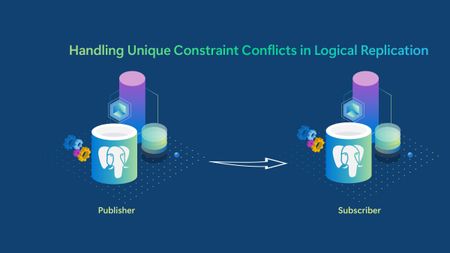
Authors: Ashutosh Sharma, Senior Software Engineer, and Gauri Kasar, Product Manager Logical replication can keep your PostgreSQL environments in sync, helping replicate selected tables with minimal impact on the primary workload. But what happens when your subscriber hits a duplicate key error and replication grinds to a halt? If you’ve seen a unique‑constraint violation while replicating between Azure Database for PostgreSQL servers, you’re not alone. This blog covers common causes, prevention tips, and practical recovery options. In PostgreSQL logical replication, the subscriber can fail with a unique-constraint error when it tries to apply a change that would create a duplicate key. duplicate key value violates unique constraint Understanding why this happens? When an INSERT or UPDATE would create a value that already exists in a column (or set of columns) protected by a UNIQUE constraint (including a PRIMARY KEY). In logical replication, this most commonly occurs because of local writes on the subscriber or if the table is being subscribed from multiple publishers. These conflicts are resolved on the subscriber side. Local writes on the subscriber: a row with the same primary key/unique key is inserted on the subscriber before the apply worker processes the corresponding change from the publisher. Multi-origin / multi-master without conflict-free keys: two origins generate (or replicate) the same unique key. Initial data synchronization issues: the subscriber already contains data when the subscription is created with initial copy enabled, resulting in duplicate inserts during the initial table sync. How to avoid this? Avoid local writes on subscribed tables (treat the subscriber as read-only for replicated relations). Avoid subscribing to the same table from multiple publishers unless you have explicit conflict handling and a conflict-free key design. Enabling server logs can help you identify and troubleshoot unique‑constraint conflicts more effectively. Refer to the official documentation to configure and access PostgreSQL logs. How to handle conflicts (recovery options) Option 1: Delete the conflicting row on the subscriber Use the subscriber logs to identify the key (or row) causing the conflict, then delete the row on the subscriber with a DELETE statement. Resume apply and repeat if more conflicts appear. Option 2: Use conflict logs and skip the conflicting transaction (PostgreSQL 17+) Starting with PostgreSQL 17, logical replication provides detailed conflict logging on the subscriber, making it easier to understand why replication stopped and which transaction caused the failure. When a replicated INSERT would violate a non‑deferrable unique constraint on the subscriber for example, when a row with the same key already exists the apply worker detects this as an insert_exists conflict and stops replication. In this case, PostgreSQL logs the conflict along with the transaction’s finish LSN, which uniquely identifies the failing transaction. ERROR: conflict detected on relation "public.t2": conflict=insert_exists ... in transaction 754, finished at 0/034F4090 ALTER SUBSCRIPTION <subscription_name> SKIP (lsn = '0/034F4090'); Option 3: Rebuild (re-sync) the table Rebuilding (re‑syncing) a table is the safest and most deterministic way to resolve logical replication conflicts caused by pre‑existing data differences or local writes on the subscriber. This approach is especially useful when a table repeatedly fails with unique‑constraint violations and it is unclear which rows are out of sync. Step 1 (subscriber): Disable the subscription. ALTER SUBSCRIPTION <subscription_name> DISABLE; Step 2 (subscriber): Remove the local copy of the table so it can be re-copied. TRUNCATE TABLE <conflicting_table>; Step 3 (publisher): Ensure the publication will (re)send the table (one approach is to recreate the publication entry for that table). ALTER PUBLICATION <pub_with_conflicting_table> DROP TABLE <conflicting_table>; CREATE PUBLICATION <pub_with_conflicting_table_rebuild> FOR TABLE <conflicting_table>; Step 4 (subscriber): Create a new subscription (or refresh the existing one) to re-copy the table. CREATE SUBSCRIPTION <sub_rebuild> CONNECTION '<connection_string>' PUBLICATION <pub_with_conflicting_table_rebuild>; Step 5 (subscriber): Re-enable the original subscription (if applicable). ALTER SUBSCRIPTION <subscription_name> ENABLE; Conclusion In most cases, these conflicts occur due to local changes on the subscriber or differences in data that existed before logical replication was fully synchronized. It is recommended to avoid direct modifications on subscribed tables and ensure that the replication setup is properly planned, especially when working with tables that have unique constraints.316Views1like0Comments