live events
17 Topics
How much of your Microsoft 365 environment can you actually see at once?
Not how many users you have. Not how many sites, teams, apps or flows you have. How much of it can you actually see connected together? I've been working across Microsoft 365 environments for a while, and I kept running into the same thing. There is no shortage of information. If anything, there is probably too much of it. Users, groups, permissions, SharePoint, Teams, Power Apps, Power Automate, Power BI, Dataverse, OneDrive, Exchange, Intune, licensing, configuration... It's all there. But when you're actually trying to understand how everything fits together, it can be a different story. You open one blade. Find something. Open another. Cross-check it. Go back. Open something else. Before long, you're jumping between different parts of the tenant trying to build the bigger picture in your head. And if you're working with larger environments, that gets difficult pretty quickly. The information isn't necessarily missing. The relationships between the information are what can be difficult to see. That got me thinking about a slightly different question: Instead of "where do I find this information?" "Show me what's connected to this." That's where VisibleState started. Start anywhere. Follow the connections. Imagine starting with a single user. Instead of seeing that user simply as a record with a list of properties, imagine being able to explore the relationships around them: User → Groups → SharePoint → Teams → Power Apps → Power Automate → Power BI → Dataverse → OneDrive → Exchange → Intune Then the questions become different: What does this user have access to? Is that access direct or coming through a group? What resources are connected to them? What depends on something they're associated with? Which licenses are involved? Are there relationships that look unusual? If something changes, what else might be affected? Those questions aren't necessarily about finding another piece of information. They're about putting information that already exists into context. A report can tell you that something exists. A connected view helps you understand what it is connected to. Illustrative example below — not a real customer environment. I'm not suggesting Microsoft 365 doesn't already give us this information Quite the opposite. Microsoft 365 already gives administrators an incredible amount of information and tooling. The thing I've been thinking about is what happens when you want to look across those boundaries. Sometimes I don't want another export. I don't want another list. I don't necessarily want another dashboard. I want to start with something I'm looking at and ask: "What's connected to this?" And then keep following the trail. That's the idea I'm exploring with VisibleState. The interesting part is what happens when you change the viewpoint The same relationships can be useful for completely different reasons. For example: Administrators may want to understand access, permissions and dependencies. Security and governance teams may want to find unusual relationships or exceptions. Compliance teams may need to understand who can access something and why. People managing multiple environments may want a consistent way to understand what's there without rebuilding the picture manually every time. Leadership may not need to see the graph at all. They may simply want to know what's important, what's exposed and what could be affected. It's still the same underlying environment. You're just looking at it from a different angle. And that's where I think things get interesting. Where I'm at with it VisibleState started as something I was building to make my own work easier. I was spending a lot of time investigating environments, tracing access and putting information together for reports. The individual tasks weren't necessarily difficult. It was the jumping between different places and reconstructing the bigger picture that took the time. So I started building something that would let me approach the environment through the relationships instead. It's grown quite a bit from where it started, and I'm continuing to build it. I'm not posting this as a product launch, and I'm not looking for people to sign up. I'm genuinely interested in whether the problem I'm seeing is familiar to other people working with Microsoft 365. So I'm curious... If you could start with any object in your Microsoft 365 environment and immediately see what it's connected to, where would you start? Would it be: Users and access Groups and permissions SharePoint and Teams Power Apps, Power Automate, Power BI and Dataverse Licensing and resources Governance and unusual relationships Something completely different Maybe you've already got a good way of doing this. Maybe you still find yourself jumping between different services and piecing things together manually. Or maybe I'm looking at the problem from the wrong direction. What's the one relationship in your Microsoft 365 environment that you wish you could see instantly?215Views0likes0Comments
Level Up CSP | Dynamics 365 Business Central Digital Bootcamp
Explore New Growth Opportunity with Dynamics 365 Business Central! Dynamics 365 Business Central represents an enormous opportunity for SMB partners and customers. It was built for small and mid-size organizations to address key financial and operational management needs. Attend an upcoming digital bootcamp - we’ll take you step-by-step through how to identify an opportunity, drive effective conversations, and successfully transact Business Central. Show your customers your strategic value to them, help them expand into other Microsoft solutions to grow their business, make business more efficient, and more! Unlock Your Business Central Opportunity | Digital event details • Americas/EMEA region: September 19 | 8:00 AM – 10:00 AM, Pacific Time • APAC region: September 19 | 5:00 PM – 7:00 PM, Pacific Time Register Today!527Views0likes0CommentsAnnouncing a Microsoft 365 Cloud.Microsoft AMA on May 24th!
The Microsoft 365 team recently announced in this blog post plans for a new unified domain for Microsoft 365 apps and services: cloud.microsoft. Join us on Wednesday, May 24th at 8:00 AM Pacific for a live text based Ask Microsoft Anything (AMA) event as our experts discuss plans for the new unified domain, and how these changes will improve security, administration, and user experience. Don't forget to RSVP and add the event to your calendar! Can't make the live event? No problem! Head over to the event page and start posting your questions now, and our experts will answer them during the live event: Microsoft 365 Cloud.Microsoft AMA1.5KViews0likes1CommentAnnouncing an Adoption Score and Experience Insights AMA on Wednesday, July 12th!
Earlier this month, we teased a Microsoft 365 AMA event happening next month. Well, following the announcement in this blog post, the cat's out of the bag! We're excited to announce an Adoption Score and Experience Insights AMA on Wednesday, July 12th, at 9:00 AM Pacific time! Learn how these new product experiences in the Microsoft 365 admin center can help you gain visibility and actionable insights to maximize the value of your Microsoft 365 investment and improve the everyday experience of your users. Make sure to RSVP and add it to your calendar on the event page: Adoption Score & Experience Insights AMA If you can't make the live event, not to worry! You can start posting your questions now on the event page, and our panel of experts will answer them during the live hour.1.4KViews1like0CommentsMicrosoft 365 AMA on Wed, July 12th!
Hey everyone! We have another AMA for you on Wednesday, July 12th at 9:00 AM Pacific! We can't share the details just yet but stay tuned as we'll be releasing them soon! In the meantime, save the date and RSVP so you can be notified once we add all the info to the event page as soon as we have it! Microsoft 365 AMA - Microsoft Community Hub741Views0likes0CommentsAnnouncing a Microsoft 365 Insider AMA on May 25th!
We're excited to announce a Microsoft 365 Insider AMA event on Thursday, May 25th at 9:00 AM Pacific! Join us as our team of experts explain how the Microsoft Insider 365 program works, the benefits are of being an Insider, and tips about deploying Insider builds. If you can't attend the live event, head over to the event page to start posting your questions now, and our panel will answer them during the live hour: Microsoft 365 Insider AMA Make sure to RSVP and add the event to your calendar!1KViews0likes0CommentsExchange AMA on May 10th @ 9 AM PT!
The Exchange team has announced a live, text-based AMA event on Wednesday, May 10th @ 9:00 AM Pacific time! In a recent blog post, a new transport-based enforcement system in Exchange Online was announced. Their panel of experts will be discussing these changes the available remediation options. Head over to the event page to RSVP and add it to your calendar. Can't make the live event? No problem! Start posting your questions now, and the team will answer them during the live-hour: Exchange AMA - Exchange community482Views0likes0CommentsFrom Take-Off to Landing - 6 Steps to a Successful Microsoft Teams Pilot
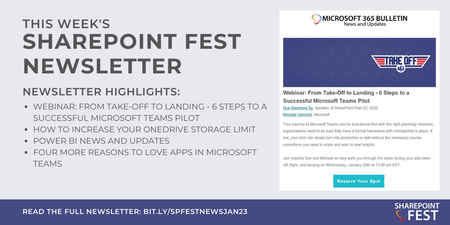
Your journey to Microsoft Teams can be turbulence-free with the right planning! Join experts Dux Raymond Sy and Microsoft's Michael Gannotti as they walk you through the steps during your pilot take-off, flight, and landing! Register for the webinar and more in this week's SharePoint newsletter: https://bit.ly/SPFestNewsJan23?fbclid=IwAR2UPaIhcw67QntHQcwWgtR9pW_5sko_hmM64Oa96APqapXoKm08sa7b93ASPFestNewsJan23 Join us at SharePoint Fest DC 2020: http://www.sharepointfest.com/DC1.2KViews0likes0CommentsJoin a Microsoft Excel AMA on October 17!
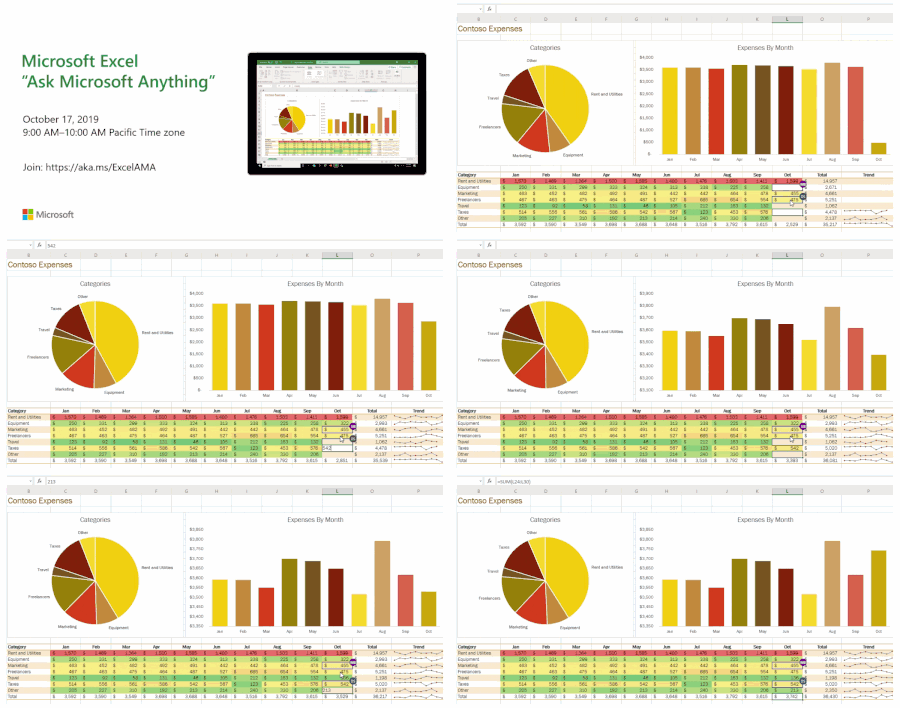
The Excel team is hosting an "Ask Microsoft Anything" (AMA) in the Microsoft Tech Community on October 17 at 9:00 AM PT! An AMA is a one-hour, live event, similar to an “Ask Me Anything” on Reddit, where you can post questions and feedback about Microsoft Excel, and members of the product team will be on hand to respond. Join: https://aka.ms/ExcelAMA943Views1like0Comments