java
12 TopicsIntroducing Azure AI Travel Agents: A Flagship MCP-Powered Sample for AI Travel Solutions
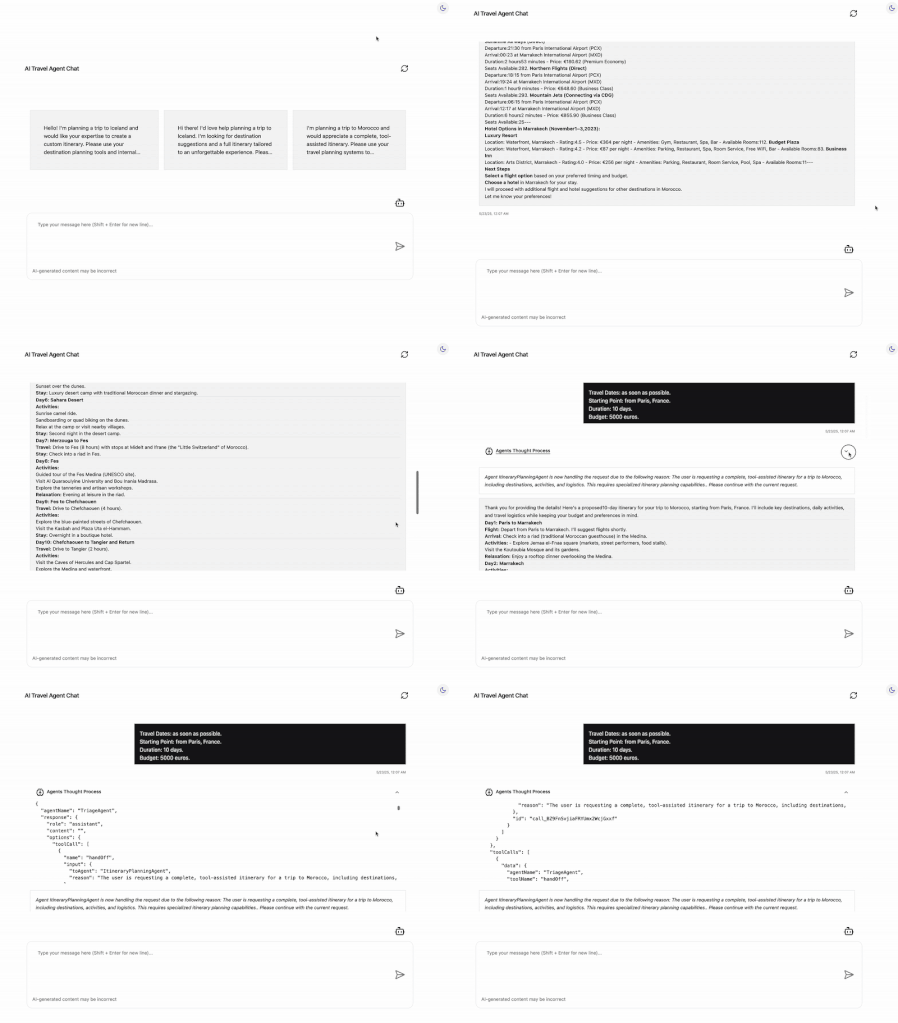
We are excited to introduce AI Travel Agents, a sample application with enterprise functionality that demonstrates how developers can coordinate multiple AI agents (written in multiple languages) to explore travel planning scenarios. It's built with LlamaIndex.TS for agent orchestration, Model Context Protocol (MCP) for structured tool interactions, and Azure Container Apps for scalable deployment. TL;DR: Experience the power of MCP and Azure Container Apps with The AI Travel Agents! Try out live demo locally on your computer for free to see real-time agent collaboration in action. Share your feedback on our community forum. We’re already planning enhancements, like new MCP-integrated agents, enabling secure communication between the AI agents and MCP servers and more. NOTE: This example uses mock data and is intended for demonstration purposes rather than production use. The Challenge: Scaling Personalized Travel Planning Travel agencies grapple with complex tasks: analyzing diverse customer needs, recommending destinations, and crafting itineraries, all while integrating real-time data like trending spots or logistics. Traditional systems falter with latency, scalability, and coordination, leading to delays and frustrated clients. The AI Travel Agents tackles these issues with a technical trifecta: LlamaIndex.TS orchestrates six AI agents for efficient task handling. MCP equips agents with travel-specific data and tools. Azure Container Apps ensures scalable, serverless deployment. This architecture delivers operational efficiency and personalized service at scale, transforming chaos into opportunity. LlamaIndex.TS: Orchestrating AI Agents The heart of The AI Travel Agents is LlamaIndex.TS, a powerful agentic framework that orchestrates multiple AI agents to handle travel planning tasks. Built on a Node.js backend, LlamaIndex.TS manages agent interactions in a seamless and intelligent manner: Task Delegation: The Triage Agent analyzes queries and routes them to specialized agents, like the Itinerary Planning Agent, ensuring efficient workflows. Agent Coordination: LlamaIndex.TS maintains context across interactions, enabling coherent responses for complex queries, such as multi-city trip plans. LLM Integration: Connects to Azure OpenAI, GitHub Models or any local LLM using Foundy Local for advanced AI capabilities. LlamaIndex.TS’s modular design supports extensibility, allowing new agents to be added with ease. LlamaIndex.TS is the conductor, ensuring agents work in sync to deliver accurate, timely results. Its lightweight orchestration minimizes latency, making it ideal for real-time applications. MCP: Fueling Agents with Data and Tools The Model Context Protocol (MCP) empowers AI agents by providing travel-specific data and tools, enhancing their functionality. MCP acts as a data and tool hub: Real-Time Data: Supplies up-to-date travel information, such as trending destinations or seasonal events, via the Web Search Agent using Bing Search. Tool Access: Connects agents to external tools, like the .NET-based customer queries analyzer for sentiment analysis, the Python-based itinerary planning for trip schedules or destination recommendation tools written in Java. For example, when the Destination Recommendation Agent needs current travel trends, MCP delivers via the Web Search Agent. This modularity allows new tools to be integrated seamlessly, future-proofing the platform. MCP’s role is to enrich agent capabilities, leaving orchestration to LlamaIndex.TS. Azure Container Apps: Scalability and Resilience Azure Container Apps powers The AI Travel Agents sample application with a serverless, scalable platform for deploying microservices. It ensures the application handles varying workloads with ease: Dynamic Scaling: Automatically adjusts container instances based on demand, managing booking surges without downtime. Polyglot Microservices: Supports .NET (Customer Query), Python (Itinerary Planning), Java (Destination Recommandation) and Node.js services in isolated containers. Observability: Integrates tracing, metrics, and logging enabling real-time monitoring. Serverless Efficiency: Abstracts infrastructure, reducing costs and accelerating deployment. Azure Container Apps' global infrastructure delivers low-latency performance, critical for travel agencies serving clients worldwide. The AI Agents: A Quick Look While MCP and Azure Container Apps are the stars, they support a team of multiple AI agents that drive the application’s functionality. Built and orchestrated with Llamaindex.TS via MCP, these agents collaborate to handle travel planning tasks: Triage Agent: Directs queries to the right agent, leveraging MCP for task delegation. Customer Query Agent: Analyzes customer needs (emotions, intents), using .NET tools. Destination Recommendation Agent: Suggests tailored destinations, using Java. Itinerary Planning Agent: Crafts efficient itineraries, powered by Python. Web Search Agent: Fetches real-time data via Bing Search. These agents rely on MCP’s real-time communication and Azure Container Apps’ scalability to deliver responsive, accurate results. It's worth noting though this sample application uses mock data for demonstration purpose. In real worl scenario, the application would communicate with an MCP server that is plugged in a real production travel API. Key Features and Benefits The AI Travel Agents offers features that showcase the power of MCP and Azure Container Apps: Real-Time Chat: A responsive Angular UI streams agent responses via MCP’s SSE, ensuring fluid interactions. Modular Tools: MCP enables tools like analyze_customer_query to integrate seamlessly, supporting future additions. Scalable Performance: Azure Container Apps ensures the UI, backend and the MCP servers handle high traffic effortlessly. Transparent Debugging: An accordion UI displays agent reasoning providing backend insights. Benefits: Efficiency: LlamaIndex.TS streamlines operations. Personalization: MCP’s data drives tailored recommendations. Scalability: Azure ensures reliability at scale. Thank You to Our Contributors! The AI Travel Agents wouldn’t exist without the incredible work of our contributors. Their expertise in MCP development, Azure deployment, and AI orchestration brought this project to life. A special shoutout to: Pamela Fox – Leading the developement of the Python MCP server. Aaron Powell and Justin Yoo – Leading the developement of the .NET MCP server. Rory Preddy – Leading the developement of the Java MCP server. Lee Stott and Kinfey Lo – Leading the developement of the Local AI Foundry Anthony Chu and Vyom Nagrani – Leading Azure Container Apps roadmap Matt Soucoup and Julien Dubois – Leading the ACA DevRel strategy Wassim Chegham – Architected MCP and backend orchestration. And many more! See the GitHub repository for all contributors. Thank you for your dedication to pushing the boundaries of AI and cloud technology! Try It Out Experience the power of MCP and Azure Container Apps with The AI Travel Agents! Try out live demo locally on your computer for free to see real-time agent collaboration in action. Conclusion Developers can explore today the open-source project on GitHub, with setup and deployment instructions. Share your feedback on our community forum. We’re already planning enhancements, like new MCP-integrated agents, enabling secure communication between the AI agents and MCP servers and more. This is still a work in progress and we also welcome all kind of contributions. Please fork and star the repo to stay tuned for updates! ◾️We would love your feedback and continue the discussion in the Azure AI Foundry Discord aka.ms/foundry/discord On behalf of Microsoft DevRel Team.Microsoft AI Agents Hack April 8-30th 2025
Build, Innovate, and #Hacktogether Learn from 20+ expert-led sessions streamed live on YouTube, covering top frameworks like Semantic Kernel, Autogen, the new Azure AI Agents SDK and the Microsoft 365 Agents SDK. Get hands-on experience, unleash your creativity, and build powerful AI agents—then submit your hack for a chance to win amazing prizes! Key Dates Expert sessions: April 8th 2025 – April 30th 2025 Hack submission deadline: April 30th 2025, 11:59 PM PST Don't miss out — join us and start building the future of AI! Registration Register now! That form will register you for the hackathon. Afterwards, browse through the live stream schedule below and register for the sessions you're interested in. Once you're registered, introduce yourself and look for teammates! Project Submission Once your hack is ready, follow the submission process. Prizes and Categories Projects will be evaluated by a panel of judges, including Microsoft engineers, product managers, and developer advocates. Judging criteria will include innovation, impact, technical usability, and alignment with corresponding hackathon category. Each winning team in the categories below will receive a prize. Best Overall Agent - $20,000 Best Agent in Python - $5,000 Best Agent in C# - $5,000 Best Agent in Java - $5,000 Best Agent in JavaScript/TypeScript - $5,000 Best Copilot Agent (using Microsoft Copilot Studio or Microsoft 365 Agents SDK) - $5,000 Best Azure AI Agent Service Usage - $5,000 Each team can only win in one category. All participants who submit a project will receive a digital badge. Stream Schedule The series starts with a kick-off for all developers, and then dives into specific tracks for Python, Java, C#, and JavaScript developers. The Copilots track will focus on building intelligent copilots with Microsoft 365 and Copilot Studio. English Week 1: April 8th-11th Day/Time Topic Track 4/8 09:00 AM PT AI Agents Hackathon Kickoff All 4/9 09:00 AM PT Build your code-first app with Azure AI Agent Service Python 4/9 12:00 PM PT AI Agents for Java using Azure AI Foundry Java 4/9 03:00 PM PT Build your code-first app with Azure AI Agent Service Python 4/10 04:00 AM PT Building Secure and Intelligent Copilots with Microsoft 365 Copilots 4/10 09:00 AM PT Overview of Microsoft 365 Copilot Extensibility Copilots 4/10 12:00 PM PT Transforming business processes with multi-agent AI using Semantic Kernel Python 4/10 03:00 PM PT Build your code-first app with Azure AI Agent Service (.NET) C# Week 2: April 14th-18th Day/Time Topic Track 4/15 07:00 AM PT Your first AI Agent in JS with Azure AI Agent Service JS 4/15 09:00 AM PT Building Agentic Applications with AutoGen v0.4 Python 4/15 12:00 PM PT AI Agents + .NET Aspire C# 4/15 03:00 PM PT Prototyping AI Agents with GitHub Models Python 4/16 04:00 AM PT Multi-agent AI apps with Semantic Kernel and Azure Cosmos DB C# 4/16 06:00 AM PT Building declarative agents with Microsoft Copilot Studio & Teams Toolkit Copilots 4/16 09:00 AM PT Building agents with an army of models from the Azure AI model catalog Python 4/16 12:00 PM PT Multi-Agent API with LangGraph and Azure Cosmos DB Python 4/16 03:00 PM PT Mastering Agentic RAG Python 4/17 06:00 AM PT Build your own agent with OpenAI, .NET, and Copilot Studio C# 4/17 09:00 AM PT Building smarter Python AI agents with code interpreters Python 4/17 12:00 PM PT Building Java AI Agents using LangChain4j and Dynamic Sessions Java 4/17 03:00 PM PT Agentic Voice Mode Unplugged Python Week 3: April 21st-25th Day/Time Topic Track 4/21 12:00 PM PT Knowledge-augmented agents with LlamaIndex.TS JS 4/22 06:00 AM PT Building a AI Agent with Prompty and Azure AI Foundry Python 4/22 09:00 AM PT Real-time Multi-Agent LLM solutions with SignalR, gRPC, and HTTP based on Semantic Kernel Python 4/22 10:30 AM PT Learn Live: Fundamentals of AI agents on Azure - 4/22 12:00 PM PT Demystifying Agents: Building an AI Agent from Scratch on Your Own Data using Azure SQL C# 4/22 03:00 PM PT VoiceRAG: talk to your data Python 4/14 06:00 AM PT Prompting is the New Scripting: Meet GenAIScript JS 4/23 09:00 AM PT Building Multi-Agent Apps on top of Azure PostgreSQL Python 4/23 12:00 PM PT Agentic RAG with reflection Python 4/23 03:00 PM PT Multi-source data patterns for modern RAG apps C# 4/24 09:00 AM PT Extending AI Agents with Azure Functions Python, C# 4/24 12:00 PM PT Build real time voice agents with Azure Communication Services Python 4/24 03:00 PM PT Bringing robots to life: Real-time interactive experiences with Azure OpenAI GPT-4o Python Week 4: April 28th-30th Day/Time Topic Track 4/29, 01:00 PM UTC / 06:00 AM PT Irresponsible AI Agents Java 4/29, 04:00 PM UTC / 09:00 AM PT Securing AI agents on Azure Python Spanish / Español See all our Spanish sessions on the Spanish landing page. Consulta todas nuestras sesiones en español en la página de inicio en español. Portuguese / Português See our Portuguese sessions on the Portuguese landing page. Veja nossas sessões em português na página de entrada em português. Chinese / 简体字 See our Chinese sessions on the Chinese landing page. 请查看我们的中文课程在中文登录页面. Office Hours For additional help with your hacks, you can drop by Office Hours in our AI Discord channel. Here are the Office Hours scheduled so far: Day/Time Topic/Hosts Every Thursday, 12:30 PM PT Python + AI (English) Every Monday, 03:00 PM PT Python + AI (Spanish) Learning Resources Access resources here! Join TheSource EHub to explore top picks including trainings, livestreams, repositories, technical guides, blogs, downloads, certifications, and more, all updated monthly. The AI Agent section offers essential resources for creating AI Agents, while other sections provide insights into AI, development tools, and programming languages. You can also post questions in our discussions forum, or chat with attendees in the Discord channel.Enhancing Data Security and Digital Trust in the Cloud using Azure Services.
Enhancing Data Security and Digital Trust in the Cloud by Implementing Client-Side Encryption (CSE) using Azure Apps, Azure Storage and Azure Key Vault. Think of Client-Side Encryption (CSE) as a strategy that has proven to be most effective in augmenting data security and modern precursor to traditional approaches. CSE can provide superior protection for your data, particularly if an authentication and authorization account is compromised.3.1KViews0likes0Comments
Building Intelligent Apps with Azure Cache for Redis, EntraID, Azure Functions, E1 SKU, and more!
We're excited to announce the latest updates to Azure Cache for Redis that will improve your data management and application performance as we kickoff for Microsoft Build 2024. Coming soon, the Enterprise E1 SKU (Preview) will offer a lower entry price, Redis modules, and enterprise-grade features. The Azure Function Triggers and Bindings for Redis are now in general availability, simplifying your workflow with seamless integration. Microsoft EntraID in Azure Cache for Redis is now in GA, providing enhanced security management. And there's more – we are also sharing added resources for developing intelligent applications using Azure Cache for Redis Enterprise, enabling you to build smarter, more responsive apps. Read the blog below to find out more about these amazing updates and how they can enhance your Azure Cache for Redis experience. 2.4KViews2likes0Comments
Building a Smart Building HVAC Digital Twin with AI Copilot Using Foundry Local
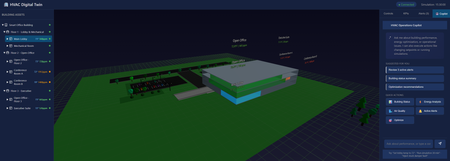
Introduction Building operations teams face a constant challenge: optimizing HVAC systems for energy efficiency while maintaining occupant comfort and air quality. Traditional building management systems display raw sensor data, temperatures, pressures, CO₂ levels—but translating this into actionable insights requires deep HVAC expertise. What if operators could simply ask "Why is the third floor so warm?" and get an intelligent answer grounded in real building state? This article demonstrates building a sample smart building digital twin with an AI-powered operations copilot, implemented using DigitalTwin, React, Three.js, and Microsoft Foundry Local. You'll learn how to architect physics-based simulators that model thermal dynamics, implement 3D visualizations of building systems, integrate natural language AI control, and design fault injection systems for testing and training. Whether you're building IoT platforms for commercial real estate, designing energy management systems, or implementing predictive maintenance for building automation, this sample provides proven patterns for intelligent facility operations. Why Digital Twins Matter for Building Operations Physical buildings generate enormous operational data but lack intelligent interpretation layers. A 50,000 square foot office building might have 500+ sensors streaming metrics every minute, zone temperatures, humidity levels, equipment runtimes, energy consumption. Traditional BMS (Building Management Systems) visualize this data as charts and gauges, but operators must manually correlate patterns, diagnose issues, and predict failures. Digital twins solve this through physics-based simulation coupled with AI interpretation. Instead of just displaying current temperature readings, a digital twin models thermal dynamics, heat transfer rates, HVAC response characteristics, occupancy impacts. When conditions deviate from expectations, the twin compares observed versus predicted states, identifying root causes. Layer AI on top, and operators get natural language explanations: "The conference room is 3 degrees too warm because the VAV damper is stuck at 40% open, reducing airflow by 60%." This application focuses on HVAC, the largest building energy consumer, typically 40-50% of total usage. Optimizing HVAC by just 10% through better controls can save thousands of dollars monthly while improving occupant satisfaction. The digital twin enables "what-if" scenarios before making changes: "What happens to energy consumption and comfort if we raise the cooling setpoint by 2 degrees during peak demand response events?" Architecture: Three-Tier Digital Twin System The application implements a clean three-tier architecture separating visualization, simulation, and state management: The frontend uses React with Three.js for 3D visualization. Users see an interactive 3D model of the three-floor building with color-coded zones indicating temperature and CO₂ levels. Click any equipment, AHUs, VAVs, chillers, to see detailed telemetry. The control panel enables adjusting setpoints, running simulation steps, and activating demand response scenarios. Real-time charts display KPIs: energy consumption, comfort compliance, air quality levels. The backend Node.js/Express server orchestrates simulation and state management. It maintains the digital twin state as JSON, the single source of truth for all equipment, zones, and telemetry. REST API endpoints handle control requests, simulation steps, and AI copilot queries. WebSocket connections push real-time updates to the frontend for live monitoring. The HVAC simulator implements physics-based models: 1R1C thermal models for zones, affinity laws for fan power, chiller COP calculations, CO₂ mass balance equations. Foundry Local provides AI copilot capabilities. The backend uses foundry-local-sdk to query locally running models. Natural language queries ("How's the lobby temperature?") get answered with building state context. The copilot can explain anomalies, suggest optimizations, and even execute commands when explicitly requested. Implementing Physics-Based HVAC Simulation Accurate simulation requires modeling actual HVAC physics. The simulator implements several established building energy models: // backend/src/simulator/thermal-model.js class ZoneThermalModel { // 1R1C (one resistance, one capacitance) thermal model static calculateTemperatureChange(zone, delta_t_seconds) { const C_thermal = zone.volume * 1.2 * 1000; // Heat capacity (J/K) const R_thermal = zone.r_value * zone.envelope_area; // Thermal resistance // Internal heat gains (occupancy, equipment, lighting) const Q_internal = zone.occupancy * 100 + // 100W per person zone.equipment_load + zone.lighting_load; // Cooling/heating from HVAC const airflow_kg_s = zone.vav.airflow_cfm * 0.0004719; // CFM to kg/s const c_p_air = 1006; // Specific heat of air (J/kg·K) const Q_hvac = airflow_kg_s * c_p_air * (zone.vav.supply_temp - zone.temperature); // Envelope losses const Q_envelope = (zone.outdoor_temp - zone.temperature) / R_thermal; // Net energy balance const Q_net = Q_internal + Q_hvac + Q_envelope; // Temperature change: Q = C * dT/dt const dT = (Q_net / C_thermal) * delta_t_seconds; return zone.temperature + dT; } } This model captures essential thermal dynamics while remaining computationally fast enough for real-time simulation. It accounts for internal heat generation from occupants and equipment, HVAC cooling/heating contributions, and heat loss through the building envelope. The CO₂ model uses mass balance equations: class AirQualityModel { static calculateCO2Change(zone, delta_t_seconds) { // CO₂ generation from occupants const G_co2 = zone.occupancy * 0.0052; // L/s per person at rest // Outdoor air ventilation rate const V_oa = zone.vav.outdoor_air_cfm * 0.000471947; // CFM to m³/s // CO₂ concentration difference (indoor - outdoor) const delta_CO2 = zone.co2_ppm - 400; // Outdoor ~400ppm // Mass balance: dC/dt = (G - V*ΔC) / Volume const dCO2_dt = (G_co2 - V_oa * delta_CO2) / zone.volume; return zone.co2_ppm + (dCO2_dt * delta_t_seconds); } } These models execute every simulation step, updating the entire building state: async function simulateStep(twin, timestep_minutes) { const delta_t = timestep_minutes * 60; // Convert to seconds // Update each zone for (const zone of twin.zones) { zone.temperature = ZoneThermalModel.calculateTemperatureChange(zone, delta_t); zone.co2_ppm = AirQualityModel.calculateCO2Change(zone, delta_t); } // Update equipment based on zone demands for (const vav of twin.vavs) { updateVAVOperation(vav, twin.zones); } for (const ahu of twin.ahus) { updateAHUOperation(ahu, twin.vavs); } updateChillerOperation(twin.chiller, twin.ahus); updateBoilerOperation(twin.boiler, twin.ahus); // Calculate system KPIs twin.kpis = calculateSystemKPIs(twin); // Detect alerts twin.alerts = detectAnomalies(twin); // Persist updated state await saveTwinState(twin); return twin; } 3D Visualization with React and Three.js The frontend renders an interactive 3D building view that updates in real-time as conditions change. Using React Three Fiber simplifies Three.js integration with React's component model: // frontend/src/components/BuildingView3D.jsx import { Canvas } from '@react-three/fiber'; import { OrbitControls } from '@react-three/drei'; export function BuildingView3D({ twinState }) { return ( {/* Render building floors */} {twinState.zones.map(zone => ( selectZone(zone.id)} /> ))} {/* Render equipment */} {twinState.ahus.map(ahu => ( ))} ); } function ZoneMesh({ zone, onClick }) { const color = getTemperatureColor(zone.temperature, zone.setpoint); return ( ); } function getTemperatureColor(current, setpoint) { const deviation = current - setpoint; if (Math.abs(deviation) < 1) return '#00ff00'; // Green: comfortable if (Math.abs(deviation) < 3) return '#ffff00'; // Yellow: acceptable return '#ff0000'; // Red: uncomfortable } This visualization immediately shows building state at a glance, operators see "hot spots" in red, comfortable zones in green, and can click any area for detailed metrics. Integrating AI Copilot for Natural Language Control The AI copilot transforms building data into conversational insights. Instead of navigating multiple screens, operators simply ask questions: // backend/src/routes/copilot.js import { FoundryLocalClient } from 'foundry-local-sdk'; const foundry = new FoundryLocalClient({ endpoint: process.env.FOUNDRY_LOCAL_ENDPOINT }); router.post('/api/copilot/chat', async (req, res) => { const { message } = req.body; // Load current building state const twin = await loadTwinState(); // Build context for AI const context = buildBuildingContext(twin); const completion = await foundry.chat.completions.create({ model: 'phi-4', messages: [ { role: 'system', content: `You are an HVAC operations assistant for a 3-floor office building. Current Building State: ${context} Answer questions about equipment status, comfort conditions, and energy usage. Provide specific, actionable information based on the current data. Do not speculate beyond provided information.` }, { role: 'user', content: message } ], temperature: 0.3, max_tokens: 300 }); res.json({ response: completion.choices[0].message.content, model: 'phi-4', timestamp: new Date().toISOString() }); }); function buildBuildingContext(twin) { const alerts = twin.alerts.filter(a => a.active); const zoneStatus = twin.zones.map(z => `${z.name}: ${z.temperature.toFixed(1)}°F (setpoint: ${z.setpoint}°F), CO₂: ${z.co2_ppm}ppm, ${z.occupancy} people` ); return ` Zones: ${zoneStatus.join('\n')} Active Alerts: ${alerts.length} ${alerts.map(a => `- ${a.severity}: ${a.message}`).join('\n')} Energy: ${twin.kpis.total_power_kw.toFixed(1)} kW Chiller: ${twin.chiller.percent_load}% load, ${twin.chiller.cop.toFixed(2)} COP `.trim(); } Example interactions: User: "Why is the third floor conference room warm?" AI: "The Executive Suite on Floor 3 is currently 75.2°F, 3 degrees above the 72°F setpoint. This is due to high occupancy (8 people) and VAV-F3-EXEC operating at reduced airflow (285 CFM vs 450 CFM capacity). AHU-2 is supplying adequate cool air at 55°F. Recommend checking VAV damper position—it may be partially stuck." User: "What's our current energy usage?" AI: "Total building power consumption is 47.3 kW. Breakdown: Chiller (24.1 kW, 51%), AHU fans (12.8 kW, 27%), Pumps (7.2 kW, 15%), Other (3.2 kW, 7%). Chiller is operating at 62% load with a COP of 4.8, which is efficient for current conditions." User: "Activate demand response level 2" AI: "I cannot directly control building systems for safety reasons. To activate DR Level 2, use the Control Panel and click 'Demand Response' → 'Level 2'. This will raise cooling setpoints by 3°F and reduce auxiliary loads, targeting 15% energy reduction." The AI provides grounded, specific answers citing actual equipment IDs and metrics. It refuses to directly execute control commands, instead guiding operators to explicit control interfaces, a critical safety pattern for building systems. Fault Injection for Testing and Training Real building operations experience equipment failures, stuck dampers, sensor drift, communication losses. The digital twin includes comprehensive fault injection capabilities to train operators and test control logic: // backend/src/simulator/fault-injector.js const FAULT_CATALOG = { chillerFailure: { description: 'Chiller compressor failure', apply: (twin) => { twin.chiller.status = 'FAULT'; twin.chiller.cooling_output = 0; twin.alerts.push({ id: 'chiller-fault', severity: 'CRITICAL', message: 'Chiller compressor failure - no cooling available', equipment: 'CHILLER-01' }); } }, stuckVAVDamper: { description: 'VAV damper stuck at current position', apply: (twin, vavId) => { const vav = twin.vavs.find(v => v.id === vavId); vav.damper_stuck = true; vav.damper_position_fixed = vav.damper_position; twin.alerts.push({ id: `vav-stuck-${vavId}`, severity: 'HIGH', message: `VAV ${vavId} damper stuck at ${vav.damper_position}%`, equipment: vavId }); } }, sensorDrift: { description: 'Temperature sensor reading 5°F high', apply: (twin, zoneId) => { const zone = twin.zones.find(z => z.id === zoneId); zone.sensor_drift = 5.0; zone.temperature_measured = zone.temperature_actual + 5.0; } }, communicationLoss: { description: 'Equipment communication timeout', apply: (twin, equipmentId) => { const equipment = findEquipmentById(twin, equipmentId); equipment.comm_status = 'OFFLINE'; equipment.stale_data = true; twin.alerts.push({ id: `comm-loss-${equipmentId}`, severity: 'MEDIUM', message: `Lost communication with ${equipmentId}`, equipment: equipmentId }); } } }; router.post('/api/twin/fault', async (req, res) => { const { faultType, targetEquipment } = req.body; const twin = await loadTwinState(); const fault = FAULT_CATALOG[faultType]; if (!fault) { return res.status(400).json({ error: 'Unknown fault type' }); } fault.apply(twin, targetEquipment); await saveTwinState(twin); res.json({ message: `Applied fault: ${fault.description}`, affectedEquipment: targetEquipment, timestamp: new Date().toISOString() }); }); Operators can inject faults to practice diagnosis and response. Training scenarios might include: "The chiller just failed during a heat wave, how do you maintain comfort?" or "Multiple VAV dampers are stuck, which zones need immediate attention?" Key Takeaways and Production Deployment Building a physics-based digital twin with AI capabilities requires balancing simulation accuracy with computational performance, providing intuitive visualization while maintaining technical depth, and enabling AI assistance without compromising safety. Key architectural lessons: Physics models enable prediction: Comparing predicted vs observed behavior identifies anomalies that simple thresholds miss 3D visualization improves spatial understanding: Operators immediately see which floors or zones need attention AI copilots accelerate diagnosis: Natural language queries get answers in seconds vs. minutes of manual data examination Fault injection validates readiness: Testing failure scenarios prepares operators for real incidents JSON state enables integration: Simple file-based state makes connecting to real BMS systems straightforward For production deployment, connect the twin to actual building systems via BACnet, Modbus, or MQTT integrations. Replace simulated telemetry with real sensor streams. Calibrate model parameters against historical building performance. Implement continuous learning where the twin's predictions improve as it observes actual building behavior. The complete implementation with simulation engine, 3D visualization, AI copilot, and fault injection system is available at github.com/leestott/DigitalTwin. Clone the repository and run the startup scripts to explore the digital twin, no building hardware required. Resources and Further Reading Smart Building HVAC Digital Twin Repository - Complete source code and simulation engine Setup and Quick Start Guide - Installation instructions and usage examples Microsoft Foundry Local Documentation - AI integration reference HVAC Simulation Documentation - Physics model details and calibration Three.js Documentation - 3D visualization framework ASHRAE Standards - Building energy modeling standardsModernizing legacy Java project using GitHub Copilot App Modernization
In this blog, we explore how the GitHub Copilot App Modernization – Upgrade for Java can streamline the process of modernizing legacy Java applications. To put the tool to the test, we selected the widely known Spring Boot Pet Clinic project, originally built with Java 8 and Spring Boot 2.x. Using GitHub Copilot Upgrade for Java’s modernization capabilities, we successfully upgraded the project to Java 21 and Spring Boot 3.4.x. This post highlights the upgrade journey, showcases the tool’s capabilities, and shares practical tips and lessons learned along the way.Unlocking the Power of Azure Container Apps in 1 Minute Video
Azure Container Apps provides a seamless way to build, deploy, and scale cloud-native applications without the complexity of managing infrastructure. Whether you’re developing microservices, APIs, or AI-powered applications, this fully managed service enables you to focus on writing code while Azure handles scalability, networking, and deployments. In this blog post, we explore five essential aspects of Azure Container Apps—each highlighted in a one-minute video. From intelligent applications and secure networking to effortless deployments and rollbacks, these insights will help you maximize the capabilities of serverless containers on Azure. Azure Container Apps - in 1 Minute Azure Container Apps is a fully managed platform designed for cloud-native applications, providing effortless deployment and scaling. It eliminates infrastructure complexity, letting developers focus on writing code while Azure automatically handles scaling based on demand. Whether running APIs, event-driven applications, or microservices, Azure Container Apps ensures high performance and flexibility with minimal operational overhead. Watch the video on YouTube Intelligent Apps with Azure Container Apps – in 1 Minute Azure Container Apps, Azure OpenAI, and Azure AI Search make it possible to build intelligent applications with Retrieval-Augmented Generation (RAG). Your app can call Azure OpenAI in real-time to generate and interpret data, while Azure AI Search retrieves relevant information, enhancing responses with up-to-date context. For advanced scenarios, AI models can execute live code via Azure Container Apps, and GPU-powered instances support fine-tuning and inferencing at scale. This seamless integration enables AI-driven applications to deliver dynamic, context-aware functionality with ease. Watch the video on YouTube Networking for Azure Container Apps: VNETs, Security Simplified – in 1 Minute Azure Container Apps provides built-in networking features, including support for Virtual Networks (VNETs) to control service-to-service communication. Secure internal traffic while exposing public endpoints with custom domain names and free certificates. Fine-tuned ingress and egress controls ensure that only the right traffic gets through, maintaining a balance between security and accessibility. Service discovery is automatic, making inter-app communication seamless within your Azure Container Apps environment. Watch the video on YouTube Azure Continuous Deployment and Observability with Azure Container Apps - in 1 Minute Azure Container Apps simplifies continuous deployment with built-in integrations for GitHub Actions and Azure DevOps pipelines. Every code change triggers a revision, ensuring smooth rollouts with zero downtime. Observability is fully integrated via Azure Monitor, Log Streaming, and the Container Console, allowing you to track performance, debug live issues, and maintain real-time visibility into your app’s health—all without interrupting operations. Watch the video on YouTube Effortless Rollbacks and Deployments with Azure Container Apps – in 1 Minute With Azure Container Apps, every deployment creates a new revision, allowing multiple versions to run simultaneously. This enables safe, real-time testing of updates without disrupting production. Rolling back is instant—just select a previous revision and restore your app effortlessly. This powerful revision control system ensures that deployments remain flexible, reliable, and low-risk. Watch the video on YouTube Watch the Full Playlist For a complete overview of Azure Container Apps capabilities, watch the full JavaScript on Azure Container Apps YouTube Playlist Create Your Own AI-Powered Video Content Inspired by these short-form technical videos? You can create your own AI-generated videos using Azure AI to automate scriptwriting and voiceovers. Whether you’re a content creator, or business looking to showcase technical concepts, Azure AI makes it easy to generate professional-looking explainer content. Learn how to create engaging short videos with Azure AI by following our open-source AI Video Playbook. Conclusion Azure Container Apps is designed to simplify modern application development by providing a fully managed, serverless container environment. Whether you need to scale microservices, integrate AI capabilities, enhance security with VNETs, or streamline CI/CD workflows, Azure Container Apps offers a comprehensive solution. By leveraging its built-in features such as automatic scaling, revision-based rollbacks, and deep observability, developers can deploy and manage applications with confidence. These one-minute videos provide a quick technical overview of how Azure Container Apps empowers you to build scalable, resilient applications with ease. FREE Content Check out our other FREE content to learn more about Azure services and Generative AI: Generative AI for Beginners - A JavaScript Adventure! Learn more about Azure AI Agent Service LlamaIndex on Azure JavaScript on Azure Container Apps JavaScript at MicrosoftUnlocking Java and AI Potential: Learning Plan, JavaOne, and JDConf 2025
Power AI-app development at Microsoft JDConf and with Azure Java skilling Microsoft is advancing Java AI development with JavaOne 2025 and JDConf 2025, alongside the "Let’s Explore Java Together on Azure" learning plan. Developers can leverage Azure AI services, Cognitive Services, Machine Learning, and Databricks to build intelligent Java applications. With Azure Container Apps, App Service, and Functions, Java workloads become scalable and high-performing. Join JavaOne (March 18-20, 2025) in California or JDConf (April 9-10, 2025) virtually to explore AI-driven Java innovations, Spring Boot 3.x, Quarkus, and GraalVM. Learn more and start building AI-powered Java solutions today! Register Now | Start LearningStop Experimenting, Start Building: AI Apps & Agents Dev Days Has You Covered
The AI landscape has shifted. The question is no longer “Can we build AI applications?” it’s “Can we build AI applications that actually work in production?” Demos are easy. Reliable, scalable, resilient AI systems that handle real-world complexity? That’s where most teams struggle. If you’re an AI developer, software engineer, or solution architect who’s ready to move beyond prototypes and into production-grade AI, there’s a series built specifically for you. What Is AI Apps & Agents Dev Days? AI Apps & Agents Dev Days is a monthly technical series from Microsoft Reactor, delivered in partnership with Microsoft and NVIDIA. You can explore the full series at https://developer.microsoft.com/en-us/reactor/series/s-1590/ This isn’t a slide deck marathon. The series tagline says it best: “It’s not about slides, it’s about building.” Each session tackles real-world challenges, shares patterns that actually work, and digs into what’s next in AI-driven app and agent design. You bring your curiosity, your code, and your questions. You leave with something you can ship. The sessions are led by experienced engineers and advocates from both Microsoft and NVIDIA, people like Pamela Fox, Bruno Capuano, Anthony Shaw, Gwyneth Peña-Siguenza, and solutions architects from NVIDIA’s Cloud AI team. These aren’t theorists; they’re practitioners who build and ship the tools you use every day. What You’ll Learn The series covers the full spectrum of building AI applications and agent-based systems. Here are the key themes: Building AI Applications with Azure, GitHub, and Modern Tooling Sessions walk through how to wire up AI capabilities using Azure services, GitHub workflows, and the latest SDKs. The focus is always on code-first learning, you’ll see real implementations, not abstract architecture diagrams. Designing and Orchestrating AI Agents Agent development is one of the series’ strongest threads. Sessions cover how to build agents that orchestrate long-running workflows, persist state automatically, recover from failures, and pause for human-in-the-loop input, without losing progress. For example, the session “AI Agents That Don’t Break Under Pressure” demonstrates building durable, production-ready AI agents using the Microsoft Agent Framework, running on Azure Container Apps with NVIDIA serverless GPUs. Scaling LLM Inference and Deploying to Production Moving from a working prototype to a production deployment means grappling with inference performance, GPU infrastructure, and cost management. The series covers how to leverage NVIDIA GPU infrastructure alongside Azure services to scale inference effectively, including patterns for serverless GPU compute. Real-World Architecture Patterns Expect sessions on container-based deployments, distributed agent systems, and enterprise-grade architectures. You’ll learn how to use services like Azure Container Apps to host resilient AI workloads, how Foundry IQ fits into agent architectures as a trusted knowledge source, and how to make architectural decisions that balance performance, cost, and scalability. Why This Matters for Your Day Job There’s a critical gap between what most AI tutorials teach and what production systems actually require. This series bridges that gap: Production-ready patterns, not demos. Every session focuses on code and architecture you can take directly into your projects. You’ll learn patterns for state persistence, failure recovery, and durable execution — the things that break at 2 AM. Enterprise applicability. The scenarios covered — travel planning agents, multi-step workflows, GPU-accelerated inference — map directly to enterprise use cases. Whether you’re building internal tooling or customer-facing AI features, the patterns transfer. Honest trade-off discussions. The speakers don’t shy away from the hard questions: When do you need serverless GPUs versus dedicated compute? How do you handle agent failures gracefully? What does it actually cost to run these systems at scale? Watch On-Demand, Build at Your Own Pace Every session is available on-demand. You can watch, pause, and build along at your own pace, no need to rearrange your schedule. The full playlist is available at This is particularly valuable for technical content. Pause a session while you replicate the architecture in your own environment. Rewind when you need to catch a configuration detail. Build alongside the presenters rather than just watching passively. What You’ll Walk Away Wit After working through the series, you’ll have: Practical agent development skills — how to design, orchestrate, and deploy AI agents that handle real-world complexity, including state management, failure recovery, and human-in-the-loop patterns Production architecture patterns — battle-tested approaches for deploying AI workloads on Azure Container Apps, leveraging NVIDIA GPU infrastructure, and building resilient distributed systems Infrastructure decision-making confidence — a clearer understanding of when to use serverless GPUs, how to optimise inference costs, and how to choose the right compute strategy for your workload Working code and reference implementations — the sessions are built around live coding and sample applications (like the Travel Planner agent demo), giving you starting points you can adapt immediately A framework for continuous learning — with new sessions each month, you’ll stay current as the AI platform evolves and new capabilities emerge Start Building The AI applications that will matter most aren’t the ones with the flashiest demos — they’re the ones that work reliably, scale gracefully, and solve real problems. That’s exactly what this series helps you build. Whether you’re designing your first AI agent system or hardening an existing one for production, the AI Apps & Agents Dev Days sessions give you the patterns, tools, and practical knowledge to move forward with confidence. Explore the series at https://developer.microsoft.com/en-us/reactor/series/s-1590/ and start watching the on-demand sessions at the link above. The best time to level up your AI engineering skills was yesterday. The second-best time is right now and these sessions make it easy to start.If You're Building AI on Azure, ECS 2026 is Where You Need to Be
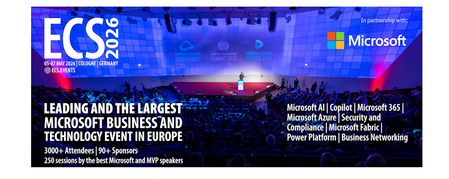
Let me be direct: there's a lot of noise in the conference calendar. Generic cloud events. Vendor showcases dressed up as technical content. Sessions that look great on paper but leave you with nothing you can actually ship on Monday. ECS 2026 isn't that. As someone who will be on stage at Cologne this May, I can tell you the European Collaboration Summit combined with the European AI & Cloud Summit and European Biz Apps Summit is one of the few events I've seen where engineers leave with real, production-applicable knowledge. Three days. Three summits. 3,000+ attendees. One of the largest Microsoft-focused events in Europe, and it keeps getting better. If you're building AI systems on Azure, designing cloud-native architectures, or trying to figure out how to take your AI experiments to production — this is where the conversation is happening. What ECS 2026 Actually Is ECS 2026 runs May 5–7 at Confex in Cologne, Germany. It brings together three co-located summits under one roof: European Collaboration Summit — Microsoft 365, Teams, Copilot, and governance European AI & Cloud Summit — Azure architecture, AI agents, cloud security, responsible AI European BizApps Summit — Power Platform, Microsoft Fabric, Dynamics For Azure engineers and AI developers, the European AI & Cloud Summit is your primary destination. But don't ignore the overlap, some of the most interesting AI conversations happen at the intersection of collaboration tooling and cloud infrastructure. The scale matters here: 3,000+ attendees, 100+ sessions, multiple deep-dive tracks, and a speaker lineup that includes Microsoft executives, Regional Directors, and MVPs who have built, broken, and rebuilt production systems. The Azure + AI Track - What's Actually On the Agenda The AI & Cloud Summit agenda is built around real technical depth. Not "intro to AI" content, actual architecture decisions, patterns that work, and lessons from things that didn't. Here's what you can expect: AI Agents and Agentic Systems This is where the energy is right now, and ECS is leaning in. Expect sessions covering how to design agent workflows, chain reasoning steps, handle memory and state, and integrate with Azure AI services. Marco Casalaina, VP of Products for Azure AI at Microsoft, is speaking if you want to understand the direction of the Azure AI platform from the people building it, this is a direct line. Azure Architecture at Scale Cloud-native patterns, microservices, containers, and the architectural decisions that determine whether your system holds up under real load. These sessions go beyond theory you'll hear from engineers who've shipped these designs at enterprise scale. Observability, DevOps, and Production AI Getting AI to production is harder than the demos suggest. Sessions here cover monitoring AI systems, integrating LLMs into CI/CD pipelines, and building the operational practices that keep AI in production reliable and governable. Cloud Security and Compliance Security isn't optional when you're putting AI in front of users or connecting it to enterprise data. Tracks cover identity, access patterns, responsible AI governance, and how to design systems that satisfy compliance requirements without becoming unmaintainable. Pre-Conference Deep Dives One underrated part of ECS: the pre-conference workshops. These are extended, hands-on sessions typically 3–6 hours that let you go deep on a single topic with an expert. Think of them as intensive short courses where you can actually work through the material, not just watch slides. If you're newer to a particular area of Azure AI, or you want to build fluency in a specific pattern before the main conference sessions, these are worth the early travel. The Speaker Quality Is Different Here The ECS speaker roster includes Microsoft executives, Microsoft MVPs, and Regional Directors, people who have real accountability for the products and patterns they're presenting. You'll hear from over 20 Microsoft speakers: Marco Casalaina — VP of Products, Azure AI at Microsoft Adam Harmetz — VP of Product at Microsoft, Enterprise Agent And dozens of MVPs and Regional Directors who are in the field every day, solving the same problems you are. These aren't keynote-only speakers — they're in the session rooms, at the hallway track, available for real conversations. The Hallway Track Is Not a Cliché I know "networking" sounds like a corporate afterthought. At ECS it genuinely isn't. When you put 3,000 practitioners, engineers, architects, DevOps leads, security specialists in one venue for three days, the conversations between sessions are often more valuable than the sessions themselves. You get candid answers to "how are you actually handling X in production?" that you won't find in documentation. The European Microsoft community is tight-knit and collaborative. ECS is where that community concentrates. Why This Matters Right Now We're in a period where AI development is moving fast but the engineering discipline around it is still maturing. Most teams are figuring out: How to move from AI prototype to production system How to instrument and observe AI behaviour reliably How to design agent systems that don't become unmaintainable How to satisfy security and compliance requirements in AI-integrated architectures ECS 2026 is one of the few places where you can get direct answers to these questions from people who've solved them — not theoretically, but in production, on Azure, in the last 12 months. If you go, you'll come back with practical patterns you can apply immediately. That's the bar I hold events to. ECS consistently clears it. Register and Explore the Agenda Register for ECS 2026: ecs.events Explore the AI & Cloud Summit agenda: cloudsummit.eu/en/agenda Dates: May 5–7, 2026 | Location: Confex, Cologne, Germany Early registration is worth it the pre-conference workshops fill up. And if you're coming, find me, I'll be the one talking too much about AI agents and Azure deployments. See you in Cologne.