java
226 TopicsEnhancing Data Security and Digital Trust in the Cloud using Azure Services.
Enhancing Data Security and Digital Trust in the Cloud by Implementing Client-Side Encryption (CSE) using Azure Apps, Azure Storage and Azure Key Vault. Think of Client-Side Encryption (CSE) as a strategy that has proven to be most effective in augmenting data security and modern precursor to traditional approaches. CSE can provide superior protection for your data, particularly if an authentication and authorization account is compromised.3.1KViews0likes0CommentsWhat's new in Azure App Service at #MSBuild 2026
At Microsoft Build 2026, Azure App Service introduced a powerful set of updates designed to help organizations accelerate their journey into AI, without increasing complexity or cost. These innovations focus on one clear business outcome: enabling teams to build, deploy, and scale AI-powered applications and agents faster, more securely, and with greater operational efficiency. A key highlight is the new Easy AI experience, which allows existing web apps to become AI-ready with no rearchitecting required. With capabilities like built-in Model Context Protocol (MCP), developers can instantly expose app functionality as agent-ready endpoints, enabling AI agents to interact with business logic securely and seamlessly. This dramatically reduces development time, allowing teams to move from idea to intelligent application in a fraction of the usual effort. Security and compliance are also strengthened with the general availability of Isolated v4 for Azure App Service Environments, delivering improved performance for customers that need single-tenant isolation and strong data residency guarantees. For enterprises operating in regulated industries, this ensures AI applications meet strict governance requirements without sacrificing scalability or speed. For modernization scenarios, Managed Instance on Azure App Service simplifies the migration of legacy applications, including those with OS-level dependencies. Faster restarts, enhanced diagnostics, and AI-assisted migration workflows help organizations modernize existing systems cost-effectively—avoiding expensive rewrites while unlocking AI capabilities. Recent updates include an AI-assisted approach to migrating legacy IIS applications using a multi-agent workflow powered by MCP. Managed Instance is supported on both Premium v4 and Isolated v4, laying the foundation for a modern compute infrastructure across the board. Operational efficiency is further enhanced through platform and CLI improvements designed for the “agent era.” From structured deployment diagnostics to optimized Python pipelines delivering faster deployments, these updates reduce friction and infrastructure overhead, lowering total cost of ownership. Together, these innovations position Azure App Service as a future-ready platform where businesses can rapidly build intelligent, agent-driven applications securely, efficiently, and at scale. 👉 Learn more in the full announcement: Deep dive into Azure App Service Build 2026 updates1.7KViews0likes0CommentsAzure Functions MCP Extension: What's New at Build 2026
The Azure Functions MCP extension has had a breakout year! Since its initial preview, the extension has grown from a single trigger type into a full-featured platform for building remote MCP servers: with tool, resource, and prompt triggers across multiple languages, MCP Apps for interactive UIs, built-in MCP authentication, and feature enhancements. Here's what's new and what it means for developers building MCP servers on Azure Functions. The full MCP primitive set: Tools, resources, and prompts When the MCP extension first shipped, it supported tool triggers. Declare a function as an MCP tool, and any MCP client can discover and call it. That was the starting point. Since then, we've shipped the remaining MCP primitives: Resource triggers: expose a function as an MCP resource. Prompt triggers: expose a function as an MCP prompt, letting clients request structured prompt templates from your server. Like tool triggers, resource and prompt triggers are supported in multiple languages including .NET, Java, Python, TypeScript, and JavaScript. MCP Apps: interactive UI from your MCP server MCP Apps let your tools return interactive user interfaces instead of plain text. Combine tool triggers with resource triggers, and your MCP server can serve rich, rendered experiences to MCP-aware clients. The Azure Functions MCP extension supports MCP Apps natively, meaning the same function app that exposes tools and resources can also serve UI components. The launch blog post on the Azure Apps Blog walked through the pattern in detail. For .NET developers, the new fluent builder API (available in the latest NuGet release) makes it easier to compose MCP Apps by chaining tool and resource definitions in a declarative style. MCP authentication The extension supports built-in MCP authentication, implementing the requirements of the MCP auth spec. All samples in the aka.ms/remote-mcp repo enable built-in MCP auth by default with Microsoft Entra ID as the identity provider. Samples have also been updated to demonstrate how to exchange tokens in the On-Behalf-Of (OBO) flow, so your MCP tools can access downstream APIs using the invoking user's identity. Auth configuration in the Azure portal: Preview at Build is a one-click experience in the Azure portal for configuring built-in MCP auth. No more manual app registration creating, configuration and wiring to the server. Just open your server app on the portal and click to enable MCP auth. Try it out! Feature enhancements Beyond the headline primitives and auth, the extension has shipped a steady stream of capabilities the past few months. The following are the notable additions. Structured content Structured content lets you return machine-readable JSON metadata alongside your tool's response via the `structuredContent` field. Clients that support it can programmatically consume the data (e.g. parse fields, render tables, drive downstream logic) rather than just displaying text. Clients that don't support it still get the regular content blocks as a fallback. Rich content types Tools aren't limited to returning plain text. The extension supports the full set of MCP content block types, e.g. `TextContent`, `ImageContent`, `AudioContent`, `ResourceLink`, and `EmbeddedResource`, so your tools can return images, audio clips, references to resources, and inline file content alongside text. Input and output schemas `WithInputSchema` and `WithOutputSchema` give you explicit control over the JSON schemas advertised for your tools. This is especially useful when the auto-generated schema from function parameters doesn't capture the full contract. For example, when your tool accepts a complex nested object or returns a specific shape that clients depend on. Input and output schemas are currently supported in .NET, with support for other languages coming soon. builder.ConfigureMcpTool("SearchDocs") .WithOutputSchema(""" { "type": "object", "properties": { "results": { "type": "array", "items": { "type": "string" } }, "query": { "type": "string" } }, "required": ["results", "query"] } """); Fluent configuration APIs in .NET A set of fluent builder APIs that let you configure MCP primitives declaratively in `Program.cs`: ConfigureMcpTool: add properties, metadata, input/output schemas, or promote a tool to an MCP App ConfigureMcpResource: attach metadata to resources ConfigureMcpPrompt: define prompt arguments and metadata builder.ConfigureMcpTool("sayhello") .WithProperty("name", McpToolPropertyType.String, "Name of the user", required: true) .WithMetadata("ui", new { resourceUri = "ui://index.html" }); What's next Usage of the MCP extension has grown steadily since its preview launch. Tool execution volume has increased 15x over the past several months as more customers move from experimentation to production. As adoption grows, so do the expectations. Developers building production MCP servers are hitting real friction around auth complexity, client configuration, and observability. We're continuing to invest in the extension to address these gaps and help customers be more successful building and hosting MCP servers on Azure Functions. Here's where we're focusing next. Continued auth simplification Auth remains the biggest barrier to getting an MCP server into production. We'll work on: Smoother client setup: making it easier to connect any MCP client to an authenticated Azure Functions MCP server, not just VS Code. Simplified OBO flow: streamlining the experience of On-Behalf-Of authentication so developers can delegate user identity to downstream services with less configuration. Our goal: the secure path should be the easy path. Deeper integration with Microsoft Foundry We'll build tighter integration between Azure Functions MCP servers and Microsoft Foundry. This includes surfacing MCP servers in Foundry Toolbox, a new feature introduced to help Foundry agents discover and consume tools from a single endpoint. Developers will be able to publish an MCP server from Functions and have it available to Foundry agents through Toolbox without manual endpoint configuration. Continued feature enhancement We prioritize based on feedback from the community raised in our GitHub repo. For example, support for streaming output and pagination are top items in our backlog today based on user demand. We also track the MCP spec's evolution closely and will continue shipping support for strategic features as they land. Examples of proposals we're following: MCP Tasks: the Tasks extension (SEP-2663) defines a standard pattern for async, long-running tool calls with durable task handles. This replaces hand-rolled polling patterns and aligns well with Functions' execute-and-return model. Stateless MCP: SEP-2575 proposes removing the mandatory initialization handshake, which is a natural fit for serverless platforms like Azure Functions where fresh instances can handle any request. Have something you'd like us to prioritize? Let us know by filing a request on GitHub. Get started Samples: Samples showcasing most up-to-date features: aka.ms/remote-mcp Documentation: Model Context Protocol for Azure Functions MCP Extension GitHub repo: Azure Functions MCP Extension802Views1like0CommentsClosing the AI-readiness gap with agentic modernization
Legacy debt is widening the AI-readiness gap Legacy systems and mounting tech debt aren't just slowing your AI agenda — they're quietly stealing its potential. Aging architectures, and complex, decades-old applications, databases, and infrastructure weren't designed for high performance, complex, dynamically scaling agentic workloads. The longer legacy lasts, the wider the gap between AI ambition and AI-readiness. This year at Microsoft Build 2026, we're taking our biggest step yet toward closing it. In a recent Forrester study, 94% of IT leaders ranked modernization as a top priority for their AI strategy, yet only 43% of their portfolios have been modernized on average, and only 32% are AI-ready.¹ Ambition for AI adoption is at a high, yet most are held back by the underlying legacy code, technical debt, and modernization backlog. Forrester’s data underscores it: on average, 35% of modernization projects stall due to legacy constraints, 65% cite security and compliance as the top challenge, 58% are held back by the complexity of monolithic applications, and 59% struggle with finding skilled talent to execute.¹ The result: AI initiatives that stall before they ever reach production. Modernization is a key step to move towards AI production; and it’s typically easier said than done. The growing problem is how to execute at the pace and scale that AI now demands. That’s why IT operators, architects, application owners, and developers are turning to agents to eliminate legacy toil, connect workstreams across teams, and scale their modernization efforts while customizing how they modernize. The first agentic end-to-end modernization solution that unifies IT and developer workflows Azure Copilot migration agent and GitHub Copilot modernization agent create the first agentic, end-to-end modernization solution that unifies IT and developer workflows— helping organizations close the AI-readiness gap by connecting discovery, assessment, planning, code transformation, governance, deployment, and observability into one continuous system. Built into the tools IT teams and developers already use, the solution combines estate-scale planning with GitHub-native execution, application-aware migration, broad workload coverage across apps, infrastructure, and data, and enterprise-grade privacy, security, and flexibility— so modernization becomes a governed, scalable, portfolio-level capability across teams, rather than a series of one-off projects. Building the estate-wide modernization plan Azure Copilot migration agent (public preview) brings AI to every step of estate modernization planning - from discovery and assessment to dependency mapping, ROI analysis, and wave planning - reducing months of manual analysis to minutes. For organizations with a clear picture of their estate, the migration agent accelerates the path from inventory to wave plan. For organizations that don’t, the migration agent helps them build that picture from scratch: what is running, what depends on what, what to move, what to modernize, what to retire, and in what order. By creating business-goal oriented estate plans, generating ROI analysis in minutes, and aligning IT and development teams through connected workflows, it helps enterprises move mission critical applications, databases, and infrastructure onto Azure faster and more confidently, with a continuous, data-driven view of what to modernizing next. Freeing teams from the legacy tax GitHub Copilot modernization agent, now generally available, empowers application owners, architects, and developers to scale modernization across their entire application portfolio. Operated from the CLI, the modernization agent acts as an orchestrator that simultaneously: Assesses readiness across multiple applications at once Plans application-specific modernization journeys and executes the identified migration tasks Surfaces deep code and dependency-level insights and recommendations Automates upgrades for Java and .NET applications Recommends Azure services aligned to organizational standards With its native design into GitHub Copilot, the modernization agent creates issues, pull requests, and shareable assessment reports for each application as it works. Architects and application owners retain visibility and governance from a single view, while developers receive clear, prioritized work they can execute from the agent or finish directly in their preferred editor. Behind the scenes, the modernization agent coordinates with GitHub Copilot's coding agent to complete tasks asynchronously across repositories, with a full monitoring and audit trail in GitHub's Agent HQ. The result is a connected planning-to-execution flow that finally makes modernization at scale possible, without sacrificing oversight or control. In just a few months, the modernization agent has already accelerated modernization up to 4x faster across hundreds of thousands of legacy .NET and Java applications at hundreds of customers. Enterprise level customization Every application is built and operated as uniquely as the business it serves. The path to modernization must be equally unique: tailored to each application's architecture, dependencies, and intent. At Build, we're excited to announce the general availability of custom skills for the modernization agent. Custom skills (GA) let developers teach the modernization agent how their organization works by encoding proprietary patterns, libraries, Azure best practices, and migration approaches once, then reusing them across every run. Each skill is authored as a skill.md file with build instructions, sample usage, reference APIs, and more, and is built on open-standard agent skills so teams aren't locked into a proprietary format. With custom skills, developers can equip the modernization agent with: Business-specific context, knowledge, intent, and migration approaches for application-aware guidance Centralized skills library to reuse and repeat tasks across the portfolio Full traceability for every skill used in generating the modernization plan The result is portfolio-scale execution with application-level specificity, in the same agentic workflow. And because skills live in a shared library, teams can reuse and repeat for faster, more consistent modernization outcomes aligned with the application's goals. Innovating while closing the AI-readiness gap GitHub Copilot is already dramatically reducing technical debt in real world environments, helping to close the AI readiness gap and, more importantly, innovate faster with AI. Organizations that adopt agentic modernization can not only close their AI-readiness gap, they can also make modernization a continuous process, allowing them to more readily integrate AI into existing business applications and services Ready to reimagine your applications? Join us at Microsoft Build this year, online or in person, to see our product teams reimagine applications live with GitHub Copilot modernization, share customer success, and empower you to modernize with confidence in days, not months. Join online or in person for Build session BRK220 on Wednesday 9AM PST Learn more about GitHub Copilot modernization: aka.ms/ghcp-modernization Dive deeper at the virtual .NET Agentic Modernization Day on June 16 th : aka.ms/dotnetday/rsvp ¹ Forrester’s Q1 2026 Cloud and AI Application Modernization Survey [E-66670]1.7KViews1like0CommentsAzure Functions MCP extension now supports MCP Prompts
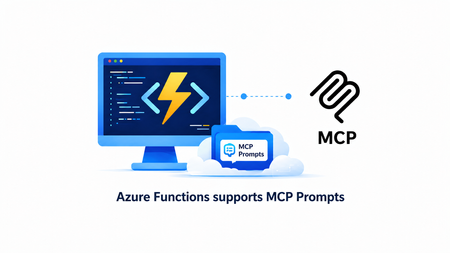
We are thrilled to announce that the MCP prompt trigger is now available in public preview in the Azure Functions MCP extension! With this release, the extension now supports all three core MCP server primitives - tools, resources, and prompts, giving you a complete platform for building rich MCP servers on Azure Functions. In case you missed it, the MCP resource trigger is generally available for serving resources and building interactive UIs in MCP Apps. What are MCP Prompts In the Model Context Protocol (MCP), prompts are reusable templates that allow server authors to provide parameterized prompts for a domain, or showcase how to best use the MCP server. Prompts are user-controlled in that they require explicit invocation rather than automatic triggering, and can be context-aware, referencing available resources and tools to create comprehensive workflows. Unlike tools (which are model-controlled) and resources (which are application-controlled), prompts are exposed from servers to clients so users can explicitly select them. Applications typically expose prompts through slash commands, command palettes, dedicated UI buttons, or context menus. How It Works In Python, defining a prompt is as simple as decorating a function. Here's a prompt that returns a code review checklist: app.mcp_prompt_trigger( arg_name="context", prompt_name="code_review_checklist", description="Returns a structured code review checklist prompt for evaluating code changes." ) def code_review_checklist(context: func.PromptInvocationContext) -> str: logging.info("Code review checklist prompt invoked.") return """You are a senior software engineer performing a code review. Use the following checklist to evaluate the code: 1. **Correctness** — Does the code do what it's supposed to? 2. **Error Handling** — Are edge cases and failures handled? 3. **Security** — Are there any vulnerabilities (injection, auth, secrets)? 4. **Performance** — Are there obvious inefficiencies? 5. **Readability** — Is the code clear and well-named? 6. **Tests** — Are there adequate tests for the changes? Provide your feedback in a structured format with a severity level (critical, warning, suggestion) for each finding.""" Prompts can accept arguments, allowing clients to customize the generated message. Here's a prompt that generates documentation with configurable parameters: app.mcp_prompt_trigger( arg_name="context", prompt_name="generate_documentation", prompt_arguments=[ func.PromptArgument("function_name", "The name of the function to document.", required=False), func.PromptArgument("style", "Documentation style: 'concise', 'detailed', or 'tutorial'.", required=False) ], description="Generates API documentation for a function. Arguments are configured in Program.cs." ) def generate_documentation(context: func.PromptInvocationContext) -> str: function_name = context.arguments.get("function_name", "(unknown)") style = context.arguments.get("style", "concise") logging.info(f"Generate docs prompt invoked for function: {function_name}") return f"""Generate API documentation for the function named **{function_name}**. Documentation style: **{style}** Include the following sections: - **Description** — What the function does. - **Parameters** — List each parameter with its type and purpose. - **Return Value** — What the function returns. - **Example Usage** — A short code example showing how to call it.""" Checkout the Get Started section for the complete sample and samples in different languages. Why Azure Functions Azure Functions is the ideal platform for hosting remote MCP servers because of its built-in MCP authentication, event-driven scaling from 0 to N, and serverless billing. This ensures your agentic tools are secure, cost-effective, and ready to handle any load. With the MCP extension, you focus on implementing the primitives you want to expose, tools, resources, and prompts, instead of worrying about MCP protocol details and server logistics. Get Started You can start building today using our quickstarts and samples: Python TypeScript .NET Java Documentation Azure Functions MCP extension overview Prompt trigger We'd Love to Hear from You! Let us know your thoughts about the new prompt trigger. What kinds of prompts are you building for your MCP servers? What would you like us to prioritize next? Share your feedback in our GitHub repo.638Views0likes0CommentsStop Experimenting, Start Building: AI Apps & Agents Dev Days Has You Covered
The AI landscape has shifted. The question is no longer “Can we build AI applications?” it’s “Can we build AI applications that actually work in production?” Demos are easy. Reliable, scalable, resilient AI systems that handle real-world complexity? That’s where most teams struggle. If you’re an AI developer, software engineer, or solution architect who’s ready to move beyond prototypes and into production-grade AI, there’s a series built specifically for you. What Is AI Apps & Agents Dev Days? AI Apps & Agents Dev Days is a monthly technical series from Microsoft Reactor, delivered in partnership with Microsoft and NVIDIA. You can explore the full series at https://developer.microsoft.com/en-us/reactor/series/s-1590/ This isn’t a slide deck marathon. The series tagline says it best: “It’s not about slides, it’s about building.” Each session tackles real-world challenges, shares patterns that actually work, and digs into what’s next in AI-driven app and agent design. You bring your curiosity, your code, and your questions. You leave with something you can ship. The sessions are led by experienced engineers and advocates from both Microsoft and NVIDIA, people like Pamela Fox, Bruno Capuano, Anthony Shaw, Gwyneth Peña-Siguenza, and solutions architects from NVIDIA’s Cloud AI team. These aren’t theorists; they’re practitioners who build and ship the tools you use every day. What You’ll Learn The series covers the full spectrum of building AI applications and agent-based systems. Here are the key themes: Building AI Applications with Azure, GitHub, and Modern Tooling Sessions walk through how to wire up AI capabilities using Azure services, GitHub workflows, and the latest SDKs. The focus is always on code-first learning, you’ll see real implementations, not abstract architecture diagrams. Designing and Orchestrating AI Agents Agent development is one of the series’ strongest threads. Sessions cover how to build agents that orchestrate long-running workflows, persist state automatically, recover from failures, and pause for human-in-the-loop input, without losing progress. For example, the session “AI Agents That Don’t Break Under Pressure” demonstrates building durable, production-ready AI agents using the Microsoft Agent Framework, running on Azure Container Apps with NVIDIA serverless GPUs. Scaling LLM Inference and Deploying to Production Moving from a working prototype to a production deployment means grappling with inference performance, GPU infrastructure, and cost management. The series covers how to leverage NVIDIA GPU infrastructure alongside Azure services to scale inference effectively, including patterns for serverless GPU compute. Real-World Architecture Patterns Expect sessions on container-based deployments, distributed agent systems, and enterprise-grade architectures. You’ll learn how to use services like Azure Container Apps to host resilient AI workloads, how Foundry IQ fits into agent architectures as a trusted knowledge source, and how to make architectural decisions that balance performance, cost, and scalability. Why This Matters for Your Day Job There’s a critical gap between what most AI tutorials teach and what production systems actually require. This series bridges that gap: Production-ready patterns, not demos. Every session focuses on code and architecture you can take directly into your projects. You’ll learn patterns for state persistence, failure recovery, and durable execution — the things that break at 2 AM. Enterprise applicability. The scenarios covered — travel planning agents, multi-step workflows, GPU-accelerated inference — map directly to enterprise use cases. Whether you’re building internal tooling or customer-facing AI features, the patterns transfer. Honest trade-off discussions. The speakers don’t shy away from the hard questions: When do you need serverless GPUs versus dedicated compute? How do you handle agent failures gracefully? What does it actually cost to run these systems at scale? Watch On-Demand, Build at Your Own Pace Every session is available on-demand. You can watch, pause, and build along at your own pace, no need to rearrange your schedule. The full playlist is available at This is particularly valuable for technical content. Pause a session while you replicate the architecture in your own environment. Rewind when you need to catch a configuration detail. Build alongside the presenters rather than just watching passively. What You’ll Walk Away Wit After working through the series, you’ll have: Practical agent development skills — how to design, orchestrate, and deploy AI agents that handle real-world complexity, including state management, failure recovery, and human-in-the-loop patterns Production architecture patterns — battle-tested approaches for deploying AI workloads on Azure Container Apps, leveraging NVIDIA GPU infrastructure, and building resilient distributed systems Infrastructure decision-making confidence — a clearer understanding of when to use serverless GPUs, how to optimise inference costs, and how to choose the right compute strategy for your workload Working code and reference implementations — the sessions are built around live coding and sample applications (like the Travel Planner agent demo), giving you starting points you can adapt immediately A framework for continuous learning — with new sessions each month, you’ll stay current as the AI platform evolves and new capabilities emerge Start Building The AI applications that will matter most aren’t the ones with the flashiest demos — they’re the ones that work reliably, scale gracefully, and solve real problems. That’s exactly what this series helps you build. Whether you’re designing your first AI agent system or hardening an existing one for production, the AI Apps & Agents Dev Days sessions give you the patterns, tools, and practical knowledge to move forward with confidence. Explore the series at https://developer.microsoft.com/en-us/reactor/series/s-1590/ and start watching the on-demand sessions at the link above. The best time to level up your AI engineering skills was yesterday. The second-best time is right now and these sessions make it easy to start.If You're Building AI on Azure, ECS 2026 is Where You Need to Be
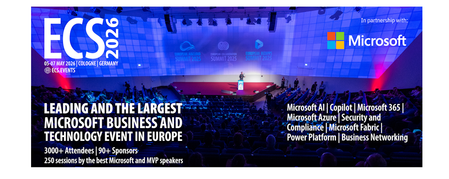
Let me be direct: there's a lot of noise in the conference calendar. Generic cloud events. Vendor showcases dressed up as technical content. Sessions that look great on paper but leave you with nothing you can actually ship on Monday. ECS 2026 isn't that. As someone who will be on stage at Cologne this May, I can tell you the European Collaboration Summit combined with the European AI & Cloud Summit and European Biz Apps Summit is one of the few events I've seen where engineers leave with real, production-applicable knowledge. Three days. Three summits. 3,000+ attendees. One of the largest Microsoft-focused events in Europe, and it keeps getting better. If you're building AI systems on Azure, designing cloud-native architectures, or trying to figure out how to take your AI experiments to production — this is where the conversation is happening. What ECS 2026 Actually Is ECS 2026 runs May 5–7 at Confex in Cologne, Germany. It brings together three co-located summits under one roof: European Collaboration Summit — Microsoft 365, Teams, Copilot, and governance European AI & Cloud Summit — Azure architecture, AI agents, cloud security, responsible AI European BizApps Summit — Power Platform, Microsoft Fabric, Dynamics For Azure engineers and AI developers, the European AI & Cloud Summit is your primary destination. But don't ignore the overlap, some of the most interesting AI conversations happen at the intersection of collaboration tooling and cloud infrastructure. The scale matters here: 3,000+ attendees, 100+ sessions, multiple deep-dive tracks, and a speaker lineup that includes Microsoft executives, Regional Directors, and MVPs who have built, broken, and rebuilt production systems. The Azure + AI Track - What's Actually On the Agenda The AI & Cloud Summit agenda is built around real technical depth. Not "intro to AI" content, actual architecture decisions, patterns that work, and lessons from things that didn't. Here's what you can expect: AI Agents and Agentic Systems This is where the energy is right now, and ECS is leaning in. Expect sessions covering how to design agent workflows, chain reasoning steps, handle memory and state, and integrate with Azure AI services. Marco Casalaina, VP of Products for Azure AI at Microsoft, is speaking if you want to understand the direction of the Azure AI platform from the people building it, this is a direct line. Azure Architecture at Scale Cloud-native patterns, microservices, containers, and the architectural decisions that determine whether your system holds up under real load. These sessions go beyond theory you'll hear from engineers who've shipped these designs at enterprise scale. Observability, DevOps, and Production AI Getting AI to production is harder than the demos suggest. Sessions here cover monitoring AI systems, integrating LLMs into CI/CD pipelines, and building the operational practices that keep AI in production reliable and governable. Cloud Security and Compliance Security isn't optional when you're putting AI in front of users or connecting it to enterprise data. Tracks cover identity, access patterns, responsible AI governance, and how to design systems that satisfy compliance requirements without becoming unmaintainable. Pre-Conference Deep Dives One underrated part of ECS: the pre-conference workshops. These are extended, hands-on sessions typically 3–6 hours that let you go deep on a single topic with an expert. Think of them as intensive short courses where you can actually work through the material, not just watch slides. If you're newer to a particular area of Azure AI, or you want to build fluency in a specific pattern before the main conference sessions, these are worth the early travel. The Speaker Quality Is Different Here The ECS speaker roster includes Microsoft executives, Microsoft MVPs, and Regional Directors, people who have real accountability for the products and patterns they're presenting. You'll hear from over 20 Microsoft speakers: Marco Casalaina — VP of Products, Azure AI at Microsoft Adam Harmetz — VP of Product at Microsoft, Enterprise Agent And dozens of MVPs and Regional Directors who are in the field every day, solving the same problems you are. These aren't keynote-only speakers — they're in the session rooms, at the hallway track, available for real conversations. The Hallway Track Is Not a Cliché I know "networking" sounds like a corporate afterthought. At ECS it genuinely isn't. When you put 3,000 practitioners, engineers, architects, DevOps leads, security specialists in one venue for three days, the conversations between sessions are often more valuable than the sessions themselves. You get candid answers to "how are you actually handling X in production?" that you won't find in documentation. The European Microsoft community is tight-knit and collaborative. ECS is where that community concentrates. Why This Matters Right Now We're in a period where AI development is moving fast but the engineering discipline around it is still maturing. Most teams are figuring out: How to move from AI prototype to production system How to instrument and observe AI behaviour reliably How to design agent systems that don't become unmaintainable How to satisfy security and compliance requirements in AI-integrated architectures ECS 2026 is one of the few places where you can get direct answers to these questions from people who've solved them — not theoretically, but in production, on Azure, in the last 12 months. If you go, you'll come back with practical patterns you can apply immediately. That's the bar I hold events to. ECS consistently clears it. Register and Explore the Agenda Register for ECS 2026: ecs.events Explore the AI & Cloud Summit agenda: cloudsummit.eu/en/agenda Dates: May 5–7, 2026 | Location: Confex, Cologne, Germany Early registration is worth it the pre-conference workshops fill up. And if you're coming, find me, I'll be the one talking too much about AI agents and Azure deployments. See you in Cologne.Azure Functions Ignite 2025 Update
Azure Functions is redefining event-driven applications and high-scale APIs in 2025, accelerating innovation for developers building the next generation of intelligent, resilient, and scalable workloads. This year, our focus has been on empowering AI and agentic scenarios: remote MCP server hosting, bulletproofing agents with Durable Functions, and first-class support for critical technologies like OpenTelemetry, .NET 10 and Aspire. With major advances in serverless Flex Consumption, enhanced performance, security, and deployment fundamentals across Elastic Premium and Flex, Azure Functions is the platform of choice for building modern, enterprise-grade solutions. Remote MCP Model Context Protocol (MCP) has taken the world by storm, offering an agent a mechanism to discover and work deeply with the capabilities and context of tools. When you want to expose MCP/tools to your enterprise or the world securely, we recommend you think deeply about building remote MCP servers that are designed to run securely at scale. Azure Functions is uniquely optimized to run your MCP servers at scale, offering serverless and highly scalable features of Flex Consumption plan, plus two flexible programming model options discussed below. All come together using the hardened Functions service plus new authentication modes for Entra and OAuth using Built-in authentication. Remote MCP Triggers and Bindings Extension GA Back in April, we shared a new extension that allows you to author MCP servers using functions with the MCP tool trigger. That MCP extension is now generally available, with support for C#(.NET), Java, JavaScript (Node.js), Python, and Typescript (Node.js). The MCP tool trigger allows you to focus on what matters most: the logic of the tool you want to expose to agents. Functions will take care of all the protocol and server logistics, with the ability to scale out to support as many sessions as you want to throw at it. [Function(nameof(GetSnippet))] public object GetSnippet( [McpToolTrigger(GetSnippetToolName, GetSnippetToolDescription)] ToolInvocationContext context, [BlobInput(BlobPath)] string snippetContent ) { return snippetContent; } New: Self-hosted MCP Server (Preview) If you’ve built servers with official MCP SDKs and want to run them as remote cloud‑scale servers without re‑writing any code, this public preview is for you. You can now self‑host your MCP server on Azure Functions—keep your existing Python, TypeScript, .NET, or Java code and get rapid 0 to N scaling, built-in server authentication and authorization, consumption-based billing, and more from the underlying Azure Functions service. This feature complements the Azure Functions MCP extension for building MCP servers using the Functions programming model (triggers & bindings). Pick the path that fits your scenario—build with the extension or standard MCP SDKs. Either way you benefit from the same scalable, secure, and serverless platform. Use the official MCP SDKs: # PleaseChooseNewDisplayName.tool() async def get_alerts(state: str) -> str: """Get weather alerts for a US state. Args: state: Two-letter US state code (e.g. CA, NY) """ url = f"{NWS_API_BASE}/alerts/active/area/{state}" data = await make_nws_request(url) if not data or "features" not in data: return "Unable to fetch alerts or no alerts found." if not data["features"]: return "No active alerts for this state." alerts = [format_alert(feature) for feature in data["features"]] return "\n---\n".join(alerts) Use Azure Functions Flex Consumption Plan's serverless compute using Custom Handlers in host.json: { "version": "2.0", "configurationProfile": "mcp-custom-handler", "customHandler": { "description": { "defaultExecutablePath": "python", "arguments": ["weather.py"] }, "http": { "DefaultAuthorizationLevel": "anonymous" }, "port": "8000" } } Learn more about MCPTrigger and self-hosted MCP servers at https://aka.ms/remote-mcp Built-in MCP server authorization (Preview) The built-in authentication and authorization feature can now be used for MCP server authorization, using a new preview option. You can quickly define identity-based access control for your MCP servers with Microsoft Entra ID or other OpenID Connect providers. Learn more at https://aka.ms/functions-mcp-server-authorization. Better together with Foundry agents Microsoft Foundry is the starting point for building intelligent agents, and Azure Functions is the natural next step for extending those agents with remote MCP tools. Running your tools on Functions gives you clean separation of concerns, reuse across multiple agents, and strong security isolation. And with built-in authorization, Functions enables enterprise-ready authentication patterns, from calling downstream services with the agent’s identity to operating on behalf of end users with their delegated permissions. Build your first remote MCP server and connect it to your Foundry agent at https://aka.ms/foundry-functions-mcp-tutorial. Agents Microsoft Agent Framework 2.0 (Public Preview Refresh) We’re excited about the preview refresh 2.0 release of Microsoft Agent Framework that builds on battle hardened work from Semantic Kernel and AutoGen. Agent Framework is an outstanding solution for building multi-agent orchestrations that are both simple and powerful. Azure Functions is a strong fit to host Agent Framework with the service’s extreme scale, serverless billing, and enterprise grade features like VNET networking and built-in auth. Durable Task Extension for Microsoft Agent Framework (Preview) The durable task extension for Microsoft Agent Framework transforms how you build production-ready, resilient and scalable AI agents by bringing the proven durable execution (survives crashes and restarts) and distributed execution (runs across multiple instances) capabilities of Azure Durable Functions directly into the Microsoft Agent Framework. Combined with Azure Functions for hosting and event-driven execution, you can now deploy stateful, resilient AI agents that automatically handle session management, failure recovery, and scaling, freeing you to focus entirely on your agent logic. Key features of the durable task extension include: Serverless Hosting: Deploy agents on Azure Functions with auto-scaling from thousands of instances to zero, while retaining full control in a serverless architecture. Automatic Session Management: Agents maintain persistent sessions with full conversation context that survives process crashes, restarts, and distributed execution across instances Deterministic Multi-Agent Orchestrations: Coordinate specialized durable agents with predictable, repeatable, code-driven execution patterns Human-in-the-Loop with Serverless Cost Savings: Pause for human input without consuming compute resources or incurring costs Built-in Observability with Durable Task Scheduler: Deep visibility into agent operations and orchestrations through the Durable Task Scheduler UI dashboard Create a durable agent: endpoint = os.getenv("AZURE_OPENAI_ENDPOINT") deployment_name = os.getenv("AZURE_OPENAI_DEPLOYMENT_NAME", "gpt-4o-mini") # Create an AI agent following the standard Microsoft Agent Framework pattern agent = AzureOpenAIChatClient( endpoint=endpoint, deployment_name=deployment_name, credential=AzureCliCredential() ).create_agent( instructions="""You are a professional content writer who creates engaging, well-structured documents for any given topic. When given a topic, you will: 1. Research the topic using the web search tool 2. Generate an outline for the document 3. Write a compelling document with proper formatting 4. Include relevant examples and citations""", name="DocumentPublisher", tools=[ AIFunctionFactory.Create(search_web), AIFunctionFactory.Create(generate_outline) ] ) # Configure the function app to host the agent with durable session management app = AgentFunctionApp(agents=[agent]) app.run() Durable Task Scheduler dashboard for agent and agent workflow observability and debugging For more information on the durable task extension for Agent Framework, see the announcement: https://aka.ms/durable-extension-for-af-blog. Flex Consumption Updates As you know, Flex Consumption means serverless without compromise. It combines elastic scale and pay‑for‑what‑you‑use pricing with the controls you expect: per‑instance concurrency, longer executions, VNet/private networking, and Always Ready instances to minimize cold starts. Since launching GA at Ignite 2024 last year, Flex Consumption has had tremendous growth with over 1.5 billion function executions per day and nearly 40 thousand apps. Here’s what’s new for Ignite 2025: 512 MB instance size (GA). Right‑size lighter workloads, scale farther within default quota. Availability Zones (GA). Distribute instances across zones. Rolling updates (Public Preview). Unlock zero-downtime deployments of code or config by setting a single configuration. See below for more information. Even more improvements including: new diagnostic settingsto route logs/metrics, use Key Vault App Config references, new regions, and Custom Handler support. To get started, review Flex Consumption samples, or dive into the documentation to see how Flex can support your workloads. Migrating to Azure Functions Flex Consumption Migrating to Flex Consumption is simple with our step-by-step guides and agentic tools. Move your Azure Functions apps or AWS Lambda workloads, update your code and configuration, and take advantage of new automation tools. With Linux Consumption retiring, now is the time to switch. For more information, see: Migrate Consumption plan apps to the Flex Consumption plan Migrate AWS Lambda workloads to Azure Functions Durable Functions Durable Functions introduces powerful new features to help you build resilient, production-ready workflows: Distributed Tracing: lets you track requests across components and systems, giving you deep visibility into orchestration and activities with support for App Insights and OpenTelemetry. Extended Sessions support in .NET isolated: improves performance by caching orchestrations in memory, ideal for fast sequential activities and large fan-out/fan-in patterns. Orchestration versioning (public preview): enables zero-downtime deployments and backward compatibility, so you can safely roll out changes without disrupting in-flight workflows Durable Task Scheduler Updates Durable Task Scheduler Dedicated SKU (GA): Now generally available, the Dedicated SKU offers advanced orchestration for complex workflows and intelligent apps. It provides predictable pricing for steady workloads, automatic checkpointing, state protection, and advanced monitoring for resilient, reliable execution. Durable Task Scheduler Consumption SKU (Public Preview): The new Consumption SKU brings serverless, pay-as-you-go orchestration to dynamic and variable workloads. It delivers the same orchestration capabilities with flexible billing, making it easy to scale intelligent applications as needed. For more information see: https://aka.ms/dts-ga-blog OpenTelemetry support in GA Azure Functions OpenTelemetry is now generally available, bringing unified, production-ready observability to serverless applications. Developers can now export logs, traces, and metrics using open standards—enabling consistent monitoring and troubleshooting across every workload. Key capabilities include: Unified observability: Standardize logs, traces, and metrics across all your serverless workloads for consistent monitoring and troubleshooting. Vendor-neutral telemetry: Integrate seamlessly with Azure Monitor or any OpenTelemetry-compliant backend, ensuring flexibility and choice. Broad language support: Works with .NET (isolated), Java, JavaScript, Python, PowerShell, and TypeScript. Start using OpenTelemetry in Azure Functions today to unlock standards-based observability for your apps. For step-by-step guidance on enabling OpenTelemetry and configuring exporters for your preferred backend, see the documentation. Deployment with Rolling Updates (Preview) Achieving zero-downtime deployments has never been easier. The Flex Consumption plan now offers rolling updates as a site update strategy. Set a single property, and all future code deployments and configuration changes will be released with zero-downtime. Instead of restarting all instances at once, the platform now drains existing instances in batches while scaling out the latest version to match real-time demand. This ensures uninterrupted in-flight executions and resilient throughput across your HTTP, non-HTTP, and Durable workloads – even during intensive scale-out scenarios. Rolling updates are now in public preview. Learn more at https://aka.ms/functions/rolling-updates. Secure Identity and Networking Everywhere By Design Security and trust are paramount. Azure Functions incorporates proven best practices by design, with full support for managed identity—eliminating secrets and simplifying secure authentication and authorization. Flex Consumption and other plans offer enterprise-grade networking features like VNETs, private endpoints, and NAT gateways for deep protection. The Azure Portal streamlines secure function creation, and updated scenarios and samples showcase these identity and networking capabilities in action. Built-in authentication (discussed above) enables inbound client traffic to use identity as well. Check out our updated Functions Scenarios page with quickstarts or our secure samples gallery to see these identity and networking best practices in action. .NET 10 Azure Functions now supports .NET 10, bringing in a great suite of new features and performance benefits for your code. .NET 10 is supported on the isolated worker model, and it’s available for all plan types except Linux Consumption. As a reminder, support ends for the legacy in-process model on November 10, 2026, and the in-process model is not being updated with .NET 10. To stay supported and take advantage of the latest features, migrate to the isolated worker model. Aspire Aspire is an opinionated stack that simplifies development of distributed applications in the cloud. The Azure Functions integration for Aspire enables you to develop, debug, and orchestrate an Azure Functions .NET project as part of an Aspire solution. Aspire publish directly deploys to your functions to Azure Functions on Azure Container Apps. Aspire 13 includes an updated preview version of the Functions integration that acts as a release candidate with go-live support. The package will be moved to GA quality with Aspire 13.1. Java 25, Node.js 24 Azure Functions now supports Java 25 and Node.js 24 in preview. You can now develop functions using these versions locally and deploy them to Azure Functions plans. Learn how to upgrade your apps to these versions here In Summary Ready to build what’s next? Update your Azure Functions Core Tools today and explore the latest samples and quickstarts to unlock new capabilities for your scenarios. The guided quickstarts run and deploy in under 5 minutes, and incorporate best practices—from architecture to security to deployment. We’ve made it easier than ever to scaffold, deploy, and scale real-world solutions with confidence. The future of intelligent, scalable, and secure applications starts now—jump in and see what you can create!4.1KViews1like2CommentsGive your Foundry Agent Custom Tools with MCP Servers on Azure Functions
This blog post is for developers who have an MCP server deployed to Azure Functions and want to connect it to Microsoft Foundry agents. It walks through why you'd want to do this, the different authentication options available, and how to get your agent calling your MCP tools. Connect your MCP server on Azure Functions to Foundry Agent If you've been following along with this blog series, you know that Azure Functions is a great place to host remote MCP servers. You get scalable infrastructure, built-in auth, and serverless billing. All the good stuff. But hosting an MCP server is only half the picture. The real value comes when something actually uses those tools. Microsoft Foundry lets you build AI agents that can reason, plan, and take actions. By connecting your MCP server to an agent, you're giving it access to your custom tools, whether that's querying a database, calling an API, or running some business logic. The agent discovers your tools, decides when to call them, and uses the results to respond to the user. Why connect MCP servers to Foundry agents? You might already have an MCP server that works great with VS Code, VS, Cursor, or other MCP clients. Connecting that same server to a Foundry agent means you can reuse those tools in a completely different context, i.e. in an enterprise AI agent that your team or customers interact with. No need to rebuild anything. Your MCP server stays the same; you're just adding another consumer. Prerequisites Before proceeding, make sure you have the following: 1. An MCP server deployed to Azure Functions. If you don't have one yet, you can deploy one quickly by following one of the samples: Python TypeScript .NET 2. A Foundry project with a deployed model and a Foundry agent Authentication options Depending on where you are in development, you can pick what makes sense and upgrade later. Here's a summary: Method Description When to use Key-based (default) Agent authenticates by passing a shared function access key in the request header. This method is the default authentication for HTTP endpoints in Functions. Development, or when Entra auth isn't required. Microsoft Entra Agent authenticates using either its own identity (agent identity) or the shared identity of the Foundry project (project managed identity). Use agent identity for production scenarios, but limit shared identity to development. OAuth identity passthrough Agent prompts users to sign in and authorize access, using the provided token to authenticate. Production, when each user must authenticate individually. Unauthenticated Agent makes unauthenticated calls. Development only, or tools that access only public information. Connect your MCP server to your Foundry agent If your server uses key-based auth or is unauthenticated, it should be relatively straightforward to set up the connection from a Foundry agent. The Microsoft Entra and OAuth identity passthrough are options that require extra steps to set up. Check out detailed step-by-step instructions for each authentication method. At a high level, the process looks like this: Enable built-in MCP authentication : When you deploy a server to Azure Functions, key-based auth is the default. You'll need to disable that and enable built-in MCP auth instead. If you deployed one of the sample servers in the Prerequisite section, this step is already done for you. Get your MCP server endpoint URL: For MCP extension-based servers, it's https://<FUNCTION_APP_NAME>.azurewebsites.net/runtime/webhooks/mcp Get your credentials based on your chosen auth method: a managed identity configuration, OAuth credentials Add the MCP server as a tool in the Foundry portal by navigating to your agent, adding a new MCP tool, and providing the endpoint and credentials. Microsoft Entra connection required fields OAuth Identity required fields Once the server is configured as a tool, test it in the Agent Builder playground by sending a prompt that triggers one of your MCP tools. Closing thoughts What I find exciting about this is the composability. You build your MCP server once and it works everywhere: VS Code, VS, Cursor, ChatGPT, and now Foundry agents. The MCP protocol is becoming the universal interface for tool use in AI, and Azure Functions makes it easy to host these servers at scale and with security. Are you building agents with Foundry? Have you connected your MCP servers to other clients? I'd love to hear what tools you're exposing and how you're using them. Share with us your thoughts! What's next In the next blog post, we'll go deeper into other MCP topics and cover new MCP features and developments in Azure Functions. Stay tuned!596Views0likes0Comments