it admin
8 TopicsEnd of Year Guide for Educators and IT Admins
It's that time of the year for northern hemisphere schools! Time to plan your end of year activities, close out the current school year and ensure you are set-up for success in the new school year or for summer school. Checkout our new End of Year Guide for some quick tips on getting back into the swing of things!11KViews5likes6CommentsSimplified controls for managing external collaboration in Teams admin center
We know that collaboration with customers, vendors, and partners outside of your small or medium business is critical to your success. We also know that many SMBs have limited IT admin resources, and setup can be a challenge. To make external collaboration setup in Microsoft Teams easier for your SMB, we have introduced a new overview page in Teams admin center that consolidates settings into a single view and have simplified how we describe the settings you can apply. From the new settings, you can select from pre-configured modes that quickly set smart defaults that are right for your business. If your business is open to external collab across chats, calls, meetings, and teams and channels, you can select Open mode to quickly get setup If your business is more conservative, you can select Controlled to align to pre-existing external collab defaults If you want full control of what is enabled and disabled for your business, you can always select Custom as well We're looking forward to hearing your feedback about the new settings experience. Learn more about how you can use these settings, Unified external collab settings managementNew School Data Sync Experience is Now Generally Available
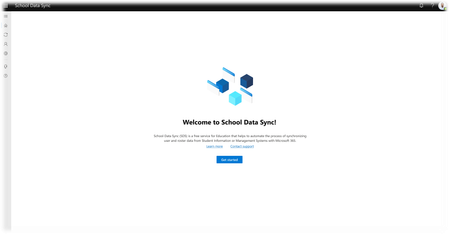
We are excited to announce the new School Data Sync (SDS) experience is now generally available. School Data Sync (SDS) is a free service for Education that helps to automate the process of synchronizing user and roster data from Student Information or Management Systems (SIS/SMS) with Microsoft 365. SDS has various enhancements and improvements over SDS (Classic).26KViews2likes9Comments3 webinars for IT admins - Enable Copilot Chat for education, plus locking the Study & Learn agent
Microsoft Education is offering three live webinar opportunities for IT administrators who want to confidently deploy and manage Microsoft Copilot Chat in the education environment. Each session covers the same practical guidance, so you can select the date that best fits your schedule. What you’ll learn We’ll walk through Copilot Chat configuration from the tenant level to the end-user experience, including options for students ages 13+, CSV, SDS, and PowerShell uploads, agents and extensibility, and current licensing and security controls. You’ll leave with actionable guidance to help deploy, manage, and optimize Copilot Chat safely across your organization. We’ll also share the new feature allowing IT Admins to lock Copilot Chat to ONLY use the Study & Learn agent. This has been the #1 request from K12 schools globally, and this feature is now fully rolled out. We'll also take a brief look at some Microsoft Education experiences including Teach in Copilot, the Study and Learn agent, Copilot Workspaces, and Learning Activities. Choose a session and register December 9th, Wed @ 8am Pacific time - Register for the December 9th session January 13th, Wed @ 8am Pacific time - Register for the January 9th session February 3rd, Wed @ 8am Pacific time - Register for the February 3rd session Reserve your spot today. Pick the session that works best for you and join us to build a secure, manageable path to Copilot Chat adoption in your education environment. Mike Tholfsen Group Product Manager Microsoft Education405Views1like0Comments