integration
407 TopicsJPD to Azure DevOps: syncing approved ideas to Epics and getting delivery status back
If your product team prioritizes ideas in Jira Product Discovery (JPD) and your engineers deliver in Azure DevOps, you're probably recreating approved ideas as Epics by hand. After that, the Epic moves through delivery and never gets reflected in JPD. I often see this split. Development works in Azure DevOps; other departments move to Jira, and manual tracking becomes a fallback whenever work spans both. Here's what I've learned about connecting the two, including the parts that don't sync cleanly. What happens without a sync Your product team creates an epic in Azure DevOps and copies over the title, the description, and maybe the acceptance criteria. Then engineering takes over. State changes, comments, and linked pull requests stay in Azure DevOps, so product has to open the board to find out whether something shipped. This defeats the point of keeping the roadmap in JPD. Why JPD is harder to integrate than regular Jira You'd expect the Jira Cloud REST API to cover it, since JPD runs inside Jira. It covers part of it. JPD projects are team-managed, so their fields don't share with company-managed projects the way regular Jira fields do. The Jira Cloud API reads and updates JPD ideas as issues, but there's no dedicated public API for JPD-specific artifacts. Insights, views, and the newer roadmap fields sit outside what the standard API gives you. Formula fields don't come through the API at all. The Atlassian-maintained Azure DevOps for Jira app doesn't solve this either. It links development activity to Jira issues, and it doesn't create or sync work items between the two tools. What syncs and what needs work Standard fields sync without trouble: summary, description, status, priority, assignee, reporter, comments, attachments, and labels. Custom fields such as impact and effort scores, RICE values, product areas, and goals sync cleanly, since they're regular custom fields. Insights, views, and roadmap fields need custom scripting, and some aren't fully supported. Formula fields won't sync, because the API never returns them. The connection is easy to establish. Field mapping is where most of the work goes, and 2 problems come up again and again. The first is user mapping. Jira identifies people by account ID, and Azure DevOps uses Entra ID identities, so assignee and reporter need an explicit lookup between the two. Add a fallback for users who only exist on one side. Syncs can break because the default assignee left the company and their account was deactivated. The second is empty fields. A sync that assumes a value is always there fails when a field is left blank in JPD, so handle nulls before you go live. Use case 1: Push approved ideas to Azure DevOps as Epics Idea to Epic handoff Current Setup: Product prioritizes in JPD. Engineering works from an Azure DevOps board. Problem: Approved ideas get recreated as Epics manually, and the scoring context gets lost along the way. Solution: A query-based trigger on the JPD side picks up ideas once they hit an approved status and creates the Epic in the right Azure DevOps project, with score fields carried over. Most teams I talk to don't want every idea pushed across. They want to decide when something crosses over, so the trigger condition matters more than people expect. One idea usually maps to one Epic. JPD doesn't carry a Feature or User Story hierarchy, so any split into Features and stories happens in Azure DevOps after the sync. Use a JQL trigger such as project = ROADMAP AND status = Approved so only ready ideas cross over. A manual "sync this" action may not exist on the JPD idea view, and a query-based trigger also removes the risk of someone syncing the wrong idea by accident. Use the JPD product area field to set the area path on the Epic, so it lands on the right team's board without anyone triaging it. Use case 2: Get delivery status back into JPD Epic state to idea status Current Setup: The idea lives in JPD, and the Epic lives in Azure DevOps. Problem: Product only knows delivery status by asking engineering or opening the board. Solution: Map the Epic's state back to the idea's status, so the roadmap in JPD shows what's shipping. Example mapping for the Agile process template: New → Ready for delivery Active → Implementing Resolved → Waiting for release Closed → Released If your organization uses Scrum, CMMI, or an inherited custom process, your Epic states will differ, so build the mapping from your own process. Decide field by field which side wins when both teams edit the same thing. Status usually flows from Azure DevOps to JPD only, and priority often flows the other way. Going further with pull requests and release gates Some teams want more than a done or not-done flag. One setup I've seen ties Jira story status to Azure DevOps pull request events. A story moves to Code Review when a PR goes up, Ready for QA once the PR is approved, and back to In Progress if QA rejects it. The same logic works at the release level. Azure DevOps moves the linked Jira release through UAT Approved, Security Approved, and CAB Approved as each gate clears, then adds a link to the deployment pipeline once the release goes out. This applies to Jira Software stories and releases, not JPD ideas directly. None of it works out of the box. You write it into the sync rules on both sides, with service hooks on the Azure DevOps side firing the events. The admin rights problem Product and engineering rarely hold admin rights on each other's tools, and I've seen this stall projects completely. At one bank, the Jira admin wasn't an admin in Azure DevOps, and corporate policy blocked direct access between the two systems. Pick a setup where each side authenticates and controls its own configuration. On the Azure DevOps side, that means a scoped PAT or an Entra ID service principal owned by your Azure DevOps admin. Nobody needs admin rights on the other team's system to keep the sync running. Plan for a separate security review too. In most organizations, the person who owns the integration isn't the person who signs off on it, and InfoSec will ask where data is stored, how long it's kept, and how it's encrypted. Have those answers ready before the technical evaluation ends, so the project doesn't stall at the last step. What to check before you pick an approach You have 3 realistic options: Jira Automation plus Azure DevOps service hooks. This is free and works for simple one-way flows. It gets harder once you need two-way updates, attachments, or anything beyond creating the Epic once. Custom middleware on Azure Functions or Logic Apps. You get full control, and you also own every API change on both sides from then on. A third-party integration platform. This is faster to set up, with a subscription cost and less control over the internals. Whichever you choose, check it against these: Bidirectional sync, with direction set per field Support for JPD custom fields, plus a plan for insights and roadmap fields Query-based triggers on the JPD side State mapping that handles your Azure DevOps process template User mapping between Jira account IDs and Entra ID identities, with a fallback Separate admin control on each side, with PAT or Entra ID authentication Scripting for conditional logic such as PR events and release gates Clear error reporting that tells you which item failed and why, plus automatic retries Audit logging, role-based access, and the certifications your security team asks about (ISO 27001 is the usual one) Error reporting is often skipped during evaluation. When a sync fails at scale, you need to see the failing work item and the component that broke without exporting logs to a spreadsheet. If you run Azure DevOps Server on-premises, add one more check: how the tool reaches your server from the Jira Cloud side. That decides whether you need to open inbound access or run part of the integration inside your network. FAQs Can you sync Jira Product Discovery with Azure DevOps? Yes. JPD ideas behave as Jira issues through the Jira Cloud API, so an integration can create Azure DevOps Epics from approved ideas and send state changes back. Standard and custom fields work. Insights, views, roadmap fields, and formula fields need extra work or won't sync. Does Jira Product Discovery have its own API? The regular Jira Cloud REST API reads and updates JPD ideas as issues. There's no dedicated public API for JPD-specific artifacts such as insights or formula fields. Will RICE scores sync to Azure DevOps? RICE, impact, and effort scores sync because they're standard custom fields. You'll need matching custom fields on the Epic work item type in your Azure DevOps process to receive them. Can Jira Automation handle this on its own? It can create an Epic in Azure DevOps through a web request when an idea is approved. Keeping both sides updated after that, including comments, attachments, and state, is where automation rules usually run out. Do I need admin access to both Jira and Azure DevOps? Not if each side authenticates separately. Your Azure DevOps admin sets up a PAT or service principal on their side, your Jira admin handles theirs, and neither needs rights on the other system. Before you build Pull up the JPD fields your product team uses every week and check each one against your sync rules. Then run a test sync on a few ideas and compare the values on both sides before you go live.59Views0likes0CommentsIntegrating ServiceNow with Azure DevOps: Use Cases That Actually Show Up in Practice
I have been working in the integration space for quite some time. Though I work as a Content Manager, I am always curious to see how users handle integrations between multiple systems. Usually, the service desk runs on ServiceNow, and the build happens in Azure DevOps. But these tools aren't inherently connected, and someone has to manually relay information between them. So, the records never show consistent data. You need a way for the data to pass automatically between them. Even within this setup, a lot of scenarios come forth: from a single ServiceNow instance connecting to a single Azure DevOps org, up to companies running six or seven orgs off a shared service layer. Here's the full range of use cases I keep seeing, organized by what they're actually solving. Native Tools vs. a Dedicated Integration Layer Before the use cases, it's worth being clear on when you need more than what's built in. ServiceNow's IntegrationHub can push data through flows, and there's a spoke for looking up and creating basic Azure DevOps work items. Azure DevOps also has a native extension for pipeline-to-change-management syncing. These native options work fine when the integration is simple: one team, clean field mappings, developers on hand to maintain it. They start to struggle once you're crossing org boundaries, crossing company lines, or dealing with fields and states that don't line up between the two systems. At that point, a dedicated integration layer that handles the mapping and keeps each side's access separate is usually the better fit. Core Sync Use Cases 1. Sync ServiceNow Requests to Azure DevOps User Stories Current setup: Support or service teams work in ServiceNow. When a request needs development, someone has to get it onto an Azure DevOps board as a User Story. Problem: A person creates the work item by hand, copies the request details, and checks back later for updates. When the work item closes, the ServiceNow request often doesn't reflect that, so the requester never hears back. The two records aren't linked. Solution: A trigger, filtered by assignment group, category, or a manual send action, creates the User Story automatically. The link between the two records gets stored on both sides. Updates to the work item flow back to the request, and closing one side closes the other. 2. Sync Comments and State Back to ServiceNow Current setup: ServiceNow holds the ticket the requester sees. Azure DevOps holds the actual dev work. Problem: When the work item moves in Azure DevOps, the ServiceNow ticket's state doesn't follow. Comments the dev team adds stay in Azure DevOps, so the service team keeps pinging developers for status. Solution: As the work item's state changes, it updates the linked ServiceNow ticket. Comments from the dev side sync back too. The service team sees progress without opening Azure DevOps or chasing anyone. 3. Sync ServiceNow Catalog Items to Azure DevOps Current setup: Users order catalog items in ServiceNow. Fulfilling some of them takes real development work tracked in Azure DevOps. Problem: The catalog task sits in ServiceNow while the work happens somewhere the requester can't see. Someone bridges the two manually, and the catalog item's status stops meaning anything. Solution: The catalog item creates a matching work item in Azure DevOps with the request details attached. As the dev team works, status and comments sync back, so the catalog task shows real progress and closes when the work item does. 4. Cut Duplication Between Incidents and User Stories Current setup: Incidents land in ServiceNow. Some get tracked as User Stories in Azure DevOps so the dev team can work them alongside the rest of the backlog. Problem: The same information gets documented twice, updated twice, and the two records drift apart over time. Solution: Incidents create linked User Stories automatically, with comments and status syncing both ways. Update one side and the other reflects it, so nobody's working the same incident twice without realizing it. 5. Sync Bugs with Attachments Across Multiple Orgs Current setup: Bugs get raised in ServiceNow, often by a separate first-line support team, while product teams work across several distinct Azure DevOps orgs. Problem: Recreating bugs by hand loses attachments and context, and there's no clean way to route each bug to the right org out of several. When a bug's fixed, ServiceNow doesn't hear about it. Solution: A bug creates a matching Bug work item in the correct Azure DevOps org, attachments included. Status and comments flow back to ServiceNow when it's resolved. Each connection runs independently, so the first-line team stays in ServiceNow without needing access to the other side. 6. Project-to-Hypercare Handover Current setup: During a build, everyone works in Azure DevOps. Once it goes live and moves into maintenance, incidents and requests need to land in ServiceNow, sometimes a brand-new instance. Problem: Teams used to living in Azure DevOps now need a maintenance process in ServiceNow, with no link back to the developers who built the thing. Solution: Incidents raised during hypercare reach the dev team in Azure DevOps, and fixes flow back to ServiceNow. Because the connection is independent of either team's existing workflow, you can add it without disrupting how people already work. 7. Bidirectional Field and Lifecycle Sync Current setup: A demand owner in ServiceNow needs to track a Feature as it moves through scoping, active work, testing, and deployment in Azure DevOps. Problem: If effort, status, and assignment only live in Azure DevOps, the ServiceNow record goes stale. Fields on each side use different names and values, so a raw pass-through just creates mismatches. Solution: Key fields sync in both directions with explicit mappings. From Azure DevOps: iteration path, change reference, estimated effort, assignment, and lifecycle status. From ServiceNow: design documents, portfolio area, demand type, and requirement details. As the Feature moves through its stages, the ServiceNow record updates in real time. 8. Multiple Azure DevOps Orgs to a Central ServiceNow Instance Current setup: Each business unit runs its own Azure DevOps org, often from an acquisition or separate supplier setup. A central ServiceNow layer needs visibility across all of them without forcing a shared workflow. Problem: Without a sync, someone manually pulls data between systems and chases updates. It doesn't scale as orgs get added. Solution: Each org gets its own connection, configured independently, feeding the central ServiceNow instance. Every org keeps its own states and fields while leadership gets a single view across all of them. 9. Selective Field Sharing Between Separately Hosted Environments Current setup: One side runs cloud-hosted, the other on-prem or in a regulated environment, and neither can open full network-level access to the other. Problem: A basic integration either oversprays fields it shouldn't, or requires a network connection security won't approve. Each side wants control over exactly what leaves its environment. Solution: Outgoing and incoming rules configured independently on each side let each admin decide what leaves and what gets accepted. The two environments sync over a secured channel without either side getting direct access to the other's system. 10. Handling Closed and Read-Only Tickets Cleanly Current setup: ServiceNow access controls block updates to closed incidents. Your sync runs across tickets through their full lifecycle, including closure. Problem: A basic sync throws errors every time it tries to write to something already closed. Solution: Filter closed tickets out of the sync entirely so they never trigger a write, or let the errors surface where your team can see and review them. Which approach you pick is a team decision, not a technical constraint. 11. MSP Routing by Assignment Group Current setup: An MSP runs ServiceNow as its operational layer. Clients work in their own delivery tools, some in Azure DevOps, some elsewhere. Manual handoffs work for a couple of clients and fall apart past a handful. Problem: An engineer resolves an incident and forgets to update the client's system. A comment added on one side never reaches the other. Status shows "in progress" on one side long after it's resolved on the other. As client count grows, the gap between what your team knows and what clients see widens. Solution: An automated rule sends each incident to the right client system based on the ServiceNow assignment group. Set a filter (for example, database issues route to one client's system, network issues to another), and connections run independently with no crossover between clients. The original incident reference gets written into the client ticket, and status values map across cleanly. A couple of related patterns worth knowing: Internal notes can be filtered separately from customer-facing updates, so only what the client should see crosses over. A new client typically reuses your existing ServiceNow authentication, so onboarding is closer to registering their system and setting a routing rule than rebuilding the integration from scratch. 12. Conditional Escalation from Multiple ServiceNow Instances Current setup: Several ServiceNow instances feed a single Azure DevOps org. Only tickets that genuinely need developer attention should reach the board. Problem: Escalating everything floods the board with tickets the dev team shouldn't be handling. Solution: A conditional trigger escalates only tickets meeting a specific condition, so agents push what actually qualifies and everything else stays put. Multiple instances can each feed the same Azure DevOps org under their own trigger logic. 13. Demand Management to Feature Delivery Current setup: A demand process runs in ServiceNow end to end: submission, review, approval, and an approved Requirement. The build happens in Azure DevOps as a Feature, through scoping, active work, testing, deployment, and closure. Problem: Once a Requirement's approved, there's no automatic handoff. Someone recreates the Feature by hand and keeps both sides updated manually. The demand owner can't see effort, status, or assignment as work progresses, so the Requirement goes stale. When the Feature closes in Azure DevOps, the Requirement stays open until someone remembers to close it. Solution: A bidirectional sync connects the full flow. Feature creation: A Requirement creates a Feature automatically, carrying demand context (design sign-off, demand reference, portfolio area, stakeholders, description) so developers get what they need without opening ServiceNow. Field sync: Updates flow both ways, each field mapped to a specific direction. Azure DevOps to ServiceNow: iteration path, change reference, effort, priority, assignment, lifecycle state. ServiceNow to Azure DevOps: the demand and design fields above. Lifecycle feedback: As the Feature moves through its stages, effort, status, and assignment feed back into the Requirement in real time. Closure: When the Feature closes, the linked Requirement closes with it, and the demand gets marked fulfilled. ServiceNow stays the system of record for demand, Azure DevOps for execution, and each side keeps authority over what it owns. What Actually Makes These Work A few capabilities show up across almost every use case above: Attachment sync. Bugs and incidents depend on screenshots and logs. If attachments don't carry over, developers end up back on email. Custom field mappings. Out-of-the-box mappings only go so far. Real setups need custom fields like portfolio area or demand type mapped explicitly, with values transformed, not just copied. State mappings. ServiceNow states and Azure DevOps states don't share vocabulary. Map them explicitly, and decide upfront which side is authoritative when a state changes after creation. Selective sync. Filter by assignment group, area path, work item type, or a custom field. Fewer records crossing means less to govern and less risk of leaking internal data across a boundary. Security and access. For most Azure DevOps admins, this comes down to what gets checked in a security review anyway: Entra ID or OAuth over shared credentials, role-based access, audit logging, and real isolation between connections when multiple clients or companies are involved. For a single team with clean, one-direction mappings, a native option usually covers it. Once you're crossing orgs, crossing companies, or running a full demand-to-delivery flow with real field transformations, that's when a dedicated integration layer kind of becomes necessary. Let's discuss whether any of these match what you're dealing with, or if you've hit an edge case that isn't on this list.305Views1like2Comments
Cloudflare Log ingestion in Sentinel with CCF
Hi all, I built a connector to ingest cloudflare firewall logs using CCF. The reason why I had to build this custom one while the official one was available was because official one uses Logpush which is a service that is available only on Enterprise plan, so if you are on pro or business plan you can not use it. Putting it out here in case anyone wants to try. https://amankhan.net/posts/Cloudflare-CCF-Connector/295Views0likes1CommentLogic Apps Aviators Newsletter - October 2026
In this issue: Ace Aviator of the Month News from our product group News from our community Ace Aviator of the Month October 2026's Ace Aviator: Hicham Boutaleb & Azure Solution Architect @ 5-Nines Consulting What's your role and title? What are your responsibilities? I work as an Enterprise Integration Architect, helping organizations design, implement, and modernize integration platforms using Microsoft technologies. My responsibilities include defining architecture, leading technical delivery, supporting development teams, ensuring best practices around security and governance, and helping customers get the most value from Azure services such as Logic Apps, API Management, Service Bus, and Azure Functions. Can you give us some insights into your day-to-day activities and what a typical day in your role looks like? No two days are exactly the same, which is one of the things I enjoy most about my role. A typical day usually involves a mix of: - Designing integration and automation solutions. - Reviewing architectures and code with project teams. - Supporting customers in solving complex technical challenges. - Running workshops and knowledge-sharing sessions. - Evaluating new Azure capabilities and how they can benefit ongoing projects. - Collaborating with business stakeholders to translate requirements into scalable technical solutions. I also dedicate time to continuous learning because the cloud ecosystem evolves incredibly fast, and staying up to date is essential. What motivates and inspires you to be an active member of the Aviators/Microsoft community? The community is one of the best accelerators of professional growth. What motivates me most is the opportunity to learn from others while also giving back through sharing experiences, lessons learned, and practical solutions. I believe that technology is not just about tools—it's about people. The Microsoft community creates an environment where professionals can collaborate, innovate, and help each other succeed. Seeing someone solve a problem using knowledge I've shared is incredibly rewarding. Looking back, what advice do you wish you had been given earlier that you'd now share with those looking to get into STEM/technology? I would tell my younger self: Don't focus only on technology, focus on problem-solving and communication. Technical skills are important, but the ability to understand business challenges, communicate clearly, and work effectively with others often has an even greater impact on your career. I would also encourage people to: - Stay curious and never stop learning. - Build real projects rather than only collecting certifications. - Don't be afraid of failure—every mistake is an opportunity to learn. - Invest in your professional network early. The technology will change throughout your career, but adaptability and curiosity will always remain valuable. What has helped you grow professionally? Several factors have contributed to my growth: - Working on diverse and challenging projects. - Learning from experienced mentors and colleagues. - Being willing to step outside my comfort zone. - Participating in technical communities and events. - Maintaining a mindset of continuous improvement. Some of my biggest learning moments came from difficult projects where I had to solve problems I had never encountered before. Those experiences often teach more than success alone. If you had a magic wand that could create a feature in Logic Apps, what would it be and why? If I had a magic wand, I'd add an AI-powered end-to-end message tracking feature in Logic Apps that automatically follows a message across all workflows and Azure services it traverses. It would provide a single, intelligent view of the entire journey, making troubleshooting and root-cause analysis much faster and easier. News from our product group Your Certificate Renewed. Your Gateway Didn't Notice. Learn how certificate renewal can create outages when Azure Application Gateway does not detect an updated certificate in Azure Key Vault. The article explains certificate refresh behavior and practical steps for ensuring renewed certificates propagate reliably to dependent gateway infrastructure. How to Validate That Your BizTalk SB-Messaging Adapter Is Really Using AMQP Prepare BizTalk Server integrations for the retirement of the legacy Service Bus Messaging Protocol by confirming that the SB-Messaging adapter uses AMQP. This guide covers the required BizTalk Server 2020 hotfix and shows how to verify active AMQP-over-TLS connections on port 5671 across every relevant host and messaging configuration. Migrate Data Ingestion from Data Collector to Log Ingestion - Part 2 Continue migrating from the deprecated Data Collector API to the Azure Monitor Log Ingestion API by handling its smaller payload limit. The article demonstrates how to calculate and split large datasets into appropriately sized chunks in Azure Logic Apps so ingestion requests remain below the 1 MB limit. Bring Azure Logic Apps connectors into your .NET applications with the Azure Connectors SDK Explore the preview Azure Connectors SDK for calling Azure Logic Apps connectors directly from .NET applications without hosting a workflow. Strongly typed asynchronous clients, Azure Identity integration, and support for managed identities make it easier to connect application code to Microsoft and third-party services. Agentic Refactoring of Legacy Integration Workloads to Azure Logic Apps Standard See how agentic AI can accelerate the refactoring of legacy integration workloads into Azure Logic Apps Standard. This Microsoft Azure Developers video explores an AI-assisted modernization approach for analyzing existing solutions and moving them toward cloud-native workflows. Connect Azure Functions to SharePoint using Managed Connectors Learn how Azure Functions can connect to SharePoint using managed connectors. This Microsoft Azure Developers video demonstrates how connector capabilities simplify authentication and integration between function code and SharePoint. Connect SaaS & Enterprise Systems with Azure Functions This Microsoft Azure Developers video showcases how Azure Functions can use managed connectors for scalable, event-driven automation. It demonstrates integration with services such as SharePoint and Teams, highlighting how triggers and actions can reduce the need for manual polling and simplify authentication handling. The session walks through building practical workflows that connect SaaS and enterprise systems using Azure Functions. News from our community Logic Apps Community Day — 3 December 2026 Post by Ahmed Bayoumy Logic Apps Community Day returns on 3 December 2026 as a free, online event streamed live on YouTube. The program focuses on Logic Apps, the wider Azure integration stack, and AI patterns built on integration platforms. Organizers describe eight community speaking slots, combining longer sessions with lightning talks, and invite practitioners to submit examples, client cases, comparisons, or AI features. The event is intended for a worldwide audience and includes discussions, a published agenda, and opportunities for community members to share practical experience. Azure Logic Apps: Workflow Automation, Enterprise Integration, Connectors, B2B, Security, Networking, Monitoring, DevSecOps, Governance, and AI-Enable Post by Sanjeeve Kumar Gajadi This extensive guide presents Azure Logic Apps as an enterprise orchestration and integration layer rather than only a visual automation tool. It discusses Consumption and Standard hosting, triggers, actions, connectors, API Management, Service Bus, Event Grid, SAP, B2B protocols, managed identities, private networking, monitoring, reliability, DevOps, governance, and cost management. The article also considers AI-enabled orchestration and human approval patterns. Its central guidance is to design workflows around business processes, resilience, security, observability, and operational ownership while moving complex computation to suitable application services. Azure Logic Apps Handbook: 50 Expert Tips and Best Practices Post by Sandro Pereira Sandro Pereira introduces a free handbook containing 50 expert tips and best practices for Azure Logic Apps. The guide is aimed at architects, developers, integration specialists, DevOps engineers, and leaders working with cloud automation. Its coverage includes Logic Apps capabilities, practical use cases, workflow optimization, security, common pitfalls, and implementation strategies. The accompanying article explains that the handbook is intended to help readers design reliable, scalable, and maintainable workflows, and provides access to the downloadable resource through the linked publication. Build and Debug Logic Apps Standard Locally in VS Code Post by Stephen W. Thomas Stephen W. Thomas demonstrates how to build and debug Azure Logic Apps Standard workflows locally in Visual Studio Code without deploying resources to Azure. The walkthrough covers installing the extension, creating a stateful workflow with built-in operations, using local storage emulation, and sending a request from Postman. It also shows how to pause workflow execution at a breakpoint and inspect the results. The accompanying guide helps developers reproduce the setup and explore a practical local development loop while avoiding Azure charges during development and debugging. Azure API Management Premium v2 Workspaces and Dedicated Workspace Gateways in a Private Network Post by Şahin Özdemir Şahin Özdemir shares lessons from configuring Azure API Management Premium v2 workspaces and dedicated workspace gateways in a fully private network. The article covers Premium v2 virtual network integration, workspace isolation for multiple teams, internal-only workspace gateways, required Bicep resources and associations, and network security group rules. It also calls out deployment pitfalls and the less obvious Microsoft.ApiManagement/gateways/configConnections resource used to associate workspaces with gateways. The first part keeps API Management externally accessible while placing workspaces and their gateways inside the private network. Getting Started with Logic Apps Standard (in 2026) Video by Stephen W. Thomas Stephen W. Thomas shows how to set up Azure Logic Apps Standard locally in Visual Studio Code in under five minutes with no Azure charges. The updated installation brings in the Azure Functions runtime, Azure tooling, C# support, and storage emulators. The video creates a local workspace using built-in connectors, starts the workflow with F5, copies its callable URL, and sends a request from Postman. It also demonstrates breakpoints, debugger variables, action inputs, and stepping into custom in-process C# code for a complete local development experience.273Views0likes0Comments
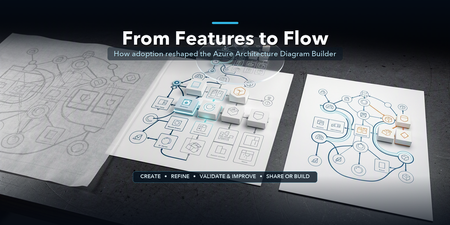
From Features to Flow: How Real-World Adoption Reshaped the Azure Architecture Diagram Builder
In May, I introduced the open-source Azure Architecture Diagram Builder as a way to move from a natural-language prompt to an Azure architecture diagram, cost estimate, Well-Architected assessment, and deployment guidance. In July, I shared how the project had become agent-ready through Model Context Protocol (MCP). Those posts described what the tool could do. The more interesting story came next: what happened when people actually used it. As adoption grew, the central product question changed. It was no longer simply, Can AI generate an Azure architecture? It became: How do we help an architect choose how to begin, improve a result without losing their work, validate it responsibly, and turn it into something another person can use? That question reshaped the Azure Architecture Diagram Builder from a collection of capabilities into a guided workflow: Create → Refine → Validate & Improve → Share or Build This post explains what we learned, what changed in the product, and why the hardest part of AI-assisted architecture is not the first diagram. It is everything that comes after it. TL;DR. Growing adoption created a feedback loop. Aggregate usage showed that people moved beyond generation into validation, recommendations, exports, and deployment guidance. Privacy-safe feedback revealed recurring problems with diagram integrity, preservation of human edits, cost credibility, export quality, and validation continuity. Those signals led to a four-stage architecture journey that keeps human judgment and professional review at the center. The same lesson now shapes agent access and the next product boundary: distinguish logical proposals from evidence-backed physical architecture. Adoption created a product feedback loop As of August 5, 2026, the first two Azure Architecture Blog articles had accumulated approximately 12,100 combined views. A refreshed view of deduplicated application telemetry through August 13 recorded: Activity Aggregate count Architecture generation and refinement events 5,023 Well-Architected validations 960 Recommendations applied 175 Diagram exports 2,020 Deployment guides generated 212 As of August 13, the public repository had reached 45 stars and 14 forks. In GitHub’s current rolling 14-day window, the repository recorded 277 unique visitors and 67 unique cloners. These numbers measure different things and should not be added together. Article views are not unique readers. Application activity uses anonymous telemetry identifiers, not verified people. GitHub traffic is a rolling aggregate window. The signals are useful because of the pattern they reveal, not because they can be combined into one headline user count. Activity also accelerated during the period following the second article. Compared with the May 19–July 9 baseline, daily activity from July 10 through August 13 was approximately 7.0 times higher for architecture generation and refinement, 5.6 times higher for Well-Architected validation, and 5.9 times higher for recommendation application. The timing coincided with publication; it does not prove that the article alone caused the growth. The important product lesson was simpler: people were not stopping after the first diagram. They were testing alternatives, validating designs, applying recommendations, exporting artifacts, and asking how to move toward implementation. Generation was the entry point, not the complete job. The first guided-journey signals reinforce the need for more than one starting path. Through August 13, the new journey instrumentation recorded 880 interactions from 174 anonymous identifiers across 241 sessions. At first start, structured brief/image generation and Guided Chat were selected at almost the same frequency (158 and 156 events), while template and live-Azure import added another 68 selections. These are interaction counts, not unique people or conversion rates, and the window is still too early to claim that the journey improves completion. They are enough to show that architecture work does not begin in one uniform way. In-product Start Here panel showing the four-stage Azure Architecture Diagram Builder journey: Create, Refine, Validate and Improve, and Share or Build. Figure 1. The in-product Start Here panel explains one complete architecture loop. The stages are recommendations, not gates, and direct access to every tool remains available. Stage 1: Create — make the starting choice explicit As capabilities accumulated, the first screen became harder to interpret. Architecture Chat and structured generation were both useful, but they competed for attention. Importing an existing architecture was available, yet easy to miss. The new starting experience makes three paths explicit: Starting path Best suited for Guided Chat Exploring requirements conversationally and refining them over multiple turns Generate Diagram Providing a structured brief or image and producing a first architecture quickly Import Existing Opening an existing architecture or infrastructure artifact for analysis and editing This is not a marketing landing page placed in front of the tool. It is a small decision point inside the authoring experience. Once a path is selected, the user lands on the real canvas. The distinction matters because different architecture tasks begin with different levels of certainty. Sometimes the architect knows the target services. Sometimes the problem needs discovery. Sometimes the architecture already exists and the work is to understand or improve it. The product should acknowledge those differences instead of pretending every design starts with a perfect prompt. Start chooser presenting Guided Chat, Generate Diagram, and Import Existing as three equal entry paths. Figure 2. Three starting paths reflect three different architecture situations: discovery, structured generation, and analysis of an existing design. Stage 2: Refine — preserve human work One of the clearest feedback themes was not about adding another AI capability. It was about preventing AI from casually undoing human effort. An architect might spend time arranging a one-page diagram for a review, resizing groups, moving labels, or emphasizing a specific boundary. A subsequent AI refinement could improve the service selection while disrupting that carefully prepared layout. The design principle that emerged was straightforward: AI acceleration should preserve deliberate human work by default. Refinement now retains existing node positions, group geometry, sizes, and viewport context whenever possible. The model can change the architecture without treating every turn as permission to redraw the entire document. The same principle applies beyond geometry: Preserve the prior validation result when recommendations change the architecture. Preserve the active light or dark theme in exported artifacts. Preserve the distinction between the authoring canvas and the presentation deliverable. Preserve user-configured pricing assumptions rather than replacing them with one fixed estimate. This is a broader lesson for AI-assisted tools. A generated result is not the only source of value. The edits, judgments, and communication choices a person adds afterward are part of the artifact too. Before-and-after AADB canvases showing an AI refinement that adds Azure Front Door and WAF while retaining the positions of eight existing services and the anchors of four existing groups. Figure 3. In this controlled synthetic refinement, all eight existing service positions and four group anchors remained unchanged. The containing Application group expanded to accommodate the new edge tier, so preservation does not imply that every group dimension stays fixed. Quality is structural, not only visual A diagram can look polished while still being architecturally confusing. Early feedback exposed cases where a generated service appeared disconnected because a model referenced a display name instead of the service identifier used by the canvas. The correction was not another prompt instruction alone. The application now resolves connection endpoints across identifiers, normalized service names, and service-type aliases. It repairs valid edges, drops invalid or self-referential edges, detects remaining orphan nodes, and records aggregate integrity signals. That creates a more useful definition of diagram quality: Are the services connected as intended? Were any generated edges repaired or dropped? Are there orphaned nodes? Did refinement preserve the existing layout? Did an architecture change receive a fresh validation? Visual polish still matters, especially when an artifact leaves the editor. But structural integrity gives the product something deterministic to test and monitor. Stage 3: Validate & Improve — treat validation as a lifecycle The Azure Well-Architected Framework is most useful when validation becomes iterative rather than ceremonial. The Diagram Builder can assess a proposed design across the five Well-Architected pillars, surface findings, and apply selected recommendations. But that workflow exposed an important state-management problem: when the architecture changed, the prior validation result disappeared along with the obvious route back to revalidation. The updated experience keeps the previous report, marks it Revalidate Needed, and makes clear that the score describes an earlier state of the architecture. A new validation replaces it only after the updated design has been assessed. This distinction prevents a stale score from looking current. It also clarifies what an architecture-level assessment can and cannot prove. A diagram may show that a WAF, cache, backup service, or secondary region exists. It usually cannot prove that purge protection, diagnostic routing, encryption settings, role assignments, health probes, or failover policies are configured correctly. That is why validation findings need to distinguish between: Pattern-level gaps — missing or misplaced architectural components Configuration-level gaps — required settings that must be verified in Infrastructure as Code or the deployed environment Generated scores and recommendations help architects review a design; they do not replace an Azure Well-Architected Review, security review, deployment validation, or professional judgment. Validation result retained after architecture recommendations are applied, with a Revalidate Needed status and action. Figure 4. Architecture changes make a previous validation historical, not useless. The result remains available while the interface clearly asks for a fresh validation. Stage 4: Share or Build — design for the artifact’s destination The editing canvas and the final deliverable serve different purposes. Canvas dots, handles, navigation controls, and selection states help during authoring. They can make an exported diagram feel unfinished. The Diagram Builder now separates those concerns with Plain, Dots, and Grid export backgrounds while preserving the active light or dark theme. The same AADB architecture shown first on the editing canvas with the export menu open and then as the resulting Plain PNG without authoring controls. Figure 5. Authoring and delivery are different contexts. The upper view shows the editable canvas and its real export controls; the lower view is the Plain PNG produced from that same canvas, without editing chrome. Cost language is deliberately qualified. Azure services often combine fixed, usage-based, and configuration-dependent charges. A baseline that includes six numerically priced services but excludes 20 usage-based items is not the total cost of the architecture. The output identifies those exclusions rather than treating missing values as zero. The final stage also includes deployment guides and Infrastructure as Code. Here, honesty about artifact coverage is essential. A generated Bicep file may be a useful starter while still omitting private endpoints, diagnostic settings, failover configuration, or service-specific resources. The artifact should state what it implements, what remains conceptual, and whether Azure Resource Manager validation passed. AI-generated diagrams, costs, validation results, deployment guides, and Infrastructure as Code should all be reviewed and validated before production use. The same journey now extends to agents The MCP server introduced in the previous article makes the Diagram Builder available to agent experiences such as Microsoft Scout. The four-stage journey provides a useful way to think about agent orchestration too: Import or create one canonical architecture. Refine it without silently changing the intended topology. Validate it, apply supported improvements, and revalidate. Render or generate artifacts with explicit coverage and limitations. The current MCP surface exposes 12 tools, three resources, and three reusable prompts. It can normalize an existing architecture, validate and harden it deterministically, estimate regional costs from a dated pricing snapshot, render presentation/technical/cost views, and generate Bicep, Terraform, and deployment guidance. The calling agent still owns orchestration and reasoning; the MCP server is intended to remain a deterministic architecture capability, not a second hidden agent. The native MCP renderer can project one canonical architecture into three communication profiles: Presentation emphasizes the primary request path, reduces supporting labels, and removes pricing. Technical preserves complete connection detail for engineering inspection. Cost retains the focused composition while adding service-level pricing assumptions, a fixed-priced baseline, and explicit exclusions. These are MCP-generated SVG views, not Blueprint diagrams or screenshots of the editable web canvas. The services, connections, and groups remain the same; only the information treatment changes. The AADB MCP renderer projecting the same canonical architecture into presentation, technical, and cost SVG profiles. Figure 6. Native AADB MCP output from one 8-service, 9-connection, 4-group architecture. Presentation prioritizes the story, Technical exposes connection detail, and Cost foregrounds pricing assumptions and exclusions. Recent work on the MCP renderer added purpose-built presentation, technical, and cost profiles. More importantly, testing agent-generated artifacts reinforced an accountability principle: a polished diagram and a compiled Bicep file do not prove deployability. An agent workflow should report whether topology changed, whether validation improved, which services are represented only conceptually, and whether the generated IaC passed Azure preflight. That is more useful than an unsupported claim that a design is production-ready. Trust also includes the tool boundary itself. The hosted MCP endpoints now require a bearer token for real session operations; missing or incorrect credentials are rejected. A shared token is appropriate for the current controlled integration, but it is not the end state for enterprise multi-user access. Entra ID/OAuth, per-client authorization, rotation, and revocation remain future hardening work. Microsoft Scout response after an authenticated Azure Architecture Diagram Builder MCP workflow, showing the tools used, initial and final validation scores, cost scope, Bicep classification, rendered architecture, artifact links, coverage gaps, and no-deployment warning. Figure 7. The guided lifecycle extends beyond the web application. In this synthetic Scout run with GPT-5.6 Sol, the agent used authenticated AADB MCP tools to validate, harden, cost, render, and generate starter artifacts while explicitly reporting coverage gaps and that nothing was deployed. Learning from adoption without identifying people Product learning does not require reconstructing individual identities. The findings behind this article use aggregate, deduplicated application telemetry, public article counters, public repository totals, and paraphrased feedback themes. They do not correlate Application Insights identifiers, feedback records, GitHub accounts, or email addresses. Written feedback remains submittable without contact information. When someone explicitly opts into follow-up, the email address is stored with the feedback record in Cosmos DB and is not sent to normal product telemetry. The current 180-day expiry field is a retention marker; automated deletion must be implemented and verified before describing that retention period as enforced. Those boundaries matter for both product design and public writing: Aggregate activity rather than profiling individuals. Paraphrase themes rather than publishing comments without permission. Keep optional contact consent separate from telemetry. Avoid presenting anonymous identifiers as confirmed people. Avoid claiming that publication timing proves acquisition causality. This is not a claim of legal compliance. It is a product discipline: collect less, preserve user agency, and make only the claims the evidence supports. What changed The guided journey is the visible result, but the deeper change is how the project now evaluates progress. Earlier question Better question Did the model generate a diagram? Did it generate a connected and understandable architecture? Did the user click Validate? Was the current architecture validated, and was it revalidated after changes? Did export start? Did a professional artifact finish generating successfully? Does the IaC compile? What does it actually implement, and does Azure preflight pass? How many features exist? Can an architect understand the next useful step? The model portfolio continued to evolve as well. The production selector now contains 15 configured entries, including MAI-Thinking-1 (Public Preview). But the more consequential changes in this article are deliberately model-independent: preserve human work, keep state and provenance explicit, qualify generated artifacts, and authenticate the tools agents can call. The goal is not to remove flexibility. Architects can still open any tool directly, rearrange the canvas, reject recommendations, change pricing assumptions, or export at any point. The goal is to make the workflow coherent without pretending architecture itself is linear. The next boundary: logical versus physical architecture Recent feedback points to a harder problem than adding another model or export format. Architects working with private Azure AI landing zones need to distinguish shared platform resources from project-owned resources, preserve VNet and subnet boundaries, and reason about CIDRs, NSGs, route tables, private endpoints, DNS, and managed identities. The current Topology mode can show services and relationships, but it should not imply exact physical fidelity when those facts are absent. A useful logical diagram answers what exists and how it interacts. A physical or low-level design must answer where it is deployed, how it is isolated, and which values came from evidence. That is the next technical direction I am exploring: an evidence-aware Physical Architecture view backed by deterministic reconstruction from Terraform plan/state, ARM, or a live Azure inventory. Exact fields would be labeled as observed or resolved; AI suggestions would remain explicitly proposed; unsupported or missing inputs would be reported instead of silently invented. This capability is not shipped today, and it will require its own schema, validation rules, layout, security review, and evaluation set. That distinction matters. The lesson from adoption is not to put every architecture concern into one crowded canvas. It is to make each artifact’s purpose and evidence boundary clear. Try it, challenge it, help shape what comes next The Azure Architecture Diagram Builder remains open source, and the live experience is available today: Live app: https://aka.ms/diagram-builder Source code: github.com/Arturo-Quiroga-MSFT/azure-architecture-diagram-builder Getting started: Documentation and deployment guidance The next phase is to measure whether the guided journey helps people complete the full loop, especially recommendation-to-revalidation and artifact-generation success. In parallel, I am beginning the narrower physical-architecture investigation described above. Both efforts will use aggregate signals, reviewed fixtures, and sufficiently large cohorts rather than individual journey reconstruction. Try the workflow with a real architecture problem. Tell me where the handoffs are unclear, where the diagram loses intent, or where an artifact claims more than it implements. Those are the gaps worth fixing next. Measurement note: Article views are rounded public counters observed August 5, 2026. Application figures use deduplicated retained telemetry through August 13 and anonymous identifiers. GitHub totals and rolling 14-day traffic were observed August 13. The comparison windows are May 19–July 9 and July 10–August 13. These signals have different populations and must not be added together. Timing comparisons show concurrent activity, not causal attribution.1.1KViews1like2Comments
Migrate Data Ingestion from Data Collector to Log Ingestion - Part 2
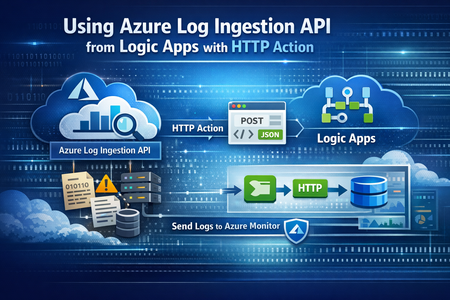
In Part1, we discussed how to use HTTP action to migrate from the deprecated Data Collector API to Log Ingestion API. However, since the deprecated Data Collector API was allowing message payload up to 30MB, some migration scenarios encountered issues; since the new Log Ingestion API has only 1MB payload limit. This applies to both HTTP action, and the preview (Log Ingestion connector) Azure Monitor service limits - Azure Monitor | Microsoft Learn When sending payload larger than 1MB, the HTTP action would fail with the error: In order to overcome this, we can chunk the array payload, before calling the Ingestion API. We need to chunk the array payload, so each produced chunk is around 800KB To do this, you can divide the size of your full payload, by the number of records it has, and this would give an average record size. Then divide 800,000 bytes with the average record size, and this will give you the chunk size. For example, if your payload size is 1,200,259 bytes, and the number of records is 2500, then the average record size is: 1,200,259 / 2,500 =~ 480 bytes To find the chunk size, we divide 800,000 bytes by 480 bytes 800,000 / 480 =~ 1666 records. So if we send around 1600 records, this should be less than 1MB. To chunk your array payload, we can use the chunk expression inside a compose action. You can use the expression below for chunking inside the compose action: After the compose action, add for-each action, and use the output of the compose action as an input: Inside the for-each, use the normal HTTP to send the logs, and in the body, choose the for-each current item238Views1like0CommentsPreview the new Microsoft 365 LTI® for your LMS
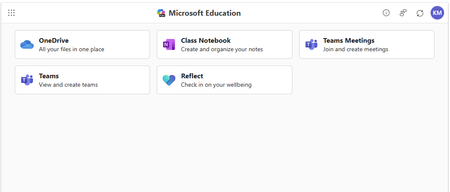
Enhance your LMS with the power of Microsoft 365 We are excited to announce the public preview of Microsoft 365 LTI. Experience the full potential of Microsoft 365 directly within your Learning Management System (LMS) through a simple to integrate learning tool interoperability (LTI). Microsoft 365 LTI makes LMS integrations simple, with a powerful tool designed to introduce new capabilities to streamline and simplify deployment. Deploy and access the new Microsoft 365 LTI in your LMS with the overview and deployment guides. At-a-glance: The Microsoft 365 LTI is now in Public Preview, bringing all your favorite Microsoft Education tools into a single, seamless experience inside your LMS. No more juggling multiple integrations - just streamlined access to everything educators and students need, right where they work. This includes: Unified access to OneDrive, Teams, Class Notebook, Reflect, and more, directly in your LMS Add content, create assignments, and schedule meetings - all from one place No need to enable multiple tools separately or clutter your LMS menus Replaces deprecated Teams Meetings and Team Classes LTI tools Expanding support for Microsoft Assignments, OneDrive, OneNote Class Notebooks, and Reflect Available for Canvas, Schoology, Blackboard, D2L Brightspace, Moodle, and more Let’s dive into the new Microsoft 365 LTI to streamline your learning management system experience We are bringing our Microsoft Education capabilities for learning management systems together into a single tool and streamlined user experience. Educators will be able to access Learning Accelerators, Reflect, OneDrive, Teams, and more in their LMS courses, without having to enable multiple tools separately, and without overcrowding menus where LTI tools are surfaced. Whether adding content to a module, creating an assignment, or scheduling a meeting for a class, you will be able to easily access Microsoft Education related features directly in your LMS workflow. Microsoft 365 LTI debuts with replacements for the deprecated Teams Meetings and Team Classes LTI tools that sunset on 9/15/2025. The capabilities of Microsoft Assignments, OneDrive, OneNote Class Notebooks, and Reflect will also be added to the Microsoft 365 LTI in preview, and those existing LTIs will continue to be supported as their capabilities transition. Microsoft 365 LTI will be available for all currently supported LMS platforms, including Canvas by Instructure, PowerSchool Schoology Learning, Blackboard by Anthology, D2L/Brightspace, and Moodle™, and for any LTI 1.3 Advantage compliant platform. Learning Accelerators and AI-enhanced assignments in your LMS (without Microsoft Teams) With the Microsoft 365 LTI, you will be able to use Learning Accelerators, multiple-document submissions, AI rubric and instructions generation, AI-assisted feedback, auto-graded Forms and other Microsoft Education assignment capabilities directly within your learning management system (LMS), without the need to create and sync a Microsoft Team for your class. Assignments in Microsoft 365 LTI no longer require Teams, enabling more LMS users to benefit from advanced, AI-enhanced capabilities that were formerly exclusive to Microsoft Teams for Education. Assignments can be created, managed, completed, and graded, without leaving your LMS, and grades and feedback will sync automatically to the LMS gradebook. This capability is included automatically in the new Microsoft 365 LTI tool. Existing, Teams-based assignments will continue to work and can be copied to new courses, so no migration is necessary. This enhancement will apply to all currently supported LMS platforms, including Canvas, Schoology, Blackboard, D2L Brightspace, and Moodle. Teams and Teams Meetings Microsoft 365 LTI replaces the former Teams Classes LTI and Teams Meetings LTI tools, with improved user experience. Users can easily schedule, manage, and launch meetings from directly within their LMS course. The tool provides streamlined views of future and past meetings, consolidated attendance reports, and a new “Meet Now” capability. Automatic rostering in Class Notebooks returns with the Microsoft 365 LTI In March, we announced the retirement of automatically adding newly rostered students and co-educators to OneNote Class Notebooks provisioned through the LMS using the LTI 1.1 integration. This much-loved feature is back in the new Class Notebook app in Microsoft 365 LTI. Any instructor in the LMS course can create a Class Notebook and all co-educators and students automatically added to the notebook, even as the LMS roster changes. In addition, the new integration enables OneNote with the benefits of LTI 1.3 conformance and a modernized provisioning flow for educators to easily deploy new Class Notebooks for their courses. Existing notebooks created in the LTI 1.1 integration will continue to work, and sections and pages can be easily copied to new notebooks. OneDrive and Microsoft 365 files with embedded editors and new placements The new Microsoft 365 LTI tool expands beyond the capabilities of the existing OneDrive LTI tool. The full capabilities of Word, PowerPoint, and Excel, including Microsoft 365 Copilot, are now available within the LMS experience for attaching content resources, collaborative documents (including Collaborations for Canvas Courses and Groups!), and students editing and submitting Microsoft 365 documents as an assignment without leaving the LMS. Documents can be embedded or linked into courses and other LMS activities like discussions, announcements, pages, with proper management of permissions to prevent oversharing, and with dedicated course-level storage to support proper document lifecycle management, assignment workflows, and use of Microsoft 365 Copilot. Easily add Reflect to your classroom toolset Microsoft 365 LTI provides easy access to Microsoft Reflect to support student wellbeing in the classroom. Educators can create check-ins, view responses, and monitor trends within an LMS course. Users can access activities from Microsoft and partners such as Calm to support physical and mental wellbeing. For more information, and to keep up with future product announcements Please visit the Microsoft Tech Community Education Blog and subscribe to keep up with what’s new in Microsoft Education. We also hold bi-monthly office hours every first and third Thursday where lots of LMS + Microsoft 365 customers come to discuss scenarios and get assistance from peers, please join us! Microsoft 365 LTI Office Hours 1 st and 3 rd Thursday of each month @11am EST Join link: https://aka.ms/LTIOfficeHours We can’t wait to hear your feedback! Try out the preview today. How to get help or send feedback For any issues deploying the integration, our Education Support team is here to help. Please visit https://aka.ms/EduSupport Once deployed, the Teams Assignments integration has links to Contact Support and Send Feedback from right within the app. These can be found in the user voice menu in the upper right on any view that appears within the LMS. Learn more about Microsoft feedback for your organization. Learning Tools Interoperability® (LTI®) is a trademark of the 1EdTech Consortium, Inc. (1edtech.org) The word Moodle and associated Moodle logos are trademarks or registered trademarks of Moodle Pty Ltd or its related affiliates.11KViews3likes8Comments
Agent experience with data in Onelake using Fabric IQ
Business Scenario A retail organization runs multiple promotional sales events across its store network in different cities, featuring various product categories. Data is captured from: Third-party systems (products, stores, sales events) ERP system i.e. Finance and Operations (customer data) Customers are linked to stores based on city in the ERP system, and each store hosts specific sales events. However, while significant investments are made in marketing campaigns, inventory allocation, and event planning, the organization needs to identify Which stores generate the highest revenue during events Which locations are having majority of customer footprint Solution: Rather than creating custom reports on raw data, an agent can leverage the data in Onelake and use Fabric semantic models and Fabric IQ to provide conversational analytics. The agent can intelligently normalize user inputs and return accurate results even when values such as city names are entered with spelling errors or variations. Advantage: Because the data comes from two disconnected worlds (third-party systems for products/stores/events, ERP for customers), the "join" between them — customer → city → store → event → product — is business logic, not a database key. Fabric Ontology captures exactly that: entity types, relationships, rules and source mappings, so agents don't have to rediscover it from raw tables each time. A. Prerequisite: Data Sources & Relationships Overview Product, store, and sales event data are sourced from third-party systems. Customer data is sourced from the ERP (Dynamics 365 Finance & Operations) system through Fabric lakehouse. How the data is connected: Customers are linked to stores based on city alignment (customer city = store location). Sales events are associated with: The products being sold, and The stores where the events are conducted. Licenses and access requirement: Component License / Requirement Microsoft Fabric Fabric Capacity F2 or higher OR Power BI Premium Capacity P1 or higher with Fabric enabled Fabric IQ Ontology Ontology (Preview) enabled and an active Ontology item in Fabric Copilot Studio A Copilot Studio environment where MCP tools are allowed D365 F&O Valid Dynamics 365 Finance and/or Supply Chain Management licenses for the source users and data access Data movement Fabric ingestion pattern (Lakehouse, OneLake, Dataflow, Link to Fabric, etc.) as applicable B. Step by step configuration: Push the data to OneLake : Connect D365 F&O customer data to Fabric Lakehouse through PowerPlatform Ref: Link your Dataverse environment to Microsoft Fabric and unlock deep insights - Power Apps | Microsoft Learn A Lake house will be created in Fabric with the data Ingest the Data for Store , Sales event and Product from third party system to Fabric using any of the methods as outlined in the documentation below (as relevant) Ref: https://learn.microsoft.com/en-us/fabric/data-engineering/load-data-lakehouse Create a semantic model and relationship between them Ref: https://learn.microsoft.com/en-us/fabric/data-engineering/tutorial-lakehouse-build-report Create Ontology using the semantic model Ref: https://learn.microsoft.com/en-us/fabric/iq/ontology/concepts-generate Ref: Create an Ontology with Fabric IQ - Training | Microsoft Learn Click on View entity type details > click on manage relationship > click on the relation Configure the source and target entity names and connected fields. Repeat similar setup for others as relevant Login to https://copilotstudio.preview.microsoft.com/ and Create Copilot studio agent with following instruction: When processing a user query: Determine whether the user input contains a city name, location name, region, state, or geographical reference. If a location reference is detected: o Identify potential spelling mistakes, abbreviations, alternate spellings, phonetic variations, or non-standard user input using the <<custom prompt>>. o Normalize the value to the most likely official city name used in the enterprise data model. o Examples: "Bombay" → "Mumbai" "NYC" → "New York" Use only the normalized location value when querying Fabric IQ. If confidence in the normalization is high, proceed automatically without asking the user for confirmation. If multiple cities are equally likely matches, ask a clarifying question before querying Fabric IQ. When invoking Fabric IQ MCP: o Replace the original user-entered city value with the normalized city value. o Use the normalized value consistently across all ontology searches and filters. Never expose the internal normalization process unless the user explicitly asks how the result was determined. Return the business result based on data retrieved from Fabric IQ, not based on assumptions. Example: User: "Show sales for Bangaluru last quarter" Normalized City: "Bengaluru" Fabric IQ Query: "Show sales for Bengaluru last quarter" Add Fabric IQ MCP tool Click on Fabric IQ MCP and provide workspace ID and Ontology ID as retrieved from the Ontology URL in Fabric To find the URL, follow these steps: Open your ontology item in Fabric. View the URL in the browser, in the format https://app.fabric.microsoft.com/groups/<workspace-ID>/ontologies/<ontology-item-ID>. Copy the values of <workspace-ID> and <ontology-item-ID> from the URL. Form the MCP server URL by entering the copied values into this string: https://api.fabric.microsoft.com/v1/mcp/dataPlane/workspaces/<workspace-ID>/items/<ontology-item-ID>/ontologyEndpoint.You use this MCP server URL in the next section Following figures explains the details once the process Ref: https://learn.microsoft.com/en-us/fabric/iq/ontology/how-to-create-agent-copilot-studio Add a tool Prompt to ensure normalised search for any user input (e.g. City) Put the following instruction in a custom prompt : You are a location normalization expert. Your task is to identify the most likely city name from the user's input, even when: - The city name contains spelling mistakes. - The city name is partially entered. - The city is entered using an old or alternate name. - The city contains abbreviations or phonetic spellings. Rules: Determine the most likely official city name. Correct spelling mistakes using geographic knowledge. Expand abbreviations where appropriate. Return only the normalized city name. If confidence is below 80%, return "AMBIGUOUS". Never invent a city when multiple equally likely matches exist. Examples: Input: Banglore Output: Bengaluru Input: Mumbi Output: Mumbai Input: BNG Output: Bengaluru Input: Londn Output: London City input: {{CityName}} Output format: { "normalizedCity": "Bengaluru", "confidence": 0.95 } Test the agent Open the Test pane using the Test button in the top right corner of the screen. Enter NL query Allow the MCP tool when prompted Test case 1: What is the top product revenue across all stores? Test case 2: Intelligent Location Normalization with Fabric IQ When a user submits a query such as "Compare the customer footfall between city Blr and Hyd", the agent first applies an AI-powered normalization layer before querying enterprise data. The normalization prompt analyses abbreviations, alternate spellings, phonetic variations, and non-standard location references, mapping them to their canonical business values. In this example: Blr → Bengaluru (Bangalore) Hyd → Hyderabad The normalized city names are then passed to Fabric IQ for semantic retrieval against the ontology and underlying data sources. This approach improves query accuracy, reduces dependency on exact user input, and enables a more natural conversational experience while ensuring consistent reporting and analytics results. Process Flow : User Query → AI Prompt Normalization → Canonical City Resolution (Bengaluru, Hyderabad) → Fabric IQ Semantic Search → Data Retrieval & Comparison Results333Views1like0CommentsLogic Apps Aviators Newsletter - September 2026
In this issue: Ace Aviator of the Month News from our product group News from our community Ace Aviator of the Month September 2026's Ace Aviator: Parth Talaviya What's your role and title? What are your responsibilities? AI-Powered Azure/.NET Solution Architect I work as an Azure/.NET Solution Architect, combining technical leadership with building a Microsoft-focused boutique company. My work mainly revolves around application modernization and migration, cloud architecture, integrations, and team leadership. I also stay hands-on with development, architecture reviews, production troubleshooting, and mentoring developers. Can you give us some insights into your day-to-day activities and what a typical day in your role looks like? My day usually starts with thinking about how we can add more value to our clients' businesses. It includes reviewing project priorities, solving technical challenges, discussing architecture, supporting developers, and collaborating with stakeholders. I mainly work across .NET, Azure, APIs, integrations, DevOps, and AI automation, so every day brings something new to learn and solve. What motivates and inspires you to be an active member of the Aviators/Microsoft community? What really motivates me is how active and supportive the Microsoft community is. People are genuinely willing to help each other, share experiences, and solve problems together. Being able to use my own experience to help someone overcome a challenge genuinely makes my day, while learning from others keeps me motivated to continuously improve. Looking back, what advice do you wish you had been given earlier that you'd now share with those looking to get into STEM/technology? You don’t have to do everything alone. In technology, especially when you are stuck on a very specific problem, it can sometimes feel that way. Asking questions, learning from the community, and collaborating with others can make a huge difference. I would also say: embrace AI early, but use it wisely. Don’t use AI only to generate code. Use it to understand concepts, challenge your thinking, explore better approaches, review your work, and become a better problem-solver. What has helped you grow professionally? Continuous learning and solving real-world challenges have helped me grow the most. Working on legacy modernization, cloud architecture, large-scale data systems, automation, and AI has taught me to think beyond writing code and understand the broader business impact. Being part of a strong technical community has also helped significantly. Whenever you are stuck, there is often someone who has faced a similar challenge and is willing to share their experience. If you had a magic wand that could create a feature in Logic Apps, what would it be and why? I would create an AI-powered Copilot troubleshooting and self-healing assistant for Logic Apps. It could analyze failed workflows, understand the execution context, identify the likely root cause, suggest a fix, and provide safe recovery options. For complex integrations, this could save significant troubleshooting time and allow developers to focus more on building solutions rather than spending hours finding where something went wrong. News from our product group Use connectors with Managed Identity in the Logic Apps Standard extension Managed Identity is Azure's built-in way to authenticate to Microsoft Entra-protected resources without storing credentials, secrets, or connection strings. Deployed Logic Apps have supported it for some time, and this post explains connector support in the Logic Apps Standard extension. Introducing dependency telemetry in Application Insights for Azure API Management policies Running API platforms at scale requires both handling load and understanding where inefficiencies occur. This post introduces dependency telemetry in Application Insights for Azure API Management policies to help teams identify performance bottlenecks. Power Azure SRE Agent with the tools it needs Azure SRE Agent is an AI-powered service designed to reduce operational toil. Teams can use it to investigate incidents, identify probable causes, and automate health-related operational work using connected tools. Give your Copilot agents real tools, without hand-wiring MCP GitHub Copilot coding agents can work independently on branches, but some tasks require access to external systems. This post shows how to equip agents with real tools without manually wiring Model Context Protocol integrations. Zonal redundancy in API management Standard v2 APIs power modern mobile experiences, microservices, AI-driven applications, and business-critical integrations. This post explains zonal redundancy in Azure API Management Standard v2 for improving resilience as customers modernize their API platforms. BizTalk Server 2020 End-of-Sale Announcement Microsoft announces that BizTalk Server 2020 and Host Integration Server 2020 sales are expected to end on March 31, 2027. Existing licensed deployments can continue to be used, while mainstream support for BizTalk Server 2020 is scheduled through April 12, 2028. An optional paid extended-mainstream support offering is planned for eligible customers through April 10, 2030, with final terms to be published later. The post recommends beginning migration planning now, evaluating Azure Logic Apps Standard or Azure Logic Apps Hybrid, inventorying dependencies, and using the Logic Apps Migration Agent to assess and convert supported workloads. Logic App Storage Inspector Logic App Storage Inspector is a read-only Kudu site extension for examining storage used by an Azure Logic App Standard application. It supports searching workflow action and trigger history by workflow, date, or text, with results exportable as CSV or JSON. Users can browse and compare workflow-definition versions, review table and queue information, and monitor health indicators and refresh status. The extension isolates access to the current Logic App site, uses asynchronous paged operations for large storage accounts, and can be installed from Kudu Site Extensions. News from our community Azure Logic Apps Automation – A Practical Infrastructure Lab with Agentic Remediation Post by João Paulo Costa João Paulo Costa tests Azure Logic Apps Automation through an after-hours virtual-machine remediation lab. The workflow uses an agent to inspect VM metadata, tags, and runtime state, then apply guardrails before deciding whether to deallocate the resource, leave it unchanged, or request review. The article contrasts agentic decision-making with deterministic workflows, documents tool and connector choices, and examines preview limitations such as runtime-state retrieval and managed-identity support. It also emphasizes constrained permissions, explicit policies, verification after actions, and negative testing for production, exemptions, missing ownership, and disabled remediation. Agentic Integration: Non-Deterministic Experience, Solid Core Post by Massimo Crippa Massimo Crippa examines whether agentic capabilities make enterprise integration non-deterministic. He separates an agent’s variable decision-making from the predictable integration layer that executes selected capabilities. The article highlights durable messaging, reliable contracts, idempotency, transactional boundaries, retries, compensation, governance, and observability as continuing requirements. It presents tools as the boundary between reasoning and execution: agents determine what should happen, while integration platforms control how operations are performed safely. Azure Logic Apps is positioned as both a deterministic integration foundation and a platform that can expose governed capabilities to emerging agentic experiences. Build AI Agents in Azure Logic Apps (Conversational + Autonomous) Video by Rafsan Huseynov Rafsan Huseynov presents a video on building conversational and autonomous AI agents with Azure Logic Apps. The session describes Logic Apps as more than a background integration layer, covering orchestration, managed identities, agent loops, and the use of workflows as MCP tools. Demonstrations explore connections with Document Intelligence, Blob Storage, Microsoft Foundry, and Copilot Studio workflows, alongside conversational and autonomous agent patterns. The video also introduces a separate low-code automation experience with scoped permissions, while noting that the demonstrations use synthetic data and that the experience remains in preview. BizTalk to Logic Apps migration (three things, everyone gets wrong) Post by Brajesh Sinha Brajesh Sinha explains why simple counts of BizTalk orchestrations and maps produce unreliable Logic Apps migration estimates. One orchestration can fan out into several Azure resources, supposedly simple maps may hide substantial transformation complexity, and operational requirements are often omitted from statements of work. The article highlights the architecture, mapping, and production-readiness effort that teams frequently underestimate. It encourages migration planners to assess actual behavior and dependencies rather than relying on inventory totals, helping create more realistic timelines, scope, and delivery expectations. Hybrid Logic Apps on RKE2: a self-managed cluster with MetalLB Post by Sonny Gillissen Sonny Gillissen demonstrates how to run Azure Logic Apps Hybrid on a self-managed RKE2 Kubernetes cluster. Because RKE2 does not include a native load balancer, the walkthrough uses MetalLB to assign the ingress IP required by the deployment. It covers creating the cluster, configuring networking, connecting the environment to Azure Arc, and handling the platform-specific details needed for Logic Apps. The article provides a practical alternative for teams evaluating hybrid integration workloads outside managed Kubernetes services, extending earlier guidance for OpenShift environments. An Introduction to Logic Apps Standard SDK Video by Marcel Medina Marcel Medina shares a Coding Night ANZ recording introducing the Logic Apps Standard SDK. The session shows how the SDK brings a modern, code-first .NET development experience to Azure Logic Apps while retaining the platform’s connectors, triggers, monitoring, and managed runtime. It is aimed at developers who want familiar tooling and stronger source-driven workflow development without giving up managed integration capabilities. The post also thanks the community for its questions and participation and provides the complete session recording for anyone who missed the live event. Managed Identity in Logic Apps Standard: A Zero Trust Read Post by Steef-Jan Wiggers Steef-Jan Wiggers examines new Managed Identity support for connectors in the Logic Apps Standard local development experience. Developers can now use a consistent authentication model from development through production instead of swapping connection strings before deployment, removing a common source of unmanaged secrets. The article frames this improvement through Zero Trust while stressing that authentication alone does not replace disciplined RBAC. A working azd sample demonstrates the setup and highlights a critical application setting whose absence causes the otherwise correctly configured connection, access policy, and role assignment to fail.692Views0likes0Comments
Introducing APIOps CLI
APIOps CLI helps teams extract, version, review, preview, and publish Azure API Management configuration through source-controlled DevOps workflows. Today, we're excited to announce APIOps CLI, a new command-line experience designed to help organizations manage Azure API Management (APIM) using modern configuration-as-code and GitOps practices. As APIs become increasingly central to digital transformation, organizations need a reliable way to manage API definitions, policies, products, diagnostics, and gateway configuration across multiple environments. APIOps CLI provides a streamlined, developer-friendly approach to extract, version, review, and publish API Management configuration through familiar DevOps workflows. Why APIOps CLI? Traditional API management processes often rely on manual configuration changes, environment-specific customizations, and limited visibility into what changed and why. As API estates grow, these approaches become difficult to scale, audit, and govern. APIOps CLI addresses these challenges by enabling teams to manage API Management configuration as source-controlled artifacts. Every change can be reviewed through pull requests, tracked through Git history, and promoted consistently across development, test, and production environments. The result is improved governance, greater reliability, better collaboration between API developers and platform operators, and a simpler path toward enterprise-scale API operations. What APIOps CLI Enables APIOps CLI provides capabilities that help organizations adopt a true APIOps model: Extract API Management configuration into local artifact files Store and version configuration in Git repositories Review changes through standard pull request workflows Publish approved artifacts back into API Management environments Promote configuration consistently across environments Scaffold GitHub Actions and Azure DevOps pipelines Support automated CI/CD deployment patterns Enable auditable, repeatable API configuration management By treating API Management configuration as code, organizations gain the same operational excellence practices that software development teams have relied on for years. A Modern GitOps Workflow for APIs The APIOps CLI workflow follows a simple yet powerful pattern: Extract configuration from an existing API Management instance. Store the generated artifacts in source control. Review and approve changes through pull requests. Run automated validation and deployment pipelines. Publish approved configuration back to target API Management environments. This approach creates a clear separation between authoring, review, approval, and deployment while maintaining a complete audit trail of API platform changes. For organizations already practicing GitOps, APIOps CLI integrates naturally into existing development workflows and governance processes. Built for Real-World Enterprise Scenarios APIOps CLI is designed to support customers operating at enterprise scale. Common use cases include: Migrating away from manual API Management administration Standardizing deployments across multiple environments Establishing controlled promotion paths from development to production Implementing governance and compliance requirements Supporting platform engineering and API platform teams Managing large inventories of APIs, products, policies, and configurations Enabling self-service API development with centralized governance Whether you're operating a single API Management instance or managing a large multi-team API platform, APIOps CLI provides a foundation for consistent and repeatable operations. Integrated with Your Existing Toolchain APIOps CLI works alongside the tools teams already use: GitHub Azure DevOps Azure Pipelines GitHub Actions Azure CLI Existing Git repositories and branching strategies The tool can generate CI/CD scaffolding to accelerate adoption, helping teams move from manual operations to automated deployments with less effort. Open Source and Community Driven APIOps CLI is available as an open-source project under the Azure GitHub organization. The repository includes source code, architecture guidance, command documentation, CI/CD examples, walkthroughs, troubleshooting guidance, and reference material. By making the project open and community-driven, we are enabling customers, partners, and contributors to participate directly in the evolution of Azure API Management DevOps practices. Getting Started Getting started is straightforward: Install the APIOps CLI package. Authenticate with Azure. Extract an existing API Management instance into local artifacts. Commit those artifacts to a Git repository. Review and approve changes through pull requests. Publish approved changes back to Azure API Management. We recommend beginning with a non-production environment to establish your workflow, validate governance processes, and familiarize teams with the configuration-as-code model. Looking Ahead APIs have become a strategic asset for every organization. As API estates continue to expand, successful teams will increasingly adopt automation, governance, and GitOps practices to maintain speed without sacrificing control. APIOps CLI is an important step in that journey. It provides a modern foundation for managing Azure API Management configurations with the same rigor, automation, and reliability that organizations expect from modern software delivery practices. We invite you to explore APIOps CLI, try it in your environment, share feedback, and join us in shaping the future of API operations on Azure. Resources APIOps CLI GitHub repository: https://github.com/Azure/apiops-cli/tree/main Microsoft Learn: Manage API Management configuration with APIOps CLI